Claude Code Website Audit: Developer Checklist for Launch
Use Claude Code to audit a small business website before launch, with practical checks for SEO, speed, mobile UX, forms, and a final FreeSiteAudit check.
# Claude Code Website Audit: Developer Checklist for Launch
Launching a website is not only a design handoff. It is the point where real customers, search engines, forms, phones, analytics, and mobile screens all start testing the work.
Claude Code can help developers review a site before launch. It can inspect files, explain likely issues, suggest fixes, and help turn a loose audit into a repeatable checklist. It is especially useful when the request is specific: check indexability, metadata, structured data, accessibility, Core Web Vitals risks, redirects, and conversion paths.
It should not be treated as a ranking guarantee or a replacement for human review. Claude Code can miss business context. It cannot prove that a customer trusts your offer. It cannot replace browser testing, Search Console, performance tools, or an outside audit.
Use it as a technical reviewer inside the codebase. Then verify the site in a browser and run an external check with FreeSiteAudit before publishing.
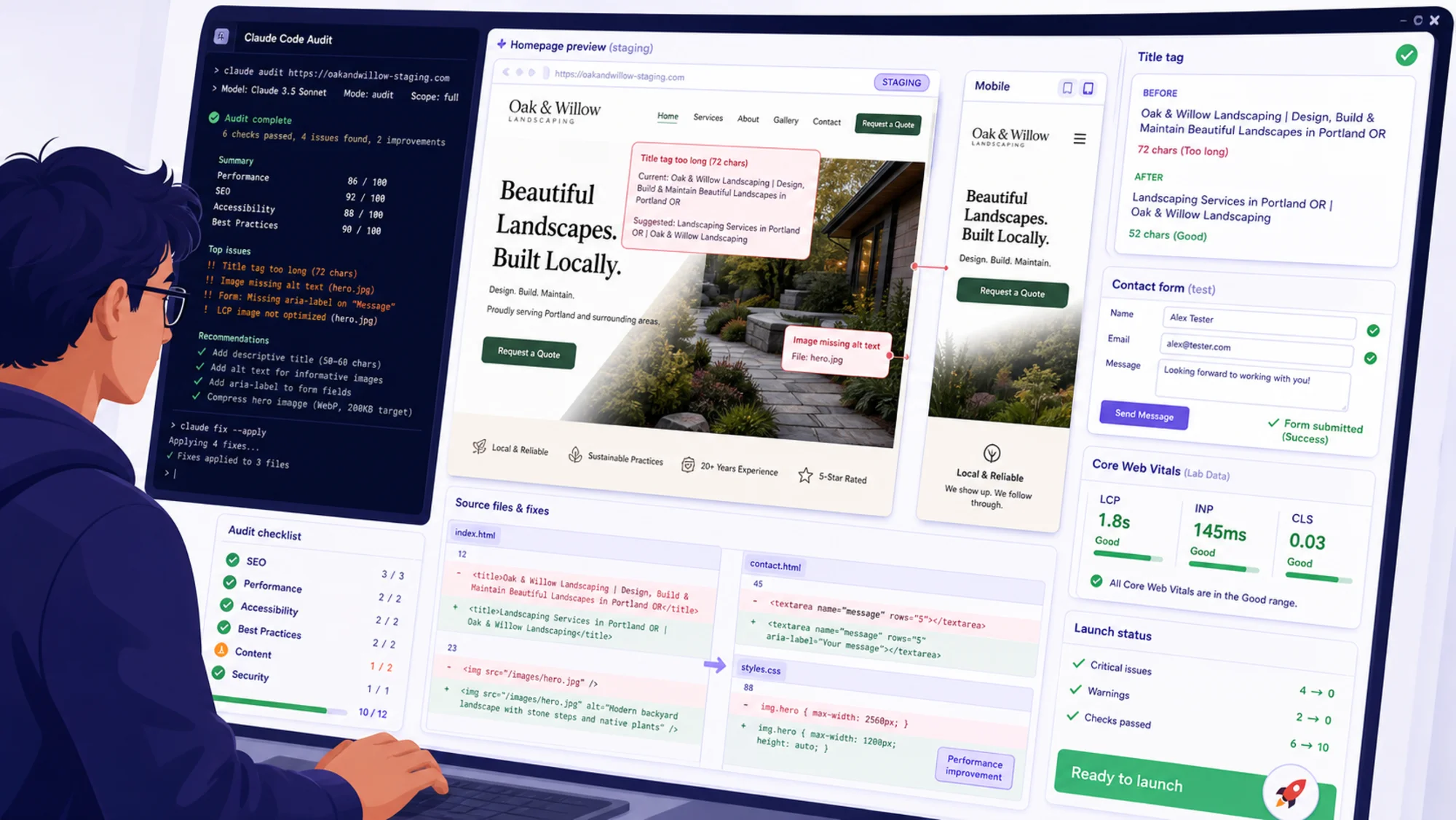
What Claude Code should check before launch
A useful website audit starts with the failures that cost leads.
For a small business, those problems are usually practical: the phone number is not tappable, the page title says “Home,” the mobile menu covers the quote button, the contact form fails silently, or an old service URL returns a 404 after a redesign.
Ask Claude Code to review launch risk, not just “SEO.”
Use a prompt like this:
> Review this small business website before launch. Check crawlability, page titles, meta descriptions, headings, helpful content, Core Web Vitals risks, structured data, accessibility, redirects, mobile navigation, contact forms, phone links, and conversion paths. Return findings by severity with file references and suggested fixes.
That gives the tool a defined job. A vague prompt like “audit my website” usually produces a vague report.
Start with customer and search basics
Google’s helpful content guidance emphasizes creating pages for people first. That is a good standard for launch review. A page should help a real visitor understand the offer, decide whether it fits, and take the next step.
Before the technical checklist, confirm the basics:
- The homepage says what the business does, where it works, and who it serves.
- Important service pages answer real customer questions.
- The main call to action is visible and specific.
- Contact details are accurate.
- Service area, hours, pricing context, or booking expectations are clear.
- Reviews, credentials, examples, or photos support trust.
- The site does not rely on generic claims that could describe any competitor.
A technically clean site can still fail if the offer is unclear. Claude Code can flag thin pages and repeated copy, but a human should decide whether the content would help a buyer.
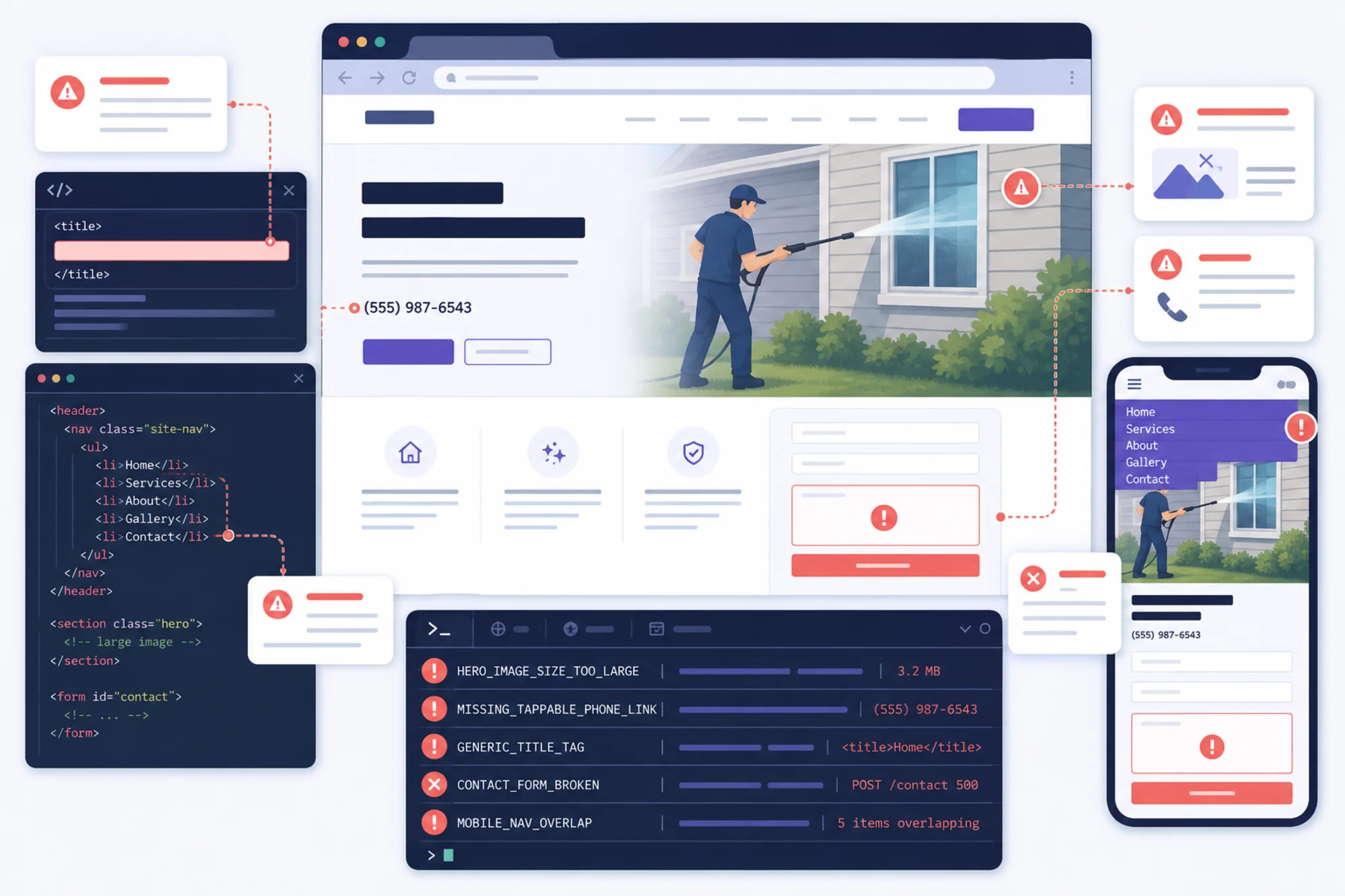
1. Crawlability and indexability
Ask Claude Code to check whether search engines can access the pages that matter.
Mini-checklist:
- Important pages are not blocked by robots rules.
- Important pages do not contain
noindex. - Canonical tags point to the correct live URLs.
- Internal links use crawlable links.
- Sitemap URLs match the launch domain.
- Staging URLs are not exposed in canonicals, links, or sitemaps.
- Old URLs redirect to the closest matching new pages.
Prompt:
> Check the site for crawlability and indexability issues. Review robots rules, noindex tags, canonical tags, sitemap references, redirects, and internal links. Prioritize anything that could stop important pages from appearing in search.
After Claude Code reports back, your developer should still test the live URLs directly. Redirects, robots files, and sitemap paths are easy to get wrong during the final domain switch.
2. Titles, descriptions, and headings
Page titles and headings should describe the actual page. Many small business sites launch with placeholder metadata because the visual design was finished before the SEO details.
Weak examples:
- Home
- Services
- Welcome
- Solutions
- Contact
Better examples:
- Emergency Plumber in Austin, TX | Same-Day Repairs
- Bookkeeping Services for Small Businesses in Denver
- Wedding Photographer in Portland | Pricing and Portfolio
- EV Charger Installation in Raleigh | Licensed Electricians
Prompt:
> Review all main pages for page titles, meta descriptions, H1 headings, and duplicate or vague metadata. Suggest replacements based on the page purpose, service, location, and customer intent.
Mini-checklist:
- Each important page has one clear H1.
- Page titles are unique.
- Titles include the service, product, or location when relevant.
- Meta descriptions are specific and written for humans.
- Headings match the visible content.
- Keywords are used naturally, not repeated awkwardly.
Meta descriptions are not a magic ranking lever, but they matter for clarity. They should explain why a searcher would click.
3. Helpful content and trust signals
Claude Code can help identify thin pages, repeated sections, missing FAQs, or vague service copy. The real question is whether a first-time visitor has enough information to act.
Prompt:
> Review the service pages from the perspective of a first-time customer. Identify missing information that could stop someone from contacting the business, such as service area, process, pricing context, timing, qualifications, guarantees, examples, FAQs, or next steps.
For example, a local HVAC site might have a “Maintenance” page with three sentences and a contact button. A better page explains what the tune-up includes, how long it takes, when to book, what equipment is checked, what the starting price or quote process looks like, and which neighborhoods are served.
Mini-checklist:
- The page says who the service is for.
- The location or service area is clear.
- The next step is obvious.
- The page includes real details, not filler.
- Claims are supported by reviews, credentials, photos, or examples.
- Common objections are answered.
- Contact options are visible without hunting.
4. Core Web Vitals and performance risks
Core Web Vitals measure important parts of user experience, including loading performance, responsiveness, and visual stability. In plain English: the page should load quickly, respond when tapped, and avoid jumping around while it loads.
Claude Code can inspect code patterns that often cause problems:
- Oversized hero images.
- Missing image dimensions.
- Heavy JavaScript on simple pages.
- Third-party scripts loaded too early.
- Fonts that delay text rendering.
- Layout shifts from banners, reviews, embeds, or late-loading media.
- Mobile menus or animations that block interaction.
Prompt:
> Review the codebase for Core Web Vitals risks. Focus on LCP, INP, and CLS. Identify likely causes such as hero images, JavaScript bundles, third-party scripts, missing image dimensions, font loading, and layout shifts. Rank fixes by likely impact.
Mini-checklist:
- Hero images are compressed and sized correctly.
- Images have stable dimensions or containers.
- Important content is not blocked by unnecessary scripts.
- Fonts load without hiding text for too long.
- Third-party tags are limited to what the business needs.
- Mobile pages do not shift when content loads.
- Contact and booking buttons respond quickly.
If performance is poor, start with the first screen. A giant uncompressed homepage image is often a higher-impact fix than a deep technical rewrite.
5. Structured data
Structured data helps search engines understand page type and content. It does not guarantee rich results, and it should not describe anything that is not visible or true on the page.
For article pages, Google documents Article structured data fields such as headline, image, author, and date details. For small business sites, developers may also consider Organization, LocalBusiness, Product, BreadcrumbList, or FAQ markup when it genuinely matches the page.
Prompt:
> Review structured data in the site. Check that JSON-LD is valid, matches visible page content, uses the correct schema type, avoids fake or hidden claims, and includes relevant required or recommended fields.
Mini-checklist:
- Structured data matches visible content.
- Business name, URL, logo, and contact details are accurate.
- Article markup is used only on article content.
- FAQ markup is used only when the questions and answers appear on the page.
- Product, review, or offer details are not invented.
- Markup is tested before launch.
The mistake to avoid is adding schema because “SEO needs schema.” The better question is: what real entity or page type needs clarification?
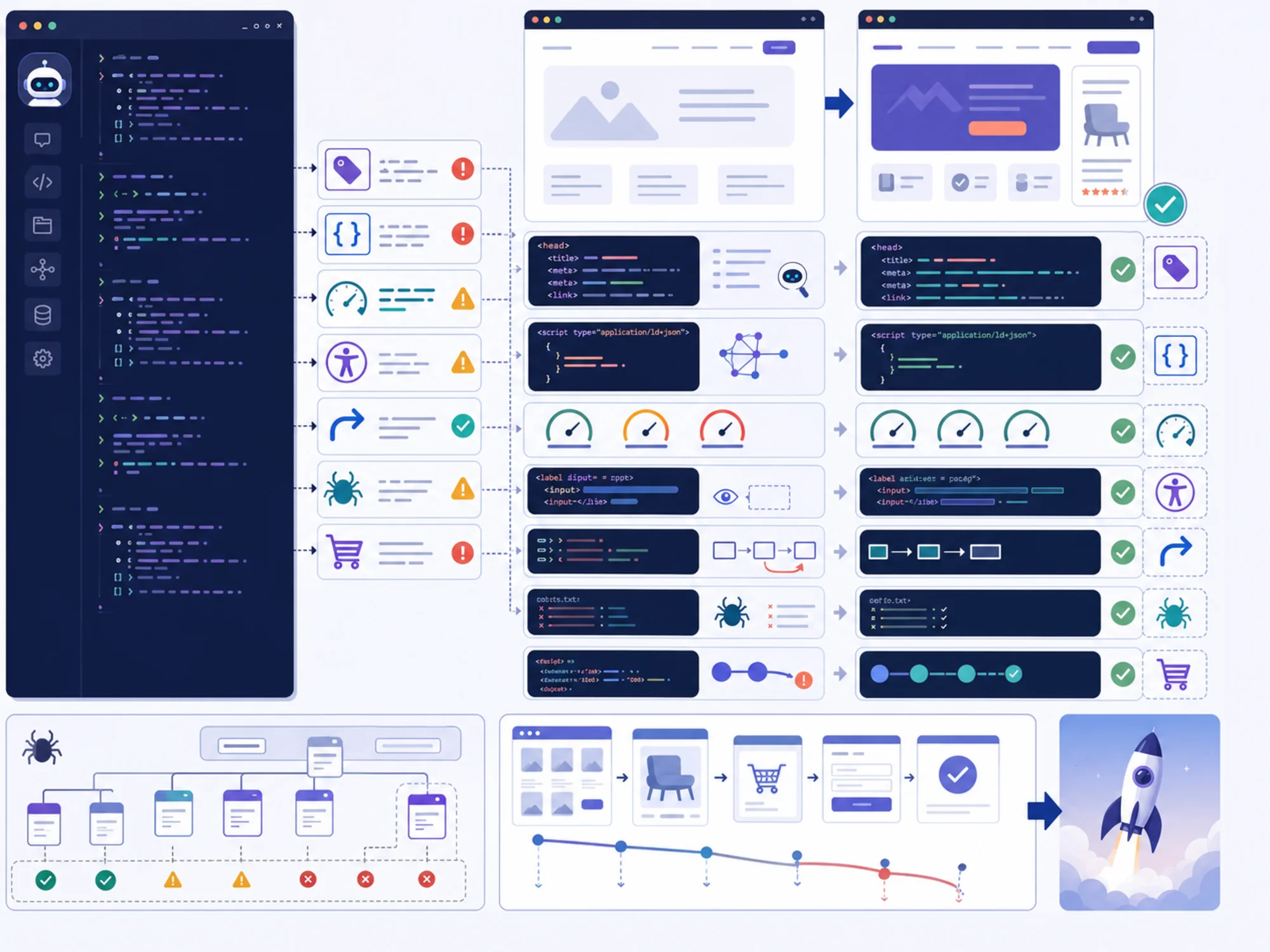
6. Accessibility and usability
Accessibility checks improve the site for more than screen reader users. They help people on phones, people using keyboards, people with poor vision, and anyone trying to complete a task quickly.
Prompt:
> Audit accessibility basics in the website code. Check image alt text, form labels, button labels, keyboard navigation risks, focus styles, heading order, link text, color contrast tokens, and ARIA usage. Return issues that affect real usability.
Mini-checklist:
- Form fields have clear labels.
- Buttons describe the action.
- Phone numbers are tappable.
- Navigation works with keyboard and on mobile.
- Focus states are visible.
- Text is readable without zooming.
- Error messages explain what to fix.
- Informational images have useful alt text.
- Decorative images are handled appropriately.
Do not use ARIA as decoration. Native HTML controls are often more reliable than complex custom components.
7. Forms, tracking, and conversion paths
This is the launch area that deserves the most direct testing.
A small business site may have one main goal: generate calls, bookings, quote requests, or purchases. If that path breaks, the rest of the audit matters less.
Prompt:
> Identify every conversion path on the site: contact forms, phone links, email links, booking buttons, quote buttons, newsletter signup, checkout, and map links. Check for likely implementation problems, missing success states, and tracking gaps.
Mini-checklist:
- Contact forms submit successfully.
- Confirmation messages appear.
- Emails or CRM entries reach the business.
- Required fields make sense.
- Error states are clear.
- Spam protection does not block real customers.
- Phone links work on mobile.
- Booking links open the correct service or calendar.
- Thank-you pages or events are tracked if used.
- CTA text is specific.
Weak CTA:
> Submit
Better CTA:
> Request a Quote
Better for some businesses:
> Book a Free Roof Inspection
8. Mobile launch review
Mobile is not a smaller desktop. For many small businesses, it is the main buying experience.
Ask Claude Code to inspect responsive code risks, then test the site on a real phone or browser emulator.
Mobile mini-checklist:
- Header does not cover content.
- Menu opens and closes cleanly.
- Tap targets are large enough.
- Phone number is visible and tappable.
- Forms are easy to complete.
- Sticky bars do not block key buttons.
- Images do not crop out important service details.
- Location, hours, and directions are easy to find.
- Booking or checkout works without horizontal scrolling.
Example: local service website launch audit
Imagine a local electrical contractor is about to launch a redesigned website. The important pages are the homepage, emergency electrician page, panel upgrades page, EV charger installation page, service area page, about page, and contact page.
A practical Claude Code workflow looks like this.
Step 1: Ask for a launch-risk audit.
> Audit this local electrical contractor website before launch. Prioritize issues that could hurt search visibility, mobile usability, lead generation, accessibility, or trust. Group findings by severity and include file references where possible.
Useful findings might include a vague homepage title, duplicate service page descriptions, a broken contact form success state, a hero image without stable dimensions, a plain-text phone number, an old phone number in LocalBusiness schema, and footer links pointing to staging URLs.
Step 2: Separate launch blockers from later improvements.
> Rank these findings by business impact for launch. Separate must-fix before launch from can-fix after launch.
Must-fix issues usually include broken forms, wrong contact details, staging URLs, blocked important pages, mobile navigation failures, and missing redirects from old URLs.
Post-launch improvements might include expanding FAQs, adding project examples, tuning meta descriptions, improving gallery alt text, or reducing unused JavaScript.
Step 3: Verify outside the codebase.
Your developer should test the homepage, main service pages, contact form, phone link, booking buttons, redirects, sitemap, robots file, analytics events, and mobile navigation in a browser.
Then run an outside check with /tools/free-website-audit. Use the FreeSiteAudit report to compare against the Claude Code findings and catch issues that are easier to see from the rendered site than from the code.
A practical owner-facing launch checklist
Copy this into your launch notes.
Business clarity:
- The homepage says what you do, where you do it, and who it is for.
- The main CTA is visible without scrolling.
- Contact details are accurate.
- Service area is clear.
- Hours, pricing context, or booking expectations are included where relevant.
SEO basics:
- Important pages have unique titles.
- Important pages have clear H1 headings.
- Meta descriptions are specific and human-readable.
- Internal links connect related pages.
- Sitemap is ready.
- Important pages are indexable.
- Old URLs redirect correctly.
Technical quality:
- Pages load acceptably on mobile.
- Images are compressed.
- Layout does not jump while loading.
- No staging links remain.
- No obvious console or form errors remain.
- Analytics and conversion tracking are checked if used.
Conversion:
- Contact form works.
- Phone links work.
- Email links work.
- Booking links work.
- Thank-you message or page appears.
- Error messages are understandable.
- The next step is clear on every important page.
Accessibility:
- Text is readable.
- Buttons are labeled.
- Forms have labels.
- Keyboard focus is visible.
- Important images have useful alt text.
- Links make sense out of context.
How to ask your developer to use Claude Code
Send a clear request:
> Before launch, please run a Claude Code review focused on SEO basics, mobile usability, Core Web Vitals risks, accessibility, structured data, redirects, contact forms, and conversion paths. Please send a short list of must-fix launch blockers and a second list of post-launch improvements. Also run browser tests on mobile and desktop and compare the results with a FreeSiteAudit report.
This works because it asks for outcomes. It does not ask the developer to produce a giant report that nobody uses.
Common mistakes to avoid
Do not let Claude Code rewrite the whole site during an audit. A launch audit should be controlled. Fix the problems that affect customers, search visibility, and lead generation first.
Do not accept every AI suggestion blindly. Claude Code can be wrong, too broad, or unaware of business priorities.
Do not optimize for search engines while ignoring buyers. A page that ranks but fails to answer customer questions is still a weak page.
Do not hide important information in images. Services, locations, prices, phone numbers, and key claims should be real text.
Do not launch with unfinished “coming soon” service pages unless you are comfortable with customers and search engines finding them.
Do not forget redirects. Redesigns often lose useful traffic because old URLs disappear.
Where FreeSiteAudit fits
Claude Code helps inside the codebase. FreeSiteAudit helps from the outside. Manual browser testing confirms whether real users can complete the journey.
Use all three:
- Claude Code for implementation review.
- FreeSiteAudit for external technical and SEO checks.
- Browser and device testing for real customer paths.
Before you launch, run a free website audit at /tools/free-website-audit. Use the results to ask better questions: which issues block launch, which affect search visibility, which affect mobile users, and which can wait?
For deeper fixes, review /fixes/technical-seo and /fixes/core-web-vitals. If the site is for a local company, /industries/small-business-seo can help frame the audit around customer behavior and local search intent.
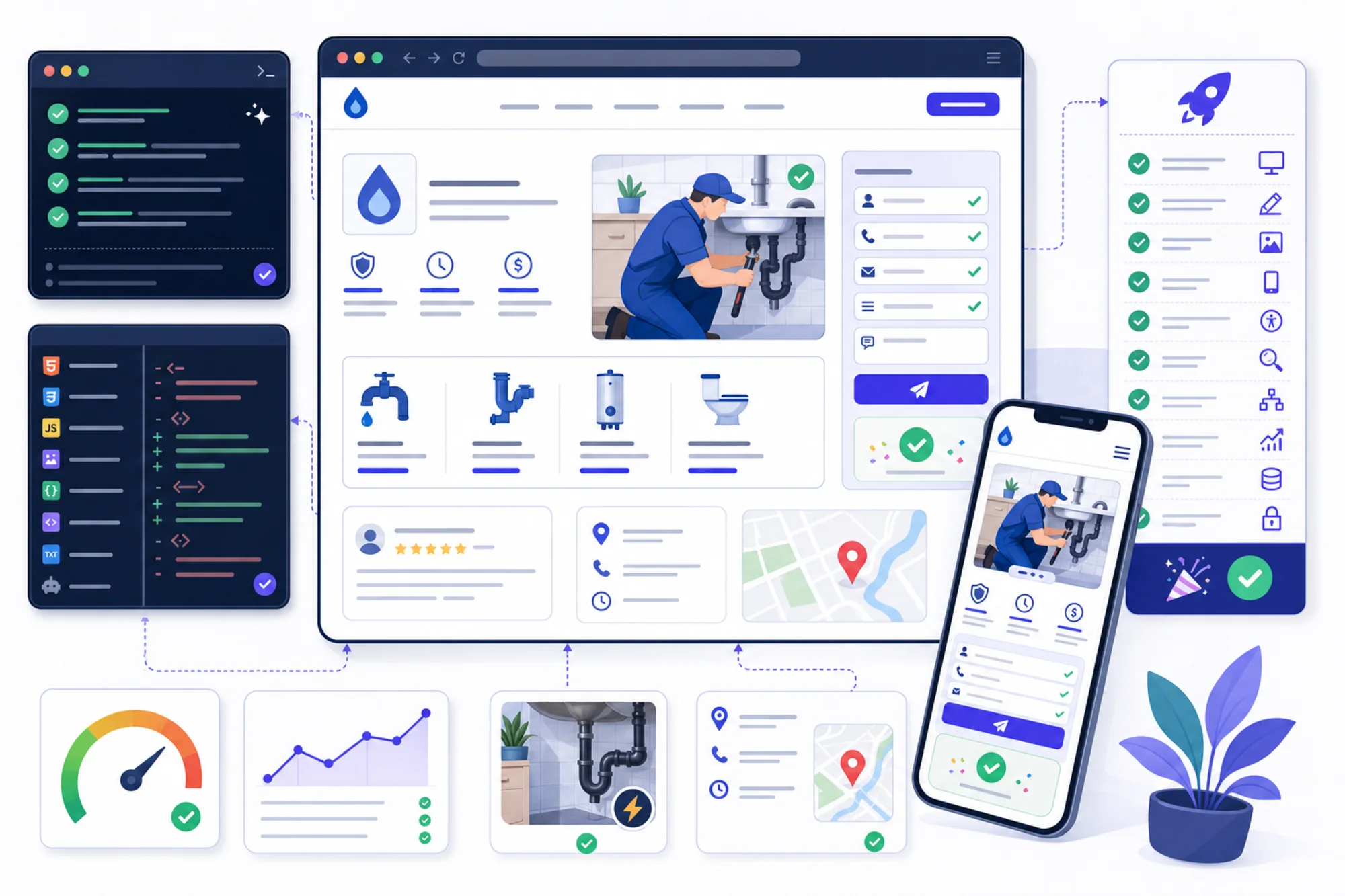
Final launch rule
A good launch audit is not a giant document. It is a short, verified list of issues that could stop customers or search engines from using the site properly.
Use Claude Code to inspect the code. Use FreeSiteAudit to check the site from the outside. Use real devices to test the customer journey. Launch when the important paths work.
Sources
- https://developers.google.com/search/docs/fundamentals/creating-helpful-content
- https://developers.google.com/search/docs/appearance/structured-data/article
- https://web.dev/articles/vitals
- https://docs.anthropic.com/en/docs/claude-code/overview
Check your website for free
Get an instant score and your top 3 critical issues in under 60 seconds.
Get Your Free Audit →