Competitor Website Performance Audit: How to Benchmark Your Site Against the Competition
Learn how to run a competitor website performance audit that shows where your site falls behind — and what to fix first to pull ahead in search results.
# Competitor Website Performance Audit: How to Benchmark Your Site Against the Competition
Most small business owners check their own website occasionally — click around on mobile, test the contact form, maybe glance at Google Analytics, and move on. Almost nobody looks at what the competition is doing online, and that blind spot costs rankings every single day.
A competitor website performance audit measures your site's speed, SEO health, and technical quality against the sites you're actually competing with in search results. It tells you where you're falling behind, why those gaps matter, and what to fix first.
This isn't about copying competitors. It's about understanding the baseline Google expects for your industry and location — and making sure you clear it.
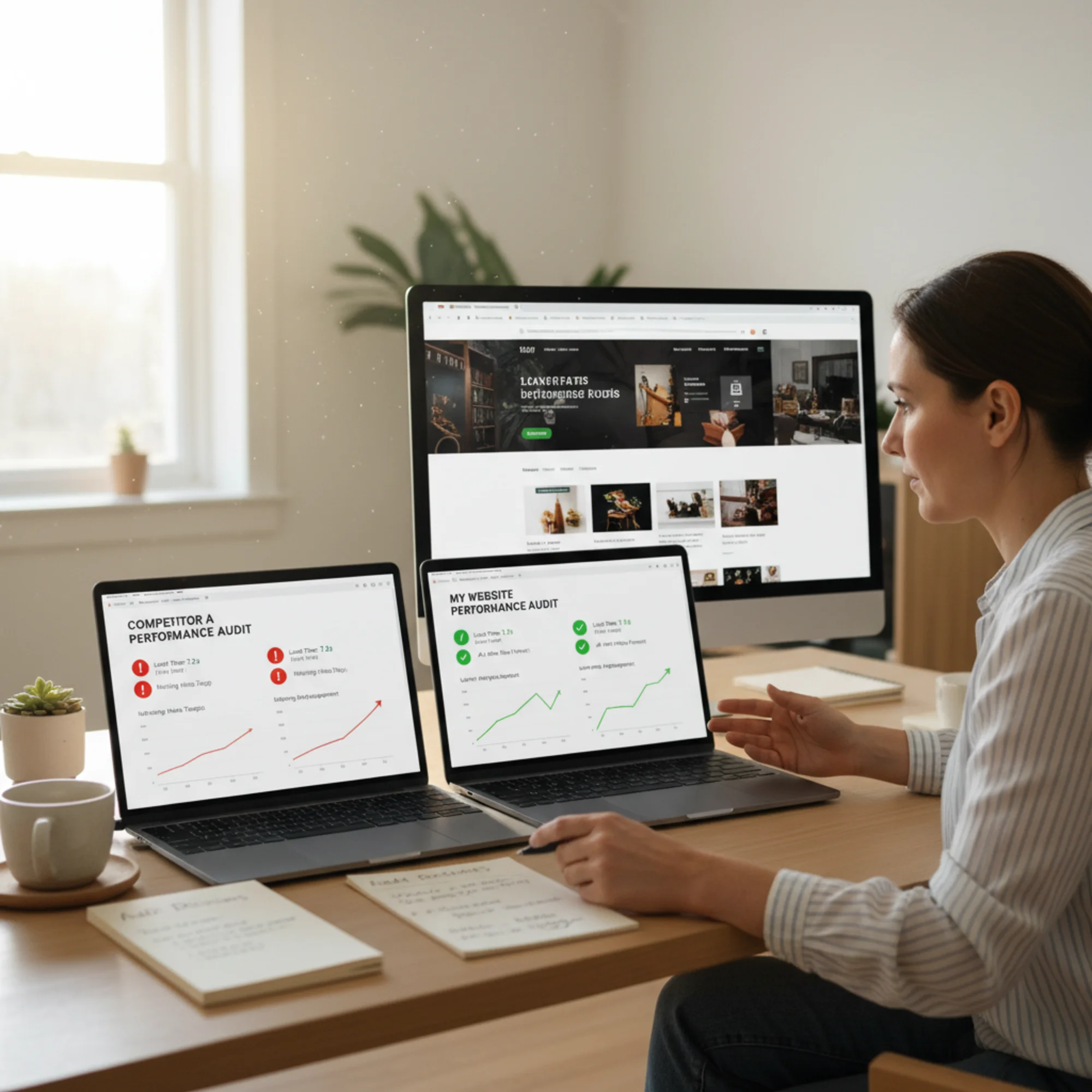
Why Competitor Benchmarking Beats Checking Your Own Score
Your website doesn't exist in a vacuum. When someone searches "plumber near me" or "best bakery in Austin," Google compares your site against every other site trying to rank for that query. Your absolute score matters less than your relative position.
In practice, that means:
- A 72 mobile performance score feels decent — until your top three competitors all score above 90.
- Having a blog seems like enough — until a competitor publishes structured, keyword-targeted posts earning featured snippets.
- Your page loads in 3.5 seconds and you think that's fine — until you learn Google's Core Web Vitals threshold for Largest Contentful Paint (LCP) is 2.5 seconds, and two competitors already meet it.
According to Google's Web Vitals documentation, Core Web Vitals are real-world, user-centered metrics that quantify key aspects of user experience. Sites meeting these thresholds get a ranking signal boost. Sites that don't are at a measurable disadvantage — not because their content is worse, but because Google uses these signals to break ties between otherwise similar pages.
A competitor audit turns guesswork into data. Instead of wondering why you're stuck on page two, you can see exactly what page-one sites are doing differently. More importantly, it gives you a ranked list of changes that will move the needle fastest.
What a Competitor Performance Audit Covers
A proper competitor audit goes beyond "run a speed test on their site." It covers several categories that together paint a complete picture of why certain sites outrank others.
1. Page Speed and Core Web Vitals
These are the loading metrics Google uses as ranking signals:
- Largest Contentful Paint (LCP): How fast the main content loads. Target: under 2.5 seconds. Common culprits when LCP is slow include uncompressed hero images, render-blocking CSS or JavaScript, and slow server response times.
- Cumulative Layout Shift (CLS): How much the page layout shifts while loading. Target: under 0.1. Layout shift usually comes from images without width/height attributes, late-loading ads or embeds, and web fonts that swap after the page renders.
- Interaction to Next Paint (INP): How quickly the site responds to clicks or taps. Target: under 200 milliseconds. Heavy JavaScript bundles and unoptimized event handlers are the usual causes of poor INP.
You want your numbers and your competitors' numbers side by side. If they're faster, that's a ranking factor working against you on every search.
2. Mobile Usability
Over half of web traffic is mobile, and Google uses mobile-first indexing — meaning it primarily evaluates the mobile version of your site for ranking. If your competitor's site is mobile-optimized and yours has tiny tap targets, horizontal scrolling, or unreadable text without zooming, that gap shows up directly in rankings.
Key mobile factors to compare:
- Touch targets at least 48x48 pixels with adequate spacing
- Text readable without pinch-to-zoom (minimum 16px base font)
- No horizontal overflow requiring side-scrolling
- Viewport meta tag properly configured
3. On-Page SEO Fundamentals
The structural elements search engines read to understand what each page is about:
- Title tags and meta descriptions — present, unique, and the right length? Titles should be 50–60 characters. Meta descriptions should be 150–160 characters.
- Heading hierarchy — single H1 with logical H2/H3 structure? Multiple H1 tags or skipped heading levels confuse both crawlers and screen readers.
- Image alt text — images described for accessibility and SEO? Every non-decorative image needs a descriptive alt attribute.
- Internal linking — related pages connected to each other? Strong internal linking helps Google discover and understand the relationships between your pages.
4. Structured Data
Structured data (schema markup) produces star ratings, FAQ dropdowns, business hours, price ranges, and other rich features in search results. If your competitor has structured data and you don't, they visually dominate the results page — even at the same ranking position. Rich results attract more clicks, which over time reinforces the ranking advantage.
Google's structured data documentation explains how Article markup and other schema types help search engines understand and display content more effectively. For local businesses, LocalBusiness schema is especially valuable because it can surface your hours, address, phone number, and service area directly in search.
5. Content Quality and Depth
Google's helpful content guidelines are clear: content should be written for people first. A competitor audit reveals whether rivals publish deeper, more useful content — and whether that gap is costing you traffic.
Things to compare:
- Do competitors have dedicated pages for each service, or one combined page?
- Do they publish blog posts answering common customer questions?
- Is their content organized with clear headings, lists, and visuals?
- Do they target long-tail keywords you're ignoring?
A business with ten well-written service pages will almost always outrank one with a single "Our Services" page, because each page can target specific search queries.

How to Run a Competitor Performance Audit Step by Step
You don't need expensive tools or a marketing agency. Here's a practical walkthrough you can complete this week.
Step 1: Identify Your Real Search Competitors
Your search competitors aren't necessarily the businesses you think of as rivals. They're the sites that appear when someone searches for what you sell.
- Open an incognito browser window to avoid personalized results.
- Search for your primary keyword — the phrase customers type when looking for your service.
- Write down the top 5 organic results (skip ads).
- Repeat for two or three secondary keywords to catch competitors you might miss.
Some might surprise you — a Yelp listing, a directory site, or a business two towns over. That's useful information: if a directory outranks you, it means Google considers your site less authoritative than a generic listing for that query.
Step 2: Audit Your Own Site First
Establish your baseline before examining competitors. Run your site through an audit tool to get current scores for performance, SEO, accessibility, and best practices.
Self-audit checklist:
- [ ] Mobile performance score
- [ ] LCP, CLS, and INP values
- [ ] Pages with missing title tags or meta descriptions
- [ ] Structured data presence (and which types)
- [ ] Broken links or missing images
- [ ] Total page weight (in MB)
- [ ] Number of render-blocking resources
- [ ] Image formats (JPEG/PNG vs. WebP/AVIF)
Run a free audit on your site with FreeSiteAudit to get these numbers in about 60 seconds. Save the results — you'll use them as the left column of your comparison table.
Step 3: Audit Each Competitor
Run the same checks on each of your five competitor URLs. Record identical metrics so you can compare directly. Consistency matters — if you measure your LCP on mobile, measure theirs on mobile too.
Here's what a comparison table might look like for a local landscaping company:
| Metric | Your Site | Competitor A | Competitor B | Competitor C |
|---|---|---|---|---|
| Mobile Performance | 58 | 87 | 91 | 74 |
| LCP | 4.1s | 1.8s | 2.1s | 3.2s |
| CLS | 0.24 | 0.03 | 0.08 | 0.15 |
| INP | 380ms | 120ms | 90ms | 250ms |
| Missing Alt Text | 12 images | 0 | 2 | 8 |
| Structured Data | None | LocalBusiness | LocalBusiness + FAQ | None |
| Meta Descriptions | Missing on 6 pages | All present | All present | Missing on 2 |
| Blog Posts | 0 | 14 | 22 | 3 |
| Page Weight | 5.8 MB | 1.2 MB | 1.5 MB | 3.4 MB |
This table tells a clear story. Competitors A and B are technically superior across the board. Competitor C is beatable. And the site owner now has specific, prioritized issues to address — not vague advice, but measurable gaps with clear targets.
Step 4: Prioritize the Gaps That Matter Most
Not all gaps are equal. Prioritize based on impact and effort:
Fix immediately (high impact, low effort):
- Missing or duplicate title tags and meta descriptions
- Missing image alt text
- No structured data when competitors have it
- Broken links and 404 errors
Fix this month (high impact, moderate effort):
- Slow LCP caused by unoptimized images or render-blocking resources
- High CLS from images without dimensions or late-loading ads
- Mobile usability problems like small tap targets or viewport issues
- Converting images from PNG/JPEG to WebP format
Plan for this quarter (high impact, more effort):
- Content gaps — topics competitors cover that you don't
- Internal linking architecture improvements
- Page speed optimization requiring code-level changes
- Creating dedicated landing pages for each service or location
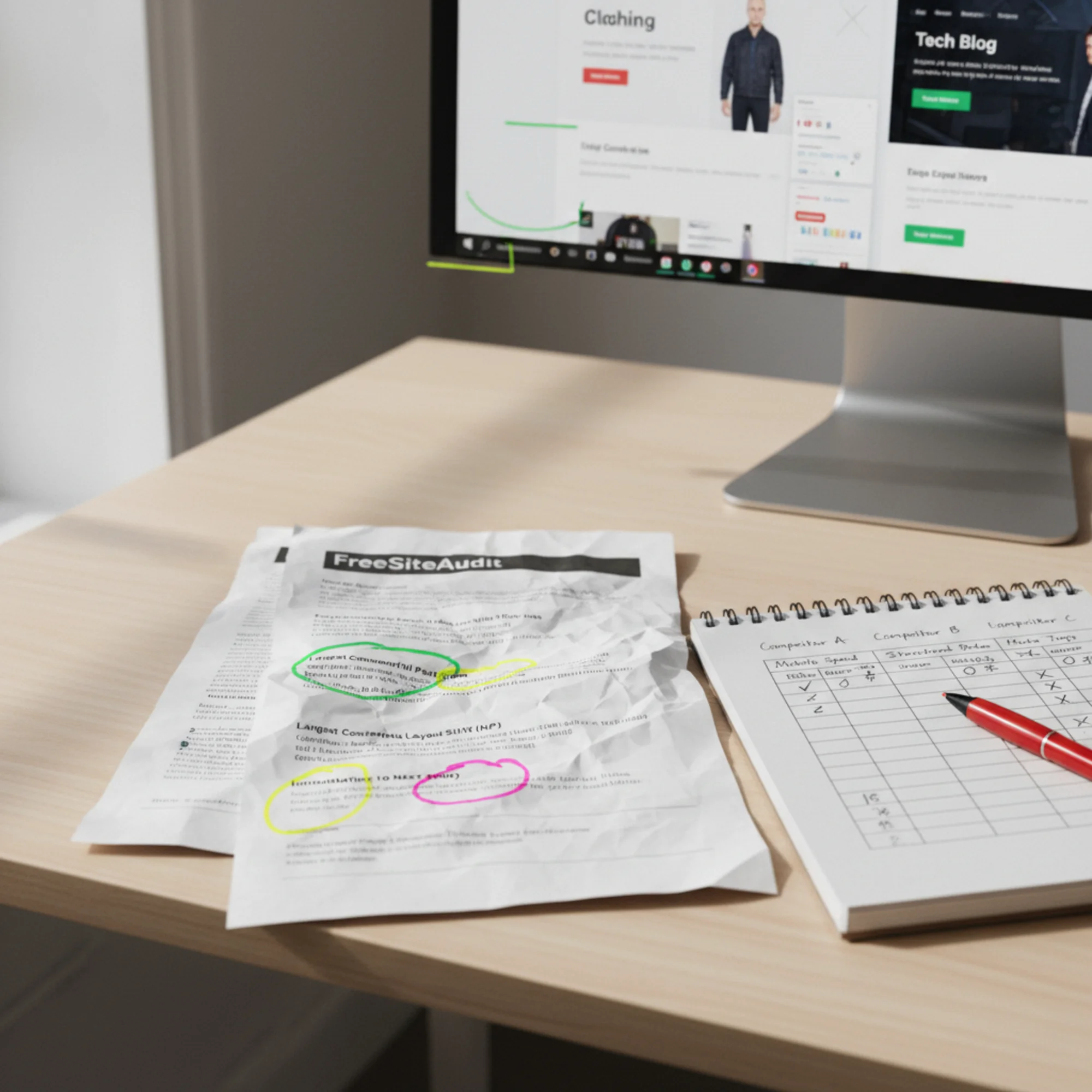
Real Example: The HVAC Company Stuck on Page Two
Sarah runs an HVAC company in Denver. Her website looks professional — clean design, good photos, working contact form. But she's stuck on page two for "HVAC repair Denver" and can't figure out why.
She runs a competitor audit and the gaps become obvious.
The top-ranking competitor has:
- A 92 mobile performance score (Sarah's: 54)
- LocalBusiness + Service structured data with listed service areas
- Blog posts targeting long-tail keywords like "furnace won't ignite pilot light"
- Every image compressed to WebP with descriptive alt text
- An LCP of 1.6 seconds
- Fourteen dedicated service pages, each targeting a specific repair type
Sarah's site has:
- Hero images at 3MB each (uncompressed PNGs)
- No structured data of any kind
- A single "Services" page listing everything with no individual service pages
- Title tags that all read "Home | Sarah's HVAC"
- No blog content
- An LCP of 4.8 seconds on mobile
The gap is clear and actionable. Sarah doesn't need a redesign or a new website. She needs to:
- Compress and convert images to WebP — this alone could cut her LCP in half. A 3MB PNG hero image can typically be reduced to under 200KB in WebP with no visible quality loss.
- Write unique title tags and meta descriptions for every page. "HVAC Repair Denver | 24/7 Emergency Service | Sarah's HVAC" beats "Home | Sarah's HVAC" because it tells Google (and searchers) exactly what the page offers.
- Add LocalBusiness structured data with service area, hours, phone number, and contact info so Google can surface that information directly in results.
- Create individual service pages for furnace repair, AC installation, duct cleaning, and heat pump service instead of one combined page. Each page can rank independently for its own keywords.
- Publish helpful content answering questions her customers actually ask — "how often should I change my furnace filter" or "what SEER rating do I need in Colorado."
Most of these changes can be done in a weekend. Together, they close the measurable gaps between Sarah's site and the competition — and give Google reasons to move her up.
Common Mistakes in Competitor Audits
Benchmarking against the wrong sites. Don't compare yourself to national brands, massive directories, or Wikipedia. Benchmark against businesses of similar size that rank for your specific local keywords. Your goal is to beat the sites directly above you, not to match Amazon's performance score.
Fixating on a single metric. A perfect performance score means little if your content is thin and you have no structured data. Evaluate the full picture. The site that ranks first usually isn't the fastest — it's the one that clears acceptable thresholds across all categories.
Auditing once and never again. Competitor performance changes. New competitors appear. Google updates its algorithms and ranking factors. Run a benchmark quarterly at minimum. Set a calendar reminder so it actually happens.
Copying instead of surpassing. The goal isn't to clone competitors — it's to meet the baseline and exceed it. If every competitor has LocalBusiness schema, you need it too, but you can go further with FAQ schema, review schema, or service schema to earn richer results than anyone else on the page.
Ignoring page weight. Two sites can have similar performance scores but very different page weights. A 6MB page on a fast server might score well on a broadband connection but crawl on a mobile phone with spotty reception — exactly the scenario many of your customers experience.
Your Competitor Audit Action Plan
Use this checklist to run your first competitor audit this week:
- [ ] Search your primary keyword in incognito and identify your top 5 search competitors
- [ ] Audit your own site and record baseline metrics for speed, SEO, and structured data
- [ ] Audit each competitor using the same tool and record identical metrics
- [ ] Build a side-by-side comparison table (use the template above)
- [ ] Identify the 3 biggest gaps between your site and the top-ranking competitor
- [ ] Fix quick wins first: title tags, meta descriptions, alt text, broken links
- [ ] Schedule image optimization and structured data implementation for this month
- [ ] Plan content covering topics your competitors rank for that you don't
- [ ] Set a reminder to re-run the full audit in 90 days
Start With Your Own Baseline
You can't benchmark against competitors until you know where you stand. Run a free website audit with FreeSiteAudit to get your performance scores, SEO issues, and a prioritized fix list in under a minute. Then use those results as the starting point for a full competitor comparison.
The sites ranking on page one aren't necessarily better businesses. They have better-optimized websites. A competitor audit shows you exactly what "better-optimized" means for your specific market and keywords — and gives you a clear, prioritized path to get there.
Sources
- Google Search Central — Creating Helpful, Reliable, People-First Content: https://developers.google.com/search/docs/fundamentals/creating-helpful-content
- Web Vitals — Essential Metrics for a Healthy Site: https://web.dev/articles/vitals
- Google Search Central — Article Structured Data: https://developers.google.com/search/docs/appearance/structured-data/article
Related Tools
Related Fixes
Check your website for free
Get an instant score and your top 3 critical issues in under 60 seconds.
Get Your Free Audit →