Content Audit: How to Identify and Prune Underperforming Pages
A plain-English guide for small business owners on auditing site content, spotting underperforming pages, and deciding what to update, merge, or delete.
# Content Audit: How to Identify and Prune Underperforming Pages
Most small business websites have a content problem nobody talks about: too many pages nobody reads. Old blog posts from three years ago. Service pages spun up "just in case." Landing pages from a campaign that ended in 2022. Each one quietly drags down the rest of your site.
A content audit is the cure. Done right, it takes a weekend, costs nothing but time, and often produces bigger ranking gains than writing ten new articles.
This guide walks you through it in plain English. No jargon, no spreadsheet wizardry, no pretending you have a 20-person SEO team.
Why pruning content actually works
Google has been open about this. Their guidance on helpful, people-first content makes clear that low-value pages on your site can affect how the rest of your site performs in search. If 60% of your pages are weak, your strong pages have to drag the average up.
Think of it like a restaurant menu. A diner that lists 200 items signals "we don't really know what we're doing." A focused menu of 30 great dishes signals expertise. Search engines apply similar logic, just with math instead of intuition.
Three practical reasons pruning works:
- Crawl budget concentrates on pages that matter. Search engines don't crawl every page every day. If half your URLs are dead weight, you're wasting crawls.
- Internal link equity flows to fewer, stronger pages. When you delete or merge 50 thin posts, the links that pointed to them can be redirected to your best content.
- User signals improve. Visitors who land on a useful page stay longer, click more, and come back. Visitors who land on a stale 2019 post bounce.
What counts as "underperforming"
This is the part most guides skip. "Underperforming" is not just "low traffic." A page can have low traffic and still be valuable, and a page can have high traffic and still be useless.
A page is underperforming if it meets at least two of these:
- Fewer than 5 organic visits per month, and live for over a year.
- Hasn't been updated in 18+ months and contains factual claims that may have changed.
- Targets a keyword you no longer care about ranking for.
- Duplicates the topic of another page on your site without adding new angle or depth.
- High bounce rate AND no conversions (no email signups, contact forms, or purchases).
- Not linked from anywhere on your site except your sitemap.
One signal alone isn't enough. A page might have zero traffic because it's brand new, or because you never built links to it. The combination is what matters. For pages that fail on word count and depth, our guide to thin content fixes covers the rewrite playbook.

The four decisions you'll make for every page
For every URL in your audit, pick one of four actions. Don't overcomplicate it.
Keep. The page is doing its job. Leave it alone.
Update. The page has potential but is outdated, thin, or off-target. Rewrite it.
Merge. Two or three pages cover the same topic poorly. Combine them into one strong page and redirect the others.
Delete and redirect. The page is irredeemable. Remove it and 301 redirect to the closest relevant page.
A fifth option some guides mention - "delete without redirect" - should be avoided unless the page genuinely has zero inbound links, zero traffic, and zero historical value. A 301 to a parent page or category is almost always safer.
The actual process
Let's run through this with a real example. Imagine you run a small bookkeeping firm with around 80 pages: 12 service pages, 4 location pages, an about page, contact, and roughly 60 blog posts written over five years.
Step 1: Build your inventory
You need a list of every URL on your site. The easiest sources:
- Your XML sitemap (usually at /sitemap.xml)
- Google Search Console's "Pages" report
- A free site crawler if you want to be thorough
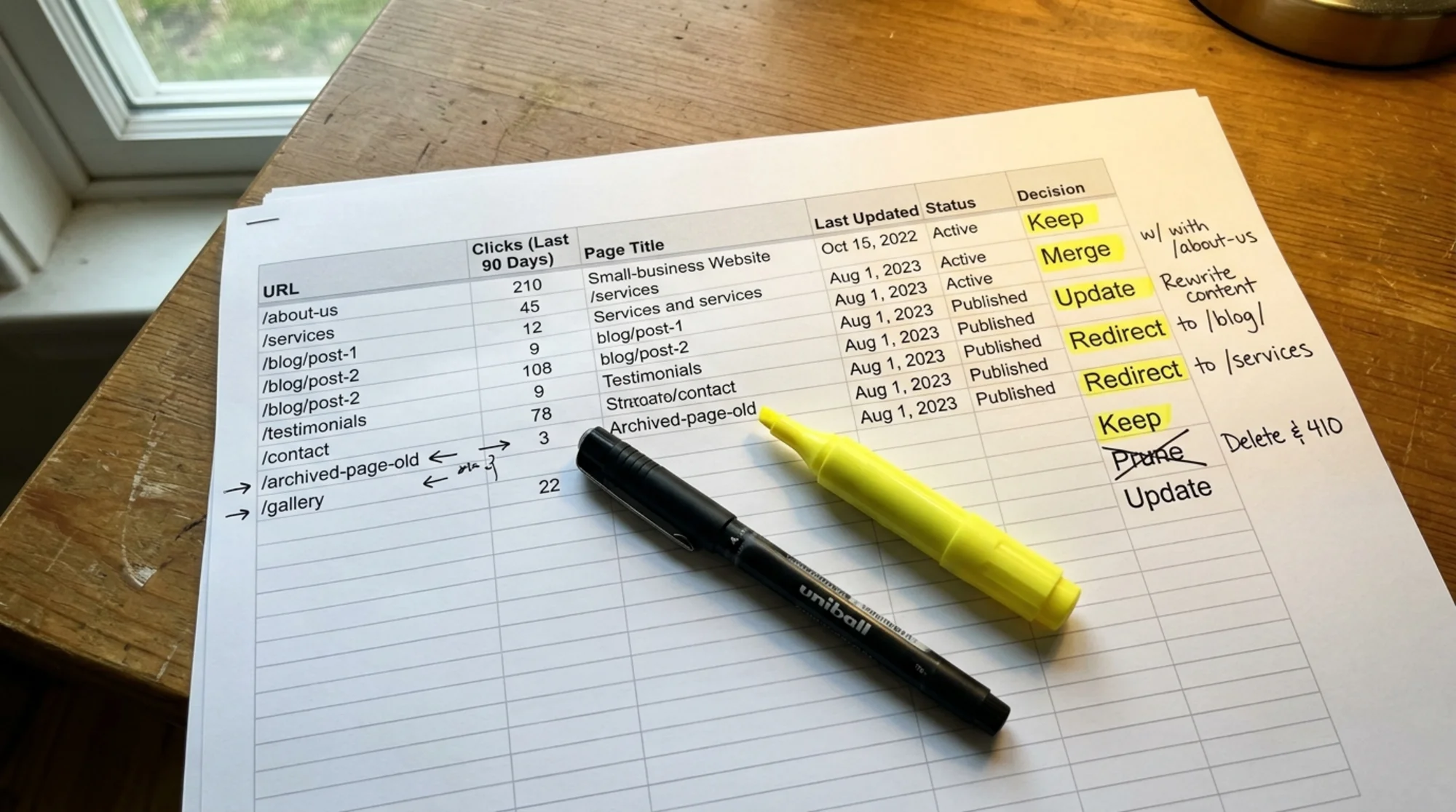
Dump every URL into a spreadsheet. Add columns for URL, page title, date published or last updated, rough word count, primary topic, monthly organic clicks (Search Console, last 3 months averaged), number of internal links pointing to it, decision (blank for now), and notes.
This is the boring part. Allow two to three hours for a site under 100 pages.
Step 2: Pull the data
Open Google Search Console. Go to the Performance report. Set the date range to the last 3 months. Export the page-level data and match each URL to its clicks and impressions in your spreadsheet.
If a URL doesn't appear in Search Console at all, that's a meaningful signal. It means Google has indexed it but nobody searches for anything that page ranks for.
While you're there, check the Pages (Indexing) report for URLs that are indexed but receive zero impressions. Those are prime candidates for pruning.

Step 3: Categorize ruthlessly
Go row by row. For our bookkeeping firm, decisions might look like:
- /services/bookkeeping - 340 clicks/month, 4 internal links, updated last year. Keep.
- /blog/year-end-tax-checklist-2021 - 8 clicks/month, outdated dates and tax thresholds. Update. Refresh for the current year and drop the year from the URL so it stays evergreen.
- /blog/how-to-choose-an-accountant and /blog/what-to-look-for-in-a-bookkeeper - overlapping topics, under 15 clicks/month combined. Merge. Pick the stronger URL, fold in the good bits from the other, redirect the loser.
- /blog/our-team-attended-the-2020-bookkeeping-conference - 0 clicks in 6 months, no internal links, no evergreen value. Delete and redirect to /about.
- /blog/quickbooks-vs-xero - 60 clicks/month, dated comparison from 2022. Update. Both products have changed; rewrite with current features.
Notice how decisions depend on combinations of factors, not single metrics. The 2020 conference post has zero traffic, but the real reason to delete it is that it serves no purpose for anyone landing on the site today.
Step 4: Tackle the easy wins first
You'll be tempted to start with the hardest decisions. Don't. Start with obvious deletes - the duplicate "Hello World" post, the empty draft that somehow got published, the test page from when you redesigned the site.
Then do the obvious merges. Two posts on the same topic that both rank poorly is an easy combine.
Save the "update" work for last, because that's actual writing time. Knock out 20 deletes and 5 merges in an afternoon, and you'll already have a leaner site.
Step 5: Execute the changes correctly
This is where small business sites often go wrong. A few rules:
- Always 301 redirect deleted URLs, unless the page has been live for under a few weeks.
- Redirect to the most relevant page, not just the homepage. Redirecting everything to / is a wasted opportunity.
- Update internal links before you redirect. If five pages link to the post you're about to delete, change those links to point at the new destination directly. Don't make Google follow redirect chains for your own internal linking.
- Remove redirected URLs from your sitemap and submit the updated sitemap to Search Console.
- For merged pages, the canonical version should be the strongest existing URL in terms of links, age, and traffic. Don't create a brand new URL when you have a perfectly good one.
For the technical side of consolidating duplicates, see our guide on duplicate content fixes.
A mini-checklist before you delete anything
Before hitting delete on any page, run through this:
- [ ] Does this page have backlinks from other sites? (Check with a free backlink checker.) If yes, redirect rather than delete.
- [ ] Is this page linked from another page on my site? If yes, update those internal links first.
- [ ] Is there a more recent page that covers this topic better? That's your redirect target.
- [ ] Does this page rank for any keyword I care about, even on page 2 or 3? If yes, consider updating instead of deleting.
- [ ] Will deleting this page break anything else? (Embedded forms, email links, ad campaigns.)
Answer those five questions for each page and you'll avoid 95% of the mistakes people make when pruning content.
How often to do this
A full audit makes sense once a year for most small business sites. Quarterly is overkill unless you publish a lot.
What you can do continuously is much smaller: every time you publish a new post, look at the three most related existing posts. Are any of them obsolete because of the new piece? Decide right then whether to update, merge, or redirect.
This habit prevents the buildup that creates the need for a big audit in the first place. If you're publishing structured editorial content, also confirm your articles use Article structured data consistently - mismatched or missing schema on surviving posts is an easy fix to bundle into the same pass.

What to expect after pruning
Be patient. Search engines need time to recrawl and reprocess redirects. Realistic timeline:
- Week 1-2: Search Console shows a temporary dip in indexed pages. That's expected.
- Week 3-6: Crawl activity on remaining pages typically increases. You may see better rankings for previously underperforming pages because internal link equity is now concentrated.
- Month 2-4: If the audit was substantial, organic traffic usually stabilizes and often grows, even with fewer URLs.
If traffic drops and stays down past month three, you probably deleted something that was quietly carrying weight. Restore it from your backups and 301 it back. Always back up before pruning.
Common mistakes to avoid
- Deleting based on traffic alone. A page can drive conversions or be linked from a high-authority source even with low organic traffic.
- Forgetting about the rest of the funnel. That comparison post with 20 visits a month might be the page that convinces 3 of them to buy.
- Missing dated URLs. /blog/2021-tax-update is dated; /blog/tax-update is not. Sometimes the fix is a URL change with a redirect, not a delete.
- Refusing to delete anything written by the founder. Sentimental attachment to old content is the single biggest reason small business sites stay bloated.
If a page hurts your average and isn't earning its keep, it goes.
A note on technical signals
Pruning is mostly a content judgment call, but technical performance matters too. If a page loads slowly, has broken images, or fails Core Web Vitals, that affects whether it deserves to stay.
A page that's slow, ugly, and gets 5 clicks a month is a delete. A page that's slow, ugly, and gets 500 clicks a month is an update - fix the speed problems first.
Run a free audit to find your weakest pages
Going through 80+ URLs by hand is tedious. An audit tool surfaces the candidates faster: thin pages, slow pages, duplicates, pages with broken internal links, pages with missing metadata.
Run a free website audit on your site to get a prioritized list of issues, including which pages are likely candidates for pruning. It takes about a minute and there's nothing to install. Our small business audit walkthrough shows how to interpret the results for a typical local site.
Once you have that list, the audit process above becomes much faster. You're not hunting for problems - you're working through a sorted list.
The bottom line
Content pruning isn't glamorous. It produces no new content to share, no new pages to celebrate. But it's one of the few SEO activities where the gain is almost guaranteed if you do it carefully.
Fewer pages, each one genuinely useful, beats more pages with mixed quality every time.
Block out a weekend. Build your inventory. Make decisions. Execute carefully. Then leave it alone for a year.
Sources
Check your website for free
Get an instant score and your top 3 critical issues in under 60 seconds.
Get Your Free Audit →