GDPR Compliance Audit for Small Business Websites: A Practical Checklist
A plain-English GDPR audit walkthrough for small business sites — cookies, forms, privacy policy, and data handling, with concrete fixes you can ship this week.
# GDPR Compliance Audit for Small Business Websites: A Practical Checklist
If your website is reachable from an EU country and you collect any visitor data — even just a name in a contact form — GDPR applies to you. That sentence trips up a lot of small business owners who assume the law is only for big tech companies. It isn't.
The good news: a small business website is much easier to audit than an enterprise platform. You probably have one cookie banner, one privacy policy, two or three forms, and a handful of third-party scripts. You can walk through the whole thing in an afternoon.
This guide is the checklist I wish someone had handed me the first time I had to GDPR-audit a five-page WordPress site. Plain English, practical, no legal theatre.
Who actually has to care about GDPR
You're in scope if any of these are true:
- You sell to, market to, or take leads from people in the EU or UK.
- Your website is accessible to EU visitors and you use analytics, advertising pixels, or any cookie that isn't strictly necessary.
- You collect any personal data — email, name, IP address, phone number — from anyone in the EU/UK, even for a newsletter.
You're probably not in scope if your site has no forms, no analytics, no third-party scripts, no embedded videos, and you've geo-blocked EU traffic. Almost no small business site meets that bar. Assume you're in scope and move on.
The penalties get the headlines (up to €20 million or 4% of global turnover), but in practice small businesses rarely face top-tier fines. What you actually face is: complaints filed with your national data protection authority, formal warnings, mandatory remediation orders, and the reputational hit of appearing in a public enforcement decision. Worth avoiding.
The seven things to audit, in order
Work through these in sequence. Each one feeds into the next.
- Cookies and tracking scripts
- Forms and consent
- Privacy policy
- Data processors and transfers
- Data subject rights (access, deletion, portability)
- Data breach readiness
- Records of processing
Most small sites can complete all seven in a single working session.
1. Cookies and tracking scripts
Open your homepage in a fresh incognito window. Before you click anything, open your browser's developer tools and check the Application or Storage tab for cookies, then the Network tab for any third-party requests.
Write down every cookie that's set and every third-party domain that fires. Common offenders on small business sites:
- Google Analytics (
_ga,_gid) - Meta Pixel (
_fbp) - Hotjar, Clarity, or other session recording tools
- Embedded YouTube videos (sets DoubleClick cookies)
- Embedded Google Maps
- Chat widgets like Intercom or Tawk.to
- Cloudflare or other CDN cookies
Now ask one question for each: is this strictly necessary for the user to use the site?
"Strictly necessary" is narrow. It means the site literally cannot function without it — a shopping cart cookie, a login session token, a CSRF protection cookie. Everything else, including all analytics and advertising, requires prior, freely-given, specific, informed, and unambiguous consent before it fires.
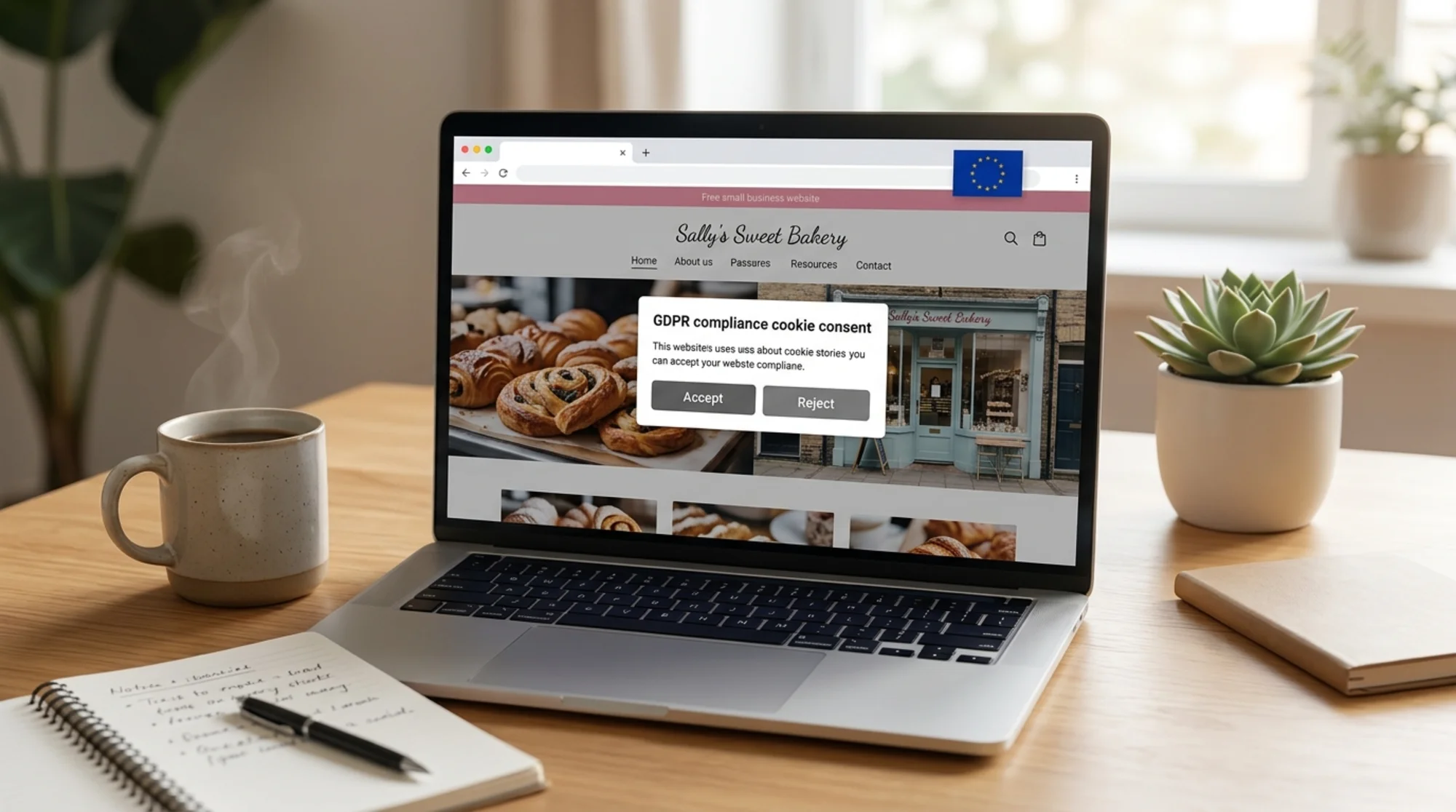
The practical implication: your cookie banner cannot just say "by using this site you accept cookies." It cannot pre-tick boxes. It cannot rely on a "continue browsing" implication. The user must actively opt in, and you must not load any non-essential script until they do.
Mini-checklist: cookie banner
- [ ] No cookies set before consent (except strictly necessary)
- [ ] Reject is as easy as Accept (same number of clicks, same visual weight)
- [ ] No pre-ticked boxes
- [ ] Granular choices — at least Analytics, Marketing, Functional as separate toggles
- [ ] User can change their mind later (link or button always accessible)
- [ ] Consent log stored with timestamp
A surprising number of small sites fail the "Reject is as easy as Accept" test. If your banner has a giant green "Accept All" button and you have to click "Manage preferences → Reject all → Confirm" to refuse, you're non-compliant. Fix that first.
2. Forms and consent
Walk through every form on your site. Contact form, newsletter signup, quote request, booking form, checkout, comment form. For each one, check three things.
What data are you collecting? Only collect what you actually need. If your contact form has a phone number field but you only ever reply by email, drop it. This is the data minimisation principle, and it's both compliant and good UX.
Why are you collecting it? Every field needs a purpose. "Just in case" is not a purpose. Write the purpose down — you'll need it for your privacy policy anyway.
Is consent clear and separate? If you have a newsletter checkbox on a contact form, it must be unticked by default and clearly worded. "Sign me up to occasional marketing emails — you can unsubscribe at any time" is fine. A single combined checkbox that bundles "I agree to the terms AND want marketing emails" is not.

A real walkthrough
Audit a contact form on a small accounting firm's site. The form asks for: Name, Email, Phone, Company, Message, and has a single unticked checkbox: "I agree to the privacy policy and would like to receive the monthly newsletter."
Issues:
- The checkbox bundles two things — agreement to privacy policy and marketing consent. These must be separated.
- Phone is collected but never used (the firm replies by email). Remove it.
- There's no inline privacy notice — just a link to the policy. Add a one-liner: "We use your details only to reply to your enquiry. See our privacy policy."
- No consent log — the form submits to email, with no record of which checkboxes were ticked. Add a backend log capturing form values, timestamp, and consent state.
After the fix: Name, Email, Company, Message, an inline privacy notice, and a separate unticked marketing opt-in. Five minutes of work, fully compliant.
3. Privacy policy
Your privacy policy is the document that proves you understand what you're doing with data. A generic template downloaded from a free generator is better than nothing, but a real audit means actually reading it and checking it matches reality.
Required content, at minimum:
- Who you are (legal name, address, contact)
- What data you collect (every field from every form, plus analytics data)
- Why you collect it (the lawful basis — usually consent or legitimate interest)
- How long you keep it (specific retention periods, not "as long as necessary")
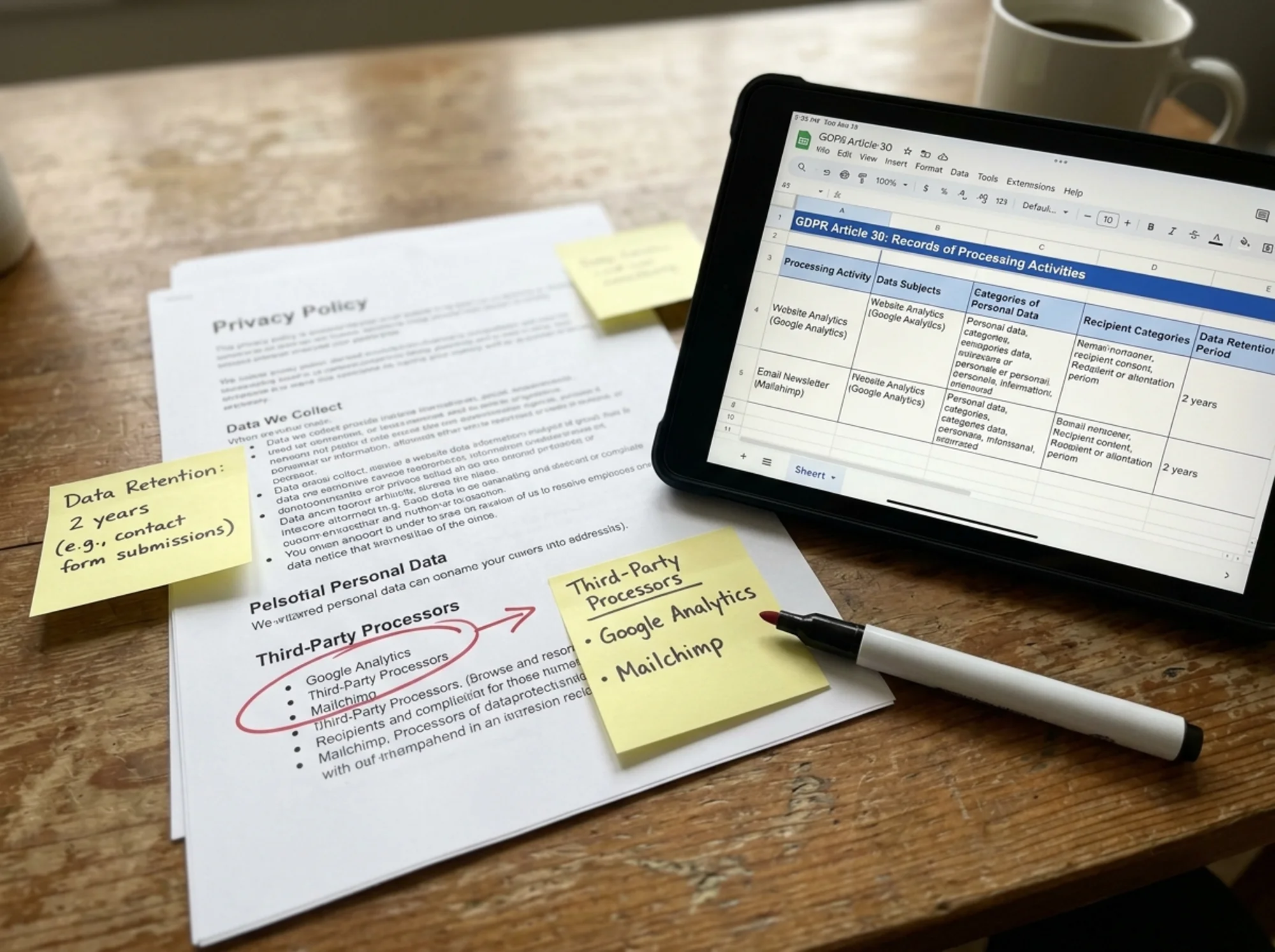
- Who you share it with (every third-party processor by name)
- Where it's processed (especially if data leaves the EU/UK)
- The rights of the data subject (access, rectification, erasure, portability, objection)
- How to file a complaint with the supervisory authority
- Last updated date
The most common gap: the policy was written two years ago, and since then you added a chat widget, switched email providers, and started using a new CRM. The policy still lists the old vendors. Update it whenever your stack changes.
4. Data processors and transfers
Every third-party service that touches your visitors' data is a "processor" under GDPR, and you need a Data Processing Agreement (DPA) with each one. The good news: every major provider (Google, Meta, Stripe, Mailchimp, HubSpot, etc.) publishes a standard DPA you can sign electronically or accept as part of their terms.
Make a list. For each processor, note:
- What data they handle
- Where they process it (country/region)
- Whether you have a DPA in place
- If data leaves the EU/UK, what transfer mechanism applies (Standard Contractual Clauses, adequacy decision, etc.)
Transfers to the US used to be a legal grey zone. Under the EU-US Data Privacy Framework, certified US providers can receive EU data lawfully — but you should verify your specific provider is on the certified list.
5. Data subject rights
EU and UK residents have the right to:
- Ask what data you hold on them (Subject Access Request)
- Ask you to correct inaccurate data
- Ask you to delete their data ("right to be forgotten")
- Ask for their data in a portable format
- Object to processing
- Withdraw consent at any time
You don't need a fancy portal. You need a clear way for someone to make the request (an email address in your privacy policy is fine), and a documented internal process for handling it within 30 days.
Test this on yourself. Email your own privacy contact address with a fake deletion request. Did anyone receive it? Do they know what to do? If the answer is "no" or "I'd panic," that's the gap to fix.
6. Data breach readiness
If you suffer a personal data breach, you have 72 hours to notify your supervisory authority — and possibly affected users. Three days is not long when you're also trying to figure out what happened.
A small business doesn't need an incident response team. It needs a one-page document that says:
- Who is the named contact during a breach
- What counts as a notifiable breach
- The 72-hour clock starts when you become aware, not when the breach happened
- Template notification to the authority
- Template notification to users (if required)
- A simple log of any incidents, near-misses, and decisions taken
Keep it in your shared drive. Print a copy. Done.
7. Records of processing
GDPR Article 30 requires most organisations to maintain records of processing activities. Small businesses under 250 employees are partially exempt — but the exemption is narrow and doesn't apply if your processing is regular, involves special category data, or could pose a risk to individuals.
Practical answer: keep a one-page register anyway. It costs nothing and protects you if you're ever asked. Include: purpose of processing, categories of data, categories of subjects, recipients, retention periods, security measures.
Common small business mistakes
A few patterns I see again and again:
- "We're too small to be audited." Most enforcement starts from a single complaint, often from a former customer or employee. Size doesn't insulate you.
- Using cookies before consent. Google Tag Manager often loads everything immediately. You need consent mode configured properly, not just a banner that updates the UI after the fact.
- Treating the privacy policy as a one-time task. It's a living document. Diary a review every six months.
- Forgetting embedded content. A YouTube video on your About page sets tracking cookies the moment the page loads, unless you use the privacy-enhanced embed (
youtube-nocookie.com). - Trusting "compliant" plugins blindly. A consent plugin only helps if it's configured to actually block scripts pre-consent. Many install in "notice only" mode by default.
How a website audit catches GDPR issues
A general website audit isn't a legal compliance audit, but it surfaces the technical signals that point to GDPR risk: unexpected third-party scripts, missing privacy links, cookies set on first load, insecure form submissions, mixed-content warnings, and missing security headers.
Running a free website audit on your own site will flag the third-party scripts loading on your pages and which cookies are being dropped. From there, match each one against your cookie banner configuration and your privacy policy. If something fires that isn't disclosed, you've found a gap.
For ecommerce sites, the same audit picks up issues with checkout pages, payment scripts, and chat widgets — the ecommerce-specific checks catch the patterns that smaller stores miss most often. And if your audit flags cookies firing before consent, the cookie consent fixes guide walks through the most common misconfigurations.

The one-afternoon audit plan
If you do nothing else this week, block out three hours and do this:
- Hour 1. Open your site in incognito. List every cookie and third-party request before clicking the banner. List every form. Note every field on every form.
- Hour 2. Open your privacy policy. Match it against what you actually collect, who you actually share with, and how long you actually keep things. Note every gap.
- Hour 3. Fix the top three issues — usually: reject button parity on the cookie banner, removing data fields you don't use, and updating the privacy policy to match reality.
Everything else can be scheduled for the following week. You'll have addressed about 80% of the practical risk.
Final thought
GDPR compliance for a small business website is a series of small, boring, common-sense changes. It rewards clarity, honesty, and minimalism — the same things that make for a good website anyway. The companies that get into trouble are usually the ones trying to be clever: dark-pattern cookie banners, pre-ticked marketing checkboxes, vague privacy policies. Don't be clever. Be plain.
Run the checklist. Fix the easy things first. Document what you did and when. That's the audit.
Ready to see what's firing on your own site? Run a free website audit — it'll surface the third-party scripts, cookies, and missing privacy signals you'll want to cross-check against this checklist.
Sources
- ICO UK GDPR Guidance: https://ico.org.uk/for-organisations/uk-gdpr-guidance-and-resources/
- European Data Protection Board Guidelines: https://edpb.europa.eu/our-work-tools/our-documents/guidelines_en
- GDPR.eu Checklist for Small Business: https://gdpr.eu/checklist/
Check your website for free
Get an instant score and your top 3 critical issues in under 60 seconds.
Get Your Free Audit →