Google Business Profile vs Website SEO: Which Should You Fix First?
Learn whether to fix your Google Business Profile or website SEO first. A practical decision framework for small business owners chasing local visibility.
# Google Business Profile vs Website SEO: Which Should You Fix First?
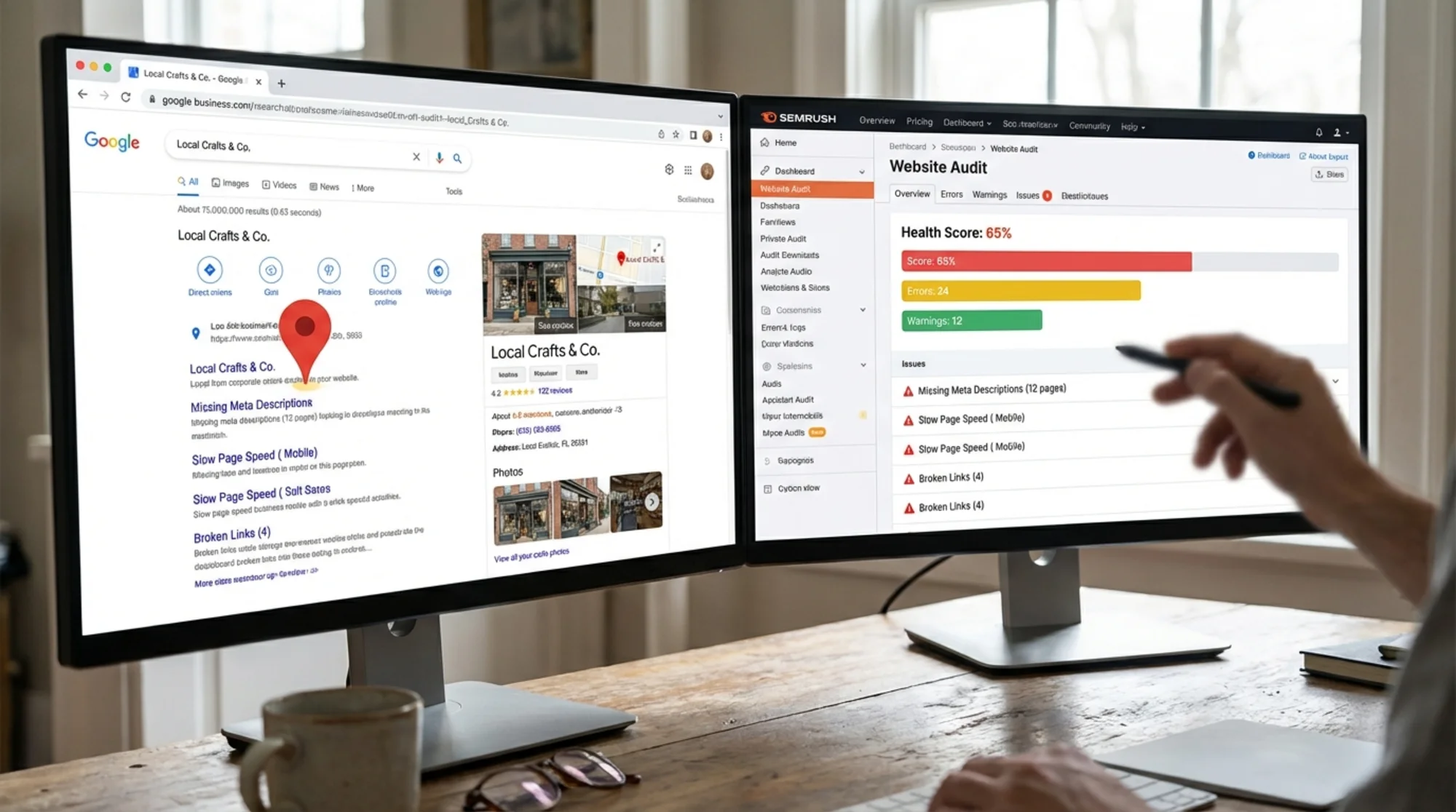
Your Google Business Profile has an outdated phone number. Your website loads slowly and doesn't rank for the searches that matter. You have limited time and no budget for a consultant.
So where do you start?
The answer isn't "both at the same time." That leads to scattered effort and slow progress. You're better off picking one, fixing it properly, then moving to the other.
This guide helps you figure out which one deserves your attention first based on your actual situation — not generic advice, but a practical framework you can apply to your business today.
What Each One Controls
Google Business Profile (GBP) is your free listing on Google. It appears in Google Maps, the local map pack (those three business listings above regular search results), and the knowledge panel when someone searches your business name. It includes your address, hours, phone number, reviews, photos, and posts. When someone searches "dentist near me" or "best pizza in [your city]," it's your GBP that determines whether you appear in that prominent top section of the results page.
Website SEO is everything that affects whether your actual website appears in organic search results — page speed, mobile-friendliness, title tags, content quality, internal linking, structured data, and dozens of other technical and content factors. Your website is also where visitors convert: they read about your services, check your pricing, fill out contact forms, or call you.
The key distinction: GBP controls how you appear in local and map-based searches. Website SEO controls how you appear in organic results and determines what happens after someone clicks through to your site.
They reinforce each other, but they're fixed separately — and the order you tackle them matters more than most business owners realize.
The Quick Decision Framework
Answer these five questions honestly:
- Does your business serve customers in a specific geographic area? (Yes = GBP matters a lot)
- Is your GBP listing claimed and verified? (No = start there immediately)
- Does your website load in under 3 seconds on a phone? (No = website SEO is urgent)
- Do you have fewer than 10 Google reviews? (Yes = GBP work will have outsized impact)
- Are customers finding you through search terms that don't include your business name? (No = website SEO needs work)
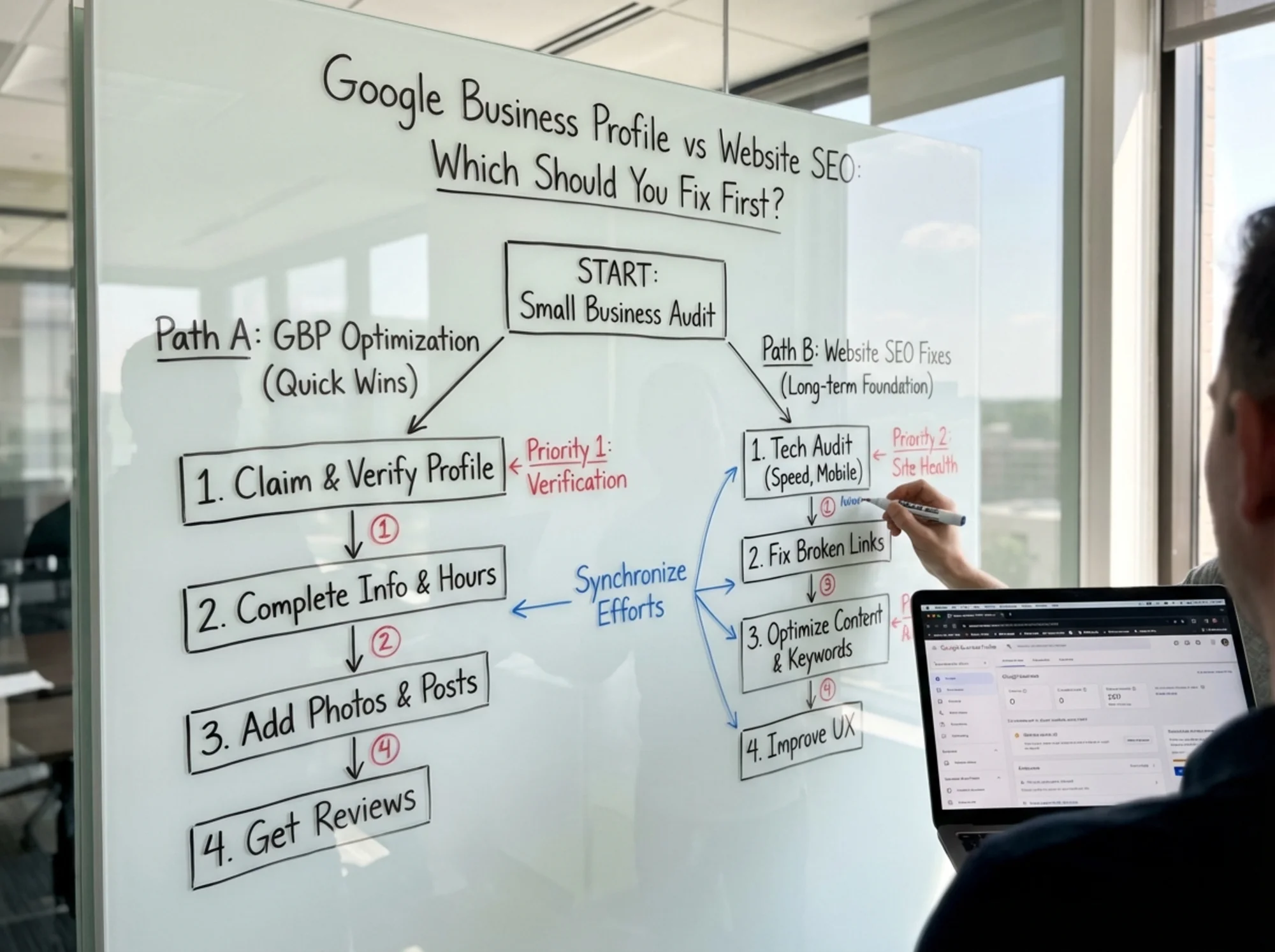
If you answered "yes" to questions 1 and 4, and your GBP isn't fully optimized, start there. If your website has clear technical problems — slow loading, broken pages, no mobile optimization — start with the website.
Here's a helpful way to think about it: GBP is your storefront sign; your website is your sales floor. A great sign with a messy store loses customers at the door. A great store with no sign means nobody walks in. Fix whichever one is losing you customers right now.
Still not sure? Read on for the detailed breakdown.
When to Fix Your Google Business Profile First
Start with GBP if any of the following are true:
- Your listing isn't claimed or verified
- Your name, address, or phone number is wrong
- You have fewer than 10 reviews
- Your business hours are incorrect or missing
- You haven't added photos in the last six months
- Your business categories are wrong or too vague
- Competitors in your area show up in the local map pack but you don't
Why GBP Often Wins for Local Businesses
For businesses with a physical location or defined service area, GBP fixes tend to produce visible results faster than website SEO changes.
Google's local pack operates on a partly separate algorithm from organic search. The main ranking factors are relevance, distance, and prominence. You can influence relevance and prominence quickly by updating your profile, collecting reviews, and adding photos.
Website SEO changes, by contrast, often take weeks or months to show measurable impact. Google needs to recrawl your pages, reassess your content, and adjust your rankings gradually.
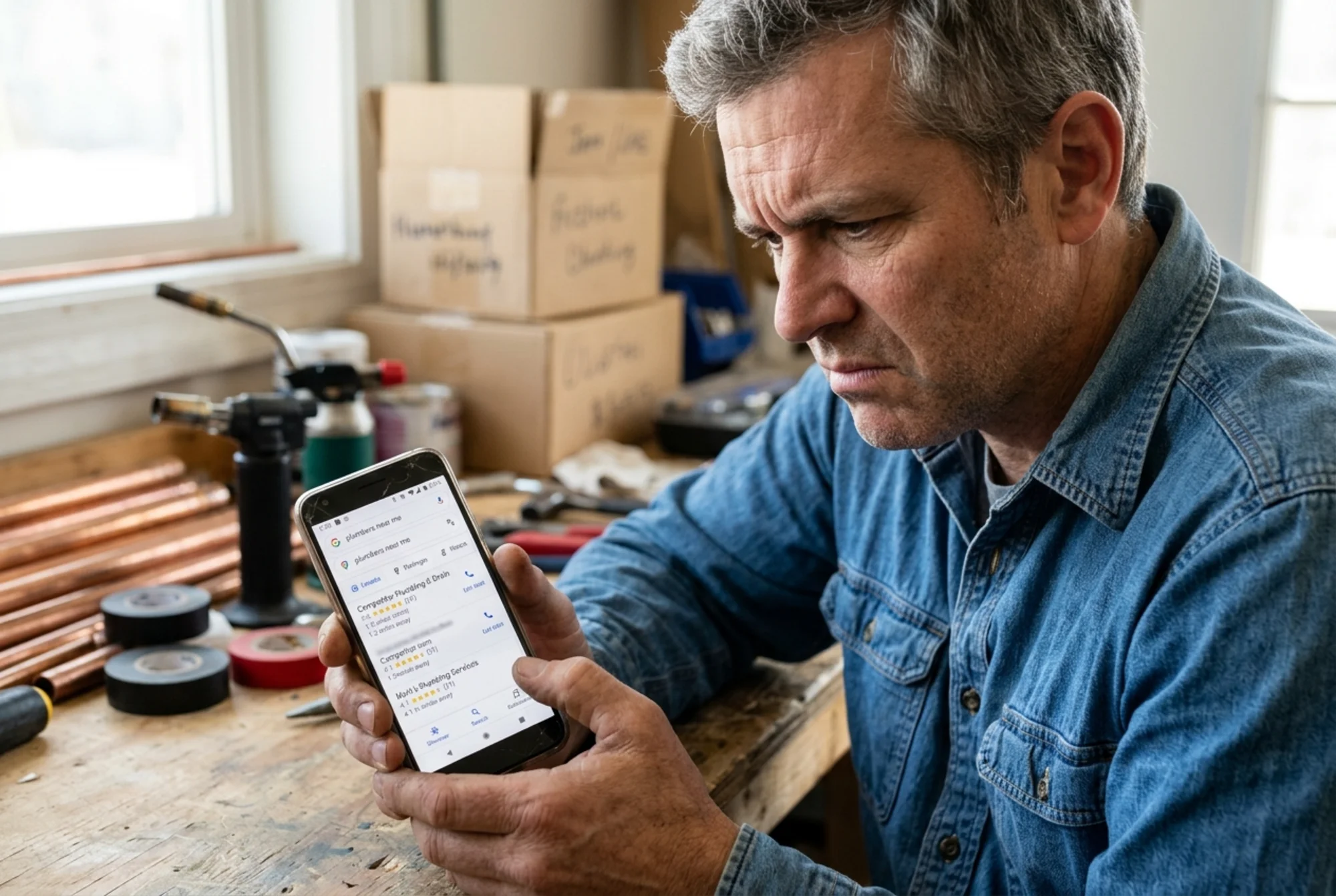
There's also a volume argument. A significant share of local searches result in a click on one of the three local pack results. If you're not showing up there, you're invisible to a large chunk of potential customers who never scroll past that map section.
The GBP Fix Checklist
Work through these in order:
- [ ] Claim and verify your listing at business.google.com — if you haven't done this, nothing else matters
- [ ] Set your primary category to the most specific option available (e.g., "Italian Restaurant" not just "Restaurant"). Your primary category is the single strongest relevance signal in local search.
- [ ] Add 3-5 secondary categories that accurately describe your services (e.g., a plumber might add "Water Heater Installation Service" and "Drain Cleaning Service")
- [ ] Verify your NAP (Name, Address, Phone) matches exactly what's on your website and other directories — even small differences like "St." vs "Street" can cause inconsistency signals
- [ ] Write your business description using natural language that includes your services and location (250-750 words). Describe what makes your business different. Don't keyword-stuff.
- [ ] Upload at least 10 photos: storefront exterior, interior, team members, products or services in action, and examples of completed work. Businesses with photos receive significantly more direction requests and website clicks than those without.
- [ ] Set accurate hours including special hours for holidays. Incorrect hours are one of the fastest ways to earn a negative review.
- [ ] Add your services or menu using the built-in sections — this gives Google more data to match you with specific queries
- [ ] Create a Google Business post about a current offer, event, or update. Posts expire after seven days, so set a weekly reminder.
- [ ] Respond to every existing review — positive and negative. For negative reviews, be professional, acknowledge the concern, and offer to resolve it offline. For positive reviews, thank the customer specifically.
How to Get More Reviews Without Being Pushy
Reviews are the hardest part of GBP optimization because they depend on other people. Here are practical ways to build them:
- Ask at the point of highest satisfaction. Right after a successful job, a delicious meal, or a solved problem — that's when people are most willing to help. Say something like: "I'm glad we could help. If you have a minute, a Google review would really help other people find us."
- Make it effortless. Create a direct link to your review page (search "Google review link generator" or find it in your GBP dashboard) and text or email it to customers. Every extra click you require halves the response rate.
- Put the link on your receipts, invoices, and follow-up emails. Anywhere you already communicate with customers is a natural place to mention reviews.
- Never offer incentives for reviews. Google prohibits this and can suspend your listing if they detect it. Simply asking is enough.
Example: A Plumber Who Fixed GBP First
Consider a plumbing company whose website is passable — loads in about 4 seconds, has basic service pages, and sits on page two for "plumber near me."
Their Google Business Profile is a different story. Wrong phone number (changed eight months ago), no photos, three stale reviews, and the category set to "contractor" instead of "plumber."
Within two weeks of fixing their GBP — correcting the phone number, adding 15 job photos, updating the category to "Plumber" with secondary categories like "Water Heater Installation Service," responding to old reviews, and requesting new ones from recent customers — they start appearing in the local map pack for "plumber" and "emergency plumber" searches in their city.
The website SEO fixes mattered too, eventually. But the GBP work produced results in days, not months. By the time they circled back to improve their website speed and content, they already had a steady flow of calls from their improved local visibility.
When to Fix Your Website SEO First
Start with your website if any of the following are true:
- Your site takes more than 3 seconds to load on mobile
- Your site isn't mobile-friendly (text too small, buttons too close together, horizontal scrolling)
- You have no title tags or meta descriptions, or they're duplicated across pages
- Your pages return errors (404s, 500s, redirect loops)
- You have no content beyond a homepage and contact page
- You sell products or services online, not just locally
- Your GBP is already in good shape but you're not getting organic traffic
Why Website SEO Sometimes Comes First
If your business isn't purely local — if you sell online, serve clients remotely, or want to attract visitors beyond your immediate area — website SEO is your primary growth channel. GBP won't help an e-commerce store rank for product searches or a consultant attract clients nationwide.
Even for local businesses, a broken website undermines your GBP investment. If someone finds your listing, clicks through, and your site takes seven seconds to load or looks terrible on their phone, that click is wasted. Worse, that person now has a negative impression of your business before they've ever spoken to you.
Google's Core Web Vitals — Largest Contentful Paint (LCP), Interaction to Next Paint (INP), and Cumulative Layout Shift (CLS) — are confirmed ranking signals. Here's what each one means in plain language:
- LCP (Largest Contentful Paint): How quickly the main content of your page becomes visible. Aim for under 2.5 seconds. A slow LCP usually means oversized images, slow server response, or render-blocking JavaScript.
- INP (Interaction to Next Paint): How quickly your page responds when someone taps a button or link. Aim for under 200 milliseconds. Poor INP means your site feels sluggish or unresponsive.
- CLS (Cumulative Layout Shift): How much your page layout shifts around as it loads. Aim for a score below 0.1. High CLS means elements jump around — buttons move just as someone tries to tap them, or text shifts as ads load.
A site that fails these metrics is fighting with one hand tied behind its back, regardless of how polished the GBP looks.
The Website SEO Fix Checklist
Work through these in priority order:
- [ ] Check your page speed — use Google PageSpeed Insights and aim for a mobile performance score above 70. Pay attention to the specific recommendations it gives you.
- [ ] Fix mobile usability issues — text readable without zooming, tap targets at least 48px, no horizontal scrolling. Test on a real phone, not just your desktop browser.
- [ ] Write unique title tags for every page (under 60 characters, include primary keyword and location). A title tag like "Emergency Plumber in Austin TX | [Business Name]" beats "Home | [Business Name]" every time.
- [ ] Write unique meta descriptions for every page (under 155 characters, include a reason to click). These don't directly affect rankings, but they strongly influence whether people click your result.
- [ ] Fix broken links and 404 errors — redirect old pages to relevant current ones using 301 redirects
- [ ] Add structured data — at minimum, LocalBusiness schema on your homepage. This helps Google understand your business type, location, hours, and services. Use Google's Rich Results Test to verify your markup.
- [ ] Create dedicated service pages — one page per major service, not everything crammed onto a single page. Each page should target a specific keyword and answer the questions customers have about that service.
- [ ] Submit your sitemap in Google Search Console and check that robots.txt isn't blocking important pages
- [ ] Improve your content — answer the questions your customers actually ask. Think about what someone types into Google before they find a business like yours, and create pages that genuinely answer those queries.
Common Website Issues That Kill Your Rankings
Beyond the basics, here are specific problems that frequently hold small business websites back:
- Duplicate content across pages. If your service pages all use the same boilerplate text with only the city name swapped out, Google sees thin, duplicated content. Each page needs genuinely unique information.
- Missing or broken SSL certificate. If your URL shows "Not Secure" in the browser bar, visitors leave and Google penalizes you. An SSL certificate is free through most hosting providers.
- No internal linking structure. Your pages should link to each other where it makes sense. Your homepage should link to service pages. Service pages should link to related blog posts. This helps Google understand your site structure and passes authority between pages.
- Orphaned pages. If a page exists on your site but no other page links to it, Google may never find it or may treat it as low priority. Every important page should be reachable within two to three clicks from your homepage.
- Unoptimized images. A single 5MB hero image can double your page load time. Compress images, use modern formats like WebP, and specify width and height attributes to prevent layout shift.
What a Website Audit Reveals
Many of these problems aren't visible to a casual visitor. Slow server response times, missing alt text, broken structured data, insecure mixed content, redirect chains — these are invisible issues that only surface when you run a proper audit.
A website audit scans your site and flags issues in plain language, organized by severity. Instead of guessing what's wrong, you get a prioritized list that tells you exactly what to fix and why it matters.
Run a free website audit with FreeSiteAudit to see exactly what's holding your site back. It takes under a minute and gives you a scored report covering page speed, mobile issues, SEO problems, and security gaps — no sign-up required. You'll know within sixty seconds whether your website or your GBP is the bigger bottleneck.
A Realistic Timeline for Tackling Both
Once you've picked your starting point, here's a practical schedule that balances quick wins with sustainable progress:
Weeks 1-2: Quick Wins on Your Priority
If starting with GBP:
- Claim, verify, and fully complete your profile
- Upload photos and fix categories
- Request reviews from your five most recent happy customers
- Respond to all existing reviews
- Create your first Google Business post
If starting with website SEO:
- Fix page speed issues (compress images, enable caching, reduce unused JavaScript)
- Add or fix title tags and meta descriptions on your top five pages
- Resolve broken pages and redirect errors
- Install an SSL certificate if you don't have one
- Submit your sitemap to Google Search Console
Weeks 3-4: Start the Second Priority
Begin working on whichever one you didn't start with. Your first priority should already be showing improvement. Don't abandon it — just shift most of your effort to the second area.
Months 2-3: Build Content and Consistency
- Add new content to your website monthly (blog posts, FAQs, case studies that answer real customer questions)
- Post on GBP weekly (updates, offers, new photos from recent jobs)
- Continue building reviews (aim for 2-3 new ones per month minimum)
- Create dedicated service pages for any services that don't have their own page yet
- Add structured data to your service pages, not just your homepage
Month 4+: Measure and Refine
- Track which searches bring visitors using Google Search Console and GBP Insights
- Double down on what's working — if a particular service page is gaining traction, expand it with more detail
- Run another website audit to verify your fixes landed and catch new issues that may have crept in
- Monitor your Core Web Vitals in Google Search Console to make sure site performance stays healthy
Five Mistakes That Waste Your Time
1. Optimizing GBP but never fixing your website.
If your website is broken, GBP traffic bounces immediately. Google notices high bounce rates and short visit durations. A polished GBP sending people to a poor website is like a beautiful sign pointing to a locked door.
2. Rewriting content before fixing technical issues.
Great content on a slow, broken site still won't rank. Fix the foundation first — speed, mobile usability, crawlability — then invest in content. You wouldn't hang artwork in a house with no roof.
3. Ignoring reviews because you're "focused on SEO."
Reviews influence both GBP rankings and customer trust. They're never a distraction. Even one or two new reviews per month compounds over time into a powerful trust signal.
4. Paying for SEO tools before understanding the basics.
Google Search Console, PageSpeed Insights, and a free website audit cover most of what small businesses need to identify problems. Don't spend money on premium tools until you've exhausted what's available for free.
5. Treating this as a one-time project.
Both GBP and website SEO need ongoing attention. Competitors are improving their listings and websites constantly. Set a recurring 30-minute weekly block for small improvements — upload a new photo, respond to reviews, publish a short blog post, or fix one issue flagged in your audit report.

How GBP and Website SEO Reinforce Each Other
These aren't competing priorities — they're two halves of a single system. Here's how they connect:
- Your website URL on GBP drives traffic to your site, where good SEO keeps visitors engaged and converts them into customers
- Consistent NAP data across your website and GBP builds trust with Google's local algorithm. Inconsistencies — even minor formatting differences — create doubt about which information is correct.
- LocalBusiness structured data on your website reinforces the information in your GBP listing and helps Google connect the two
- Website content gives Google more context about what your business does, improving GBP relevance for specific queries. A plumber with a detailed page about water heater installation is more likely to appear in the map pack for "water heater installer near me."
- GBP reviews build social proof that increases click-through rates from both local and organic results. Seeing a 4.8-star rating with 50 reviews makes people more likely to click — whether the link is in the map pack or the organic results below.
The businesses that rank best locally have both a strong GBP and a well-optimized website. But they didn't build both at once — they started with whichever had the bigger gaps, fixed it, and then moved on.
Your Next Step
Start with one action today. Not a plan. Not more research. One concrete action.
If you're not sure what's wrong with your website, run a free audit with FreeSiteAudit. In under a minute, you'll get a scored report showing exactly what needs fixing — page speed, mobile usability, SEO issues, and security gaps. That gives you a concrete starting point instead of a vague to-do list.
If your GBP is clearly the weaker link, go claim or update it today using the checklist above. Start with the items that take five minutes or less: fix your hours, correct your phone number, update your categories. Then tackle the bigger items — photos, reviews, posts — over the next week.
Pick one, start now, and come back for the other in two weeks. Incremental progress beats perfect planning every time.
Sources
Check your website for free
Get an instant score and your top 3 critical issues in under 60 seconds.
Get Your Free Audit →