How Proximity Affects Local Ranking and What You Can Do About It
A clear guide to how Google's proximity factor shapes local search results, plus practical steps small businesses can take to stay visible in the map pack.
# How Proximity Affects Local Ranking and What You Can Do About It
If you've ever wondered why your competitor two blocks away keeps showing up in Google's map pack while your business doesn't, the answer usually starts with one word: proximity.
Proximity is how close a searcher is to your business when they run a local query. For local results, it's one of the most powerful signals Google uses. It's also the signal small business owners feel most powerless about, because you can't move your shop every time someone searches.
The good news: proximity is not a single switch. It works alongside relevance and prominence, and there's a long list of things you can actually control to widen the radius from which your business appears.
What "proximity" actually means in local search
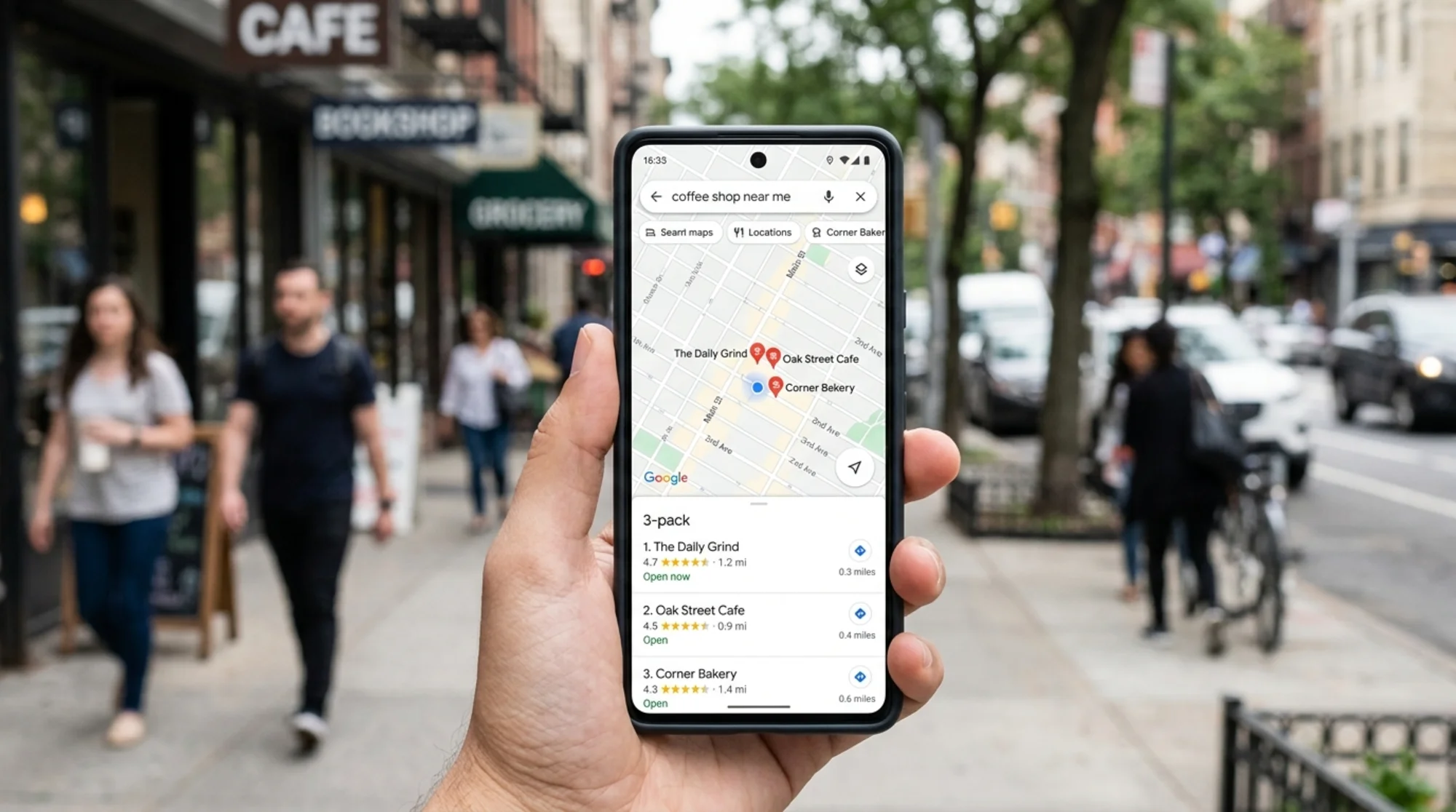
When someone searches for "dentist," "plumber near me," or "pizza," Google tries to figure out the searcher's location and then rank nearby businesses that match the query. The location can come from:
- GPS on the phone
- IP address on a desktop
- A city or zip code typed into the search
- Saved home or work locations
- Recent searches and location history
Once Google knows roughly where the searcher is, it filters and reorders local results so the closest, most relevant, most prominent businesses appear first. That's why the same search for "barber shop" gives different results to someone standing on Main Street versus someone three miles away.
Proximity isn't measured in a strict "miles only" sense. It's relative to the search. In a dense city, the relevant radius might be a few blocks. In a rural area, it can stretch dozens of miles. Google adapts.
A few important truths about proximity:
- You can't directly change how close your business is to a searcher.
- You can influence how often your business is considered "in range."
- Proximity loses weight when the query is brand-specific (someone searching "Joe's Pizza" gets Joe's Pizza even if it's farther away).
- Proximity gains weight when the query is generic ("pizza near me").
That last point is the entire opportunity. Generic searches are where proximity dominates, and that's where most small business traffic lives.
Why proximity feels unfair (and isn't, really)
If your shop sits at the edge of town, searchers in the city center will rarely see you in the map pack. That feels stacked against you. But proximity is doing exactly what it should: searchers want results they can reach. Showing a hair salon 12 miles away when there are five within walking distance would frustrate users. Google optimizes for the searcher, not the business.
The real question isn't "how do I beat proximity?" It's "how do I make sure that, within the area where I can be a useful match, Google sees me as the obvious choice?"
That reframing changes everything. You stop trying to outrank businesses that are physically closer to searchers, and you start making sure you win every search where you actually have a fair shot.
The three legs of local ranking: relevance, distance, prominence
Google has stated openly that local rankings are based on three factors:
- Relevance — how well your listing matches what was searched.
- Distance — how far you are from the searcher or search location.
- Prominence — how well-known your business is online and offline.
Proximity sits in the middle. You can't move it. But you can pile up so much relevance and prominence that Google stretches the proximity radius for you. That's how a well-optimized business can outrank a closer competitor when the closer competitor has a thin or messy online presence.
The key insight: relevance and prominence can partially compensate for distance. They don't override it, but they shift it.

A scenario: two coffee shops, one wins
Imagine two coffee shops in the same town.
Shop A is on a quiet side street. It has a basic Google Business Profile with the address, phone, hours, one category ("Coffee shop"), and four photos. The website is a one-page site with a menu PDF.
Shop B is two blocks farther from downtown. Its Google Business Profile has:
- Multiple relevant categories ("Coffee shop," "Cafe," "Espresso bar," "Breakfast restaurant")
- 60+ photos including interior, exterior, menu items, baristas
- Weekly posts about new drinks and events
- 200 reviews with a 4.7 average and replies to most of them
- Hours marked accurately, including holiday hours
- Services listed: "Outdoor seating," "Wi-Fi," "Vegan options," "Mobile orders"
Shop B's website has individual pages for the menu, the story behind the shop, a directions page, and a blog with posts about local events. Schema markup describes the business as a CafeOrCoffeeShop with hours, address, and menu URL.
Now someone searches "coffee near me" from a spot slightly closer to Shop A.
Shop A is closer, but its relevance and prominence signals are weak. Shop B is farther, but Google has overwhelming evidence that Shop B is a coffee shop people love. In many real-world cases, Shop B wins the map pack.
That gap is where small businesses can compete. You're not beating proximity. You're making the case that you're worth a slightly wider radius.
What you actually control
Here are the levers that influence whether you show up in proximity-driven searches, in rough order of impact.
1. Google Business Profile completeness
A fully filled-out Google Business Profile (GBP) is the single highest-leverage thing you can do. Nail these:
- Primary category — pick the most specific one that matches your business
- Secondary categories — add every relevant one, but don't stuff
- Business name — exactly as it appears on signage, no keyword stuffing
- Address — accurate, formatted consistently across the web
- Phone number — local number preferred
- Hours — including special hours for holidays
- Services and products — list them in detail
- Attributes — wheelchair accessible, free Wi-Fi, outdoor seating, etc.
- Photos — interior, exterior, team, products; updated regularly
- Q&A — answer common questions yourself before customers do
Missing data tells Google your business is less certain, and uncertain businesses get shown to fewer people.
2. Reviews and review responses
Reviews are both a prominence and a relevance signal. Volume matters, recency matters, and so does what the reviews actually say. If reviews mention specific services ("best gluten-free pizza"), that helps Google match you to those queries.
A simple review routine:
- Ask every happy customer for a review (in person, by email, on the receipt)
- Reply to every review, positive or negative, within a few days
- Mention the service or product in your reply when it fits naturally
- Never offer incentives for reviews
- Flag fake reviews instead of stewing about them
3. Website relevance
Your website tells Google what you do, where, and for whom. A one-page site with vague language won't rank you for much. For a single-location business, the priorities are:
- A homepage that clearly states what you do and where
- A service page for each major service
- A clear NAP (name, address, phone) in the footer and on a Contact page
- An embedded Google Map on the Contact page
- Schema markup (
LocalBusinessor a more specific type) - Fast page loading on mobile
For a multi-location business, add a dedicated page per location with unique content. Don't duplicate a template across 20 cities.
4. Citations and NAP consistency
Citations are mentions of your business name, address, and phone number on other sites: Yelp, Apple Maps, Bing Places, industry directories, the local chamber of commerce. Consistency matters more than volume. If your address is "123 Main St" in one place and "123 Main Street, Suite B" somewhere else, fix it.
5. On-page content quality
Local landing pages should answer real questions: what neighborhoods you serve, how to find you, what to expect, who you've helped. Generic SEO-stuffed pages are easy for Google to spot and discount. Follow the spirit of Google's helpful content guidance — write for the person reading, not the algorithm.
Service area businesses: a special case
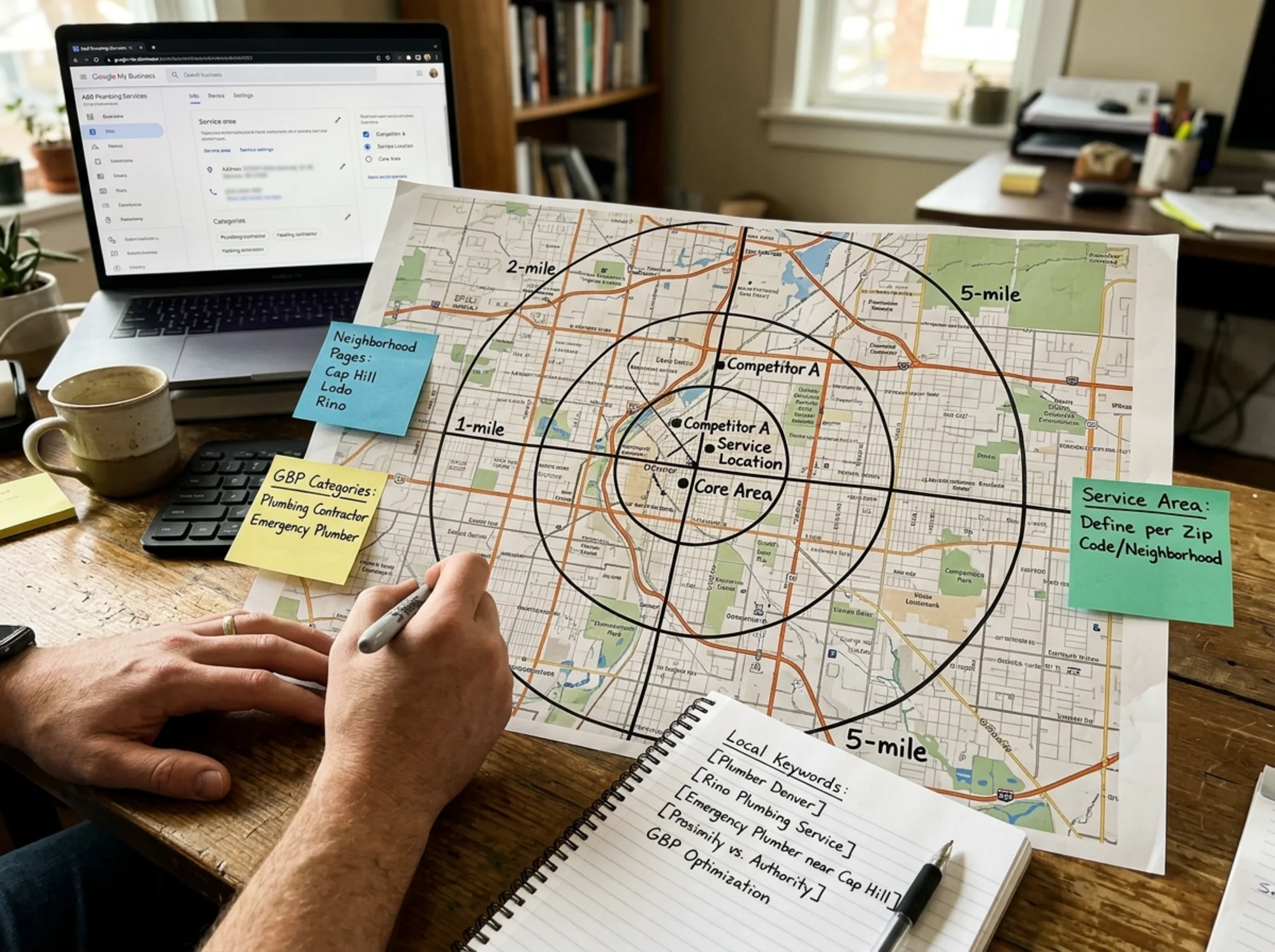
If you run a service-area business (plumber, electrician, cleaning service, mobile dog groomer), proximity works a little differently. You don't have a storefront customers visit, so your "location" in Google's eyes is whatever you set as your service area.
Practical guidance:
- Define your service area accurately in your Google Business Profile — be specific, not aspirational
- Don't claim 30 cities if you actually serve 5; over-claiming hurts ranking
- Create one page per city or neighborhood you genuinely serve, with unique content (real projects, local pricing notes, common issues in that area)
- Hide your address in GBP if you don't accept customers at it (this is the recommended setting for true service-area businesses)
- Get reviews that mention specific neighborhoods
Service-area businesses can't expand their physical proximity, but they can expand their relevance footprint by being demonstrably useful across a defined area.
What does NOT help
A few popular tactics waste time or actively hurt:
- Renting fake addresses in cities you don't serve. Google catches this and removes listings.
- Keyword-stuffing your business name in GBP ("Joe's Pizza Best Pizza Downtown"). This violates guidelines and can get you suspended.
- Buying reviews. Detection is better than ever, and the penalty is brutal.
- Spamming local citations through cheap automated services. Inconsistent NAP across hundreds of dead directories hurts more than it helps.
- Cloaking your service area with VPNs or hidden text. Won't work, will get caught.
Stick to honest signals. The businesses that win are the ones Google can verify as real, relevant, and well-liked — see Google's helpful content guidance for the underlying principle.
A 10-point checklist for the next 30 days
A practical sequence to run through in a month:
- Audit and complete your Google Business Profile — every field, every photo.
- Add or refine your primary and secondary categories.
- Upload 10–20 fresh, real photos.
- Reply to every review on your profile from the last 12 months.
- Set up a simple system to ask for reviews (a card, an email template, a QR code at checkout).
- Audit NAP consistency across the top 10 directories for your industry.
- Add or fix
LocalBusinessschema on your website (Google's structured data guidance covers the basics for related types). - Make sure your contact page has an embedded map and clear directions.
- Check mobile page speed — slow sites lose mobile searchers.
- Write one local-focused blog post or service page that answers a real customer question.
You don't need to do everything at once. Pick three this week, three next week.
How to know if it's working
Local SEO results take time, usually 1–3 months for visible changes. Track:
- Map pack impressions and clicks in Google Business Profile insights
- Direction requests and calls from the profile
- Search queries showing up in the GBP performance report
- Rankings for a small set of priority local queries, checked from a consistent location
Don't obsess over rankings from your home office if your customers are searching from different parts of town. Use a rank tracker that simulates searches from multiple points in your service area, or check from a few real locations occasionally.
The underrated role of site quality
It's easy to focus entirely on Google Business Profile and forget your website. But your site is what backs up your listing. When Google evaluates whether to trust a business as a prominent local result, it cross-references the GBP with the website. A polished profile pointing to a broken, slow, or thin site sends mixed signals.
Three site fundamentals worth checking:
- Speed and Core Web Vitals. A mobile site that takes 6 seconds to load loses users and ranking. Google's Web Vitals guidance lays out the metrics that matter (LCP, INP, CLS).
- Clear structure. Each important page should have a clear purpose, a clear title, and clear contact paths.
- Honest, useful content. No filler, no AI-spun word salad. Write what a real customer would want to read.
If you're not sure where your site stands, running a quick audit is the fastest way to see what Google sees. You can run a free website audit on FreeSiteAudit and get a plain-English breakdown of what's working, what's broken, and what to fix first — especially the issues that matter for local SEO and other local business priorities.
Putting it all together
Proximity is real, and you can't move your business closer to every searcher. But you can:
- Make your business the most obvious match in your category, so Google extends the radius for you
- Stack up relevance signals so generic searches find you
- Stack up prominence signals so trust isn't a question
- Keep your site fast, clear, and useful so the rest of your effort isn't wasted
The businesses that win local search aren't always the closest. They're the ones that have done the work to make the closeness they do have count. One new directory listing, one real photo, one honest review at a time — that's how it gets won.
If you want a starting point, run an audit, fix the top three issues it surfaces, and come back next month.
Sources
- https://developers.google.com/search/docs/fundamentals/creating-helpful-content
- https://developers.google.com/search/docs/appearance/structured-data/article
- https://web.dev/articles/vitals
Check your website for free
Get an instant score and your top 3 critical issues in under 60 seconds.
Get Your Free Audit →