How to Audit Your NAP Consistency Across the Web
A practical guide for small business owners to audit and fix inconsistent name, address, and phone listings across Google, Yelp, Apple Maps, and more.
# How to Audit Your NAP Consistency Across the Web
If you run a local business, your name, address, and phone number live in more places than you probably remember. Google Business Profile. Yelp. Facebook. Apple Maps. The chamber of commerce site. That one industry directory you signed up for in 2019. Your own website footer. The receipt template your point-of-sale system uses.
When those listings disagree — even in small ways — search engines and customers both get confused. A customer might call an old number. A search engine might decide your business has moved and quietly stop showing it for "near me" searches. A prospect might find your Facebook page, see a suite number that doesn't match the one on your website, and wonder if you're still in business.
This is called NAP consistency. NAP stands for Name, Address, Phone. Auditing it is one of the highest-leverage things a small business can do for local search, and you don't need a marketing degree to handle it.

Why NAP consistency matters
Search engines use signals from many sources to decide which local businesses are real, active, and trustworthy. When your business name, address, and phone number appear identically across a wide range of reputable websites, that's a confidence signal. When the same business shows three slightly different addresses, the search engine has to guess which one is correct — or worse, treat them as separate, weaker entities.
Google's guidance on creating helpful content stresses that pages should be accurate, useful, and trustworthy. That principle scales beyond your own site. The information about your business across the web should be just as accurate.
The practical effects of inconsistent NAP data:
- Lower rankings in the local map pack for searches like "dentist near me"
- Customers calling disconnected phone numbers
- Mail and deliveries going to wrong suite numbers
- Negative reviews from frustrated visitors who couldn't find you
- Wasted ad spend driving traffic to listings that send people the wrong way
None of that requires a technical fix. It requires a careful inventory and some patient cleanup.
What "consistent" actually means
People often assume that as long as the address is roughly right, they're fine. They're not. Search engines compare strings character by character. To them, these are three different addresses:
- 123 Main Street
- 123 Main St.
- 123 Main St
They are also different from:
- 123 Main Street, Suite 4
- 123 Main Street #4
- 123 Main Street Ste 4
Pick one canonical version and use it everywhere. Same goes for your business name. "Joe's Coffee Co." is different from "Joe's Coffee Company" and "Joes Coffee Co" (no apostrophe). And phone numbers? Format them the same way every time — (555) 123-4567 is different from 555-123-4567 to a machine doing exact-match comparisons, even if a human reads them the same.
Before you audit anything, write down the exact canonical version of your NAP. This is the master record you'll compare every listing against.
Step 1: Build your canonical NAP record
Take ten minutes and create a single source of truth. Open a document or spreadsheet and write:
- Legal/operating business name — exactly as it appears on your storefront, receipts, and tax filings
- Street address — including suite/unit number, spelled out the way you want it (e.g., "Suite 4," not "#4")
- City, state, ZIP — full state name or abbreviation, pick one
- Primary phone — with a single consistent format, like (555) 123-4567
- Primary website URL — with or without "www," pick one
- Operating hours — for bonus points, since these get audited too
Every listing you find should match this document exactly.
Step 2: Inventory every place your NAP appears
You can't fix what you can't find. Spend an hour building a list of every website that mentions your business.
The big general directories
- Google Business Profile
- Apple Business Connect (powers Apple Maps)
- Bing Places
- Facebook Business Page
- Yelp
- Yellow Pages
- Foursquare
Industry-specific directories
- Restaurants: TripAdvisor, OpenTable, Zomato, Grubhub
- Medical: Healthgrades, Zocdoc, WebMD provider directories
- Home services: Angi, HomeAdvisor, Houzz, Thumbtack
- Legal: Avvo, Martindale, Justia, FindLaw
Local and regional sources
- Chamber of commerce
- Better Business Bureau
- City or county business directories
- Local newspaper business listings
- Neighborhood association sites
Your own properties
- Your website footer
- Your contact page
- Schema/structured data on your site
- Email signatures
- Receipt and invoice templates
- Social media bios (Instagram, LinkedIn, X, TikTok)
A quick way to find listings you've forgotten: search Google for your phone number in quotes (e.g., "(555) 123-4567"). Then do the same for any old phone number or prior address.
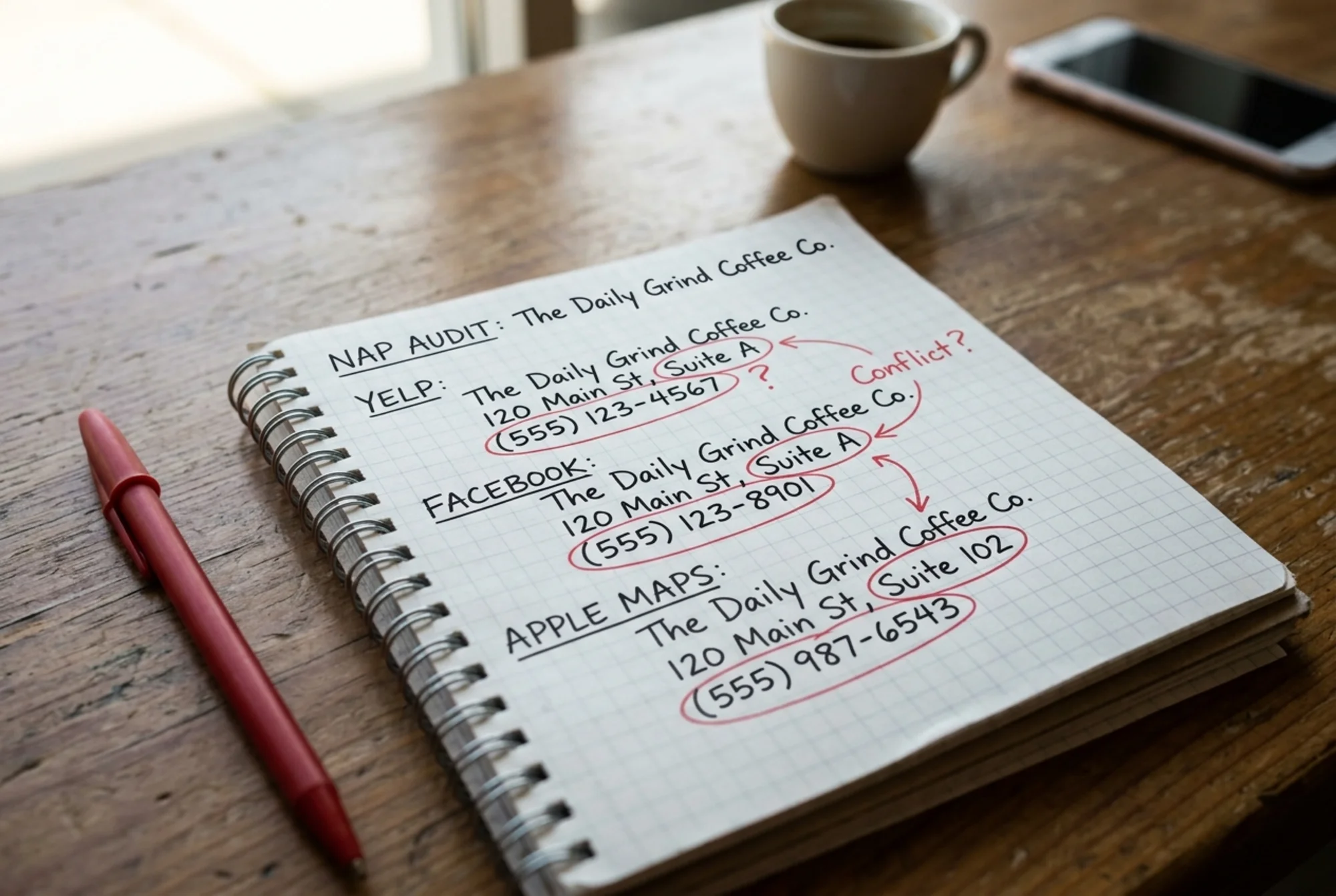
Step 3: Compare every listing against your canonical record
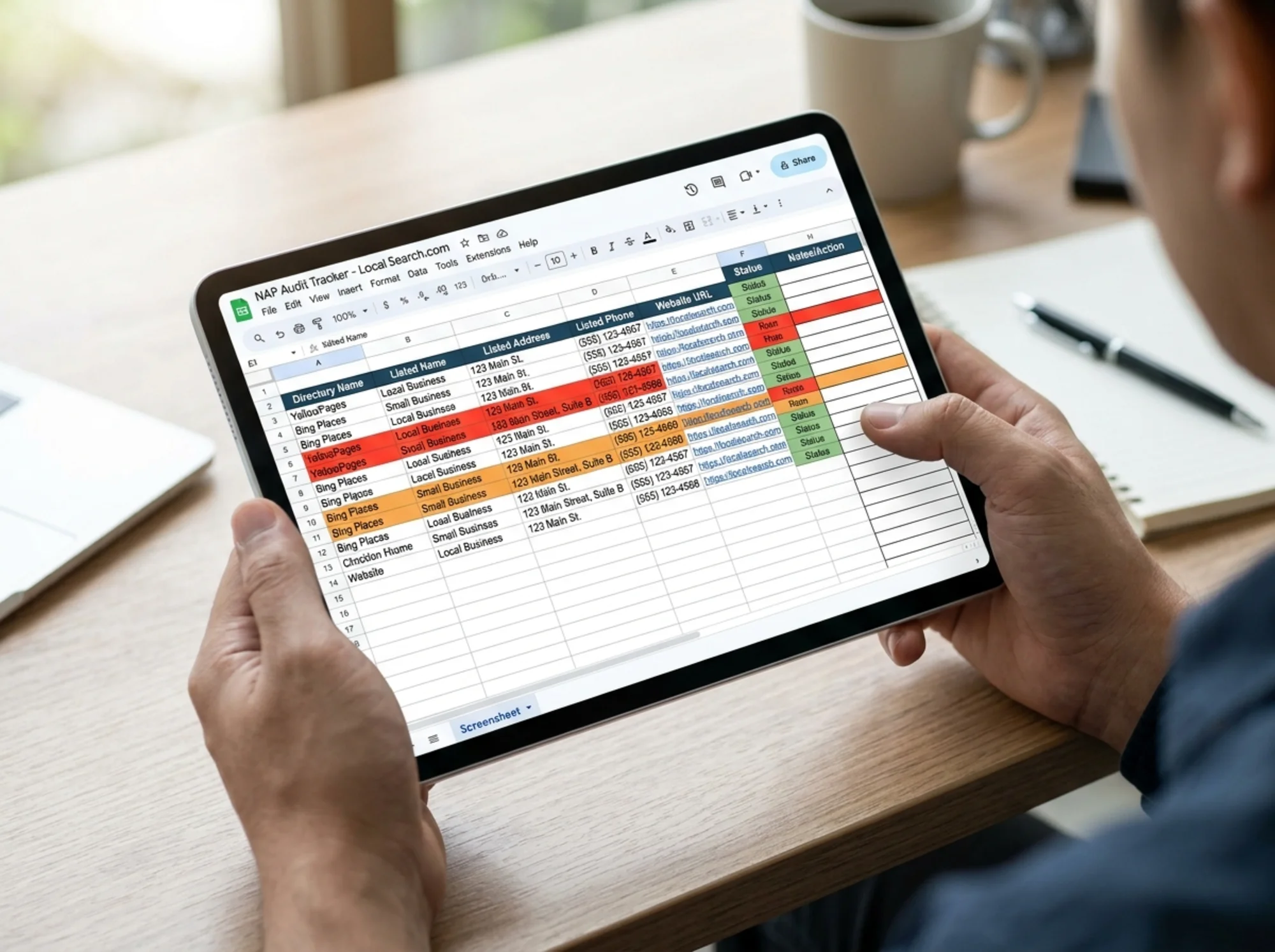
For each listing in your inventory, open it and compare it to your master record. Track the results in a spreadsheet with columns for:
- Directory name
- URL of the listing
- Name as listed
- Address as listed
- Phone as listed
- Match status (match / partial mismatch / wrong)
- Notes
The "partial mismatch" category is where most small businesses lose ground. A listing might have the right phone but an old suite number. Or the right address but a name with different capitalization. These look harmless and are easy to ignore. They are exactly what you need to fix.
While you're at it, check for duplicate listings — two Google Business Profiles for the same location, two Yelp pages, two Facebook pages. Duplicates split your reviews, dilute your ranking signals, and confuse customers. Each platform has a process to merge or claim duplicates; do it for every one you find.
A short walkthrough: a coffee shop owner finds her listings
Maria owns a coffee shop. She moved to a new location 18 months ago and changed her phone number a year before that. She decides to audit her NAP.
She writes down her canonical record:
- Name: Bright Morning Coffee
- Address: 412 Oak Avenue, Suite 200, Portland, OR 97204
- Phone: (503) 555-0142
She starts with Google Business Profile. It's correct — she updated that herself after the move.
She checks Yelp. The address is right, but the phone is her old number. Mismatch.
She checks Apple Maps. The address shows "412 Oak Ave" without a suite number. The phone is correct, but the name shows as "Bright Morning Coffee Shop." Two partial mismatches.
She checks Facebook. Everything is correct, except there's a second Facebook page that was auto-created years ago by check-ins. It still has the old address. Duplicate listing.
She checks her chamber of commerce listing. Old phone, old address. Wrong on every field.
She checks her own website. The footer is correct. But the structured data on her contact page still has the old phone number, because the developer who built the site hardcoded it three years ago. Hidden mismatch.
She finds three more directories she didn't even remember signing up for, two of which list her old address.
Maria didn't have a marketing budget problem. She had an information hygiene problem — and now she has a checklist she can work through one row at a time.
Step 4: Fix mismatches, starting with the highest-impact listings
Not all listings carry equal weight. Fix in this order:
- Google Business Profile — by far the highest impact for local search
- Apple Business Connect — powers Maps on every iPhone
- Bing Places — small but worth the five minutes
- Facebook — high consumer trust, often the second place people look
- Your own website — footer, contact page, and structured data
- Major aggregators — these feed dozens of smaller directories. Fix the source and downstream listings often update automatically.
- Industry-specific directories for your niche
- Everything else — chamber, BBB, niche directories, social bios
Each platform has its own claim-and-edit process. Some changes are instant. Some require mail or phone verification. Some require you to prove ownership of a previously claimed page (especially if a former employee or marketing vendor claimed it). Budget for that friction.
Step 5: Fix your own site first if you haven't
It's surprisingly common for a business owner to spend hours cleaning up directory listings while their own website still has stale information in three places. Before chasing third parties, check:
- Footer NAP — visible on every page
- Contact page
- About page
- Header bar (if you display a phone number there)
- Structured data — the machine-readable LocalBusiness schema in your page source
If your structured data is wrong, search engines will keep ingesting bad data even after you fix the visible parts. A free website audit can flag schema mismatches and other on-site signals that don't match your canonical record. If you've never looked at this, run a free audit — it will tell you what your site is actually broadcasting versus what you think it is.
For more detail on fixing the on-site portion, see our notes on common local SEO fixes.
Step 6: Don't forget the speed and usability layer
Customers and search engines both care that your contact information loads fast and is easy to find. Google's Core Web Vitals guidance highlights that pages should load quickly, respond fast to input, and not jump around as they render. If your contact page takes seven seconds to load, half of your visitors won't see your address at all.
When you fix your NAP, also check:
- Your contact page loads in under three seconds on mobile
- Your phone number is tap-to-call on mobile (use a
tel:link) - Your address is part of the visible page, not just buried in an image
- Your map embed (if you have one) doesn't cause major layout shift while loading
Small touches, but they convert browsers into customers.
Step 7: Set a re-audit cadence
NAP consistency is not a one-time project. Directories get scraped and re-scraped. New ones appear. Aggregators occasionally push old data over your corrections. Set a recurring calendar reminder — quarterly is reasonable for most local businesses — to:
- Re-search your phone number and address in Google
- Spot-check your top ten listings
- Verify your own site footer and structured data still match
- Look for any new directories that have auto-listed you
Maria, the coffee shop owner, now does this on the first Monday of every quarter. It takes her about 45 minutes. She catches problems before they catch her.
A mini-checklist you can use today
- [ ] Write down your canonical NAP in one document
- [ ] Pick your preferred format for "Street/St/St." — and the same for suite, phone, name
- [ ] Search Google for your phone number in quotes
- [ ] Claim and verify your Google Business Profile
- [ ] Claim Apple Business Connect and Bing Places
- [ ] Check Facebook for duplicate pages
- [ ] Audit your own site's footer, contact page, and structured data
- [ ] Fix the top five directories first, then expand
- [ ] Add a quarterly reminder to re-audit
- [ ] Run a free website audit to catch on-site signals you can't see by eye
What a clean NAP audit gets you
When the work is done:
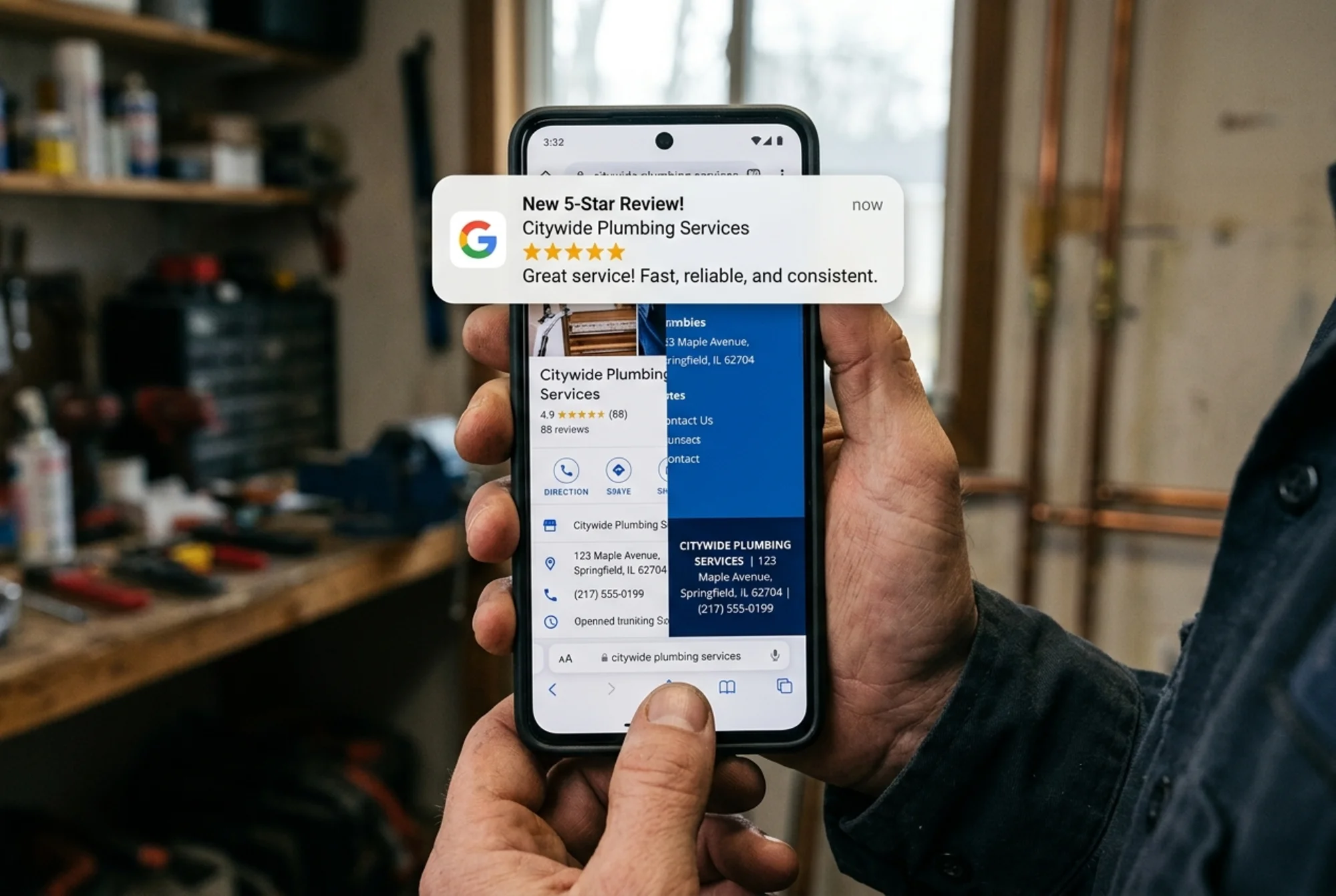
- Search engines see a consistent, trustworthy business entity
- Local map pack rankings improve for searches in your service area
- Customers call the right phone number on the first try
- Reviews stop getting split across duplicate pages
- New customers find you faster because Apple Maps, Google, and Yelp all agree on where you are
None of this requires technical skill. It requires a list, a spreadsheet, and a few patient afternoons. For a small business, this is one of the few marketing tasks where careful, plodding work beats expensive tools every time.
If you want a head start on the on-site portion — your footer, contact page, structured data, and load speed — run a free website audit with FreeSiteAudit. It checks the signals your own website is broadcasting about your business and flags the ones that don't match what you'd expect. From there, the directory cleanup is straightforward checklist work.
Sources
Check your website for free
Get an instant score and your top 3 critical issues in under 60 seconds.
Get Your Free Audit →