How to Audit Your Website's Trust Signals: A Plain-English Checklist
Audit your website's trust signals with a plain-English checklist covering identity, social proof, security, reviews, and authority to spot gaps fast.
# How to Audit Your Website's Trust Signals: A Plain-English Checklist
A visitor lands on your site. In about three seconds, they decide: do I trust this place enough to keep reading, click, or pull out my credit card? If the answer is no, they leave. No form, no scroll, no purchase.
That decision isn't logical. It's made on signals — small visual and structural cues that tell a stranger your business is real, careful, and safe to deal with. Google's guidance on creating helpful content asks site owners to make their trustworthiness obvious through clear authorship, transparent business information, and verifiable expertise.
Most small business sites leak trust in places the owner has never noticed. This guide walks you through a practical audit of every trust signal that matters, with checks you can run against your own pages today.

What "trust signals" actually means
A trust signal is anything on your page that helps a visitor (or a search engine) verify that:
- A real business or real people are behind the site
- The information on the page is accurate and current
- Transactions, data, and contact details are handled responsibly
- Other customers have already had good experiences
That covers a lot: reviews, contact info, an About page — and less obvious things like consistent author bylines, valid HTTPS, working footer links, and load speeds that don't make people suspicious.
The goal of a trust audit isn't to plaster badges everywhere. It's to remove every reason a reasonable visitor might hesitate.
The five categories of trust signals
Group your audit into five buckets. Each one covers a different kind of doubt.
- Identity — Who runs this business?
- Social proof — Have other people used this and been okay?
- Security — Is my data safe here?
- Quality — Does this site look maintained?
- Authority — Does this business know what it's talking about?
Don't try to fix everything at once. Find the gaps first, then prioritize the ones most likely costing you a customer right now.
Category 1: Identity signals
The most basic, and the most often broken. Visitors want to know there's a real business behind the URL.
Mini-checklist:
- Visible business name in the header and footer
- A physical address or service area (if you're remote, say so)
- A working phone number or contact form that lands in a real inbox
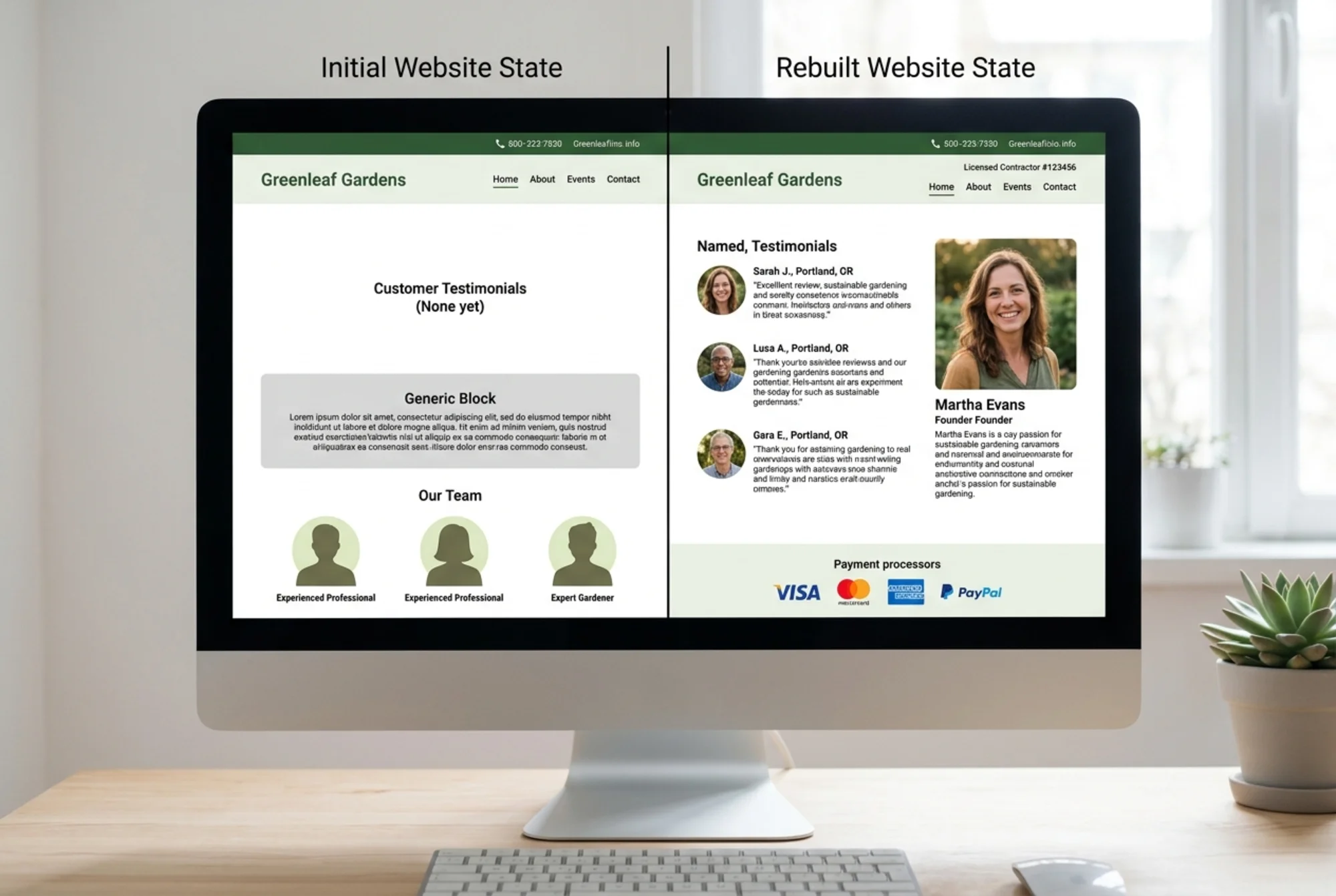
- An About page that names actual people, not "our team"
- Headshots and bios for the founder or key staff
- A current copyright year in the footer
Common gap: the About page reads like a Fortune 500 brochure. "Our mission is to empower customers through innovative solutions." That tells the reader nothing. Rewrite it like you'd describe your business to a neighbor. Say where you're located, how long you've been doing this, and what specifically you do.
Quick test: read your About page out loud. If it doesn't sound like a real person describing a real business, rewrite it.
Category 2: Social proof
Reviews, testimonials, case studies, and visible customer logos are the second most important trust signal for most small sites. Here's what most owners get wrong: anonymous testimonials are nearly worthless. "Great service! — J.S." is closer to a red flag than a credibility builder.
Mini-checklist:
- 3-5 testimonials with full first name, last initial, and location or job title
- A link to your Google Business Profile reviews if you have them
- Embedded third-party reviews (Google, Trustpilot, industry-specific) where possible
- Photos with testimonials when customers consent
- Case studies for B2B services with specific numbers where you can share them
- Customer logos (with permission) if you serve businesses
Common gap: testimonials are stuck on a separate "Testimonials" page no one visits. Move your 2-3 strongest ones onto the homepage and your top product or service pages. The visitor shouldn't have to go hunting.
Category 3: Security signals
A surprising number of small business sites still have weak security signals. Most of this you can check visually.
Mini-checklist:
- HTTPS site-wide (the browser padlock)
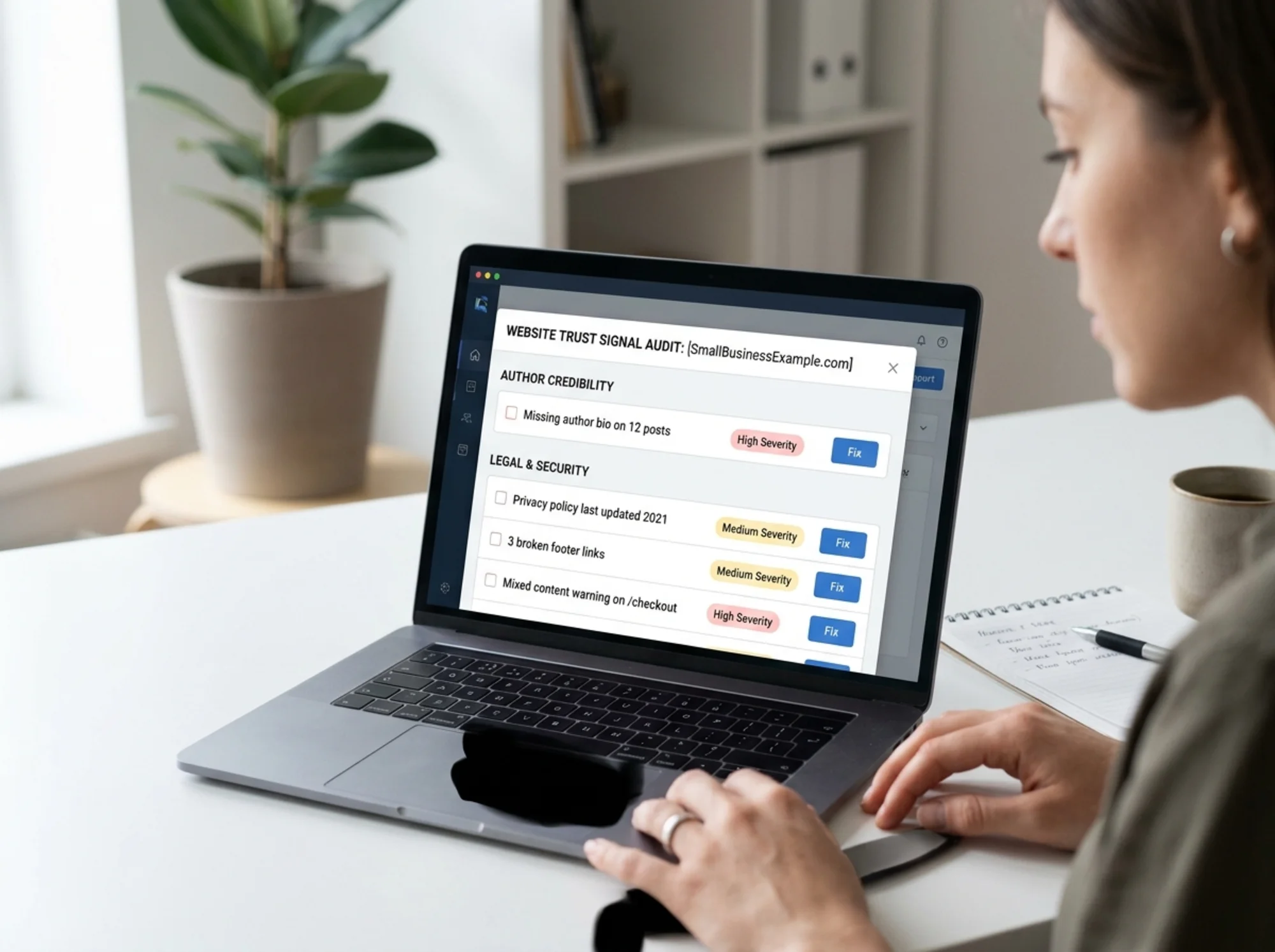
- No "mixed content" warnings (images or scripts loaded over HTTP)
- A clear privacy policy linked in the footer
- Terms of service or terms of use if you sell anything
- A return or refund policy that's easy to find
- Payment processor logos (Stripe, PayPal, Visa, Mastercard) on checkout pages
- A contact method beyond a form — an email address or phone number
Common gap: the privacy policy was generated five years ago and references services the business no longer uses. Read it. If it mentions a CRM you stopped using two years ago or a cookie banner you never installed, it needs an update.
Quick test: click every link in your footer. If even one is broken, you've just told visitors and search engines the site isn't maintained.
Category 4: Quality signals
Quality signals are the ambient cues that the site is professionally run. They overlap with conversion and SEO, but they're really about trust.
Mini-checklist:
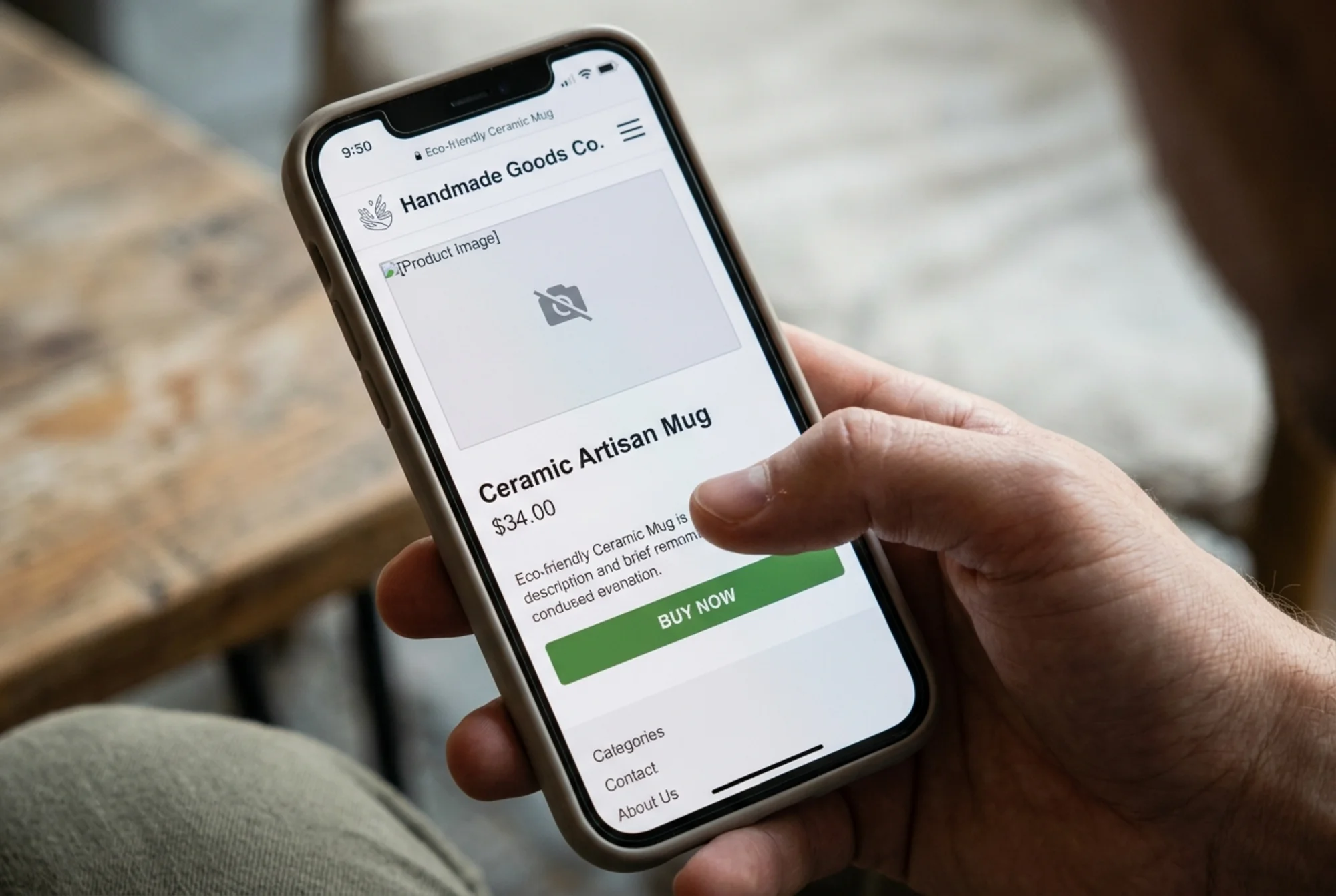
- No broken images or "image not found" placeholders
- No Lorem Ipsum anywhere (this happens more than you'd think)
- Consistent typography and spacing across pages
- Mobile-friendly design that doesn't break on a phone
- Page load that doesn't make people wait — Core Web Vitals are a useful benchmark
- A blog with posts from the current year, not three years ago
- No 404s on internal links
Common gap: the blog hasn't been touched in 18 months. The most recent post is dated 2024 and your visitor is reading it in 2026. Either commit to updating it, archive it, or remove the date stamps from posts that don't need them. A frozen blog signals an abandoned business.
If your pages feel slow on a phone — particularly the largest content element taking too long to appear — that itself is a trust signal in reverse. Web.dev's Core Web Vitals guidance frames load time as user experience, but in practice, slow pages also feel cheap and untrustworthy.
Category 5: Authority signals
Authority is where trust meets SEO. Google's helpful content guidance is clear that author identity, expertise, and citation matter. For small business sites, this means showing your work.
Mini-checklist:
- Blog posts have a named author with a bio and headshot
- The bio explains why this person is qualified to write on the topic
- Posts cite sources when they make factual claims
- Service pages explain methodology, not just outcomes
- Credentials, certifications, or affiliations are mentioned where relevant
- For articles, schema markup describes the author and publish date — Google's structured data documentation has the specifics
Common gap: every blog post is "by Admin" or has no author at all. This is a quiet authority killer. Pick one or two real people in your business and put their names and faces on the content. If you outsource writing, credit the person who reviewed and approved it.
A walkthrough: auditing a small business homepage
Let's make this concrete. Imagine you run a regional HVAC company. Your homepage is the most important trust audit you'll do.
Header. Does it show your business name, phone number, and city or service area? Many local sites bury the phone number on the contact page. A visitor in a hurry leaves rather than dig.
Hero. Within the first screen, does a visitor see who you are, what you do, where you do it, and at least one cue that you're real? A "Serving Cincinnati since 2009" line, a photo of an actual technician (not a stock model), or a visible review badge all work.
Mid-page. Testimonials with real names? License or certification number visible if your industry requires one? An emergency or response-time promise?
Footer. Complete address? Working phone number? Links to privacy, terms, and any required compliance pages? Current copyright year?
Mobile. Open the page on a phone. Is the phone number tappable? Does the menu work? Are testimonials still visible without zooming?
If even three of those answers are no, you have a real trust problem. Every one is fixable in an afternoon.
How to prioritize what you find
You'll find more gaps than you can fix in a week. Use this order:
- Anything broken or missing on a high-traffic page. Broken contact form, missing HTTPS, no phone number — fix these today.
- Anything that creates legal or compliance risk. Privacy policy, terms, refund policy.
- Anything blocking conversion on a paid landing page or product page. Missing reviews, no return policy near the buy button, no payment trust marks.
- Anything that signals neglect. Old copyright years, stale blog posts, broken images.
- Improvements to authority. Author bios, source citations, About page rewrites.
This order protects revenue first, closes risk second, then strengthens the brand.
Tools you can use
You can do a basic trust audit by hand with a printed page and a pen — honestly, still one of the best ways to do it. But for a systematic pass, an automated audit will surface things you'll miss: broken links, mixed content warnings, slow-loading pages, missing metadata, and stale content scattered across hundreds of URLs.
Run a free website audit with FreeSiteAudit to get a categorized report on your site's trust signals, performance, and technical health. It catches the gaps a manual review tends to skip — missing structured data, broken internal links, and the small technical issues that quietly erode visitor confidence. Small business operators especially benefit because so many lost conversions trace back to fixable, unglamorous details.
If your audit flags specific issues, our missing trust signals fix guide walks through each one with the exact change to make.
What to recheck every quarter
A trust audit isn't a one-time thing. Sites drift. New pages get added without footers. Plugins break SSL. The copyright year quietly becomes wrong. Every quarter, spend an hour on this:
- All footer links still work
- Copyright year is current
- Blog has at least one post from the current quarter
- Privacy policy reflects current tools and services
- Testimonials and reviews are up to date
- Phone numbers and addresses are still correct
- No broken images or 404s on top-traffic pages
That's it. An hour every three months prevents the slow rot that turns a credible site into one that looks abandoned.
The bottom line
Most small business websites don't fail because of bad design or weak SEO. They fail because they don't answer one basic question fast enough: can I trust this? Every broken link, missing review, unsigned blog post, and outdated policy chips away at the answer.
Auditing your trust signals isn't glamorous. It's checklist work. But it's the single highest-leverage thing most small site operators can do this month. You don't need a redesign. You need to be findable, contactable, credible, and current — and to make all of that obvious in the first three seconds of a visit.
Start with the five categories above. Print your homepage, mark it up, and fix the worst gap today. Then run an audit to catch what you missed.
Sources
Check your website for free
Get an instant score and your top 3 critical issues in under 60 seconds.
Get Your Free Audit →