How to Build Location Pages That Rank for Local Searches
A practical guide to building location pages that help nearby customers and rank in local search results, with concrete examples and a simple checklist.
# How to Build Location Pages That Rank for Local Searches
If you run a business with one or more physical locations, your location pages do real work. They tell Google where you operate, help nearby customers find your address, and answer the small but decisive questions ("Are you open Sunday? Is there parking? Do you do walk-ins?") that decide whether someone picks you or your competitor.
The problem: most location pages are thin. They list a city name, an address, a phone number, and call it done. That isn't enough to rank, and it isn't enough to convert. Google's guidance on helpful content is clear — pages should be made for people, demonstrate first-hand knowledge, and answer questions completely. A good location page does all three.
This guide walks through how to build location pages that actually rank for local searches, with a concrete walkthrough and a checklist you can hand to whoever maintains your site.
What a location page is (and isn't)
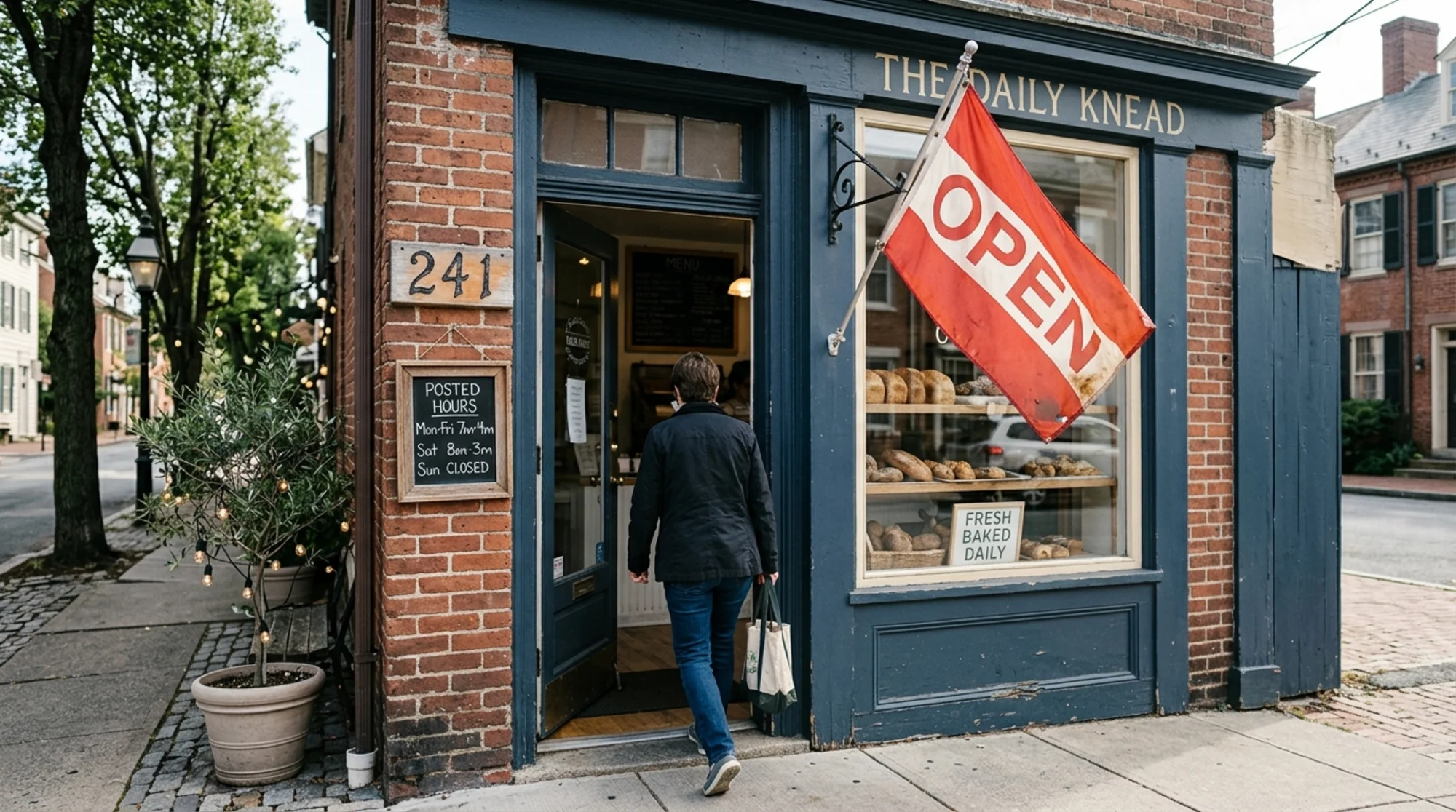
A location page is a single URL dedicated to one physical location of your business. One shop, one page. Six clinics across three cities, six pages — each mapped to one real address.
It is not:
- A generic "Services in [City]" page with no real address
- A duplicate of your homepage with the city name swapped in
- A landing page for an area you don't actually serve from a physical place
That last one matters. Google has gotten very good at spotting doorway pages — thin pages built only to rank for a city you don't operate in. They don't rank, and they can drag down the rest of your site. If you serve five towns from one shop, you have one location page (the shop), and you can write supporting service-area content separately.
What people actually search for
Before you write a line, think about what someone types when they need you. Local searches usually fall into three buckets:
- Brand + location: "Carter's Auto Body Springfield"
- Service + location: "auto body shop Springfield IL", "transmission repair near me"
- Question + location: "auto body shop open Sunday Springfield", "cheapest oil change near downtown Springfield"
Your location page needs to answer all three. The brand search is easy. The service search needs your service list and the city in the right places. The question search is where most pages fall apart, because they never bother to answer the question.
The structure of a strong location page
You don't have to copy this section-for-section, but every element below earns its place.
1. A clear, specific title and H1
Title tag: {Service} in {Neighborhood or City} | {Business Name}
H1: something close to the title, in plain English.
Example:
- Title:
Auto Body Repair in Downtown Springfield | Carter's Auto Body - H1:
Auto Body Repair in Downtown Springfield
One page, one place. Don't stuff every city you serve into the title.
2. NAP (Name, Address, Phone) in plain text
Put your name, full street address, and phone number in real text near the top — not buried in a footer image. Search engines and humans both want to find it fast.
Carter's Auto Body
412 East Adams Street
Springfield, IL 62701
(217) 555-0142
Use the exact same NAP everywhere else it appears: Google Business Profile, Yelp, Bing Places, Apple Maps, your Facebook page. Inconsistencies confuse Google and customers.
3. Hours, including special hours
List your hours. If you close on holidays, say which ones. If you have a different summer schedule, say so. If you take appointments outside posted hours, say that too.
4. Directions and parking
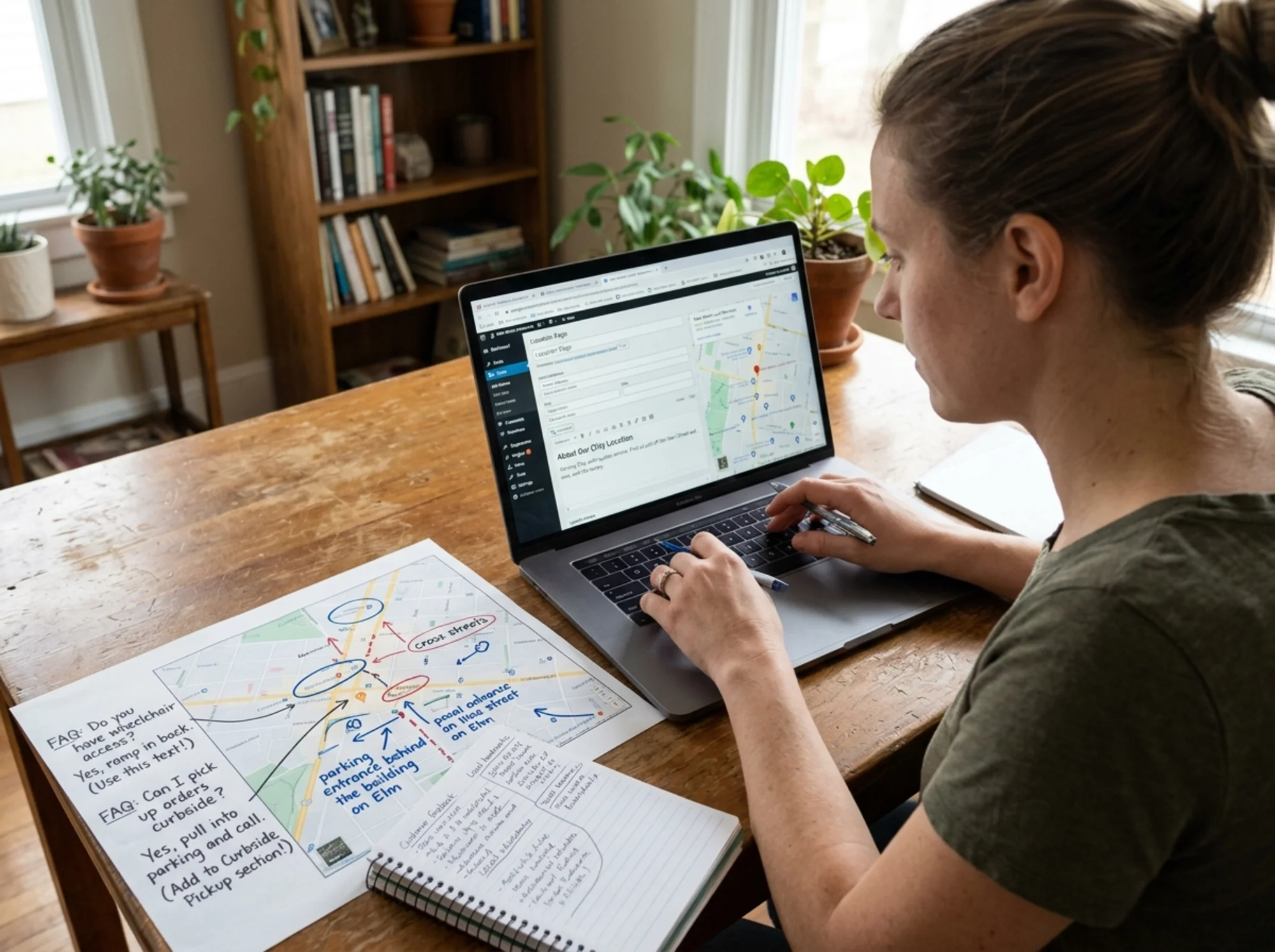
This is where most pages stop being helpful. A line like "Across from the post office on East Adams, with free customer parking behind the building" is worth more than a fancy map embed. Mention:
- Nearest cross streets
- A landmark people actually know
- Parking (street, lot, garage, validated)
- Public transit if relevant
- Wheelchair access if relevant
5. A real description of this specific location
Don't paste the same paragraph across all your location pages. Write 100–200 words about this address: when it opened, how big the shop is, what the team does there, who runs it. First-hand detail is the cheapest way to make a page feel real to Google and a human visitor.
6. Services offered at this location
Some businesses offer different services at different locations. Spell out what's available here. If your downtown clinic does X-rays but the suburban one doesn't, say so. Link each service to the deeper service page if you have one.
7. Photos of the actual place
Exterior, interior, team, signage. Not stock photos. The exterior shot helps customers recognize the building when they arrive — a small thing that reduces friction and increases the chance someone leaves a good review.
8. Reviews tied to this location
Embed or quote a few reviews that mention this location by name or by detail ("the team at the East Adams shop fixed my bumper in two days"). Generic reviews from another branch feel slippery.
9. One clear next step
One primary call to action: book, call, get a quote, request an appointment. Don't put five competing buttons.
10. Structured data
Add LocalBusiness schema (or the most specific subtype that fits — Restaurant, AutoRepair, Dentist, etc.). It's not a ranking guarantee, but it helps Google understand your business clearly and can power rich results. Google's structured data documentation walks through the required properties.

A walkthrough: turning a thin page into a real one
Rosa runs a single-location dog grooming shop in Asheville. Her current page at /asheville reads:
> "Welcome to Pawsh Grooming! We offer the best dog grooming in Asheville. Call us today to book your appointment."
Three sentences, no address, no hours, no detail. It doesn't rank for "dog groomer Asheville," and when it does show up, nobody clicks.
Here's how Rosa rebuilds it.
Step 1: Pick the right URL. /locations/asheville — clean, scalable if she ever opens a second shop.
Step 2: Title and H1.
- Title:
Dog Grooming in West Asheville | Pawsh Grooming - H1:
Dog Grooming in West Asheville
She uses "West Asheville" because that's how locals describe the neighborhood, and her shop is on Haywood Road.
Step 3: NAP block at the top. Name, full street address, phone, all in plain text.
Step 4: Hours. Tuesday–Saturday hours, closed Sunday and Monday, plus a line: "Closed July 4 and December 24–26."
Step 5: Directions. "Two doors down from the bakery on Haywood Road, across from the bookstore. Street parking on Haywood; a small gravel lot is available behind the building (enter from Vermont Avenue)."
Step 6: About this location. Rosa writes a real paragraph: when she opened the shop (2019), how many grooming tables she has (three), her two staff groomers, the breeds they handle most often, and one specific story about a regular customer.
Step 7: Services. Baths, full grooms, nail trims, de-shedding, and puppy first-grooms with brief descriptions and starting prices.
Step 8: FAQs that match what people search.
- Do you take walk-ins? (No, by appointment only.)
- How long does a full groom take? (90 minutes to 3 hours, depending on coat.)
- Do you groom cats? (No.)
- Do you handle senior or anxious dogs? (Yes, with a longer slot and breaks.)
Each one is two or three sentences.
Step 9: Photos. Exterior, the grooming room, Rosa with a customer's golden retriever, the front desk.
Step 10: One CTA. "Book a grooming appointment" → a real booking link.
Step 11: Schema. LocalBusiness structured data with the same NAP, hours, and a geo block.
This page now has somewhere between 600 and 900 words of useful content, all of it specific to one address. It will rank, and more importantly, it will convert the visitors it gets.
Multi-location: how to scale without making everything identical
If you have 5, 20, or 200 locations, the temptation is to template hard and call it a day. Templating is fine; identical content is not. The line:
Template the layout, the schema, the section headings, and the global CTA.
Customize the NAP, hours, directions, parking, "about this location," services-at-this-location, photos, reviews, and FAQs.
A good test: if you copied your "About this location" paragraph and pasted it into another page, would anyone be able to tell which shop you're describing? If no, rewrite it.
For larger chains, ask each branch manager to submit 5–10 sentences a year about their location — a new hire, a renovation, a community event, a regular customer story. That keeps the pages fresh and unique without a big content-team lift.
The mini-checklist
Print this and hand it to whoever maintains your site.
- [ ] URL contains city or neighborhood, not random IDs
- [ ] Title tag is
{Service} in {City} | {Business Name} - [ ] H1 matches search intent in plain English
- [ ] Full NAP in real text, near the top, identical across the web
- [ ] Hours listed, including holidays
- [ ] Directions in human language, with cross streets and landmarks
- [ ] Parking described
- [ ] 100–200 words of unique "about this location" content
- [ ] Services available at this location listed (with links if applicable)
- [ ] Original photos of the actual place — exterior and interior
- [ ] 3+ FAQs that match real customer questions
- [ ] Reviews specific to this location, where possible
- [ ] One clear primary CTA
- [ ]
LocalBusinessstructured data added and validated - [ ] Mobile-friendly, loads fast, no layout shift (see Core Web Vitals)
- [ ] No duplicate content across other location pages
Technical basics that quietly matter
A location page is still a web page. The basics from Core Web Vitals apply: it should load quickly, especially on a phone, and elements shouldn't jump around as the page loads. A slow page that takes six seconds to show the address is a page customers abandon at the curb.
A few easy wins:
- Compress your location photos. Most pages drag because someone uploaded a 4 MB hero image straight from a phone.
- Don't put a heavy map embed above the fold. Show the address in text; let the map load below.
- Make sure your phone number is a tappable
tel:link on mobile. - If you use a chat widget, make sure it doesn't cover your address on small screens.
What hurts location-page rankings
Patterns to avoid:
- Doorway pages: dozens of city pages for places you don't actually serve from.
- Identical copy across locations: spin-rewritten paragraphs are obvious; humans and search engines both see through them.
- Hidden address: address only in an image or PDF, or buried at the bottom of a long page.
- NAP mismatches: your website says "Suite 200," Google Business Profile says "Ste #200," Yelp says "2nd Floor." Pick one and use it everywhere.
- Keyword stuffing: "best Asheville dog grooming Asheville dog groomer Asheville" reads badly and ranks worse.
- No internal links: location pages floating on their own with no link from the homepage, footer, or service pages.
Linking location pages into the rest of the site
A location page that nothing links to is hard for Google to find and hard for users to reach. Two easy moves:
- Add a "Locations" link in your main navigation that leads to a simple index page listing every branch. If you have one location, link directly to that page from the nav.
- From each service page, link to the location pages that offer that service.
Internal linking compounds. It tells Google these pages are important and shows users a clean path from "I need this service" to "here's where to find it."
How to know if your location page is working
After you publish or update a page, give it a few weeks, then check:
- Is it indexed? Search
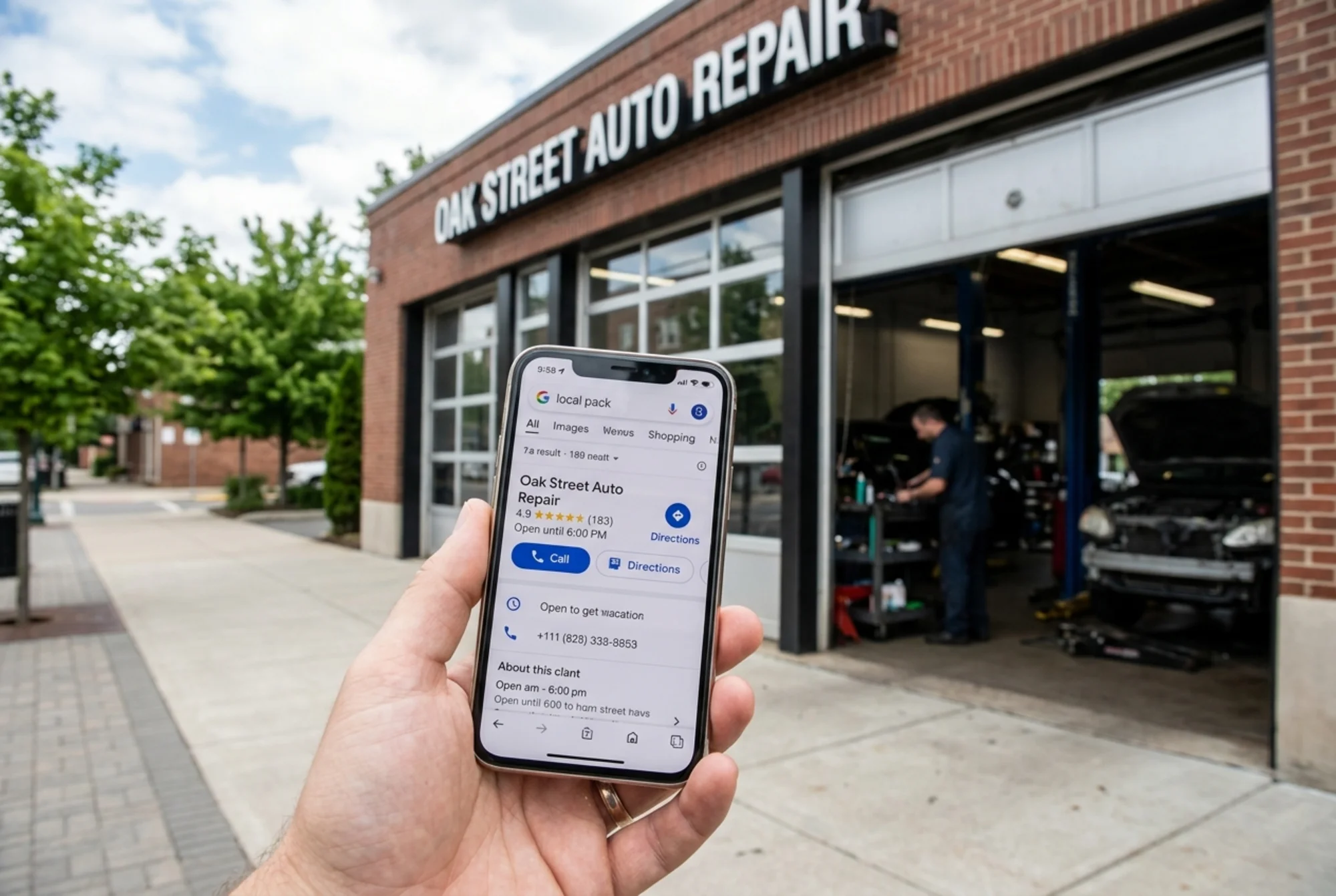
site:yourdomain.com/locations/your-cityin Google. - Does it appear when you search your service plus city in an incognito window?
- Are calls and bookings attributed to that page?
- Are the Core Web Vitals green when you test it?
If you want a faster way to spot issues — missing schema, slow load, thin content, broken CTAs, missing alt text on those exterior photos — run your location pages through a website audit. You can run a free audit with FreeSiteAudit and get a plain-English report telling you exactly what to fix on each URL, plus suggested fixes tailored to common industries.
The short version
A location page that ranks is a location page that's useful. Specific address, specific hours, specific directions, specific photos, specific story. Templates are fine for the bones; the muscle has to be unique to the place.
If you run one location, make that page the best version of itself you possibly can. If you run twenty, treat each one like a real shop with a real story to tell — because that's exactly what it is.
Sources
- Google Search Central — Creating helpful, reliable, people-first content: https://developers.google.com/search/docs/fundamentals/creating-helpful-content
- Google Search Central — Article structured data documentation: https://developers.google.com/search/docs/appearance/structured-data/article
- web.dev — Core Web Vitals: https://web.dev/articles/vitals
Check your website for free
Get an instant score and your top 3 critical issues in under 60 seconds.
Get Your Free Audit →