# How to Do a Full SEO Audit Without Paying for a Tool
If you run a small business website, you have probably been told you need an "SEO audit" — and quoted somewhere between $500 and $5,000 for one. For most small sites (under 200 pages, no thousand-SKU catalog), you can do a thorough one yourself in an afternoon using free tools you already have access to.
This guide walks you through the same process a paid consultant would follow. No filler. Just a sequence of checks, what to look for, and what to fix first.
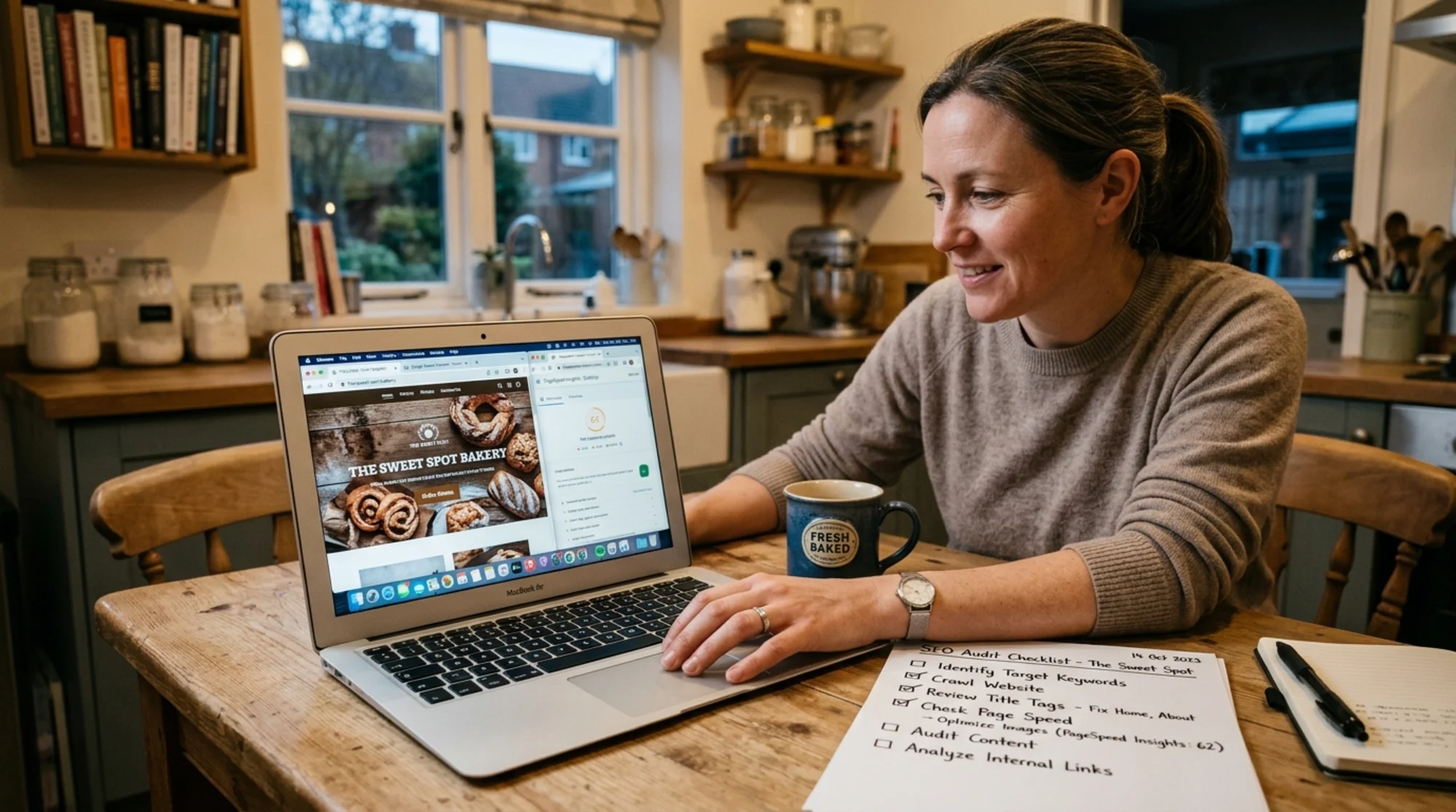
Small business owner at a kitchen table with a coffee mug, scrolling through their own bakery website on a laptop with Google Search Console open in one tab and PageSpeed Insights in another, a printed checklist beside them with handwritten ticks next to "title tags" and "page speed" What You'll Need Open these in browser tabs:
Google Search Console (free, requires verifying your domain)Google PageSpeed Insights (free, no account needed)Chrome DevTools (built into Chrome — press F12 or right-click → Inspect)A spreadsheet to log issuesYour sitemap.xml — usually at yourdomain.com/sitemap.xmlYour robots.txt — usually at yourdomain.com/robots.txtThat's it. No paid subscriptions. No 14-day trials that auto-charge.
Step 1: Check What Google Actually Sees The single most important thing to know is whether Google can find and read your pages. Everything else is downstream of this.
In Search Console, open the Pages report under Indexing. You'll see how many pages are indexed and how many aren't. Click "Why pages aren't indexed" and look at the reasons:
Crawled — currently not indexed. Google saw the page but decided it wasn't worth indexing. Usually a content quality signal.Discovered — currently not indexed. Google knows the page exists but hasn't crawled it. Often a crawl budget or sitemap issue on larger sites.Page with redirect. Fine if intentional, a problem if unintentional.Blocked by robots.txt. Check your robots.txt — you may have accidentally blocked something important.Soft 404. The page returns a 200 status but Google thinks it's an error page (often thin or empty content).Log every flagged URL. If your homepage or main service pages are in there, that's your top priority.
Quick test: search Google for your own site Type site:yourdomain.com into Google. The results show every page Google has indexed. Are pages missing? Are old or duplicate pages showing up? Are titles readable, or do they say things like "Home | My Site"?
Step 2: Audit Your Titles and Meta Descriptions Title tags are still the highest-leverage on-page SEO element. Get them right and you'll see ranking and click-through improvements within weeks.
Open Search Console → Performance report. Sort by impressions. For each of your top 10 pages, ask:
Does the title tag describe what's on the page? Not "Welcome" — something like "Same-Day Plumbing Repair in Austin, TX | [Brand]"Is it under 60 characters? Longer titles get truncated in search results.Does it include the keyword someone would actually search? The "Queries" tab shows what people typed before clicking.Is the meta description a real sentence? Not a list of keywords. Not blank. Around 140–160 characters.To check the raw tags, right-click any page → View Page Source → Ctrl/Cmd+F → search for </code> and <code class="bg-surface-panel px-1.5 py-0.5 rounded text-sm text-accent-strong"><meta name="description"</code>.</p><p class="text-text-secondary leading-relaxed my-4"><strong class="text-text-primary">Per-page checklist:</strong></p><ul class="list-disc pl-5 space-y-1.5 my-4 text-text-secondary"><li>[ ] Unique title (no duplicates across pages)</li><li>[ ] Title under 60 characters</li><li>[ ] Title includes primary keyword</li><li>[ ] Meta description present and 140–160 chars</li><li>[ ] Meta description reads like a sentence, not keyword stuffing</li></ul><p class="text-text-secondary leading-relaxed my-4">Duplicate titles across multiple pages is often the single fix that moves the needle. See our <a href="/fixes/title-tags" class="text-accent hover:text-accent-strong underline">title tag fixes guide</a> for templates.</p><figure class="my-8"><img src="/blog-images/blog-how-to-do-a-full-seo-audit-without-paying-for-a-tool-2-independent-florist-squinting-at-her-phone-showing-her-shop-.webp" alt="Independent florist squinting at her phone showing her shop's site loading slowly with a half-rendered hero image, and a second laptop screen visible behind her showing Google search results where her listing has a missing meta description and a generic "Home | Petals" title" class="w-full rounded-lg border border-border" loading="lazy"/><figcaption class="text-sm text-text-muted italic mt-2 text-center">Independent florist squinting at her phone showing her shop's site loading slowly with a half-rendered hero image, and a second laptop screen visible behind her showing Google search results where her listing has a missing meta description and a generic "Home | Petals" title</figcaption></figure><h2 class="text-2xl font-bold text-text-primary mt-10 mb-4">Step 3: Audit Core Web Vitals</h2><p class="text-text-secondary leading-relaxed my-4">Page experience is a ranking factor, and Core Web Vitals are the measurable part. Three metrics:</p><ul class="list-disc pl-5 space-y-1.5 my-4 text-text-secondary"><li><strong class="text-text-primary">Largest Contentful Paint (LCP)</strong> — time until the biggest visible element loads. Target: under 2.5s.</li><li><strong class="text-text-primary">Interaction to Next Paint (INP)</strong> — how responsive the page feels to taps and clicks. Target: under 200ms.</li><li><strong class="text-text-primary">Cumulative Layout Shift (CLS)</strong> — how much content jumps around as the page loads. Target: under 0.1.</li></ul><p class="text-text-secondary leading-relaxed my-4">Run your homepage and 3–5 key pages through <strong class="text-text-primary">PageSpeed Insights</strong>. Check both <strong class="text-text-primary">Mobile</strong> and <strong class="text-text-primary">Desktop</strong> — mobile is what Google uses for ranking. Scroll to "Diagnostics" and "Opportunities" for specific issues.</p><p class="text-text-secondary leading-relaxed my-4">Common culprits on small business sites:</p><ul class="list-disc pl-5 space-y-1.5 my-4 text-text-secondary"><li><strong class="text-text-primary">Unoptimized hero images.</strong> A 4MB photo of your storefront is the #1 LCP killer. Compress and serve as WebP.</li><li><strong class="text-text-primary">Render-blocking JavaScript.</strong> Often from analytics, chat widgets, or social embeds loaded in the page head.</li><li><strong class="text-text-primary">No image dimensions.</strong> Images without <code class="bg-surface-panel px-1.5 py-0.5 rounded text-sm text-accent-strong">width</code> and <code class="bg-surface-panel px-1.5 py-0.5 rounded text-sm text-accent-strong">height</code> attributes cause everything below them to shift — that's CLS.</li><li><strong class="text-text-primary">Slow server response.</strong> If TTFB (Time to First Byte) is over 600ms, the problem is your hosting, not your front end.</li></ul><p class="text-text-secondary leading-relaxed my-4">For deeper diagnostics, open <strong class="text-text-primary">Chrome DevTools → Lighthouse → Analyze page load</strong> with "Performance" checked. It runs the same audit locally with a prioritized fix list. More on the metrics at <a href="https://web.dev/articles/vitals" class="text-accent hover:text-accent-strong underline">web.dev's Core Web Vitals page</a>.</p><h2 class="text-2xl font-bold text-text-primary mt-10 mb-4">Step 4: Audit Your Site Structure and Internal Links</h2><p class="text-text-secondary leading-relaxed my-4">Search engines crawl your site by following links. Messy structure buries important pages.</p><p class="text-text-secondary leading-relaxed my-4"><strong class="text-text-primary">Quick structural checks:</strong></p><ol class="list-decimal pl-5 space-y-1.5 my-4 text-text-secondary"><li><strong class="text-text-primary">Does every important page have at least one internal link pointing to it?</strong> A "Services" page only linked from the footer is a weak signal. Link it from the main nav and from related content.</li><li><strong class="text-text-primary">Is your navigation consistent?</strong> Same menu items, same order, on every page.</li><li><strong class="text-text-primary">Are you using descriptive anchor text?</strong> "Read our same-day repair guide" beats "click here."</li><li><strong class="text-text-primary">How many clicks from your homepage to your deepest content?</strong> Anything more than 3 clicks deep is hard for Google to value.</li></ol><h3 class="text-xl font-semibold text-text-primary mt-8 mb-3">The crawl trick (no paid crawler needed)</h3><p class="text-text-secondary leading-relaxed my-4">On your homepage, right-click → <strong class="text-text-primary">View Page Source</strong> → search for <code class="bg-surface-panel px-1.5 py-0.5 rounded text-sm text-accent-strong"><a href</code>. Count internal links. Repeat on a typical service or product page. Healthy small sites usually have 30–80 internal links on the homepage and 15–40 on inner pages. Fewer than 10 links on an inner page means your structure is too shallow.</p><p class="text-text-secondary leading-relaxed my-4">The free <strong class="text-text-primary">Link Gopher</strong> Chrome extension dumps all links from a page into a list. Paste into your spreadsheet and check for 404s, redirects, and external links to dead sites.</p><h2 class="text-2xl font-bold text-text-primary mt-10 mb-4">Step 5: Audit Your Content for Helpfulness</h2><p class="text-text-secondary leading-relaxed my-4">Google's <a href="https://developers.google.com/search/docs/fundamentals/creating-helpful-content" class="text-accent hover:text-accent-strong underline">helpful content guidelines</a> describe a real classifier that affects rankings. For each of your top 10 pages, ask honestly:</p><ul class="list-disc pl-5 space-y-1.5 my-4 text-text-secondary"><li>Could someone learn something specific from this page they couldn't get elsewhere?</li><li>Does it demonstrate firsthand experience (photos of your actual work, real case studies, specific dates and names)?</li><li>Is it written for humans first, search engines second?</li><li>Are there pages on your site that exist only to target a keyword variation?</li></ul><p class="text-text-secondary leading-relaxed my-4"><strong class="text-text-primary">Concrete example.</strong> Say you run a wedding photography business in Portland with a page titled "Portland Wedding Photographer." It opens with "Looking for a Portland wedding photographer? You've come to the right place." That's filler.</p><p class="text-text-secondary leading-relaxed my-4">A helpful version: "I've shot 47 weddings across the Portland area since 2019, from intimate elopements at Cannon Beach to 200-guest receptions at the Sentinel Hotel. Here's what I include, what I charge, and what to expect." Specific. First-person. Demonstrates experience. Google's helpful content systems are designed to reward exactly that shift.</p><h2 class="text-2xl font-bold text-text-primary mt-10 mb-4">Step 6: Audit Your Structured Data</h2><p class="text-text-secondary leading-relaxed my-4">Structured data (schema markup) tells search engines what your content is — a recipe, an event, a local business, an article. Done right, it can earn rich results.</p><p class="text-text-secondary leading-relaxed my-4">High-value schemas for small businesses:</p><ul class="list-disc pl-5 space-y-1.5 my-4 text-text-secondary"><li><strong class="text-text-primary">LocalBusiness</strong> — if you have a physical location or service area</li><li><strong class="text-text-primary">Article</strong> or <strong class="text-text-primary">BlogPosting</strong> — for blog content (see <a href="https://developers.google.com/search/docs/appearance/structured-data/article" class="text-accent hover:text-accent-strong underline">Google's article structured data guide</a>)</li><li><strong class="text-text-primary">Product</strong> — for e-commerce</li><li><strong class="text-text-primary">FAQPage</strong> — for any page with a real Q&A section</li><li><strong class="text-text-primary">Review</strong> / <strong class="text-text-primary">AggregateRating</strong> — if you collect reviews</li></ul><p class="text-text-secondary leading-relaxed my-4">To audit: paste any page URL into Google's <strong class="text-text-primary">Rich Results Test</strong> (free). It reports what's detected and whether it's valid. Fix errors. Add markup where it's missing.</p><figure class="my-8"><img src="/blog-images/blog-how-to-do-a-full-seo-audit-without-paying-for-a-tool-3-close-up-of-a-browser-with-chrome-devtools-open-on-the-light.webp" alt="Close-up of a browser with Chrome DevTools open on the Lighthouse panel mid-audit for a small dental clinic homepage, showing a Performance score circle filling in and a sidebar listing "Largest Contentful Paint 3.8s" and "Cumulative Layout Shift 0.24" with red and amber indicators" class="w-full rounded-lg border border-border" loading="lazy"/><figcaption class="text-sm text-text-muted italic mt-2 text-center">Close-up of a browser with Chrome DevTools open on the Lighthouse panel mid-audit for a small dental clinic homepage, showing a Performance score circle filling in and a sidebar listing "Largest Contentful Paint 3.8s" and "Cumulative Layout Shift 0.24" with red and amber indicators</figcaption></figure><h2 class="text-2xl font-bold text-text-primary mt-10 mb-4">Step 7: Audit Your Mobile Experience</h2><p class="text-text-secondary leading-relaxed my-4">Google uses mobile-first indexing — the mobile version of your site is the one that ranks. Bad mobile experience drags desktop rankings down with it.</p><p class="text-text-secondary leading-relaxed my-4">Pull out your actual phone (not Chrome's mobile emulator). Visit your homepage and 3 key pages. For each, check:</p><ul class="list-disc pl-5 space-y-1.5 my-4 text-text-secondary"><li>Does anything overflow the screen horizontally?</li><li>Are buttons easy to tap with a thumb?</li><li>Is text readable without zooming?</li><li>Are popups covering content?</li><li>Does the contact form actually work?</li></ul><p class="text-text-secondary leading-relaxed my-4">In Search Console, check the <strong class="text-text-primary">Page Experience</strong> report for mobile-specific issues.</p><h2 class="text-2xl font-bold text-text-primary mt-10 mb-4">Step 8: Audit Your Robots.txt and Sitemap</h2><p class="text-text-secondary leading-relaxed my-4">Two small files, often misconfigured.</p><p class="text-text-secondary leading-relaxed my-4"><strong class="text-text-primary">Robots.txt</strong> lives at <code class="bg-surface-panel px-1.5 py-0.5 rounded text-sm text-accent-strong">yourdomain.com/robots.txt</code>. Open it. Look for any <code class="bg-surface-panel px-1.5 py-0.5 rounded text-sm text-accent-strong">Disallow:</code> lines and make sure you're not accidentally blocking:</p><ul class="list-disc pl-5 space-y-1.5 my-4 text-text-secondary"><li>Your CSS or JS files (Google needs to render your pages)</li><li>Important content directories</li><li>Your sitemap reference (<code class="bg-surface-panel px-1.5 py-0.5 rounded text-sm text-accent-strong">Sitemap: https://yourdomain.com/sitemap.xml</code>)</li></ul><p class="text-text-secondary leading-relaxed my-4">A clean small-business robots.txt is usually just:</p><p class="text-text-secondary leading-relaxed my-4">User-agent: *</p><p class="text-text-secondary leading-relaxed my-4">Disallow: /admin/</p><p class="text-text-secondary leading-relaxed my-4">Disallow: /cart/</p><p class="text-text-secondary leading-relaxed my-4">Sitemap: https://yourdomain.com/sitemap.xml</p><p class="text-text-secondary leading-relaxed my-4">More in <a href="https://developers.google.com/search/docs/crawling-indexing/robots/intro" class="text-accent hover:text-accent-strong underline">Google's robots.txt intro</a>.</p><p class="text-text-secondary leading-relaxed my-4"><strong class="text-text-primary">Sitemap.xml</strong> should list every page you want indexed. Check that:</p><ul class="list-disc pl-5 space-y-1.5 my-4 text-text-secondary"><li>It exists at <code class="bg-surface-panel px-1.5 py-0.5 rounded text-sm text-accent-strong">/sitemap.xml</code></li><li>It lists current pages (not deleted ones)</li><li>URLs match your live ones (correct protocol, correct domain, no trailing slash mismatches)</li><li>It's submitted in Search Console under the <strong class="text-text-primary">Sitemaps</strong> report</li></ul><p class="text-text-secondary leading-relaxed my-4">Most CMS platforms (WordPress, Shopify, Squarespace, Wix) generate one automatically. See <a href="https://developers.google.com/search/docs/crawling-indexing/sitemaps/overview" class="text-accent hover:text-accent-strong underline">Google's sitemap overview</a>.</p><h2 class="text-2xl font-bold text-text-primary mt-10 mb-4">Step 9: Audit Your Backlinks (Lightly)</h2><p class="text-text-secondary leading-relaxed my-4">You can't do a full backlink audit without a paid tool. But you can do enough.</p><p class="text-text-secondary leading-relaxed my-4">In Search Console → <strong class="text-text-primary">Links</strong> → <strong class="text-text-primary">Top linking sites</strong>. Skim the list. Two things to look for:</p><ol class="list-decimal pl-5 space-y-1.5 my-4 text-text-secondary"><li><strong class="text-text-primary">Quality.</strong> Real sites in your industry, local newspapers, suppliers, partners? Or spammy directories you've never heard of?</li><li><strong class="text-text-primary">Anchor text.</strong> Click "Top linking text." If 80% of links use the same exact phrase, that looks unnatural.</li></ol><p class="text-text-secondary leading-relaxed my-4">If you see suspicious links and rankings have dropped, Google's disavow tool exists. For most small businesses with organic backlink profiles, leave this alone.</p><h2 class="text-2xl font-bold text-text-primary mt-10 mb-4">Step 10: Build Your Fix List</h2><p class="text-text-secondary leading-relaxed my-4">By now you should have 20–40 issues logged. Don't try to fix them all at once. Sort by impact:</p><p class="text-text-secondary leading-relaxed my-4"><strong class="text-text-primary">High priority (this week):</strong></p><ul class="list-disc pl-5 space-y-1.5 my-4 text-text-secondary"><li>Pages not indexed that should be</li><li>Duplicate or missing title tags on key pages</li><li>Core Web Vitals failures on top traffic pages</li><li>Broken internal links to important pages</li></ul><p class="text-text-secondary leading-relaxed my-4"><strong class="text-text-primary">Medium priority (this month):</strong></p><ul class="list-disc pl-5 space-y-1.5 my-4 text-text-secondary"><li>Thin or low-quality content on key pages</li><li>Missing structured data</li><li>Mobile usability issues</li><li>Sitemap or robots.txt cleanup</li></ul><p class="text-text-secondary leading-relaxed my-4"><strong class="text-text-primary">Low priority (when you can):</strong></p><ul class="list-disc pl-5 space-y-1.5 my-4 text-text-secondary"><li>Image optimization on low-traffic pages</li><li>Anchor text improvements</li><li>Older blog post refreshes</li></ul><figure class="my-8"><img src="/blog-images/blog-how-to-do-a-full-seo-audit-without-paying-for-a-tool-4-solo-founder-smiling-at-her-monitor-as-google-search-console.webp" alt="Solo founder smiling at her monitor as Google Search Console's Performance report shows an upward-trending impressions graph for her handmade jewelry store, a sticky note on the bezel reading "fixed title tags + alt text — week 3" and a spreadsheet of resolved audit issues visible in a second window" class="w-full rounded-lg border border-border" loading="lazy"/><figcaption class="text-sm text-text-muted italic mt-2 text-center">Solo founder smiling at her monitor as Google Search Console's Performance report shows an upward-trending impressions graph for her handmade jewelry store, a sticky note on the bezel reading "fixed title tags + alt text — week 3" and a spreadsheet of resolved audit issues visible in a second window</figcaption></figure><h2 class="text-2xl font-bold text-text-primary mt-10 mb-4">A Realistic Timeline</h2><p class="text-text-secondary leading-relaxed my-4">If you've never done this before, expect:</p><ul class="list-disc pl-5 space-y-1.5 my-4 text-text-secondary"><li><strong class="text-text-primary">Day 1 (3–4 hours):</strong> Steps 1–6 on your homepage and top 5 pages.</li><li><strong class="text-text-primary">Days 2–3 (1–2 hours each):</strong> Steps 7–9, finish logging issues.</li><li><strong class="text-text-primary">Week 2:</strong> Work the high-priority fix list.</li><li><strong class="text-text-primary">Week 4:</strong> Re-run PageSpeed Insights and check Search Console for changes.</li><li><strong class="text-text-primary">Week 8:</strong> Expect to start seeing impression and click changes.</li></ul><p class="text-text-secondary leading-relaxed my-4">SEO is slow. Don't expect overnight ranking jumps. But the gap between "no audit" and "thorough free audit + targeted fixes" is enormous, and you can close it without spending a dollar.</p><h2 class="text-2xl font-bold text-text-primary mt-10 mb-4">When to Use a Tool Instead</h2><p class="text-text-secondary leading-relaxed my-4">A manual audit is fine for sites under ~200 pages. If you have a 1,000+ SKU e-commerce catalog, a 500+ post blog, multi-region versions, or a history of being penalized, a paid crawler will save you time.</p><p class="text-text-secondary leading-relaxed my-4">Even then, start with a free automated audit. <a href="/tools/free-site-audit" class="text-accent hover:text-accent-strong underline">Run a free site audit with FreeSiteAudit</a> and we'll surface the same issues this checklist covers — titles, descriptions, Core Web Vitals, structured data, mobile usability, internal linking — in a few minutes instead of an afternoon. You still own the fix work. We just save you the discovery time.</p><p class="text-text-secondary leading-relaxed my-4">For local service businesses, see our fix guides for <a href="/fixes/core-web-vitals" class="text-accent hover:text-accent-strong underline">Core Web Vitals issues</a> and <a href="/industries/local-business" class="text-accent hover:text-accent-strong underline">industry-specific audit walkthroughs</a>.</p><h2 class="text-2xl font-bold text-text-primary mt-10 mb-4">The Bottom Line</h2><p class="text-text-secondary leading-relaxed my-4">You don't need a $300/month SEO tool to know what's wrong with your website. You need a free afternoon, a browser, a spreadsheet, and a clear checklist. The work is the same work a consultant would charge you for — you're just doing it on your own site, with the context nobody else has.</p><p class="text-text-secondary leading-relaxed my-4">Start with Step 1 today. Index coverage is the foundation. Everything else builds on top of it.</p><h2 class="text-2xl font-bold text-text-primary mt-10 mb-4">Sources</h2><ul class="list-disc pl-5 space-y-1.5 my-4 text-text-secondary"><li><a href="https://developers.google.com/search/docs/fundamentals/creating-helpful-content" class="text-accent hover:text-accent-strong underline">Google: Creating Helpful, Reliable, People-First Content</a></li><li><a href="https://developers.google.com/search/docs/appearance/structured-data/article" class="text-accent hover:text-accent-strong underline">Google: Article Structured Data</a></li><li><a href="https://web.dev/articles/vitals" class="text-accent hover:text-accent-strong underline">web.dev: Core Web Vitals</a></li><li><a href="https://developers.google.com/search/docs/crawling-indexing/robots/intro" class="text-accent hover:text-accent-strong underline">Google: Robots.txt Introduction</a></li><li><a href="https://developers.google.com/search/docs/crawling-indexing/sitemaps/overview" class="text-accent hover:text-accent-strong underline">Google: Sitemaps Overview</a></li></ul></div><div class="mt-12"></div><div class="mt-6 bg-gradient-to-r from-accent-subtle to-accent-subtle/50 border border-accent-border rounded-xl p-8 text-center"><h2 class="text-2xl font-bold mb-2">Check your website for free</h2><p class="text-text-muted mb-6">Get an instant score and your top 3 critical issues in under 60 seconds.</p><a class="inline-block bg-accent hover:bg-accent-strong text-text-inverse font-semibold px-10 py-3.5 rounded-lg transition-colors" href="/#free-audit">Get Your Free Audit →</a></div></article><footer class="border-t border-border mt-auto"><nav aria-label="Footer navigation" class="max-w-6xl mx-auto px-4 py-8 sm:py-12"><div class="grid grid-cols-2 md:grid-cols-3 gap-8 lg:flex lg:flex-row lg:flex-wrap lg:justify-between lg:gap-x-6"><div class="col-span-2 md:col-span-1 lg:max-w-[14rem]"><a class="text-lg font-bold tracking-tight" href="/"><span class="text-accent">Free</span>SiteAudit</a><p class="text-text-muted text-sm mt-3 leading-relaxed">Website audits for business owners and agencies. Find issues, fix them, grow.</p></div><div><h4 class="text-sm font-semibold text-text-secondary mb-3 lg:whitespace-nowrap">Solutions</h4><ul class="space-y-2"><li><a class="text-sm text-text-muted hover:text-text-secondary transition-colors lg:whitespace-nowrap" href="/#free-audit">Free Website Audit</a></li><li><a class="text-sm text-text-muted hover:text-text-secondary transition-colors lg:whitespace-nowrap" href="/agencies">For Agencies</a></li><li><a class="text-sm text-text-muted hover:text-text-secondary transition-colors lg:whitespace-nowrap" href="/pricing">Pricing</a></li><li><a class="text-sm text-text-muted hover:text-text-secondary transition-colors lg:whitespace-nowrap" href="/demo">Demo Report</a></li><li><a class="text-sm text-text-muted hover:text-text-secondary transition-colors lg:whitespace-nowrap" href="/dashboard">Dashboard</a></li></ul></div><div><h4 class="text-sm font-semibold text-text-secondary mb-3 lg:whitespace-nowrap">Industries</h4><ul class="space-y-2"><li><a class="text-sm text-text-muted hover:text-text-secondary transition-colors lg:whitespace-nowrap" href="/industries/saas">SaaS Apps</a></li><li><a class="text-sm text-text-muted hover:text-text-secondary transition-colors lg:whitespace-nowrap" href="/industries/dev-portfolios">Dev Portfolios</a></li><li><a class="text-sm text-text-muted hover:text-text-secondary transition-colors lg:whitespace-nowrap" href="/industries/blogs">Blogs & Content</a></li><li><a class="text-sm text-text-muted hover:text-text-secondary transition-colors lg:whitespace-nowrap" href="/industries/courses">Course Sites</a></li><li><a class="text-sm text-text-muted hover:text-text-secondary transition-colors lg:whitespace-nowrap" href="/industries/agency-sites">Agency Sites</a></li><li><a class="text-sm text-text-muted hover:text-text-secondary transition-colors lg:whitespace-nowrap" href="/industries">All Industries</a></li></ul></div><div><h4 class="text-sm font-semibold text-text-secondary mb-3 lg:whitespace-nowrap">Compare & Results</h4><ul class="space-y-2"><li><a class="text-sm text-text-muted hover:text-text-secondary transition-colors lg:whitespace-nowrap" href="/blog/freesiteaudit-vs-semrush">vs Semrush</a></li><li><a class="text-sm text-text-muted hover:text-text-secondary transition-colors lg:whitespace-nowrap" href="/blog/freesiteaudit-vs-seoptimer-vs-seo-site-checkup">vs SEOptimer</a></li><li><a class="text-sm text-text-muted hover:text-text-secondary transition-colors lg:whitespace-nowrap" href="/case-studies">Success Stories</a></li><li><a class="text-sm text-text-muted hover:text-text-secondary transition-colors lg:whitespace-nowrap" href="https://findbackflowtesters.com">FindBackflowTesters.com</a></li><li><a class="text-sm text-text-muted hover:text-text-secondary transition-colors lg:whitespace-nowrap" href="https://freesiteaudit.com">FreeSiteAudit.com</a></li></ul></div><div><h4 class="text-sm font-semibold text-text-secondary mb-3 lg:whitespace-nowrap">Resources</h4><ul class="space-y-2"><li><a class="text-sm text-text-muted hover:text-text-secondary transition-colors lg:whitespace-nowrap" href="/blog">Blog</a></li><li><a class="text-sm text-text-muted hover:text-text-secondary transition-colors lg:whitespace-nowrap" href="/tools">Free Tools</a></li><li><a class="text-sm text-text-muted hover:text-text-secondary transition-colors lg:whitespace-nowrap" href="/fixes">Fix Library</a></li><li><a class="text-sm text-text-muted hover:text-text-secondary transition-colors lg:whitespace-nowrap" href="/about">About</a></li><li><a class="text-sm text-text-muted hover:text-text-secondary transition-colors lg:whitespace-nowrap" href="mailto:hello@freesiteaudit.com">Contact</a></li></ul></div><div><h4 class="text-sm font-semibold text-text-secondary mb-3 lg:whitespace-nowrap">Legal</h4><ul class="space-y-2"><li><a class="text-sm text-text-muted hover:text-text-secondary transition-colors lg:whitespace-nowrap" href="/privacy">Privacy Policy</a></li><li><a class="text-sm text-text-muted hover:text-text-secondary transition-colors lg:whitespace-nowrap" href="/terms">Terms of Service</a></li></ul></div><div><h4 class="text-sm font-semibold text-text-secondary mb-3 lg:whitespace-nowrap">Platforms</h4><ul class="space-y-2"><li><a class="text-sm text-text-muted hover:text-text-secondary transition-colors lg:whitespace-nowrap" href="/platforms/wordpress">WordPress</a></li><li><a class="text-sm text-text-muted hover:text-text-secondary transition-colors lg:whitespace-nowrap" href="/platforms/shopify">Shopify</a></li><li><a class="text-sm text-text-muted hover:text-text-secondary transition-colors lg:whitespace-nowrap" href="/platforms/webflow">Webflow</a></li><li><a class="text-sm text-text-muted hover:text-text-secondary transition-colors lg:whitespace-nowrap" href="/platforms/wix">Wix</a></li><li><a class="text-sm text-text-muted hover:text-text-secondary transition-colors lg:whitespace-nowrap" href="/platforms/squarespace">Squarespace</a></li></ul></div></div><div class="border-t border-border-subtle mt-10 pt-6 flex flex-col sm:flex-row items-center justify-between gap-3 text-xs text-text-muted"><span>© <!-- -->2026<!-- --> FreeSiteAudit. All rights reserved.</span><div class="flex items-center gap-4"><a class="hover:text-text-secondary transition-colors" href="/privacy">Privacy</a><a class="hover:text-text-secondary transition-colors" href="/terms">Terms</a></div></div></nav></footer></div><!--$--><!--/$--></main><button aria-label="Contact us" class="fixed right-4 z-40 flex items-center gap-2 rounded-full bg-accent text-accent-foreground font-semibold text-sm h-12 px-5 shadow-accent-glow hover:bg-accent-strong hover:shadow-accent-glow-lg transition-all duration-200 bottom-[calc(1rem+env(safe-area-inset-bottom))] sm:bottom-6"><svg class="w-5 h-5" fill="none" viewBox="0 0 24 24" stroke="currentColor" stroke-width="2"><path stroke-linecap="round" stroke-linejoin="round" d="M8.625 12a.375.375 0 11-.75 0 .375.375 0 01.75 0zm4.125 0a.375.375 0 11-.75 0 .375.375 0 01.75 0zm4.125 0a.375.375 0 11-.75 0 .375.375 0 01.75 0zM2.25 12.76c0 1.6 1.123 2.994 2.707 3.227 1.087.16 2.185.283 3.293.369V21l4.076-4.076a1.526 1.526 0 011.037-.443 48.282 48.282 0 005.68-.494c1.584-.233 2.707-1.626 2.707-3.228V6.741c0-1.602-1.123-2.995-2.707-3.228A48.394 48.394 0 0012 3c-2.392 0-4.744.175-7.043.513C3.373 3.746 2.25 5.14 2.25 6.741v6.018z"></path></svg><span class="hidden sm:inline">Contact Us</span></button></div><button aria-label="Switch to light mode" aria-pressed="false" class="fixed right-4 z-40 flex items-center justify-center rounded-full w-10 h-10 border border-border bg-surface-elevated text-text-secondary hover:text-text-primary hover:bg-surface-panel shadow-panel-sm transition-all duration-200 bottom-[calc(1rem+env(safe-area-inset-bottom)+3.75rem)] sm:bottom-[5.25rem]"><svg class="w-[18px] h-[18px]" fill="none" viewBox="0 0 24 24" stroke="currentColor" stroke-width="2"><path stroke-linecap="round" stroke-linejoin="round" d="M12 3v2.25m6.364.386l-1.591 1.591M21 12h-2.25m-.386 6.364l-1.591-1.591M12 18.75V21m-4.773-4.227l-1.591 1.591M5.25 12H3m4.227-4.773L5.636 5.636M15.75 12a3.75 3.75 0 11-7.5 0 3.75 3.75 0 017.5 0z"></path></svg></button><script src="/_next/static/chunks/webpack-092588108e816234.js" id="_R_" async=""></script><script>(self.__next_f=self.__next_f||[]).push([0])</script><script>self.__next_f.push([1,"1:\"$Sreact.fragment\"\n8:I[57150,[],\"\"]\n:HL[\"/_next/static/media/4473ecc91f70f139-s.p.woff\",\"font\",{\"crossOrigin\":\"\",\"type\":\"font/woff\"}]\n:HL[\"/_next/static/media/463dafcda517f24f-s.p.woff\",\"font\",{\"crossOrigin\":\"\",\"type\":\"font/woff\"}]\n:HL[\"/_next/static/css/ce06d03cd29772c1.css\",\"style\"]\n:HL[\"/_next/static/css/5adad2ac1ae9f57d.css\",\"style\"]\n2:Tbac,"])</script><script>self.__next_f.push([1,"{\"@context\":\"https://schema.org\",\"@type\":\"FAQPage\",\"mainEntity\":[{\"@type\":\"Question\",\"name\":\"Is the free audit really free?\",\"acceptedAnswer\":{\"@type\":\"Answer\",\"text\":\"Yes, completely free. Just enter your URL — no account, no email, no credit card. You get your overall score and top issues instantly. Want more? Create a free account to save your report and get 2 pro scan credits.\"}},{\"@type\":\"Question\",\"name\":\"How long until I get my report?\",\"acceptedAnswer\":{\"@type\":\"Answer\",\"text\":\"The Quick Scan is typically under 60 seconds. Paid reports are generated and emailed within 2–3 minutes of payment.\"}},{\"@type\":\"Question\",\"name\":\"What do you analyze?\",\"acceptedAnswer\":{\"@type\":\"Answer\",\"text\":\"9 categories: SEO \u0026 Search Visibility, Website Performance \u0026 Speed, Mobile Experience, Security \u0026 Privacy, Accessibility, Content \u0026 Messaging, Technical Health, Trust \u0026 Credibility, and Local SEO \u0026 Google Business. Each category is scored independently, and we provide specific evidence and fix instructions for every issue found.\"}},{\"@type\":\"Question\",\"name\":\"Do I need technical knowledge?\",\"acceptedAnswer\":{\"@type\":\"Answer\",\"text\":\"Not at all. Reports are written in plain language with prioritized, step-by-step recommendations. Each issue is labeled with who can fix it, and many are things you can do yourself without touching code.\"}},{\"@type\":\"Question\",\"name\":\"How accurate is the analysis?\",\"acceptedAnswer\":{\"@type\":\"Answer\",\"text\":\"We analyze your actual live website, checking real page speed, real HTML structure, and real content. Every finding comes with specific evidence from your site, so you can verify it yourself.\"}},{\"@type\":\"Question\",\"name\":\"Is my data safe?\",\"acceptedAnswer\":{\"@type\":\"Answer\",\"text\":\"Absolutely. We only use your email to deliver your report. No spam, no sharing with third parties. We analyze publicly accessible pages (the same thing Google sees). We never store passwords, we don't access admin panels, and we never sell your data. All connections are encrypted with 256-bit SSL. See our Privacy Policy for full details.\"}},{\"@type\":\"Question\",\"name\":\"Can I see a sample report before buying?\",\"acceptedAnswer\":{\"@type\":\"Answer\",\"text\":\"Yes! Check out our interactive demo report to see exactly what a full audit looks like, with real findings, evidence, and fix instructions you can explore.\"}},{\"@type\":\"Question\",\"name\":\"How do I cancel my subscription?\",\"acceptedAnswer\":{\"@type\":\"Answer\",\"text\":\"You can cancel anytime from your dashboard. Just click \\\"Manage Subscription\\\" to open the billing portal. Your audit access continues until the end of your current billing period.\"}},{\"@type\":\"Question\",\"name\":\"Who built FreeSiteAudit?\",\"acceptedAnswer\":{\"@type\":\"Answer\",\"text\":\"FreeSiteAudit was built by web professionals who wanted to make professional-grade website audits accessible to every business owner. We combined real-world SEO and web development experience with automation to deliver clear, actionable reports.\"}}]}"])</script><script>self.__next_f.push([1,"0:{\"P\":null,\"b\":\"23djxc4YWdrEwqJ0FoqV6\",\"p\":\"\",\"c\":[\"\",\"blog\",\"how-to-do-a-full-seo-audit-without-paying-for-a-tool\"],\"i\":false,\"f\":[[[\"\",{\"children\":[\"blog\",{\"children\":[[\"slug\",\"how-to-do-a-full-seo-audit-without-paying-for-a-tool\",\"d\"],{\"children\":[\"__PAGE__\",{}]}]}]},\"$undefined\",\"$undefined\",true],[\"\",[\"$\",\"$1\",\"c\",{\"children\":[[[\"$\",\"link\",\"0\",{\"rel\":\"stylesheet\",\"href\":\"/_next/static/css/ce06d03cd29772c1.css\",\"precedence\":\"next\",\"crossOrigin\":\"$undefined\",\"nonce\":\"$undefined\"}],[\"$\",\"link\",\"1\",{\"rel\":\"stylesheet\",\"href\":\"/_next/static/css/5adad2ac1ae9f57d.css\",\"precedence\":\"next\",\"crossOrigin\":\"$undefined\",\"nonce\":\"$undefined\"}]],[\"$\",\"html\",null,{\"lang\":\"en\",\"suppressHydrationWarning\":true,\"children\":[[\"$\",\"head\",null,{\"children\":[[\"$\",\"script\",null,{\"dangerouslySetInnerHTML\":{\"__html\":\"(function(){try{var t=localStorage.getItem('theme');if(!t)t='dark';document.documentElement.classList.add(t);document.documentElement.style.colorScheme=t;var m=document.querySelector('meta[name=\\\"theme-color\\\"]');if(m)m.content=t==='light'?'#faf9fe':'#09090b'}catch(e){document.documentElement.classList.add('dark');document.documentElement.style.colorScheme='dark'}})()\"}}],[\"$\",\"link\",null,{\"rel\":\"icon\",\"href\":\"/favicon.ico\",\"sizes\":\"any\"}],[\"$\",\"meta\",null,{\"name\":\"theme-color\",\"content\":\"#09090b\"}],[\"$\",\"link\",null,{\"rel\":\"preconnect\",\"href\":\"https://js.stripe.com\"}],[\"$\",\"link\",null,{\"rel\":\"dns-prefetch\",\"href\":\"https://js.stripe.com\"}],[\"$\",\"link\",null,{\"rel\":\"preconnect\",\"href\":\"https://api.stripe.com\"}],[\"$\",\"link\",null,{\"rel\":\"dns-prefetch\",\"href\":\"https://api.stripe.com\"}],[[\"$\",\"script\",\"0\",{\"type\":\"application/ld+json\",\"dangerouslySetInnerHTML\":{\"__html\":\"{\\\"@context\\\":\\\"https://schema.org\\\",\\\"@type\\\":\\\"Organization\\\",\\\"@id\\\":\\\"https://freesiteaudit.com/#organization\\\",\\\"name\\\":\\\"FreeSiteAudit\\\",\\\"url\\\":\\\"https://freesiteaudit.com\\\",\\\"logo\\\":{\\\"@type\\\":\\\"ImageObject\\\",\\\"url\\\":\\\"https://freesiteaudit.com/logo.png\\\",\\\"width\\\":\\\"200\\\",\\\"height\\\":\\\"60\\\"},\\\"description\\\":\\\"Free instant website audit tool for small businesses. Check your SEO, speed, mobile-friendliness \u0026 security in seconds.\\\",\\\"sameAs\\\":[],\\\"contactPoint\\\":{\\\"@type\\\":\\\"ContactPoint\\\",\\\"contactType\\\":\\\"Customer Service\\\",\\\"availableLanguage\\\":[\\\"English\\\"]}}\"}}],[\"$\",\"script\",\"1\",{\"type\":\"application/ld+json\",\"dangerouslySetInnerHTML\":{\"__html\":\"{\\\"@context\\\":\\\"https://schema.org\\\",\\\"@type\\\":\\\"ProfessionalService\\\",\\\"@id\\\":\\\"https://freesiteaudit.com/#business\\\",\\\"name\\\":\\\"FreeSiteAudit\\\",\\\"url\\\":\\\"https://freesiteaudit.com\\\",\\\"logo\\\":\\\"https://freesiteaudit.com/logo.png\\\",\\\"description\\\":\\\"Professional website audit and SEO analysis service for small businesses. Get instant insights and actionable recommendations.\\\",\\\"priceRange\\\":\\\"Free - $$\\\",\\\"areaServed\\\":{\\\"@type\\\":\\\"Place\\\",\\\"name\\\":\\\"Worldwide\\\"},\\\"hasOfferCatalog\\\":{\\\"@type\\\":\\\"OfferCatalog\\\",\\\"name\\\":\\\"Website Audit Services\\\",\\\"itemListElement\\\":[{\\\"@type\\\":\\\"Offer\\\",\\\"itemOffered\\\":{\\\"@type\\\":\\\"Service\\\",\\\"name\\\":\\\"Free Website Audit\\\",\\\"description\\\":\\\"2 free website audits per week with AI-powered analysis\\\"},\\\"price\\\":\\\"0\\\",\\\"priceCurrency\\\":\\\"USD\\\"},{\\\"@type\\\":\\\"Offer\\\",\\\"itemOffered\\\":{\\\"@type\\\":\\\"Service\\\",\\\"name\\\":\\\"Starter Plan\\\",\\\"description\\\":\\\"5 website audits per week with priority support\\\"},\\\"price\\\":\\\"19.00\\\",\\\"priceCurrency\\\":\\\"USD\\\"}]}}\"}}],[\"$\",\"script\",\"2\",{\"type\":\"application/ld+json\",\"dangerouslySetInnerHTML\":{\"__html\":\"{\\\"@context\\\":\\\"https://schema.org\\\",\\\"@type\\\":\\\"WebSite\\\",\\\"@id\\\":\\\"https://freesiteaudit.com/#website\\\",\\\"url\\\":\\\"https://freesiteaudit.com\\\",\\\"name\\\":\\\"FreeSiteAudit\\\",\\\"description\\\":\\\"Free website audit tool for small businesses\\\",\\\"publisher\\\":{\\\"@id\\\":\\\"https://freesiteaudit.com/#organization\\\"}}\"}}],[\"$\",\"script\",\"3\",{\"type\":\"application/ld+json\",\"dangerouslySetInnerHTML\":{\"__html\":\"$2\"}}]]]}],\"$L3\"]}]]}],{\"children\":[\"blog\",\"$L4\",{\"children\":[[\"slug\",\"how-to-do-a-full-seo-audit-without-paying-for-a-tool\",\"d\"],\"$L5\",{\"children\":[\"__PAGE__\",\"$L6\",{},null,false]},null,false]},null,false]},null,false],\"$L7\",false]],\"m\":\"$undefined\",\"G\":[\"$8\",[]],\"s\":false,\"S\":true}\n"])</script><script>self.__next_f.push([1,"9:I[7143,[\"7177\",\"static/chunks/app/layout-2ca08483bb34668c.js\"],\"GoogleAnalytics\"]\na:I[43347,[\"7177\",\"static/chunks/app/layout-2ca08483bb34668c.js\"],\"PostHogProvider\"]\nb:I[47212,[\"7177\",\"static/chunks/app/layout-2ca08483bb34668c.js\"],\"WebVitals\"]\nc:I[63479,[\"7177\",\"static/chunks/app/layout-2ca08483bb34668c.js\"],\"ThemeProvider\"]\nd:I[9766,[],\"\"]\ne:I[98924,[],\"\"]\nf:I[65534,[\"7177\",\"static/chunks/app/layout-2ca08483bb34668c.js\"],\"ConditionalFooter\"]\n10:I[28923,[\"7177\",\"static/chunks/app/layout-2ca08483bb34668c.js\"],\"default\"]\n11:I[49196,[\"7177\",\"static/chunks/app/layout-2ca08483bb34668c.js\"],\"ThemeToggle\"]\n13:I[24431,[],\"OutletBoundary\"]\n15:I[15278,[],\"AsyncMetadataOutlet\"]\n17:I[24431,[],\"ViewportBoundary\"]\n19:I[24431,[],\"MetadataBoundary\"]\n1a:\"$Sreact.suspense\"\n"])</script><script>self.__next_f.push([1,"3:[\"$\",\"body\",null,{\"className\":\"__variable_1e4310 __variable_c3aa02 antialiased bg-surface-body text-text-primary\",\"children\":[[\"$\",\"a\",null,{\"href\":\"#main-content\",\"className\":\"sr-only focus:not-sr-only focus:fixed focus:top-4 focus:left-4 focus:z-[100] focus:bg-accent focus:text-accent-foreground focus:px-4 focus:py-2 focus:rounded-lg focus:font-semibold focus:text-sm focus:outline-none focus:shadow-lg\",\"children\":\"Skip to main content\"}],[\"$\",\"$L9\",null,{}],[\"$\",\"$La\",null,{}],[\"$\",\"$Lb\",null,{}],[\"$\",\"$Lc\",null,{\"children\":[[\"$\",\"div\",null,{\"className\":\"flex flex-col min-h-screen\",\"children\":[[\"$\",\"main\",null,{\"id\":\"main-content\",\"children\":[\"$\",\"$Ld\",null,{\"parallelRouterKey\":\"children\",\"error\":\"$undefined\",\"errorStyles\":\"$undefined\",\"errorScripts\":\"$undefined\",\"template\":[\"$\",\"$Le\",null,{}],\"templateStyles\":\"$undefined\",\"templateScripts\":\"$undefined\",\"notFound\":[[[\"$\",\"title\",null,{\"children\":\"404: This page could not be found.\"}],[\"$\",\"div\",null,{\"style\":{\"fontFamily\":\"system-ui,\\\"Segoe UI\\\",Roboto,Helvetica,Arial,sans-serif,\\\"Apple Color Emoji\\\",\\\"Segoe UI Emoji\\\"\",\"height\":\"100vh\",\"textAlign\":\"center\",\"display\":\"flex\",\"flexDirection\":\"column\",\"alignItems\":\"center\",\"justifyContent\":\"center\"},\"children\":[\"$\",\"div\",null,{\"children\":[[\"$\",\"style\",null,{\"dangerouslySetInnerHTML\":{\"__html\":\"body{color:#000;background:#fff;margin:0}.next-error-h1{border-right:1px solid rgba(0,0,0,.3)}@media (prefers-color-scheme:dark){body{color:#fff;background:#000}.next-error-h1{border-right:1px solid rgba(255,255,255,.3)}}\"}}],[\"$\",\"h1\",null,{\"className\":\"next-error-h1\",\"style\":{\"display\":\"inline-block\",\"margin\":\"0 20px 0 0\",\"padding\":\"0 23px 0 0\",\"fontSize\":24,\"fontWeight\":500,\"verticalAlign\":\"top\",\"lineHeight\":\"49px\"},\"children\":404}],[\"$\",\"div\",null,{\"style\":{\"display\":\"inline-block\"},\"children\":[\"$\",\"h2\",null,{\"style\":{\"fontSize\":14,\"fontWeight\":400,\"lineHeight\":\"49px\",\"margin\":0},\"children\":\"This page could not be found.\"}]}]]}]}]],[]],\"forbidden\":\"$undefined\",\"unauthorized\":\"$undefined\"}]}],[\"$\",\"$Lf\",null,{}],[\"$\",\"$L10\",null,{}]]}],[\"$\",\"$L11\",null,{}]]}]]}]\n"])</script><script>self.__next_f.push([1,"4:[\"$\",\"$1\",\"c\",{\"children\":[null,[\"$\",\"$Ld\",null,{\"parallelRouterKey\":\"children\",\"error\":\"$undefined\",\"errorStyles\":\"$undefined\",\"errorScripts\":\"$undefined\",\"template\":[\"$\",\"$Le\",null,{}],\"templateStyles\":\"$undefined\",\"templateScripts\":\"$undefined\",\"notFound\":\"$undefined\",\"forbidden\":\"$undefined\",\"unauthorized\":\"$undefined\"}]]}]\n5:[\"$\",\"$1\",\"c\",{\"children\":[null,[\"$\",\"$Ld\",null,{\"parallelRouterKey\":\"children\",\"error\":\"$undefined\",\"errorStyles\":\"$undefined\",\"errorScripts\":\"$undefined\",\"template\":[\"$\",\"$Le\",null,{}],\"templateStyles\":\"$undefined\",\"templateScripts\":\"$undefined\",\"notFound\":\"$undefined\",\"forbidden\":\"$undefined\",\"unauthorized\":\"$undefined\"}]]}]\n6:[\"$\",\"$1\",\"c\",{\"children\":[\"$L12\",null,[\"$\",\"$L13\",null,{\"children\":[\"$L14\",[\"$\",\"$L15\",null,{\"promise\":\"$@16\"}]]}]]}]\n7:[\"$\",\"$1\",\"h\",{\"children\":[null,[[\"$\",\"$L17\",null,{\"children\":\"$L18\"}],[\"$\",\"meta\",null,{\"name\":\"next-size-adjust\",\"content\":\"\"}]],[\"$\",\"$L19\",null,{\"children\":[\"$\",\"div\",null,{\"hidden\":true,\"children\":[\"$\",\"$1a\",null,{\"fallback\":null,\"children\":\"$L1b\"}]}]}]]}]\n"])</script><script>self.__next_f.push([1,"1c:I[41654,[\"5953\",\"static/chunks/app/blog/%5Bslug%5D/page-594ce9f3ae4ecbe2.js\"],\"MarketingNav\"]\n1d:I[23732,[\"5953\",\"static/chunks/app/blog/%5Bslug%5D/page-594ce9f3ae4ecbe2.js\"],\"default\"]\n"])</script><script>self.__next_f.push([1,"12:[[[\"$\",\"script\",\"0\",{\"type\":\"application/ld+json\",\"dangerouslySetInnerHTML\":{\"__html\":\"{\\\"@context\\\":\\\"https://schema.org\\\",\\\"@type\\\":\\\"Article\\\",\\\"headline\\\":\\\"How to Do a Full SEO Audit Without Paying for a Tool\\\",\\\"description\\\":\\\"A practical, plain-English walkthrough for small business owners to audit their entire site's SEO in one afternoon using only free tools and a browser.\\\",\\\"author\\\":{\\\"@type\\\":\\\"Person\\\",\\\"name\\\":\\\"FreeSiteAudit\\\"},\\\"publisher\\\":{\\\"@id\\\":\\\"https://freesiteaudit.com/#organization\\\"},\\\"datePublished\\\":\\\"2026-03-02T00:00:00.000Z\\\",\\\"dateModified\\\":\\\"2026-03-02T00:00:00.000Z\\\",\\\"mainEntityOfPage\\\":{\\\"@type\\\":\\\"WebPage\\\",\\\"@id\\\":\\\"https://freesiteaudit.com/blog/how-to-do-a-full-seo-audit-without-paying-for-a-tool\\\"}}\"}}],[\"$\",\"script\",\"1\",{\"type\":\"application/ld+json\",\"dangerouslySetInnerHTML\":{\"__html\":\"{\\\"@context\\\":\\\"https://schema.org\\\",\\\"@type\\\":\\\"BreadcrumbList\\\",\\\"itemListElement\\\":[{\\\"@type\\\":\\\"ListItem\\\",\\\"position\\\":1,\\\"name\\\":\\\"Home\\\",\\\"item\\\":\\\"https://freesiteaudit.com\\\"},{\\\"@type\\\":\\\"ListItem\\\",\\\"position\\\":2,\\\"name\\\":\\\"Blog\\\",\\\"item\\\":\\\"https://freesiteaudit.com/blog\\\"},{\\\"@type\\\":\\\"ListItem\\\",\\\"position\\\":3,\\\"name\\\":\\\"How to Do a Full SEO Audit Without Paying for a Tool\\\",\\\"item\\\":\\\"https://freesiteaudit.com/blog/how-to-do-a-full-seo-audit-without-paying-for-a-tool\\\"}]}\"}}]],[\"$\",\"div\",null,{\"className\":\"min-h-screen\",\"children\":[[\"$\",\"$L1c\",null,{}],[\"$\",\"article\",null,{\"className\":\"max-w-3xl mx-auto px-4 py-16\",\"children\":[[\"$\",\"$L1d\",null,{\"items\":[{\"label\":\"Blog\",\"href\":\"/blog\"},{\"label\":\"How to Do a Full SEO Audit Without Paying for a Tool\"}]}],[\"$\",\"div\",null,{\"className\":\"mb-8\",\"children\":[[\"$\",\"div\",null,{\"className\":\"flex items-center gap-3 text-sm text-text-muted mb-4\",\"children\":[[\"$\",\"time\",null,{\"children\":\"March 2, 2026\"}],[\"$\",\"span\",null,{\"children\":\"·\"}],[\"$\",\"span\",null,{\"children\":\"13 min read\"}],false]}],[\"$\",\"h1\",null,{\"className\":\"text-3xl sm:text-4xl font-bold tracking-tight mb-4\",\"children\":\"How to Do a Full SEO Audit Without Paying for a Tool\"}],[\"$\",\"p\",null,{\"className\":\"text-lg text-text-muted\",\"children\":\"A practical, plain-English walkthrough for small business owners to audit their entire site's SEO in one afternoon using only free tools and a browser.\"}]]}],[\"$\",\"div\",null,{\"className\":\"border-t border-border pt-8\",\"children\":[[\"$\",\"p\",\"0\",{\"className\":\"text-text-secondary leading-relaxed my-4\",\"dangerouslySetInnerHTML\":{\"__html\":\"# How to Do a Full SEO Audit Without Paying for a Tool\"}}],[\"$\",\"p\",\"2\",{\"className\":\"text-text-secondary leading-relaxed my-4\",\"dangerouslySetInnerHTML\":{\"__html\":\"If you run a small business website, you have probably been told you need an \\\"SEO audit\\\" — and quoted somewhere between $500 and $5,000 for one. For most small sites (under 200 pages, no thousand-SKU catalog), you can do a thorough one yourself in an afternoon using free tools you already have access to.\"}}],[\"$\",\"p\",\"4\",{\"className\":\"text-text-secondary leading-relaxed my-4\",\"dangerouslySetInnerHTML\":{\"__html\":\"This guide walks you through the same process a paid consultant would follow. No filler. Just a sequence of checks, what to look for, and what to fix first.\"}}],[\"$\",\"figure\",\"img-7\",{\"className\":\"my-8\",\"children\":[[\"$\",\"img\",null,{\"src\":\"/blog-images/blog-how-to-do-a-full-seo-audit-without-paying-for-a-tool-1-small-business-owner-at-a-kitchen-table-with-a-coffee-mug-sc.webp\",\"alt\":\"Small business owner at a kitchen table with a coffee mug, scrolling through their own bakery website on a laptop with Google Search Console open in one tab and PageSpeed Insights in another, a printed checklist beside them with handwritten ticks next to \\\"title tags\\\" and \\\"page speed\\\"\",\"className\":\"w-full rounded-lg border border-border\",\"loading\":\"lazy\"}],\"$L1e\"]}],\"$L1f\",\"$L20\",\"$L21\",\"$L22\",\"$L23\",\"$L24\",\"$L25\",\"$L26\",\"$L27\",\"$L28\",\"$L29\",\"$L2a\",\"$L2b\",\"$L2c\",\"$L2d\",\"$L2e\",\"$L2f\",\"$L30\",\"$L31\",\"$L32\",\"$L33\",\"$L34\",\"$L35\",\"$L36\",\"$L37\",\"$L38\",\"$L39\",\"$L3a\",\"$L3b\",\"$L3c\",\"$L3d\",\"$L3e\",\"$L3f\",\"$L40\",\"$L41\",\"$L42\",\"$L43\",\"$L44\",\"$L45\",\"$L46\",\"$L47\",\"$L48\",\"$L49\",\"$L4a\",\"$L4b\",\"$L4c\",\"$L4d\",\"$L4e\",\"$L4f\",\"$L50\",\"$L51\",\"$L52\",\"$L53\",\"$L54\",\"$L55\",\"$L56\",\"$L57\",\"$L58\",\"$L59\",\"$L5a\",\"$L5b\",\"$L5c\",\"$L5d\",\"$L5e\",\"$L5f\",\"$L60\",\"$L61\",\"$L62\",\"$L63\",\"$L64\",\"$L65\",\"$L66\",\"$L67\",\"$L68\",\"$L69\",\"$L6a\",\"$L6b\",\"$L6c\",\"$L6d\",\"$L6e\",\"$L6f\",\"$L70\",\"$L71\",\"$L72\",\"$L73\",\"$L74\",\"$L75\",\"$L76\",\"$L77\",\"$L78\"]}],\"$L79\",\"$L7a\",\"$L7b\"]}],\"$L7c\"]}]]\n"])</script><script>self.__next_f.push([1,"7d:I[25266,[\"5953\",\"static/chunks/app/blog/%5Bslug%5D/page-594ce9f3ae4ecbe2.js\"],\"default\"]\n7e:I[52619,[\"5953\",\"static/chunks/app/blog/%5Bslug%5D/page-594ce9f3ae4ecbe2.js\"],\"\"]\n1e:[\"$\",\"figcaption\",null,{\"className\":\"text-sm text-text-muted italic mt-2 text-center\",\"children\":\"Small business owner at a kitchen table with a coffee mug, scrolling through their own bakery website on a laptop with Google Search Console open in one tab and PageSpeed Insights in another, a printed checklist beside them with handwritten ticks next to \\\"title tags\\\" and \\\"page speed\\\"\"}]\n1f:[\"$\",\"h2\",\"9\",{\"className\":\"text-2xl font-bold text-text-primary mt-10 mb-4\",\"children\":\"What You'll Need\"}]\n20:[\"$\",\"p\",\"11\",{\"className\":\"text-text-secondary leading-relaxed my-4\",\"dangerouslySetInnerHTML\":{\"__html\":\"Open these in browser tabs:\"}}]\n"])</script><script>self.__next_f.push([1,"21:[\"$\",\"ul\",\"ul-19\",{\"className\":\"list-disc pl-5 space-y-1.5 my-4 text-text-secondary\",\"children\":[[\"$\",\"li\",\"0\",{\"dangerouslySetInnerHTML\":{\"__html\":\"\u003cstrong class=\\\"text-text-primary\\\"\u003eGoogle Search Console\u003c/strong\u003e (free, requires verifying your domain)\"}}],[\"$\",\"li\",\"1\",{\"dangerouslySetInnerHTML\":{\"__html\":\"\u003cstrong class=\\\"text-text-primary\\\"\u003eGoogle PageSpeed Insights\u003c/strong\u003e (free, no account needed)\"}}],[\"$\",\"li\",\"2\",{\"dangerouslySetInnerHTML\":{\"__html\":\"\u003cstrong class=\\\"text-text-primary\\\"\u003eChrome DevTools\u003c/strong\u003e (built into Chrome — press F12 or right-click → Inspect)\"}}],[\"$\",\"li\",\"3\",{\"dangerouslySetInnerHTML\":{\"__html\":\"\u003cstrong class=\\\"text-text-primary\\\"\u003eA spreadsheet\u003c/strong\u003e to log issues\"}}],[\"$\",\"li\",\"4\",{\"dangerouslySetInnerHTML\":{\"__html\":\"\u003cstrong class=\\\"text-text-primary\\\"\u003eYour sitemap.xml\u003c/strong\u003e — usually at \u003ccode class=\\\"bg-surface-panel px-1.5 py-0.5 rounded text-sm text-accent-strong\\\"\u003eyourdomain.com/sitemap.xml\u003c/code\u003e\"}}],[\"$\",\"li\",\"5\",{\"dangerouslySetInnerHTML\":{\"__html\":\"\u003cstrong class=\\\"text-text-primary\\\"\u003eYour robots.txt\u003c/strong\u003e — usually at \u003ccode class=\\\"bg-surface-panel px-1.5 py-0.5 rounded text-sm text-accent-strong\\\"\u003eyourdomain.com/robots.txt\u003c/code\u003e\"}}]]}]\n"])</script><script>self.__next_f.push([1,"22:[\"$\",\"p\",\"20\",{\"className\":\"text-text-secondary leading-relaxed my-4\",\"dangerouslySetInnerHTML\":{\"__html\":\"That's it. No paid subscriptions. No 14-day trials that auto-charge.\"}}]\n23:[\"$\",\"h2\",\"22\",{\"className\":\"text-2xl font-bold text-text-primary mt-10 mb-4\",\"children\":\"Step 1: Check What Google Actually Sees\"}]\n24:[\"$\",\"p\",\"24\",{\"className\":\"text-text-secondary leading-relaxed my-4\",\"dangerouslySetInnerHTML\":{\"__html\":\"The single most important thing to know is whether Google can find and read your pages. Everything else is downstream of this.\"}}]\n25:[\"$\",\"p\",\"26\",{\"className\":\"text-text-secondary leading-relaxed my-4\",\"dangerouslySetInnerHTML\":{\"__html\":\"In Search Console, open the \u003cstrong class=\\\"text-text-primary\\\"\u003ePages\u003c/strong\u003e report under Indexing. You'll see how many pages are indexed and how many aren't. Click \\\"Why pages aren't indexed\\\" and look at the reasons:\"}}]\n"])</script><script>self.__next_f.push([1,"26:[\"$\",\"ul\",\"ul-33\",{\"className\":\"list-disc pl-5 space-y-1.5 my-4 text-text-secondary\",\"children\":[[\"$\",\"li\",\"0\",{\"dangerouslySetInnerHTML\":{\"__html\":\"\u003cstrong class=\\\"text-text-primary\\\"\u003eCrawled — currently not indexed.\u003c/strong\u003e Google saw the page but decided it wasn't worth indexing. Usually a content quality signal.\"}}],[\"$\",\"li\",\"1\",{\"dangerouslySetInnerHTML\":{\"__html\":\"\u003cstrong class=\\\"text-text-primary\\\"\u003eDiscovered — currently not indexed.\u003c/strong\u003e Google knows the page exists but hasn't crawled it. Often a crawl budget or sitemap issue on larger sites.\"}}],[\"$\",\"li\",\"2\",{\"dangerouslySetInnerHTML\":{\"__html\":\"\u003cstrong class=\\\"text-text-primary\\\"\u003ePage with redirect.\u003c/strong\u003e Fine if intentional, a problem if unintentional.\"}}],[\"$\",\"li\",\"3\",{\"dangerouslySetInnerHTML\":{\"__html\":\"\u003cstrong class=\\\"text-text-primary\\\"\u003eBlocked by robots.txt.\u003c/strong\u003e Check your robots.txt — you may have accidentally blocked something important.\"}}],[\"$\",\"li\",\"4\",{\"dangerouslySetInnerHTML\":{\"__html\":\"\u003cstrong class=\\\"text-text-primary\\\"\u003eSoft 404.\u003c/strong\u003e The page returns a 200 status but Google thinks it's an error page (often thin or empty content).\"}}]]}]\n"])</script><script>self.__next_f.push([1,"27:[\"$\",\"p\",\"34\",{\"className\":\"text-text-secondary leading-relaxed my-4\",\"dangerouslySetInnerHTML\":{\"__html\":\"Log every flagged URL. If your homepage or main service pages are in there, that's your top priority.\"}}]\n28:[\"$\",\"h3\",\"36\",{\"className\":\"text-xl font-semibold text-text-primary mt-8 mb-3\",\"children\":\"Quick test: search Google for your own site\"}]\n29:[\"$\",\"p\",\"38\",{\"className\":\"text-text-secondary leading-relaxed my-4\",\"dangerouslySetInnerHTML\":{\"__html\":\"Type \u003ccode class=\\\"bg-surface-panel px-1.5 py-0.5 rounded text-sm text-accent-strong\\\"\u003esite:yourdomain.com\u003c/code\u003e into Google. The results show every page Google has indexed. Are pages missing? Are old or duplicate pages showing up? Are titles readable, or do they say things like \\\"Home | My Site\\\"?\"}}]\n2a:[\"$\",\"h2\",\"40\",{\"className\":\"text-2xl font-bold text-text-primary mt-10 mb-4\",\"children\":\"Step 2: Audit Your Titles and Meta Descriptions\"}]\n2b:[\"$\",\"p\",\"42\",{\"className\":\"text-text-secondary leading-relaxed my-4\",\"dangerouslySetInnerHTML\":{\"__html\":\"Title tags are still the highest-leverage on-page SEO element. Get them right and you'll see ranking and click-through improvements within weeks.\"}}]\n2c:[\"$\",\"p\",\"44\",{\"className\":\"text-text-secondary leading-relaxed my-4\",\"dangerouslySetInnerHTML\":{\"__html\":\"Open Search Console → \u003cstrong class=\\\"text-text-primary\\\"\u003ePerformance\u003c/strong\u003e report. Sort by impressions. For each of your top 10 pages, ask:\"}}]\n"])</script><script>self.__next_f.push([1,"2d:[\"$\",\"ol\",\"ol-50\",{\"className\":\"list-decimal pl-5 space-y-1.5 my-4 text-text-secondary\",\"children\":[[\"$\",\"li\",\"0\",{\"dangerouslySetInnerHTML\":{\"__html\":\"\u003cstrong class=\\\"text-text-primary\\\"\u003eDoes the title tag describe what's on the page?\u003c/strong\u003e Not \\\"Welcome\\\" — something like \\\"Same-Day Plumbing Repair in Austin, TX | [Brand]\\\"\"}}],[\"$\",\"li\",\"1\",{\"dangerouslySetInnerHTML\":{\"__html\":\"\u003cstrong class=\\\"text-text-primary\\\"\u003eIs it under 60 characters?\u003c/strong\u003e Longer titles get truncated in search results.\"}}],[\"$\",\"li\",\"2\",{\"dangerouslySetInnerHTML\":{\"__html\":\"\u003cstrong class=\\\"text-text-primary\\\"\u003eDoes it include the keyword someone would actually search?\u003c/strong\u003e The \\\"Queries\\\" tab shows what people typed before clicking.\"}}],[\"$\",\"li\",\"3\",{\"dangerouslySetInnerHTML\":{\"__html\":\"\u003cstrong class=\\\"text-text-primary\\\"\u003eIs the meta description a real sentence?\u003c/strong\u003e Not a list of keywords. Not blank. Around 140–160 characters.\"}}]]}]\n"])</script><script>self.__next_f.push([1,"2e:[\"$\",\"p\",\"51\",{\"className\":\"text-text-secondary leading-relaxed my-4\",\"dangerouslySetInnerHTML\":{\"__html\":\"To check the raw tags, right-click any page → \u003cstrong class=\\\"text-text-primary\\\"\u003eView Page Source\u003c/strong\u003e → Ctrl/Cmd+F → search for \u003ccode class=\\\"bg-surface-panel px-1.5 py-0.5 rounded text-sm text-accent-strong\\\"\u003e\u003ctitle\u003e\u003c/code\u003e and \u003ccode class=\\\"bg-surface-panel px-1.5 py-0.5 rounded text-sm text-accent-strong\\\"\u003e\u003cmeta name=\\\"description\\\"\u003c/code\u003e.\"}}]\n2f:[\"$\",\"p\",\"53\",{\"className\":\"text-text-secondary leading-relaxed my-4\",\"dangerouslySetInnerHTML\":{\"__html\":\"\u003cstrong class=\\\"text-text-primary\\\"\u003ePer-page checklist:\u003c/strong\u003e\"}}]\n30:[\"$\",\"ul\",\"ul-60\",{\"className\":\"list-disc pl-5 space-y-1.5 my-4 text-text-secondary\",\"children\":[[\"$\",\"li\",\"0\",{\"dangerouslySetInnerHTML\":{\"__html\":\"[ ] Unique title (no duplicates across pages)\"}}],[\"$\",\"li\",\"1\",{\"dangerouslySetInnerHTML\":{\"__html\":\"[ ] Title under 60 characters\"}}],[\"$\",\"li\",\"2\",{\"dangerouslySetInnerHTML\":{\"__html\":\"[ ] Title includes primary keyword\"}}],[\"$\",\"li\",\"3\",{\"dangerouslySetInnerHTML\":{\"__html\":\"[ ] Meta description present and 140–160 chars\"}}],[\"$\",\"li\",\"4\",{\"dangerouslySetInnerHTML\":{\"__html\":\"[ ] Meta description reads like a sentence, not keyword stuffing\"}}]]}]\n31:[\"$\",\"p\",\"61\",{\"className\":\"text-text-secondary leading-relaxed my-4\",\"dangerouslySetInnerHTML\":{\"__html\":\"Duplicate titles across multiple pages is often the single fix that moves the needle. See our \u003ca href=\\\"/fixes/title-tags\\\" class=\\\"text-accent hover:text-accent-strong underline\\\"\u003etitle tag fixes guide\u003c/a\u003e for templates.\"}}]\n"])</script><script>self.__next_f.push([1,"32:[\"$\",\"figure\",\"img-64\",{\"className\":\"my-8\",\"children\":[[\"$\",\"img\",null,{\"src\":\"/blog-images/blog-how-to-do-a-full-seo-audit-without-paying-for-a-tool-2-independent-florist-squinting-at-her-phone-showing-her-shop-.webp\",\"alt\":\"Independent florist squinting at her phone showing her shop's site loading slowly with a half-rendered hero image, and a second laptop screen visible behind her showing Google search results where her listing has a missing meta description and a generic \\\"Home | Petals\\\" title\",\"className\":\"w-full rounded-lg border border-border\",\"loading\":\"lazy\"}],[\"$\",\"figcaption\",null,{\"className\":\"text-sm text-text-muted italic mt-2 text-center\",\"children\":\"Independent florist squinting at her phone showing her shop's site loading slowly with a half-rendered hero image, and a second laptop screen visible behind her showing Google search results where her listing has a missing meta description and a generic \\\"Home | Petals\\\" title\"}]]}]\n"])</script><script>self.__next_f.push([1,"33:[\"$\",\"h2\",\"66\",{\"className\":\"text-2xl font-bold text-text-primary mt-10 mb-4\",\"children\":\"Step 3: Audit Core Web Vitals\"}]\n34:[\"$\",\"p\",\"68\",{\"className\":\"text-text-secondary leading-relaxed my-4\",\"dangerouslySetInnerHTML\":{\"__html\":\"Page experience is a ranking factor, and Core Web Vitals are the measurable part. Three metrics:\"}}]\n"])</script><script>self.__next_f.push([1,"35:[\"$\",\"ul\",\"ul-73\",{\"className\":\"list-disc pl-5 space-y-1.5 my-4 text-text-secondary\",\"children\":[[\"$\",\"li\",\"0\",{\"dangerouslySetInnerHTML\":{\"__html\":\"\u003cstrong class=\\\"text-text-primary\\\"\u003eLargest Contentful Paint (LCP)\u003c/strong\u003e — time until the biggest visible element loads. Target: under 2.5s.\"}}],[\"$\",\"li\",\"1\",{\"dangerouslySetInnerHTML\":{\"__html\":\"\u003cstrong class=\\\"text-text-primary\\\"\u003eInteraction to Next Paint (INP)\u003c/strong\u003e — how responsive the page feels to taps and clicks. Target: under 200ms.\"}}],[\"$\",\"li\",\"2\",{\"dangerouslySetInnerHTML\":{\"__html\":\"\u003cstrong class=\\\"text-text-primary\\\"\u003eCumulative Layout Shift (CLS)\u003c/strong\u003e — how much content jumps around as the page loads. Target: under 0.1.\"}}]]}]\n"])</script><script>self.__next_f.push([1,"36:[\"$\",\"p\",\"74\",{\"className\":\"text-text-secondary leading-relaxed my-4\",\"dangerouslySetInnerHTML\":{\"__html\":\"Run your homepage and 3–5 key pages through \u003cstrong class=\\\"text-text-primary\\\"\u003ePageSpeed Insights\u003c/strong\u003e. Check both \u003cstrong class=\\\"text-text-primary\\\"\u003eMobile\u003c/strong\u003e and \u003cstrong class=\\\"text-text-primary\\\"\u003eDesktop\u003c/strong\u003e — mobile is what Google uses for ranking. Scroll to \\\"Diagnostics\\\" and \\\"Opportunities\\\" for specific issues.\"}}]\n37:[\"$\",\"p\",\"76\",{\"className\":\"text-text-secondary leading-relaxed my-4\",\"dangerouslySetInnerHTML\":{\"__html\":\"Common culprits on small business sites:\"}}]\n"])</script><script>self.__next_f.push([1,"38:[\"$\",\"ul\",\"ul-82\",{\"className\":\"list-disc pl-5 space-y-1.5 my-4 text-text-secondary\",\"children\":[[\"$\",\"li\",\"0\",{\"dangerouslySetInnerHTML\":{\"__html\":\"\u003cstrong class=\\\"text-text-primary\\\"\u003eUnoptimized hero images.\u003c/strong\u003e A 4MB photo of your storefront is the #1 LCP killer. Compress and serve as WebP.\"}}],[\"$\",\"li\",\"1\",{\"dangerouslySetInnerHTML\":{\"__html\":\"\u003cstrong class=\\\"text-text-primary\\\"\u003eRender-blocking JavaScript.\u003c/strong\u003e Often from analytics, chat widgets, or social embeds loaded in the page head.\"}}],[\"$\",\"li\",\"2\",{\"dangerouslySetInnerHTML\":{\"__html\":\"\u003cstrong class=\\\"text-text-primary\\\"\u003eNo image dimensions.\u003c/strong\u003e Images without \u003ccode class=\\\"bg-surface-panel px-1.5 py-0.5 rounded text-sm text-accent-strong\\\"\u003ewidth\u003c/code\u003e and \u003ccode class=\\\"bg-surface-panel px-1.5 py-0.5 rounded text-sm text-accent-strong\\\"\u003eheight\u003c/code\u003e attributes cause everything below them to shift — that's CLS.\"}}],[\"$\",\"li\",\"3\",{\"dangerouslySetInnerHTML\":{\"__html\":\"\u003cstrong class=\\\"text-text-primary\\\"\u003eSlow server response.\u003c/strong\u003e If TTFB (Time to First Byte) is over 600ms, the problem is your hosting, not your front end.\"}}]]}]\n"])</script><script>self.__next_f.push([1,"39:[\"$\",\"p\",\"83\",{\"className\":\"text-text-secondary leading-relaxed my-4\",\"dangerouslySetInnerHTML\":{\"__html\":\"For deeper diagnostics, open \u003cstrong class=\\\"text-text-primary\\\"\u003eChrome DevTools → Lighthouse → Analyze page load\u003c/strong\u003e with \\\"Performance\\\" checked. It runs the same audit locally with a prioritized fix list. More on the metrics at \u003ca href=\\\"https://web.dev/articles/vitals\\\" class=\\\"text-accent hover:text-accent-strong underline\\\"\u003eweb.dev's Core Web Vitals page\u003c/a\u003e.\"}}]\n3a:[\"$\",\"h2\",\"85\",{\"className\":\"text-2xl font-bold text-text-primary mt-10 mb-4\",\"children\":\"Step 4: Audit Your Site Structure and Internal Links\"}]\n3b:[\"$\",\"p\",\"87\",{\"className\":\"text-text-secondary leading-relaxed my-4\",\"dangerouslySetInnerHTML\":{\"__html\":\"Search engines crawl your site by following links. Messy structure buries important pages.\"}}]\n3c:[\"$\",\"p\",\"89\",{\"className\":\"text-text-secondary leading-relaxed my-4\",\"dangerouslySetInnerHTML\":{\"__html\":\"\u003cstrong class=\\\"text-text-primary\\\"\u003eQuick structural checks:\u003c/strong\u003e\"}}]\n"])</script><script>self.__next_f.push([1,"3d:[\"$\",\"ol\",\"ol-95\",{\"className\":\"list-decimal pl-5 space-y-1.5 my-4 text-text-secondary\",\"children\":[[\"$\",\"li\",\"0\",{\"dangerouslySetInnerHTML\":{\"__html\":\"\u003cstrong class=\\\"text-text-primary\\\"\u003eDoes every important page have at least one internal link pointing to it?\u003c/strong\u003e A \\\"Services\\\" page only linked from the footer is a weak signal. Link it from the main nav and from related content.\"}}],[\"$\",\"li\",\"1\",{\"dangerouslySetInnerHTML\":{\"__html\":\"\u003cstrong class=\\\"text-text-primary\\\"\u003eIs your navigation consistent?\u003c/strong\u003e Same menu items, same order, on every page.\"}}],[\"$\",\"li\",\"2\",{\"dangerouslySetInnerHTML\":{\"__html\":\"\u003cstrong class=\\\"text-text-primary\\\"\u003eAre you using descriptive anchor text?\u003c/strong\u003e \\\"Read our same-day repair guide\\\" beats \\\"click here.\\\"\"}}],[\"$\",\"li\",\"3\",{\"dangerouslySetInnerHTML\":{\"__html\":\"\u003cstrong class=\\\"text-text-primary\\\"\u003eHow many clicks from your homepage to your deepest content?\u003c/strong\u003e Anything more than 3 clicks deep is hard for Google to value.\"}}]]}]\n"])</script><script>self.__next_f.push([1,"3e:[\"$\",\"h3\",\"96\",{\"className\":\"text-xl font-semibold text-text-primary mt-8 mb-3\",\"children\":\"The crawl trick (no paid crawler needed)\"}]\n3f:[\"$\",\"p\",\"98\",{\"className\":\"text-text-secondary leading-relaxed my-4\",\"dangerouslySetInnerHTML\":{\"__html\":\"On your homepage, right-click → \u003cstrong class=\\\"text-text-primary\\\"\u003eView Page Source\u003c/strong\u003e → search for \u003ccode class=\\\"bg-surface-panel px-1.5 py-0.5 rounded text-sm text-accent-strong\\\"\u003e\u003ca href\u003c/code\u003e. Count internal links. Repeat on a typical service or product page. Healthy small sites usually have 30–80 internal links on the homepage and 15–40 on inner pages. Fewer than 10 links on an inner page means your structure is too shallow.\"}}]\n40:[\"$\",\"p\",\"100\",{\"className\":\"text-text-secondary leading-relaxed my-4\",\"dangerouslySetInnerHTML\":{\"__html\":\"The free \u003cstrong class=\\\"text-text-primary\\\"\u003eLink Gopher\u003c/strong\u003e Chrome extension dumps all links from a page into a list. Paste into your spreadsheet and check for 404s, redirects, and external links to dead sites.\"}}]\n41:[\"$\",\"h2\",\"102\",{\"className\":\"text-2xl font-bold text-text-primary mt-10 mb-4\",\"children\":\"Step 5: Audit Your Content for Helpfulness\"}]\n42:[\"$\",\"p\",\"104\",{\"className\":\"text-text-secondary leading-relaxed my-4\",\"dangerouslySetInnerHTML\":{\"__html\":\"Google's \u003ca href=\\\"https://developers.google.com/search/docs/fundamentals/creating-helpful-content\\\" class=\\\"text-accent hover:text-accent-strong underline\\\"\u003ehelpful content guidelines\u003c/a\u003e describe a real classifier that affects rankings. For each of your top 10 pages, ask honestly:\"}}]\n43:[\"$\",\"ul\",\"ul-110\",{\"className\":\"list-disc pl-5 space-y-1.5 my-4 text-text-secondary\",\"children\":[[\"$\",\"li\",\"0\",{\"dangerouslySetInnerHTML\":{\"__html\":\"Could someone learn something specific from this page they couldn't get elsewhere?\"}}],[\"$\",\"li\",\"1\",{\"dangerouslySetInnerHTML\":{\"__html\":\"Does it demonstrate firsthand experience (photos of your actual work, real case studies, specific dates and names)?\"}}],[\"$\",\"li\",\"2\",{\"dangerouslySetInnerHTML\":{\"__html\":\"Is it writ"])</script><script>self.__next_f.push([1,"ten for humans first, search engines second?\"}}],[\"$\",\"li\",\"3\",{\"dangerouslySetInnerHTML\":{\"__html\":\"Are there pages on your site that exist only to target a keyword variation?\"}}]]}]\n44:[\"$\",\"p\",\"111\",{\"className\":\"text-text-secondary leading-relaxed my-4\",\"dangerouslySetInnerHTML\":{\"__html\":\"\u003cstrong class=\\\"text-text-primary\\\"\u003eConcrete example.\u003c/strong\u003e Say you run a wedding photography business in Portland with a page titled \\\"Portland Wedding Photographer.\\\" It opens with \\\"Looking for a Portland wedding photographer? You've come to the right place.\\\" That's filler.\"}}]\n45:[\"$\",\"p\",\"113\",{\"className\":\"text-text-secondary leading-relaxed my-4\",\"dangerouslySetInnerHTML\":{\"__html\":\"A helpful version: \\\"I've shot 47 weddings across the Portland area since 2019, from intimate elopements at Cannon Beach to 200-guest receptions at the Sentinel Hotel. Here's what I include, what I charge, and what to expect.\\\" Specific. First-person. Demonstrates experience. Google's helpful content systems are designed to reward exactly that shift.\"}}]\n46:[\"$\",\"h2\",\"115\",{\"className\":\"text-2xl font-bold text-text-primary mt-10 mb-4\",\"children\":\"Step 6: Audit Your Structured Data\"}]\n47:[\"$\",\"p\",\"117\",{\"className\":\"text-text-secondary leading-relaxed my-4\",\"dangerouslySetInnerHTML\":{\"__html\":\"Structured data (schema markup) tells search engines what your content is — a recipe, an event, a local business, an article. Done right, it can earn rich results.\"}}]\n48:[\"$\",\"p\",\"119\",{\"className\":\"text-text-secondary leading-relaxed my-4\",\"dangerouslySetInnerHTML\":{\"__html\":\"High-value schemas for small businesses:\"}}]\n"])</script><script>self.__next_f.push([1,"49:[\"$\",\"ul\",\"ul-126\",{\"className\":\"list-disc pl-5 space-y-1.5 my-4 text-text-secondary\",\"children\":[[\"$\",\"li\",\"0\",{\"dangerouslySetInnerHTML\":{\"__html\":\"\u003cstrong class=\\\"text-text-primary\\\"\u003eLocalBusiness\u003c/strong\u003e — if you have a physical location or service area\"}}],[\"$\",\"li\",\"1\",{\"dangerouslySetInnerHTML\":{\"__html\":\"\u003cstrong class=\\\"text-text-primary\\\"\u003eArticle\u003c/strong\u003e or \u003cstrong class=\\\"text-text-primary\\\"\u003eBlogPosting\u003c/strong\u003e — for blog content (see \u003ca href=\\\"https://developers.google.com/search/docs/appearance/structured-data/article\\\" class=\\\"text-accent hover:text-accent-strong underline\\\"\u003eGoogle's article structured data guide\u003c/a\u003e)\"}}],[\"$\",\"li\",\"2\",{\"dangerouslySetInnerHTML\":{\"__html\":\"\u003cstrong class=\\\"text-text-primary\\\"\u003eProduct\u003c/strong\u003e — for e-commerce\"}}],[\"$\",\"li\",\"3\",{\"dangerouslySetInnerHTML\":{\"__html\":\"\u003cstrong class=\\\"text-text-primary\\\"\u003eFAQPage\u003c/strong\u003e — for any page with a real Q\u0026A section\"}}],[\"$\",\"li\",\"4\",{\"dangerouslySetInnerHTML\":{\"__html\":\"\u003cstrong class=\\\"text-text-primary\\\"\u003eReview\u003c/strong\u003e / \u003cstrong class=\\\"text-text-primary\\\"\u003eAggregateRating\u003c/strong\u003e — if you collect reviews\"}}]]}]\n"])</script><script>self.__next_f.push([1,"4a:[\"$\",\"p\",\"127\",{\"className\":\"text-text-secondary leading-relaxed my-4\",\"dangerouslySetInnerHTML\":{\"__html\":\"To audit: paste any page URL into Google's \u003cstrong class=\\\"text-text-primary\\\"\u003eRich Results Test\u003c/strong\u003e (free). It reports what's detected and whether it's valid. Fix errors. Add markup where it's missing.\"}}]\n"])</script><script>self.__next_f.push([1,"4b:[\"$\",\"figure\",\"img-130\",{\"className\":\"my-8\",\"children\":[[\"$\",\"img\",null,{\"src\":\"/blog-images/blog-how-to-do-a-full-seo-audit-without-paying-for-a-tool-3-close-up-of-a-browser-with-chrome-devtools-open-on-the-light.webp\",\"alt\":\"Close-up of a browser with Chrome DevTools open on the Lighthouse panel mid-audit for a small dental clinic homepage, showing a Performance score circle filling in and a sidebar listing \\\"Largest Contentful Paint 3.8s\\\" and \\\"Cumulative Layout Shift 0.24\\\" with red and amber indicators\",\"className\":\"w-full rounded-lg border border-border\",\"loading\":\"lazy\"}],[\"$\",\"figcaption\",null,{\"className\":\"text-sm text-text-muted italic mt-2 text-center\",\"children\":\"Close-up of a browser with Chrome DevTools open on the Lighthouse panel mid-audit for a small dental clinic homepage, showing a Performance score circle filling in and a sidebar listing \\\"Largest Contentful Paint 3.8s\\\" and \\\"Cumulative Layout Shift 0.24\\\" with red and amber indicators\"}]]}]\n"])</script><script>self.__next_f.push([1,"4c:[\"$\",\"h2\",\"132\",{\"className\":\"text-2xl font-bold text-text-primary mt-10 mb-4\",\"children\":\"Step 7: Audit Your Mobile Experience\"}]\n4d:[\"$\",\"p\",\"134\",{\"className\":\"text-text-secondary leading-relaxed my-4\",\"dangerouslySetInnerHTML\":{\"__html\":\"Google uses mobile-first indexing — the mobile version of your site is the one that ranks. Bad mobile experience drags desktop rankings down with it.\"}}]\n4e:[\"$\",\"p\",\"136\",{\"className\":\"text-text-secondary leading-relaxed my-4\",\"dangerouslySetInnerHTML\":{\"__html\":\"Pull out your actual phone (not Chrome's mobile emulator). Visit your homepage and 3 key pages. For each, check:\"}}]\n4f:[\"$\",\"ul\",\"ul-143\",{\"className\":\"list-disc pl-5 space-y-1.5 my-4 text-text-secondary\",\"children\":[[\"$\",\"li\",\"0\",{\"dangerouslySetInnerHTML\":{\"__html\":\"Does anything overflow the screen horizontally?\"}}],[\"$\",\"li\",\"1\",{\"dangerouslySetInnerHTML\":{\"__html\":\"Are buttons easy to tap with a thumb?\"}}],[\"$\",\"li\",\"2\",{\"dangerouslySetInnerHTML\":{\"__html\":\"Is text readable without zooming?\"}}],[\"$\",\"li\",\"3\",{\"dangerouslySetInnerHTML\":{\"__html\":\"Are popups covering content?\"}}],[\"$\",\"li\",\"4\",{\"dangerouslySetInnerHTML\":{\"__html\":\"Does the contact form actually work?\"}}]]}]\n50:[\"$\",\"p\",\"144\",{\"className\":\"text-text-secondary leading-relaxed my-4\",\"dangerouslySetInnerHTML\":{\"__html\":\"In Search Console, check the \u003cstrong class=\\\"text-text-primary\\\"\u003ePage Experience\u003c/strong\u003e report for mobile-specific issues.\"}}]\n51:[\"$\",\"h2\",\"146\",{\"className\":\"text-2xl font-bold text-text-primary mt-10 mb-4\",\"children\":\"Step 8: Audit Your Robots.txt and Sitemap\"}]\n52:[\"$\",\"p\",\"148\",{\"className\":\"text-text-secondary leading-relaxed my-4\",\"dangerouslySetInnerHTML\":{\"__html\":\"Two small files, often misconfigured.\"}}]\n53:[\"$\",\"p\",\"150\",{\"className\":\"text-text-secondary leading-relaxed my-4\",\"dangerouslySetInnerHTML\":{\"__html\":\"\u003cstrong class=\\\"text-text-primary\\\"\u003eRobots.txt\u003c/strong\u003e lives at \u003ccode class=\\\"bg-surface-panel px-1.5 py-0.5 rounded text-sm text-accent-strong\\\"\u003eyourdomain.com/robots.txt\u003c/code\u003e. Open it. Look for any \u003cco"])</script><script>self.__next_f.push([1,"de class=\\\"bg-surface-panel px-1.5 py-0.5 rounded text-sm text-accent-strong\\\"\u003eDisallow:\u003c/code\u003e lines and make sure you're not accidentally blocking:\"}}]\n54:[\"$\",\"ul\",\"ul-155\",{\"className\":\"list-disc pl-5 space-y-1.5 my-4 text-text-secondary\",\"children\":[[\"$\",\"li\",\"0\",{\"dangerouslySetInnerHTML\":{\"__html\":\"Your CSS or JS files (Google needs to render your pages)\"}}],[\"$\",\"li\",\"1\",{\"dangerouslySetInnerHTML\":{\"__html\":\"Important content directories\"}}],[\"$\",\"li\",\"2\",{\"dangerouslySetInnerHTML\":{\"__html\":\"Your sitemap reference (\u003ccode class=\\\"bg-surface-panel px-1.5 py-0.5 rounded text-sm text-accent-strong\\\"\u003eSitemap: https://yourdomain.com/sitemap.xml\u003c/code\u003e)\"}}]]}]\n55:[\"$\",\"p\",\"156\",{\"className\":\"text-text-secondary leading-relaxed my-4\",\"dangerouslySetInnerHTML\":{\"__html\":\"A clean small-business robots.txt is usually just:\"}}]\n56:[\"$\",\"p\",\"158\",{\"className\":\"text-text-secondary leading-relaxed my-4\",\"dangerouslySetInnerHTML\":{\"__html\":\"User-agent: *\"}}]\n57:[\"$\",\"p\",\"159\",{\"className\":\"text-text-secondary leading-relaxed my-4\",\"dangerouslySetInnerHTML\":{\"__html\":\"Disallow: /admin/\"}}]\n58:[\"$\",\"p\",\"160\",{\"className\":\"text-text-secondary leading-relaxed my-4\",\"dangerouslySetInnerHTML\":{\"__html\":\"Disallow: /cart/\"}}]\n59:[\"$\",\"p\",\"162\",{\"className\":\"text-text-secondary leading-relaxed my-4\",\"dangerouslySetInnerHTML\":{\"__html\":\"Sitemap: https://yourdomain.com/sitemap.xml\"}}]\n5a:[\"$\",\"p\",\"164\",{\"className\":\"text-text-secondary leading-relaxed my-4\",\"dangerouslySetInnerHTML\":{\"__html\":\"More in \u003ca href=\\\"https://developers.google.com/search/docs/crawling-indexing/robots/intro\\\" class=\\\"text-accent hover:text-accent-strong underline\\\"\u003eGoogle's robots.txt intro\u003c/a\u003e.\"}}]\n5b:[\"$\",\"p\",\"166\",{\"className\":\"text-text-secondary leading-relaxed my-4\",\"dangerouslySetInnerHTML\":{\"__html\":\"\u003cstrong class=\\\"text-text-primary\\\"\u003eSitemap.xml\u003c/strong\u003e should list every page you want indexed. Check that:\"}}]\n5c:[\"$\",\"ul\",\"ul-172\",{\"className\":\"list-disc pl-5 space-y-1.5 my-4 text-text-secondary\",\"children\":[[\"$\",\"li\",\"0\",{\"dangerouslySetInnerH"])</script><script>self.__next_f.push([1,"TML\":{\"__html\":\"It exists at \u003ccode class=\\\"bg-surface-panel px-1.5 py-0.5 rounded text-sm text-accent-strong\\\"\u003e/sitemap.xml\u003c/code\u003e\"}}],[\"$\",\"li\",\"1\",{\"dangerouslySetInnerHTML\":{\"__html\":\"It lists current pages (not deleted ones)\"}}],[\"$\",\"li\",\"2\",{\"dangerouslySetInnerHTML\":{\"__html\":\"URLs match your live ones (correct protocol, correct domain, no trailing slash mismatches)\"}}],[\"$\",\"li\",\"3\",{\"dangerouslySetInnerHTML\":{\"__html\":\"It's submitted in Search Console under the \u003cstrong class=\\\"text-text-primary\\\"\u003eSitemaps\u003c/strong\u003e report\"}}]]}]\n5d:[\"$\",\"p\",\"173\",{\"className\":\"text-text-secondary leading-relaxed my-4\",\"dangerouslySetInnerHTML\":{\"__html\":\"Most CMS platforms (WordPress, Shopify, Squarespace, Wix) generate one automatically. See \u003ca href=\\\"https://developers.google.com/search/docs/crawling-indexing/sitemaps/overview\\\" class=\\\"text-accent hover:text-accent-strong underline\\\"\u003eGoogle's sitemap overview\u003c/a\u003e.\"}}]\n5e:[\"$\",\"h2\",\"175\",{\"className\":\"text-2xl font-bold text-text-primary mt-10 mb-4\",\"children\":\"Step 9: Audit Your Backlinks (Lightly)\"}]\n5f:[\"$\",\"p\",\"177\",{\"className\":\"text-text-secondary leading-relaxed my-4\",\"dangerouslySetInnerHTML\":{\"__html\":\"You can't do a full backlink audit without a paid tool. But you can do enough.\"}}]\n60:[\"$\",\"p\",\"179\",{\"className\":\"text-text-secondary leading-relaxed my-4\",\"dangerouslySetInnerHTML\":{\"__html\":\"In Search Console → \u003cstrong class=\\\"text-text-primary\\\"\u003eLinks\u003c/strong\u003e → \u003cstrong class=\\\"text-text-primary\\\"\u003eTop linking sites\u003c/strong\u003e. Skim the list. Two things to look for:\"}}]\n61:[\"$\",\"ol\",\"ol-183\",{\"className\":\"list-decimal pl-5 space-y-1.5 my-4 text-text-secondary\",\"children\":[[\"$\",\"li\",\"0\",{\"dangerouslySetInnerHTML\":{\"__html\":\"\u003cstrong class=\\\"text-text-primary\\\"\u003eQuality.\u003c/strong\u003e Real sites in your industry, local newspapers, suppliers, partners? Or spammy directories you've never heard of?\"}}],[\"$\",\"li\",\"1\",{\"dangerouslySetInnerHTML\":{\"__html\":\"\u003cstrong class=\\\"text-text-primary\\\"\u003eAnchor text.\u003c/strong\u003e Click \\\"Top linking text.\\\" If 80% of links use the same exa"])</script><script>self.__next_f.push([1,"ct phrase, that looks unnatural.\"}}]]}]\n62:[\"$\",\"p\",\"184\",{\"className\":\"text-text-secondary leading-relaxed my-4\",\"dangerouslySetInnerHTML\":{\"__html\":\"If you see suspicious links and rankings have dropped, Google's disavow tool exists. For most small businesses with organic backlink profiles, leave this alone.\"}}]\n63:[\"$\",\"h2\",\"186\",{\"className\":\"text-2xl font-bold text-text-primary mt-10 mb-4\",\"children\":\"Step 10: Build Your Fix List\"}]\n64:[\"$\",\"p\",\"188\",{\"className\":\"text-text-secondary leading-relaxed my-4\",\"dangerouslySetInnerHTML\":{\"__html\":\"By now you should have 20–40 issues logged. Don't try to fix them all at once. Sort by impact:\"}}]\n65:[\"$\",\"p\",\"190\",{\"className\":\"text-text-secondary leading-relaxed my-4\",\"dangerouslySetInnerHTML\":{\"__html\":\"\u003cstrong class=\\\"text-text-primary\\\"\u003eHigh priority (this week):\u003c/strong\u003e\"}}]\n66:[\"$\",\"ul\",\"ul-195\",{\"className\":\"list-disc pl-5 space-y-1.5 my-4 text-text-secondary\",\"children\":[[\"$\",\"li\",\"0\",{\"dangerouslySetInnerHTML\":{\"__html\":\"Pages not indexed that should be\"}}],[\"$\",\"li\",\"1\",{\"dangerouslySetInnerHTML\":{\"__html\":\"Duplicate or missing title tags on key pages\"}}],[\"$\",\"li\",\"2\",{\"dangerouslySetInnerHTML\":{\"__html\":\"Core Web Vitals failures on top traffic pages\"}}],[\"$\",\"li\",\"3\",{\"dangerouslySetInnerHTML\":{\"__html\":\"Broken internal links to important pages\"}}]]}]\n67:[\"$\",\"p\",\"196\",{\"className\":\"text-text-secondary leading-relaxed my-4\",\"dangerouslySetInnerHTML\":{\"__html\":\"\u003cstrong class=\\\"text-text-primary\\\"\u003eMedium priority (this month):\u003c/strong\u003e\"}}]\n68:[\"$\",\"ul\",\"ul-201\",{\"className\":\"list-disc pl-5 space-y-1.5 my-4 text-text-secondary\",\"children\":[[\"$\",\"li\",\"0\",{\"dangerouslySetInnerHTML\":{\"__html\":\"Thin or low-quality content on key pages\"}}],[\"$\",\"li\",\"1\",{\"dangerouslySetInnerHTML\":{\"__html\":\"Missing structured data\"}}],[\"$\",\"li\",\"2\",{\"dangerouslySetInnerHTML\":{\"__html\":\"Mobile usability issues\"}}],[\"$\",\"li\",\"3\",{\"dangerouslySetInnerHTML\":{\"__html\":\"Sitemap or robots.txt cleanup\"}}]]}]\n69:[\"$\",\"p\",\"202\",{\"className\":\"text-text-secondary leading-relaxed my-4\",\"da"])</script><script>self.__next_f.push([1,"ngerouslySetInnerHTML\":{\"__html\":\"\u003cstrong class=\\\"text-text-primary\\\"\u003eLow priority (when you can):\u003c/strong\u003e\"}}]\n6a:[\"$\",\"ul\",\"ul-206\",{\"className\":\"list-disc pl-5 space-y-1.5 my-4 text-text-secondary\",\"children\":[[\"$\",\"li\",\"0\",{\"dangerouslySetInnerHTML\":{\"__html\":\"Image optimization on low-traffic pages\"}}],[\"$\",\"li\",\"1\",{\"dangerouslySetInnerHTML\":{\"__html\":\"Anchor text improvements\"}}],[\"$\",\"li\",\"2\",{\"dangerouslySetInnerHTML\":{\"__html\":\"Older blog post refreshes\"}}]]}]\n"])</script><script>self.__next_f.push([1,"6b:[\"$\",\"figure\",\"img-208\",{\"className\":\"my-8\",\"children\":[[\"$\",\"img\",null,{\"src\":\"/blog-images/blog-how-to-do-a-full-seo-audit-without-paying-for-a-tool-4-solo-founder-smiling-at-her-monitor-as-google-search-console.webp\",\"alt\":\"Solo founder smiling at her monitor as Google Search Console's Performance report shows an upward-trending impressions graph for her handmade jewelry store, a sticky note on the bezel reading \\\"fixed title tags + alt text — week 3\\\" and a spreadsheet of resolved audit issues visible in a second window\",\"className\":\"w-full rounded-lg border border-border\",\"loading\":\"lazy\"}],[\"$\",\"figcaption\",null,{\"className\":\"text-sm text-text-muted italic mt-2 text-center\",\"children\":\"Solo founder smiling at her monitor as Google Search Console's Performance report shows an upward-trending impressions graph for her handmade jewelry store, a sticky note on the bezel reading \\\"fixed title tags + alt text — week 3\\\" and a spreadsheet of resolved audit issues visible in a second window\"}]]}]\n"])</script><script>self.__next_f.push([1,"6c:[\"$\",\"h2\",\"210\",{\"className\":\"text-2xl font-bold text-text-primary mt-10 mb-4\",\"children\":\"A Realistic Timeline\"}]\n6d:[\"$\",\"p\",\"212\",{\"className\":\"text-text-secondary leading-relaxed my-4\",\"dangerouslySetInnerHTML\":{\"__html\":\"If you've never done this before, expect:\"}}]\n"])</script><script>self.__next_f.push([1,"6e:[\"$\",\"ul\",\"ul-219\",{\"className\":\"list-disc pl-5 space-y-1.5 my-4 text-text-secondary\",\"children\":[[\"$\",\"li\",\"0\",{\"dangerouslySetInnerHTML\":{\"__html\":\"\u003cstrong class=\\\"text-text-primary\\\"\u003eDay 1 (3–4 hours):\u003c/strong\u003e Steps 1–6 on your homepage and top 5 pages.\"}}],[\"$\",\"li\",\"1\",{\"dangerouslySetInnerHTML\":{\"__html\":\"\u003cstrong class=\\\"text-text-primary\\\"\u003eDays 2–3 (1–2 hours each):\u003c/strong\u003e Steps 7–9, finish logging issues.\"}}],[\"$\",\"li\",\"2\",{\"dangerouslySetInnerHTML\":{\"__html\":\"\u003cstrong class=\\\"text-text-primary\\\"\u003eWeek 2:\u003c/strong\u003e Work the high-priority fix list.\"}}],[\"$\",\"li\",\"3\",{\"dangerouslySetInnerHTML\":{\"__html\":\"\u003cstrong class=\\\"text-text-primary\\\"\u003eWeek 4:\u003c/strong\u003e Re-run PageSpeed Insights and check Search Console for changes.\"}}],[\"$\",\"li\",\"4\",{\"dangerouslySetInnerHTML\":{\"__html\":\"\u003cstrong class=\\\"text-text-primary\\\"\u003eWeek 8:\u003c/strong\u003e Expect to start seeing impression and click changes.\"}}]]}]\n"])</script><script>self.__next_f.push([1,"6f:[\"$\",\"p\",\"220\",{\"className\":\"text-text-secondary leading-relaxed my-4\",\"dangerouslySetInnerHTML\":{\"__html\":\"SEO is slow. Don't expect overnight ranking jumps. But the gap between \\\"no audit\\\" and \\\"thorough free audit + targeted fixes\\\" is enormous, and you can close it without spending a dollar.\"}}]\n70:[\"$\",\"h2\",\"222\",{\"className\":\"text-2xl font-bold text-text-primary mt-10 mb-4\",\"children\":\"When to Use a Tool Instead\"}]\n71:[\"$\",\"p\",\"224\",{\"className\":\"text-text-secondary leading-relaxed my-4\",\"dangerouslySetInnerHTML\":{\"__html\":\"A manual audit is fine for sites under ~200 pages. If you have a 1,000+ SKU e-commerce catalog, a 500+ post blog, multi-region versions, or a history of being penalized, a paid crawler will save you time.\"}}]\n72:[\"$\",\"p\",\"226\",{\"className\":\"text-text-secondary leading-relaxed my-4\",\"dangerouslySetInnerHTML\":{\"__html\":\"Even then, start with a free automated audit. \u003ca href=\\\"/tools/free-site-audit\\\" class=\\\"text-accent hover:text-accent-strong underline\\\"\u003eRun a free site audit with FreeSiteAudit\u003c/a\u003e and we'll surface the same issues this checklist covers — titles, descriptions, Core Web Vitals, structured data, mobile usability, internal linking — in a few minutes instead of an afternoon. You still own the fix work. We just save you the discovery time.\"}}]\n73:[\"$\",\"p\",\"228\",{\"className\":\"text-text-secondary leading-relaxed my-4\",\"dangerouslySetInnerHTML\":{\"__html\":\"For local service businesses, see our fix guides for \u003ca href=\\\"/fixes/core-web-vitals\\\" class=\\\"text-accent hover:text-accent-strong underline\\\"\u003eCore Web Vitals issues\u003c/a\u003e and \u003ca href=\\\"/industries/local-business\\\" class=\\\"text-accent hover:text-accent-strong underline\\\"\u003eindustry-specific audit walkthroughs\u003c/a\u003e.\"}}]\n74:[\"$\",\"h2\",\"230\",{\"className\":\"text-2xl font-bold text-text-primary mt-10 mb-4\",\"children\":\"The Bottom Line\"}]\n75:[\"$\",\"p\",\"232\",{\"className\":\"text-text-secondary leading-relaxed my-4\",\"dangerouslySetInnerHTML\":{\"__html\":\"You don't need a $300/month SEO tool to know what's wrong with your website. You need "])</script><script>self.__next_f.push([1,"a free afternoon, a browser, a spreadsheet, and a clear checklist. The work is the same work a consultant would charge you for — you're just doing it on your own site, with the context nobody else has.\"}}]\n76:[\"$\",\"p\",\"234\",{\"className\":\"text-text-secondary leading-relaxed my-4\",\"dangerouslySetInnerHTML\":{\"__html\":\"Start with Step 1 today. Index coverage is the foundation. Everything else builds on top of it.\"}}]\n77:[\"$\",\"h2\",\"236\",{\"className\":\"text-2xl font-bold text-text-primary mt-10 mb-4\",\"children\":\"Sources\"}]\n"])</script><script>self.__next_f.push([1,"78:[\"$\",\"ul\",\"ul-243\",{\"className\":\"list-disc pl-5 space-y-1.5 my-4 text-text-secondary\",\"children\":[[\"$\",\"li\",\"0\",{\"dangerouslySetInnerHTML\":{\"__html\":\"\u003ca href=\\\"https://developers.google.com/search/docs/fundamentals/creating-helpful-content\\\" class=\\\"text-accent hover:text-accent-strong underline\\\"\u003eGoogle: Creating Helpful, Reliable, People-First Content\u003c/a\u003e\"}}],[\"$\",\"li\",\"1\",{\"dangerouslySetInnerHTML\":{\"__html\":\"\u003ca href=\\\"https://developers.google.com/search/docs/appearance/structured-data/article\\\" class=\\\"text-accent hover:text-accent-strong underline\\\"\u003eGoogle: Article Structured Data\u003c/a\u003e\"}}],[\"$\",\"li\",\"2\",{\"dangerouslySetInnerHTML\":{\"__html\":\"\u003ca href=\\\"https://web.dev/articles/vitals\\\" class=\\\"text-accent hover:text-accent-strong underline\\\"\u003eweb.dev: Core Web Vitals\u003c/a\u003e\"}}],[\"$\",\"li\",\"3\",{\"dangerouslySetInnerHTML\":{\"__html\":\"\u003ca href=\\\"https://developers.google.com/search/docs/crawling-indexing/robots/intro\\\" class=\\\"text-accent hover:text-accent-strong underline\\\"\u003eGoogle: Robots.txt Introduction\u003c/a\u003e\"}}],[\"$\",\"li\",\"4\",{\"dangerouslySetInnerHTML\":{\"__html\":\"\u003ca href=\\\"https://developers.google.com/search/docs/crawling-indexing/sitemaps/overview\\\" class=\\\"text-accent hover:text-accent-strong underline\\\"\u003eGoogle: Sitemaps Overview\u003c/a\u003e\"}}]]}]\n"])</script><script>self.__next_f.push([1,"79:null\n7a:[\"$\",\"div\",null,{\"className\":\"mt-12\",\"children\":[\"$\",\"$L7d\",null,{\"sourcePage\":\"/blog\"}]}]\n7b:[\"$\",\"div\",null,{\"className\":\"mt-6 bg-gradient-to-r from-accent-subtle to-accent-subtle/50 border border-accent-border rounded-xl p-8 text-center\",\"children\":[[\"$\",\"h2\",null,{\"className\":\"text-2xl font-bold mb-2\",\"children\":\"Check your website for free\"}],[\"$\",\"p\",null,{\"className\":\"text-text-muted mb-6\",\"children\":\"Get an instant score and your top 3 critical issues in under 60 seconds.\"}],[\"$\",\"$L7e\",null,{\"href\":\"/#free-audit\",\"className\":\"inline-block bg-accent hover:bg-accent-strong text-text-inverse font-semibold px-10 py-3.5 rounded-lg transition-colors\",\"children\":\"Get Your Free Audit →\"}]]}]\n"])</script><script>self.__next_f.push([1,"7c:[\"$\",\"footer\",null,{\"className\":\"border-t border-border mt-auto\",\"children\":[\"$\",\"nav\",null,{\"aria-label\":\"Footer navigation\",\"className\":\"max-w-6xl mx-auto px-4 py-8 sm:py-12\",\"children\":[[\"$\",\"div\",null,{\"className\":\"grid grid-cols-2 md:grid-cols-3 gap-8 lg:flex lg:flex-row lg:flex-wrap lg:justify-between lg:gap-x-6\",\"children\":[[\"$\",\"div\",null,{\"className\":\"col-span-2 md:col-span-1 lg:max-w-[14rem]\",\"children\":[[\"$\",\"$L7e\",null,{\"href\":\"/\",\"className\":\"text-lg font-bold tracking-tight\",\"children\":[[\"$\",\"span\",null,{\"className\":\"text-accent\",\"children\":\"Free\"}],\"SiteAudit\"]}],[\"$\",\"p\",null,{\"className\":\"text-text-muted text-sm mt-3 leading-relaxed\",\"children\":\"Website audits for business owners and agencies. Find issues, fix them, grow.\"}]]}],[[\"$\",\"div\",\"Solutions\",{\"children\":[[\"$\",\"h4\",null,{\"className\":\"text-sm font-semibold text-text-secondary mb-3 lg:whitespace-nowrap\",\"children\":\"Solutions\"}],[\"$\",\"ul\",null,{\"className\":\"space-y-2\",\"children\":[[\"$\",\"li\",\"Free Website Audit\",{\"children\":[\"$\",\"$L7e\",null,{\"href\":\"/#free-audit\",\"className\":\"text-sm text-text-muted hover:text-text-secondary transition-colors lg:whitespace-nowrap\",\"children\":\"Free Website Audit\"}]}],[\"$\",\"li\",\"For Agencies\",{\"children\":[\"$\",\"$L7e\",null,{\"href\":\"/agencies\",\"className\":\"text-sm text-text-muted hover:text-text-secondary transition-colors lg:whitespace-nowrap\",\"children\":\"For Agencies\"}]}],[\"$\",\"li\",\"Pricing\",{\"children\":[\"$\",\"$L7e\",null,{\"href\":\"/pricing\",\"className\":\"text-sm text-text-muted hover:text-text-secondary transition-colors lg:whitespace-nowrap\",\"children\":\"Pricing\"}]}],[\"$\",\"li\",\"Demo Report\",{\"children\":[\"$\",\"$L7e\",null,{\"href\":\"/demo\",\"className\":\"text-sm text-text-muted hover:text-text-secondary transition-colors lg:whitespace-nowrap\",\"children\":\"Demo Report\"}]}],[\"$\",\"li\",\"Dashboard\",{\"children\":[\"$\",\"$L7e\",null,{\"href\":\"/dashboard\",\"className\":\"text-sm text-text-muted hover:text-text-secondary transition-colors lg:whitespace-nowrap\",\"children\":\"Dashboard\"}]}]]}]]}],[\"$\",\"div\",\"Industries\",{\"children\":[[\"$\",\"h4\",null,{\"className\":\"text-sm font-semibold text-text-secondary mb-3 lg:whitespace-nowrap\",\"children\":\"Industries\"}],[\"$\",\"ul\",null,{\"className\":\"space-y-2\",\"children\":[[\"$\",\"li\",\"SaaS Apps\",{\"children\":[\"$\",\"$L7e\",null,{\"href\":\"/industries/saas\",\"className\":\"text-sm text-text-muted hover:text-text-secondary transition-colors lg:whitespace-nowrap\",\"children\":\"SaaS Apps\"}]}],[\"$\",\"li\",\"Dev Portfolios\",{\"children\":[\"$\",\"$L7e\",null,{\"href\":\"/industries/dev-portfolios\",\"className\":\"text-sm text-text-muted hover:text-text-secondary transition-colors lg:whitespace-nowrap\",\"children\":\"Dev Portfolios\"}]}],[\"$\",\"li\",\"Blogs \u0026 Content\",{\"children\":[\"$\",\"$L7e\",null,{\"href\":\"/industries/blogs\",\"className\":\"text-sm text-text-muted hover:text-text-secondary transition-colors lg:whitespace-nowrap\",\"children\":\"Blogs \u0026 Content\"}]}],[\"$\",\"li\",\"Course Sites\",{\"children\":[\"$\",\"$L7e\",null,{\"href\":\"/industries/courses\",\"className\":\"text-sm text-text-muted hover:text-text-secondary transition-colors lg:whitespace-nowrap\",\"children\":\"Course Sites\"}]}],[\"$\",\"li\",\"Agency Sites\",{\"children\":[\"$\",\"$L7e\",null,{\"href\":\"/industries/agency-sites\",\"className\":\"text-sm text-text-muted hover:text-text-secondary transition-colors lg:whitespace-nowrap\",\"children\":\"Agency Sites\"}]}],[\"$\",\"li\",\"All Industries\",{\"children\":[\"$\",\"$L7e\",null,{\"href\":\"/industries\",\"className\":\"text-sm text-text-muted hover:text-text-secondary transition-colors lg:whitespace-nowrap\",\"children\":\"All Industries\"}]}]]}]]}],[\"$\",\"div\",\"Compare \u0026 Results\",{\"children\":[[\"$\",\"h4\",null,{\"className\":\"text-sm font-semibold text-text-secondary mb-3 lg:whitespace-nowrap\",\"children\":\"Compare \u0026 Results\"}],[\"$\",\"ul\",null,{\"className\":\"space-y-2\",\"children\":[[\"$\",\"li\",\"vs Semrush\",{\"children\":[\"$\",\"$L7e\",null,{\"href\":\"/blog/freesiteaudit-vs-semrush\",\"className\":\"text-sm text-text-muted hover:text-text-secondary transition-colors lg:whitespace-nowrap\",\"children\":\"vs Semrush\"}]}],[\"$\",\"li\",\"vs SEOptimer\",{\"children\":[\"$\",\"$L7e\",null,{\"href\":\"/blog/freesiteaudit-vs-seoptimer-vs-seo-site-checkup\",\"className\":\"text-sm text-text-muted hover:text-text-secondary transition-colors lg:whitespace-nowrap\",\"children\":\"vs SEOptimer\"}]}],\"$L7f\",\"$L80\",\"$L81\"]}]]}],\"$L82\",\"$L83\",\"$L84\"]]}],\"$L85\"]}]}]\n"])</script><script>self.__next_f.push([1,"7f:[\"$\",\"li\",\"Success Stories\",{\"children\":[\"$\",\"$L7e\",null,{\"href\":\"/case-studies\",\"className\":\"text-sm text-text-muted hover:text-text-secondary transition-colors lg:whitespace-nowrap\",\"children\":\"Success Stories\"}]}]\n80:[\"$\",\"li\",\"FindBackflowTesters.com\",{\"children\":[\"$\",\"$L7e\",null,{\"href\":\"https://findbackflowtesters.com\",\"className\":\"text-sm text-text-muted hover:text-text-secondary transition-colors lg:whitespace-nowrap\",\"children\":\"FindBackflowTesters.com\"}]}]\n81:[\"$\",\"li\",\"FreeSiteAudit.com\",{\"children\":[\"$\",\"$L7e\",null,{\"href\":\"https://freesiteaudit.com\",\"className\":\"text-sm text-text-muted hover:text-text-secondary transition-colors lg:whitespace-nowrap\",\"children\":\"FreeSiteAudit.com\"}]}]\n"])</script><script>self.__next_f.push([1,"82:[\"$\",\"div\",\"Resources\",{\"children\":[[\"$\",\"h4\",null,{\"className\":\"text-sm font-semibold text-text-secondary mb-3 lg:whitespace-nowrap\",\"children\":\"Resources\"}],[\"$\",\"ul\",null,{\"className\":\"space-y-2\",\"children\":[[\"$\",\"li\",\"Blog\",{\"children\":[\"$\",\"$L7e\",null,{\"href\":\"/blog\",\"className\":\"text-sm text-text-muted hover:text-text-secondary transition-colors lg:whitespace-nowrap\",\"children\":\"Blog\"}]}],[\"$\",\"li\",\"Free Tools\",{\"children\":[\"$\",\"$L7e\",null,{\"href\":\"/tools\",\"className\":\"text-sm text-text-muted hover:text-text-secondary transition-colors lg:whitespace-nowrap\",\"children\":\"Free Tools\"}]}],[\"$\",\"li\",\"Fix Library\",{\"children\":[\"$\",\"$L7e\",null,{\"href\":\"/fixes\",\"className\":\"text-sm text-text-muted hover:text-text-secondary transition-colors lg:whitespace-nowrap\",\"children\":\"Fix Library\"}]}],[\"$\",\"li\",\"About\",{\"children\":[\"$\",\"$L7e\",null,{\"href\":\"/about\",\"className\":\"text-sm text-text-muted hover:text-text-secondary transition-colors lg:whitespace-nowrap\",\"children\":\"About\"}]}],[\"$\",\"li\",\"Contact\",{\"children\":[\"$\",\"$L7e\",null,{\"href\":\"mailto:hello@freesiteaudit.com\",\"className\":\"text-sm text-text-muted hover:text-text-secondary transition-colors lg:whitespace-nowrap\",\"children\":\"Contact\"}]}]]}]]}]\n"])</script><script>self.__next_f.push([1,"83:[\"$\",\"div\",\"Legal\",{\"children\":[[\"$\",\"h4\",null,{\"className\":\"text-sm font-semibold text-text-secondary mb-3 lg:whitespace-nowrap\",\"children\":\"Legal\"}],[\"$\",\"ul\",null,{\"className\":\"space-y-2\",\"children\":[[\"$\",\"li\",\"Privacy Policy\",{\"children\":[\"$\",\"$L7e\",null,{\"href\":\"/privacy\",\"className\":\"text-sm text-text-muted hover:text-text-secondary transition-colors lg:whitespace-nowrap\",\"children\":\"Privacy Policy\"}]}],[\"$\",\"li\",\"Terms of Service\",{\"children\":[\"$\",\"$L7e\",null,{\"href\":\"/terms\",\"className\":\"text-sm text-text-muted hover:text-text-secondary transition-colors lg:whitespace-nowrap\",\"children\":\"Terms of Service\"}]}]]}]]}]\n"])</script><script>self.__next_f.push([1,"84:[\"$\",\"div\",\"Platforms\",{\"children\":[[\"$\",\"h4\",null,{\"className\":\"text-sm font-semibold text-text-secondary mb-3 lg:whitespace-nowrap\",\"children\":\"Platforms\"}],[\"$\",\"ul\",null,{\"className\":\"space-y-2\",\"children\":[[\"$\",\"li\",\"WordPress\",{\"children\":[\"$\",\"$L7e\",null,{\"href\":\"/platforms/wordpress\",\"className\":\"text-sm text-text-muted hover:text-text-secondary transition-colors lg:whitespace-nowrap\",\"children\":\"WordPress\"}]}],[\"$\",\"li\",\"Shopify\",{\"children\":[\"$\",\"$L7e\",null,{\"href\":\"/platforms/shopify\",\"className\":\"text-sm text-text-muted hover:text-text-secondary transition-colors lg:whitespace-nowrap\",\"children\":\"Shopify\"}]}],[\"$\",\"li\",\"Webflow\",{\"children\":[\"$\",\"$L7e\",null,{\"href\":\"/platforms/webflow\",\"className\":\"text-sm text-text-muted hover:text-text-secondary transition-colors lg:whitespace-nowrap\",\"children\":\"Webflow\"}]}],[\"$\",\"li\",\"Wix\",{\"children\":[\"$\",\"$L7e\",null,{\"href\":\"/platforms/wix\",\"className\":\"text-sm text-text-muted hover:text-text-secondary transition-colors lg:whitespace-nowrap\",\"children\":\"Wix\"}]}],[\"$\",\"li\",\"Squarespace\",{\"children\":[\"$\",\"$L7e\",null,{\"href\":\"/platforms/squarespace\",\"className\":\"text-sm text-text-muted hover:text-text-secondary transition-colors lg:whitespace-nowrap\",\"children\":\"Squarespace\"}]}]]}]]}]\n"])</script><script>self.__next_f.push([1,"85:[\"$\",\"div\",null,{\"className\":\"border-t border-border-subtle mt-10 pt-6 flex flex-col sm:flex-row items-center justify-between gap-3 text-xs text-text-muted\",\"children\":[[\"$\",\"span\",null,{\"children\":[\"© \",2026,\" FreeSiteAudit. All rights reserved.\"]}],[\"$\",\"div\",null,{\"className\":\"flex items-center gap-4\",\"children\":[[\"$\",\"$L7e\",null,{\"href\":\"/privacy\",\"className\":\"hover:text-text-secondary transition-colors\",\"children\":\"Privacy\"}],[\"$\",\"$L7e\",null,{\"href\":\"/terms\",\"className\":\"hover:text-text-secondary transition-colors\",\"children\":\"Terms\"}]]}]]}]\n"])</script><script>self.__next_f.push([1,"18:[[\"$\",\"meta\",\"0\",{\"charSet\":\"utf-8\"}],[\"$\",\"meta\",\"1\",{\"name\":\"viewport\",\"content\":\"width=device-width, initial-scale=1\"}]]\n14:null\n"])</script><script>self.__next_f.push([1,"86:I[80622,[],\"IconMark\"]\n"])</script><script>self.__next_f.push([1,"16:{\"metadata\":[[\"$\",\"title\",\"0\",{\"children\":\"How to Do a Full SEO Audit Without Paying for a Tool - FreeSiteAudit\"}],[\"$\",\"meta\",\"1\",{\"name\":\"description\",\"content\":\"A practical, plain-English walkthrough for small business owners to audit their entire site's SEO in one afternoon using only free tools and a browser.\"}],[\"$\",\"meta\",\"2\",{\"name\":\"author\",\"content\":\"FreeSiteAudit\"}],[\"$\",\"link\",\"3\",{\"rel\":\"manifest\",\"href\":\"/site.webmanifest\",\"crossOrigin\":\"$undefined\"}],[\"$\",\"meta\",\"4\",{\"name\":\"keywords\",\"content\":\"free website audit,free site audit,website audit tool,SEO audit free,website checker,site audit,small business website audit,check my website SEO,website score,local business SEO,website performance test,free SEO check\"}],[\"$\",\"meta\",\"5\",{\"name\":\"creator\",\"content\":\"FreeSiteAudit\"}],[\"$\",\"meta\",\"6\",{\"name\":\"robots\",\"content\":\"index, follow\"}],[\"$\",\"meta\",\"7\",{\"name\":\"googlebot\",\"content\":\"index, follow, max-video-preview:-1, max-image-preview:large, max-snippet:-1\"}],[\"$\",\"link\",\"8\",{\"rel\":\"canonical\",\"href\":\"https://freesiteaudit.com/blog/how-to-do-a-full-seo-audit-without-paying-for-a-tool\"}],[\"$\",\"meta\",\"9\",{\"property\":\"og:title\",\"content\":\"How to Do a Full SEO Audit Without Paying for a Tool\"}],[\"$\",\"meta\",\"10\",{\"property\":\"og:description\",\"content\":\"A practical, plain-English walkthrough for small business owners to audit their entire site's SEO in one afternoon using only free tools and a browser.\"}],[\"$\",\"meta\",\"11\",{\"property\":\"og:type\",\"content\":\"article\"}],[\"$\",\"meta\",\"12\",{\"property\":\"article:published_time\",\"content\":\"March 2, 2026\"}],[\"$\",\"meta\",\"13\",{\"name\":\"twitter:card\",\"content\":\"summary_large_image\"}],[\"$\",\"meta\",\"14\",{\"name\":\"twitter:title\",\"content\":\"Free Site Audit | Website SEO Checker\"}],[\"$\",\"meta\",\"15\",{\"name\":\"twitter:description\",\"content\":\"Free website audit for small businesses. Get your score and top issues instantly.\"}],[\"$\",\"meta\",\"16\",{\"name\":\"twitter:image\",\"content\":\"https://freesiteaudit.com/og-image.png\"}],[\"$\",\"link\",\"17\",{\"rel\":\"icon\",\"href\":\"/favicon.ico\",\"sizes\":\"any\"}],[\"$\",\"link\",\"18\",{\"rel\":\"icon\",\"href\":\"/favicon.svg\",\"type\":\"image/svg+xml\"}],[\"$\",\"link\",\"19\",{\"rel\":\"icon\",\"href\":\"/favicon-16x16.png\",\"sizes\":\"16x16\",\"type\":\"image/png\"}],[\"$\",\"link\",\"20\",{\"rel\":\"icon\",\"href\":\"/favicon-32x32.png\",\"sizes\":\"32x32\",\"type\":\"image/png\"}],[\"$\",\"link\",\"21\",{\"rel\":\"apple-touch-icon\",\"href\":\"/apple-touch-icon.png\",\"sizes\":\"180x180\",\"type\":\"image/png\"}],[\"$\",\"$L86\",\"22\",{}]],\"error\":null,\"digest\":\"$undefined\"}\n"])</script><script>self.__next_f.push([1,"1b:\"$16:metadata\"\n"])</script></body></html>