How to Fix Slow Server Response Time (TTFB): A Plain-English Guide for Small Business Sites
Practical, jargon-free steps to diagnose and fix slow Time to First Byte (TTFB) on your small business website — with checklists and a real walkthrough.
# How to Fix Slow Server Response Time (TTFB): A Plain-English Guide for Small Business Sites
If your website feels slow before anything even appears on screen, the culprit is usually Time to First Byte, or TTFB. It's the gap between a visitor clicking your link and their browser receiving the very first piece of your page. Everything else — images, fonts, that nice hero video — has to wait in line behind it.
For a small business, this matters more than it sounds. A slow TTFB quietly drags down your Core Web Vitals, hurts your Google rankings, and turns away mobile visitors who give up after a second or two of staring at a blank screen.
The good news: most TTFB problems on small business sites come from a short list of fixable causes. You don't need a developer for many of them. This guide walks you through what TTFB is, how to measure yours, and the realistic fixes — in plain English.

What TTFB actually measures
Imagine ordering a coffee. TTFB is the time between you saying "one flat white" and the barista handing you a cup. It doesn't include drinking it — just the wait.
Technically, TTFB measures the milliseconds between a browser sending a request to your server and the moment that browser receives the first byte of the response. It bundles a few things:
- DNS lookup (finding your server's address)
- Connection time (the handshake between browser and server)
- Server processing time (your hosting actually building the page)
- Network travel time (data physically moving across the internet)
Google's guidance via web.dev recommends a TTFB under 800 milliseconds as "good." Under 200ms is excellent. Above 1.8 seconds is poor — and unfortunately common on cheap shared hosting and bloated WordPress installs.
A slow TTFB poisons everything downstream. Your Largest Contentful Paint can't get good if the server takes 2 seconds just to start sending content. Interaction metrics suffer because scripts can't run until the HTML arrives. It's the foundation everything else stands on.
How to measure your TTFB right now
Before you change anything, get a real number. Three free ways to do it:
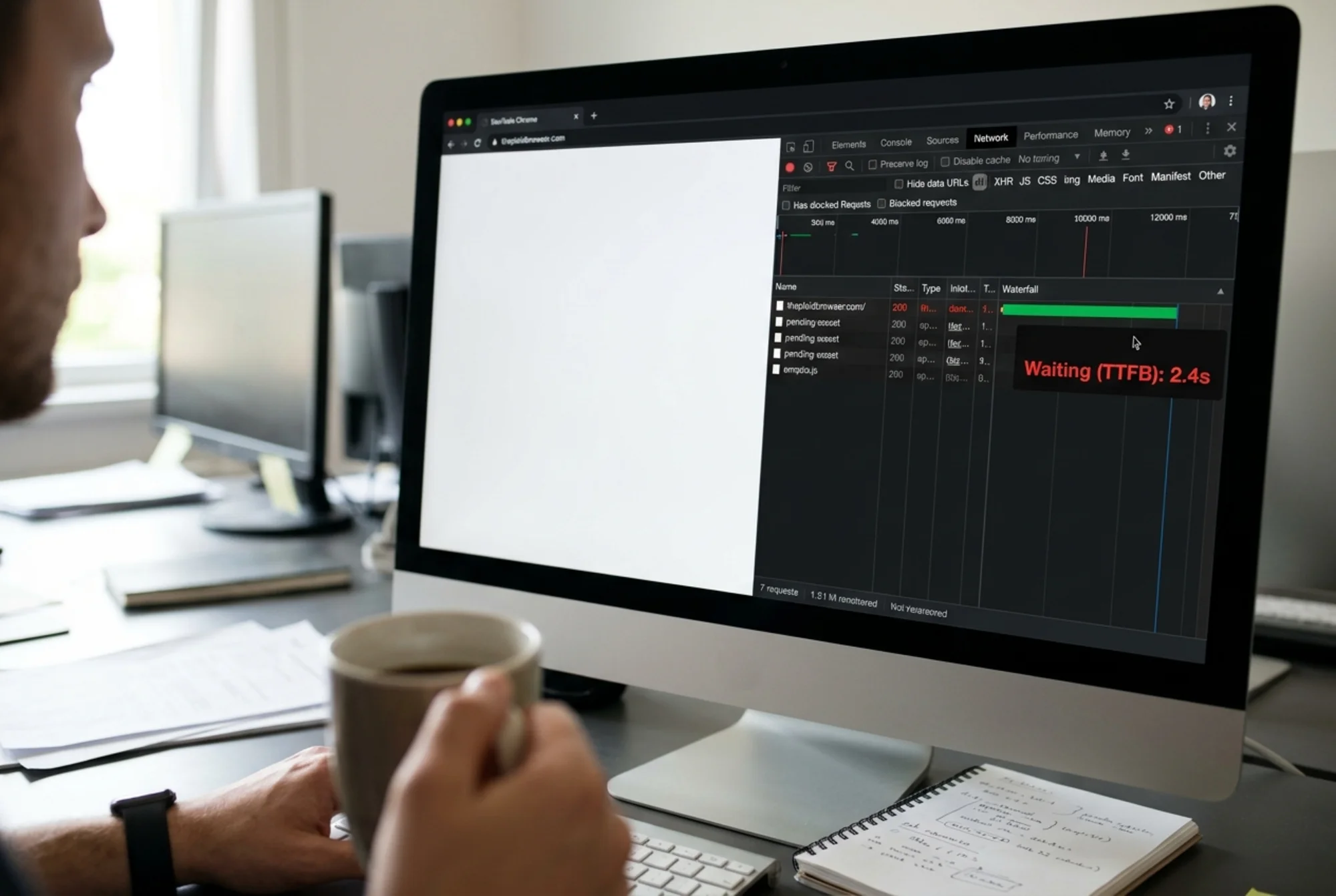
Option 1: Chrome DevTools. Open your site in Chrome, right-click anywhere, choose "Inspect," then click the Network tab. Reload the page. Click the first item in the list (usually your domain). Look for "Waiting for server response" in the Timing panel. That's your number.
Option 2: PageSpeed Insights. Go to pagespeed.web.dev, enter your URL, and scroll to the diagnostics. Look for "Time to First Byte" or "Reduce initial server response time." This uses real-world data from Chrome users when available.
Option 3: A full audit. Run a free website audit and you'll get TTFB alongside the metrics that affect it — caching status, server location, asset weight — in one report.
Test from a mobile connection too. Many small business sites look fine on desk Wi-Fi but crawl on 4G because the server is slow and the network adds latency on top.
The five real causes of slow TTFB on small business sites
Across hundreds of small business audits, the same five issues come up repeatedly. Here they are in rough order of frequency.
1. Cheap shared hosting
This is the number one cause. A $4/month plan crams hundreds — sometimes thousands — of websites onto one server. When the site next door gets a traffic spike or runs a slow plugin, your TTFB tanks. Nothing's wrong with your site. The server is just exhausted.
How to spot it: Your TTFB is wildly inconsistent. Sometimes 400ms, sometimes 3 seconds, for the same page. You're on the cheapest tier of a budget host.
Fix: Upgrade to a managed plan or a host that specializes in your CMS (managed WordPress hosting, for example). Expect $20–$40/month. Worth it.
2. No caching
When someone visits your homepage, your server has to query the database, run PHP, assemble the HTML, and send it. Doing this from scratch for every visitor is wasteful. Caching saves the assembled HTML and serves it instantly to the next visitor.
How to spot it: Your TTFB is consistently 1+ seconds even though hosting is fine. You're on WordPress, Shopify, or another CMS but you've never configured a cache.
Fix: On WordPress, install a reputable caching plugin (WP Rocket, W3 Total Cache, or LiteSpeed Cache if your host supports it). On Shopify, caching is built in — you mostly need to remove heavy third-party apps that bypass it. On custom sites, ask your developer about page caching or a reverse proxy.
3. Server too far from visitors
If your hosting sits in Frankfurt and most of your customers are in Texas, every request and response takes a long physical trip. Light is fast, but it's not instant — and the public internet adds routing detours on top.
How to spot it: Your TTFB jumps significantly when you test from a tool that lets you pick locations far from your server.
Fix: Two options. Move hosting closer to your primary audience, or put a CDN (Content Delivery Network) in front of your site. Cloudflare's free tier covers most small business needs and dramatically improves TTFB for visitors far from your origin.
4. Bloated database or too many plugins
Every plugin can add database queries. Every query takes time. A WordPress site with 40 plugins, each running a few queries on every page load, can easily push TTFB past 2 seconds even on decent hosting.
How to spot it: Your homepage TTFB is fine, but specific pages (a blog post with a related-posts widget, a product page with complex filtering) are slow. Or your site got progressively slower as plugins piled up over the years.
Fix: Audit your plugins. Deactivate anything you haven't touched in six months. Replace heavy plugins with lighter alternatives. Run a database optimization tool to clean out post revisions, expired transients, and orphaned data.
5. Outdated PHP or software stack
Running PHP 7.4 instead of PHP 8.2 can mean your server is doing the same work 30–50% slower. Same site, same plugins, just an old engine.
How to spot it: Your hosting dashboard shows an older PHP version. Or your CMS, themes, or critical plugins haven't been updated in over a year.
Fix: Log into your hosting control panel, find the PHP version setting, and upgrade. Back up first — older themes occasionally break on newer PHP versions. Update your CMS and plugins on the same day.

A real walkthrough: fixing TTFB for a local dental clinic
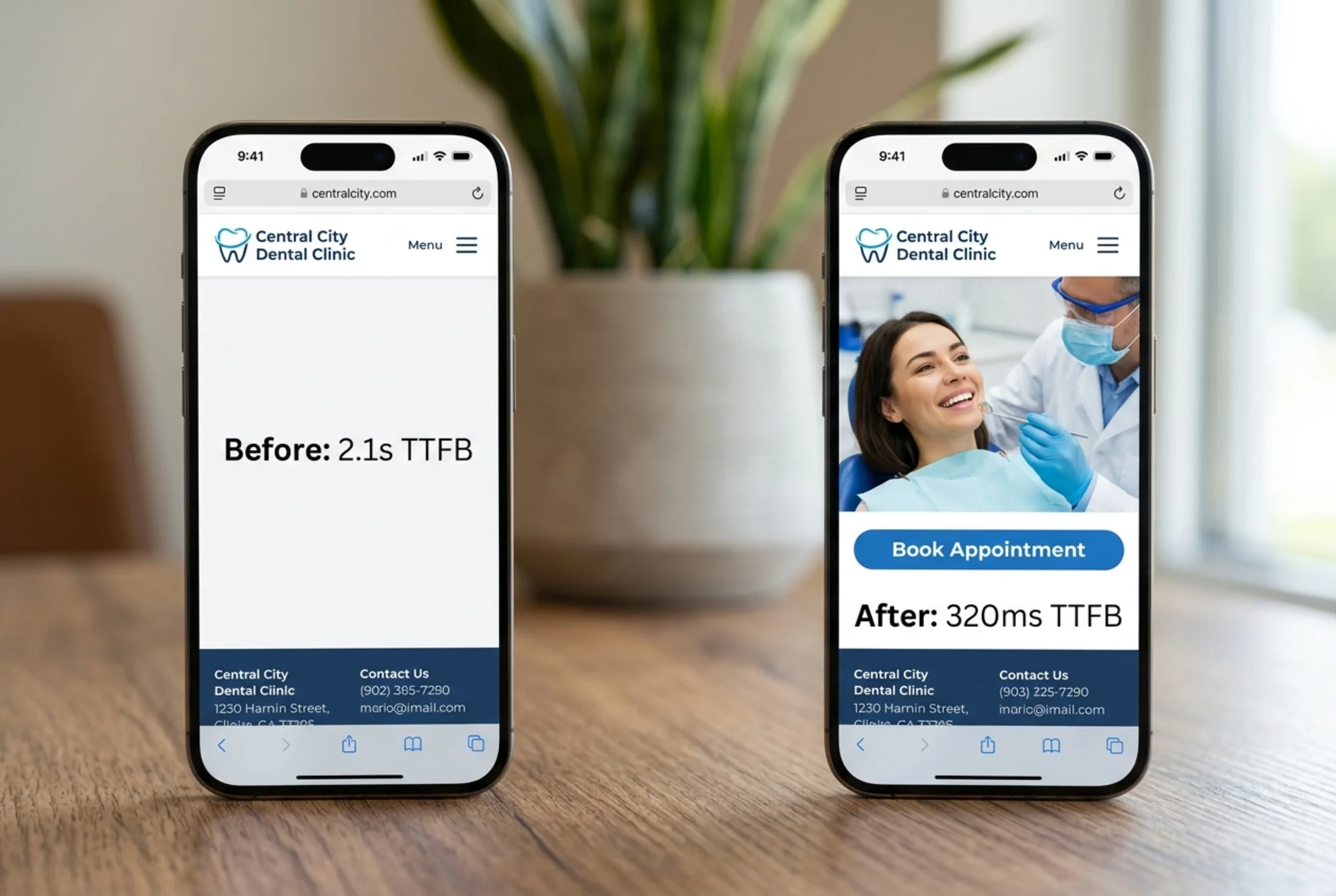
Here's what this looks like in practice. A dental clinic in Denver came to us with a homepage TTFB of 2.1 seconds. Their bounce rate was climbing and they'd dropped two spots for "Denver dentist" in local search.
Step 1: Measure honestly. Chrome DevTools confirmed 2.1s TTFB. PageSpeed Insights' field data showed real users hitting closer to 2.6s on mobile.
Step 2: Check the hosting. They were on a $5/month shared plan with a generic provider. We didn't change hosts yet — we wanted to see how much we could fix without that cost.
Step 3: Upgrade PHP. The hosting dashboard showed PHP 7.2. We backed up the site, switched to PHP 8.1, and tested every page. One plugin broke (an old booking widget). We swapped it for a newer alternative. TTFB dropped to 1.4s.
Step 4: Install caching. We installed WP Rocket and enabled page caching, browser caching, and GZIP compression with default settings. TTFB on cached pages dropped to 480ms.
Step 5: Put Cloudflare in front. Free tier, twenty minutes to set up. With Cloudflare's edge cache, repeat visitors and visitors far from the origin saw TTFB around 220ms.
Step 6: Plugin cleanup. We removed 11 plugins they hadn't used in over a year. This didn't change TTFB much on its own, but it reduced database load and made the site more stable.
Final result: average TTFB went from 2.1s to 320ms. They picked up one position in local search within four weeks and bounce rate dropped about 18%.
Total cost: roughly $50 (WP Rocket license) plus an hour of work. No new hosting bill yet.
A checklist you can run today
If you do nothing else, work through this list in order:
- [ ] Measure your current TTFB in Chrome DevTools (write it down)
- [ ] Check your PHP version in your hosting dashboard — upgrade to 8.1 or higher
- [ ] Install or verify a caching solution is active and serving cached pages
- [ ] Set up Cloudflare's free plan in front of your site
- [ ] Deactivate plugins you haven't used in six months
- [ ] Re-measure TTFB and compare
Most small business sites will see a 40–70% improvement from those steps alone. If you're still above 800ms after that, the bottleneck is almost certainly your hosting itself, and upgrading is the next move. There's more detail in our TTFB fix guide if you want to go deeper on any single step.
Things that won't fix TTFB (don't get distracted)
It's easy to fall down rabbit holes. A few things people commonly try that won't meaningfully help TTFB:
- Optimizing images. Important for other metrics, but images load after the first byte.
- Minifying CSS and JavaScript. Same reason. Helps render time, not server response time.
- Lazy loading. Affects what loads when, not how fast your server starts responding.
- Removing tracking pixels. They run in the browser, after the page arrives.
These optimizations matter — but for other metrics. Fix TTFB at the server layer first, then move outward.
When to call a developer
You should bring in help if:
- Your TTFB is still above 1 second after caching, CDN, and PHP upgrades
- You're on a custom-built (non-CMS) site and don't know where caching is handled
- You're seeing wildly different TTFB for similar pages and can't figure out why
- Your database has clearly grown bloated (thousands of post revisions, large transients tables)
A developer can profile your application code, optimize slow database queries, and set up object caching (Redis or Memcached) that's beyond the reach of most plugin-based fixes. For an e-commerce site doing real revenue, a few hundred dollars is almost always worth it.
Why this is worth your afternoon
TTFB is the unglamorous foundation of website speed. Nobody's going to brag about cutting it from 2 seconds to 400ms. But it's the single biggest lever you have for a faster site, better Core Web Vitals, and Google rewarding you for not making people wait.
Google has been explicit that helpful content shipped on a fast, accessible page is what they want to surface. A slow server fights against everything else you do — your copywriting, your design, your SEO. Fix it once and every other improvement compounds.
Get a real read on your TTFB
If you want a clear picture of where your site stands — TTFB, caching status, server location, what's actually slowing things down — run a free audit. You'll get a plain-English report with the specific issues holding your site back, what to fix first, and what's already working.
It takes about a minute. No signup required. If TTFB is your problem, you'll see it on page one.
Sources
Check your website for free
Get an instant score and your top 3 critical issues in under 60 seconds.
Get Your Free Audit →