How to Make Your FAQ Pages Answer AI Search Queries
A practical guide for small business owners on structuring FAQ pages so AI search engines pull your answers directly into search results with schema examples.
# How to Make Your FAQ Pages Answer AI Search Queries
AI search has changed how customers find your business. Instead of clicking through ten blue links, they ask a question and get a direct answer. If your FAQ page is well-written and properly structured, that answer can come from your site. If it's not, the answer comes from somewhere else, and you lose the visit.
This guide walks you through how to fix that. No jargon. Just the steps a small business owner can follow in an afternoon.

Why FAQ Pages Matter More Now
Most small business FAQ pages were written for humans skimming a webpage. AI search engines read differently. They scan for clean question-answer pairs, pull the most direct response, and cite the source.
The pages that win citations share three traits:
- They ask real questions in the words customers actually use.
- They answer in two to four sentences, with the key fact in the first line.
- They use structured data so machines understand the format.
If your FAQ is a wall of paragraphs under headings like "About Our Service," AI will skip it. The information might be there, but it's buried.
The Problem With Most FAQ Pages
Walk through a typical small business FAQ and you'll see the same patterns:
- Questions written from the company's perspective ("What is our return policy?") instead of the customer's ("How do I return something?").
- Answers buried under marketing language. The actual fact appears in sentence four.
- One giant accordion with twenty questions, each section bloated with cross-links and upsells.
- No schema markup. Machines have to guess what's a question and what's a heading.
- Duplicate or near-duplicate questions that confuse both readers and crawlers.
The result: a page that looks fine to a human visitor but is invisible to AI search.

Step 1: Find the Questions Your Customers Actually Ask
Before you write anything, collect the real questions. Don't invent them. Pull them from where they already exist:
- Email and chat logs. Search your inbox for question marks. The first 50 questions you read are probably 80% of what new customers want to know.
- Support tickets. Export the last three months of tickets and tag the recurring themes.
- Sales calls. Ask whoever takes inquiries to write down the first three questions every caller asks.
- Search Console queries. Look for question-shaped queries (how, what, why, when, can, does) that already bring traffic to your site.
- AI search itself. Type your service plus "how to" or "what is" into an AI assistant and see what auto-suggests.
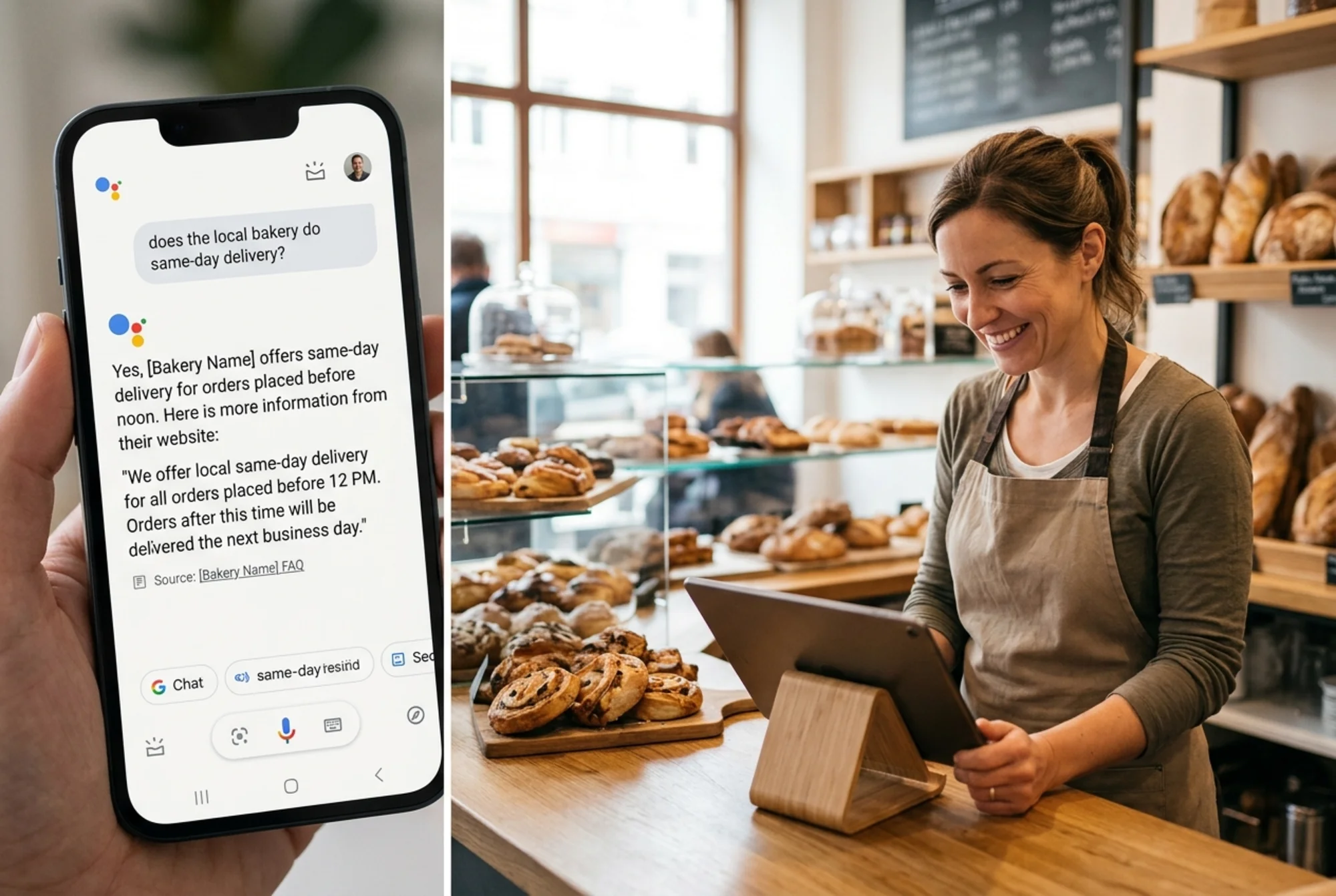
A bakery doing this exercise might end up with: "Do you deliver same-day?", "Are your cakes nut-free?", "How far in advance do I need to order a wedding cake?", "Do you do gluten-free?", "Can I taste before I order?"
That list is gold. It's the exact phrasing customers use. Write your FAQ entries with those words, not the words you'd use in a brochure.
Step 2: Write Each Answer the Right Way
Here's the structure that works for AI search:
- The question as a heading. Use an H2 or H3. Phrase it exactly as a customer would type or speak it.
- The direct answer in the first sentence. No preamble. No "Great question!" No "At Acme Bakery, we believe…"
- One or two supporting sentences. Add the qualifier, the exception, or the next step.
- Optional: a short link to a deeper page. Only if the customer truly needs more detail.
Compare these two versions for "Do you deliver same-day?":
Bad:
> At Sunshine Bakery, customer service is at the heart of everything we do. We pride ourselves on being responsive and flexible to your needs. Depending on the day, the time, and the size of your order, we may be able to accommodate same-day requests. Please call us to discuss your specific situation.
Good:
> Yes, we offer same-day delivery for orders placed before 11 a.m., within five miles of our shop. Orders after 11 a.m. are delivered the next business day. Call 555-0100 to confirm availability.
The second version answers the question in 12 words. AI can lift that sentence directly into a search result. The first version requires the AI to summarize, and AI tools prefer not to guess. This is also what Google's helpful content guidance points to: write for the person asking, lead with the answer, and back it with specifics.
Step 3: Use Real FAQ Structure
The technical wrapper matters as much as the writing.
Use proper HTML headings. Each question should be an H2 or H3, not a styled div. The answer below it should be normal paragraph text. Avoid burying questions inside accordions that are collapsed by default and rendered only with JavaScript — some crawlers miss them, and slow-loading interactive blocks also drag down your Core Web Vitals, which affects how often your page is surfaced.
Then add FAQPage structured data. This is a small block of JSON-LD that tells search engines: "These are questions, and these are the matching answers." Most CMS plugins generate it; you can also hand-write it. A minimal example for one question:
{
"@context": "https://schema.org",
"@type": "FAQPage",
"mainEntity": [{
"@type": "Question",
"name": "Do you deliver same-day?",
"acceptedAnswer": {
"@type": "Answer",
"text": "Yes, we offer same-day delivery for orders placed before 11 a.m., within five miles of our shop."
}
}]
}
Each question gets its own entry in mainEntity. The text inside acceptedAnswer should match what visitors see on the page. Don't write one answer for humans and a different one for the schema — that mismatch can get the markup ignored. Google's structured data guidance is explicit on this point.
Once you've added the markup, test it. Google's Rich Results Test will confirm the schema is valid and show you exactly which questions it detected.

Step 4: Organize for Scanability
A single FAQ page with 30+ questions becomes hard to navigate. Group your questions by topic with clear subheadings:
- Ordering and Delivery
- Ingredients and Allergens
- Pricing and Payment
- Returns and Cancellations
Each group should have between three and eight questions. Anything more and you're better off splitting into dedicated pages — one for shipping, one for returns — and linking them from a master FAQ.
If you're a service business, consider topic-specific FAQs on each service page. A plumber's "Drain Cleaning" page should answer "How much does drain cleaning cost?" and "How long does it take?" right on that page. AI tends to cite the most contextually relevant page, not the catch-all FAQ.
Step 5: Match the Voice of Real Search Queries
AI assistants are trained on conversational input. Customers don't search for "shipping policy" — they search "when will my order arrive?" Adjust your question wording to match how people actually speak.
A quick mini-checklist for each question:
- Does it start with a question word (how, what, why, when, can, does, is, are, do)?
- Does it use the customer's vocabulary, not yours? ("Do you accept Apple Pay?" not "Available payment methods.")
- Is it under 12 words? Longer questions read like marketing.
- Could someone say it out loud to a voice assistant?
If a question fails any of these, rewrite it.
A Walkthrough: Fixing a Real FAQ Page
Imagine a local accounting firm with this FAQ entry:
Original:
> Our Tax Preparation Services
> At Maple Leaf Accounting, we offer a comprehensive suite of tax preparation services for individuals, small businesses, and self-employed professionals. With over 15 years of experience, our team is committed to delivering accurate, on-time filings tailored to your unique situation. To learn more about how we can help, please contact us today!
This is a marketing paragraph pretending to be a FAQ. Break it into the actual questions customers ask:
Rewritten:
> How much does tax preparation cost?
> Personal tax returns start at $250. Small business returns start at $600. Final price depends on the complexity of your filing — call us for a quote.
> How long does it take to prepare my taxes?
> Most personal returns are completed within 5 business days of receiving all your documents. Business returns take 7–10 business days.
> Can you file my taxes if I'm self-employed?
> Yes. We handle Schedule C returns, quarterly estimated payments, and self-employment tax for freelancers, contractors, and small business owners.
> What documents do I need to bring?
> Bring last year's tax return, all income statements (W-2, 1099, K-1), receipts for deductions, and a photo ID. We'll send a full checklist when you book.
One marketing paragraph became four direct answers, each ready to be cited by an AI search engine. Add FAQPage schema around the four entries and you're done.
Step 6: Keep It Maintained
FAQ pages aren't a one-time project. Set a quarterly reminder to:
- Re-check your support inbox for new repeat questions.
- Update pricing, hours, or policies whenever they change.
- Remove questions that no longer come up — outdated answers actively hurt trust.
- Re-run the Rich Results Test after any layout change.
A stale FAQ that contradicts the rest of your site is worse than no FAQ at all. AI tools deprioritize sources that contradict themselves.
Common Mistakes to Avoid
- Stuffing keywords into questions. "Best plumber near me cheap fast 24/7" reads like spam. Write the question a human would ask.
- Writing answers longer than the question deserves. If it takes a paragraph, you're answering a different question.
- Hiding content behind JavaScript-only accordions. Make sure the question and answer are present in the rendered HTML source.
- Duplicating questions across pages with different answers. Pick the right page for each question and link the others to it.
- Forgetting to test the schema. A typo in your JSON-LD can invalidate the whole block.
- Treating FAQ as a dumping ground. If a question deserves its own service page or blog post, build it there and link from the FAQ.
A Quick Pre-Publish Checklist
Before pushing your updated FAQ live, run through this list:
- Each question is a real question, in customer language, as an H2 or H3.
- Each answer leads with the direct response in the first sentence.
- Answers are between 2 and 4 sentences (longer only when truly needed).
- Questions are grouped under clear topic headings.
- FAQPage schema is added and validated in the Rich Results Test.
- All facts (prices, hours, policies) match what's elsewhere on your site.
- No marketing language ("we pride ourselves," "leading provider," "trusted by thousands").
- The page loads fast and renders without JavaScript blocking the content.
If every item passes, you've built a page AI search engines can actually use.
See How Your FAQ Page Is Doing
If you're not sure how your current FAQ stacks up — missing schema, slow load times, buried answers, vague headings — run a free audit. FreeSiteAudit scans your pages, flags structural and content issues, and shows you exactly what to fix in plain English.
You'll see whether your FAQ has proper structured data, whether your answers are concise enough, and where small changes will earn you better AI citations and more organic traffic.
The work to fix an FAQ page is small. The payoff — being the source an AI search engine cites instead of skips — is significant. Spend an afternoon, follow the checklist, and you'll see the difference within weeks.
Sources
Check your website for free
Get an instant score and your top 3 critical issues in under 60 seconds.
Get Your Free Audit →