How to Make Your Website Easier for ChatGPT, Perplexity, and Google AI Overviews to Cite
A practical guide to structuring your small business website so ChatGPT, Perplexity, and Google AI Overviews can find, understand, and cite your content.
# How to Make Your Website Easier for ChatGPT, Perplexity, and Google AI Overviews to Cite
People are changing how they search. Instead of scrolling through ten blue links, millions now ask ChatGPT a question, run a Perplexity search, or read a Google AI Overview at the top of the results page. Each of these tools pulls information from websites and cites its sources — sometimes with a direct link back.
If your small business website shows up in those citations, you get traffic from an entirely new channel. If it does not, you are invisible to a growing segment of potential customers.
This guide covers the structural and content changes that actually improve your chances of being cited by AI tools.

Why AI Citations Work Differently Than Traditional SEO
Traditional SEO is about ranking on a search results page. AI citations work differently.
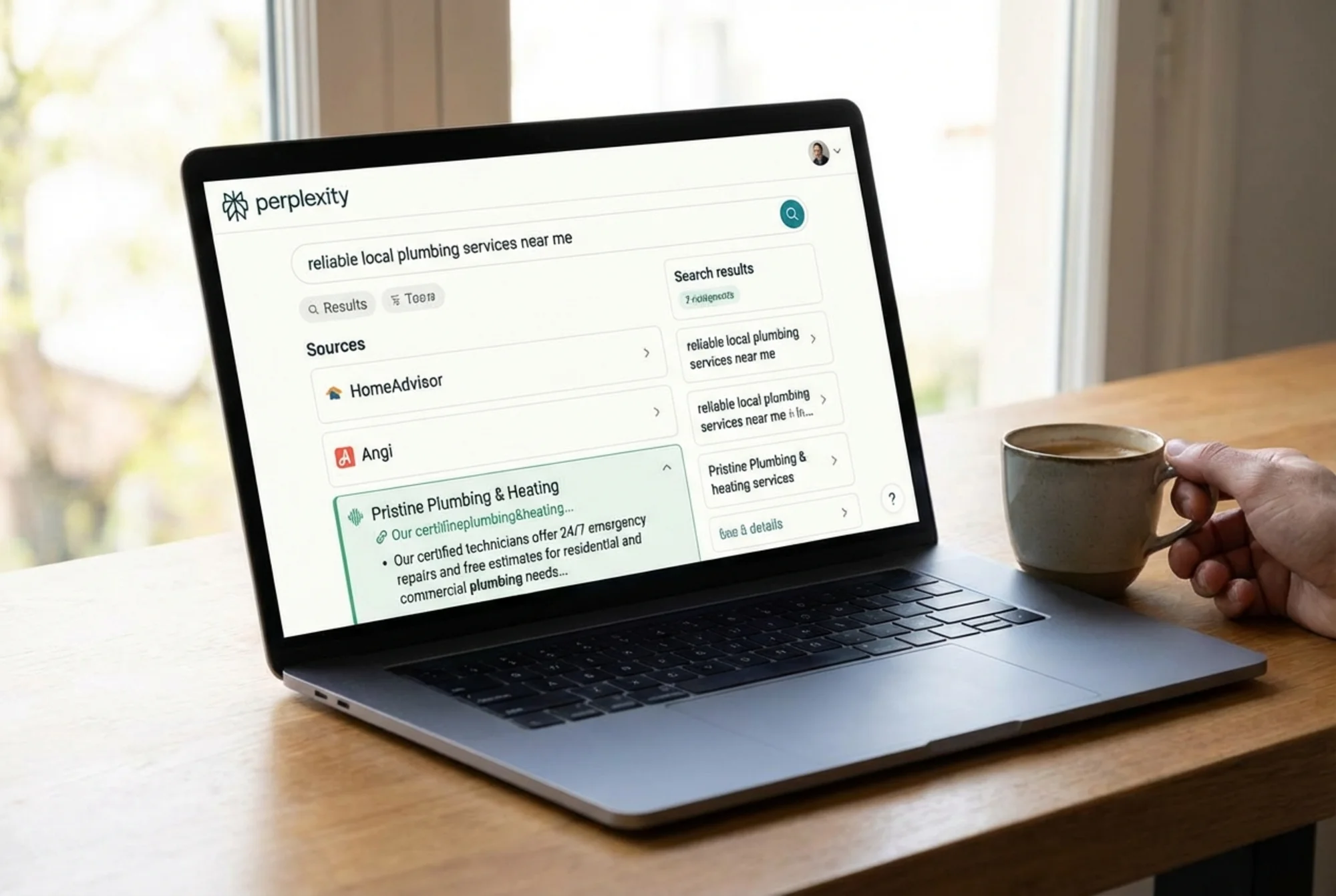
When someone asks ChatGPT "What is the best way to fix a leaky faucet?" or asks Perplexity "Which bakeries in Austin do custom wedding cakes?", the AI reads dozens of pages, synthesizes an answer, and lists the sources it drew from. Your website either makes it into that source list or it does not.
Three things determine whether you get cited:
- Can the AI access and read your content? If your pages are blocked, slow, or buried behind JavaScript that crawlers cannot render, you are out.
- Is your content structured clearly enough for the AI to extract specific facts? Walls of text with no headings or lists are hard for AI to parse.
- Does your content answer the kind of questions people ask AI tools? These tools look for direct, factual answers — not sales copy.
Most of these fixes are straightforward, and many overlap with things that also help your traditional search rankings.
Step 1: Make Sure AI Crawlers Can Actually Read Your Pages
Before worrying about content quality, confirm that AI tools can access your site at all.
Check Your Robots.txt File
Your robots.txt file tells crawlers what they can and cannot access. Some website builders block AI crawlers by default. Open yoursite.com/robots.txt in a browser and look for lines like:
User-agent: GPTBot
Disallow: /
User-agent: PerplexityBot
Disallow: /
If you see those lines, AI crawlers are locked out entirely. Remove the Disallow: / lines for any AI crawlers you want to allow. The main ones to know:
- GPTBot — ChatGPT's crawler
- PerplexityBot — Perplexity's crawler
- Google-Extended — Used for Google's AI features
- Googlebot — The standard Google crawler, which also feeds AI Overviews
Not sure what your robots.txt currently says? Run a free audit with FreeSiteAudit — the report flags crawler access issues automatically.
Ensure Your Pages Load Without JavaScript
Many modern website builders render content with JavaScript. That works for human visitors, but some AI crawlers do not execute JavaScript. If your main content only appears after scripts run, those crawlers see a blank page.
Quick test: Open your website in Chrome, press Ctrl+U (or Cmd+Option+U on Mac) to view the page source. Search for a sentence from your main content. If you cannot find it in the raw HTML, your content is JavaScript-rendered and may be invisible to some crawlers.
The fix depends on your platform. Static site generators and most WordPress setups serve HTML directly. Single-page app frameworks like React or Vue need server-side rendering enabled.
Page Speed Still Matters
Slow pages get crawled less frequently and less completely. Google has confirmed that Core Web Vitals — loading speed, visual stability, and interactivity — affect how they process pages. AI systems that rely on Google's index inherit those same signals.
Aim for:
- Largest Contentful Paint under 2.5 seconds
- No layout shift that pushes content around as the page loads
- Images compressed and properly sized
Slow pages are less likely to be in the index that AI tools draw from in the first place.

Step 2: Structure Your Content So AI Can Extract Answers
AI tools do not read your page the way a human does. They scan for structure, look for clear statements, and pull out specific facts. The easier you make that extraction, the more likely they are to cite you.
Use Headings That Match Real Questions
Think about what someone would type into ChatGPT or Perplexity. Then use those questions — or close variations — as your H2 and H3 headings.
Example for a plumber's website:
Instead of:
> Our Services
Write:
> How Much Does It Cost to Fix a Leaky Faucet?
Instead of:
> Why Choose Us
Write:
> What Should You Look for When Hiring a Plumber?
When your heading is the question and the paragraph below it is a direct answer, you have created exactly the kind of content AI tools prefer to cite.
Lead With the Answer, Then Explain
Put the most important information first — journalists call this the inverted pyramid.
Weak structure:
> There are many factors that go into pricing for website design. The complexity of the project, the number of pages, custom features, and ongoing maintenance all play a role. Generally speaking, small business websites cost between $2,000 and $10,000.
Strong structure:
> Small business websites typically cost between $2,000 and $10,000. The price depends on the number of pages, custom features, and whether you need ongoing maintenance. A basic five-page site starts around $2,000, while a site with booking or e-commerce runs $7,000 to $10,000.
The second version gives the AI a clear, citable fact in the first sentence. The rest provides supporting detail.
Use Lists and Tables for Comparable Information
When presenting options, steps, or comparisons, use bullet lists or tables instead of paragraphs. AI tools extract structured data more reliably than they parse prose.
Example for an accountant's website:
| Service | Best For | Typical Cost |
|---|---|---|
| Basic bookkeeping | Freelancers, sole proprietors | $150–$300/month |
| Full-service accounting | Small businesses with employees | $500–$1,500/month |
| Tax preparation only | Straightforward returns | $200–$500 per filing |
Tables like this are straightforward for AI to parse and cite directly.
Step 3: Add Structured Data That AI Tools Understand
Structured data (also called schema markup) is code you add to your pages that explicitly labels your content for search engines and AI tools. It helps automated systems find and categorize your information faster.
The Three Types That Matter Most for Small Businesses
1. FAQ Schema
If you have a frequently asked questions section, wrap it in FAQ schema. This tells AI tools "here are specific questions and their answers" in a machine-readable format.
{
"@context": "https://schema.org",
"@type": "FAQPage",
"mainEntity": [{
"@type": "Question",
"name": "How long does a roof replacement take?",
"acceptedAnswer": {
"@type": "Answer",
"text": "A typical residential roof replacement takes 1 to 3 days, depending on the size of the roof and weather conditions."
}
}]
}
2. LocalBusiness Schema
This tells AI tools your business name, address, phone number, hours, and service area — all in a format they can read instantly.
3. Article Schema
If you publish blog posts or guides, Article schema helps AI tools understand the author, publication date, and topic. Google specifically recommends this for content that appears in search features.
Not sure if your site has structured data already? Use our schema checker to find out what is present and what is missing.
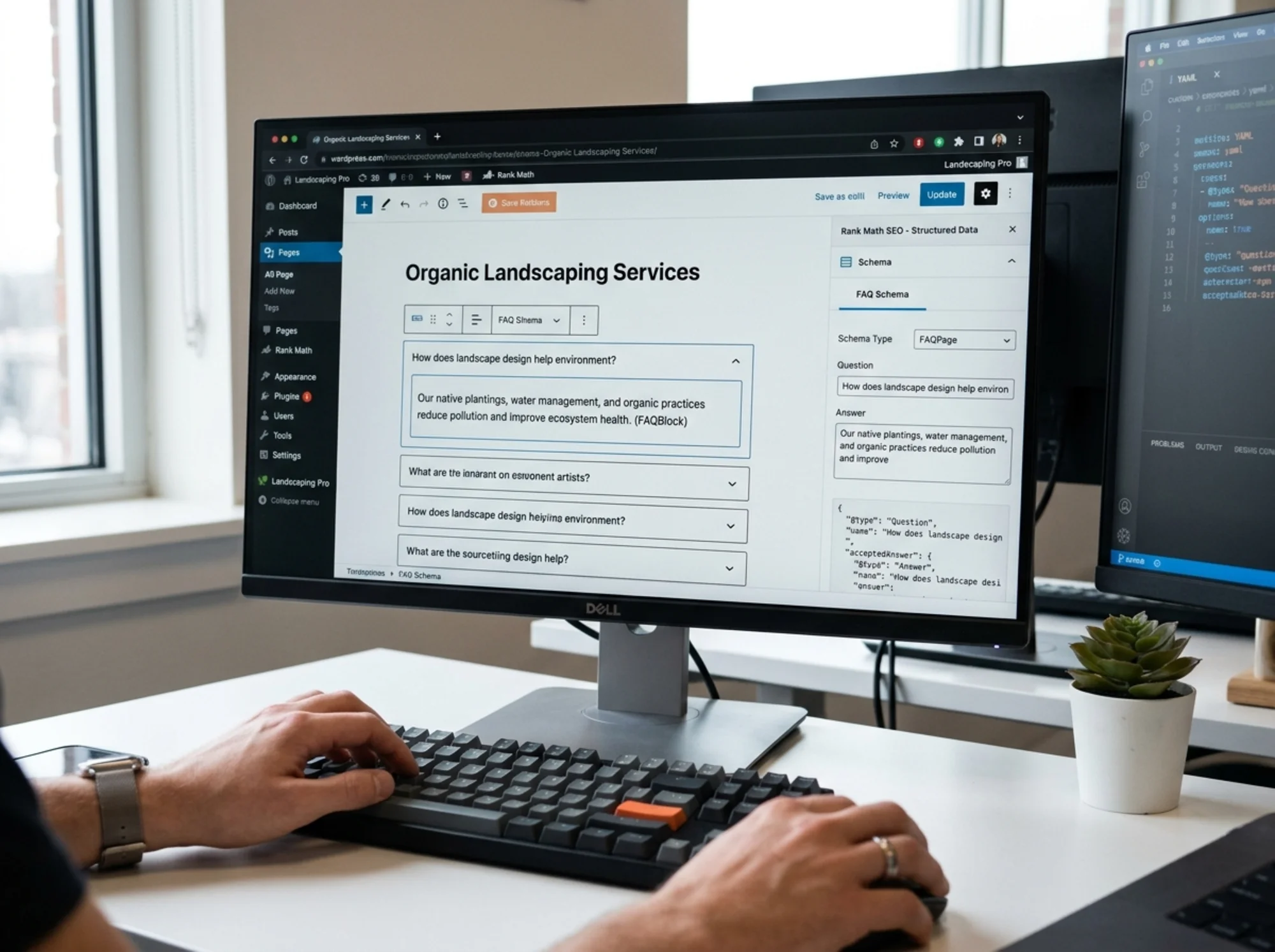
Adding FAQ Schema to a WordPress Page
Here is a concrete example. Say you run a landscaping business and have a services page with common questions at the bottom.
- Write out 5–8 of the most common questions your customers ask, using their phrasing rather than industry jargon.
- Write a direct, 1–3 sentence answer for each one.
- Install a plugin like Yoast SEO or Rank Math (both have built-in FAQ block support).
- Add a FAQ block to your page and paste in your questions and answers. The plugin generates the schema markup automatically.
- Test the page with Google's Rich Results Test to confirm the schema is valid.
That process takes about 30 minutes and makes every one of those answers available to AI tools in a structured, citable format.
Step 4: Build Topical Authority in Your Niche
AI tools do not just evaluate individual pages. They assess whether a source is authoritative on a topic. A plumbing company with one page about leak repair and 40 pages about unrelated marketing tips will not be treated the same as one with 15 detailed pages covering different aspects of residential plumbing.
The Hub-and-Spoke Content Model
Pick your core service or topic and build out from there:
Hub page: "Complete Guide to Residential Plumbing Maintenance"
Spoke pages:
- How to prevent frozen pipes in winter
- When to replace old galvanized pipes
- What causes low water pressure and how to fix it
- How to choose a water heater for your home size
- Signs your sewer line needs inspection
Each spoke page links back to the hub. The hub links out to each spoke. This structure signals to AI tools and Google that you have comprehensive coverage of the topic.
Keep Content Fresh
AI tools tend to prefer recent content, especially for topics where information changes. Update your key pages at least annually:
- Update statistics and prices. A page that says "as of 2024" signals stale information.
- Add new questions. As you hear new questions from customers, add them to your FAQ sections.
- Revise for industry changes. If building codes, regulations, or best practices change, update your content to reflect that.
Google's helpful content guidelines state that content created primarily for search engines rather than for people is less likely to perform well. The same principle applies to AI citations — write genuinely useful content and keep it current.
Step 5: Optimize Your About and Authorship Signals
AI tools evaluate source credibility. A page written by "Admin" with no author information is less likely to be cited than one with a clear author who has demonstrable expertise.
What to Include on Your About Page
- Your name and professional background
- How long you have been in the industry
- Relevant certifications or licenses
- The specific geographic area you serve
- Links to professional profiles (LinkedIn, industry directories)
Author Bylines on Content
Every blog post and guide should have:
- The author's full name
- A one-line bio linking to the About page
- The publication date and last-updated date
This is not vanity — it is how AI tools assess whether your content comes from someone who actually knows what they are talking about.
Quick-Reference Checklist
Run through this list for your most important pages:
- [ ] AI crawlers (GPTBot, PerplexityBot) are not blocked in robots.txt
- [ ] Main content is visible in the raw HTML source (not JavaScript-only)
- [ ] Pages load in under 3 seconds on mobile
- [ ] Headings are phrased as questions people actually ask
- [ ] Each section leads with a direct answer before explaining details
- [ ] Comparison data uses tables or lists, not paragraphs
- [ ] FAQ schema is added to pages with Q&A content
- [ ] LocalBusiness schema is present on your homepage or contact page
- [ ] Content is organized in hub-and-spoke clusters around your core topics
- [ ] Author information and publication dates are visible
- [ ] Key pages have been updated within the last 12 months
How to Check Where You Stand Right Now
You do not have to guess whether your site is ready for AI citations. A website audit flags the specific structural, speed, and schema issues that prevent AI tools from reading and citing your content.
Run a free audit with FreeSiteAudit to get a report covering crawler accessibility, missing structured data, page speed problems, content structure gaps, and mobile usability issues. The audit takes about 60 seconds and gives you a prioritized list of what to fix first.
The Bottom Line
Getting cited by AI tools comes down to making your website clearly structured, genuinely useful, and easy for machines to read. Start with crawler access, structure your content with clear headings and direct answers, add schema markup to key pages, and build depth in your core topics.
These are not one-time projects. As AI search continues to evolve, the sites that stay visible will be the ones that keep their content current, well-structured, and helpful. The businesses that start now will have a meaningful head start as AI-powered search becomes how people find information online.
Sources
Check your website for free
Get an instant score and your top 3 critical issues in under 60 seconds.
Get Your Free Audit →