How to Pass Core Web Vitals on a Budget Site (Without Hiring a Developer)
A plain-English guide for small business owners: pass Core Web Vitals using free tools, simple fixes, and zero developer budget — step-by-step checklist inside.
# How to Pass Core Web Vitals on a Budget Site (Without Hiring a Developer)
If you run a small business website, you've probably been told you need to "pass Core Web Vitals." Maybe a freelancer mentioned it. Maybe Search Console sent you an email. Maybe a competitor's site loads faster and you're losing customers.
Here's what nobody says out loud: you don't need a developer, a paid optimization plugin, or a redesign. You need to know what's actually slowing your site down and fix the three or four things that matter. Most budget sites fail Core Web Vitals for the same handful of reasons, and most of those reasons cost nothing to fix.
This guide walks you through exactly what to do, in the order to do it, using free tools.

What Core Web Vitals Actually Are
Core Web Vitals are three measurements Google uses to decide if your site feels fast and stable to a real person on a real phone. They factor into how Google ranks pages in search results.
- LCP (Largest Contentful Paint) — how long the biggest thing on screen (usually your hero image or main headline) takes to appear. Good is under 2.5 seconds.
- CLS (Cumulative Layout Shift) — how much stuff jumps around while the page loads. The "you try to tap a button and an ad shoves it out of the way" feeling. Good is under 0.1.
- INP (Interaction to Next Paint) — how long the page takes to react when you tap or click. Good is under 200 milliseconds.
Three numbers. Pass all three on mobile, and you pass Core Web Vitals.
Why Budget Sites Usually Fail
Most small business sites fail for a small set of repeating reasons:
- The hero image at the top is far too big — often a 4MB photo uploaded straight from a phone.
- The theme or page builder loads fonts, sliders, and animation scripts nobody asked for.
- Ads, chat widgets, or cookie banners pop in late and push content around.
- Stock images or icon libraries load from slow third-party servers.
- The site sits on cheap shared hosting that takes nearly a second just to start responding.
None of these require rewriting your site. They're settings, swaps, and uploads.
Step 1: Measure What You Actually Have
Before you change anything, get a baseline. Otherwise you won't know what helped.
Open Google's free PageSpeed Insights and paste your homepage URL. Then your most-visited product or service page. Then your contact page. Pages behave differently — your homepage might pass while your shop page fails badly.
Look at the Core Web Vitals Assessment at the top. It says Passed or Failed. Below that, note the three numbers: LCP, CLS, INP. Screenshot them. You'll compare against this later.
If you have Search Console set up, open the Core Web Vitals report there too. It shows real visitor data over the last 28 days, which is what Google actually uses for ranking. PageSpeed Insights shows a lab test — useful, but not the final word.
You can also run a free audit at /tools/core-web-vitals that combines both signals and gives you a prioritized checklist instead of a wall of jargon.

Step 2: Fix LCP (The Biggest Win for Most Sites)
LCP almost always comes down to one thing on small business sites: the big image at the top is too heavy.
Real example: a handmade jewelry shop had an LCP of 6.8 seconds on mobile. The largest contentful paint was a 3,800px-wide hero photo straight from a phone camera at 4.2MB. After resizing it to 1600px wide and saving it as a properly compressed WebP, the file became 180KB. LCP dropped to 1.9 seconds. No code changed. No plugin installed.
Mini-checklist for LCP:
- Find your hero or banner image. Check the file size. If it's over 300KB, that's your problem.
- Resize it. 1600px wide is plenty for any modern screen. Use Squoosh (free, made by Google) to resize and compress.
- Save as WebP. WebP files are roughly 30% smaller than JPEGs at the same quality, and every major browser supports it.
- Re-upload and replace the old image.
- If you have a slider or carousel at the top, just delete it. Sliders hurt LCP, hurt conversions, and most visitors never see past the first slide.
- Make sure your hero image is not lazy-loaded. Lazy loading is great for images below the fold, but the hero needs to load immediately. Most page builders have an "above the fold" or "eager load" setting.
More LCP tactics at /fixes/lcp.
Step 3: Fix CLS (Stop the Jumping)
CLS happens when something loads after the page has started showing and shoves everything else around. The fix is to reserve space for things before they load.
Most CLS on budget sites comes from:
- Images without width and height attributes
- Web fonts that swap in late and resize all the text
- Ads, banners, or chat widgets appearing suddenly
- Cookie consent popups pushing content down
Mini-checklist for CLS:
- For every image, make sure width and height are set. Most page builders do this now, but check — especially anywhere you used a custom HTML block.
- Use a font similar in shape to a system font so the swap doesn't shift layout. Or skip the custom font entirely; most visitors won't notice.
- Move your cookie banner to overlay the content with a semi-transparent background instead of pushing the page down.
- If you use a chat widget, look for "delay load" or "load after interactive" in its settings.
- Avoid sticky banners that appear a few seconds in. They count toward CLS even when they look intentional.
Real example: a small accountant's site was failing CLS at 0.42. The culprit was a "Book a Call" sticky bar that appeared 3 seconds after load and shoved the entire page down. Rendering it from the start (just hidden via CSS until revealed) dropped CLS to 0.04.
More CLS examples at /fixes/cls.
Step 4: Fix INP (Make Taps and Clicks Feel Instant)
INP is the newest of the three and the least understood. It measures the worst lag between when you tap something and when the page responds.
On budget sites, INP problems usually trace to one source: too many third-party scripts running at once. Things like:
- Facebook Pixel
- Google Tag Manager with five containers stuffed inside
- Hotjar or other session recorders
- Live chat widgets
- A/B testing tools
- Ad network code
Each one is a few hundred kilobytes of JavaScript to download, parse, and run. While that's happening, your visitor's tap is stuck in a queue.
Mini-checklist for INP:
- List every tracking, analytics, or marketing script on your site. Be honest: are you actually using the data? If you haven't logged into Hotjar in six months, remove it.
- Centralize what's left through Google Tag Manager instead of pasting scripts directly into your site.
- In your page builder, look for "delay JavaScript" or "defer non-critical scripts." WordPress users can install Flying Scripts (free) to delay third-party scripts until interaction. Squarespace, Wix, and Shopify have similar built-in options under performance settings.
- Drop fancy hover animations, parallax scrolling, and mouse-following effects. They look cool to you and create lag for everyone else.
A small e-commerce shop cut INP from 480ms to 150ms by removing two unused tracking scripts (a forgotten heatmap trial and an old Pinterest tag) and delaying their chat widget until the visitor scrolled.
Platform-specific INP fixes at /fixes/inp.
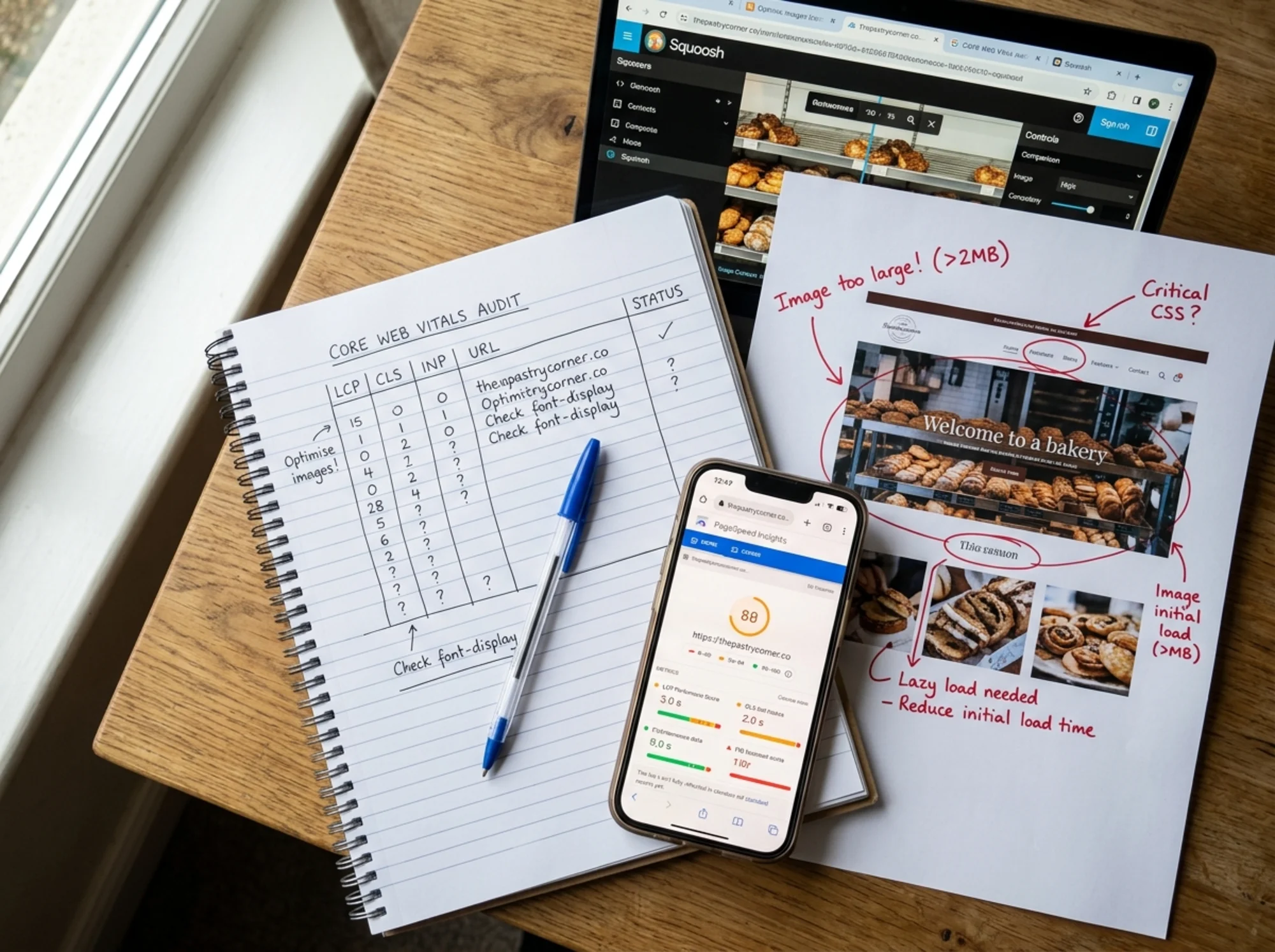
Step 5: A Real Walkthrough
The site: A two-person landscaping company on WordPress with a free theme. Pages load slowly, especially service pages with photos of past work.
Starting numbers (PageSpeed Insights, mobile):
- LCP: 5.2s (Failed)
- CLS: 0.27 (Failed)
- INP: 340ms (Failed)
What we did, in order:
- Fixed the homepage hero. A 5MB photo of a recently landscaped backyard. Resized to 1600px wide, saved as WebP, re-uploaded. New size: 220KB.
- Removed the homepage slider. Three uncompressed rotating photos. Replaced with one static hero.
- Audited the service page gallery. 24 photos, none lazy-loaded, none resized. Enabled the theme's lazy load and bulk-compressed everything.
- Found the CLS culprit. A "Get a Free Quote" sticky bar appearing 2 seconds in. Set it to render immediately on a transparent overlay.
- Removed two unused scripts. An abandoned Hotjar trial and a duplicate Analytics tag installed by an old freelancer.
- Switched fonts. Custom Google Font swapped for a system font stack. Saved a 90KB download.
Total time: about three hours, spread across two evenings. Total money spent: zero.
Ending numbers:
- LCP: 1.8s (Passed)
- CLS: 0.04 (Passed)
- INP: 170ms (Passed)
Two weeks later, the Search Console Core Web Vitals report flipped from "Needs Improvement" to "Good" for 100% of their URLs.
What About Hosting?
If you've done all of the above and LCP is still over 3 seconds, your hosting might be the problem. Cheap shared hosting can take 800ms to a second just to start sending the page.
You don't need a $100/month enterprise host. You usually need to:
- Make sure caching is enabled (most hosts have a one-click setting).
- Put a free CDN like Cloudflare in front of your site so a copy lives on servers around the world.
Cloudflare's free plan in front of cheap hosting often cuts server response time in half. Setup takes about 20 minutes and is reversible.

What Not to Waste Money On
Things you do not need to pass Core Web Vitals on a budget site:
- A paid speed optimization plugin (most repackage what free settings already do)
- A redesign
- Premium hosting tiers
- A four-figure performance consulting engagement
- AMP pages (Google deprioritized AMP; most sites don't need it)
If you've followed the steps above and you're still failing, the issue is almost always one specific element on one specific page. A focused free audit finds it in minutes.
Final Checklist
Before you call it done, run through this on your three most important pages:
- [ ] Hero image is under 300KB and properly sized
- [ ] No homepage slider (or slider has only one slide)
- [ ] All images have width and height attributes
- [ ] Sticky bars and cookie banners don't push content
- [ ] Unused tracking scripts have been removed
- [ ] Remaining third-party scripts are delayed where possible
- [ ] Caching is enabled at your host (and Cloudflare in front if needed)
- [ ] You've re-tested in PageSpeed Insights and the three numbers are green
Check all eight and you've passed Core Web Vitals. You've also probably increased your conversion rate, because a faster site converts better regardless of what Google thinks.
Run a Free Audit and Get a Specific Plan
Don't guess what's slowing your site down. Run a free audit with FreeSiteAudit and we'll show you exactly which images, scripts, and settings are costing you the most points — with a step-by-step fix list ranked by impact. No developer required, no signup needed for the basic scan, and no upsell wall before you see your results.
Run your free Core Web Vitals audit →
Sources
Related Tools
Check your website for free
Get an instant score and your top 3 critical issues in under 60 seconds.
Get Your Free Audit →