How to Read Your Website's Crawl Report Without a Computer Science Degree
A plain-English guide for small business owners on reading a website crawl report, sorting issues by severity, and fixing only what truly moves the needle.
# How to Read Your Website's Crawl Report Without a Computer Science Degree
You ran a website audit. You got a report. Now you're staring at a wall of red badges, percentages, and phrases like "canonical mismatch" and "render-blocking resources." It feels like a doctor handing you an MRI and walking out of the room.
This guide fixes that. By the end, you'll know what a crawl report actually is, which numbers matter, which ones are noise, and exactly which issues to fix first. No jargon dumps, no scare tactics — just the parts a small business owner needs to make confident decisions about their own site.
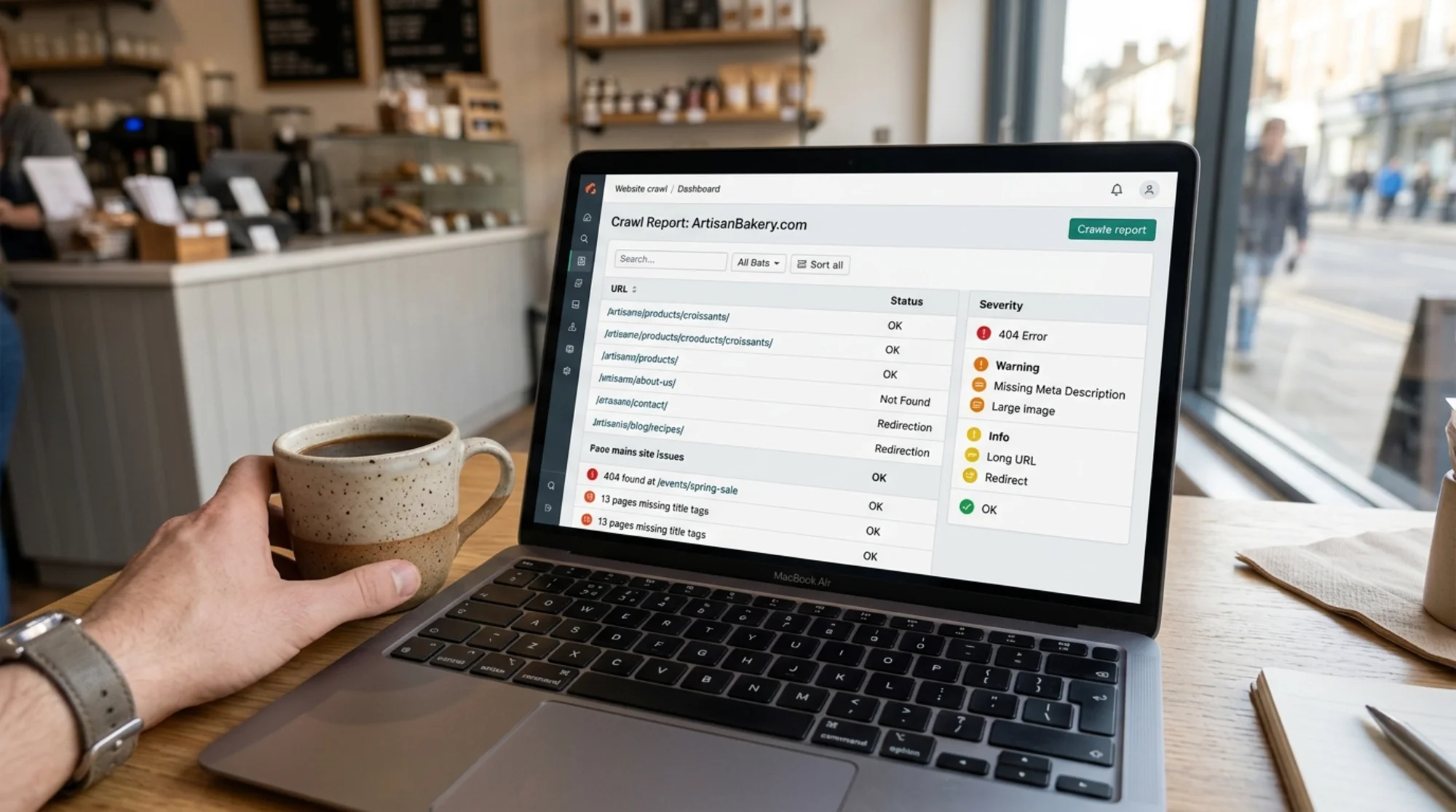
What a Crawl Report Actually Is
A crawl is when a piece of software pretends to be Google. It visits your homepage, follows every link it finds, follows the links on those pages, and keeps going until it has seen everything reachable on your site. As it goes, it records what it found: the page URL, the response code, the title tag, the size, how long it took to load, whether images had alt text, whether links were broken, and dozens of other small data points.
A crawl report is the spreadsheet that comes out the other end. Think of it as a building inspector's walkthrough notes for your website. Some notes are "the roof is on fire." Some are "this doorknob is loose." A useful report tells you which is which. A bad one buries the fire under a thousand doorknob complaints.
Your job is not to fix every line item. Your job is to find the fires.
The Five Sections You'll See on Almost Every Report
Most audit tools group findings into the same rough buckets. Once you recognize the buckets, every report looks familiar.
1. Crawlability and indexing. Can search engines reach your pages at all? This covers your robots.txt file, your sitemap, redirects, and pages marked "noindex."
2. On-page SEO. Does each page have a unique title, a meta description, one H1 heading, and content that actually matches what the page is about?
3. Technical health. Broken links (404s), redirect chains, server errors (5xx), duplicate content, and slow pages.
4. Performance and Core Web Vitals. How fast does the page feel to a real human? Largely about loading speed, layout stability, and how quickly the page responds to a click or tap.
5. Structured data and accessibility. Are you using schema markup so Google can show rich results? Do your images have alt text? Can a screen reader navigate your site?
When you open your next report, skim the section headers first. You're orienting yourself, not reading line by line.
Severity: The Only Column That Really Matters First
Every decent audit tool tags issues by severity. The labels vary, but they collapse into three real categories:
- Critical — Something is broken in a way that costs you traffic, sales, or trust right now. Examples: your homepage returns a 500 error, your sitemap is blocked, your checkout page is set to "noindex."
- Warning — Something is suboptimal and probably hurting performance, but the site still works. Examples: a 700-character title tag, a missing meta description, a redirect chain three hops long.
- Notice / Info — Something a perfectionist would fix. Examples: a single image missing alt text on an old blog post, an H2 that appears before an H1 on one obscure page.
Sort by severity. Read the critical issues. Ignore the notices on the first pass. If a tool refuses to let you sort by severity or tags everything as "high priority," that's a sign the tool is trying to look thorough instead of being useful.

The Issues That Are Almost Always Worth Fixing
You can spend a weekend chasing tiny issues that move nothing, or two hours on the handful that almost always matter. Here is that short list.
Broken internal links (404s)
A 404 means a page on your own site links to a page that no longer exists. Every broken link is a dead end for a visitor and a wasted crawl budget for Google. If your report shows five or more internal 404s, fix them — restore the page, update the link, or redirect to the closest live equivalent. A common cause: you renamed a product or blog post and the old URL is still linked in your menu, footer, or a related-posts block.
Redirect chains
A redirect chain is when URL A redirects to B, which redirects to C, which finally lands on D. Each hop slows the page and bleeds a little authority. One redirect is fine. Three or more is sloppy. Flatten them so every old URL points directly to the final destination.
Pages with no title or duplicate titles
The title tag is the blue link Google shows in search results. If a page has no title, Google invents one, and it's usually worse than what you would write. If two pages share the same title, Google has to guess which one to rank for a given query, and it often picks the wrong one. Filter for "missing title" and "duplicate title," then write something specific for each — roughly 50–60 characters, with a keyword a real customer would type.
Pages blocked from indexing that shouldn't be
This one is sneaky. A page can return a perfect 200 status code, load fast, and read beautifully — and still be invisible to Google because somewhere in its HTML sits a tag. If a noindex tag sits on your homepage, a product page, or a service page, that is a fire. Remove it today.
Missing or broken canonical tags
A canonical tag tells Google which version of a page is the "real" one when several URLs show similar content. If your /product?color=blue and /product?color=red pages both have a canonical tag pointing at /product, you're fine. If they point at random URLs or at pages that no longer exist, you have a duplicate-content problem waiting to happen.
Core Web Vitals failures on key pages
Google publishes three Core Web Vitals it considers part of the page experience signal: Largest Contentful Paint, Interaction to Next Paint, and Cumulative Layout Shift (see the Sources section). If your homepage or top landing pages are in the red on any of these, prioritize them. A common, high-impact fix is compressing the hero image and serving it in a modern format like WebP.
The Issues That Usually Don't Matter (For Small Sites)
This is the part nobody wants to admit. Plenty of report items look scary but are not worth your weekend.
- Meta descriptions on old, low-traffic blog posts. Google rewrites them most of the time anyway.
- Image alt text on decorative images. Required for meaningful images, but a tiny decorative divider doesn't need a poetic description.
- HTML size warnings for pages under 200 KB. A warning at 95 KB is the tool being twitchy.
- A single H2 appearing before an H1 on one obscure page. Fix it if you're in there anyway. Don't lose sleep.
- "Low word count" on a contact page. Contact pages should be short. The tool is wrong.
A report that flags 800 issues on a 40-page site is mostly flagging the same template-level problem 20 times over. Fix the template once and 600 issues vanish.
A Real Walkthrough: Maria's Flower Shop
Maria runs a single-location flower shop with a 28-page website built on a popular site builder. She ran a free audit and saw 312 issues. She panicked. Here's what we actually found when we sorted by severity.
Critical (3 issues):
- The "Wedding Packages" page returned a 404. She had renamed it "Weddings" six months ago and never updated the link in her main menu.
- Her sitemap listed 14 old blog URLs that no longer existed. Google was crawling dead pages every week.
- The homepage hero image was a 4.2 MB uncompressed PNG, tanking her Largest Contentful Paint to 6.8 seconds on mobile.
Warnings (worth a focused hour):
- Eleven product pages had the same title tag: "Maria's Flowers | Fresh Bouquets."
- Three blog posts had redirect chains four hops long from old category restructures.
- The contact page had no meta description (Google was pulling the address in a way that cut off mid-street-name).
Notices (ignored for now):
- 247 items, almost all variations of "image alt text could be more descriptive" on stock photos in old blog posts.
Total fix time: about three hours. Two weeks later, her impressions in Google Search Console were up meaningfully and the homepage was loading in under two seconds. She didn't touch 247 of the 312 issues. She never needed to.

Your Three-Pass Reading Method
When a fresh report lands in your inbox, work through it in three quick passes. This keeps you from getting stuck in a single section for hours.
Pass 1: The fire check (5 minutes). Sort by severity. Read only the critical items. Ask: is anything here making my site invisible, unbuyable, or unreachable right now? If yes, fix today. If no, exhale.
Pass 2: The pattern check (15 minutes). Scroll the warnings. You're looking for repetition. If the same issue shows up on 40 pages, it's a template problem, not a per-page problem. Note the pattern. One fix solves all 40.
Pass 3: The quick-win sweep (30–60 minutes). Pick three to five warnings that are easy to fix and tied to pages that actually get traffic. Title tags on your top five product pages. Meta descriptions on your top three landing pages. Compress the heaviest images on your homepage. Done.
Total time: about ninety minutes. That covers most of the value in any crawl report.
A Mini-Checklist You Can Actually Use
Print this. Tape it next to your monitor. Reuse it every time you run an audit.
- [ ] Did I sort by severity before reading anything?
- [ ] Are any critical issues blocking indexing, breaking checkout, or returning 5xx errors?
- [ ] Do my homepage and top three landing pages have unique titles under 60 characters?
- [ ] Are there any internal 404s? If yes, fix the link or add a redirect.
- [ ] Are any pages noindexed by accident?
- [ ] Is my Largest Contentful Paint under 2.5 seconds on my top pages?
- [ ] Have I ignored everything tagged "notice" on this pass?
If you can answer yes to every box, you are ahead of the vast majority of small business sites on the internet.
What to Do With the Report After You're Done
Don't archive it and forget it. A crawl report is a snapshot. Sites drift. New blog posts introduce broken links. Plugin updates change page weights. Re-run a crawl monthly at minimum, and always after a redesign, a platform migration, or a big content push.
Keep a tiny log — even a Google Doc — with the date, the critical issues you found, what you fixed, and what you skipped. Over six months you'll see patterns. Maybe your developer's plugin breaks the same canonical tag every time it updates. Maybe your team keeps publishing pages without meta descriptions. Patterns become processes, and processes save weekends.

Outcome: What a Clean Report Actually Buys You
A clean crawl report isn't a trophy. It's an unblocking. When the technical noise goes away, the things that actually move the needle — helpful content, real customer relationships, clear offers — get to do their job. Google's own guidance on creating helpful content (linked below) is blunt about this: technical hygiene is the floor, not the ceiling. You need the floor solid before the rest matters.
Most small business sites have three to five real issues hiding under three hundred fake ones. Find yours. Fix them. Move on with your week.
Run a Free Audit on Your Site
If you don't have a recent crawl report — or if the last one you saw made your eyes glaze over — you can run a free website audit with FreeSiteAudit and get a plain-English report sorted by severity, with fixes you can actually take action on. No credit card. No fake urgency. Just the short list of things that actually matter on your site.
While you're there, browse our quick-fix guides on broken links and redirect chains, or see how we tailor recommendations for small business sites specifically.
Sources
- Google Search Central, Creating Helpful, Reliable, People-First Content — https://developers.google.com/search/docs/fundamentals/creating-helpful-content
- Google Search Central, Article Structured Data — https://developers.google.com/search/docs/appearance/structured-data/article
- web.dev, Web Vitals — https://web.dev/articles/vitals
Check your website for free
Get an instant score and your top 3 critical issues in under 60 seconds.
Get Your Free Audit →