How to Show Service Areas Clearly for Users, Google, and AI
A step-by-step guide to displaying service areas on your website so local customers find you, Google ranks you in map results, and AI assistants cite you.
# How to Show Service Areas Clearly for Users, Google, and AI
If someone in your service area searches for what you do, three things need to happen. The person needs to immediately see that you serve their location. Google needs to understand your coverage well enough to show you in local results. And AI assistants like ChatGPT, Perplexity, and Google's AI Overviews need to pull your service area details into their answers.
Most small business websites fail at all three. The fix requires being deliberate about where and how you display your service areas. This guide walks through exactly what to do, with specific examples you can implement this week.

Why Service Areas Get Overlooked
Many small businesses treat their service area as an afterthought. They mention it once in a footer — "Serving the greater Portland area" — and move on. Some skip it entirely, assuming their Google Business Profile handles it.
Your website and your Google Business Profile are separate entities. Google crawls your site independently. AI systems scrape your site independently. A customer who lands on your homepage from an organic search has no idea what your Google Business Profile says. If they cannot determine within a few seconds that you work in their city or neighborhood, they leave.
This problem is especially acute for service-area businesses — companies like plumbers, electricians, landscapers, cleaning services, and mobile mechanics that travel to customers rather than operating from a storefront. Without a physical location that customers visit, the website is the only place to communicate your geographic reach. Yet these are exactly the businesses most likely to leave service area details vague or missing.
When your service area is vague or buried:
- Customers bounce. Someone searching "electrician in Beaverton" lands on your site, sees no mention of Beaverton, and hits back. They will not dig through your pages to figure out if you serve their town. Studies on local search behavior consistently show that users expect geographic relevance within the first few seconds of a page visit.
- Google hedges. Without clear geographic signals on your pages, Google has less confidence showing you for location-specific searches. You might rank for your home city but miss surrounding areas entirely. This means you are invisible for searches happening just 10 or 15 minutes away from your base.
- AI skips you. Large language models summarize web content. If your service area is only in an image, buried in a PDF, or mentioned once in passing, AI systems will not pick it up when generating local recommendations. As AI-powered search grows, this blind spot costs more traffic every month.

Three Audiences, Three Requirements
Your service area information serves three distinct readers with different needs. Understanding what each one requires helps you structure your content so a single effort satisfies all three.
Humans scan pages. They do not read every word. Your service area needs to be visible within seconds of landing on any key page. That means a clear list or map on the homepage, specific city and neighborhood names rather than just metro area names, and repetition on service pages rather than a single buried location page. Think about what a visitor from a neighboring town sees. If they land on your deep cleaning page and the word "deep cleaning" appears twelve times but their city appears zero times, they will assume you do not work there.
Google's crawler reads your HTML. It understands text, headings, internal links, and structured data. Help Google connect your business to specific locations by using city names in page text and headings naturally, adding LocalBusiness structured data with areaServed defined, and creating individual pages for primary service areas when you serve multiple distinct cities. Google treats structured data as a strong signal for local intent, so combining visible text with schema markup gives you the best chance of appearing in map pack results.
AI systems pull from visible page content, structured data, and overall clarity. Google's own documentation on creating helpful content emphasizes writing for people first — which is exactly what AI systems reward too. State your service area in plain sentences, not just bullet lists. Include it on multiple pages so the signal is strong regardless of which page gets indexed or scraped. Use structured data as a machine-readable layer that AI systems can parse without ambiguity.
Step-by-Step: Displaying Your Service Area
Here is a concrete walkthrough using the example of a residential cleaning company based in Austin, Texas that serves surrounding cities.
Step 1: Create a Dedicated Service Area Page
Build a page at /service-areas/ or /areas-we-serve/ with these elements:
A clear heading:
Areas We Serve in Greater Austin
An intro paragraph:
> Fresh Shine Cleaning provides residential cleaning services across Austin and surrounding communities. We serve customers within a 30-mile radius of downtown Austin, including the following cities and neighborhoods.
A structured list of specific locations:
- Austin (all neighborhoods including Zilker, Hyde Park, Mueller, East Austin, Circle C)
- Round Rock
- Cedar Park
- Pflugerville
- Georgetown
- Lakeway
- Bee Cave
- Dripping Springs
- Kyle
- Buda
- Manor
A short section on each major area (even two or three sentences helps):
> Round Rock — We have multiple cleaning teams based near Round Rock. Most appointments are available same-week. We serve all neighborhoods including Brushy Creek, Paloma Lake, and Teravista.
> Cedar Park — Our Cedar Park customers typically get next-day scheduling. We cover all of Cedar Park including the Twin Creeks, Buttercup Creek, and Ranch at Brushy Creek communities.
This is not keyword stuffing. It is genuinely useful information for someone in Round Rock who wants to know if you actually operate there or if it is just a name on a list. A potential customer reading this learns your turnaround time, your familiarity with their area, and which neighborhoods specifically fall within your range.
Formatting tips for this page:
- Use H2 or H3 headings for each major city so the page is scannable and each section is identifiable by search engines
- Consider grouping smaller towns under a regional subheading like "South Austin Communities" to avoid a page that is just a long flat list
- Add a brief FAQ section at the bottom answering questions like "Do you charge extra for locations outside Austin?" or "How far will you travel?" — these are real questions customers have and they generate long-tail search traffic
Step 2: Reinforce Service Area on Key Pages
Do not isolate your geographic information on one page. Distribute it across every page where a visitor might land.
Homepage: Add a section like "Serving Austin, Round Rock, Cedar Park, and 10+ surrounding cities" with a link to your full service area page. Place this above the fold or immediately below your primary headline. If someone lands on your homepage from a branded search, this should be one of the first things they see.
Service pages: If you have a page for "Deep Cleaning," mention your area: "Our deep cleaning service is available throughout the Austin metro, including Round Rock, Pflugerville, and Georgetown." Even one sentence with specific city names dramatically improves the geographic signal on that page.
About page: "Based in Austin since 2018, we now serve families across 12 cities in the greater Austin area." This reinforces both your longevity and your geographic coverage.
Contact page: List your service area near your contact form so people filling it out see immediately that you serve their location. Consider adding a brief note like "Not sure if we serve your area? Give us a call — we may be able to accommodate locations beyond our standard service zone."
Blog posts: If you write content about local topics, naturally reference the areas you serve. A blog post about "Preparing Your Home for Spring Cleaning" could mention: "Whether you're in Cedar Park or Kyle, spring is the time to deep clean before allergy season peaks."
Step 3: Add LocalBusiness Structured Data
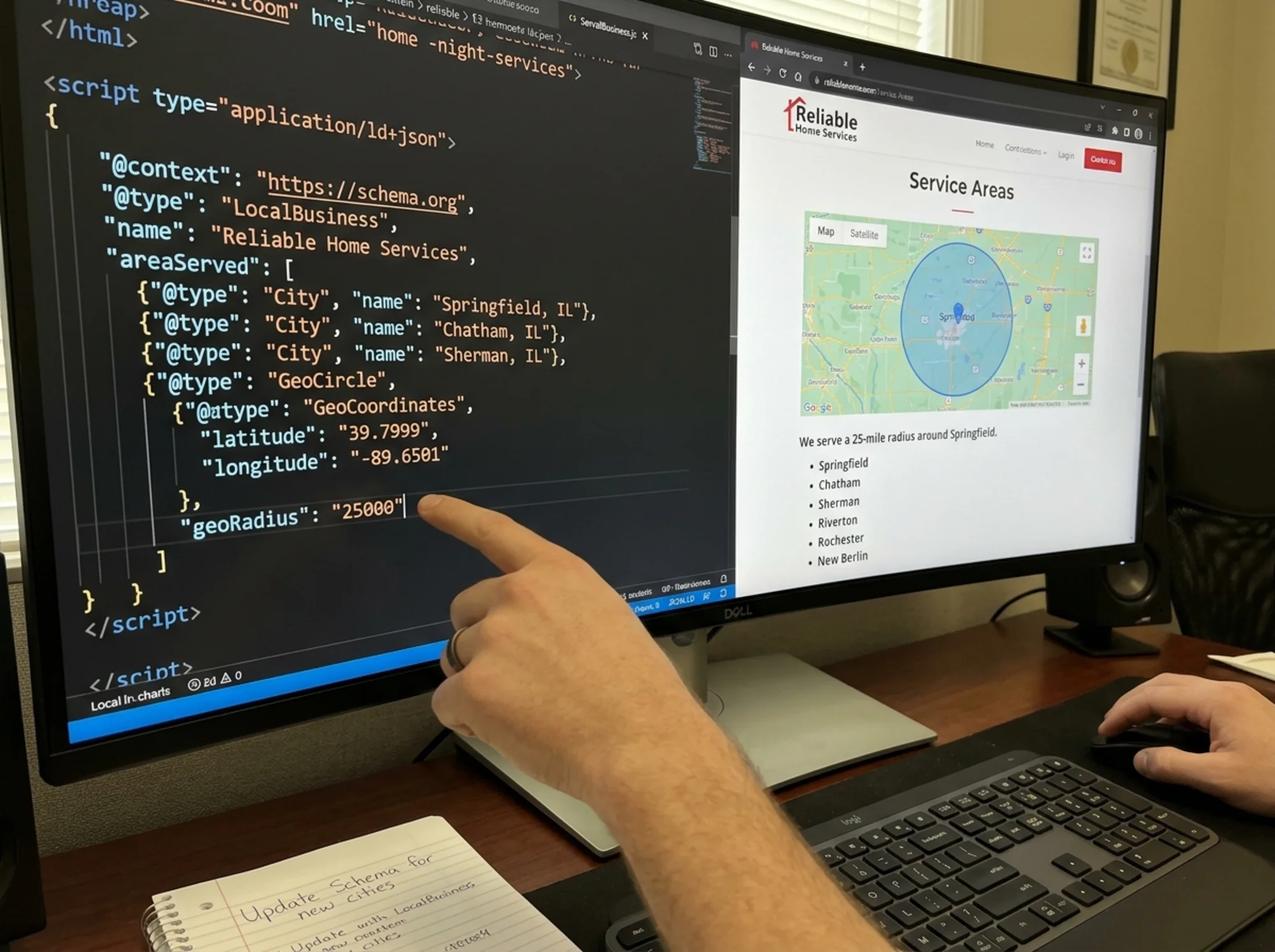
Structured data explicitly tells search engines and AI what your business does and where. The LocalBusiness schema includes an areaServed property designed for this.
Here is a JSON-LD example to place in your page's :
{
"@context": "https://schema.org",
"@type": "LocalBusiness",
"name": "Fresh Shine Cleaning",
"description": "Residential cleaning services in greater Austin, Texas",
"url": "https://www.freshshinecleaning.com",
"telephone": "+15125551234",
"address": {
"@type": "PostalAddress",
"streetAddress": "123 Main St",
"addressLocality": "Austin",
"addressRegion": "TX",
"postalCode": "78701"
},
"areaServed": [
{
"@type": "City",
"name": "Austin",
"sameAs": "https://en.wikipedia.org/wiki/Austin,_Texas"
},
{
"@type": "City",
"name": "Round Rock",
"sameAs": "https://en.wikipedia.org/wiki/Round_Rock,_Texas"
},
{
"@type": "City",
"name": "Cedar Park"
},
{
"@type": "City",
"name": "Pflugerville"
},
{
"@type": "City",
"name": "Georgetown"
}
],
"geo": {
"@type": "GeoCircle",
"geoMidpoint": {
"@type": "GeoCoordinates",
"latitude": 30.2672,
"longitude": -97.7431
},
"geoRadius": "48280"
}
}
Key details:
- List each city as a separate
Cityobject insideareaServed. Do not combine them into a single comma-separated string — individual objects give search engines and AI systems explicit, parseable entities. - The
GeoCirclewithgeoRadius(in meters) defines your approximate coverage area. The value 48280 equals roughly 30 miles. sameAslinks to Wikipedia help disambiguate common city names. There are multiple Portlands, Springfields, and Georgetowns across the United States. Disambiguation prevents your structured data from being matched to the wrong location.- Use the most specific
@typeavailable. If you are a plumber, usePlumberinstead ofLocalBusiness. If you are an electrician, useElectrician. Schema.org defines dozens of specific business types that inherit from LocalBusiness and carry more semantic weight. - Validate your markup using Google's structured data documentation and testing tools to catch syntax errors before they go live.
Step 4: Build Location-Specific Pages (When Justified)
For businesses serving five or more distinct cities, individual location pages can help — but only with real content on each.
A good location page for Round Rock includes:
- Specific details about serving Round Rock (drive time from your base, neighborhoods covered, team availability)
- Mentions of local landmarks ("We clean homes near Old Settlers Park, in the La Frontera area, and throughout Brushy Creek")
- Customer-relevant logistics ("Round Rock appointments are typically scheduled within two business days")
- A unique meta title: "Residential Cleaning in Round Rock, TX — Fresh Shine Cleaning"
- A clear call to action with contact info specific to booking a Round Rock appointment
A bad location page is identical to every other city page with only the city name swapped out. Google's helpful content guidelines are direct: content created for search engines rather than people will hurt your rankings. If your Round Rock page would be useless to someone in Round Rock — if it tells them nothing they would not already know from your main service area page — skip it.
A practical test: Read your location page and ask whether someone in that specific city would learn anything new from it. If the answer is no, the page is not pulling its weight and may be treated as thin content.
Step 5: Sync Your Google Business Profile
Your website and Google Business Profile should tell the same story. If your GBP lists 15 service areas but your website mentions three, that mismatch confuses both users and algorithms. Audit your GBP service areas against your website and make sure every city in your profile appears somewhere on your site.
Go through this sync process:
- Open your Google Business Profile and export or screenshot your listed service areas
- Compare every listed city against your website — search your own site for each city name
- Add any missing cities to your service area page and structured data
- Remove any cities from your GBP that you no longer actually serve
- Verify that your business name, address, and phone number are consistent between your website and GBP
This consistency, often called NAP consistency (Name, Address, Phone), is a foundational local SEO signal. Discrepancies between your website and your business profile erode trust with both Google and potential customers.
Step 6: Optimize Page Speed for Mobile Local Searchers
Local searches are overwhelmingly mobile. Someone searching "plumber near me" at 9 PM with a burst pipe is on their phone, likely on a cellular connection, and will not wait for a slow page to load. Google's Core Web Vitals directly affect your rankings and your ability to convert these urgent visitors.
For your service area pages specifically:
- Compress any map images and use modern formats like WebP
- Lazy-load maps and images that appear below the fold
- Keep your service area text content high in the DOM so it renders before heavy assets
- Test your pages on a throttled mobile connection to see what real users experience
- Aim for a Largest Contentful Paint under 2.5 seconds and a Cumulative Layout Shift under 0.1
A fast service area page that loads instantly on mobile turns a searcher into a caller. A slow one loses them to the next result.
Service Area Visibility Checklist
Use this as a pass/fail check for your own site. Go through each item and mark it off:
- [ ] Service area mentioned on homepage within the first scroll
- [ ] Dedicated service area page with specific city and town names
- [ ] Top service areas mentioned on individual service pages
- [ ] Contact page lists service area near the form
- [ ] LocalBusiness structured data includes
areaServedwith individual cities - [ ] Structured data uses the most specific business
@typeavailable - [ ] Location pages (if any) have unique, useful content per city
- [ ] Google Business Profile service areas match the website
- [ ] Service area stated in plain text, not only in images or PDFs
- [ ] Footer includes primary service area text
- [ ] Mobile page speed passes Core Web Vitals thresholds
- [ ] NAP (Name, Address, Phone) is consistent across website and GBP
Common Mistakes
Using only a map image. A map looks nice but is invisible to search engines and AI. Always pair maps with a text list of the areas shown. If you embed a Google Map, add a text list directly below it.
Saying "and surrounding areas." This phrase tells neither humans nor machines anything specific. Replace it with actual city names. "Serving Dallas, Plano, Frisco, McKinney, and Allen" is infinitely more useful than "Serving Dallas and surrounding areas."
Listing 50 cities with no context. A wall of city names looks spammy and provides no value. Group them by region and add brief notes about each cluster. For example: "North of Austin: Round Rock, Cedar Park, Georgetown, Leander. South of Austin: Kyle, Buda, San Marcos."
Ignoring mobile. Over half of local searches happen on phones. If your service area info requires excessive scrolling or hides behind a hamburger menu, mobile users will miss it. Good Core Web Vitals matter here too — a slow-loading page loses visitors before they see your service area.
Creating doorway pages. Thirty location pages that are essentially identical except for the city name in the heading may be treated as doorway pages and demoted by Google. Each page needs distinct, useful content to justify its existence.
Forgetting to update after expansion. Businesses grow. If you started serving two new cities six months ago but never updated your website or structured data, you are invisible in those areas. Set a quarterly reminder to review your service area listings across your website and GBP.
Real-World Example: The HVAC Company Missing Nearby Cities
A heating and cooling company based in Marietta, Georgia gets steady traffic for "HVAC Marietta" but almost nothing for Kennesaw, Acworth, or Smyrna — cities within 15 minutes that they serve daily. Technicians drive to these cities every week, but the website acts as if they do not exist.
The problems are clear:
- The homepage says "Marietta's trusted HVAC company" with no other cities mentioned
- No service area page exists
- Structured data is basic Organization schema with no
areaServed - The Google Business Profile lists surrounding cities, but the website appears Marietta-only
- Service pages for AC repair, furnace installation, and duct cleaning mention only Marietta
The fix takes a few hours of focused work:
- Add a service area section to the homepage listing all seven cities served
- Create an
/areas-we-serve/page with details on each city, including neighborhoods and scheduling notes - Build individual pages for the top three surrounding cities (Kennesaw, Smyrna, Roswell) with genuine local content — local landmarks, common HVAC issues in those areas, and team availability
- Add LocalBusiness structured data with
@type: HVACBusinessand all service areas defined inareaServed - Update meta titles on service pages to include surrounding city names naturally
- Add a sentence to each service page mentioning the full service area
- Sync the Google Business Profile to match exactly what the website now states
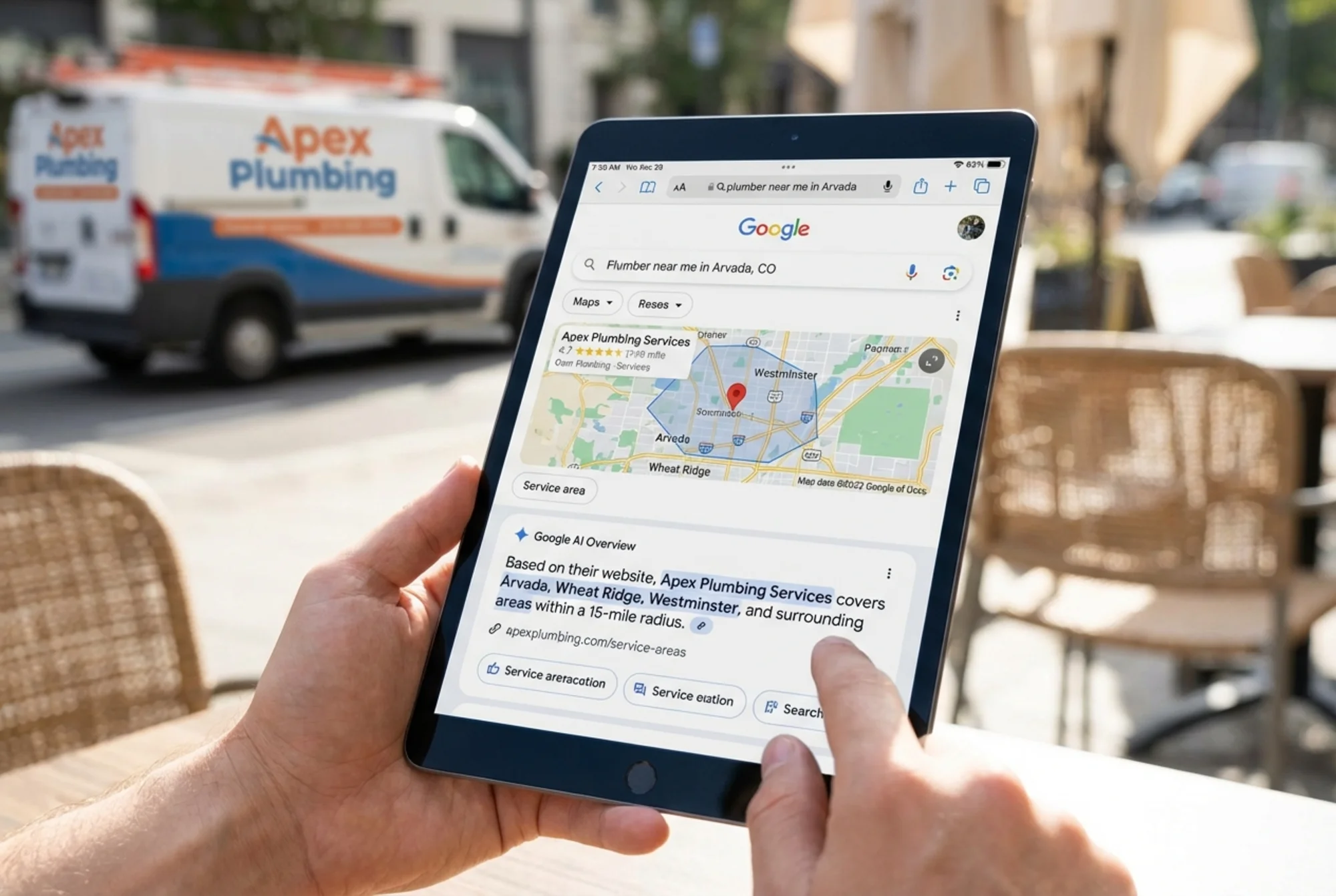
Within weeks, the site starts appearing in results for surrounding cities. AI assistants that previously had no geographic data for this business now pull service area information directly from the structured data and page content. The owner reports receiving calls from Kennesaw and Smyrna customers who specifically mention finding the business through search.
How FreeSiteAudit Can Help
Not sure if your service areas are visible to Google and AI? Run a free audit with FreeSiteAudit to check for missing structured data, thin location pages, and geographic signals that search engines and AI systems rely on. The audit takes under a minute and gives you a specific list of what to fix — including whether your LocalBusiness markup is present, whether your pages mention specific locations, and whether your Core Web Vitals pass on mobile.
You can also explore our structured data checker to validate your schema markup, our home services audit guide for industry-specific recommendations, and our local SEO fix guide for targeted advice on improving your local search visibility.
Sources
Check your website for free
Get an instant score and your top 3 critical issues in under 60 seconds.
Get Your Free Audit →