Internal Link Architecture for Small Business Websites
Learn how to audit and fix internal links so visitors and search engines find every important page on your small business website, with a step-by-step plan.
# Internal Link Architecture for Small Business Websites
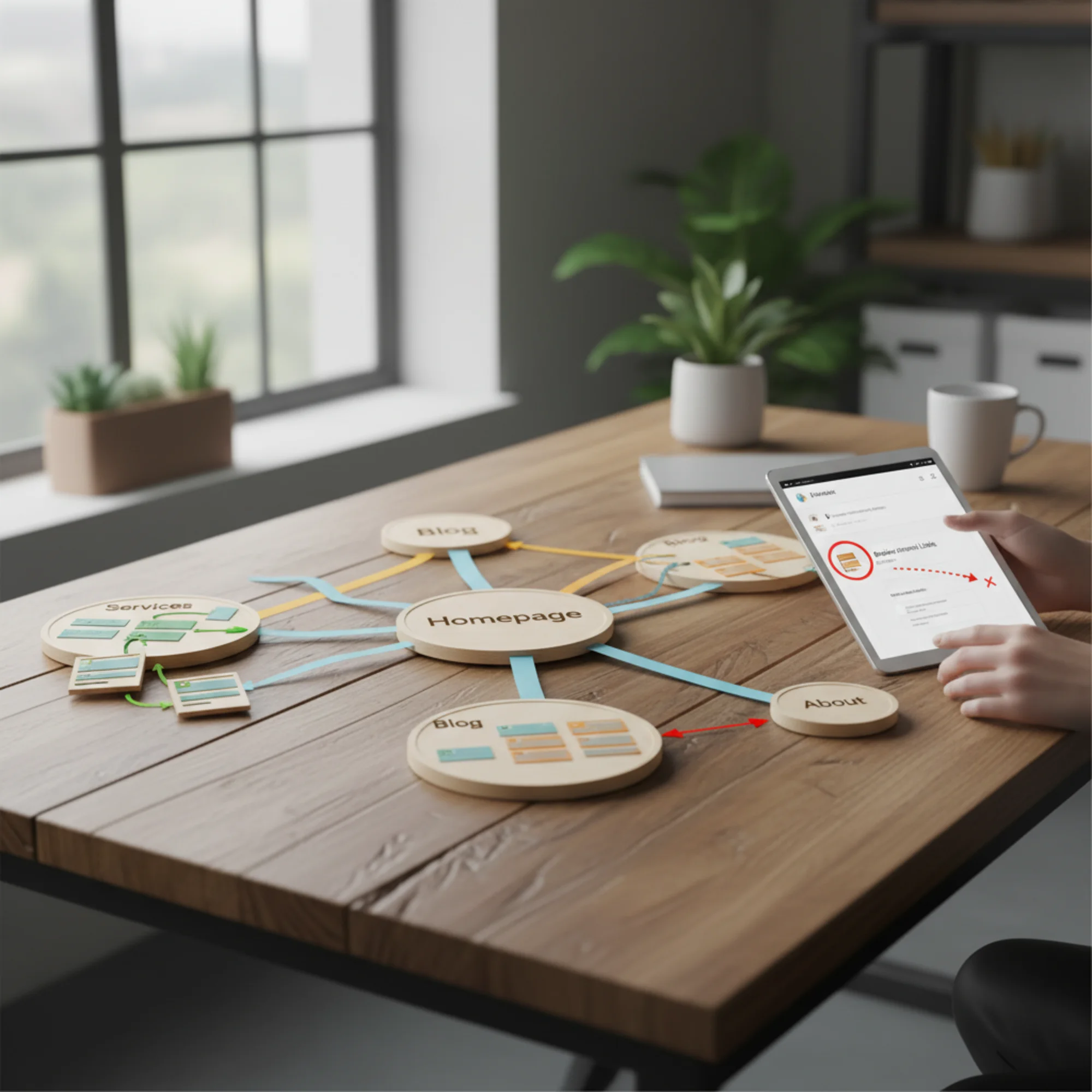
Most small business websites have a linking problem they don't know about. Pages exist, content is published, services are listed — but the pages barely connect to each other. Visitors land on one page and have nowhere obvious to go next. Search engine crawlers hit dead ends. Important service pages sit three or four clicks deep where nobody finds them.
Internal linking is the connective tissue of your website. Get it right and every page becomes easier to find, both for potential customers and for the search engines that send them to you. Get it wrong and you're hiding pages on your own site.
This guide covers how to build a practical internal link structure for a small business website — no theory that only applies to enterprise sites with 10,000 pages. Just what works when you have 15 to 200 pages and need every one of them pulling its weight.
What Internal Links Actually Do
An internal link is any link from one page on your site to another page on the same site. Your navigation menu, footer links, in-content links from blog posts to service pages, breadcrumbs — all internal links.
They serve three purposes:
1. They move visitors through your site. Someone reads your blog post about kitchen remodeling costs. A well-placed link to your kitchen remodeling service page turns a reader into a potential lead. Without that link, they read the post and leave.
2. They help search engines discover your pages. Google's crawlers follow links to find pages. If a page has no internal links pointing to it, crawlers may never find it. Google's documentation on crawlable links makes this explicit: pages need to be reachable through links that crawlers can follow.
3. They distribute ranking signals. Pages that receive more internal links tend to carry more weight in search results. When your homepage links to a service page, some of that authority transfers. This is how search engines determine which pages matter most on your site.
The Most Common Problems on Small Business Sites

After auditing thousands of small business websites, these five issues appear constantly:
Orphan Pages
An orphan page has zero internal links pointing to it. Someone publishes a landing page for a promotion, forgets to link it from anywhere, and it sits in limbo. Search engines may never crawl it. Visitors will never find it.
Quick check: Can you reach every page on your site by starting at the homepage and only clicking links? If not, you have orphan pages.
Dead-End Pages
The opposite problem: pages that receive links but don't link out to anything else. A service page with no links to related services, no link to your contact page, no suggested blog posts. The visitor reads it and has nowhere to go but the back button.
Deep Burial
Critical pages buried too many clicks from the homepage. If your most important service page requires four clicks to reach — Home → Services → Category → Subcategory → Actual Page — both visitors and crawlers are less likely to find it. Every important page should be reachable within three clicks from the homepage. Check your crawl depth to find buried pages.
Over-Reliance on Navigation Menus
Many small business sites put everything in the top navigation and call it done. Navigation menus matter, but contextual links within page content carry additional value because they connect pages based on topic relevance, not just site structure.
Vague Anchor Text
Using "click here" or "learn more" as link text tells search engines nothing about the destination page. If you're linking to your plumbing repair service page, the link text should include words like "plumbing repair" — not "click here to find out more."
Building Your Link Architecture
Think of your site as a hub-and-spoke system. Your homepage is the central hub. Your main service or product category pages are secondary hubs. Everything else connects through those hubs.
Example: A Local Accounting Firm
Homepage (central hub) links to:
- Tax Preparation (service hub)
- Bookkeeping (service hub)
- Business Advisory (service hub)
- Blog, About, Contact
Tax Preparation hub links to:
- Individual Tax Returns
- Small Business Tax Filing
- Tax Planning & Strategy
- Related blog posts about tax topics
- Back to homepage
- Cross-link to Bookkeeping (related service)
Each service page links to:
- Its parent hub (Tax Preparation)
- 2–3 related blog posts
- Contact or booking page
- One cross-link to a related service under a different hub
Each blog post links to:
- The most relevant service page (contextually, within the content)
- 1–2 related blog posts
- Its parent category or hub
This creates a web where every page is reachable within two to three clicks, every page links out to at least one other page, and the most important pages (service hubs) receive the most internal links.

Step-by-Step: Auditing and Fixing Your Internal Links
Here's a process you can complete this week.
Step 1: Map What You Have
List every page on your site and note:
- How many internal links point TO this page (inlinks)
- How many internal links go FROM this page (outlinks)
- How many clicks from the homepage to reach it (crawl depth)
You can do this manually for sites under 20 pages. For anything larger, running a site audit will map this automatically and flag the problems.
Step 2: Identify Your Priority Pages
Rank your pages into three tiers:
Tier 1 — Money pages: Service pages, product pages, contact/booking pages. These directly generate leads or sales.
Tier 2 — Supporting pages: Blog posts, FAQ pages, about pages. These build trust and attract search traffic.
Tier 3 — Utility pages: Privacy policy, terms, sitemaps. Necessary but not strategic.
Your Tier 1 pages should receive the most internal links. If your blog gets 15 internal links but your main service page gets 3, your priorities are inverted.
Step 3: Fix Orphan Pages
Any page with zero inlinks is an orphan. For each one, decide:
- Is this page still needed? If it's an old promotion or outdated content, redirect or remove it.
- If it's needed, where should it be linked from? Add it to relevant navigation, link to it from related blog posts, or reference it from a parent hub page.
Step 4: Fix Dead Ends
Find pages with zero or very few outlinks. For each one, add:
- A link to a related service or product page
- A link to your contact or booking page
- Links to 1–2 related blog posts or resources
Target: every page should have at least 3 internal outlinks beyond the standard navigation.
Step 5: Reduce Crawl Depth for Important Pages
If a Tier 1 page is more than 3 clicks from the homepage, create a shorter path:
- Add it to your main navigation or a prominent homepage section
- Link to it from a hub page that's already one click from home
- Add a contextual link from a high-traffic blog post
Step 6: Add Contextual Links to Existing Content
This is where the biggest wins hide. Go through your blog posts and look for natural opportunities to link to service pages. If you wrote a post about "5 Signs Your Roof Needs Repair" and you offer roof repair services, there should be a link to your roof repair service page within that content.
Contextual link checklist:
- Does every blog post link to at least one service page?
- Does every service page link to at least 2 related blog posts?
- Do related services cross-link to each other?
- Does every page include a path to your contact or conversion page?
- Is the anchor text descriptive (not "click here")?
Anchor Text: A Quick Reference
The clickable text of a link tells both visitors and search engines what the destination page is about.
| Good Anchor Text | Bad Anchor Text |
|---|---|
| "our residential plumbing services" | "click here" |
| "guide to filing quarterly taxes" | "this article" |
| "schedule a free consultation" | "learn more" |
| "kitchen remodeling projects" | "check it out" |
Write naturally, but make sure the link text gives a clear idea of what someone will find when they click. Avoid using the exact same anchor text for links pointing to different pages — search engines get confused about which page should rank for that topic.
How Many Internal Links Per Page?
Practical guidelines for small business sites:
- Homepage: 15–30 internal links (navigation + featured content + service highlights)
- Service/product pages: 5–15 internal links (related services, supporting blog content, contact page)
- Blog posts: 3–8 internal links (related posts, relevant service pages, cornerstone content)
- Contact/booking pages: 3–5 internal links (back to services, trust-building content)
The key principle: every link should be useful to the visitor. If you wouldn't recommend a page to someone reading this content, don't force a link.
A Real Scenario: The Landscaping Company
Green Valley Landscaping has 35 pages: a homepage, 8 service pages, 20 blog posts, and standard pages (about, contact, etc.). A site audit reveals:
- 6 blog posts are orphan pages with no internal links pointing to them
- Their "Commercial Landscaping" service page — a high-value offering — is 4 clicks deep with only 2 inlinks
- 12 blog posts are dead ends with no outgoing links beyond navigation
- Their most-linked page is "About Us," not a service page
The fix:
- Add "Commercial Landscaping" to the main navigation dropdown (reduces crawl depth to 2 clicks)
- Review all 20 blog posts — each now links to at least one service page and one related post
- Of the 6 orphan posts, redirect 2 outdated seasonal promotions to relevant service pages; link the other 4 from related posts and service hubs
- Add a "Related Services" section to each service page, cross-linking 2–3 other services
- Add a "Recommended Reading" section to each service page with 2–3 relevant blog posts
Result: Every page reachable in 3 clicks or fewer. Commercial Landscaping jumped from 2 inlinks to 9. No orphan pages. No dead ends. The site went from a collection of disconnected pages to an interconnected resource.

Maintaining Your Link Architecture
Internal linking isn't a one-time project. Every time you publish a new page, you need to:
- Link to it from at least 2–3 existing related pages
- Link from it to relevant service pages and related content
- Check you haven't created orphans — if you redirected or removed a page that linked to others, those pages may have lost an important link
Monthly checklist:
- Run a site audit to catch new orphan pages
- Check crawl depth for Tier 1 pages — still within 3 clicks?
- Review new blog posts for contextual service links
- Check for broken internal links from moved or deleted pages
Quick Wins You Can Do Today
1. Link your blog to your services. Open your five most-visited blog posts. Add a natural, contextual link to the most relevant service page in each one.
2. Cross-link related services. If you offer both web design and SEO services, each page should link to the other. Visitors interested in one are likely interested in both.
3. Audit your most important page. What's the single most valuable page on your site? How many clicks from the homepage? How many inlinks? If the answers are "more than 2 clicks" and "fewer than 5 links," fix that first.
Find Your Linking Gaps
You can't fix what you can't see. A free audit from FreeSiteAudit will crawl your site, map your internal link structure, flag orphan pages, identify deeply buried content, and show you exactly where your linking gaps are. It takes about a minute and gives you a prioritized list of what to fix.
Run your free site audit now →
Sources
- Google Search Central — Creating helpful, reliable, people-first content: https://developers.google.com/search/docs/fundamentals/creating-helpful-content
- Google Search Central — Links crawlable by Googlebot: https://developers.google.com/search/docs/crawling-indexing/links-crawlable
- web.dev — Web Vitals: https://web.dev/articles/vitals
Check your website for free
Get an instant score and your top 3 critical issues in under 60 seconds.
Get Your Free Audit →