NAP Consistency: How Tiny Mismatches Cost Rankings
Small differences in your business name, address, or phone number across the web silently erode local rankings. Here's how to find and fix every mismatch.
# NAP Consistency: How Tiny Mismatches Cost Rankings
You moved offices three years ago. You updated your website, your Google Business Profile, and your Facebook page. Job done, right?
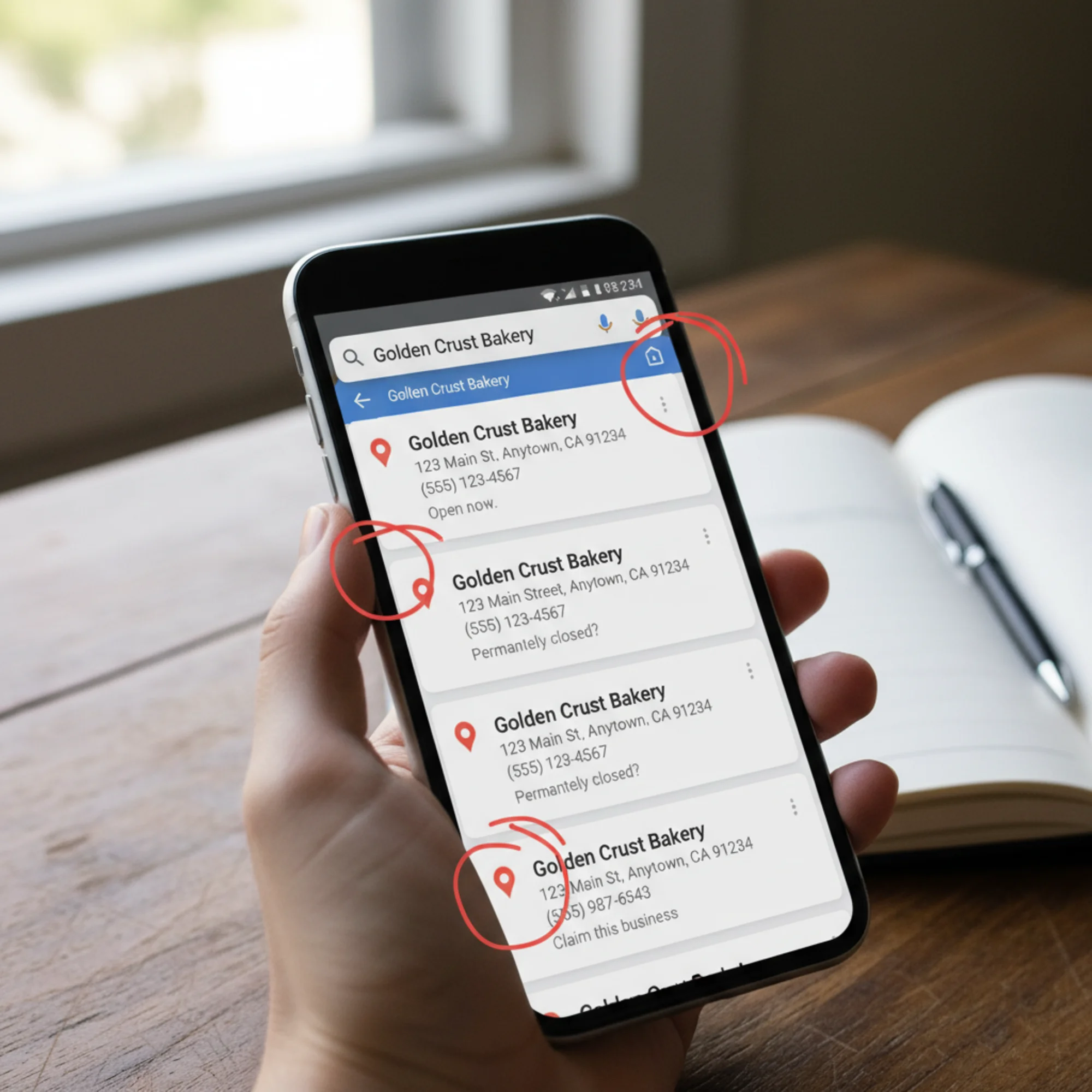
Not quite. Your old address is still sitting on Yelp, the Yellow Pages, your Chamber of Commerce listing, a sponsorship page from 2021, and fourteen other directories you forgot existed. Meanwhile, Google is cross-referencing all of them, trying to figure out which version of your business information is correct.
This is the NAP consistency problem, and it quietly drains local search rankings from thousands of small businesses every day.
What NAP Means and Why Search Engines Care
NAP stands for Name, Address, and Phone number — the three core identifiers search engines use to confirm your business is real, located where you say it is, and reachable by customers.
When Google finds your business mentioned across the web, it cross-references every instance. Consistent information across multiple sources builds confidence. Conflicting information creates doubt. This process happens continuously — Google's local search algorithm doesn't check your citations once and move on. It re-evaluates them regularly, which means a listing that was fine six months ago can become a problem if a directory updates its records incorrectly or a data aggregator pushes stale information to new sources.
Think of it like references on a job application. If three references give the same account, the employer trusts it. If each one lists a different job title and different dates, the employer questions everything. Google treats your business citations the same way. Every directory listing, social profile, and data aggregator that mentions your business is a reference. When they agree, your credibility goes up. When they conflict, Google hedges — often by ranking a competitor whose information is clean.
The math is straightforward. If your business has 40 citations across the web and 30 of them agree on your name, address, and phone number while 10 show outdated or conflicting data, Google has to decide which version to trust. That 25 percent conflict rate introduces enough uncertainty that Google may choose to feature a competitor with a cleaner profile, even if your website is better optimized in every other way.

The Mismatches That Look Harmless But Aren't
Most NAP problems aren't dramatic. Nobody types a completely wrong address. The issues are subtle, which is exactly what makes them dangerous — business owners don't notice them.
Business name variations:
- "Joe's Plumbing" vs. "Joe's Plumbing LLC" vs. "Joe's Plumbing & Heating"
- "The Corner Bakery" vs. "Corner Bakery" vs. "Corner Bakery Cafe"
- "Smith & Associates Law" vs. "Smith and Associates Law" — even ampersand versus the spelled-out word counts as a difference
Address formatting differences:
- "123 Main St, Suite 4" vs. "123 Main Street #4" vs. "123 Main St Ste 4"
- "New York, NY" vs. "New York City, NY" vs. "NYC, NY"
- "North" vs. "N." vs. "N" in directional prefixes like "123 N. Main Street"
Phone number issues:
- Local number on some listings, toll-free on others
- Old number still live on directories you forgot about
- Tracking numbers from a past ad campaign replacing your real number
- A fax number accidentally entered as the primary contact number
The suite/unit problem:
This catches more businesses than you'd expect. You list "Suite 200" on your website, "Ste 200" on Google, "#200" on Yelp, and leave it off entirely on Facebook. That's four different versions of the same address, and none of them match.
The rebranding trap:
Businesses that change their name face an especially painful version of this problem. If you were "Dave's Auto Body" and rebranded to "Precision Collision Center," every old directory listing under the previous name is now a conflicting citation. Some platforms even create a new listing for the new name while keeping the old one active, resulting in duplicate entries for the same physical location.
Each mismatch alone seems trivial. Stacked across 20 or 30 listings, they create a noisy signal that makes Google less confident about your business — and less likely to show you in the local pack.
A Real Scenario: The Dentist Who Dropped Out of the Map Pack
Dr. Sarah Chen runs a dental practice in Austin, Texas. For two years, she appeared consistently in Google's local 3-pack for "dentist near me" and "Austin family dentist." Then visibility started dropping. Fewer calls, fewer appointment requests through Google.
Nothing had changed on her website. Her Google Business Profile was verified and complete. Reviews were strong.
The problem? Eighteen months earlier, her office had switched phone systems. The new number was updated on her website and Google profile, but the old number persisted on Healthgrades, Zocdoc, Vitals.com, her local dental association directory, three "best dentists in Austin" blog posts, the Better Business Bureau, and Yelp (where she thought she'd updated, but the change hadn't saved).
Eight sources telling Google a different phone number. On top of that, her practice was listed as "Chen Family Dental" on some sites and "Chen Family Dentistry" on others.
She spent one Saturday morning building a spreadsheet of every listing, correcting the phone number, and standardizing the business name. Within six weeks, she was back in the local 3-pack.
No new backlinks. No content changes. No ad spend. Just consistent NAP data.
Where NAP Mismatches Hide
The obvious places — your website, Google Business Profile, Facebook — are usually correct because you check them regularly. The problems live in places you rarely visit:
Data aggregators: Companies like Data Axle (formerly Infogroup), Localeze, and Foursquare supply business data to hundreds of smaller directories. If your information is wrong at the aggregator level, it spreads everywhere. A single incorrect record at Data Axle can propagate to dozens of directories within weeks, undoing manual corrections you made one at a time.
Industry-specific directories: Avvo for lawyers, Healthgrades for doctors, HomeAdvisor for contractors, TripAdvisor for restaurants. These carry significant authority in their verticals and are often weighted more heavily by Google for businesses in those industries.
Old sponsorship and partnership pages: That 5K run you sponsored in 2022? The event website still has your old address. The charity gala program that was uploaded as a PDF? Still indexed with your previous phone number.
Government and association listings: Chamber of Commerce pages, BBB listings, state licensing boards, professional association directories. High-authority sources that are often the hardest to update because they require phone calls, paperwork, or waiting for a staff member to manually process the change.
Forgotten social profiles: That Pinterest business account you set up and never used. The Nextdoor business page a customer claimed for you. The Bing Places profile you never verified. The Foursquare listing that was auto-created from check-in data.
Scraped and syndicated content: Blog posts, "best of" lists, and AI-generated business directories that pulled your old information and will never update it unless you ask. These sites are multiplying rapidly, and many of them have no clear process for requesting corrections.
Embedded maps and contact widgets: Some websites embed Google Maps or third-party contact widgets that pull data from external sources. Even if your website text is correct, an embedded map widget might display information from a different database.
How to Audit Your NAP Data Step by Step
You don't need expensive software to find most NAP issues. Here's a systematic approach that any business owner can follow in a few hours:
Step 1: Define Your Canonical NAP
Write down the exact version of your business name, address, and phone number you want used everywhere:
- Name: "Riverside Pet Hospital" (not "Riverside Pet Hospital, Inc." or "Riverside Animal Hospital")
- Address: "450 River Road, Suite 12, Portland, OR 97201" (decide on "Suite" vs. "Ste" and stick with it)
- Phone: "(503) 555-0142" (pick one format and one number)
This is your source of truth. Print it out. Store it in a shared document that anyone on your team can access. Every decision about how a listing should read gets measured against this canonical version.
A common question here: should you include your legal business entity name (the LLC or Inc.) or the name customers actually know you by? In almost every case, use the customer-facing name. Your legal entity filing is a separate concern from your search presence.
Step 2: Search for Your Business Systematically
Run these searches and check each result:
- Your business name in quotes:
"Riverside Pet Hospital" - Your phone number in multiple formats:
"(503) 555-0142"and"503-555-0142"and"5035550142" - Your address:
"450 River Road Portland" - Old versions of any of the above — previous names, past phone numbers, former addresses
- Common misspellings of your business name
Don't stop at the first page of results. Check at least three pages deep for each search. Many directory listings rank on page two or three, and those are precisely the ones you're most likely to have forgotten about.
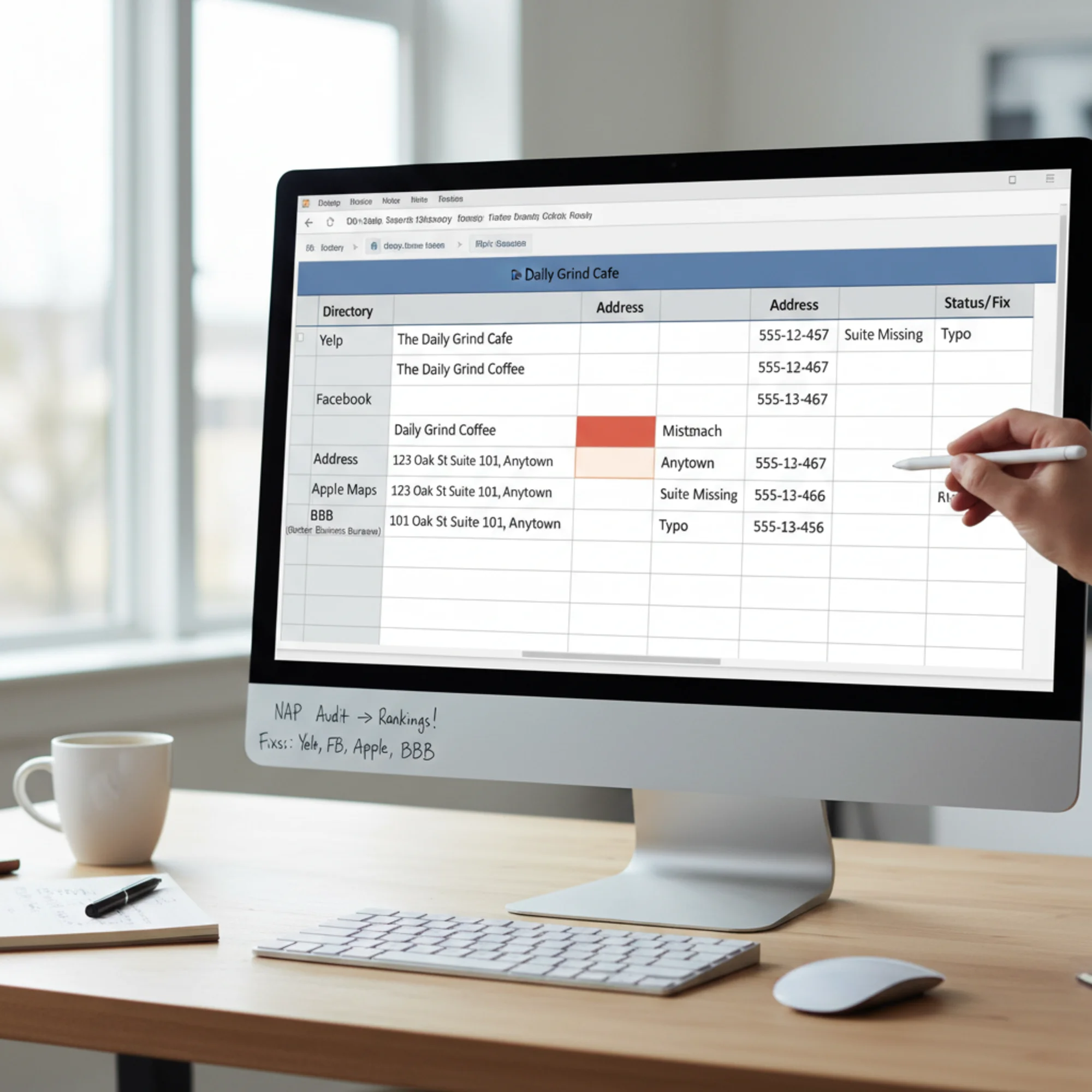
Step 3: Build Your Audit Spreadsheet
Create a spreadsheet with these columns:
| Source | Listed Name | Listed Address | Listed Phone | Correct? | Login Info | Status |
|---|
Fill in every listing you find. Check each field against your canonical NAP. Use color-coding to quickly identify which listings need attention: green for correct, red for incorrect, yellow for partially correct. In the Status column, track whether you've submitted the correction, whether it's been accepted, or whether you're waiting on the platform to process it.
Step 4: Fix From the Top Down
Prioritize corrections in this order:
- Your own website — header, footer, contact page, structured data markup. This is entirely within your control and should be corrected first.
- Google Business Profile — the single most important listing. Verify every field, including secondary categories, service areas, and hours. While you're there, check for suggested edits that Google or the public may have submitted.
- Data aggregators — fixes here cascade to smaller directories. Submit corrections to Data Axle, Localeze, and Foursquare. These typically take two to four weeks to propagate.
- Major platforms — Facebook, Apple Maps, Bing Places, Yelp. Each platform has its own update process, so budget time accordingly. Apple Maps corrections go through Apple Business Connect. Bing Places has its own dashboard.
- Industry directories — whatever's relevant to your field. These often require logging into a professional account or contacting the directory's support team.
- Everything else — smaller directories, old blog mentions, association pages, event websites.
Step 5: Handle Listings You Can't Edit
Some listings resist correction. Here's how to approach each type:
- Unclaimed profiles: Claim the profile first through the platform's verification process, then update. Most platforms require a postcard, phone call, or email verification to prove you own the business.
- Third-party pages: Email the site owner with your correct information. Be specific — include the URL of the page, the incorrect information, and the correct replacement. A polite, concise request gets results more often than a long explanation.
- Duplicate listings: Request removal through the platform's duplicate reporting process. On Google, you can report duplicates through your Business Profile dashboard. On Yelp, use their support form.
- Scraped content: Contact the site and request a correction. If they don't respond after two attempts over two weeks, document the attempt and move on. Some low-authority scraper sites aren't worth extended effort.
- Outdated PDFs and cached pages: Request removal of cached versions through Google's URL removal tool if the source page has been corrected or taken down.
The Structured Data Connection
Your website's NAP should also be encoded in structured data (Schema.org markup) so search engines can read it unambiguously. Add LocalBusiness schema with your exact canonical NAP:
{
"@type": "LocalBusiness",
"name": "Riverside Pet Hospital",
"address": {
"@type": "PostalAddress",
"streetAddress": "450 River Road, Suite 12",
"addressLocality": "Portland",
"addressRegion": "OR",
"postalCode": "97201"
},
"telephone": "(503) 555-0142"
}
The name, address, and phone here must match your Google Business Profile and every other listing exactly. This structured data gives Google a high-confidence, machine-readable anchor point for your business information.
For businesses with multiple locations, each location should have its own LocalBusiness schema on its dedicated location page. Do not list all locations in a single schema block on your homepage — this creates ambiguity rather than clarity.
You can also extend this schema with additional properties that reinforce your NAP data: openingHours, geo coordinates for your exact location, areaServed for service-area businesses, and sameAs links to your official social profiles and directory listings. The sameAs property is especially valuable because it explicitly tells Google which external profiles belong to your business, reducing the chance of mismatched citations confusing the algorithm.
Not sure whether your site has structured data or whether it matches your listings? Run a free audit with FreeSiteAudit to check your structured data and technical SEO fundamentals in under a minute.
Quarterly NAP Maintenance Checklist
Finding and fixing every mismatch once is a solid start, but NAP data degrades over time. Directories update their databases, platforms merge records, and data aggregators can overwrite your corrections with stale information from another source. Use this checklist every quarter to keep your data clean:
- [ ] Canonical NAP is documented and accessible to anyone who manages listings
- [ ] Website header/footer NAP matches canonical version
- [ ] LocalBusiness structured data is present and matches canonical NAP
- [ ] Google Business Profile matches exactly
- [ ] Apple Maps and Bing Places listings are claimed and match
- [ ] Facebook and Yelp listings match
- [ ] Top industry-specific directories match
- [ ] Data aggregator submissions are current
- [ ] No duplicate listings exist on major platforms
- [ ] Old phone numbers and addresses are gone from all listings
- [ ] Call tracking numbers are not replacing your real number on directory listings
- [ ] A fresh search for your business name, phone, and address shows no conflicts
- [ ] No pending suggested edits on Google Business Profile need review
- [ ] Any new staff members who manage listings have access to the canonical NAP document
Preventing Future Mismatches
Finding and fixing current problems is step one. Keeping things clean is step two.
Create a NAP change protocol. Anytime your name, address, or phone changes, use your audit spreadsheet as a checklist of every place that needs updating. Assign a single person to own this process. When ownership is vague — "someone on the team will handle it" — updates get missed.
Be careful with call tracking numbers. Marketing platforms sometimes replace your real phone number with a tracking number on directory listings. This is one of the most common causes of NAP inconsistency. Make sure tracking numbers only appear in ads — never in organic directory listings. If you use call tracking, configure it to use dynamic number insertion on your website rather than a static swap, so the underlying number visible to search engines remains your canonical one.
Set a quarterly reminder. Spend 30 minutes searching for your business information and spot-checking key listings. Problems caught early are far easier to fix than problems that have had months to propagate through data aggregator networks.
Watch for unauthorized edits. Yelp, Google, and other platforms allow the public to suggest edits to your listing. Sometimes these are accepted automatically. Check your major listings monthly. Google Business Profile has a notification setting for suggested edits — turn it on.
Brief your team. Anyone who might create a listing or update business information — receptionists filling out a new software signup, marketers creating social profiles, PR firms submitting directory listings — needs to know the canonical NAP and use it exactly. A shared document with the canonical name, address, and phone number takes five minutes to create and prevents months of cleanup work.
How Much Does This Actually Matter?
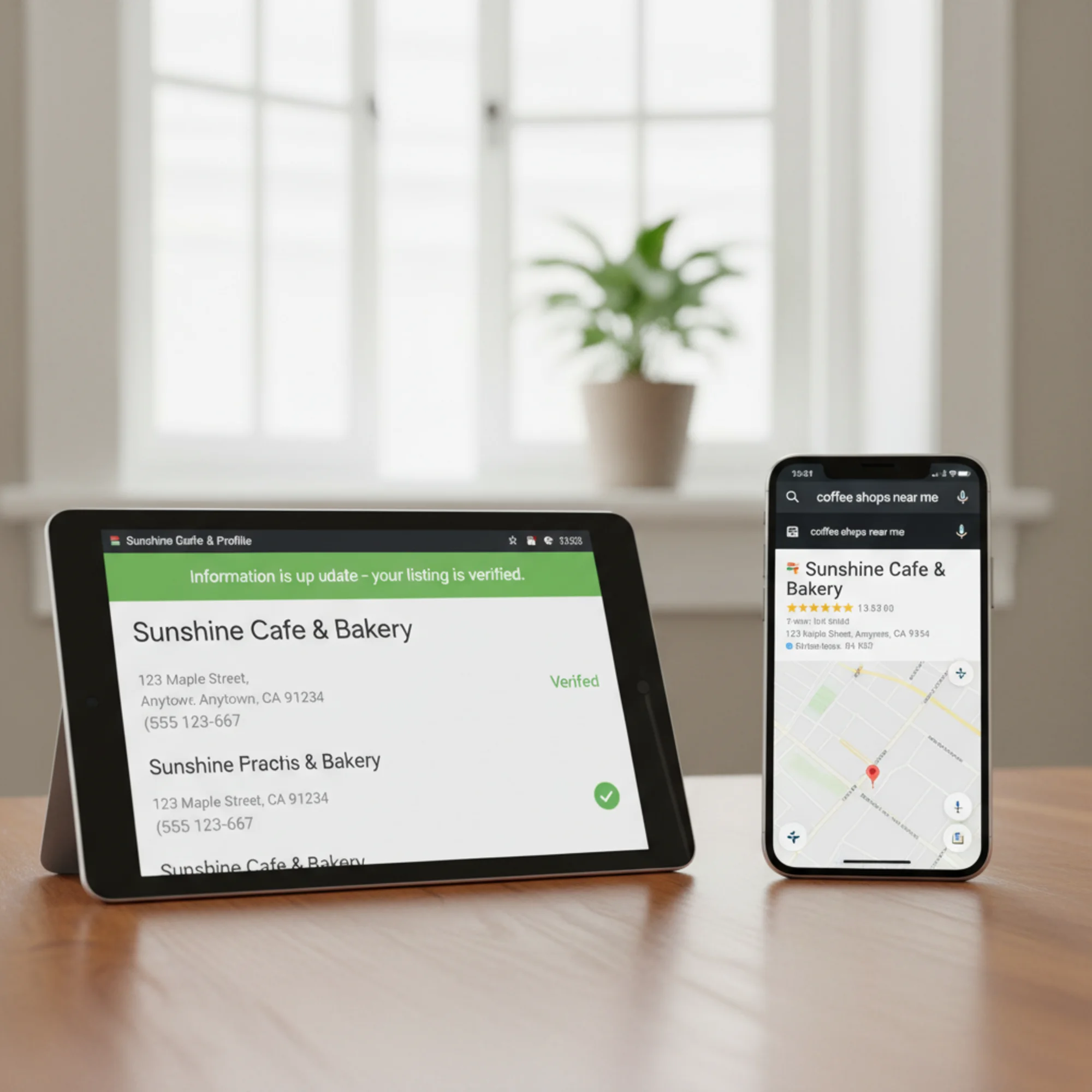
According to the annual Local Search Ranking Factors survey published by Whitespark, citation signals — which include NAP consistency — remain a meaningful ranking factor for local pack and local organic results. They aren't the biggest factor (Google Business Profile signals and reviews carry more weight), but they're foundational. Strong reviews, good content, and a well-optimized website all perform better when built on clean, consistent business data.
Think of NAP consistency as the foundation of a house. It's not the part people see or get excited about, but if it's cracked, everything built on top of it is less stable. A business with perfect on-page SEO, strong backlinks, and excellent reviews will still underperform if Google can't confidently verify basic business information.
Unlike many SEO improvements, NAP cleanup has a predictable cause and effect. You find the mismatches, you fix them, and the signal clears up. Most businesses see results within four to eight weeks. It's one of the few local SEO tasks where the effort-to-impact ratio is clearly in your favor — a few hours of spreadsheet work can recover ranking positions that would otherwise require months of content creation or link building to achieve.
Start With What You Can See
Before you manually search thirty directories, get a baseline on what your website is telling search engines right now. Your structured data, meta information, and on-page NAP signals are the first things to verify — and they're entirely within your control.
Run a free site audit with FreeSiteAudit to check your structured data, technical SEO setup, and the signals your site sends to search engines. It takes less than a minute and gives you a clear starting point before you tackle external listings.
Sources
- Google Business Profile Help: Set up and manage your Business Profile
- Google Search Central: Creating helpful, reliable, people-first content
- Whitespark: Local Search Ranking Factors
Check your website for free
Get an instant score and your top 3 critical issues in under 60 seconds.
Get Your Free Audit →