Non-Technical Website Audit: A Plain-English Guide for Small Business Owners
Learn how to audit your website without writing code. A step-by-step guide covering speed, SEO, mobile, and content issues any business owner can find and fix.
# Non-Technical Website Audit: A Plain-English Guide for Small Business Owners
You don't need to know HTML, CSS, or JavaScript to figure out whether your website is helping or hurting your business. You need a checklist, a few free tools, and about 30 minutes.
A website audit is a structured review of how your site performs, how it looks to search engines, and whether it actually helps customers find what they need. Most audit guides assume you're a developer. This one doesn't.
Here's how to audit your own website — no code required.

Why Your Website Needs an Audit
Your website is probably the first thing a potential customer sees. If it loads slowly, looks broken on a phone, or doesn't show up in search results, you're losing business — even if it looks fine on your desktop.
Google uses specific, measurable signals to rank websites. They call these Core Web Vitals, and they measure three things:
- Loading speed — how fast the main content appears
- Interactivity — how quickly the page responds to taps and clicks
- Visual stability — whether elements jump around while the page loads
You don't need to memorize these terms. You just need to know that Google measures them, and if your site fails, you rank lower. A website audit checks these signals and more so you can fix what matters.
What a Non-Technical Audit Covers
A proper website audit examines five areas. None of them require reading code.
1. Speed and Performance
This is the single most impactful factor for most small business websites. If your site takes more than 3 seconds to load on mobile, roughly half your visitors leave before seeing anything.
What to check:
- Does your homepage load in under 3 seconds on mobile?
- Do images appear quickly, or do you see blank spaces for several seconds?
- Can you scroll and tap buttons immediately, or is there a delay?
- Does the layout stay still while loading, or do elements jump around?
Common culprits:
- Oversized images. That 4000×3000 photo from your phone doesn't need to be full size on your website. A 5 MB photo should be closer to 200 KB. If you're on Wix, Squarespace, or WordPress, check whether your platform is resizing images automatically — many don't do it well enough.
- Too many fonts. Each custom font adds load time. Two fonts is plenty. Five is a problem.
- Forgotten plugins. That social media feed widget you added two years ago? It's still loading on every page visit.
2. Mobile Experience
More than 60% of web traffic is mobile. If your website doesn't work on a phone, the majority of your visitors are getting a broken experience.

What to check:
- Pull up your website on your phone right now. Can you read the text without zooming?
- Can you tap buttons and links without accidentally hitting the wrong one?
- Does the navigation menu work? Can you reach your contact page in two taps or fewer?
- Do forms work? Try filling out your own contact form on mobile.
- Does your phone number link so visitors can tap to call?
A real scenario: Sarah runs a pet grooming business in Portland. Her website looked great on her laptop — clean layout, nice photos, clear booking button. On a phone, the booking button was hidden behind a hamburger menu, the phone number was plain text (not tappable), and the service descriptions required horizontal scrolling. She was getting 400 mobile visitors a month and nearly zero mobile bookings. After fixing the phone number link and moving the booking button above the fold, mobile bookings increased 35% in the first month.
You don't need a developer for most mobile fixes. On Squarespace or Wix, use mobile preview mode and rearrange elements until they work. On WordPress, verify your theme is responsive and test it yourself.
3. Search Engine Optimization (SEO) Basics
SEO sounds technical, but at its core it's about making sure Google understands what your pages are about and considers them trustworthy enough to show to searchers.
Google's documentation on creating helpful content boils down to this: write for people first, keep information accurate, and demonstrate real expertise or experience.
What to check:
- Does every page have a unique title that describes its content? (Not just your business name repeated on every page.)
- Does every page have a meta description — the short summary that appears in search results?
- Do your images have alt text — short descriptions for screen readers and search engines?
- Is your business name, address, and phone number (NAP) consistent on every page or in the footer?
- Do you have a Google Business Profile, and does it match your website?
How to check page titles without code:
Open your website in any browser. The text on the browser tab is your page title. If it says "Home" or "Page 1" or just your business name, that's a problem. It should say something like "Portland Pet Grooming — [Your Business Name]."
How to check meta descriptions:
Google your business name. Look at the text under your link in the results. If it's a random snippet from your page or says nothing useful, you're missing a proper meta description. That two-line snippet is free advertising in search results — make it count.
4. Content and Trust Signals
Google's helpful content guidelines emphasize experience, expertise, authority, and trustworthiness (E-E-A-T). For a small business, this means: does your website prove you're a real, legitimate business?
What to check:
- Is there an About page with real information about who runs the business?
- Do you have a physical address or service area listed?
- Are there real customer reviews or testimonials?
- Is your content current? Check for outdated hours, expired promotions, or "© 2022" in the footer.
- Do you have a privacy policy linked somewhere? (Required by law in many jurisdictions and a trust signal for Google.)
- Are there broken links? Click through your navigation and key pages to verify.
Content freshness matters. If your website still lists last year's holiday hours or a promotion that ended six months ago, visitors and Google both notice. Set a quarterly calendar reminder to review your site content.
5. Technical Health (Without Getting Technical)
A few "technical" issues are easy to spot without knowing any code.
What to check:
- HTTPS: Look at the address bar — there should be a padlock icon. If it says "Not Secure," that's a ranking penalty and a trust killer.
- Broken pages: Click through your main navigation. Any page that shows a 404 error, blank screen, or endless spinner needs to be fixed or removed.
- Sitemap: Try visiting
yourwebsite.com/sitemap.xml. If something loads, you're fine. If not, check your CMS settings — most platforms generate one automatically. - Google indexing: Search
site:yourwebsite.comin Google. If your pages appear, they're indexed. If nothing shows up, Google can't find you.
How to Run Your Audit in 30 Minutes
Here's the step-by-step walkthrough. Set a timer.

Minutes 1–5: Speed Check
Run your website through FreeSiteAudit for an instant health score. You'll get a plain-English report covering performance, SEO, mobile readiness, and security — no technical background needed. The report flags exactly what's wrong and how severe each issue is.
For a second opinion, use Google's PageSpeed Insights (free). Enter your URL and check the mobile score. Below 50 is poor. 50–89 needs work. 90+ is good.
Minutes 5–10: Mobile Test
Open your site on your phone. Visit every page in your main navigation. Try to:
- Read text without zooming
- Tap every button and link
- Fill out a form
- Find your phone number and tap it to call
Write down anything that doesn't work.
Minutes 10–20: SEO Check
Check each page in your main navigation for:
- Page title (the text on the browser tab)
- Meta description (Google your page and read what shows up under the link)
- Headings (is there a clear main heading on each page?)
- Images (do photos have descriptions when they fail to load?)
Then verify your Google Business Profile. Does the address, phone number, and business hours match your website exactly? Mismatches confuse Google and hurt local search rankings.
Minutes 20–25: Content Review
- Read your About page. Is it current and detailed?
- Check your footer — is the copyright year correct?
- Look for outdated promotions, events, or seasonal content.
- Click every navigation link to confirm nothing is broken.
Minutes 25–30: Trust and Security
- Verify the padlock icon (HTTPS) in your address bar.
- Search
site:yourwebsite.comto confirm your pages are indexed. - Check that a privacy policy is linked from your site.
What to Do With What You Find
You'll likely find 5–15 issues. Don't panic. Prioritize like this:
Fix immediately (this week):
- Broken pages or links — visitors are hitting dead ends
- Missing HTTPS — the "Not Secure" warning drives people away
- Phone number not tappable on mobile — you're losing calls right now
- Severely outdated content — wrong hours, old prices
Fix soon (this month):
- Slow-loading images (compress and resize them)
- Missing page titles and meta descriptions
- Mobile layout problems
- Missing business address or contact info
Fix when you can (this quarter):
- Add alt text to images
- Improve About page content
- Add customer testimonials
- Remove unused plugins or widgets
Full Walkthrough: Auditing a Local Plumber's Website
Let's make this concrete. You're Dave, a plumber in Denver. Your website was built three years ago and hasn't been touched since.
Speed check: FreeSiteAudit gives you a performance score of 38/100. Your homepage loads in 6.2 seconds on mobile. The biggest problem: 12 work photos, each 3–4 MB. Total image weight exceeds 40 MB.
Mobile check: The navigation menu doesn't open on your phone. The "Request a Quote" button is cut off on the right side. Your phone number is embedded in an image, so nobody can tap to call.
SEO check: Every page title is identical: "Dave's Plumbing." No meta descriptions. When someone searches "plumber Denver emergency," your result shows "Dave's Plumbing" with a random snippet about company history from 2021.
Content check: Your service area says "serving the greater Denver metro" but lists no specific neighborhoods or zip codes. Your About page is two sentences. No reviews on the site.
What Dave fixes first:
- Makes the phone number a tappable link (one change in his website editor)
- Compresses all 12 photos using Squoosh.app (free, takes 10 minutes)
- Writes unique page titles: "Emergency Plumber Denver — Dave's Plumbing" for the homepage, "Drain Cleaning Denver — Dave's Plumbing" for services
- Adds a meta description to each page
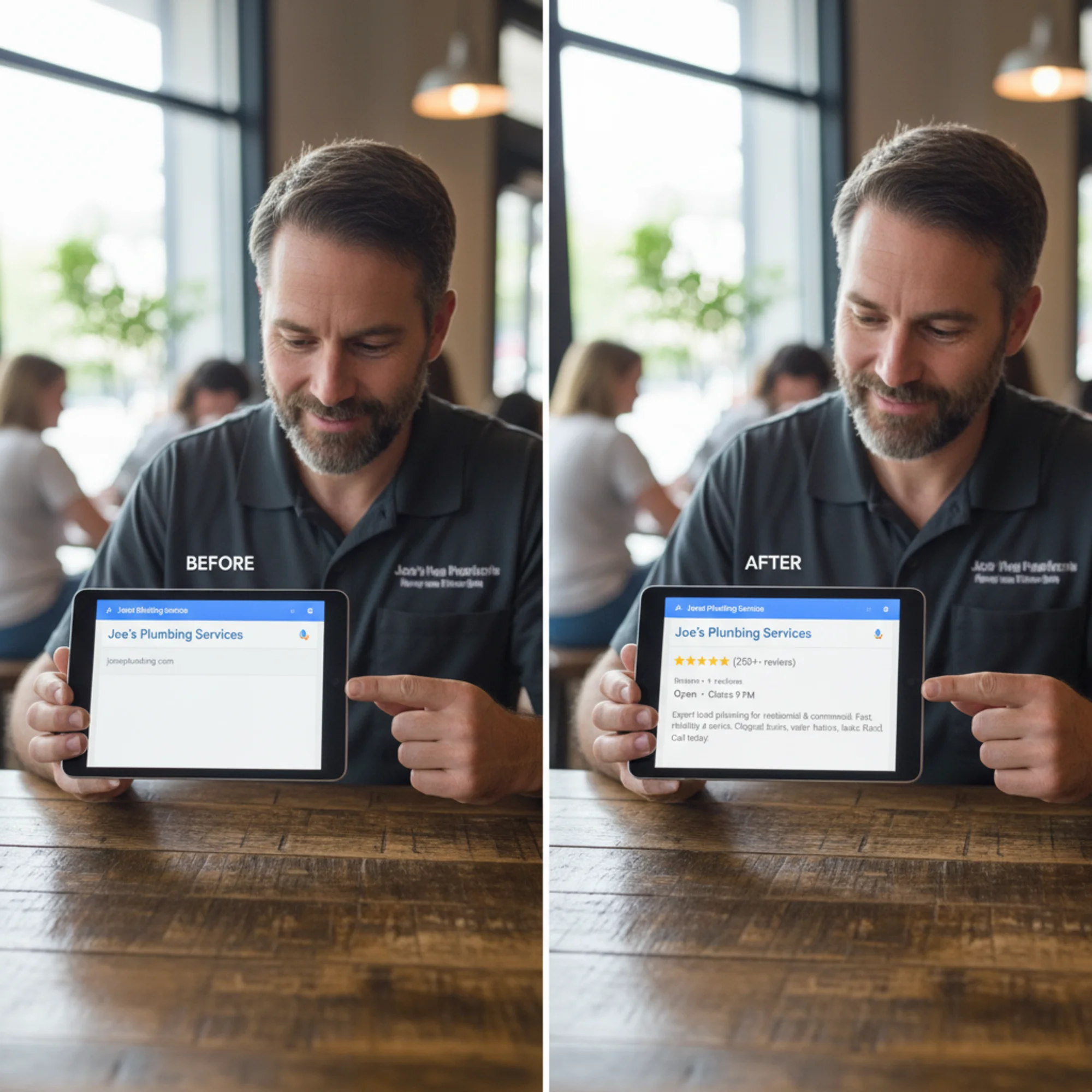
After these changes, Dave's site loads in 2.1 seconds, his search result shows a compelling description with business hours, and mobile visitors can actually call him. None of these fixes required a developer.
When You Actually Need a Professional
A non-technical audit catches most issues that affect small business websites. But some problems require professional help:
- HTTPS isn't working and your host can't help. This sometimes requires server configuration changes.
- Your site has been hacked or flagged for malware. Google will show a warning to visitors. Get professional help immediately.
- You need structured data — the code that creates rich search results with star ratings, prices, and business hours. Google has specific markup requirements for this.
- You have deep performance problems beyond images — render-blocking resources, excessive JavaScript, or slow server response times.
- You're migrating or redesigning your site and need to preserve search rankings through the transition.
For everything else — and that covers most of what small business owners encounter — you can identify the problems yourself and either fix them in your CMS or hand a specific list to a web developer. That list alone saves hours of billable time compared to asking a developer to "just make the website better."
Run Your Free Audit Now
The fastest way to find out what's wrong with your website is to test it. FreeSiteAudit scans your site in seconds and gives you a plain-English report with a health score, specific issues, and clear priorities — no signup required.
You'll see exactly what Google sees, what your mobile visitors experience, and what's holding your site back from ranking higher. The report covers performance, SEO, accessibility, and security — everything in this guide, checked automatically.
Fix the top three issues on your report. Then audit again. That cycle — audit, fix, re-audit — is how every high-performing website stays that way.
Sources
- Google Search Central. "Creating helpful, reliable, people-first content." https://developers.google.com/search/docs/fundamentals/creating-helpful-content
- Google Search Central. "Article structured data." https://developers.google.com/search/docs/appearance/structured-data/article
- web.dev. "Web Vitals." https://web.dev/articles/vitals
Check your website for free
Get an instant score and your top 3 critical issues in under 60 seconds.
Get Your Free Audit →