Open Graph and Twitter Cards: Why Social Preview Tags Still Matter
Learn how Open Graph and Twitter Card meta tags control your link previews on social media, plus how to audit and fix missing or broken tags across your site.
# Open Graph and Twitter Cards: Why Social Preview Tags Still Matter
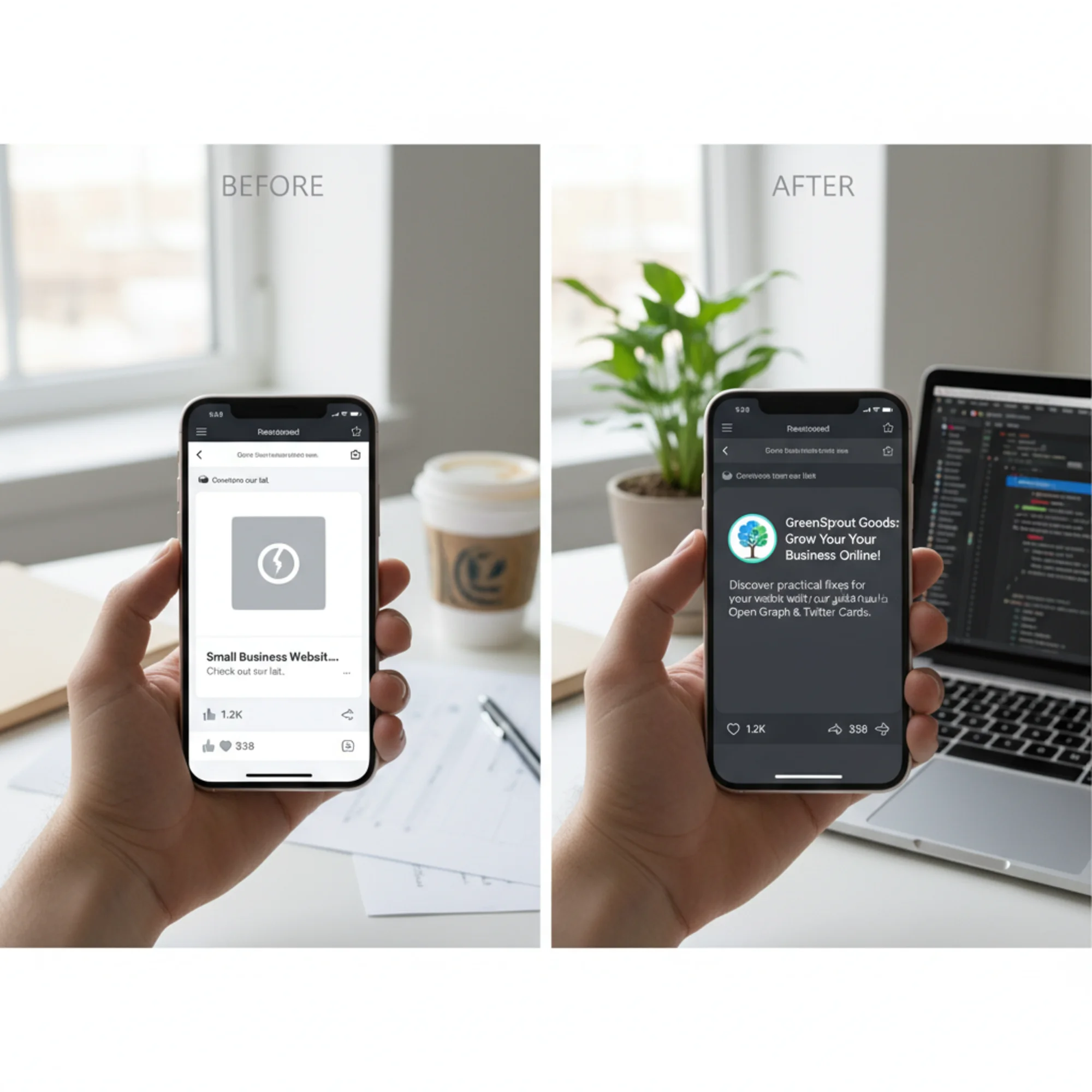
You share a link to your website in a Facebook group, a Slack channel, or a text message. Instead of a clean preview with your logo, a headline, and a short description, the recipient sees a bare URL. Maybe a random image gets pulled from your page — the wrong one. Maybe there is no image at all, just a gray box.
That is what happens when your site is missing Open Graph and Twitter Card meta tags. These tags are small pieces of code in your page's HTML that tell social platforms exactly what to display when someone shares your link. They have been around for over a decade, but they matter more than ever — link previews now appear in messaging apps, project management tools, email clients, and dozens of platforms beyond Facebook and Twitter.
Here is what you need to know, what to check, and how to fix it.
What Are Open Graph Tags?
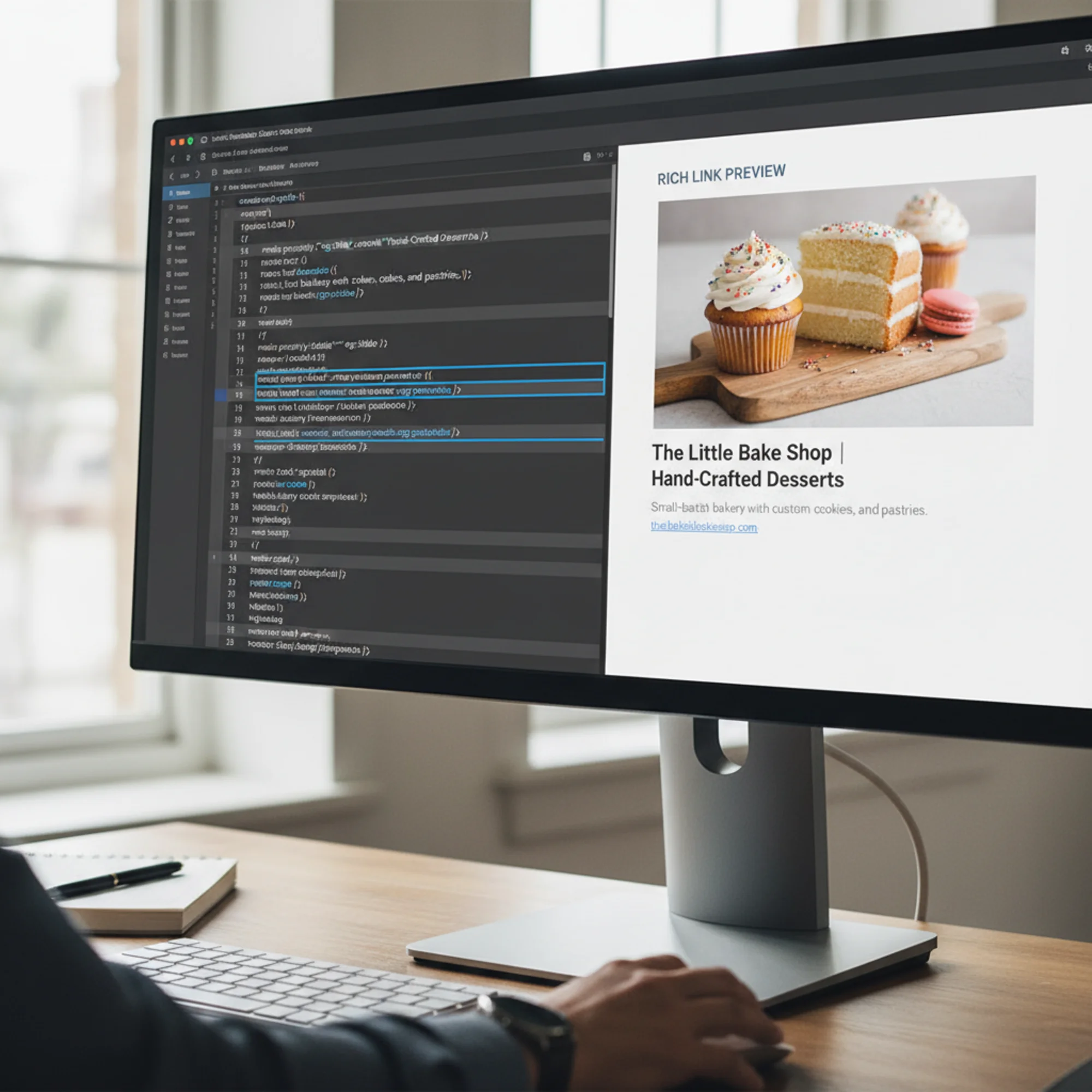
Open Graph (OG) is a protocol created by Facebook in 2010. It uses meta tags in the section of your HTML to define how a page should appear when shared. The core tags look like this:
html
When someone shares your URL on Facebook, LinkedIn, Slack, iMessage, WhatsApp, Discord, or Teams, the platform reads these tags and builds a preview card. Without them, the platform guesses — and it usually guesses badly.

What Are Twitter Cards?
Twitter (now X) developed its own variant called Twitter Cards. The tags use a name attribute instead of property and have a twitter: prefix:
html
The twitter:card tag controls the layout. The two most common values are:
summary— small square image with title and description beside itsummary_large_image— large image above the title and description
For most business pages, summary_large_image is the better choice. It takes up more visual space in the feed.
If Twitter Card tags are missing, the platform falls back to Open Graph tags. So if you only implement one set, start with Open Graph. But adding both takes two minutes and removes any ambiguity.
Why This Still Matters for Small Businesses
Every shared link is an ad for your business
When a customer shares your link in a group chat or a neighborhood Facebook group, the preview is the first thing people see. A clean card with your business name, a relevant image, and a clear description looks professional. A bare URL or broken preview looks like spam.
These tags reach far beyond social feeds
Open Graph previews appear in iMessage, WhatsApp, Slack, Microsoft Teams, Discord, Telegram, Facebook Messenger, LinkedIn messages, and Pinterest pins. Every time anyone pastes your URL anywhere, these tags control the first impression.
Click-through rates depend on the preview
People decide whether to tap a link based on the preview. A compelling image and clear headline get clicks. A gray box with a truncated URL does not.
It costs almost nothing to get right
Adding these tags is a one-time setup per page template. Whether you use WordPress, Squarespace, Shopify, or a custom site, implementation takes minutes.

A Real Scenario: The Bakery That Lost Referrals
A local bakery launches a new website. The owner posts a link to their catering menu in a local Facebook group: "We now offer catering for events! Check out our menu."
Without Open Graph tags, Facebook shows the bare URL and pulls a tiny, cropped version of a random image — perhaps a footer icon or a blurry background pattern. The post looks unprofessional and gets scrolled past.
With proper tags, the preview shows a high-quality photo of their catering spread, the headline "Event Catering Menu — Sweet Flour Bakery," and the description "Custom cakes, pastry platters, and dessert tables for events of 10 to 200." That version gets clicks, saves, and shares.
The difference is five lines of HTML.
How to Check Your Current Tags
Manual check (30 seconds)
- Open your website in a browser
- Right-click and select "View Page Source"
- Press Ctrl+F (or Cmd+F on Mac) and search for
og:title - Verify you see
og:title,og:description,og:image, andog:url - Search for
twitter:cardto check for Twitter Card tags
Use a debugger tool
Facebook and Twitter provide free tools that show exactly what their platforms see:
- Facebook Sharing Debugger (developers.facebook.com/tools/debug/) — paste your URL to see the preview Facebook will generate, including errors and warnings.
- Twitter Card Validator — paste your URL to preview how it will appear on X/Twitter.
These debuggers also force the platforms to re-scrape your page, which is useful after you update your tags.
Use an automated audit
A site audit tool like FreeSiteAudit checks all your pages at once and flags any that are missing Open Graph or Twitter Card tags. This is much faster than checking each page manually, especially if your site has dozens of pages.
The Essential Tags You Need
Must-have tags
| Tag | What it does | Example |
|---|---|---|
og:title | The headline in the preview | "Event Catering Menu — Sweet Flour Bakery" |
og:description | The summary text below the headline | "Custom cakes and pastry platters for events of 10–200." |
og:image | The preview image (use at least 1200×630px) | Full URL to your image |
og:url | The canonical URL of the page | "https://sweetflourbakery.com/catering" |
twitter:card | The card layout type | "summary_large_image" |
Good to have
| Tag | What it does |
|---|---|
og:type | Page type — use "website" for most pages, "article" for blog posts |
og:site_name | Your business name (shown above the title on some platforms) |
twitter:site | Your Twitter/X handle |
og:locale | Language and region, like "en_US" |
Image requirements
The preview image is the single most important element:
- Size: 1200 × 630 pixels minimum (this aspect ratio works across all platforms)
- Format: JPG or PNG (most platforms will not render SVG)
- File size: Under 5 MB (under 1 MB is better)
- URL: Must be a full, absolute URL — not a relative path
- Content: Do not use your logo alone on a white background. Use a real photo or a designed graphic that includes your branding
How to Add These Tags by Platform
WordPress
If you use Yoast SEO or Rank Math, you already have fields for this. In the post or page editor, open the plugin's "Social" tab and fill in the Facebook and Twitter title, description, and image fields.
Without a plugin, you can add the tags manually in your theme's header.php file, but a plugin is easier and less error-prone.
Squarespace
Squarespace generates Open Graph tags automatically from your page title and SEO description. To set the image, go to the page settings, click "Social Image," upload a 1200×630 image, and save.
Shopify
Shopify generates basic OG tags from your product or page details. For more control, edit your theme.liquid file or use an app like "SEO Manager" that provides dedicated social meta tag fields.
Wix
Wix has a built-in "Social Share" section in page settings where you can upload an image and fill in the title and description. It generates both OG and Twitter Card tags automatically.
Custom or static sites
Add the meta tags directly in your HTML :
html
If you use a templating system or static site generator, place these in your base layout and use variables for the page-specific values.
Common Mistakes to Avoid
Using a relative image path
Social platforms fetch your page from their own servers. They need the full URL, not a relative path:
html
Using an image that is too small
Images under 200×200 pixels are ignored by most platforms. Aim for 1200×630.
Only tagging the homepage
Each page needs its own tags. If someone shares your "About" page or a product page, those need their own title, description, and image. A site-wide default is better than nothing, but page-specific tags perform better.
Forgetting to update after a redesign
If you changed your design or domain, your OG images might still point to old URLs. Run a check after any major site change.
Not clearing the platform cache
Facebook, LinkedIn, and Twitter all cache previews for hours or days. After updating tags, use the Facebook Sharing Debugger to force a re-scrape. For LinkedIn, use their Post Inspector tool. Otherwise the old preview keeps showing.
Quick Fix Checklist
- [ ] Every page has
og:titlewith a clear, specific title - [ ] Every page has
og:descriptionunder 200 characters - [ ] Every page has
og:imagepointing to a full URL - [ ] Images are at least 1200×630 pixels in JPG or PNG format
- [ ] Every page has
og:urlset to its canonical URL - [ ]
twitter:cardis set tosummary_large_image - [ ] Twitter-specific title, description, and image tags are present
- [ ] You have tested your homepage in the Facebook Sharing Debugger
- [ ] You have tested at least one inner page
- [ ] After any site update, you re-test and clear the platform cache
Do Social Tags Affect SEO?
Open Graph and Twitter Card tags do not directly affect your Google search rankings. Google uses your regular title tag and meta description for search results, not your OG tags.
However, there is an indirect benefit. When your links look polished on social media, more people click them. More clicks mean more traffic, which can lead to more backlinks and brand searches — signals that do help SEO over time.
Google also uses structured data (like Article schema) for rich results in search. That is separate from social tags, but if you are already editing your section, it is worth adding structured data at the same time.
Check Your Site in Two Minutes
Run a free audit with FreeSiteAudit to check your Open Graph tags, Twitter Card tags, meta descriptions, image sizes, and dozens of other issues in one scan. If your site is missing social tags, the report tells you exactly which pages are affected and what to fix. No signup required for your first audit.
Sources
- Open Graph Protocol specification — https://ogp.me/
- Twitter Cards documentation — https://developer.x.com/en/docs/twitter-for-websites/cards/overview/abouts-cards
- Facebook Sharing Debugger — https://developers.facebook.com/tools/debug/
- Google structured data for articles — https://developers.google.com/search/docs/appearance/structured-data/article
Check your website for free
Get an instant score and your top 3 critical issues in under 60 seconds.
Get Your Free Audit →