Progressive Web App Audit: Is a PWA Worth It for Your Small Business Site?
A plain-English PWA audit guide for small business owners — what a Progressive Web App actually does, when it pays off, and how to decide without the hype.
# Progressive Web App Audit: Is a PWA Worth It for Your Small Business Site?
Every few years, a new web technology shows up promising to change everything. Progressive Web Apps (PWAs) got that treatment around 2017, and the pitch has barely changed since: "app-like experience, no app store, works offline, faster than your competitors."
If you run a small business website, you've probably had a developer or agency mention turning your site into a PWA. Maybe they quoted a few thousand dollars. Maybe a plugin in your CMS dashboard offered to do it in one click.
This guide answers a single question: is it actually worth it for your site?
We'll cover what a PWA does, how to audit your site for PWA readiness, when it genuinely helps, and when it's a distraction. No hype, no jargon dumps.

What a PWA Actually Is (in Plain English)
A Progressive Web App is just a regular website with three extra pieces bolted on:
- A manifest file — a small text file that tells the browser your site's name, icon, and colors so it can be "installed" on a phone home screen.
- A service worker — a background script that can cache pages, handle offline requests, and send push notifications.
- HTTPS — your site must be served securely (most are already).
That's it. There's no app store, no separate iOS or Android version, no new codebase. It's the same website with a few extra files that let it behave like an app when a user wants it to.
The experience: a visitor lands on your site on their phone, the browser shows an "Add to Home Screen" prompt, they tap it, and your site now lives next to Instagram and Gmail on their home screen. When they tap the icon, it opens full-screen without the browser bar. If they're offline, it can still show something useful.
The Honest Tradeoffs
Here's what the marketing usually leaves out:
- iOS support is limited and changes often. Apple has historically been cool on PWAs because they compete with the App Store. Push notifications for iOS PWAs only arrived in 2023, and offline behavior is still less reliable than on Android.
- Most visitors will never install your PWA. The install rate for the average small business site sits well under 5%. Most users just want the page, not an icon on their phone.
- A service worker is real engineering complexity. Caching bugs are notoriously hard to debug. "Why am I seeing yesterday's prices?" is a real and frustrating support ticket.
- It doesn't replace a native app. If you need Bluetooth, contacts, or deep OS integration, you still need a native app.
So when does it actually pay off?
When a PWA Is Worth It
There are three small-business scenarios where the math clearly works:
1. You have repeat visitors who use your site like a tool.
A restaurant whose regulars check the daily menu, a gym where members check the class schedule, a local news site readers come back to daily. These users will install the PWA, get faster load times, and may accept push notifications. That's real retention value.
2. Your site has a cart, booking flow, or form that gets interrupted by bad connections.
A service worker can save form state so a user with spotty Wi-Fi doesn't lose their work. For mobile commerce especially, this can recover sales that would otherwise be abandoned.
3. You compete directly with businesses that have native apps but you can't justify building one.
A small e-commerce store competing against a chain with a real app can use a PWA to close the experience gap without a $50,000 build.
When a PWA Is Not Worth It
Equally important — know when to skip it:
- You're a typical content site or local service business. Plumbers, dentists, photographers, accountants — your visitors come once or twice, find what they need, and leave. Spend the money on speed and clear contact information instead.
- Your site is already slow. A PWA wrapper on a slow site is a slow PWA. Fix the underlying performance first. Your Core Web Vitals — Largest Contentful Paint, Interaction to Next Paint, and Cumulative Layout Shift — should be in good shape before you bolt on a service worker.
- You don't have anyone to maintain it. Service workers are "set and forget" only if you set them correctly. Botched caching can leave users seeing stale prices, broken checkout, or old contact info for weeks.

How to Audit Your Site for PWA Readiness
Before deciding whether to invest in a PWA conversion, run through this checklist. It tells you whether your site is even a candidate.
Quick PWA Readiness Checklist
- [ ] Site is served over HTTPS (look for the padlock in your browser)
- [ ] Mobile Lighthouse Performance score is at least 70
- [ ] Largest Contentful Paint under 2.5 seconds on mobile
- [ ] Site is fully responsive — no zooming, no horizontal scrolling
- [ ] You have a square, high-resolution logo (at least 512x512 pixels)
- [ ] You have at least one offline use case (saved cart, cached menu, recent posts)
- [ ] You have a clear repeat-visit reason (schedule, menu, dashboard, news)
If you check fewer than five, fix those first. Adding a PWA layer to a site that fails the basics is putting a spoiler on a car with a broken engine.
Running the Audit Yourself
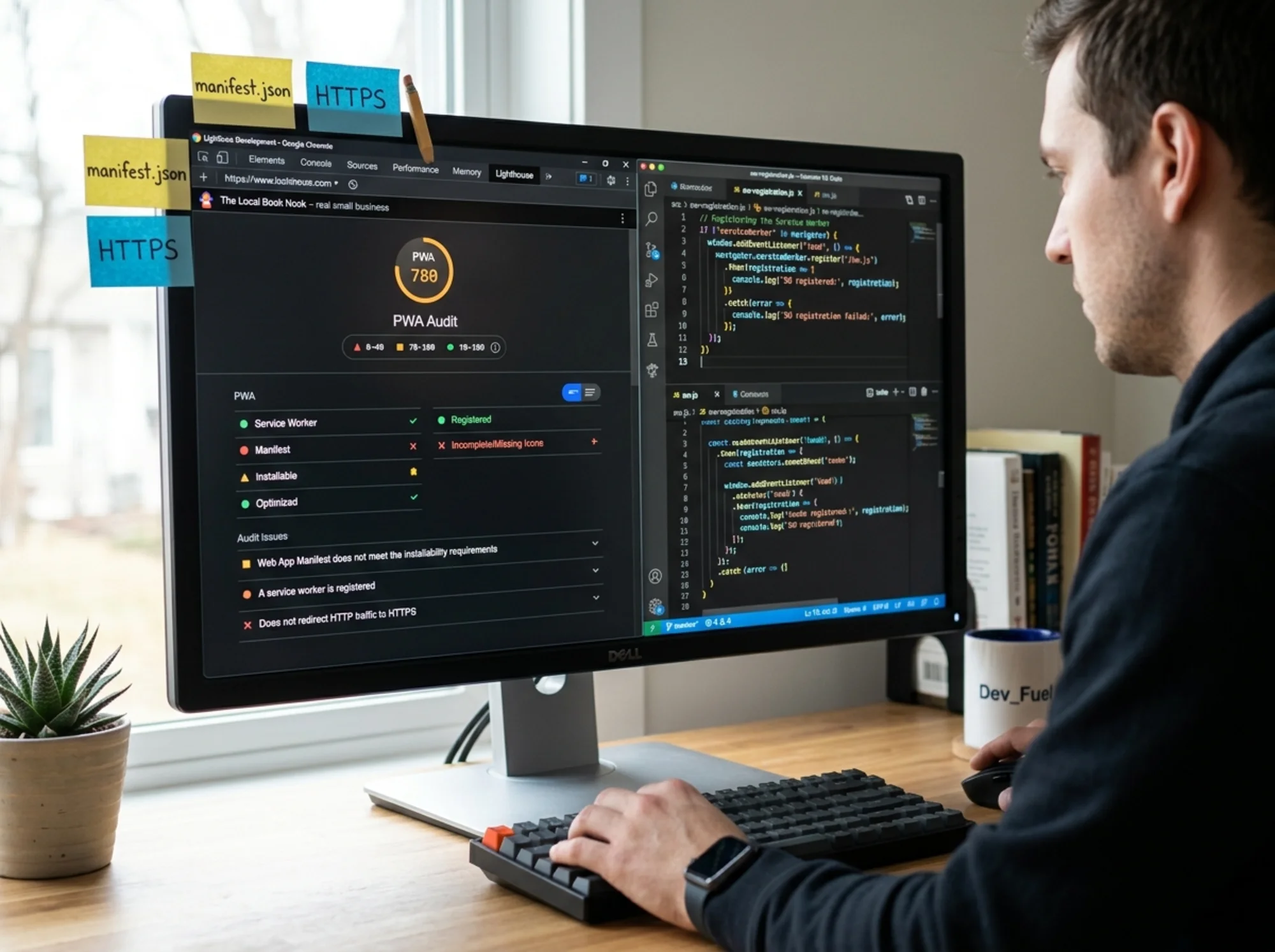
Open Chrome on a desktop, navigate to your site, press F12 to open DevTools, then click the Lighthouse tab. Choose "Mobile" and check the Performance, Accessibility, SEO, and PWA-related categories. Click "Analyze page load."
You'll get a score from 0 to 100 in each category, with specific failures listed. The PWA-related checks will tell you:
- Whether you have a valid web app manifest
- Whether a service worker is registered
- Whether your site is installable
- Whether you have a viewport meta tag
- Whether you have themed icons
A site with zero PWA setup will fail most of these. That's expected. The real question is whether the other scores — Performance, Accessibility, SEO — are healthy, because those are what you fix first.
If you want a business-focused audit that catches PWA, speed, SEO, and content issues in one shot, you can run a free website audit and get a plain-English report in a few minutes.
A Real Walkthrough: Should "Mara's Bakery" Build a PWA?
Let's run a scenario. Mara owns a neighborhood bakery. Her site has:
- A daily menu page (updated each morning)
- An online ordering form for cakes
- An "About" page and contact info
- About 4,000 monthly visitors, 60% on mobile
She got a quote for $2,800 to "convert the site to a PWA."
Step 1: Identify the repeat-use case. Her regulars check the daily menu. That's a clear, real repeat behavior. PWA point in favor.
Step 2: Check the engineering baseline. Her Lighthouse mobile score is 58. LCP is 4.1 seconds. The site is on a slow shared host. Adding a PWA here masks the real issue — hosting and image weight.
Step 3: Look at the offline value. The daily menu changes every morning. Caching it offline is actively dangerous — a customer might see Monday's menu on Tuesday and order something Mara doesn't have. Offline value: low and risky.
Step 4: Look at push notifications. Mara likes the idea — "new croissants on Saturday" pushed to subscribers sounds great. But she also has an email list of 600 people she barely uses.
Verdict: Mara should spend the $2,800 on:
- Moving to faster hosting and compressing her food photos (~$300)
- Properly using her existing email list ($0)
- Adding a "subscribe for daily menu" SMS list (~$30/month)
A PWA isn't her best lever. If, after fixing those, she still wants installable icons on phones, the same work will cost $800 once the site is fast enough.
This is the audit pattern: prove the easy wins are done before you pay for the expensive ones.
The 7-Item PWA Decision Framework
When you're staring at a quote and trying to decide, walk through these seven questions. If you can answer "yes" to at least five, a PWA is probably worth it. If not, fix the basics first.
- Do at least 30% of my visitors come back within 30 days?
- Do I have a feature (schedule, dashboard, cart) that benefits from being available offline or near-instantly?
- Is my mobile Lighthouse Performance score already above 70?
- Do I have a developer who can maintain and debug a service worker?
- Is my logo high-resolution and square?
- Do I have a meaningful reason to send push notifications (not just promotions)?
- Have I already fixed the obvious speed, mobile performance, and accessibility issues on my site?
The investment only pays off if the foundation can support it.
Common PWA Mistakes to Avoid
If you do go ahead with a PWA, these are the mistakes that come up most often in audits:
- Aggressive caching of dynamic content. If prices, menu items, or inventory change, do not cache those pages. Cache static assets — CSS, JS, logos, fonts — and let dynamic pages always hit the network.
- No update strategy. Service workers can serve stale code for days if not configured to update. Use a "skipWaiting" pattern or a version-bumping strategy.
- Missing or low-quality icons. A blurry, off-center icon on someone's home screen is worse than no icon. Use a 512x512 pixel PNG designed to read well at small sizes.
- Auto-prompting for install on the first visit. Don't. Let users decide. The right time to suggest installing is after they've completed an action that shows engagement — finished a purchase, booked a class, read an article to the end.
- Push notification spam. Permission to send notifications is granted rarely. Use it for genuine value (order ready, class starting, breaking story) — not weekly promotions.
The Bottom Line
A PWA is a tool. Like any tool, it solves specific problems well and is wasted on others. For most small business sites — local services, simple e-commerce stores, content blogs — the time and money are better spent on basic performance, clear content, mobile responsiveness, and SEO fundamentals. Those are what Google's helpful content guidance actually rewards.
For sites with real repeat-visitor behavior, an interactive use case, and a healthy technical baseline, a PWA can be a real edge. It can recover lost mobile sales, build a small but loyal app-installed audience, and close the gap with bigger competitors.
The honest audit is the one that helps you decide which camp you're in before you spend a dollar.

Run a Free Audit First
Before you pay anyone to add a PWA, you should know exactly where your site stands. Speed, SEO, accessibility, mobile usability, and PWA-readiness all show up in the same audit — and they should be fixed in that order.
Run a free website audit with FreeSiteAudit and get a plain-English report that tells you what to fix first, what to skip, and what's actually worth investing in. No credit card, no upsell pressure — just a clear list of what your site needs.
If a PWA turns out to be one of those items, you'll know it's based on your real numbers, not a sales pitch.
Sources
Check your website for free
Get an instant score and your top 3 critical issues in under 60 seconds.
Get Your Free Audit →