Redirect Chains: Why They Slow Sites and Confuse Crawlers
Redirect chains add latency to every hop and waste crawl budget. Learn how to detect, map, and collapse redirect chains to improve site speed and indexing.
# Redirect Chains: Why They Slow Sites and Confuse Crawlers
You changed your website structure last year. Before that, you moved from HTTP to HTTPS. And somewhere along the way, a page got renamed twice. Now when someone clicks an old link to your site, their browser quietly hops through three or four URLs before landing on the right page.
Each hop takes time. Each hop confuses search engines. And you probably have no idea it is happening.
These are redirect chains — one of the most common and most invisible problems on small business websites. They do not trigger error pages. They do not break anything in an obvious way. They just silently add latency, waste crawl budget, and chip away at the search rankings you have worked to build.
What Is a Redirect Chain?
A redirect tells browsers and search engines: "This page moved. Go here instead." If you rename /services to /our-services, you set up a redirect so visitors to the old URL land on the new one automatically.
A single redirect is fine. Search engines handle it without complaint. The browser makes one extra request, gets pointed to the right page, and loads it. The delay is minimal and the process is clean.
A redirect chain forms when one redirect points to another redirect, which points to another. Instead of A → B, the browser follows A → B → C → D:
Old URL: http://example.com/services
→ Redirect 1: https://example.com/services
→ Redirect 2: https://example.com/our-services
→ Redirect 3: https://www.example.com/our-services
→ Final page loads
Three redirects just to reach one page. Each adds a server round-trip, and each makes search engines work harder to determine which URL actually matters.
A closely related problem is a redirect loop, where Page A redirects to Page B, and Page B redirects back to Page A. Loops are worse than chains because the page never loads at all — the browser eventually gives up and displays an error. But chains are more insidious because they work just well enough that nobody notices the damage.

How Redirect Chains Accumulate
Nobody creates redirect chains on purpose. They build up through routine website maintenance — the kind of changes every business makes over time:
The HTTPS migration. You switched from http:// to https://, creating redirects from every HTTP URL to its HTTPS counterpart. This is a security best practice and something Google has encouraged since 2014. But it adds a redirect layer to every old HTTP link pointing to your site.
The www standardization. You picked www.example.com over example.com (or vice versa) and set up redirects to enforce consistency. Another redirect layer stacked on top of the HTTPS one.
The page rename. You changed /services to /our-services because it better described the page. One more redirect on top of the existing two.
The site redesign. You restructured navigation and /our-services became /what-we-do/services. Yet another redirect stacked onto the existing ones.
Now a single old link triggers four redirects before the visitor sees anything. Multiply that across dozens of pages and the problem compounds quickly.
Other common causes include:
- Domain name changes without updating old redirects to point to the final destination on the new domain
- CMS plugins that add or remove trailing slashes inconsistently, creating an extra hop between
/pageand/page/ - Marketing campaign URLs (from email campaigns, QR codes, or print ads) that redirect to pages that have themselves been redirected
- Vanity URLs and URL shorteners that add a hop before the chain even starts
- Migrating between content management systems (say, WordPress to Squarespace or Shopify) without auditing the redirect map from the old platform
- Merging two websites after an acquisition or rebrand, where both sites had their own redirect histories
The pattern is always the same: a reasonable change creates a new redirect that nobody checks against the existing redirect map. Over two or three years of normal website evolution, single-hop redirects silently become three-hop or four-hop chains.
Why Redirect Chains Hurt Your Site
They slow down page loads
Every redirect adds latency. The browser sends a request, waits for the server to respond with a new location, then sends another request to that new location. On mobile connections — which account for more than half of all web traffic — each hop can add 100 to 500 milliseconds depending on server response time and network conditions.
A three-redirect chain can add half a second or more to load time before the browser even begins downloading the actual page content. Once the final URL is reached, the browser still has to fetch HTML, CSS, JavaScript, images, and fonts. The redirect overhead sits on top of all of that.
Google's Core Web Vitals — the speed metrics that directly influence search rankings — are sensitive to this kind of delay. The Largest Contentful Paint (LCP) metric measures how quickly your main content appears on screen. According to web.dev, an LCP of 2.5 seconds or less is considered good. If redirect chains consume 300 to 800 milliseconds before the page even begins rendering, you are starting with a significant handicap that makes hitting that threshold much harder.
Consider the math: if your page takes 2.2 seconds to load normally (a good score), adding a three-hop redirect chain that costs 600 milliseconds pushes you to 2.8 seconds — past the "good" threshold and into the "needs improvement" zone. You have not changed a single thing about your page design, hosting, or images. The redirects alone pushed you from a passing score to a failing one.

They waste crawl budget
Search engines allocate limited time and resources to crawling each site. This is called your crawl budget — the number of pages Googlebot will fetch from your site in a given period. When Googlebot hits a redirect chain, it follows each hop, spending resources on redirects instead of indexing your actual content.
Google will follow up to 10 redirects in a chain, but prefers not to. Every unnecessary hop signals a poorly maintained site and consumes requests that could have been used to discover and index your real pages.
For small businesses competing in local search, crawl efficiency matters more than you might think. A large site with thousands of pages can absorb some wasted crawl budget. But if your site has 50 pages and 30 of them involve redirect chains, Googlebot is spending a significant percentage of its time following breadcrumbs instead of reading your content. You want search engines understanding your service pages, location pages, and blog posts — not chasing redirect chains through your old URL history.
They risk diluting link equity
When another site links to yours, that link passes authority (sometimes called "link equity" or "link juice") to your page. This authority is one of the most important factors in how well your pages rank. Google has stated that 301 redirects pass PageRank, but long chains introduce risk in several ways:
- Each hop is a point where a misconfigured redirect can send authority to a dead end or the wrong page
- Mixed redirect types (301 and 302) in the same chain create ambiguity about which URL should receive the authority
- If any link in the chain breaks — due to a server migration, a hosting change, or an expired domain — the entire chain breaks and all the link equity behind it disappears
You are trusting three or four redirects to all function correctly, across every crawler and every browser, indefinitely. The more hops in the chain, the more points of failure.
They degrade user experience
A chain of three or four redirects creates a visible delay, especially on mobile devices. The address bar flickers through multiple URLs. The page takes noticeably longer to appear. On slower connections — common for users on public Wi-Fi, rural areas, or older devices — the delay is even more pronounced.
Some security software and browser extensions flag excessive redirects as suspicious or potentially malicious. Corporate firewalls sometimes block requests that redirect more than two or three times. For a small business trying to make a strong first impression with a potential customer, that delay, URL flickering, or outright blocked page works against you.
Google's guidance on creating helpful, reliable, people-first content emphasizes providing a good page experience. Redirect chains undermine that experience before the visitor even sees your content.
Real-World Example: The Local Bakery
Sarah runs a bakery in Austin. Her site has evolved over four years through perfectly reasonable changes:
- 2022: Launched at
http://sarahsbakery.com/menu - 2023: Switched to HTTPS → redirect from
http://tohttps:// - 2023: Standardized to www → redirect from non-www to
www. - 2024: Redesigned the site → menu page moved to
/our-menu - 2025: Split into multiple menus → moved again to
/bakery-menu
Now her Yelp listing, Google Business Profile, a local food blog review from 2022, and her printed menus all link to the original HTTP URL. Every click triggers four redirects before anyone sees her menu. That is roughly an extra second of load time for every potential customer — and these are high-intent visitors actively looking for what she sells.
The fix: update each old URL to point directly to the final destination.
http://sarahsbakery.com/menu→https://www.sarahsbakery.com/bakery-menuhttps://sarahsbakery.com/menu→https://www.sarahsbakery.com/bakery-menuhttps://www.sarahsbakery.com/menu→https://www.sarahsbakery.com/bakery-menuhttps://www.sarahsbakery.com/our-menu→https://www.sarahsbakery.com/bakery-menu
Four hops become one hop each. Same result, dramatically faster. Sarah also updates her Google Business Profile and Yelp listing to use the current URL directly, eliminating the redirect entirely for her two highest-traffic referral sources.

How to Find Redirect Chains
Redirect chains are invisible during normal browsing. Your site loads, the correct page appears, and nothing looks wrong. Here is how to uncover them:
Method 1: Run a site audit
The fastest approach is a crawler that flags redirect chains automatically. FreeSiteAudit scans your entire site and identifies chains as part of its standard audit — showing which URLs are affected, how many hops each chain contains, and which final destination each should point to. This is the most reliable method because it catches chains across your entire site in one pass, including pages you may have forgotten about.
Method 2: Use browser developer tools
This is useful for testing individual URLs:
- Open Chrome and press
F12to open Developer Tools - Click the Network tab
- Check Preserve log (this is critical — without it, redirects disappear from the log when the page loads)
- Enter an old URL in the address bar and press Enter
- Look at the list of requests. Requests with
301or302status codes are redirects. More than one before the final200response means you have a chain - Click each redirect request to see the
Locationheader, which shows where it points
Method 3: Use curl in the terminal
For quick command-line checks:
bash
curl -I -L https://example.com/old-page
The -L flag follows redirects and -I shows headers only. Count the Location: headers in the output — more than one means a chain exists. This method also shows you the exact sequence of URLs in the chain and whether each redirect is a 301 or 302.
Method 4: Check your server logs
Your web server access logs record every request, including redirects. Search your logs for sequences where the same client IP hits multiple 301 or 302 responses in rapid succession. This can reveal chains that external tools miss because they involve URLs not linked from your current site.
Method 5: Use a redirect checker tool
FreeSiteAudit's redirect checker lets you paste a URL and see the full redirect path, including every intermediate hop, the status code at each step, and the response time per hop. This is especially useful for checking specific URLs that customers or partners have reported as slow.
What to look for
- Chains longer than one hop. Any multi-redirect chain should be collapsed. Even two hops is worth fixing.
- Redirect loops. Page A → Page B → Page A. These break the page entirely and must be fixed immediately.
- Mixed redirect types. Chains mixing 301 (permanent) and 302 (temporary) redirects confuse search engines about which URL to index. If the move is permanent, every hop should be a 301.
- Post-migration chains. The most common source of long chains. Check any URLs that predate your last site migration or hosting change.
- Chains involving external domains. If your old domain redirects to your new domain, and then the new domain has its own internal redirects, the chain can be especially long.
How to Fix Redirect Chains
Step 1: Map your chains
Create a spreadsheet with three columns. This becomes your redirect cleanup plan:
| Old URL | Current chain | Final destination |
|---|---|---|
| /services | /services → /our-services → /what-we-do | /what-we-do |
| /blog/old-post | /blog/old-post → /blog/new-post → /articles/new-post | /articles/new-post |
| /contact-us | /contact-us → /get-in-touch → /contact | /contact |
| /about | /about → /about-us → /who-we-are | /who-we-are |
If you used FreeSiteAudit or another crawler, export the redirect chain report and use it as the basis for this spreadsheet. Sorting by chain length (longest first) helps you prioritize the worst offenders.
Step 2: Collapse each chain to a single redirect
Instead of A → B → C → D, make it A → D, B → D, and C → D. Every old URL should reach the final page in one hop. Do not just fix the first hop — update every URL in the chain to point directly to the final destination.
Where you make this change depends on your platform:
- WordPress (Redirection or Yoast plugin): Edit each redirect rule to point to the final URL. The Redirection plugin has an "Edit" button next to each rule — update the target URL field.
- Apache (.htaccess): Update
RewriteRuleorRedirectdirectives so each source URL maps to the final destination. For example:Redirect 301 /services https://www.example.com/what-we-do - Nginx: Update
return 301orrewritedirectives in your server config block. Remember to reload the config withnginx -s reloadafter changes. - Cloudflare or other CDN: Update Page Rules or Bulk Redirects to point each old URL to the final destination. CDN-level redirects are especially fast because they resolve before the request even reaches your server.
- Shopify: Use the URL Redirects section in Settings. Delete the chained redirect and create a new one from the original URL to the final destination.
- Squarespace: Use the URL Mappings panel under Settings → Advanced. Update each mapping to target the final page.
Step 3: Update source links where possible
If you control pages linking to old URLs — your own navigation, blog posts, footer links, Google Business Profile, social media bios, email signatures, printed materials — update them to point directly to the current page. Eliminating the redirect entirely is always better than shortening the chain.
Key places to check and update:
- Your site's internal navigation and footer links
- Older blog posts that link to pages that have since moved
- Google Business Profile, Yelp, and other directory listings
- Social media profile bios (Facebook, Instagram, LinkedIn)
- Email newsletter templates and automated sequences
- Any QR codes on printed materials (these may need reprinting)
- Partner or sponsor websites that link to you
Step 4: Handle broken links in the chain
While mapping your chains, you may discover broken links — redirects that point to pages that no longer exist. These are worse than chains because visitors hit a dead end. Fix these first by updating the redirect to point to the most relevant existing page, or to your homepage if no equivalent page exists.
Step 5: Verify the fix
- Clear your browser cache (redirects are aggressively cached — Chrome may remember the old chain for hours or days)
- Open an incognito or private browsing window for testing
- Visit each old URL and confirm it reaches the final destination in one redirect
- Check the Network tab in developer tools to verify only one 301 appears before the final 200
- Re-run your site audit to confirm all chains are resolved
- Check again in a week — sometimes cached redirects at the CDN or hosting level take time to clear
Redirect Maintenance Checklist
Use this checklist after any site change that involves moving pages:
- [ ] No redirect chain exceeds one hop
- [ ] All permanent moves use 301, not 302
- [ ] No redirect loops exist
- [ ] Internal links point to current URLs, not redirected ones
- [ ] External profiles (Google Business, Yelp, social media) link to current URLs
- [ ] After any migration, existing redirects are updated to point to final destinations
- [ ] Marketing campaign URLs point to current pages, not old redirected ones
- [ ] Redirects are reviewed at least once every six months
- [ ] A redirect audit is part of every site migration or redesign plan
- [ ] The redirect map is documented and accessible to everyone who manages the site
Common Mistakes to Avoid
Adding a new redirect without checking existing ones. Every time you move a page, check whether existing redirects already point to the old URL. If so, update them to the new destination. This single habit prevents most redirect chains from ever forming.
Forgetting HTTP-to-HTTPS redirects. They were set up once during the HTTPS migration and forgotten, but they still add a hop to every chain starting with an HTTP URL. Old links from directories, press mentions, and printed materials often use HTTP.
Using 302 for permanent moves. A 302 tells search engines the move is temporary — do not index the new URL, keep checking the old one. If the move is permanent, use a 301. Using the wrong status code causes search engines to split their attention between old and new URLs.
Deleting redirects instead of updating them. Removing a redirect without replacing it gives visitors a 404 error — which is worse than a chain. Always update the destination rather than deleting the redirect.
Ignoring chains because the site loads. It does load. It just loads slower and ranks worse than it should. Redirect chains are a silent performance drain, and their cumulative impact across all your pages is larger than you might expect.
Not testing after the fix. Browser caching, CDN caching, and server-level caching can all serve stale redirects. Always verify in an incognito window and clear your CDN cache after making changes.
Fixing only the first hop. If A → B → C → D, and you update A → D but leave B → C → D in place, you have only fixed one entry point. Someone linking to B still hits a two-hop chain. Update every URL in the chain.
When to Check for Redirect Chains
Audit your redirects:
- After every site migration or redesign — this is when the most chains are created
- After changing your URL structure — even renaming one page can extend existing chains
- After switching domains or subdomains — domain changes add a hop to every existing redirect
- After merging websites — acquisitions and rebrands create cross-domain chains
- Every six months as routine maintenance — chains accumulate gradually and are easy to miss
- When you notice a drop in page speed scores — redirect chains are a common hidden cause
A monitoring tool that tracks redirects over time can catch new chains as they form rather than discovering them months later during a manual audit.
Take Action Now
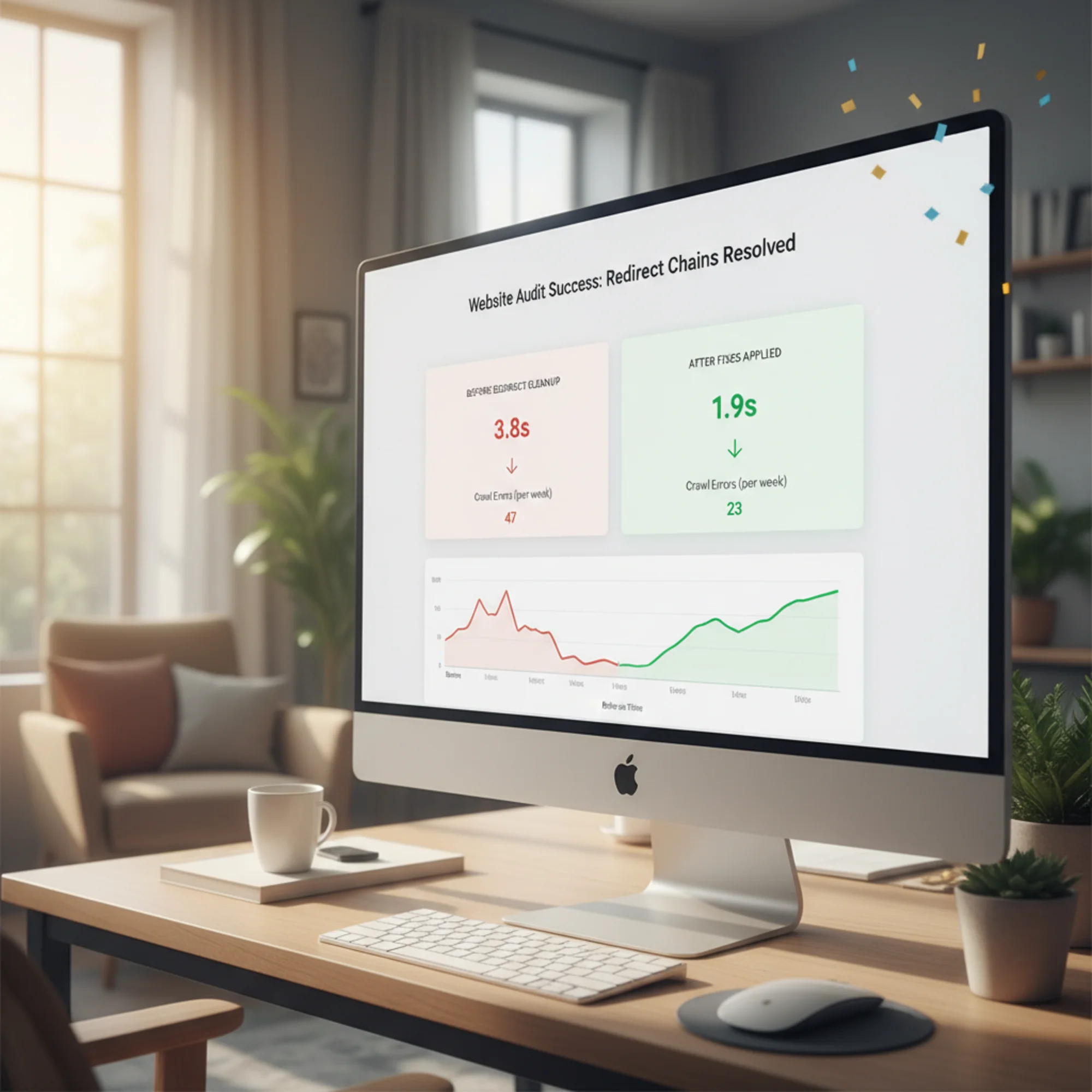
Redirect chains never announce themselves. Your site loads, pages appear, everything looks normal. But underneath, stacked redirects add latency, waste crawl budget, and quietly undermine your search visibility. The longer they sit, the more they compound — every new page move adds another potential hop to chains you do not know exist.
The fix is straightforward once you know where the chains are. Map them, collapse each one to a single hop, update the links you control, and verify the results.
Run a free audit with FreeSiteAudit to find redirect chains and other hidden issues on your site. The scan takes under a minute and shows exactly which URLs need attention — no technical expertise required.
Sources
Check your website for free
Get an instant score and your top 3 critical issues in under 60 seconds.
Get Your Free Audit →