The 15-Minute Weekly SEO Health Check Every Small Business Should Run
A 15-minute weekly SEO health check for small business owners using free tools to catch ranking issues, broken pages, and Core Web Vitals problems early.
# The 15-Minute Weekly SEO Health Check Every Small Business Should Run
If you run a small business website, you probably don't have a full-time SEO person. You have a Tuesday morning, a cup of coffee, and the nagging feeling that something is slowly going wrong with your site but no time to figure out what.
Here's the good news: most SEO problems that hurt small business sites are boring, repeatable, and easy to catch. You don't need to learn schema markup theory or read a 50-page guide. You need a 15-minute routine, once a week, that flags the issues that actually move traffic.
This article walks through that routine. No filler, no "10x your rankings" promises — just the small set of checks that catch most of what quietly costs you customers.

Why 15 minutes, and why weekly
SEO problems compound. A broken link sits for three months and Google quietly stops trusting that page. A heavy image loads slowly on mobile and your bounce rate climbs without you noticing. A title tag gets replaced during a theme update and your click-through rate drops 30%.
The longer these go unseen, the more traffic you lose and the harder it is to figure out what changed. A short weekly check is the cheapest insurance you can buy.
Fifteen minutes is the magic number because anything longer doesn't get done. The point isn't deep SEO work. The point is to surface problems early so you can either fix them in five minutes or schedule a real fix for later.
Weekly is the right cadence because Google Search Console data lags by about two days, and a week is short enough that you can still remember what you changed if something breaks.
What you need before you start
Three free tools, open in tabs:
- Google Search Console — your site's report card from Google.
- PageSpeed Insights — Core Web Vitals and mobile performance.
- Your own website — opened in an incognito window on your phone.
That's it. Save the paid tools for monthly or quarterly deep dives.
The 15-minute checklist
- Minutes 0–3: Check Search Console for new errors and coverage issues.
- Minutes 3–6: Review Performance — clicks, impressions, CTR, and any pages that fell off.
- Minutes 6–9: Run your homepage and one money page through PageSpeed Insights.
- Minutes 9–12: Open your site on your phone. Click three things. Make sure they work.
- Minutes 12–15: Search Google for your business name and one key term. Look at how you show up.
Now let's go through each one.
Minutes 0–3: Search Console errors
Open Google Search Console. Look at two places.
Indexing → Pages. This shows what Google has indexed and, more importantly, what it hasn't. Glance at the "Why pages aren't indexed" section. If you see a spike in "Not found (404)", "Server error (5xx)", or "Redirect error", that's a flag. A few 404s are normal. A jump from 4 to 47 means something broke — usually a permalink change, a deleted product, or a plugin update.
Experience → Core Web Vitals. This shows whether real users are having a slow experience. If the "Poor" or "Needs improvement" bar grew compared to last week, note it. You don't need to fix it right now. You just need to know.
What you're looking for is change. Last week's report is your baseline. If nothing changed, move on. If something changed, write it down.
Minutes 3–6: Performance trends
In Search Console, open Performance → Search results. Set the date range to last 28 days and compare it to the previous 28 days.
You're looking for three things:
- Total clicks. A 5–10% wobble is noise. A 30% drop is a signal.
- CTR. If impressions are up but clicks are flat, your title tags or meta descriptions might not be doing their job — or Google is showing you for queries you don't actually want.
- Pages. Sort by clicks. Did a page that used to bring traffic disappear? Investigate that first.
A concrete example: a small accounting firm noticed their "small business tax deadlines" page dropped from 200 clicks/week to 40 over three weeks. The cause was a 2024-dated headline that Google had started treating as stale. Updating the date and refreshing two paragraphs brought traffic back within a month. Google's guidance on creating helpful content calls out freshness and accuracy as part of what makes content useful.

Minutes 6–9: PageSpeed on the pages that matter
Open PageSpeed Insights. Run two URLs:
- Your homepage.
- One money page — the page that actually converts. A product page, service page, or "Book a consultation" page. Rotate it each week.
Check the mobile results, not desktop. Most of your visitors are on phones, and Google's ranking signals are based on mobile.
Look at the three Core Web Vitals:
- LCP (Largest Contentful Paint) — how fast the main content loads. Target: under 2.5 seconds. web.dev's Core Web Vitals guide has the full thresholds.
- INP (Interaction to Next Paint) — how fast the page responds to taps. Target: under 200 ms.
- CLS (Cumulative Layout Shift) — how much the page jumps around as it loads. Target: under 0.1.
If something is in the red, don't panic-fix it. Write it down. Speed fixes usually take longer than 15 minutes and often need a developer. The weekly check exists to notice. For a deeper look later, our Core Web Vitals fixes guide walks through the most common culprits — oversized images, render-blocking scripts, and shifting ads.
Minutes 9–12: The thumb test
Pick up your phone. Open an incognito tab. Type in your domain.
Do three things:
- Tap your phone number. Does it dial?
- Click your most important call-to-action. Does the form load? Can you type in it without the keyboard covering the submit button?
- Click into one product, service, or blog post. Does it load in under three seconds? Are the images sharp? Does anything overlap?
This catches things automated tools miss. A consultant once discovered her contact form had been broken for six weeks because a plugin update changed the submit button to white-on-white. No tool flagged it. A 30-second thumb test would have.
While you're tapping around, watch for broken internal links. If a link in your main navigation goes to a 404, it costs you both traffic and trust.
Minutes 12–15: Search yourself
Open Google in an incognito window. Search for:
- Your business name.
- One key term you want to rank for ("wedding photographer Austin", "plumber north Seattle").
For your business name:
- Is your site the first result? It should be.
- Does the title and description look right? No weird truncation or leftover "Default Page Title" text?
- Is your Google Business Profile showing? Are the hours and phone correct?
For your key term:
- Where do you rank? Top 3, page 1, page 2, or not at all?
- Who's above you? A new competitor? A directory site? A Reddit thread?
- Are there featured snippets, "People also ask" boxes, or local packs you could target?
If competitors are getting rich results — review stars, FAQ accordions, recipe cards — you might be missing structured data. Google's structured data guide for articles is a good starting point, but for most small businesses the easier win is LocalBusiness or Product schema. Not a 15-minute job, but worth noting.
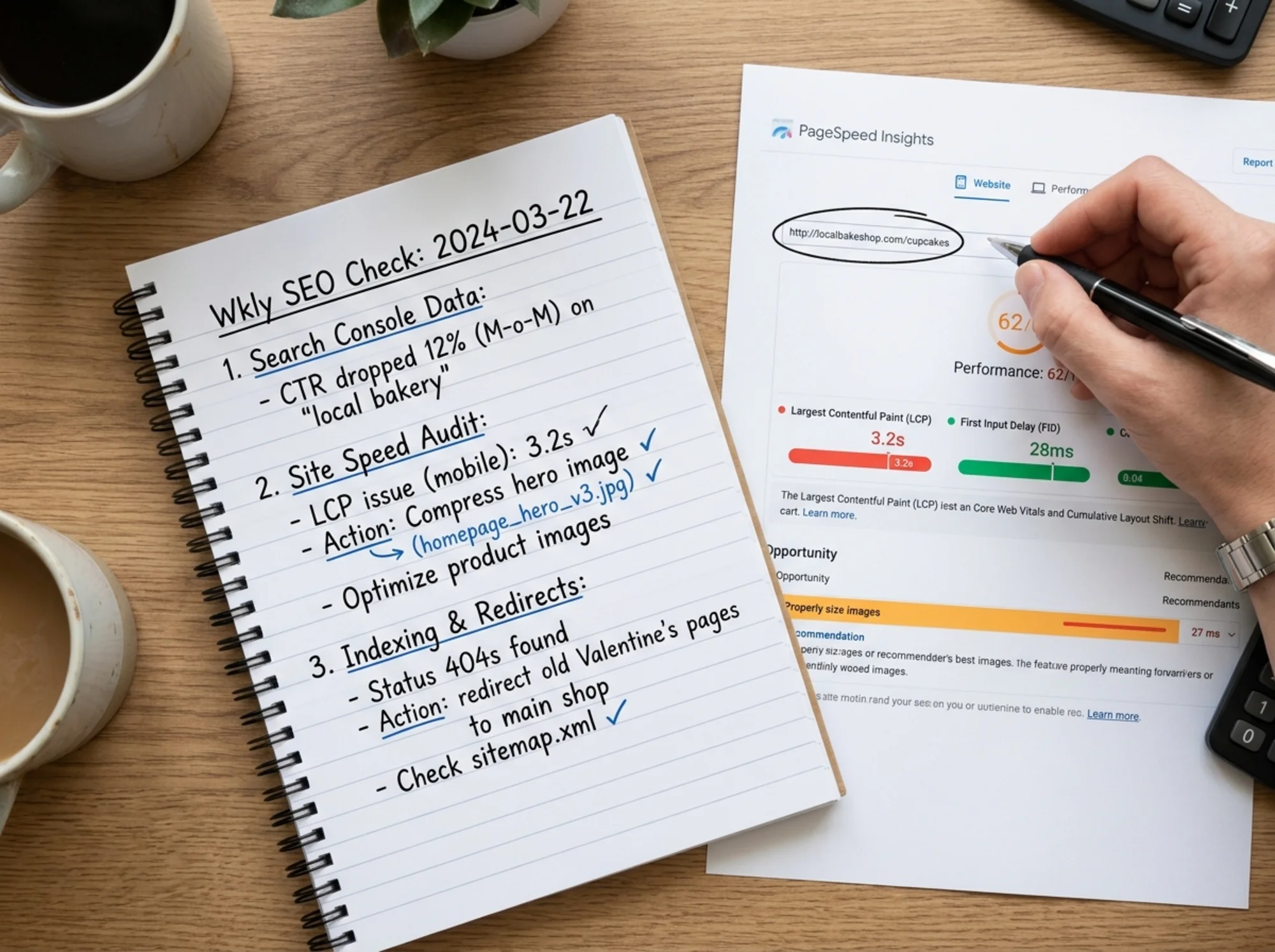
A real walkthrough
Here's what a typical Tuesday-morning check looks like for Maya's Flowers, a fictional florist with a 40-page Shopify site.
0:00 — Search Console errors. Maya checks Pages. New "Not found (404)" count: 12, up from 3. She clicks in. Eleven are old Valentine's Day product pages she deleted. One is a typo'd URL someone linked to. She'll redirect the eleven to her main bouquets page on Wednesday.
3:00 — Performance. Clicks are up 8% vs. the prior 28 days. CTR is flat. Her "wedding flowers" page jumped from position 14 to 9. No action needed.
6:00 — PageSpeed. Homepage LCP is 3.1 seconds on mobile (yellow). It used to be 2.4. The report flags the hero image: 1.2 MB, a new banner her designer uploaded. She'll ask them to compress it.
9:00 — Thumb test. She opens the site on her phone. Phone number dials. "Order for delivery" form loads. A featured product page loads in two seconds with sharp images. All good.
12:00 — Search yourself. "Maya's Flowers" returns her site at #1 with the Business Profile and correct hours. "Wedding florist [her city]" puts her at position 6 — a new competitor she hasn't seen is at position 4. She makes a note to look at their site later.
15:00 — Done. Two items: compress hero image, redirect deleted products. Estimated fix time: 20 minutes, scheduled for Wednesday.
Some weeks you find nothing. Some weeks you find a five-alarm fire. Either way, it's 15 minutes.
What to do with what you find
The trap with a weekly check is doing too much. The point isn't to fix everything you find — it's to triage.
A simple three-bucket system:
- Fix now (under 5 minutes): Wrong phone number. Typo in a meta description. Broken link.
- Schedule (15–60 minutes, this week): Compress an oversized image. Set up redirects. Update an outdated page.
- Defer (longer than an hour): Speed overhauls. Schema implementation. Content rewrites. These go on a monthly list, not the weekly one.
Most weeks, the check produces zero or one item in each bucket. If you're consistently finding 10 things every week, your site has a deeper problem that needs a one-time cleanup, not a weekly band-aid.

When to escalate to a full audit
A weekly check is great for catching new problems. It's not great for finding old, accumulated ones. Run a deeper audit if:
- You've never done a full site audit.
- You just migrated to a new platform or theme.
- Traffic has been declining for more than two months and the weekly check isn't catching why.
- You're seeing Core Web Vitals warnings on multiple pages.
- You're entering a new market or launching a major new section.
A full audit looks at things the weekly check skips: orphaned pages, internal link structure, duplicate content, schema coverage, and crawl budget waste. It's a one-time deep clean that makes the weekly checks more effective.
You can run a free website audit with FreeSiteAudit in about 60 seconds. It scans your whole site, gives you a prioritized list of fixes, and tells you which ones actually move traffic versus which ones are noise. It's especially useful for small business sites where knowing what to ignore matters as much as knowing what to fix.
Building the habit
The hardest part of a weekly SEO check isn't the SEO. It's remembering to do it.
A few things that help:
- Put it on your calendar. Same time, same day, every week. Tuesday at 9 a.m. is popular — Monday is too chaotic, Friday you've already checked out.
- Keep a one-page log. A Google Doc with the date, what you found, and what you fixed. After three months you'll have a real picture of how your site changes week to week.
- Don't skip when nothing's wrong. The whole point is that most weeks, nothing is wrong. The check is still valuable because it's how you know.
Fifteen minutes a week is one hour a month. One hour a month is the difference between catching a problem when it's small and discovering it three months later when a competitor has already taken your traffic.
That's the entire pitch. No silver bullets, no secret tactics — just a short, boring routine that quietly compounds in your favor.
Sources
- Google Search Central — Creating helpful, reliable, people-first content: https://developers.google.com/search/docs/fundamentals/creating-helpful-content
- Google Search Central — Article structured data: https://developers.google.com/search/docs/appearance/structured-data/article
- web.dev — Web Vitals: https://web.dev/articles/vitals
Check your website for free
Get an instant score and your top 3 critical issues in under 60 seconds.
Get Your Free Audit →