Website Audit Before Relaunch: The Complete Pre-Launch Checklist
A plain-English, evidence-based checklist to run before your website relaunch: SEO, redirects, performance, schema, tracking, and a launch-day sign-off.
# Website Audit Before Relaunch: The Complete Checklist
A relaunch is the most dangerous moment in your website's life. You're changing URLs, swapping templates, replacing copy, and rewiring tracking — all at once. If one of those moves goes wrong, you can lose months of search traffic, break checkout, or quietly stop recording conversions for weeks before anyone notices.
This checklist is written for small business owners and marketers who don't have a dedicated dev team standing by. You don't need to be technical to run through it. You need to be patient and methodical.

Why pre-launch audits matter more than post-launch ones
Most relaunch problems are cheap to fix the day before launch and expensive to fix the week after. Once Google has crawled broken redirects, recorded missing pages, or noticed a drop in content quality, you're playing catch-up. The teams that get through relaunches without traffic loss treat the pre-launch audit as a hard gate: nothing goes live until every item is signed off.
A few specific things go wrong over and over:
- A new URL structure ships without redirects from the old URLs.
- Tracking pixels (GA4, Meta, Google Ads) get stripped from the new template.
- The staging site stays indexable, splitting authority between two domains.
- Page speed quietly gets worse because of an oversized hero video or unoptimized images.
- New page templates lose H1 tags, schema, or canonical tags the old site had.
None of these are exotic. They happen on almost every relaunch. The checklist below is built to catch them.
Phase 1: Inventory what you have today
Before you touch anything, write down what currently works. You can't measure regression if you don't have a baseline.
Minimum baseline to capture:
- Top 50 pages by organic traffic (Google Search Console, last 90 days)
- Top 20 pages by conversions (GA4 or your analytics tool)
- Current Core Web Vitals scores for your top 10 templates
- A crawl of every indexable URL (Screaming Frog's free version handles up to 500 URLs)
- A list of every redirect already in place
- Current ranking positions for your top 25 target keywords
- A screenshot of your GA4 real-time view so you can confirm tracking still fires post-launch
Save all of this in a single folder with the date in the filename. You'll need it on launch day.
Phase 2: URL mapping and redirects
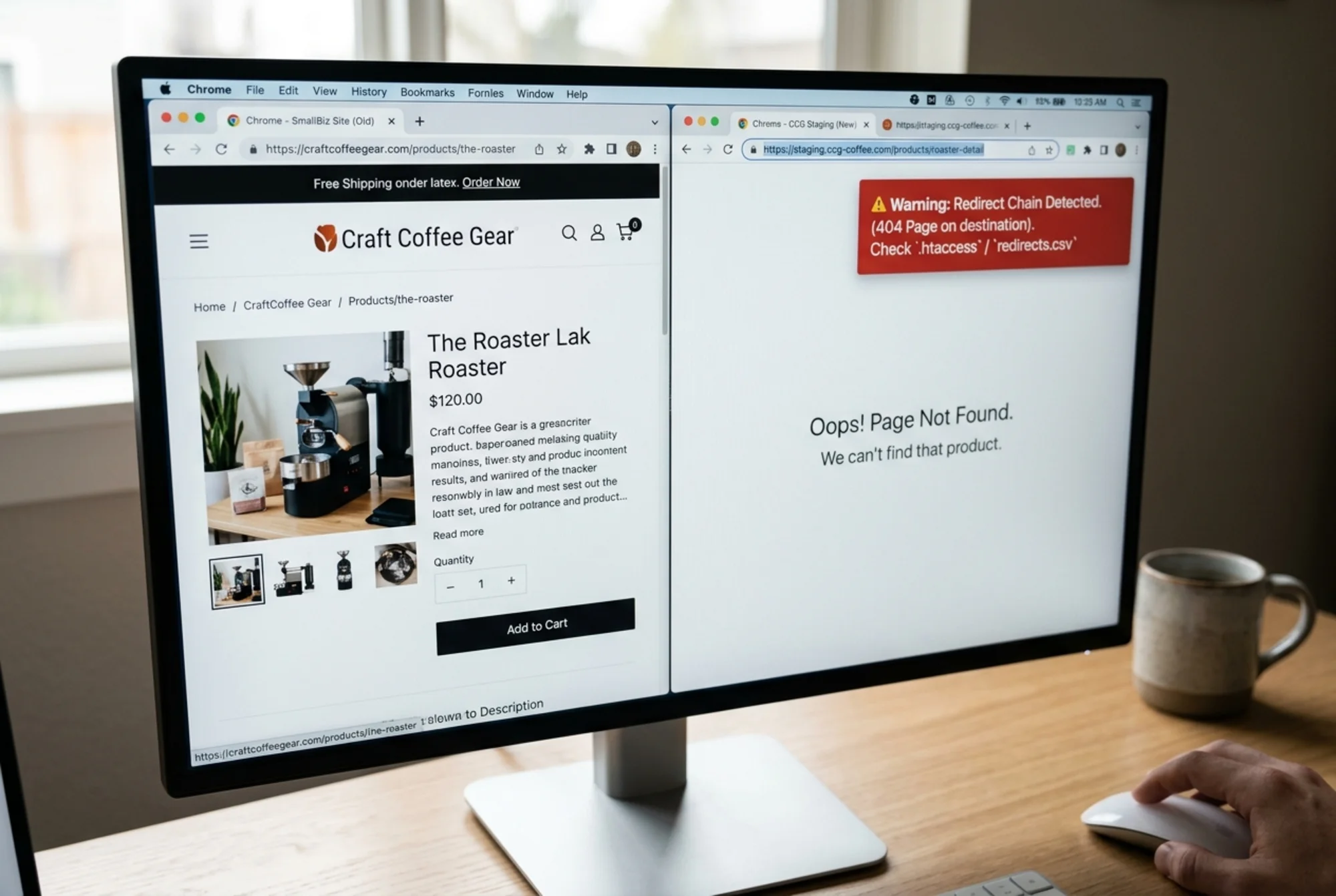
This is the highest-risk part of a relaunch. If you change URL structures — and most relaunches do — every old URL needs a 301 redirect to its closest equivalent on the new site.
Mini-checklist:
- [ ] Export every URL from the old site (use the Phase 1 crawl)
- [ ] Map each URL to its new destination in a spreadsheet (old → new)
- [ ] Flag any old URL with no logical equivalent and decide: redirect to category, redirect to homepage, or 410 (gone)
- [ ] Confirm redirects are 301 (permanent), not 302 (temporary) or meta-refresh
- [ ] Check there are no redirect chains (A → B → C). Each chain should be flattened to A → C
- [ ] Test the top 50 pages from your traffic report manually
Redirect chains are the silent killers. Every hop adds latency and bleeds a small amount of link equity. If your old blog URL redirects to a category page that redirects to the new blog URL, fix it to go straight to the destination.
Phase 3: Content parity check
A relaunch is often used as an excuse to "clean up" content. That's fine, but be deliberate. Removing or rewriting pages that currently rank for valuable terms is the second most common cause of post-launch traffic loss.
For every page on your current site, decide one of four things:
- Keep as-is — content stays, URL stays
- Rewrite — same URL, better content
- Consolidate — merge multiple thin pages into one stronger page, with redirects
- Remove — page goes, URL 301s to the closest topical match or returns 410
Google's guidance on helpful content is explicit: people-first content built on real expertise tends to perform well over time. If you're cutting pages, cut the thin generic ones, not the ones with depth that users actually finish reading.
Phase 4: On-page SEO elements
New templates have a habit of dropping things old templates had. Walk through every template — homepage, service page, blog post, product page, contact — and confirm:
- [ ] Title tag is present, unique, and under 60 characters
- [ ] Meta description is present and 140-160 characters
- [ ] Exactly one H1 per page, matching user intent
- [ ] H2/H3 hierarchy is logical (no skipping from H1 to H3)
- [ ] Canonical tag points to the correct URL (not to staging)
- [ ] Open Graph and Twitter Card tags are present on shareable pages
- [ ] Schema markup is present where it was before (LocalBusiness, Article, Product, FAQ as relevant)
- [ ] Internal links point to the new URLs, not the old ones
- [ ] Images have descriptive alt text
- [ ] No "lorem ipsum" or placeholder copy anywhere
For article pages, Google's Article structured data guidance recommends including headline, author, datePublished, and image. If you have blog content, confirm those fields survived the template change.
Phase 5: Technical hygiene
This is the part most non-technical owners skip, and it's where the worst surprises hide.
Robots and indexing:
- [ ]
robots.txton the new site allows crawling of all public pages - [ ] No
noindextags left over from staging (the #1 launch-day disaster) - [ ] XML sitemap is generated, references only canonical URLs, and is submitted to Search Console
- [ ] Staging environment is blocked from indexing (use HTTP auth or
noindex, never both)
Crawlability:
- [ ] Every important page is reachable within 3 clicks from the homepage
- [ ] Navigation uses real
tags, not JavaScript onclick handlers - [ ] Pagination is crawlable
- [ ] Internal search results pages are not indexable
Security and HTTPS:
- [ ] SSL certificate is valid and covers every subdomain you use
- [ ] All HTTP URLs redirect to HTTPS
- [ ] No mixed content warnings (HTTPS pages loading HTTP assets)
Catching a leftover noindex tag the day before launch costs you ten minutes. Catching it three weeks later costs you a quarter of your organic traffic.
Phase 6: Performance and Core Web Vitals
Google measures three Core Web Vitals: Largest Contentful Paint (LCP), Interaction to Next Paint (INP), and Cumulative Layout Shift (CLS). They're ranking signals and, more importantly, proxies for whether your site feels usable.
Targets to hit before launch:
- LCP under 2.5 seconds
- INP under 200 milliseconds
- CLS under 0.1

Common pre-launch performance regressions:
- Hero images shipped as 3MB JPGs instead of 200KB WebPs
- Carousel sliders that eagerly load 8 images when only one is visible
- Third-party scripts (chat widgets, popups, analytics) loading before the page renders
- Custom fonts blocking text rendering
- Layout shift from late-loading ads or embedded videos
Run the new site through a Core Web Vitals tool on both mobile and desktop. Mobile is where most relaunches regress, because designers preview on a 27-inch monitor and forget the experience on a five-year-old Android.
Phase 7: Tracking and conversion plumbing
If your tracking breaks at launch, you won't know your campaigns are failing until your bank account tells you.
- [ ] GA4 measurement ID is installed on every page (check the new template, not just the homepage)
- [ ] Key events (form submit, purchase, signup, click-to-call) fire correctly
- [ ] Google Ads conversion tag is installed and tested
- [ ] Meta Pixel fires on the right events
- [ ] Phone numbers use
tel:links so taps register - [ ] Email addresses use
mailto:links - [ ] Every form submission reaches the right inbox (test every form, including the contact form)
- [ ] CRM integrations (HubSpot, Mailchimp, etc.) still receive leads
Use Google Tag Assistant or open your browser's developer console and watch the network tab. If you don't see calls to google-analytics.com or googletagmanager.com firing on a button click, the event isn't being recorded.
A real walkthrough: a local services relaunch
Here's a representative scenario. A regional plumbing company moves from a legacy WordPress site to a new design on the same platform. The old site had service pages at /services/drain-cleaning and /services/water-heater-repair. The new design groups them under /what-we-do/drain-cleaning and /what-we-do/water-heaters.
Without a pre-launch audit, three things happen:
- The old URLs return 404 for two weeks until someone notices traffic dropping.
- The new "water heaters" page has no equivalent for the old "water heater repair" URL, so the redirect points to the homepage. Google treats it as a soft 404 and drops the page from results.
- The new template doesn't include the LocalBusiness schema the old site had, so the company stops appearing in the local pack.
With the audit, the team:
- Maps every old URL to the closest new URL in a spreadsheet.
- Confirms each new service page has the same depth of content as the old one, plus a clearer call-to-action.
- Rebuilds the LocalBusiness schema with the correct NAP (name, address, phone) data.
- Tests the contact form on staging and confirms leads still hit the inbox.
- Runs a final crawl the morning of launch and signs off.
The relaunch happens on a Tuesday morning. By Friday, the new pages are indexed, traffic is stable, and the lead form is converting at the same rate as before. That's what success looks like — boring, uneventful, no drama.

Launch day checklist
The day of launch, work through this in order:
- Take a final crawl of the live old site (your last baseline)
- Push the new site live
- Immediately check
robots.txtand verify nonoindextags - Submit the new XML sitemap to Google Search Console
- Test the top 10 old URLs and confirm they 301 correctly
- Submit a handful of key pages for re-indexing via Search Console
- Confirm GA4 real-time is recording sessions on the new site
- Submit a form, make a test purchase, click a phone number — the full conversion flow end to end
- Tell your team it's done
The week after launch
For the first seven days, check Search Console daily for:
- Crawl errors (spikes in 4xx or 5xx)
- A drop in indexed pages
- Coverage warnings about redirects or canonicals
- New mobile usability errors
If you see something off, fix it the same day. The longer Google sees a broken signal, the longer recovery takes.
Run an audit before you sign off
Manually checking every item on this list takes hours. An automated audit can flag the most common pre-launch issues — broken links, missing schema, slow pages, missing meta tags, indexing problems — in about 30 seconds.
Before your relaunch goes live, run a free website audit with FreeSiteAudit. Run it once against your current live site to capture the baseline, then again against your staging URL right before launch. The diff between the two reports is your relaunch risk, in plain English. If you'd rather start with the highest-impact items, our guides on fixing broken redirects and improving Core Web Vitals are good first stops, and small business teams get extra mileage from running the audit on a monthly schedule after launch.
A relaunch should leave you better than you started. With a real checklist and a fresh audit, it will.
Sources
Check your website for free
Get an instant score and your top 3 critical issues in under 60 seconds.
Get Your Free Audit →