Website Audit for a Site Built with Cursor: What to Check Before You Launch
Cursor AI builds websites fast, but speed creates SEO blind spots. A practical audit checklist for Cursor-built sites covering performance and rankings.
# Website Audit for a Site Built with Cursor: What to Check Before You Launch
Cursor has changed how people build websites. You describe what you want, the AI writes the code, and within hours you have a functional site. For small business owners who never planned to learn React or Next.js, that's genuinely powerful.
But there's a catch. Cursor is excellent at generating code that works. It's less reliable at generating code that ranks, loads fast on mobile, or converts visitors into customers. The gap between "my site is live" and "my site is actually performing" is where most Cursor-built websites stall.
This guide walks through the specific issues that show up in Cursor-built sites and how to find and fix them before they cost you traffic and revenue.
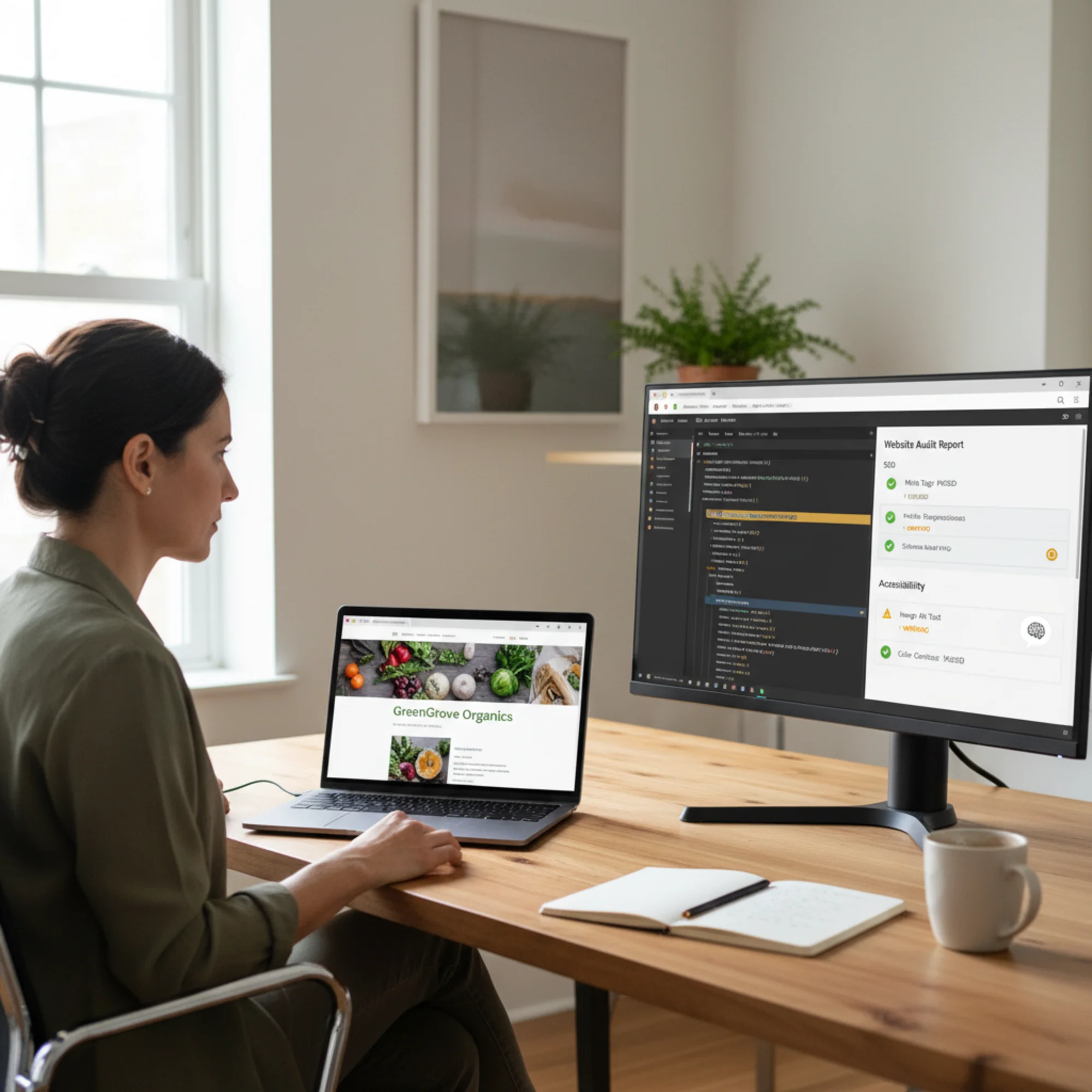
Why Cursor-Built Sites Need a Different Kind of Audit
Traditional website builders like Squarespace or Wix handle SEO basics automatically. They generate sitemaps, add meta tags through form fields, and compress images on upload. You don't think about these things because the platform handles them.
Cursor doesn't work that way. It generates raw code — usually React or Next.js — and that code does exactly what you asked for, nothing more. If you didn't mention meta descriptions in your prompt, you won't have meta descriptions. If you didn't ask for image optimization, your 4MB hero image ships as-is.
This isn't a flaw in Cursor. It's the nature of code generation versus managed platforms. But it means the audit checklist for a Cursor-built site looks different from what you'd run on a Squarespace or Wix site.
The Seven Most Common Issues in Cursor-Built Sites
1. Missing or Duplicate Meta Tags
This is the single most common problem. Cursor generates attractive page layouts but frequently skips the invisible SEO layer — title tags, meta descriptions, Open Graph tags, and canonical URLs.
What to check:
- Does every page have a unique
</code> tag under 60 characters?</li><li>Does every page have a unique meta description between 120–160 characters?</li><li>Are Open Graph tags present for social sharing?</li><li>Is there a canonical URL on each page?</li></ul><p class="text-text-secondary leading-relaxed my-4">When Cursor generates a multi-page site, it often reuses the same generic title across pages or leaves the default "Create Next App" title in place. Google treats duplicate titles as a signal that pages aren't distinct, which hurts rankings across the board.</p><p class="text-text-secondary leading-relaxed my-4"><strong class="text-text-primary">Quick test:</strong> Right-click any page, select "View Page Source," and search for <code class="bg-surface-panel px-1.5 py-0.5 rounded text-sm text-accent-strong"><title></code>. If you see the same text on multiple pages — or something generic like "Vite App" — that needs fixing immediately.</p><h3 class="text-xl font-semibold text-text-primary mt-8 mb-3">2. Client-Side Rendering Without Server-Side Fallbacks</h3><p class="text-text-secondary leading-relaxed my-4">Cursor defaults to React components that render in the browser. This creates a real problem for SEO: Google's crawler may see an empty page until JavaScript executes.</p><p class="text-text-secondary leading-relaxed my-4">Google has improved at rendering JavaScript, but it's not instant or guaranteed. Google's documentation on creating helpful content emphasizes that pages need to deliver core content reliably. A page that depends entirely on client-side JavaScript is inherently less reliable than one that sends complete HTML from the server.</p><p class="text-text-secondary leading-relaxed my-4"><strong class="text-text-primary">What to check:</strong></p><ul class="list-disc pl-5 space-y-1.5 my-4 text-text-secondary"><li>View your page source (not the browser inspector — the actual source). Do you see your text content in the HTML, or just a <code class="bg-surface-panel px-1.5 py-0.5 rounded text-sm text-accent-strong"><div id="root"></div></code> with script tags?</li><li>If you're using Next.js, are your pages using Server Components or static generation, or are they purely client-rendered with <code class="bg-surface-panel px-1.5 py-0.5 rounded text-sm text-accent-strong">"use client"</code> on every file?</li><li>Does your content appear when JavaScript is disabled?</li></ul><p class="text-text-secondary leading-relaxed my-4">If your page source is mostly empty, search engines may not index your content properly.</p><h3 class="text-xl font-semibold text-text-primary mt-8 mb-3">3. Unoptimized Images</h3><p class="text-text-secondary leading-relaxed my-4">Cursor will add images to your site using whatever format and size you provide. It rarely converts images to WebP, adds width/height attributes, implements lazy loading, or generates responsive <code class="bg-surface-panel px-1.5 py-0.5 rounded text-sm text-accent-strong">srcset</code> attributes.</p><p class="text-text-secondary leading-relaxed my-4">For a small business site, images are often the biggest performance bottleneck. A single unoptimized hero image can add 3–5 seconds to your load time on mobile.</p><p class="text-text-secondary leading-relaxed my-4"><strong class="text-text-primary">What to check:</strong></p><ul class="list-disc pl-5 space-y-1.5 my-4 text-text-secondary"><li>Are images in WebP or AVIF format (not PNG or full-size JPEG)?</li><li>Do <code class="bg-surface-panel px-1.5 py-0.5 rounded text-sm text-accent-strong"><img></code> tags include <code class="bg-surface-panel px-1.5 py-0.5 rounded text-sm text-accent-strong">width</code> and <code class="bg-surface-panel px-1.5 py-0.5 rounded text-sm text-accent-strong">height</code> attributes?</li><li>Are below-the-fold images lazy-loaded?</li><li>Is there a responsive image strategy using <code class="bg-surface-panel px-1.5 py-0.5 rounded text-sm text-accent-strong">srcset</code>?</li></ul><p class="text-text-secondary leading-relaxed my-4"><strong class="text-text-primary">Real example:</strong> A landscaping company had Cursor build their portfolio page. Each project photo was a 3000×2000 pixel JPEG averaging 2.5MB. The page had 12 photos — over 30MB total. On a mobile connection, the page took 18 seconds to load. After converting to WebP with proper sizing, page weight dropped to 1.8MB and load time fell under 3 seconds.</p><figure class="my-8"><img src="/blog-images/blog-website-audit-for-a-site-built-with-cursor-2-a-frustrated-entrepreneur-squinting-at-their-phone-showing-a.webp" alt="A frustrated entrepreneur squinting at their phone showing a Cursor-built site stuck loading, with a laptop behind them displaying Google search results where competitors rank above their listing" class="w-full rounded-lg border border-border" loading="lazy"/><figcaption class="text-sm text-text-muted italic mt-2 text-center">A frustrated entrepreneur squinting at their phone showing a Cursor-built site stuck loading, with a laptop behind them displaying Google search results where competitors rank above their listing</figcaption></figure><h3 class="text-xl font-semibold text-text-primary mt-8 mb-3">4. No Structured Data</h3><p class="text-text-secondary leading-relaxed my-4">Structured data — the JSON-LD markup that tells Google what your business is, where it's located, and what services you offer — almost never appears in Cursor-generated sites unless you specifically request it.</p><p class="text-text-secondary leading-relaxed my-4">This matters because structured data powers rich results in Google Search. A local business with proper <code class="bg-surface-panel px-1.5 py-0.5 rounded text-sm text-accent-strong">LocalBusiness</code> schema can show hours, ratings, and location directly in search results. Without it, you're just a plain blue link competing against rich listings.</p><p class="text-text-secondary leading-relaxed my-4">Google's structured data documentation for articles notes that proper markup helps Google understand and display your content in enhanced search features. The same applies to business and product schemas.</p><p class="text-text-secondary leading-relaxed my-4"><strong class="text-text-primary">What to check:</strong></p><ul class="list-disc pl-5 space-y-1.5 my-4 text-text-secondary"><li>Does your site include JSON-LD structured data on key pages?</li><li>Is <code class="bg-surface-panel px-1.5 py-0.5 rounded text-sm text-accent-strong">LocalBusiness</code> or <code class="bg-surface-panel px-1.5 py-0.5 rounded text-sm text-accent-strong">Organization</code> schema present on your homepage?</li><li>Do blog posts include <code class="bg-surface-panel px-1.5 py-0.5 rounded text-sm text-accent-strong">Article</code> schema?</li><li>Does your structured data pass Google's Rich Results Test?</li></ul><h3 class="text-xl font-semibold text-text-primary mt-8 mb-3">5. Missing Accessibility Basics</h3><p class="text-text-secondary leading-relaxed my-4">Cursor generates code that looks right visually but often skips accessibility fundamentals: missing alt text on images, broken heading hierarchy (jumping from H1 to H4), missing form labels, and low color contrast.</p><p class="text-text-secondary leading-relaxed my-4">Beyond being the right thing to do, accessibility issues directly impact SEO. Google uses heading structure to understand page hierarchy. Missing alt text means Google can't interpret your images. Poor contrast increases bounce rates.</p><p class="text-text-secondary leading-relaxed my-4"><strong class="text-text-primary">Quick checklist:</strong></p><ul class="list-disc pl-5 space-y-1.5 my-4 text-text-secondary"><li>[ ] Every image has descriptive alt text</li><li>[ ] Heading hierarchy is sequential (H1 → H2 → H3, no skipping)</li><li>[ ] All form inputs have associated labels</li><li>[ ] Color contrast ratios meet WCAG AA standards (4.5:1 for text)</li><li>[ ] Interactive elements are keyboard-accessible</li></ul><h3 class="text-xl font-semibold text-text-primary mt-8 mb-3">6. No Sitemap or Robots.txt</h3><p class="text-text-secondary leading-relaxed my-4">A sitemap tells search engines which pages to crawl. A robots.txt file gives crawling instructions. Most Cursor-built sites have neither.</p><p class="text-text-secondary leading-relaxed my-4">Without a sitemap, Google still discovers pages through links, but it's slower and less reliable — especially for new sites with no backlinks. For a small business that needs to start ranking quickly, every delay matters.</p><p class="text-text-secondary leading-relaxed my-4"><strong class="text-text-primary">What to check:</strong></p><ul class="list-disc pl-5 space-y-1.5 my-4 text-text-secondary"><li>Does <code class="bg-surface-panel px-1.5 py-0.5 rounded text-sm text-accent-strong">yoursite.com/sitemap.xml</code> return a valid XML sitemap?</li><li>Does <code class="bg-surface-panel px-1.5 py-0.5 rounded text-sm text-accent-strong">yoursite.com/robots.txt</code> exist and reference your sitemap?</li><li>Are all important pages included in the sitemap?</li><li>Are utility pages (login, admin, thank-you pages) excluded?</li></ul><h3 class="text-xl font-semibold text-text-primary mt-8 mb-3">7. Core Web Vitals Failures</h3><p class="text-text-secondary leading-relaxed my-4">Google's Core Web Vitals — Largest Contentful Paint (LCP), Interaction to Next Paint (INP), and Cumulative Layout Shift (CLS) — are ranking factors. Cursor-built sites frequently struggle with all three.</p><p class="text-text-secondary leading-relaxed my-4">Common causes in Cursor-generated code:</p><ul class="list-disc pl-5 space-y-1.5 my-4 text-text-secondary"><li><strong class="text-text-primary">LCP issues:</strong> Unoptimized hero images, render-blocking JavaScript, no font preloading</li><li><strong class="text-text-primary">INP issues:</strong> Heavy client-side processing, unoptimized event handlers, excessive re-renders</li><li><strong class="text-text-primary">CLS issues:</strong> Images without dimensions, dynamically injected content, late-loading fonts that shift text</li></ul><p class="text-text-secondary leading-relaxed my-4">According to web.dev's Core Web Vitals documentation, good thresholds are: LCP under 2.5 seconds, INP under 200 milliseconds, and CLS under 0.1.</p><h2 class="text-2xl font-bold text-text-primary mt-10 mb-4">How to Audit Your Cursor-Built Site Step by Step</h2><h3 class="text-xl font-semibold text-text-primary mt-8 mb-3">Step 1: Run an Automated Audit</h3><p class="text-text-secondary leading-relaxed my-4">Start with a comprehensive scan. <a href="/" class="text-accent hover:text-accent-strong underline">Run a free audit on FreeSiteAudit</a> to get a baseline report covering SEO, performance, accessibility, and technical issues. This gives you a prioritized list instead of hunting for problems one by one.</p><p class="text-text-secondary leading-relaxed my-4">The report flags the specific issues described above — missing meta tags, image problems, Core Web Vitals failures, missing structured data — ranked by impact on your search visibility.</p><figure class="my-8"><img src="/blog-images/blog-website-audit-for-a-site-built-with-cursor-3-a-freesiteaudit-report-on-a-laptop-analyzing-a-cursor-built-.webp" alt="A FreeSiteAudit report on a laptop analyzing a Cursor-built website, showing SEO scores with flagged issues like missing meta descriptions and unoptimized images highlighted in red and yellow warning badges" class="w-full rounded-lg border border-border" loading="lazy"/><figcaption class="text-sm text-text-muted italic mt-2 text-center">A FreeSiteAudit report on a laptop analyzing a Cursor-built website, showing SEO scores with flagged issues like missing meta descriptions and unoptimized images highlighted in red and yellow warning badges</figcaption></figure><h3 class="text-xl font-semibold text-text-primary mt-8 mb-3">Step 2: Fix High-Impact SEO Issues First</h3><p class="text-text-secondary leading-relaxed my-4">Based on your audit results, tackle issues in this order:</p><p class="text-text-secondary leading-relaxed my-4"><strong class="text-text-primary">Priority 1 — Foundational (fix today):</strong></p><ul class="list-disc pl-5 space-y-1.5 my-4 text-text-secondary"><li>Add unique title tags and meta descriptions to every page</li><li>Ensure content renders server-side, not just client-side</li><li>Add a sitemap.xml and robots.txt</li><li>Fix any broken links or 404 errors</li></ul><p class="text-text-secondary leading-relaxed my-4"><strong class="text-text-primary">Priority 2 — Performance (fix this week):</strong></p><ul class="list-disc pl-5 space-y-1.5 my-4 text-text-secondary"><li>Convert all images to WebP with proper dimensions</li><li>Add width/height attributes to prevent layout shift</li><li>Implement lazy loading for below-the-fold images</li><li>Remove unused CSS and JavaScript</li></ul><p class="text-text-secondary leading-relaxed my-4"><strong class="text-text-primary">Priority 3 — Enhancement (fix this month):</strong></p><ul class="list-disc pl-5 space-y-1.5 my-4 text-text-secondary"><li>Add structured data (LocalBusiness, Article, FAQ schemas)</li><li>Fix accessibility issues (alt text, heading hierarchy, contrast)</li><li>Add Open Graph tags for social sharing</li><li>Implement proper internal linking</li></ul><h3 class="text-xl font-semibold text-text-primary mt-8 mb-3">Step 3: Use Cursor to Fix What Cursor Missed</h3><p class="text-text-secondary leading-relaxed my-4">Here's the good news: you can use Cursor itself to fix most of these issues. The key is writing specific prompts rather than vague requests.</p><p class="text-text-secondary leading-relaxed my-4">Instead of: <em>"Make my site SEO-friendly"</em></p><p class="text-text-secondary leading-relaxed my-4">Try: <em>"Add unique meta title and description tags to each page. The homepage title should be '[Your Business] — [Your Service] in [Your City]' and the description should summarize our main service in 150 characters. Add JSON-LD LocalBusiness structured data to the homepage with our business name, address, phone, and hours."</em></p><p class="text-text-secondary leading-relaxed my-4">For image optimization: <em>"Convert all images to use Next.js Image component with WebP format, add width and height props, implement lazy loading for images below the fold, and set priority loading on the hero image."</em></p><p class="text-text-secondary leading-relaxed my-4">Treat each audit finding as a specific prompt. The more precise your instructions, the better Cursor performs.</p><h3 class="text-xl font-semibold text-text-primary mt-8 mb-3">Step 4: Re-Audit After Fixes</h3><p class="text-text-secondary leading-relaxed my-4">After making changes, run another audit to verify the fixes worked and didn't introduce new issues. It's common for one fix to create another problem — for example, adding lazy loading to your hero image can actually hurt LCP if that image is above the fold and should load eagerly.</p><h2 class="text-2xl font-bold text-text-primary mt-10 mb-4">Real-World Example: Local Bakery Site</h2><p class="text-text-secondary leading-relaxed my-4">Sarah owns a bakery in Portland. She used Cursor to build her website in an afternoon — beautiful photos, clear menu, online ordering form. After two months, she's getting almost no organic traffic from Google.</p><p class="text-text-secondary leading-relaxed my-4"><strong class="text-text-primary">Initial audit findings:</strong></p><ul class="list-disc pl-5 space-y-1.5 my-4 text-text-secondary"><li>Title tag on every page: "My Bakery App" (the Cursor default)</li><li>No meta descriptions on any page</li><li>24 product photos as full-resolution PNGs (average 3.1MB each)</li><li>Entire site renders client-side only</li><li>No sitemap.xml or robots.txt</li><li>No structured data</li><li>Lighthouse performance score: 23/100</li><li>Three broken links to removed pages</li></ul><p class="text-text-secondary leading-relaxed my-4"><strong class="text-text-primary">After fixes (using Cursor with specific prompts):</strong></p><ul class="list-disc pl-5 space-y-1.5 my-4 text-text-secondary"><li>Unique titles: "Sarah's Bakery Portland — Fresh Sourdough & Pastries" (homepage), "Our Menu — Sarah's Bakery Portland" (menu page), etc.</li><li>Meta descriptions written for each page</li><li>All images converted to WebP, resized to max 1200px wide, lazy-loaded below the fold</li><li>Pages converted to server-side rendering</li><li>Sitemap and robots.txt generated</li><li>LocalBusiness and Menu structured data added</li><li>Lighthouse performance score: 91/100</li><li>All broken links fixed or redirected</li></ul><p class="text-text-secondary leading-relaxed my-4"><strong class="text-text-primary">Result after 6 weeks:</strong> Sarah's site appeared in local search results for "bakery Portland," "sourdough bread Portland," and "pastries near me." The structured data enabled a rich result showing her hours and rating. Mobile visitors stopped bouncing because pages loaded in under 2 seconds instead of 12.</p><p class="text-text-secondary leading-relaxed my-4">None of the fixes required learning to code. Each one was a specific prompt fed back into Cursor.</p><figure class="my-8"><img src="/blog-images/blog-website-audit-for-a-site-built-with-cursor-4-a-before-and-after-split-of-google-search-results-for-a-loca.webp" alt="A before-and-after split of Google search results for a local bakery query, showing the Cursor-built site moving from buried on page two to a rich result with hours and ratings on page one" class="w-full rounded-lg border border-border" loading="lazy"/><figcaption class="text-sm text-text-muted italic mt-2 text-center">A before-and-after split of Google search results for a local bakery query, showing the Cursor-built site moving from buried on page two to a rich result with hours and ratings on page one</figcaption></figure><h2 class="text-2xl font-bold text-text-primary mt-10 mb-4">Cursor-Specific Launch Checklist</h2><p class="text-text-secondary leading-relaxed my-4">Bookmark this and run through it before launching any Cursor-built site.</p><p class="text-text-secondary leading-relaxed my-4"><strong class="text-text-primary">SEO Essentials:</strong></p><ul class="list-disc pl-5 space-y-1.5 my-4 text-text-secondary"><li>[ ] Unique title tag on every page (under 60 characters)</li><li>[ ] Unique meta description on every page (120–160 characters)</li><li>[ ] Canonical URLs set on all pages</li><li>[ ] Open Graph and Twitter Card meta tags present</li><li>[ ] sitemap.xml generated and accessible</li><li>[ ] robots.txt present and referencing sitemap</li><li>[ ] No default or placeholder titles ("Create Next App", "Vite App")</li></ul><p class="text-text-secondary leading-relaxed my-4"><strong class="text-text-primary">Performance:</strong></p><ul class="list-disc pl-5 space-y-1.5 my-4 text-text-secondary"><li>[ ] All images in WebP or AVIF format</li><li>[ ] All images have width and height attributes</li><li>[ ] Below-the-fold images lazy-loaded</li><li>[ ] Hero/above-fold images eagerly loaded with <code class="bg-surface-panel px-1.5 py-0.5 rounded text-sm text-accent-strong">priority</code></li><li>[ ] Unused CSS and JS removed or tree-shaken</li><li>[ ] Fonts preloaded with appropriate display strategy</li><li>[ ] LCP under 2.5s, INP under 200ms, CLS under 0.1</li></ul><p class="text-text-secondary leading-relaxed my-4"><strong class="text-text-primary">Technical:</strong></p><ul class="list-disc pl-5 space-y-1.5 my-4 text-text-secondary"><li>[ ] Pages render content server-side (check view-source)</li><li>[ ] Structured data present and valid (LocalBusiness, Article, etc.)</li><li>[ ] No broken internal links</li><li>[ ] 404 page exists and is helpful</li><li>[ ] HTTPS enforced with proper redirects</li><li>[ ] Mobile viewport meta tag present</li></ul><p class="text-text-secondary leading-relaxed my-4"><strong class="text-text-primary">Accessibility:</strong></p><ul class="list-disc pl-5 space-y-1.5 my-4 text-text-secondary"><li>[ ] All images have descriptive alt text</li><li>[ ] Heading hierarchy is sequential</li><li>[ ] Form inputs have labels</li><li>[ ] Sufficient color contrast (4.5:1 minimum)</li><li>[ ] Keyboard navigation works</li></ul><h2 class="text-2xl font-bold text-text-primary mt-10 mb-4">Don't Let Speed of Building Become Slowness of Growing</h2><p class="text-text-secondary leading-relaxed my-4">Cursor removes the barrier between having an idea and having a website. That's valuable. But a website that doesn't rank, loads slowly, or turns away mobile visitors isn't serving your business.</p><p class="text-text-secondary leading-relaxed my-4">The fix isn't complicated. Run an audit, get a clear list of issues, and use the same tool that built your site to fix what it missed. <strong class="text-text-primary"><a href="/" class="text-accent hover:text-accent-strong underline">Start with a free audit on FreeSiteAudit</a></strong> — it takes less than a minute and gives you the exact roadmap your Cursor-built site needs.</p><p class="text-text-secondary leading-relaxed my-4">The sites that win aren't the ones built fastest. They're the ones that work best for the people trying to find them.</p><hr class="my-8 border-border"/><h2 class="text-2xl font-bold text-text-primary mt-10 mb-4">Sources</h2><ul class="list-disc pl-5 space-y-1.5 my-4 text-text-secondary"><li>Google Search Central — Creating Helpful, Reliable, People-First Content: https://developers.google.com/search/docs/fundamentals/creating-helpful-content</li><li>Google Search Central — Article Structured Data: https://developers.google.com/search/docs/appearance/structured-data/article</li><li>web.dev — Core Web Vitals: https://web.dev/articles/vitals</li></ul></div><div class="mt-12"></div><div class="mt-6 bg-gradient-to-r from-accent-subtle to-accent-subtle/50 border border-accent-border rounded-xl p-8 text-center"><h2 class="text-2xl font-bold mb-2">Check your website for free</h2><p class="text-text-muted mb-6">Get an instant score and your top 3 critical issues in under 60 seconds.</p><a class="inline-block bg-accent hover:bg-accent-strong text-text-inverse font-semibold px-10 py-3.5 rounded-lg transition-colors" href="/#free-audit">Get Your Free Audit →</a></div></article><footer class="border-t border-border mt-auto"><nav aria-label="Footer navigation" class="max-w-6xl mx-auto px-4 py-8 sm:py-12"><div class="grid grid-cols-2 md:grid-cols-3 gap-8 lg:flex lg:flex-row lg:flex-wrap lg:justify-between lg:gap-x-6"><div class="col-span-2 md:col-span-1 lg:max-w-[14rem]"><a class="text-lg font-bold tracking-tight" href="/"><span class="text-accent">Free</span>SiteAudit</a><p class="text-text-muted text-sm mt-3 leading-relaxed">Website audits for business owners and agencies. Find issues, fix them, grow.</p></div><div><h4 class="text-sm font-semibold text-text-secondary mb-3 lg:whitespace-nowrap">Solutions</h4><ul class="space-y-2"><li><a class="text-sm text-text-muted hover:text-text-secondary transition-colors lg:whitespace-nowrap" href="/#free-audit">Free Website Audit</a></li><li><a class="text-sm text-text-muted hover:text-text-secondary transition-colors lg:whitespace-nowrap" href="/agencies">For Agencies</a></li><li><a class="text-sm text-text-muted hover:text-text-secondary transition-colors lg:whitespace-nowrap" href="/pricing">Pricing</a></li><li><a class="text-sm text-text-muted hover:text-text-secondary transition-colors lg:whitespace-nowrap" href="/demo">Demo Report</a></li><li><a class="text-sm text-text-muted hover:text-text-secondary transition-colors lg:whitespace-nowrap" href="/dashboard">Dashboard</a></li></ul></div><div><h4 class="text-sm font-semibold text-text-secondary mb-3 lg:whitespace-nowrap">Industries</h4><ul class="space-y-2"><li><a class="text-sm text-text-muted hover:text-text-secondary transition-colors lg:whitespace-nowrap" href="/industries/saas">SaaS Apps</a></li><li><a class="text-sm text-text-muted hover:text-text-secondary transition-colors lg:whitespace-nowrap" href="/industries/dev-portfolios">Dev Portfolios</a></li><li><a class="text-sm text-text-muted hover:text-text-secondary transition-colors lg:whitespace-nowrap" href="/industries/blogs">Blogs & Content</a></li><li><a class="text-sm text-text-muted hover:text-text-secondary transition-colors lg:whitespace-nowrap" href="/industries/courses">Course Sites</a></li><li><a class="text-sm text-text-muted hover:text-text-secondary transition-colors lg:whitespace-nowrap" href="/industries/agency-sites">Agency Sites</a></li><li><a class="text-sm text-text-muted hover:text-text-secondary transition-colors lg:whitespace-nowrap" href="/industries">All Industries</a></li></ul></div><div><h4 class="text-sm font-semibold text-text-secondary mb-3 lg:whitespace-nowrap">Compare & Results</h4><ul class="space-y-2"><li><a class="text-sm text-text-muted hover:text-text-secondary transition-colors lg:whitespace-nowrap" href="/blog/freesiteaudit-vs-semrush">vs Semrush</a></li><li><a class="text-sm text-text-muted hover:text-text-secondary transition-colors lg:whitespace-nowrap" href="/blog/freesiteaudit-vs-seoptimer-vs-seo-site-checkup">vs SEOptimer</a></li><li><a class="text-sm text-text-muted hover:text-text-secondary transition-colors lg:whitespace-nowrap" href="/case-studies">Success Stories</a></li><li><a class="text-sm text-text-muted hover:text-text-secondary transition-colors lg:whitespace-nowrap" href="https://findbackflowtesters.com">FindBackflowTesters.com</a></li><li><a class="text-sm text-text-muted hover:text-text-secondary transition-colors lg:whitespace-nowrap" href="https://freesiteaudit.com">FreeSiteAudit.com</a></li></ul></div><div><h4 class="text-sm font-semibold text-text-secondary mb-3 lg:whitespace-nowrap">Resources</h4><ul class="space-y-2"><li><a class="text-sm text-text-muted hover:text-text-secondary transition-colors lg:whitespace-nowrap" href="/blog">Blog</a></li><li><a class="text-sm text-text-muted hover:text-text-secondary transition-colors lg:whitespace-nowrap" href="/tools">Free Tools</a></li><li><a class="text-sm text-text-muted hover:text-text-secondary transition-colors lg:whitespace-nowrap" href="/fixes">Fix Library</a></li><li><a class="text-sm text-text-muted hover:text-text-secondary transition-colors lg:whitespace-nowrap" href="/about">About</a></li><li><a class="text-sm text-text-muted hover:text-text-secondary transition-colors lg:whitespace-nowrap" href="mailto:hello@freesiteaudit.com">Contact</a></li></ul></div><div><h4 class="text-sm font-semibold text-text-secondary mb-3 lg:whitespace-nowrap">Legal</h4><ul class="space-y-2"><li><a class="text-sm text-text-muted hover:text-text-secondary transition-colors lg:whitespace-nowrap" href="/privacy">Privacy Policy</a></li><li><a class="text-sm text-text-muted hover:text-text-secondary transition-colors lg:whitespace-nowrap" href="/terms">Terms of Service</a></li></ul></div><div><h4 class="text-sm font-semibold text-text-secondary mb-3 lg:whitespace-nowrap">Platforms</h4><ul class="space-y-2"><li><a class="text-sm text-text-muted hover:text-text-secondary transition-colors lg:whitespace-nowrap" href="/platforms/wordpress">WordPress</a></li><li><a class="text-sm text-text-muted hover:text-text-secondary transition-colors lg:whitespace-nowrap" href="/platforms/shopify">Shopify</a></li><li><a class="text-sm text-text-muted hover:text-text-secondary transition-colors lg:whitespace-nowrap" href="/platforms/webflow">Webflow</a></li><li><a class="text-sm text-text-muted hover:text-text-secondary transition-colors lg:whitespace-nowrap" href="/platforms/wix">Wix</a></li><li><a class="text-sm text-text-muted hover:text-text-secondary transition-colors lg:whitespace-nowrap" href="/platforms/squarespace">Squarespace</a></li></ul></div></div><div class="border-t border-border-subtle mt-10 pt-6 flex flex-col sm:flex-row items-center justify-between gap-3 text-xs text-text-muted"><span>© <!-- -->2026<!-- --> FreeSiteAudit. All rights reserved.</span><div class="flex items-center gap-4"><a class="hover:text-text-secondary transition-colors" href="/privacy">Privacy</a><a class="hover:text-text-secondary transition-colors" href="/terms">Terms</a></div></div></nav></footer></div><!--$--><!--/$--></main><button aria-label="Contact us" class="fixed right-4 z-40 flex items-center gap-2 rounded-full bg-accent text-accent-foreground font-semibold text-sm h-12 px-5 shadow-accent-glow hover:bg-accent-strong hover:shadow-accent-glow-lg transition-all duration-200 bottom-[calc(1rem+env(safe-area-inset-bottom))] sm:bottom-6"><svg class="w-5 h-5" fill="none" viewBox="0 0 24 24" stroke="currentColor" stroke-width="2"><path stroke-linecap="round" stroke-linejoin="round" d="M8.625 12a.375.375 0 11-.75 0 .375.375 0 01.75 0zm4.125 0a.375.375 0 11-.75 0 .375.375 0 01.75 0zm4.125 0a.375.375 0 11-.75 0 .375.375 0 01.75 0zM2.25 12.76c0 1.6 1.123 2.994 2.707 3.227 1.087.16 2.185.283 3.293.369V21l4.076-4.076a1.526 1.526 0 011.037-.443 48.282 48.282 0 005.68-.494c1.584-.233 2.707-1.626 2.707-3.228V6.741c0-1.602-1.123-2.995-2.707-3.228A48.394 48.394 0 0012 3c-2.392 0-4.744.175-7.043.513C3.373 3.746 2.25 5.14 2.25 6.741v6.018z"></path></svg><span class="hidden sm:inline">Contact Us</span></button></div><button aria-label="Switch to light mode" aria-pressed="false" class="fixed right-4 z-40 flex items-center justify-center rounded-full w-10 h-10 border border-border bg-surface-elevated text-text-secondary hover:text-text-primary hover:bg-surface-panel shadow-panel-sm transition-all duration-200 bottom-[calc(1rem+env(safe-area-inset-bottom)+3.75rem)] sm:bottom-[5.25rem]"><svg class="w-[18px] h-[18px]" fill="none" viewBox="0 0 24 24" stroke="currentColor" stroke-width="2"><path stroke-linecap="round" stroke-linejoin="round" d="M12 3v2.25m6.364.386l-1.591 1.591M21 12h-2.25m-.386 6.364l-1.591-1.591M12 18.75V21m-4.773-4.227l-1.591 1.591M5.25 12H3m4.227-4.773L5.636 5.636M15.75 12a3.75 3.75 0 11-7.5 0 3.75 3.75 0 017.5 0z"></path></svg></button><script src="/_next/static/chunks/webpack-092588108e816234.js" id="_R_" async=""></script><script>(self.__next_f=self.__next_f||[]).push([0])</script><script>self.__next_f.push([1,"1:\"$Sreact.fragment\"\n8:I[57150,[],\"\"]\n:HL[\"/_next/static/media/4473ecc91f70f139-s.p.woff\",\"font\",{\"crossOrigin\":\"\",\"type\":\"font/woff\"}]\n:HL[\"/_next/static/media/463dafcda517f24f-s.p.woff\",\"font\",{\"crossOrigin\":\"\",\"type\":\"font/woff\"}]\n:HL[\"/_next/static/css/ce06d03cd29772c1.css\",\"style\"]\n:HL[\"/_next/static/css/5adad2ac1ae9f57d.css\",\"style\"]\n2:Tbac,"])</script><script>self.__next_f.push([1,"{\"@context\":\"https://schema.org\",\"@type\":\"FAQPage\",\"mainEntity\":[{\"@type\":\"Question\",\"name\":\"Is the free audit really free?\",\"acceptedAnswer\":{\"@type\":\"Answer\",\"text\":\"Yes, completely free. Just enter your URL — no account, no email, no credit card. You get your overall score and top issues instantly. Want more? Create a free account to save your report and get 2 pro scan credits.\"}},{\"@type\":\"Question\",\"name\":\"How long until I get my report?\",\"acceptedAnswer\":{\"@type\":\"Answer\",\"text\":\"The Quick Scan is typically under 60 seconds. Paid reports are generated and emailed within 2–3 minutes of payment.\"}},{\"@type\":\"Question\",\"name\":\"What do you analyze?\",\"acceptedAnswer\":{\"@type\":\"Answer\",\"text\":\"9 categories: SEO \u0026 Search Visibility, Website Performance \u0026 Speed, Mobile Experience, Security \u0026 Privacy, Accessibility, Content \u0026 Messaging, Technical Health, Trust \u0026 Credibility, and Local SEO \u0026 Google Business. Each category is scored independently, and we provide specific evidence and fix instructions for every issue found.\"}},{\"@type\":\"Question\",\"name\":\"Do I need technical knowledge?\",\"acceptedAnswer\":{\"@type\":\"Answer\",\"text\":\"Not at all. Reports are written in plain language with prioritized, step-by-step recommendations. Each issue is labeled with who can fix it, and many are things you can do yourself without touching code.\"}},{\"@type\":\"Question\",\"name\":\"How accurate is the analysis?\",\"acceptedAnswer\":{\"@type\":\"Answer\",\"text\":\"We analyze your actual live website, checking real page speed, real HTML structure, and real content. Every finding comes with specific evidence from your site, so you can verify it yourself.\"}},{\"@type\":\"Question\",\"name\":\"Is my data safe?\",\"acceptedAnswer\":{\"@type\":\"Answer\",\"text\":\"Absolutely. We only use your email to deliver your report. No spam, no sharing with third parties. We analyze publicly accessible pages (the same thing Google sees). We never store passwords, we don't access admin panels, and we never sell your data. All connections are encrypted with 256-bit SSL. See our Privacy Policy for full details.\"}},{\"@type\":\"Question\",\"name\":\"Can I see a sample report before buying?\",\"acceptedAnswer\":{\"@type\":\"Answer\",\"text\":\"Yes! Check out our interactive demo report to see exactly what a full audit looks like, with real findings, evidence, and fix instructions you can explore.\"}},{\"@type\":\"Question\",\"name\":\"How do I cancel my subscription?\",\"acceptedAnswer\":{\"@type\":\"Answer\",\"text\":\"You can cancel anytime from your dashboard. Just click \\\"Manage Subscription\\\" to open the billing portal. Your audit access continues until the end of your current billing period.\"}},{\"@type\":\"Question\",\"name\":\"Who built FreeSiteAudit?\",\"acceptedAnswer\":{\"@type\":\"Answer\",\"text\":\"FreeSiteAudit was built by web professionals who wanted to make professional-grade website audits accessible to every business owner. We combined real-world SEO and web development experience with automation to deliver clear, actionable reports.\"}}]}"])</script><script>self.__next_f.push([1,"0:{\"P\":null,\"b\":\"-9an3myectMknnFpEO_Qj\",\"p\":\"\",\"c\":[\"\",\"blog\",\"website-audit-for-a-site-built-with-cursor\"],\"i\":false,\"f\":[[[\"\",{\"children\":[\"blog\",{\"children\":[[\"slug\",\"website-audit-for-a-site-built-with-cursor\",\"d\"],{\"children\":[\"__PAGE__\",{}]}]}]},\"$undefined\",\"$undefined\",true],[\"\",[\"$\",\"$1\",\"c\",{\"children\":[[[\"$\",\"link\",\"0\",{\"rel\":\"stylesheet\",\"href\":\"/_next/static/css/ce06d03cd29772c1.css\",\"precedence\":\"next\",\"crossOrigin\":\"$undefined\",\"nonce\":\"$undefined\"}],[\"$\",\"link\",\"1\",{\"rel\":\"stylesheet\",\"href\":\"/_next/static/css/5adad2ac1ae9f57d.css\",\"precedence\":\"next\",\"crossOrigin\":\"$undefined\",\"nonce\":\"$undefined\"}]],[\"$\",\"html\",null,{\"lang\":\"en\",\"suppressHydrationWarning\":true,\"children\":[[\"$\",\"head\",null,{\"children\":[[\"$\",\"script\",null,{\"dangerouslySetInnerHTML\":{\"__html\":\"(function(){try{var t=localStorage.getItem('theme');if(!t)t='dark';document.documentElement.classList.add(t);document.documentElement.style.colorScheme=t;var m=document.querySelector('meta[name=\\\"theme-color\\\"]');if(m)m.content=t==='light'?'#faf9fe':'#09090b'}catch(e){document.documentElement.classList.add('dark');document.documentElement.style.colorScheme='dark'}})()\"}}],[\"$\",\"link\",null,{\"rel\":\"icon\",\"href\":\"/favicon.ico\",\"sizes\":\"any\"}],[\"$\",\"meta\",null,{\"name\":\"theme-color\",\"content\":\"#09090b\"}],[\"$\",\"link\",null,{\"rel\":\"preconnect\",\"href\":\"https://js.stripe.com\"}],[\"$\",\"link\",null,{\"rel\":\"dns-prefetch\",\"href\":\"https://js.stripe.com\"}],[\"$\",\"link\",null,{\"rel\":\"preconnect\",\"href\":\"https://api.stripe.com\"}],[\"$\",\"link\",null,{\"rel\":\"dns-prefetch\",\"href\":\"https://api.stripe.com\"}],[[\"$\",\"script\",\"0\",{\"type\":\"application/ld+json\",\"dangerouslySetInnerHTML\":{\"__html\":\"{\\\"@context\\\":\\\"https://schema.org\\\",\\\"@type\\\":\\\"Organization\\\",\\\"@id\\\":\\\"https://freesiteaudit.com/#organization\\\",\\\"name\\\":\\\"FreeSiteAudit\\\",\\\"url\\\":\\\"https://freesiteaudit.com\\\",\\\"logo\\\":{\\\"@type\\\":\\\"ImageObject\\\",\\\"url\\\":\\\"https://freesiteaudit.com/logo.png\\\",\\\"width\\\":\\\"200\\\",\\\"height\\\":\\\"60\\\"},\\\"description\\\":\\\"Free instant website audit tool for small businesses. Check your SEO, speed, mobile-friendliness \u0026 security in seconds.\\\",\\\"sameAs\\\":[],\\\"contactPoint\\\":{\\\"@type\\\":\\\"ContactPoint\\\",\\\"contactType\\\":\\\"Customer Service\\\",\\\"availableLanguage\\\":[\\\"English\\\"]}}\"}}],[\"$\",\"script\",\"1\",{\"type\":\"application/ld+json\",\"dangerouslySetInnerHTML\":{\"__html\":\"{\\\"@context\\\":\\\"https://schema.org\\\",\\\"@type\\\":\\\"ProfessionalService\\\",\\\"@id\\\":\\\"https://freesiteaudit.com/#business\\\",\\\"name\\\":\\\"FreeSiteAudit\\\",\\\"url\\\":\\\"https://freesiteaudit.com\\\",\\\"logo\\\":\\\"https://freesiteaudit.com/logo.png\\\",\\\"description\\\":\\\"Professional website audit and SEO analysis service for small businesses. Get instant insights and actionable recommendations.\\\",\\\"priceRange\\\":\\\"Free - $$\\\",\\\"areaServed\\\":{\\\"@type\\\":\\\"Place\\\",\\\"name\\\":\\\"Worldwide\\\"},\\\"hasOfferCatalog\\\":{\\\"@type\\\":\\\"OfferCatalog\\\",\\\"name\\\":\\\"Website Audit Services\\\",\\\"itemListElement\\\":[{\\\"@type\\\":\\\"Offer\\\",\\\"itemOffered\\\":{\\\"@type\\\":\\\"Service\\\",\\\"name\\\":\\\"Free Website Audit\\\",\\\"description\\\":\\\"2 free website audits per week with AI-powered analysis\\\"},\\\"price\\\":\\\"0\\\",\\\"priceCurrency\\\":\\\"USD\\\"},{\\\"@type\\\":\\\"Offer\\\",\\\"itemOffered\\\":{\\\"@type\\\":\\\"Service\\\",\\\"name\\\":\\\"Starter Plan\\\",\\\"description\\\":\\\"5 website audits per week with priority support\\\"},\\\"price\\\":\\\"19.00\\\",\\\"priceCurrency\\\":\\\"USD\\\"}]}}\"}}],[\"$\",\"script\",\"2\",{\"type\":\"application/ld+json\",\"dangerouslySetInnerHTML\":{\"__html\":\"{\\\"@context\\\":\\\"https://schema.org\\\",\\\"@type\\\":\\\"WebSite\\\",\\\"@id\\\":\\\"https://freesiteaudit.com/#website\\\",\\\"url\\\":\\\"https://freesiteaudit.com\\\",\\\"name\\\":\\\"FreeSiteAudit\\\",\\\"description\\\":\\\"Free website audit tool for small businesses\\\",\\\"publisher\\\":{\\\"@id\\\":\\\"https://freesiteaudit.com/#organization\\\"}}\"}}],[\"$\",\"script\",\"3\",{\"type\":\"application/ld+json\",\"dangerouslySetInnerHTML\":{\"__html\":\"$2\"}}]]]}],\"$L3\"]}]]}],{\"children\":[\"blog\",\"$L4\",{\"children\":[[\"slug\",\"website-audit-for-a-site-built-with-cursor\",\"d\"],\"$L5\",{\"children\":[\"__PAGE__\",\"$L6\",{},null,false]},null,false]},null,false]},null,false],\"$L7\",false]],\"m\":\"$undefined\",\"G\":[\"$8\",[]],\"s\":false,\"S\":true}\n"])</script><script>self.__next_f.push([1,"9:I[7143,[\"7177\",\"static/chunks/app/layout-2ca08483bb34668c.js\"],\"GoogleAnalytics\"]\na:I[43347,[\"7177\",\"static/chunks/app/layout-2ca08483bb34668c.js\"],\"PostHogProvider\"]\nb:I[47212,[\"7177\",\"static/chunks/app/layout-2ca08483bb34668c.js\"],\"WebVitals\"]\nc:I[63479,[\"7177\",\"static/chunks/app/layout-2ca08483bb34668c.js\"],\"ThemeProvider\"]\nd:I[9766,[],\"\"]\ne:I[98924,[],\"\"]\nf:I[65534,[\"7177\",\"static/chunks/app/layout-2ca08483bb34668c.js\"],\"ConditionalFooter\"]\n10:I[28923,[\"7177\",\"static/chunks/app/layout-2ca08483bb34668c.js\"],\"default\"]\n11:I[49196,[\"7177\",\"static/chunks/app/layout-2ca08483bb34668c.js\"],\"ThemeToggle\"]\n13:I[24431,[],\"OutletBoundary\"]\n15:I[15278,[],\"AsyncMetadataOutlet\"]\n17:I[24431,[],\"ViewportBoundary\"]\n19:I[24431,[],\"MetadataBoundary\"]\n1a:\"$Sreact.suspense\"\n"])</script><script>self.__next_f.push([1,"3:[\"$\",\"body\",null,{\"className\":\"__variable_1e4310 __variable_c3aa02 antialiased bg-surface-body text-text-primary\",\"children\":[[\"$\",\"a\",null,{\"href\":\"#main-content\",\"className\":\"sr-only focus:not-sr-only focus:fixed focus:top-4 focus:left-4 focus:z-[100] focus:bg-accent focus:text-accent-foreground focus:px-4 focus:py-2 focus:rounded-lg focus:font-semibold focus:text-sm focus:outline-none focus:shadow-lg\",\"children\":\"Skip to main content\"}],[\"$\",\"$L9\",null,{}],[\"$\",\"$La\",null,{}],[\"$\",\"$Lb\",null,{}],[\"$\",\"$Lc\",null,{\"children\":[[\"$\",\"div\",null,{\"className\":\"flex flex-col min-h-screen\",\"children\":[[\"$\",\"main\",null,{\"id\":\"main-content\",\"children\":[\"$\",\"$Ld\",null,{\"parallelRouterKey\":\"children\",\"error\":\"$undefined\",\"errorStyles\":\"$undefined\",\"errorScripts\":\"$undefined\",\"template\":[\"$\",\"$Le\",null,{}],\"templateStyles\":\"$undefined\",\"templateScripts\":\"$undefined\",\"notFound\":[[[\"$\",\"title\",null,{\"children\":\"404: This page could not be found.\"}],[\"$\",\"div\",null,{\"style\":{\"fontFamily\":\"system-ui,\\\"Segoe UI\\\",Roboto,Helvetica,Arial,sans-serif,\\\"Apple Color Emoji\\\",\\\"Segoe UI Emoji\\\"\",\"height\":\"100vh\",\"textAlign\":\"center\",\"display\":\"flex\",\"flexDirection\":\"column\",\"alignItems\":\"center\",\"justifyContent\":\"center\"},\"children\":[\"$\",\"div\",null,{\"children\":[[\"$\",\"style\",null,{\"dangerouslySetInnerHTML\":{\"__html\":\"body{color:#000;background:#fff;margin:0}.next-error-h1{border-right:1px solid rgba(0,0,0,.3)}@media (prefers-color-scheme:dark){body{color:#fff;background:#000}.next-error-h1{border-right:1px solid rgba(255,255,255,.3)}}\"}}],[\"$\",\"h1\",null,{\"className\":\"next-error-h1\",\"style\":{\"display\":\"inline-block\",\"margin\":\"0 20px 0 0\",\"padding\":\"0 23px 0 0\",\"fontSize\":24,\"fontWeight\":500,\"verticalAlign\":\"top\",\"lineHeight\":\"49px\"},\"children\":404}],[\"$\",\"div\",null,{\"style\":{\"display\":\"inline-block\"},\"children\":[\"$\",\"h2\",null,{\"style\":{\"fontSize\":14,\"fontWeight\":400,\"lineHeight\":\"49px\",\"margin\":0},\"children\":\"This page could not be found.\"}]}]]}]}]],[]],\"forbidden\":\"$undefined\",\"unauthorized\":\"$undefined\"}]}],[\"$\",\"$Lf\",null,{}],[\"$\",\"$L10\",null,{}]]}],[\"$\",\"$L11\",null,{}]]}]]}]\n"])</script><script>self.__next_f.push([1,"4:[\"$\",\"$1\",\"c\",{\"children\":[null,[\"$\",\"$Ld\",null,{\"parallelRouterKey\":\"children\",\"error\":\"$undefined\",\"errorStyles\":\"$undefined\",\"errorScripts\":\"$undefined\",\"template\":[\"$\",\"$Le\",null,{}],\"templateStyles\":\"$undefined\",\"templateScripts\":\"$undefined\",\"notFound\":\"$undefined\",\"forbidden\":\"$undefined\",\"unauthorized\":\"$undefined\"}]]}]\n5:[\"$\",\"$1\",\"c\",{\"children\":[null,[\"$\",\"$Ld\",null,{\"parallelRouterKey\":\"children\",\"error\":\"$undefined\",\"errorStyles\":\"$undefined\",\"errorScripts\":\"$undefined\",\"template\":[\"$\",\"$Le\",null,{}],\"templateStyles\":\"$undefined\",\"templateScripts\":\"$undefined\",\"notFound\":\"$undefined\",\"forbidden\":\"$undefined\",\"unauthorized\":\"$undefined\"}]]}]\n6:[\"$\",\"$1\",\"c\",{\"children\":[\"$L12\",null,[\"$\",\"$L13\",null,{\"children\":[\"$L14\",[\"$\",\"$L15\",null,{\"promise\":\"$@16\"}]]}]]}]\n7:[\"$\",\"$1\",\"h\",{\"children\":[null,[[\"$\",\"$L17\",null,{\"children\":\"$L18\"}],[\"$\",\"meta\",null,{\"name\":\"next-size-adjust\",\"content\":\"\"}]],[\"$\",\"$L19\",null,{\"children\":[\"$\",\"div\",null,{\"hidden\":true,\"children\":[\"$\",\"$1a\",null,{\"fallback\":null,\"children\":\"$L1b\"}]}]}]]}]\n"])</script><script>self.__next_f.push([1,"1c:I[41654,[\"5953\",\"static/chunks/app/blog/%5Bslug%5D/page-594ce9f3ae4ecbe2.js\"],\"MarketingNav\"]\n1d:I[23732,[\"5953\",\"static/chunks/app/blog/%5Bslug%5D/page-594ce9f3ae4ecbe2.js\"],\"default\"]\n"])</script><script>self.__next_f.push([1,"12:[[[\"$\",\"script\",\"0\",{\"type\":\"application/ld+json\",\"dangerouslySetInnerHTML\":{\"__html\":\"{\\\"@context\\\":\\\"https://schema.org\\\",\\\"@type\\\":\\\"Article\\\",\\\"headline\\\":\\\"Website Audit for a Site Built with Cursor: What to Check Before You Launch\\\",\\\"description\\\":\\\"Cursor AI builds websites fast, but speed creates SEO blind spots. A practical audit checklist for Cursor-built sites covering performance and rankings.\\\",\\\"author\\\":{\\\"@type\\\":\\\"Person\\\",\\\"name\\\":\\\"FreeSiteAudit\\\"},\\\"publisher\\\":{\\\"@id\\\":\\\"https://freesiteaudit.com/#organization\\\"},\\\"datePublished\\\":\\\"2026-04-28T00:00:00.000Z\\\",\\\"dateModified\\\":\\\"2026-04-28T00:00:00.000Z\\\",\\\"mainEntityOfPage\\\":{\\\"@type\\\":\\\"WebPage\\\",\\\"@id\\\":\\\"https://freesiteaudit.com/blog/website-audit-for-a-site-built-with-cursor\\\"}}\"}}],[\"$\",\"script\",\"1\",{\"type\":\"application/ld+json\",\"dangerouslySetInnerHTML\":{\"__html\":\"{\\\"@context\\\":\\\"https://schema.org\\\",\\\"@type\\\":\\\"BreadcrumbList\\\",\\\"itemListElement\\\":[{\\\"@type\\\":\\\"ListItem\\\",\\\"position\\\":1,\\\"name\\\":\\\"Home\\\",\\\"item\\\":\\\"https://freesiteaudit.com\\\"},{\\\"@type\\\":\\\"ListItem\\\",\\\"position\\\":2,\\\"name\\\":\\\"Blog\\\",\\\"item\\\":\\\"https://freesiteaudit.com/blog\\\"},{\\\"@type\\\":\\\"ListItem\\\",\\\"position\\\":3,\\\"name\\\":\\\"Website Audit for a Site Built with Cursor: What to Check Before You Launch\\\",\\\"item\\\":\\\"https://freesiteaudit.com/blog/website-audit-for-a-site-built-with-cursor\\\"}]}\"}}]],[\"$\",\"div\",null,{\"className\":\"min-h-screen\",\"children\":[[\"$\",\"$L1c\",null,{}],[\"$\",\"article\",null,{\"className\":\"max-w-3xl mx-auto px-4 py-16\",\"children\":[[\"$\",\"$L1d\",null,{\"items\":[{\"label\":\"Blog\",\"href\":\"/blog\"},{\"label\":\"Website Audit for a Site Built with Cursor: What to Check Before You Launch\"}]}],[\"$\",\"div\",null,{\"className\":\"mb-8\",\"children\":[[\"$\",\"div\",null,{\"className\":\"flex items-center gap-3 text-sm text-text-muted mb-4\",\"children\":[[\"$\",\"time\",null,{\"children\":\"April 28, 2026\"}],[\"$\",\"span\",null,{\"children\":\"·\"}],[\"$\",\"span\",null,{\"children\":\"13 min read\"}],[[\"$\",\"span\",null,{\"children\":\"·\"}],[\"$\",\"span\",null,{\"className\":\"text-accent/70\",\"children\":\"CMS \u0026 Platforms\"}]]]}],[\"$\",\"h1\",null,{\"className\":\"text-3xl sm:text-4xl font-bold tracking-tight mb-4\",\"children\":\"Website Audit for a Site Built with Cursor: What to Check Before You Launch\"}],[\"$\",\"p\",null,{\"className\":\"text-lg text-text-muted\",\"children\":\"Cursor AI builds websites fast, but speed creates SEO blind spots. A practical audit checklist for Cursor-built sites covering performance and rankings.\"}]]}],[\"$\",\"div\",null,{\"className\":\"border-t border-border pt-8\",\"children\":[[\"$\",\"p\",\"0\",{\"className\":\"text-text-secondary leading-relaxed my-4\",\"dangerouslySetInnerHTML\":{\"__html\":\"# Website Audit for a Site Built with Cursor: What to Check Before You Launch\"}}],[\"$\",\"p\",\"2\",{\"className\":\"text-text-secondary leading-relaxed my-4\",\"dangerouslySetInnerHTML\":{\"__html\":\"Cursor has changed how people build websites. You describe what you want, the AI writes the code, and within hours you have a functional site. For small business owners who never planned to learn React or Next.js, that's genuinely powerful.\"}}],[\"$\",\"p\",\"4\",{\"className\":\"text-text-secondary leading-relaxed my-4\",\"dangerouslySetInnerHTML\":{\"__html\":\"But there's a catch. Cursor is excellent at generating code that \u003cem\u003eworks\u003c/em\u003e. It's less reliable at generating code that \u003cem\u003eranks\u003c/em\u003e, loads fast on mobile, or converts visitors into customers. The gap between \\\"my site is live\\\" and \\\"my site is actually performing\\\" is where most Cursor-built websites stall.\"}}],[\"$\",\"p\",\"6\",{\"className\":\"text-text-secondary leading-relaxed my-4\",\"dangerouslySetInnerHTML\":{\"__html\":\"This guide walks through the specific issues that show up in Cursor-built sites and how to find and fix them before they cost you traffic and revenue.\"}}],[\"$\",\"figure\",\"img-9\",{\"className\":\"my-8\",\"children\":[\"$L1e\",\"$L1f\"]}],\"$L20\",\"$L21\",\"$L22\",\"$L23\",\"$L24\",\"$L25\",\"$L26\",\"$L27\",\"$L28\",\"$L29\",\"$L2a\",\"$L2b\",\"$L2c\",\"$L2d\",\"$L2e\",\"$L2f\",\"$L30\",\"$L31\",\"$L32\",\"$L33\",\"$L34\",\"$L35\",\"$L36\",\"$L37\",\"$L38\",\"$L39\",\"$L3a\",\"$L3b\",\"$L3c\",\"$L3d\",\"$L3e\",\"$L3f\",\"$L40\",\"$L41\",\"$L42\",\"$L43\",\"$L44\",\"$L45\",\"$L46\",\"$L47\",\"$L48\",\"$L49\",\"$L4a\",\"$L4b\",\"$L4c\",\"$L4d\",\"$L4e\",\"$L4f\",\"$L50\",\"$L51\",\"$L52\",\"$L53\",\"$L54\",\"$L55\",\"$L56\",\"$L57\",\"$L58\",\"$L59\",\"$L5a\",\"$L5b\",\"$L5c\",\"$L5d\",\"$L5e\",\"$L5f\",\"$L60\",\"$L61\",\"$L62\",\"$L63\",\"$L64\",\"$L65\",\"$L66\",\"$L67\",\"$L68\",\"$L69\",\"$L6a\",\"$L6b\",\"$L6c\",\"$L6d\",\"$L6e\",\"$L6f\",\"$L70\",\"$L71\",\"$L72\",\"$L73\",\"$L74\",\"$L75\",\"$L76\",\"$L77\",\"$L78\",\"$L79\",\"$L7a\",\"$L7b\"]}],\"$L7c\",\"$L7d\",\"$L7e\"]}],\"$L7f\"]}]]\n"])</script><script>self.__next_f.push([1,"80:I[25266,[\"5953\",\"static/chunks/app/blog/%5Bslug%5D/page-594ce9f3ae4ecbe2.js\"],\"default\"]\n81:I[52619,[\"5953\",\"static/chunks/app/blog/%5Bslug%5D/page-594ce9f3ae4ecbe2.js\"],\"\"]\n1e:[\"$\",\"img\",null,{\"src\":\"/blog-images/blog-website-audit-for-a-site-built-with-cursor-1-a-small-business-owner-reviewing-their-cursor-built-website-.webp\",\"alt\":\"A small business owner reviewing their Cursor-built website on a laptop, with the Cursor AI code editor visible on a second monitor showing React component code, in a bright modern home office\",\"className\":\"w-full rounded-lg border border-border\",\"loading\":\"lazy\"}]\n1f:[\"$\",\"figcaption\",null,{\"className\":\"text-sm text-text-muted italic mt-2 text-center\",\"children\":\"A small business owner reviewing their Cursor-built website on a laptop, with the Cursor AI code editor visible on a second monitor showing React component code, in a bright modern home office\"}]\n20:[\"$\",\"h2\",\"11\",{\"className\":\"text-2xl font-bold text-text-primary mt-10 mb-4\",\"children\":\"Why Cursor-Built Sites Need a Different Kind of Audit\"}]\n21:[\"$\",\"p\",\"13\",{\"className\":\"text-text-secondary leading-relaxed my-4\",\"dangerouslySetInnerHTML\":{\"__html\":\"Traditional website builders like Squarespace or Wix handle SEO basics automatically. They generate sitemaps, add meta tags through form fields, and compress images on upload. You don't think about these things because the platform handles them.\"}}]\n22:[\"$\",\"p\",\"15\",{\"className\":\"text-text-secondary leading-relaxed my-4\",\"dangerouslySetInnerHTML\":{\"__html\":\"Cursor doesn't work that way. It generates raw code — usually React or Next.js — and that code does exactly what you asked for, nothing more. If you didn't mention meta descriptions in your prompt, you won't have meta descriptions. If you didn't ask for image optimization, your 4MB hero image ships as-is.\"}}]\n23:[\"$\",\"p\",\"17\",{\"className\":\"text-text-secondary leading-relaxed my-4\",\"dangerouslySetInnerHTML\":{\"__html\":\"This isn't a flaw in Cursor. It's the nature of code generation versus managed platforms. But it me"])</script><script>self.__next_f.push([1,"ans the audit checklist for a Cursor-built site looks different from what you'd run on a Squarespace or Wix site.\"}}]\n24:[\"$\",\"h2\",\"19\",{\"className\":\"text-2xl font-bold text-text-primary mt-10 mb-4\",\"children\":\"The Seven Most Common Issues in Cursor-Built Sites\"}]\n25:[\"$\",\"h3\",\"21\",{\"className\":\"text-xl font-semibold text-text-primary mt-8 mb-3\",\"children\":\"1. Missing or Duplicate Meta Tags\"}]\n26:[\"$\",\"p\",\"23\",{\"className\":\"text-text-secondary leading-relaxed my-4\",\"dangerouslySetInnerHTML\":{\"__html\":\"This is the single most common problem. Cursor generates attractive page layouts but frequently skips the invisible SEO layer — title tags, meta descriptions, Open Graph tags, and canonical URLs.\"}}]\n27:[\"$\",\"p\",\"25\",{\"className\":\"text-text-secondary leading-relaxed my-4\",\"dangerouslySetInnerHTML\":{\"__html\":\"\u003cstrong class=\\\"text-text-primary\\\"\u003eWhat to check:\u003c/strong\u003e\"}}]\n28:[\"$\",\"ul\",\"ul-30\",{\"className\":\"list-disc pl-5 space-y-1.5 my-4 text-text-secondary\",\"children\":[[\"$\",\"li\",\"0\",{\"dangerouslySetInnerHTML\":{\"__html\":\"Does every page have a unique \u003ccode class=\\\"bg-surface-panel px-1.5 py-0.5 rounded text-sm text-accent-strong\\\"\u003e\u003ctitle\u003e\u003c/code\u003e tag under 60 characters?\"}}],[\"$\",\"li\",\"1\",{\"dangerouslySetInnerHTML\":{\"__html\":\"Does every page have a unique meta description between 120–160 characters?\"}}],[\"$\",\"li\",\"2\",{\"dangerouslySetInnerHTML\":{\"__html\":\"Are Open Graph tags present for social sharing?\"}}],[\"$\",\"li\",\"3\",{\"dangerouslySetInnerHTML\":{\"__html\":\"Is there a canonical URL on each page?\"}}]]}]\n29:[\"$\",\"p\",\"31\",{\"className\":\"text-text-secondary leading-relaxed my-4\",\"dangerouslySetInnerHTML\":{\"__html\":\"When Cursor generates a multi-page site, it often reuses the same generic title across pages or leaves the default \\\"Create Next App\\\" title in place. Google treats duplicate titles as a signal that pages aren't distinct, which hurts rankings across the board.\"}}]\n2a:[\"$\",\"p\",\"33\",{\"className\":\"text-text-secondary leading-relaxed my-4\",\"dangerouslySetInnerHTML\":{\"__html\":\"\u003cstrong class=\\\"text-text-primary\\\"\u003eQ"])</script><script>self.__next_f.push([1,"uick test:\u003c/strong\u003e Right-click any page, select \\\"View Page Source,\\\" and search for \u003ccode class=\\\"bg-surface-panel px-1.5 py-0.5 rounded text-sm text-accent-strong\\\"\u003e\u003ctitle\u003e\u003c/code\u003e. If you see the same text on multiple pages — or something generic like \\\"Vite App\\\" — that needs fixing immediately.\"}}]\n2b:[\"$\",\"h3\",\"35\",{\"className\":\"text-xl font-semibold text-text-primary mt-8 mb-3\",\"children\":\"2. Client-Side Rendering Without Server-Side Fallbacks\"}]\n2c:[\"$\",\"p\",\"37\",{\"className\":\"text-text-secondary leading-relaxed my-4\",\"dangerouslySetInnerHTML\":{\"__html\":\"Cursor defaults to React components that render in the browser. This creates a real problem for SEO: Google's crawler may see an empty page until JavaScript executes.\"}}]\n2d:[\"$\",\"p\",\"39\",{\"className\":\"text-text-secondary leading-relaxed my-4\",\"dangerouslySetInnerHTML\":{\"__html\":\"Google has improved at rendering JavaScript, but it's not instant or guaranteed. Google's documentation on creating helpful content emphasizes that pages need to deliver core content reliably. A page that depends entirely on client-side JavaScript is inherently less reliable than one that sends complete HTML from the server.\"}}]\n2e:[\"$\",\"p\",\"41\",{\"className\":\"text-text-secondary leading-relaxed my-4\",\"dangerouslySetInnerHTML\":{\"__html\":\"\u003cstrong class=\\\"text-text-primary\\\"\u003eWhat to check:\u003c/strong\u003e\"}}]\n"])</script><script>self.__next_f.push([1,"2f:[\"$\",\"ul\",\"ul-45\",{\"className\":\"list-disc pl-5 space-y-1.5 my-4 text-text-secondary\",\"children\":[[\"$\",\"li\",\"0\",{\"dangerouslySetInnerHTML\":{\"__html\":\"View your page source (not the browser inspector — the actual source). Do you see your text content in the HTML, or just a \u003ccode class=\\\"bg-surface-panel px-1.5 py-0.5 rounded text-sm text-accent-strong\\\"\u003e\u003cdiv id=\\\"root\\\"\u003e\u003c/div\u003e\u003c/code\u003e with script tags?\"}}],[\"$\",\"li\",\"1\",{\"dangerouslySetInnerHTML\":{\"__html\":\"If you're using Next.js, are your pages using Server Components or static generation, or are they purely client-rendered with \u003ccode class=\\\"bg-surface-panel px-1.5 py-0.5 rounded text-sm text-accent-strong\\\"\u003e\\\"use client\\\"\u003c/code\u003e on every file?\"}}],[\"$\",\"li\",\"2\",{\"dangerouslySetInnerHTML\":{\"__html\":\"Does your content appear when JavaScript is disabled?\"}}]]}]\n"])</script><script>self.__next_f.push([1,"30:[\"$\",\"p\",\"46\",{\"className\":\"text-text-secondary leading-relaxed my-4\",\"dangerouslySetInnerHTML\":{\"__html\":\"If your page source is mostly empty, search engines may not index your content properly.\"}}]\n31:[\"$\",\"h3\",\"48\",{\"className\":\"text-xl font-semibold text-text-primary mt-8 mb-3\",\"children\":\"3. Unoptimized Images\"}]\n32:[\"$\",\"p\",\"50\",{\"className\":\"text-text-secondary leading-relaxed my-4\",\"dangerouslySetInnerHTML\":{\"__html\":\"Cursor will add images to your site using whatever format and size you provide. It rarely converts images to WebP, adds width/height attributes, implements lazy loading, or generates responsive \u003ccode class=\\\"bg-surface-panel px-1.5 py-0.5 rounded text-sm text-accent-strong\\\"\u003esrcset\u003c/code\u003e attributes.\"}}]\n33:[\"$\",\"p\",\"52\",{\"className\":\"text-text-secondary leading-relaxed my-4\",\"dangerouslySetInnerHTML\":{\"__html\":\"For a small business site, images are often the biggest performance bottleneck. A single unoptimized hero image can add 3–5 seconds to your load time on mobile.\"}}]\n34:[\"$\",\"p\",\"54\",{\"className\":\"text-text-secondary leading-relaxed my-4\",\"dangerouslySetInnerHTML\":{\"__html\":\"\u003cstrong class=\\\"text-text-primary\\\"\u003eWhat to check:\u003c/strong\u003e\"}}]\n"])</script><script>self.__next_f.push([1,"35:[\"$\",\"ul\",\"ul-59\",{\"className\":\"list-disc pl-5 space-y-1.5 my-4 text-text-secondary\",\"children\":[[\"$\",\"li\",\"0\",{\"dangerouslySetInnerHTML\":{\"__html\":\"Are images in WebP or AVIF format (not PNG or full-size JPEG)?\"}}],[\"$\",\"li\",\"1\",{\"dangerouslySetInnerHTML\":{\"__html\":\"Do \u003ccode class=\\\"bg-surface-panel px-1.5 py-0.5 rounded text-sm text-accent-strong\\\"\u003e\u003cimg\u003e\u003c/code\u003e tags include \u003ccode class=\\\"bg-surface-panel px-1.5 py-0.5 rounded text-sm text-accent-strong\\\"\u003ewidth\u003c/code\u003e and \u003ccode class=\\\"bg-surface-panel px-1.5 py-0.5 rounded text-sm text-accent-strong\\\"\u003eheight\u003c/code\u003e attributes?\"}}],[\"$\",\"li\",\"2\",{\"dangerouslySetInnerHTML\":{\"__html\":\"Are below-the-fold images lazy-loaded?\"}}],[\"$\",\"li\",\"3\",{\"dangerouslySetInnerHTML\":{\"__html\":\"Is there a responsive image strategy using \u003ccode class=\\\"bg-surface-panel px-1.5 py-0.5 rounded text-sm text-accent-strong\\\"\u003esrcset\u003c/code\u003e?\"}}]]}]\n"])</script><script>self.__next_f.push([1,"36:[\"$\",\"p\",\"60\",{\"className\":\"text-text-secondary leading-relaxed my-4\",\"dangerouslySetInnerHTML\":{\"__html\":\"\u003cstrong class=\\\"text-text-primary\\\"\u003eReal example:\u003c/strong\u003e A landscaping company had Cursor build their portfolio page. Each project photo was a 3000×2000 pixel JPEG averaging 2.5MB. The page had 12 photos — over 30MB total. On a mobile connection, the page took 18 seconds to load. After converting to WebP with proper sizing, page weight dropped to 1.8MB and load time fell under 3 seconds.\"}}]\n"])</script><script>self.__next_f.push([1,"37:[\"$\",\"figure\",\"img-63\",{\"className\":\"my-8\",\"children\":[[\"$\",\"img\",null,{\"src\":\"/blog-images/blog-website-audit-for-a-site-built-with-cursor-2-a-frustrated-entrepreneur-squinting-at-their-phone-showing-a.webp\",\"alt\":\"A frustrated entrepreneur squinting at their phone showing a Cursor-built site stuck loading, with a laptop behind them displaying Google search results where competitors rank above their listing\",\"className\":\"w-full rounded-lg border border-border\",\"loading\":\"lazy\"}],[\"$\",\"figcaption\",null,{\"className\":\"text-sm text-text-muted italic mt-2 text-center\",\"children\":\"A frustrated entrepreneur squinting at their phone showing a Cursor-built site stuck loading, with a laptop behind them displaying Google search results where competitors rank above their listing\"}]]}]\n"])</script><script>self.__next_f.push([1,"38:[\"$\",\"h3\",\"65\",{\"className\":\"text-xl font-semibold text-text-primary mt-8 mb-3\",\"children\":\"4. No Structured Data\"}]\n39:[\"$\",\"p\",\"67\",{\"className\":\"text-text-secondary leading-relaxed my-4\",\"dangerouslySetInnerHTML\":{\"__html\":\"Structured data — the JSON-LD markup that tells Google what your business is, where it's located, and what services you offer — almost never appears in Cursor-generated sites unless you specifically request it.\"}}]\n3a:[\"$\",\"p\",\"69\",{\"className\":\"text-text-secondary leading-relaxed my-4\",\"dangerouslySetInnerHTML\":{\"__html\":\"This matters because structured data powers rich results in Google Search. A local business with proper \u003ccode class=\\\"bg-surface-panel px-1.5 py-0.5 rounded text-sm text-accent-strong\\\"\u003eLocalBusiness\u003c/code\u003e schema can show hours, ratings, and location directly in search results. Without it, you're just a plain blue link competing against rich listings.\"}}]\n3b:[\"$\",\"p\",\"71\",{\"className\":\"text-text-secondary leading-relaxed my-4\",\"dangerouslySetInnerHTML\":{\"__html\":\"Google's structured data documentation for articles notes that proper markup helps Google understand and display your content in enhanced search features. The same applies to business and product schemas.\"}}]\n3c:[\"$\",\"p\",\"73\",{\"className\":\"text-text-secondary leading-relaxed my-4\",\"dangerouslySetInnerHTML\":{\"__html\":\"\u003cstrong class=\\\"text-text-primary\\\"\u003eWhat to check:\u003c/strong\u003e\"}}]\n"])</script><script>self.__next_f.push([1,"3d:[\"$\",\"ul\",\"ul-78\",{\"className\":\"list-disc pl-5 space-y-1.5 my-4 text-text-secondary\",\"children\":[[\"$\",\"li\",\"0\",{\"dangerouslySetInnerHTML\":{\"__html\":\"Does your site include JSON-LD structured data on key pages?\"}}],[\"$\",\"li\",\"1\",{\"dangerouslySetInnerHTML\":{\"__html\":\"Is \u003ccode class=\\\"bg-surface-panel px-1.5 py-0.5 rounded text-sm text-accent-strong\\\"\u003eLocalBusiness\u003c/code\u003e or \u003ccode class=\\\"bg-surface-panel px-1.5 py-0.5 rounded text-sm text-accent-strong\\\"\u003eOrganization\u003c/code\u003e schema present on your homepage?\"}}],[\"$\",\"li\",\"2\",{\"dangerouslySetInnerHTML\":{\"__html\":\"Do blog posts include \u003ccode class=\\\"bg-surface-panel px-1.5 py-0.5 rounded text-sm text-accent-strong\\\"\u003eArticle\u003c/code\u003e schema?\"}}],[\"$\",\"li\",\"3\",{\"dangerouslySetInnerHTML\":{\"__html\":\"Does your structured data pass Google's Rich Results Test?\"}}]]}]\n"])</script><script>self.__next_f.push([1,"3e:[\"$\",\"h3\",\"79\",{\"className\":\"text-xl font-semibold text-text-primary mt-8 mb-3\",\"children\":\"5. Missing Accessibility Basics\"}]\n3f:[\"$\",\"p\",\"81\",{\"className\":\"text-text-secondary leading-relaxed my-4\",\"dangerouslySetInnerHTML\":{\"__html\":\"Cursor generates code that looks right visually but often skips accessibility fundamentals: missing alt text on images, broken heading hierarchy (jumping from H1 to H4), missing form labels, and low color contrast.\"}}]\n40:[\"$\",\"p\",\"83\",{\"className\":\"text-text-secondary leading-relaxed my-4\",\"dangerouslySetInnerHTML\":{\"__html\":\"Beyond being the right thing to do, accessibility issues directly impact SEO. Google uses heading structure to understand page hierarchy. Missing alt text means Google can't interpret your images. Poor contrast increases bounce rates.\"}}]\n41:[\"$\",\"p\",\"85\",{\"className\":\"text-text-secondary leading-relaxed my-4\",\"dangerouslySetInnerHTML\":{\"__html\":\"\u003cstrong class=\\\"text-text-primary\\\"\u003eQuick checklist:\u003c/strong\u003e\"}}]\n42:[\"$\",\"ul\",\"ul-91\",{\"className\":\"list-disc pl-5 space-y-1.5 my-4 text-text-secondary\",\"children\":[[\"$\",\"li\",\"0\",{\"dangerouslySetInnerHTML\":{\"__html\":\"[ ] Every image has descriptive alt text\"}}],[\"$\",\"li\",\"1\",{\"dangerouslySetInnerHTML\":{\"__html\":\"[ ] Heading hierarchy is sequential (H1 → H2 → H3, no skipping)\"}}],[\"$\",\"li\",\"2\",{\"dangerouslySetInnerHTML\":{\"__html\":\"[ ] All form inputs have associated labels\"}}],[\"$\",\"li\",\"3\",{\"dangerouslySetInnerHTML\":{\"__html\":\"[ ] Color contrast ratios meet WCAG AA standards (4.5:1 for text)\"}}],[\"$\",\"li\",\"4\",{\"dangerouslySetInnerHTML\":{\"__html\":\"[ ] Interactive elements are keyboard-accessible\"}}]]}]\n43:[\"$\",\"h3\",\"92\",{\"className\":\"text-xl font-semibold text-text-primary mt-8 mb-3\",\"children\":\"6. No Sitemap or Robots.txt\"}]\n44:[\"$\",\"p\",\"94\",{\"className\":\"text-text-secondary leading-relaxed my-4\",\"dangerouslySetInnerHTML\":{\"__html\":\"A sitemap tells search engines which pages to crawl. A robots.txt file gives crawling instructions. Most Cursor-built sites have neither.\"}}]\n45:[\"$\",\"p\",\"96\",{\"className\":\"text-"])</script><script>self.__next_f.push([1,"text-secondary leading-relaxed my-4\",\"dangerouslySetInnerHTML\":{\"__html\":\"Without a sitemap, Google still discovers pages through links, but it's slower and less reliable — especially for new sites with no backlinks. For a small business that needs to start ranking quickly, every delay matters.\"}}]\n46:[\"$\",\"p\",\"98\",{\"className\":\"text-text-secondary leading-relaxed my-4\",\"dangerouslySetInnerHTML\":{\"__html\":\"\u003cstrong class=\\\"text-text-primary\\\"\u003eWhat to check:\u003c/strong\u003e\"}}]\n"])</script><script>self.__next_f.push([1,"47:[\"$\",\"ul\",\"ul-103\",{\"className\":\"list-disc pl-5 space-y-1.5 my-4 text-text-secondary\",\"children\":[[\"$\",\"li\",\"0\",{\"dangerouslySetInnerHTML\":{\"__html\":\"Does \u003ccode class=\\\"bg-surface-panel px-1.5 py-0.5 rounded text-sm text-accent-strong\\\"\u003eyoursite.com/sitemap.xml\u003c/code\u003e return a valid XML sitemap?\"}}],[\"$\",\"li\",\"1\",{\"dangerouslySetInnerHTML\":{\"__html\":\"Does \u003ccode class=\\\"bg-surface-panel px-1.5 py-0.5 rounded text-sm text-accent-strong\\\"\u003eyoursite.com/robots.txt\u003c/code\u003e exist and reference your sitemap?\"}}],[\"$\",\"li\",\"2\",{\"dangerouslySetInnerHTML\":{\"__html\":\"Are all important pages included in the sitemap?\"}}],[\"$\",\"li\",\"3\",{\"dangerouslySetInnerHTML\":{\"__html\":\"Are utility pages (login, admin, thank-you pages) excluded?\"}}]]}]\n"])</script><script>self.__next_f.push([1,"48:[\"$\",\"h3\",\"104\",{\"className\":\"text-xl font-semibold text-text-primary mt-8 mb-3\",\"children\":\"7. Core Web Vitals Failures\"}]\n49:[\"$\",\"p\",\"106\",{\"className\":\"text-text-secondary leading-relaxed my-4\",\"dangerouslySetInnerHTML\":{\"__html\":\"Google's Core Web Vitals — Largest Contentful Paint (LCP), Interaction to Next Paint (INP), and Cumulative Layout Shift (CLS) — are ranking factors. Cursor-built sites frequently struggle with all three.\"}}]\n4a:[\"$\",\"p\",\"108\",{\"className\":\"text-text-secondary leading-relaxed my-4\",\"dangerouslySetInnerHTML\":{\"__html\":\"Common causes in Cursor-generated code:\"}}]\n"])</script><script>self.__next_f.push([1,"4b:[\"$\",\"ul\",\"ul-112\",{\"className\":\"list-disc pl-5 space-y-1.5 my-4 text-text-secondary\",\"children\":[[\"$\",\"li\",\"0\",{\"dangerouslySetInnerHTML\":{\"__html\":\"\u003cstrong class=\\\"text-text-primary\\\"\u003eLCP issues:\u003c/strong\u003e Unoptimized hero images, render-blocking JavaScript, no font preloading\"}}],[\"$\",\"li\",\"1\",{\"dangerouslySetInnerHTML\":{\"__html\":\"\u003cstrong class=\\\"text-text-primary\\\"\u003eINP issues:\u003c/strong\u003e Heavy client-side processing, unoptimized event handlers, excessive re-renders\"}}],[\"$\",\"li\",\"2\",{\"dangerouslySetInnerHTML\":{\"__html\":\"\u003cstrong class=\\\"text-text-primary\\\"\u003eCLS issues:\u003c/strong\u003e Images without dimensions, dynamically injected content, late-loading fonts that shift text\"}}]]}]\n"])</script><script>self.__next_f.push([1,"4c:[\"$\",\"p\",\"113\",{\"className\":\"text-text-secondary leading-relaxed my-4\",\"dangerouslySetInnerHTML\":{\"__html\":\"According to web.dev's Core Web Vitals documentation, good thresholds are: LCP under 2.5 seconds, INP under 200 milliseconds, and CLS under 0.1.\"}}]\n4d:[\"$\",\"h2\",\"115\",{\"className\":\"text-2xl font-bold text-text-primary mt-10 mb-4\",\"children\":\"How to Audit Your Cursor-Built Site Step by Step\"}]\n4e:[\"$\",\"h3\",\"117\",{\"className\":\"text-xl font-semibold text-text-primary mt-8 mb-3\",\"children\":\"Step 1: Run an Automated Audit\"}]\n4f:[\"$\",\"p\",\"119\",{\"className\":\"text-text-secondary leading-relaxed my-4\",\"dangerouslySetInnerHTML\":{\"__html\":\"Start with a comprehensive scan. \u003ca href=\\\"/\\\" class=\\\"text-accent hover:text-accent-strong underline\\\"\u003eRun a free audit on FreeSiteAudit\u003c/a\u003e to get a baseline report covering SEO, performance, accessibility, and technical issues. This gives you a prioritized list instead of hunting for problems one by one.\"}}]\n50:[\"$\",\"p\",\"121\",{\"className\":\"text-text-secondary leading-relaxed my-4\",\"dangerouslySetInnerHTML\":{\"__html\":\"The report flags the specific issues described above — missing meta tags, image problems, Core Web Vitals failures, missing structured data — ranked by impact on your search visibility.\"}}]\n"])</script><script>self.__next_f.push([1,"51:[\"$\",\"figure\",\"img-124\",{\"className\":\"my-8\",\"children\":[[\"$\",\"img\",null,{\"src\":\"/blog-images/blog-website-audit-for-a-site-built-with-cursor-3-a-freesiteaudit-report-on-a-laptop-analyzing-a-cursor-built-.webp\",\"alt\":\"A FreeSiteAudit report on a laptop analyzing a Cursor-built website, showing SEO scores with flagged issues like missing meta descriptions and unoptimized images highlighted in red and yellow warning badges\",\"className\":\"w-full rounded-lg border border-border\",\"loading\":\"lazy\"}],[\"$\",\"figcaption\",null,{\"className\":\"text-sm text-text-muted italic mt-2 text-center\",\"children\":\"A FreeSiteAudit report on a laptop analyzing a Cursor-built website, showing SEO scores with flagged issues like missing meta descriptions and unoptimized images highlighted in red and yellow warning badges\"}]]}]\n"])</script><script>self.__next_f.push([1,"52:[\"$\",\"h3\",\"126\",{\"className\":\"text-xl font-semibold text-text-primary mt-8 mb-3\",\"children\":\"Step 2: Fix High-Impact SEO Issues First\"}]\n53:[\"$\",\"p\",\"128\",{\"className\":\"text-text-secondary leading-relaxed my-4\",\"dangerouslySetInnerHTML\":{\"__html\":\"Based on your audit results, tackle issues in this order:\"}}]\n54:[\"$\",\"p\",\"130\",{\"className\":\"text-text-secondary leading-relaxed my-4\",\"dangerouslySetInnerHTML\":{\"__html\":\"\u003cstrong class=\\\"text-text-primary\\\"\u003ePriority 1 — Foundational (fix today):\u003c/strong\u003e\"}}]\n55:[\"$\",\"ul\",\"ul-135\",{\"className\":\"list-disc pl-5 space-y-1.5 my-4 text-text-secondary\",\"children\":[[\"$\",\"li\",\"0\",{\"dangerouslySetInnerHTML\":{\"__html\":\"Add unique title tags and meta descriptions to every page\"}}],[\"$\",\"li\",\"1\",{\"dangerouslySetInnerHTML\":{\"__html\":\"Ensure content renders server-side, not just client-side\"}}],[\"$\",\"li\",\"2\",{\"dangerouslySetInnerHTML\":{\"__html\":\"Add a sitemap.xml and robots.txt\"}}],[\"$\",\"li\",\"3\",{\"dangerouslySetInnerHTML\":{\"__html\":\"Fix any broken links or 404 errors\"}}]]}]\n56:[\"$\",\"p\",\"136\",{\"className\":\"text-text-secondary leading-relaxed my-4\",\"dangerouslySetInnerHTML\":{\"__html\":\"\u003cstrong class=\\\"text-text-primary\\\"\u003ePriority 2 — Performance (fix this week):\u003c/strong\u003e\"}}]\n57:[\"$\",\"ul\",\"ul-141\",{\"className\":\"list-disc pl-5 space-y-1.5 my-4 text-text-secondary\",\"children\":[[\"$\",\"li\",\"0\",{\"dangerouslySetInnerHTML\":{\"__html\":\"Convert all images to WebP with proper dimensions\"}}],[\"$\",\"li\",\"1\",{\"dangerouslySetInnerHTML\":{\"__html\":\"Add width/height attributes to prevent layout shift\"}}],[\"$\",\"li\",\"2\",{\"dangerouslySetInnerHTML\":{\"__html\":\"Implement lazy loading for below-the-fold images\"}}],[\"$\",\"li\",\"3\",{\"dangerouslySetInnerHTML\":{\"__html\":\"Remove unused CSS and JavaScript\"}}]]}]\n58:[\"$\",\"p\",\"142\",{\"className\":\"text-text-secondary leading-relaxed my-4\",\"dangerouslySetInnerHTML\":{\"__html\":\"\u003cstrong class=\\\"text-text-primary\\\"\u003ePriority 3 — Enhancement (fix this month):\u003c/strong\u003e\"}}]\n59:[\"$\",\"ul\",\"ul-147\",{\"className\":\"list-disc pl-5 space-y-1.5 my-4 text-text-secondary\",\"children\":[["])</script><script>self.__next_f.push([1,"\"$\",\"li\",\"0\",{\"dangerouslySetInnerHTML\":{\"__html\":\"Add structured data (LocalBusiness, Article, FAQ schemas)\"}}],[\"$\",\"li\",\"1\",{\"dangerouslySetInnerHTML\":{\"__html\":\"Fix accessibility issues (alt text, heading hierarchy, contrast)\"}}],[\"$\",\"li\",\"2\",{\"dangerouslySetInnerHTML\":{\"__html\":\"Add Open Graph tags for social sharing\"}}],[\"$\",\"li\",\"3\",{\"dangerouslySetInnerHTML\":{\"__html\":\"Implement proper internal linking\"}}]]}]\n5a:[\"$\",\"h3\",\"148\",{\"className\":\"text-xl font-semibold text-text-primary mt-8 mb-3\",\"children\":\"Step 3: Use Cursor to Fix What Cursor Missed\"}]\n5b:[\"$\",\"p\",\"150\",{\"className\":\"text-text-secondary leading-relaxed my-4\",\"dangerouslySetInnerHTML\":{\"__html\":\"Here's the good news: you can use Cursor itself to fix most of these issues. The key is writing specific prompts rather than vague requests.\"}}]\n5c:[\"$\",\"p\",\"152\",{\"className\":\"text-text-secondary leading-relaxed my-4\",\"dangerouslySetInnerHTML\":{\"__html\":\"Instead of: \u003cem\u003e\\\"Make my site SEO-friendly\\\"\u003c/em\u003e\"}}]\n5d:[\"$\",\"p\",\"154\",{\"className\":\"text-text-secondary leading-relaxed my-4\",\"dangerouslySetInnerHTML\":{\"__html\":\"Try: \u003cem\u003e\\\"Add unique meta title and description tags to each page. The homepage title should be '[Your Business] — [Your Service] in [Your City]' and the description should summarize our main service in 150 characters. Add JSON-LD LocalBusiness structured data to the homepage with our business name, address, phone, and hours.\\\"\u003c/em\u003e\"}}]\n5e:[\"$\",\"p\",\"156\",{\"className\":\"text-text-secondary leading-relaxed my-4\",\"dangerouslySetInnerHTML\":{\"__html\":\"For image optimization: \u003cem\u003e\\\"Convert all images to use Next.js Image component with WebP format, add width and height props, implement lazy loading for images below the fold, and set priority loading on the hero image.\\\"\u003c/em\u003e\"}}]\n5f:[\"$\",\"p\",\"158\",{\"className\":\"text-text-secondary leading-relaxed my-4\",\"dangerouslySetInnerHTML\":{\"__html\":\"Treat each audit finding as a specific prompt. The more precise your instructions, the better Cursor performs.\"}}]\n60:[\"$\",\"h3\",\"160\",{\"className\":\"text-x"])</script><script>self.__next_f.push([1,"l font-semibold text-text-primary mt-8 mb-3\",\"children\":\"Step 4: Re-Audit After Fixes\"}]\n61:[\"$\",\"p\",\"162\",{\"className\":\"text-text-secondary leading-relaxed my-4\",\"dangerouslySetInnerHTML\":{\"__html\":\"After making changes, run another audit to verify the fixes worked and didn't introduce new issues. It's common for one fix to create another problem — for example, adding lazy loading to your hero image can actually hurt LCP if that image is above the fold and should load eagerly.\"}}]\n62:[\"$\",\"h2\",\"164\",{\"className\":\"text-2xl font-bold text-text-primary mt-10 mb-4\",\"children\":\"Real-World Example: Local Bakery Site\"}]\n63:[\"$\",\"p\",\"166\",{\"className\":\"text-text-secondary leading-relaxed my-4\",\"dangerouslySetInnerHTML\":{\"__html\":\"Sarah owns a bakery in Portland. She used Cursor to build her website in an afternoon — beautiful photos, clear menu, online ordering form. After two months, she's getting almost no organic traffic from Google.\"}}]\n64:[\"$\",\"p\",\"168\",{\"className\":\"text-text-secondary leading-relaxed my-4\",\"dangerouslySetInnerHTML\":{\"__html\":\"\u003cstrong class=\\\"text-text-primary\\\"\u003eInitial audit findings:\u003c/strong\u003e\"}}]\n"])</script><script>self.__next_f.push([1,"65:[\"$\",\"ul\",\"ul-177\",{\"className\":\"list-disc pl-5 space-y-1.5 my-4 text-text-secondary\",\"children\":[[\"$\",\"li\",\"0\",{\"dangerouslySetInnerHTML\":{\"__html\":\"Title tag on every page: \\\"My Bakery App\\\" (the Cursor default)\"}}],[\"$\",\"li\",\"1\",{\"dangerouslySetInnerHTML\":{\"__html\":\"No meta descriptions on any page\"}}],[\"$\",\"li\",\"2\",{\"dangerouslySetInnerHTML\":{\"__html\":\"24 product photos as full-resolution PNGs (average 3.1MB each)\"}}],[\"$\",\"li\",\"3\",{\"dangerouslySetInnerHTML\":{\"__html\":\"Entire site renders client-side only\"}}],[\"$\",\"li\",\"4\",{\"dangerouslySetInnerHTML\":{\"__html\":\"No sitemap.xml or robots.txt\"}}],[\"$\",\"li\",\"5\",{\"dangerouslySetInnerHTML\":{\"__html\":\"No structured data\"}}],[\"$\",\"li\",\"6\",{\"dangerouslySetInnerHTML\":{\"__html\":\"Lighthouse performance score: 23/100\"}}],[\"$\",\"li\",\"7\",{\"dangerouslySetInnerHTML\":{\"__html\":\"Three broken links to removed pages\"}}]]}]\n"])</script><script>self.__next_f.push([1,"66:[\"$\",\"p\",\"178\",{\"className\":\"text-text-secondary leading-relaxed my-4\",\"dangerouslySetInnerHTML\":{\"__html\":\"\u003cstrong class=\\\"text-text-primary\\\"\u003eAfter fixes (using Cursor with specific prompts):\u003c/strong\u003e\"}}]\n"])</script><script>self.__next_f.push([1,"67:[\"$\",\"ul\",\"ul-187\",{\"className\":\"list-disc pl-5 space-y-1.5 my-4 text-text-secondary\",\"children\":[[\"$\",\"li\",\"0\",{\"dangerouslySetInnerHTML\":{\"__html\":\"Unique titles: \\\"Sarah's Bakery Portland — Fresh Sourdough \u0026 Pastries\\\" (homepage), \\\"Our Menu — Sarah's Bakery Portland\\\" (menu page), etc.\"}}],[\"$\",\"li\",\"1\",{\"dangerouslySetInnerHTML\":{\"__html\":\"Meta descriptions written for each page\"}}],[\"$\",\"li\",\"2\",{\"dangerouslySetInnerHTML\":{\"__html\":\"All images converted to WebP, resized to max 1200px wide, lazy-loaded below the fold\"}}],[\"$\",\"li\",\"3\",{\"dangerouslySetInnerHTML\":{\"__html\":\"Pages converted to server-side rendering\"}}],[\"$\",\"li\",\"4\",{\"dangerouslySetInnerHTML\":{\"__html\":\"Sitemap and robots.txt generated\"}}],[\"$\",\"li\",\"5\",{\"dangerouslySetInnerHTML\":{\"__html\":\"LocalBusiness and Menu structured data added\"}}],[\"$\",\"li\",\"6\",{\"dangerouslySetInnerHTML\":{\"__html\":\"Lighthouse performance score: 91/100\"}}],[\"$\",\"li\",\"7\",{\"dangerouslySetInnerHTML\":{\"__html\":\"All broken links fixed or redirected\"}}]]}]\n"])</script><script>self.__next_f.push([1,"68:[\"$\",\"p\",\"188\",{\"className\":\"text-text-secondary leading-relaxed my-4\",\"dangerouslySetInnerHTML\":{\"__html\":\"\u003cstrong class=\\\"text-text-primary\\\"\u003eResult after 6 weeks:\u003c/strong\u003e Sarah's site appeared in local search results for \\\"bakery Portland,\\\" \\\"sourdough bread Portland,\\\" and \\\"pastries near me.\\\" The structured data enabled a rich result showing her hours and rating. Mobile visitors stopped bouncing because pages loaded in under 2 seconds instead of 12.\"}}]\n69:[\"$\",\"p\",\"190\",{\"className\":\"text-text-secondary leading-relaxed my-4\",\"dangerouslySetInnerHTML\":{\"__html\":\"None of the fixes required learning to code. Each one was a specific prompt fed back into Cursor.\"}}]\n"])</script><script>self.__next_f.push([1,"6a:[\"$\",\"figure\",\"img-193\",{\"className\":\"my-8\",\"children\":[[\"$\",\"img\",null,{\"src\":\"/blog-images/blog-website-audit-for-a-site-built-with-cursor-4-a-before-and-after-split-of-google-search-results-for-a-loca.webp\",\"alt\":\"A before-and-after split of Google search results for a local bakery query, showing the Cursor-built site moving from buried on page two to a rich result with hours and ratings on page one\",\"className\":\"w-full rounded-lg border border-border\",\"loading\":\"lazy\"}],[\"$\",\"figcaption\",null,{\"className\":\"text-sm text-text-muted italic mt-2 text-center\",\"children\":\"A before-and-after split of Google search results for a local bakery query, showing the Cursor-built site moving from buried on page two to a rich result with hours and ratings on page one\"}]]}]\n"])</script><script>self.__next_f.push([1,"6b:[\"$\",\"h2\",\"195\",{\"className\":\"text-2xl font-bold text-text-primary mt-10 mb-4\",\"children\":\"Cursor-Specific Launch Checklist\"}]\n6c:[\"$\",\"p\",\"197\",{\"className\":\"text-text-secondary leading-relaxed my-4\",\"dangerouslySetInnerHTML\":{\"__html\":\"Bookmark this and run through it before launching any Cursor-built site.\"}}]\n6d:[\"$\",\"p\",\"199\",{\"className\":\"text-text-secondary leading-relaxed my-4\",\"dangerouslySetInnerHTML\":{\"__html\":\"\u003cstrong class=\\\"text-text-primary\\\"\u003eSEO Essentials:\u003c/strong\u003e\"}}]\n"])</script><script>self.__next_f.push([1,"6e:[\"$\",\"ul\",\"ul-207\",{\"className\":\"list-disc pl-5 space-y-1.5 my-4 text-text-secondary\",\"children\":[[\"$\",\"li\",\"0\",{\"dangerouslySetInnerHTML\":{\"__html\":\"[ ] Unique title tag on every page (under 60 characters)\"}}],[\"$\",\"li\",\"1\",{\"dangerouslySetInnerHTML\":{\"__html\":\"[ ] Unique meta description on every page (120–160 characters)\"}}],[\"$\",\"li\",\"2\",{\"dangerouslySetInnerHTML\":{\"__html\":\"[ ] Canonical URLs set on all pages\"}}],[\"$\",\"li\",\"3\",{\"dangerouslySetInnerHTML\":{\"__html\":\"[ ] Open Graph and Twitter Card meta tags present\"}}],[\"$\",\"li\",\"4\",{\"dangerouslySetInnerHTML\":{\"__html\":\"[ ] sitemap.xml generated and accessible\"}}],[\"$\",\"li\",\"5\",{\"dangerouslySetInnerHTML\":{\"__html\":\"[ ] robots.txt present and referencing sitemap\"}}],[\"$\",\"li\",\"6\",{\"dangerouslySetInnerHTML\":{\"__html\":\"[ ] No default or placeholder titles (\\\"Create Next App\\\", \\\"Vite App\\\")\"}}]]}]\n"])</script><script>self.__next_f.push([1,"6f:[\"$\",\"p\",\"208\",{\"className\":\"text-text-secondary leading-relaxed my-4\",\"dangerouslySetInnerHTML\":{\"__html\":\"\u003cstrong class=\\\"text-text-primary\\\"\u003ePerformance:\u003c/strong\u003e\"}}]\n"])</script><script>self.__next_f.push([1,"70:[\"$\",\"ul\",\"ul-216\",{\"className\":\"list-disc pl-5 space-y-1.5 my-4 text-text-secondary\",\"children\":[[\"$\",\"li\",\"0\",{\"dangerouslySetInnerHTML\":{\"__html\":\"[ ] All images in WebP or AVIF format\"}}],[\"$\",\"li\",\"1\",{\"dangerouslySetInnerHTML\":{\"__html\":\"[ ] All images have width and height attributes\"}}],[\"$\",\"li\",\"2\",{\"dangerouslySetInnerHTML\":{\"__html\":\"[ ] Below-the-fold images lazy-loaded\"}}],[\"$\",\"li\",\"3\",{\"dangerouslySetInnerHTML\":{\"__html\":\"[ ] Hero/above-fold images eagerly loaded with \u003ccode class=\\\"bg-surface-panel px-1.5 py-0.5 rounded text-sm text-accent-strong\\\"\u003epriority\u003c/code\u003e\"}}],[\"$\",\"li\",\"4\",{\"dangerouslySetInnerHTML\":{\"__html\":\"[ ] Unused CSS and JS removed or tree-shaken\"}}],[\"$\",\"li\",\"5\",{\"dangerouslySetInnerHTML\":{\"__html\":\"[ ] Fonts preloaded with appropriate display strategy\"}}],[\"$\",\"li\",\"6\",{\"dangerouslySetInnerHTML\":{\"__html\":\"[ ] LCP under 2.5s, INP under 200ms, CLS under 0.1\"}}]]}]\n"])</script><script>self.__next_f.push([1,"71:[\"$\",\"p\",\"217\",{\"className\":\"text-text-secondary leading-relaxed my-4\",\"dangerouslySetInnerHTML\":{\"__html\":\"\u003cstrong class=\\\"text-text-primary\\\"\u003eTechnical:\u003c/strong\u003e\"}}]\n"])</script><script>self.__next_f.push([1,"72:[\"$\",\"ul\",\"ul-224\",{\"className\":\"list-disc pl-5 space-y-1.5 my-4 text-text-secondary\",\"children\":[[\"$\",\"li\",\"0\",{\"dangerouslySetInnerHTML\":{\"__html\":\"[ ] Pages render content server-side (check view-source)\"}}],[\"$\",\"li\",\"1\",{\"dangerouslySetInnerHTML\":{\"__html\":\"[ ] Structured data present and valid (LocalBusiness, Article, etc.)\"}}],[\"$\",\"li\",\"2\",{\"dangerouslySetInnerHTML\":{\"__html\":\"[ ] No broken internal links\"}}],[\"$\",\"li\",\"3\",{\"dangerouslySetInnerHTML\":{\"__html\":\"[ ] 404 page exists and is helpful\"}}],[\"$\",\"li\",\"4\",{\"dangerouslySetInnerHTML\":{\"__html\":\"[ ] HTTPS enforced with proper redirects\"}}],[\"$\",\"li\",\"5\",{\"dangerouslySetInnerHTML\":{\"__html\":\"[ ] Mobile viewport meta tag present\"}}]]}]\n"])</script><script>self.__next_f.push([1,"73:[\"$\",\"p\",\"225\",{\"className\":\"text-text-secondary leading-relaxed my-4\",\"dangerouslySetInnerHTML\":{\"__html\":\"\u003cstrong class=\\\"text-text-primary\\\"\u003eAccessibility:\u003c/strong\u003e\"}}]\n74:[\"$\",\"ul\",\"ul-231\",{\"className\":\"list-disc pl-5 space-y-1.5 my-4 text-text-secondary\",\"children\":[[\"$\",\"li\",\"0\",{\"dangerouslySetInnerHTML\":{\"__html\":\"[ ] All images have descriptive alt text\"}}],[\"$\",\"li\",\"1\",{\"dangerouslySetInnerHTML\":{\"__html\":\"[ ] Heading hierarchy is sequential\"}}],[\"$\",\"li\",\"2\",{\"dangerouslySetInnerHTML\":{\"__html\":\"[ ] Form inputs have labels\"}}],[\"$\",\"li\",\"3\",{\"dangerouslySetInnerHTML\":{\"__html\":\"[ ] Sufficient color contrast (4.5:1 minimum)\"}}],[\"$\",\"li\",\"4\",{\"dangerouslySetInnerHTML\":{\"__html\":\"[ ] Keyboard navigation works\"}}]]}]\n75:[\"$\",\"h2\",\"232\",{\"className\":\"text-2xl font-bold text-text-primary mt-10 mb-4\",\"children\":\"Don't Let Speed of Building Become Slowness of Growing\"}]\n76:[\"$\",\"p\",\"234\",{\"className\":\"text-text-secondary leading-relaxed my-4\",\"dangerouslySetInnerHTML\":{\"__html\":\"Cursor removes the barrier between having an idea and having a website. That's valuable. But a website that doesn't rank, loads slowly, or turns away mobile visitors isn't serving your business.\"}}]\n77:[\"$\",\"p\",\"236\",{\"className\":\"text-text-secondary leading-relaxed my-4\",\"dangerouslySetInnerHTML\":{\"__html\":\"The fix isn't complicated. Run an audit, get a clear list of issues, and use the same tool that built your site to fix what it missed. \u003cstrong class=\\\"text-text-primary\\\"\u003e\u003ca href=\\\"/\\\" class=\\\"text-accent hover:text-accent-strong underline\\\"\u003eStart with a free audit on FreeSiteAudit\u003c/a\u003e\u003c/strong\u003e — it takes less than a minute and gives you the exact roadmap your Cursor-built site needs.\"}}]\n78:[\"$\",\"p\",\"238\",{\"className\":\"text-text-secondary leading-relaxed my-4\",\"dangerouslySetInnerHTML\":{\"__html\":\"The sites that win aren't the ones built fastest. They're the ones that work best for the people trying to find them.\"}}]\n79:[\"$\",\"hr\",\"240\",{\"className\":\"my-8 border-border\"}]\n7a:[\"$\",\"h2\",\"242\",{\"className\":\"text-2xl font-bold t"])</script><script>self.__next_f.push([1,"ext-text-primary mt-10 mb-4\",\"children\":\"Sources\"}]\n7b:[\"$\",\"ul\",\"ul-247\",{\"className\":\"list-disc pl-5 space-y-1.5 my-4 text-text-secondary\",\"children\":[[\"$\",\"li\",\"0\",{\"dangerouslySetInnerHTML\":{\"__html\":\"Google Search Central — Creating Helpful, Reliable, People-First Content: https://developers.google.com/search/docs/fundamentals/creating-helpful-content\"}}],[\"$\",\"li\",\"1\",{\"dangerouslySetInnerHTML\":{\"__html\":\"Google Search Central — Article Structured Data: https://developers.google.com/search/docs/appearance/structured-data/article\"}}],[\"$\",\"li\",\"2\",{\"dangerouslySetInnerHTML\":{\"__html\":\"web.dev — Core Web Vitals: https://web.dev/articles/vitals\"}}]]}]\n7c:null\n7d:[\"$\",\"div\",null,{\"className\":\"mt-12\",\"children\":[\"$\",\"$L80\",null,{\"sourcePage\":\"/blog\"}]}]\n7e:[\"$\",\"div\",null,{\"className\":\"mt-6 bg-gradient-to-r from-accent-subtle to-accent-subtle/50 border border-accent-border rounded-xl p-8 text-center\",\"children\":[[\"$\",\"h2\",null,{\"className\":\"text-2xl font-bold mb-2\",\"children\":\"Check your website for free\"}],[\"$\",\"p\",null,{\"className\":\"text-text-muted mb-6\",\"children\":\"Get an instant score and your top 3 critical issues in under 60 seconds.\"}],[\"$\",\"$L81\",null,{\"href\":\"/#free-audit\",\"className\":\"inline-block bg-accent hover:bg-accent-strong text-text-inverse font-semibold px-10 py-3.5 rounded-lg transition-colors\",\"children\":\"Get Your Free Audit →\"}]]}]\n"])</script><script>self.__next_f.push([1,"7f:[\"$\",\"footer\",null,{\"className\":\"border-t border-border mt-auto\",\"children\":[\"$\",\"nav\",null,{\"aria-label\":\"Footer navigation\",\"className\":\"max-w-6xl mx-auto px-4 py-8 sm:py-12\",\"children\":[[\"$\",\"div\",null,{\"className\":\"grid grid-cols-2 md:grid-cols-3 gap-8 lg:flex lg:flex-row lg:flex-wrap lg:justify-between lg:gap-x-6\",\"children\":[[\"$\",\"div\",null,{\"className\":\"col-span-2 md:col-span-1 lg:max-w-[14rem]\",\"children\":[[\"$\",\"$L81\",null,{\"href\":\"/\",\"className\":\"text-lg font-bold tracking-tight\",\"children\":[[\"$\",\"span\",null,{\"className\":\"text-accent\",\"children\":\"Free\"}],\"SiteAudit\"]}],[\"$\",\"p\",null,{\"className\":\"text-text-muted text-sm mt-3 leading-relaxed\",\"children\":\"Website audits for business owners and agencies. Find issues, fix them, grow.\"}]]}],[[\"$\",\"div\",\"Solutions\",{\"children\":[[\"$\",\"h4\",null,{\"className\":\"text-sm font-semibold text-text-secondary mb-3 lg:whitespace-nowrap\",\"children\":\"Solutions\"}],[\"$\",\"ul\",null,{\"className\":\"space-y-2\",\"children\":[[\"$\",\"li\",\"Free Website Audit\",{\"children\":[\"$\",\"$L81\",null,{\"href\":\"/#free-audit\",\"className\":\"text-sm text-text-muted hover:text-text-secondary transition-colors lg:whitespace-nowrap\",\"children\":\"Free Website Audit\"}]}],[\"$\",\"li\",\"For Agencies\",{\"children\":[\"$\",\"$L81\",null,{\"href\":\"/agencies\",\"className\":\"text-sm text-text-muted hover:text-text-secondary transition-colors lg:whitespace-nowrap\",\"children\":\"For Agencies\"}]}],[\"$\",\"li\",\"Pricing\",{\"children\":[\"$\",\"$L81\",null,{\"href\":\"/pricing\",\"className\":\"text-sm text-text-muted hover:text-text-secondary transition-colors lg:whitespace-nowrap\",\"children\":\"Pricing\"}]}],[\"$\",\"li\",\"Demo Report\",{\"children\":[\"$\",\"$L81\",null,{\"href\":\"/demo\",\"className\":\"text-sm text-text-muted hover:text-text-secondary transition-colors lg:whitespace-nowrap\",\"children\":\"Demo Report\"}]}],[\"$\",\"li\",\"Dashboard\",{\"children\":[\"$\",\"$L81\",null,{\"href\":\"/dashboard\",\"className\":\"text-sm text-text-muted hover:text-text-secondary transition-colors lg:whitespace-nowrap\",\"children\":\"Dashboard\"}]}]]}]]}],[\"$\",\"div\",\"Industries\",{\"children\":[[\"$\",\"h4\",null,{\"className\":\"text-sm font-semibold text-text-secondary mb-3 lg:whitespace-nowrap\",\"children\":\"Industries\"}],[\"$\",\"ul\",null,{\"className\":\"space-y-2\",\"children\":[[\"$\",\"li\",\"SaaS Apps\",{\"children\":[\"$\",\"$L81\",null,{\"href\":\"/industries/saas\",\"className\":\"text-sm text-text-muted hover:text-text-secondary transition-colors lg:whitespace-nowrap\",\"children\":\"SaaS Apps\"}]}],[\"$\",\"li\",\"Dev Portfolios\",{\"children\":[\"$\",\"$L81\",null,{\"href\":\"/industries/dev-portfolios\",\"className\":\"text-sm text-text-muted hover:text-text-secondary transition-colors lg:whitespace-nowrap\",\"children\":\"Dev Portfolios\"}]}],[\"$\",\"li\",\"Blogs \u0026 Content\",{\"children\":[\"$\",\"$L81\",null,{\"href\":\"/industries/blogs\",\"className\":\"text-sm text-text-muted hover:text-text-secondary transition-colors lg:whitespace-nowrap\",\"children\":\"Blogs \u0026 Content\"}]}],[\"$\",\"li\",\"Course Sites\",{\"children\":[\"$\",\"$L81\",null,{\"href\":\"/industries/courses\",\"className\":\"text-sm text-text-muted hover:text-text-secondary transition-colors lg:whitespace-nowrap\",\"children\":\"Course Sites\"}]}],[\"$\",\"li\",\"Agency Sites\",{\"children\":[\"$\",\"$L81\",null,{\"href\":\"/industries/agency-sites\",\"className\":\"text-sm text-text-muted hover:text-text-secondary transition-colors lg:whitespace-nowrap\",\"children\":\"Agency Sites\"}]}],[\"$\",\"li\",\"All Industries\",{\"children\":[\"$\",\"$L81\",null,{\"href\":\"/industries\",\"className\":\"text-sm text-text-muted hover:text-text-secondary transition-colors lg:whitespace-nowrap\",\"children\":\"All Industries\"}]}]]}]]}],[\"$\",\"div\",\"Compare \u0026 Results\",{\"children\":[[\"$\",\"h4\",null,{\"className\":\"text-sm font-semibold text-text-secondary mb-3 lg:whitespace-nowrap\",\"children\":\"Compare \u0026 Results\"}],[\"$\",\"ul\",null,{\"className\":\"space-y-2\",\"children\":[[\"$\",\"li\",\"vs Semrush\",{\"children\":[\"$\",\"$L81\",null,{\"href\":\"/blog/freesiteaudit-vs-semrush\",\"className\":\"text-sm text-text-muted hover:text-text-secondary transition-colors lg:whitespace-nowrap\",\"children\":\"vs Semrush\"}]}],[\"$\",\"li\",\"vs SEOptimer\",{\"children\":[\"$\",\"$L81\",null,{\"href\":\"/blog/freesiteaudit-vs-seoptimer-vs-seo-site-checkup\",\"className\":\"text-sm text-text-muted hover:text-text-secondary transition-colors lg:whitespace-nowrap\",\"children\":\"vs SEOptimer\"}]}],\"$L82\",\"$L83\",\"$L84\"]}]]}],\"$L85\",\"$L86\",\"$L87\"]]}],\"$L88\"]}]}]\n"])</script><script>self.__next_f.push([1,"82:[\"$\",\"li\",\"Success Stories\",{\"children\":[\"$\",\"$L81\",null,{\"href\":\"/case-studies\",\"className\":\"text-sm text-text-muted hover:text-text-secondary transition-colors lg:whitespace-nowrap\",\"children\":\"Success Stories\"}]}]\n83:[\"$\",\"li\",\"FindBackflowTesters.com\",{\"children\":[\"$\",\"$L81\",null,{\"href\":\"https://findbackflowtesters.com\",\"className\":\"text-sm text-text-muted hover:text-text-secondary transition-colors lg:whitespace-nowrap\",\"children\":\"FindBackflowTesters.com\"}]}]\n84:[\"$\",\"li\",\"FreeSiteAudit.com\",{\"children\":[\"$\",\"$L81\",null,{\"href\":\"https://freesiteaudit.com\",\"className\":\"text-sm text-text-muted hover:text-text-secondary transition-colors lg:whitespace-nowrap\",\"children\":\"FreeSiteAudit.com\"}]}]\n"])</script><script>self.__next_f.push([1,"85:[\"$\",\"div\",\"Resources\",{\"children\":[[\"$\",\"h4\",null,{\"className\":\"text-sm font-semibold text-text-secondary mb-3 lg:whitespace-nowrap\",\"children\":\"Resources\"}],[\"$\",\"ul\",null,{\"className\":\"space-y-2\",\"children\":[[\"$\",\"li\",\"Blog\",{\"children\":[\"$\",\"$L81\",null,{\"href\":\"/blog\",\"className\":\"text-sm text-text-muted hover:text-text-secondary transition-colors lg:whitespace-nowrap\",\"children\":\"Blog\"}]}],[\"$\",\"li\",\"Free Tools\",{\"children\":[\"$\",\"$L81\",null,{\"href\":\"/tools\",\"className\":\"text-sm text-text-muted hover:text-text-secondary transition-colors lg:whitespace-nowrap\",\"children\":\"Free Tools\"}]}],[\"$\",\"li\",\"Fix Library\",{\"children\":[\"$\",\"$L81\",null,{\"href\":\"/fixes\",\"className\":\"text-sm text-text-muted hover:text-text-secondary transition-colors lg:whitespace-nowrap\",\"children\":\"Fix Library\"}]}],[\"$\",\"li\",\"About\",{\"children\":[\"$\",\"$L81\",null,{\"href\":\"/about\",\"className\":\"text-sm text-text-muted hover:text-text-secondary transition-colors lg:whitespace-nowrap\",\"children\":\"About\"}]}],[\"$\",\"li\",\"Contact\",{\"children\":[\"$\",\"$L81\",null,{\"href\":\"mailto:hello@freesiteaudit.com\",\"className\":\"text-sm text-text-muted hover:text-text-secondary transition-colors lg:whitespace-nowrap\",\"children\":\"Contact\"}]}]]}]]}]\n"])</script><script>self.__next_f.push([1,"86:[\"$\",\"div\",\"Legal\",{\"children\":[[\"$\",\"h4\",null,{\"className\":\"text-sm font-semibold text-text-secondary mb-3 lg:whitespace-nowrap\",\"children\":\"Legal\"}],[\"$\",\"ul\",null,{\"className\":\"space-y-2\",\"children\":[[\"$\",\"li\",\"Privacy Policy\",{\"children\":[\"$\",\"$L81\",null,{\"href\":\"/privacy\",\"className\":\"text-sm text-text-muted hover:text-text-secondary transition-colors lg:whitespace-nowrap\",\"children\":\"Privacy Policy\"}]}],[\"$\",\"li\",\"Terms of Service\",{\"children\":[\"$\",\"$L81\",null,{\"href\":\"/terms\",\"className\":\"text-sm text-text-muted hover:text-text-secondary transition-colors lg:whitespace-nowrap\",\"children\":\"Terms of Service\"}]}]]}]]}]\n"])</script><script>self.__next_f.push([1,"87:[\"$\",\"div\",\"Platforms\",{\"children\":[[\"$\",\"h4\",null,{\"className\":\"text-sm font-semibold text-text-secondary mb-3 lg:whitespace-nowrap\",\"children\":\"Platforms\"}],[\"$\",\"ul\",null,{\"className\":\"space-y-2\",\"children\":[[\"$\",\"li\",\"WordPress\",{\"children\":[\"$\",\"$L81\",null,{\"href\":\"/platforms/wordpress\",\"className\":\"text-sm text-text-muted hover:text-text-secondary transition-colors lg:whitespace-nowrap\",\"children\":\"WordPress\"}]}],[\"$\",\"li\",\"Shopify\",{\"children\":[\"$\",\"$L81\",null,{\"href\":\"/platforms/shopify\",\"className\":\"text-sm text-text-muted hover:text-text-secondary transition-colors lg:whitespace-nowrap\",\"children\":\"Shopify\"}]}],[\"$\",\"li\",\"Webflow\",{\"children\":[\"$\",\"$L81\",null,{\"href\":\"/platforms/webflow\",\"className\":\"text-sm text-text-muted hover:text-text-secondary transition-colors lg:whitespace-nowrap\",\"children\":\"Webflow\"}]}],[\"$\",\"li\",\"Wix\",{\"children\":[\"$\",\"$L81\",null,{\"href\":\"/platforms/wix\",\"className\":\"text-sm text-text-muted hover:text-text-secondary transition-colors lg:whitespace-nowrap\",\"children\":\"Wix\"}]}],[\"$\",\"li\",\"Squarespace\",{\"children\":[\"$\",\"$L81\",null,{\"href\":\"/platforms/squarespace\",\"className\":\"text-sm text-text-muted hover:text-text-secondary transition-colors lg:whitespace-nowrap\",\"children\":\"Squarespace\"}]}]]}]]}]\n"])</script><script>self.__next_f.push([1,"88:[\"$\",\"div\",null,{\"className\":\"border-t border-border-subtle mt-10 pt-6 flex flex-col sm:flex-row items-center justify-between gap-3 text-xs text-text-muted\",\"children\":[[\"$\",\"span\",null,{\"children\":[\"© \",2026,\" FreeSiteAudit. All rights reserved.\"]}],[\"$\",\"div\",null,{\"className\":\"flex items-center gap-4\",\"children\":[[\"$\",\"$L81\",null,{\"href\":\"/privacy\",\"className\":\"hover:text-text-secondary transition-colors\",\"children\":\"Privacy\"}],[\"$\",\"$L81\",null,{\"href\":\"/terms\",\"className\":\"hover:text-text-secondary transition-colors\",\"children\":\"Terms\"}]]}]]}]\n"])</script><script>self.__next_f.push([1,"18:[[\"$\",\"meta\",\"0\",{\"charSet\":\"utf-8\"}],[\"$\",\"meta\",\"1\",{\"name\":\"viewport\",\"content\":\"width=device-width, initial-scale=1\"}]]\n14:null\n"])</script><script>self.__next_f.push([1,"89:I[80622,[],\"IconMark\"]\n"])</script><script>self.__next_f.push([1,"16:{\"metadata\":[[\"$\",\"title\",\"0\",{\"children\":\"Website Audit for a Site Built with Cursor: What to Check Before You Launch - FreeSiteAudit\"}],[\"$\",\"meta\",\"1\",{\"name\":\"description\",\"content\":\"Cursor AI builds websites fast, but speed creates SEO blind spots. A practical audit checklist for Cursor-built sites covering performance and rankings.\"}],[\"$\",\"meta\",\"2\",{\"name\":\"author\",\"content\":\"FreeSiteAudit\"}],[\"$\",\"link\",\"3\",{\"rel\":\"manifest\",\"href\":\"/site.webmanifest\",\"crossOrigin\":\"$undefined\"}],[\"$\",\"meta\",\"4\",{\"name\":\"keywords\",\"content\":\"free website audit,free site audit,website audit tool,SEO audit free,website checker,site audit,small business website audit,check my website SEO,website score,local business SEO,website performance test,free SEO check\"}],[\"$\",\"meta\",\"5\",{\"name\":\"creator\",\"content\":\"FreeSiteAudit\"}],[\"$\",\"meta\",\"6\",{\"name\":\"robots\",\"content\":\"index, follow\"}],[\"$\",\"meta\",\"7\",{\"name\":\"googlebot\",\"content\":\"index, follow, max-video-preview:-1, max-image-preview:large, max-snippet:-1\"}],[\"$\",\"link\",\"8\",{\"rel\":\"canonical\",\"href\":\"https://freesiteaudit.com/blog/website-audit-for-a-site-built-with-cursor\"}],[\"$\",\"meta\",\"9\",{\"property\":\"og:title\",\"content\":\"Website Audit for a Site Built with Cursor: What to Check Before You Launch\"}],[\"$\",\"meta\",\"10\",{\"property\":\"og:description\",\"content\":\"Cursor AI builds websites fast, but speed creates SEO blind spots. A practical audit checklist for Cursor-built sites covering performance and rankings.\"}],[\"$\",\"meta\",\"11\",{\"property\":\"og:type\",\"content\":\"article\"}],[\"$\",\"meta\",\"12\",{\"property\":\"article:published_time\",\"content\":\"April 28, 2026\"}],[\"$\",\"meta\",\"13\",{\"name\":\"twitter:card\",\"content\":\"summary_large_image\"}],[\"$\",\"meta\",\"14\",{\"name\":\"twitter:title\",\"content\":\"Free Site Audit | Website SEO Checker\"}],[\"$\",\"meta\",\"15\",{\"name\":\"twitter:description\",\"content\":\"Free website audit for small businesses. Get your score and top issues instantly.\"}],[\"$\",\"meta\",\"16\",{\"name\":\"twitter:image\",\"content\":\"https://freesiteaudit.com/og-image.png\"}],[\"$\",\"link\",\"17\",{\"rel\":\"icon\",\"href\":\"/favicon.ico\",\"sizes\":\"any\"}],[\"$\",\"link\",\"18\",{\"rel\":\"icon\",\"href\":\"/favicon.svg\",\"type\":\"image/svg+xml\"}],[\"$\",\"link\",\"19\",{\"rel\":\"icon\",\"href\":\"/favicon-16x16.png\",\"sizes\":\"16x16\",\"type\":\"image/png\"}],[\"$\",\"link\",\"20\",{\"rel\":\"icon\",\"href\":\"/favicon-32x32.png\",\"sizes\":\"32x32\",\"type\":\"image/png\"}],[\"$\",\"link\",\"21\",{\"rel\":\"apple-touch-icon\",\"href\":\"/apple-touch-icon.png\",\"sizes\":\"180x180\",\"type\":\"image/png\"}],[\"$\",\"$L89\",\"22\",{}]],\"error\":null,\"digest\":\"$undefined\"}\n"])</script><script>self.__next_f.push([1,"1b:\"$16:metadata\"\n"])</script></body></html>