Website Audit for Accountants and CPAs: A Practical Guide to a Site That Actually Books Clients
A plain-English website audit checklist for accountants and CPAs covering trust signals, local search, tax-season speed, and security basics that win clients.
# Website Audit for Accountants and CPAs: A Practical Guide to a Site That Actually Books Clients
Most accounting firm websites look fine. They have a logo, a phone number, a Services page, and a stock photo of someone shaking hands. And most of them lose business they should be winning.
A potential client searching at 9 p.m. for "CPA near me who handles S-corps" makes a decision in under a minute. If your site is slow, your services are vague, or your contact form is broken on mobile, they move on. They will not call you back tomorrow.
This guide walks through a practical website audit specifically for accountants and CPAs. No jargon, no theory — just the checks that matter, in the order they matter.

Why accountants need a different kind of audit
A general "website audit" tells you about meta tags and broken links. Fine. But accountants sell trust, expertise, and risk reduction. Your site has to do specific jobs a generic checklist will miss:
- Prove you are a real, licensed firm — not a scam or a TurboTax affiliate
- Show which services you actually offer (tax prep is not the same as advisory)
- Make it dead simple to start a conversation, especially during tax season
- Handle sensitive information without scaring people off
- Show up when someone searches for an accountant in your city
A good audit measures whether your site does those five jobs. The technical checks support those jobs. They are not the point.
Start with the homepage: the seven-second test
Open your homepage on a phone. Hand it to someone who doesn't know what you do. Give them seven seconds. Then take it back and ask three questions:
- What does this business do?
- Who is it for?
- What would you click next?
If they can't answer all three, the homepage is failing.
Common failures we see on accounting sites:
- Vague headline. "Your trusted financial partner" tells me nothing. Compare to "Tax prep and bookkeeping for Denver freelancers and small businesses."
- No human face. Trust-based services need photos of the actual people. Stock photos of strangers in suits hurt more than no photo at all.
- Services buried. If "Services" is a single menu link with a dropdown of ten items, no one is exploring it. Put your top three services on the homepage.
- No call to action above the fold. A "Contact" link in the footer is not a call to action. A button that says "Book a 15-minute consultation" is.
Mini-checklist: homepage
- Clear, specific headline (who you serve + what you do)
- Photo of the real team or principal
- Two or three top services visible without scrolling
- One obvious primary action (call, book, or quote request)
- A trust signal near the top (years in practice, license number, or a recognizable client logo)
Service pages: the second-most-important pages on your site
The homepage gets people interested. Service pages close the sale. Most accounting sites have one giant "Services" page listing everything. That page ranks for nothing and converts poorly.
Instead, build one page per service you actually want to sell:
- Tax preparation for small businesses
- Bookkeeping for restaurants
- S-corp tax filing and election help
- IRS audit representation
- QuickBooks setup and cleanup
Each page should answer the four questions a prospect actually has:
- Is this for me? Describe the type of client (industry, size, situation).
- What's included? Specific deliverables, not vague benefits.
- What does it cost? A range is fine. Silence on price loses clients to firms that publish ranges.
- What happens next? A clear next step — book a call, request a quote, send documents securely.
Google's guidance on helpful content is blunt about this: write for the person, not for the search engine, and demonstrate first-hand experience. For accountants, that means real examples, real numbers, real outcomes — without breaking confidentiality.
Trust signals: the part most CPAs underuse
Accounting is a high-stakes service in Google's eyes. The search engine, and your prospects, want signals that you're legitimate before they trust you with their finances.
Trust signals that matter:
- Credentials displayed plainly. CPA, EA, state license number, PTIN. Put them in the footer at minimum.
- Real reviews. Embedded Google reviews or testimonials with full names and businesses (with permission).
- Specifics in the bio. "Mary has 15 years of experience" is weaker than "Mary has filed over 2,000 small business returns and represented 40+ clients in IRS examinations."
- Address and phone number on every page. A footer NAP (name, address, phone) is non-negotiable for local trust.
- A real about page. Where you went to school, what you specialize in, what made you start the firm. Skip the corporate-speak.
Speed and Core Web Vitals: the tax-season problem
Here's a scenario we see every spring.
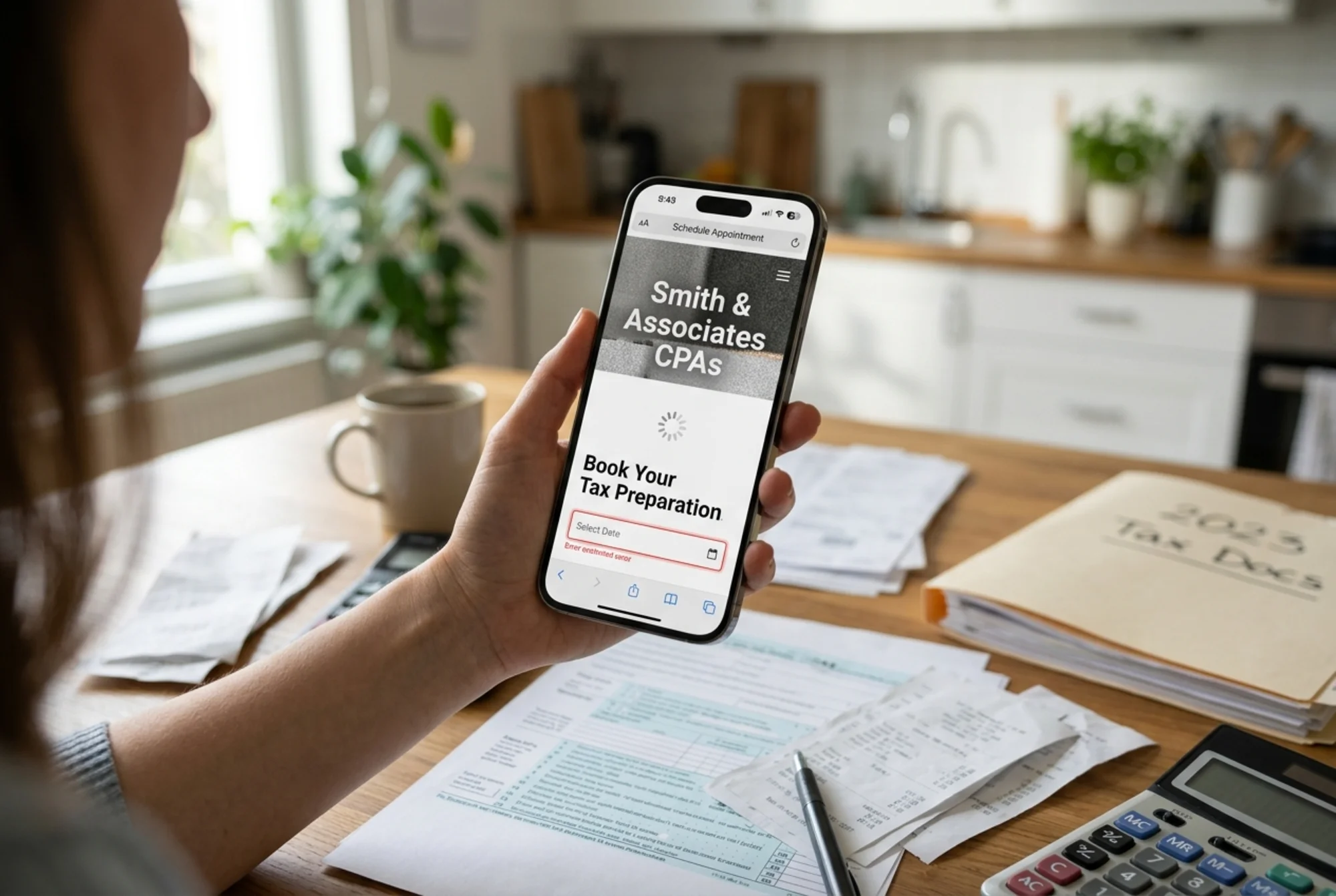
A small firm runs a Facebook ad in late February: "Last-minute tax filing — book now." The ad works. Traffic spikes. People tap the link from their phones. The site takes six seconds to load the hero image. The booking form, embedded from a third-party scheduler, takes another four seconds to become interactive. People bounce. The ad spend is wasted.
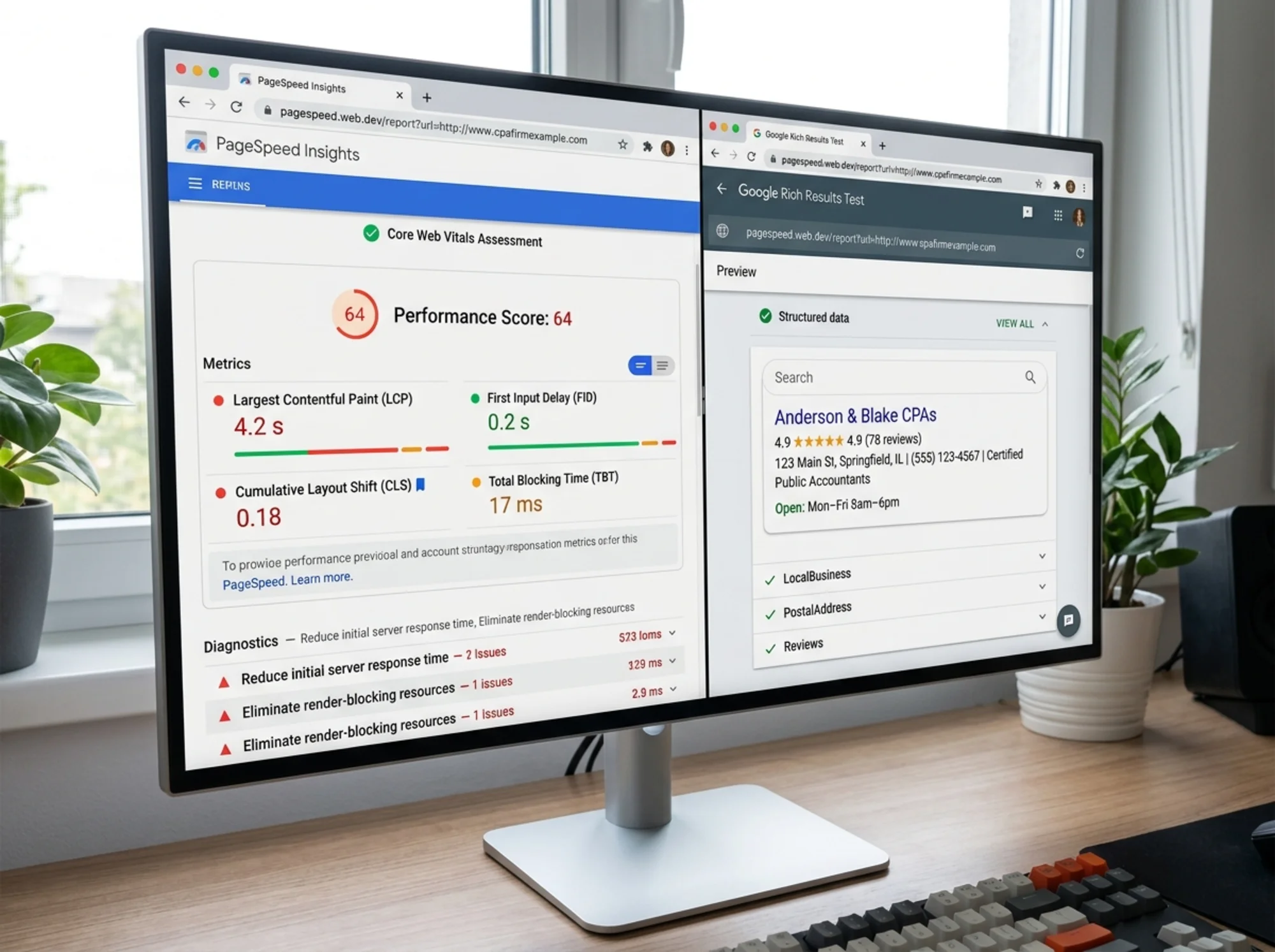
Google measures three things called Core Web Vitals that map directly to this problem:
- LCP (Largest Contentful Paint): how long until the main content shows up. Aim for under 2.5 seconds.
- CLS (Cumulative Layout Shift): how much the page jumps around as it loads. Aim for under 0.1.
- INP (Interaction to Next Paint): how quickly the page responds when someone taps. Aim for under 200 ms.
You don't have to memorize the numbers. You do have to test your site, especially on mobile, especially on a slow connection. A free website audit will check these for you and tell you what's slow.
Common culprits on CPA sites:
- Giant hero images that aren't compressed (a 3 MB JPEG is a real thing we see weekly)
- Embedded calendar booking widgets that load a megabyte of JavaScript
- Three different analytics scripts running on every page
- Carousels and animations that nobody asked for
A reasonable target: a homepage under 1.5 MB total, loaded in under three seconds on a mid-range phone.
Mobile: more than half your traffic, especially at tax time
Open your site on a phone — not your phone, a smaller, cheap Android if you can borrow one. Then try to:
- Read your headline without zooming
- Tap your phone number to call
- Fill in your contact form without the keyboard covering the submit button
- Find your office address
If any of those fail, fix that before anything else. For local search, mobile usability is the default Google uses to rank your site.
Mini-checklist: mobile
- Body text is at least 16px
- Tap targets (buttons, links) are at least 44 pixels tall and not crammed together
- The phone number is a tappable
tel:link - Forms work without horizontal scrolling
- No intrusive pop-ups that cover the content
Local SEO and Google Business Profile
If you serve clients in a specific geography, your Google Business Profile (GBP) does at least as much work as your website. Audit both.
GBP basics:
- Verified profile, claimed by the firm
- Correct primary category (Certified Public Accountant, Tax Preparation Service, or Accountant — pick the most accurate)
- Hours that match real hours, including tax-season changes
- Service area defined clearly if you don't have walk-in clients
- At least ten recent photos (office exterior, team, interior)
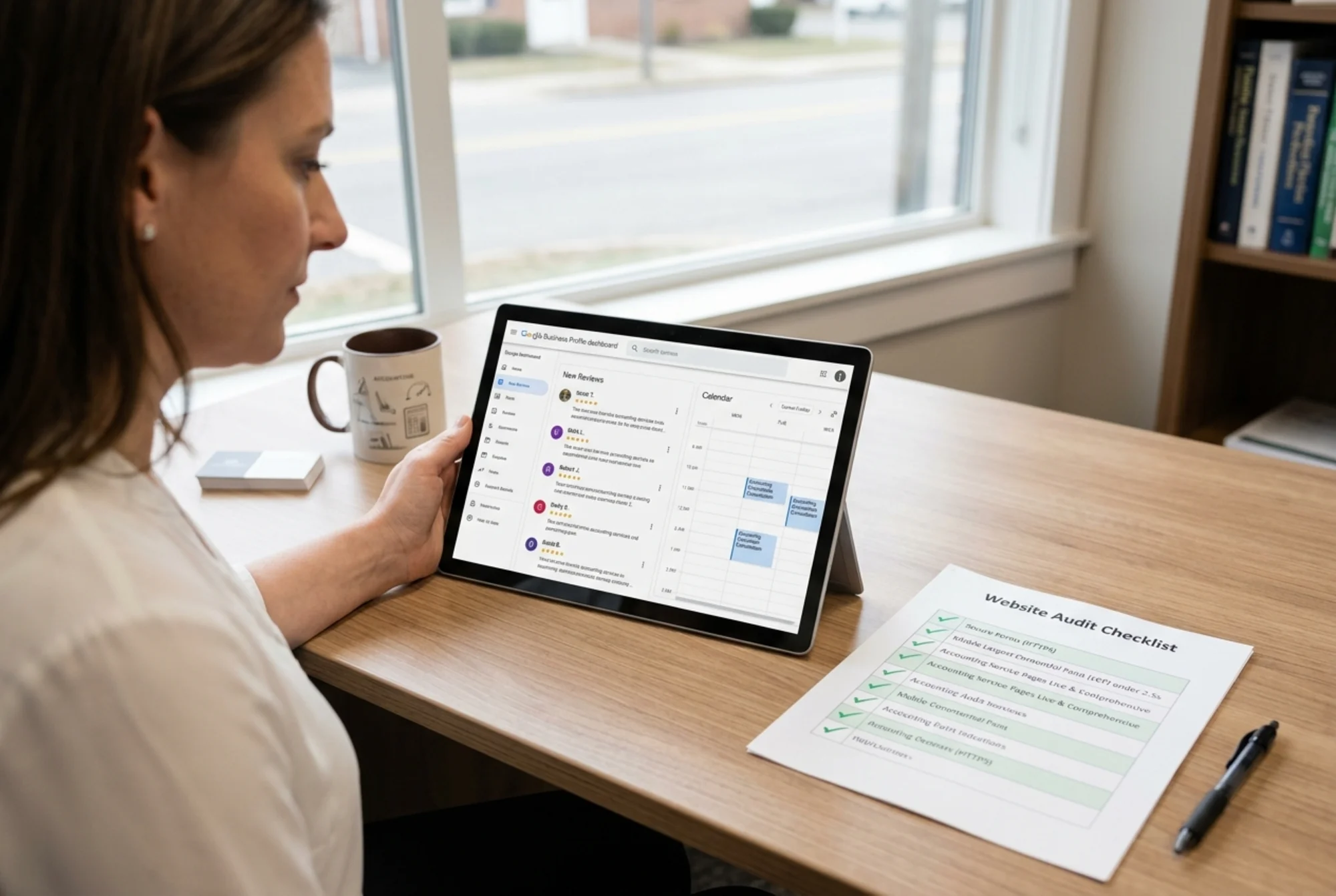
- A steady flow of reviews — one or two new ones per month, not a sudden batch
On the website side, support GBP with:
- A dedicated location page for each office (even if you have only one)
- An embedded Google Map
- Driving directions and parking info
- LocalBusiness structured data so Google can read your details unambiguously
Structured data — also called schema markup — is a small block of code that tells search engines what your page is about. For an accounting firm, AccountingService or LocalBusiness schema is the right fit, with Person schema on bio pages and Article schema on blog posts. Google's docs on structured data spell out the exact fields. A site audit tool will tell you whether yours is valid.
Security: the one that scares clients without them knowing why
Accounting websites collect sensitive information. Even an innocent "request a quote" form can include income figures, business names, and contact details. Your audit must check:
- HTTPS everywhere. Not just the home page. Every page, every form, every image. Mixed-content warnings kill conversion.
- Modern TLS. Old certificates and outdated TLS versions trip browser warnings.
- No public document folders. Search
site:yourdomain.com filetype:pdf— if you see client documents, fix that today. - Secure forms. If you collect anything sensitive, the form should submit over HTTPS to a system that encrypts at rest. A basic mailto link for tax-document upload is not acceptable.
- A privacy policy that's actually accurate. Not a template from 2014. It should describe what you collect, why, and how long you keep it.
If you take payments or send invoices through the site, the audit should also confirm the payment processor is current and the checkout pages are clean of mixed-content warnings.
Content that demonstrates expertise without giving away the practice
Blog content on accounting sites is often either non-existent or generic. A good audit checks whether your content actually shows that a real expert wrote it.
Google's helpful content guidance is plain: content should be written by someone with demonstrable expertise, for a specific audience, addressing a real question. Posts written by an SEO agency intern, full of generic "what is an LLC" articles, hurt more than they help.
Better content for an accounting firm looks like:
- "When does an S-corp election save my Colorado consulting LLC money?" with a worked example
- "What to bring to your first tax-prep appointment if you're newly self-employed"
- "How to read your bookkeeping reports without an MBA"
Each post should have a clear author byline linking to a bio page, a last-updated date, real specifics (dollar figures, deadlines, IRS form numbers), and internal links to the relevant service pages.
A specific walkthrough: auditing a small CPA firm in 30 minutes
Here's how a real audit goes for a two-partner firm with about a dozen pages.
Minute 0–5: Run the audit tool. Plug the URL into a free website audit. Let it scan. You get a list of issues across speed, SEO, accessibility, and best practices.
Minute 5–10: Test the homepage on a phone. Time how long until the main content appears. Try to tap the contact button. Read the headline out loud. Note anything confusing.
Minute 10–15: Service pages. Count them. Do you have a dedicated page per real service, or one mega-page? Check whether each has a price range, an audience, and a next step.
Minute 15–20: Trust signals. Footer NAP, license numbers, real photos, real reviews. Bio pages with specifics. Privacy policy.
Minute 20–25: Local + GBP. Search your firm name and city. Is your GBP claimed, up to date, and consistent with the site? Are your hours right for tax season?
Minute 25–30: Prioritize. You will find more issues than you can fix this month. That is normal. Pick the three that touch the most clients: usually mobile speed, a missing primary call-to-action, and one service page that needs rewriting.
A short fix list for the week after your audit
Work the list in order of impact, not order of difficulty.
- Rewrite the homepage headline to name your audience and your top service.
- Add a real photo of the team near the top of the homepage.
- Compress every image on the site. Most can drop 70% with no visible change.
- Add the firm's address and phone number to the footer of every page.
- Make sure every form submits over HTTPS and the privacy policy describes what happens to the data.
- Claim and clean up your Google Business Profile.
- Add
AccountingServiceorLocalBusinessstructured data. - Build out one new service page per month, replacing the giant "Services" page.
This is six months of small improvements. The inquiry curve usually moves within the first sixty days if Core Web Vitals and mobile are addressed first, with local SEO compounding from there.
Run your own audit in the next ten minutes
You don't need to hire an agency to know what's wrong with your site. You need a clear report that flags the issues that matter and ignores the ones that don't.
Run a free website audit with FreeSiteAudit. You'll get a plain-English report covering speed, mobile, SEO, trust signals, and security — the same checks described above — with specific fixes you can hand to your developer or work through yourself.
For accounting firms specifically, see our industry page for accountants and CPAs for examples and benchmarks from other small firms.
Your site is either booking clients while you sleep or sending them to the competitor down the street. Find out which, and fix what's broken before the next tax season.
Sources
- https://developers.google.com/search/docs/fundamentals/creating-helpful-content
- https://developers.google.com/search/docs/appearance/structured-data/article
- https://web.dev/articles/vitals
Check your website for free
Get an instant score and your top 3 critical issues in under 60 seconds.
Get Your Free Audit →