Website Audit for B2B Companies: What to Prioritize
A practical, plain-English guide to auditing a B2B website — what to check first, what to fix this week, and how to prove changes actually moved demo bookings.
# Website Audit for B2B Companies: What to Prioritize
A B2B website has a different job than a typical e-commerce or content site. You're not trying to close a $40 sale in five minutes. You're trying to convince a procurement committee, a technical evaluator, and a budget owner — sometimes all at once — that you're worth a 30-minute call. That changes what matters in an audit.
This guide walks through what to prioritize when you audit a B2B site, with concrete checks you can run today. No jargon dumps, no 47-point checklists where 40 of the points don't matter.

Why a B2B audit is different
Three things separate a B2B audit from a general one:
- The buyer journey is long. A visitor might come back six times across three months before booking a demo. Your site has to work across return visits, multiple devices, and multiple stakeholders.
- Trust signals do most of the heavy lifting. Logos, case studies, security badges, named customers, and review snippets matter more than clever copy.
- The conversion isn't a purchase — it's a meeting. Forms, calendar integrations, and chat widgets are the actual product surface.
If you audit a B2B site the same way you'd audit a blog, you'll fix the wrong things first.
Priority 1: Can a busy buyer figure out what you do in under 10 seconds?
This is the single most common B2B website failure. The homepage uses internal language ("orchestrate revenue intelligence across the funnel") instead of saying what the product does.
The check: Open your homepage in a private window. Read only the hero section. Can a stranger answer these three questions?
- What is this product?
- Who is it for?
- What problem does it solve?
If any answer is "not sure," you have a clarity problem, and no amount of technical SEO will fix it. Google's own guidance on helpful content makes the same point: write for people, demonstrate first-hand expertise, and avoid pages full of words that don't help the reader.
Mini-checklist:
- [ ] Hero headline names the product category in plain words
- [ ] Subheadline says who it's for ("for B2B sales teams," "for compliance officers at mid-market banks")
- [ ] Primary CTA is visible without scrolling (demo, trial, contact)
- [ ] Customer logos or a named case study are above the fold
Priority 2: Is the site fast on a real connection?
B2B buyers often browse from corporate networks, hotel WiFi, or on mobile between meetings. A 4-second load time on your test machine can easily be 9 seconds on theirs.
The three Core Web Vitals are the metrics to focus on:
- LCP (Largest Contentful Paint) — how fast the main hero element shows up. Target: under 2.5 seconds.
- INP (Interaction to Next Paint) — how fast the page responds when someone clicks. Target: under 200ms.
- CLS (Cumulative Layout Shift) — how much the page jumps around while loading. Target: under 0.1.
These thresholds come straight from web.dev's published Core Web Vitals guidance, and they apply just as much to a B2B SaaS landing page as to a news site.
What usually slows a B2B site down:
- Massive uncompressed hero images or background videos
- Marketing tag soup (12 analytics scripts loading on every page)
- Embedded demo videos that auto-load on the homepage
- A chat widget that pulls in 800KB of JavaScript before anything else renders
If you only fix one performance issue, kill the third-party scripts you aren't actively using. Audit your tag manager, remove anything dormant, and lazy-load anything that isn't critical to the first render.

Priority 3: Does your demo/contact form actually work?
This is the silent killer. The form looks fine to you because you've never submitted it. Meanwhile, real prospects are getting silent failures, captcha loops, or "thanks!" pages that don't actually fire a notification to sales.
The walkthrough: Right now, in another tab, do this:
- Submit your main demo or contact form using a fake but plausible name and a personal Gmail address (not your work email — many forms whitelist your own domain).
- Time how long until sales gets the notification.
- Time how long until the prospect gets an auto-reply.
- Click the calendar link in the auto-reply. Does it work? Are the available times reasonable?
- Try the form on mobile. Does the keyboard cover the submit button?
- Try it with an ad blocker on. Many B2B forms fail silently when reCAPTCHA is blocked.
If any step fails, that's the most expensive bug on your site. Fix it before anything else.
Priority 4: Are your high-intent pages actually optimized?
For most B2B sites, five page types do the real selling:
- Homepage
- Pricing page
- Product/feature pages
- Case studies
- The "for [vertical]" or "for [role]" landing pages
These deserve much more attention than your blog. A common mistake is pouring effort into top-of-funnel content while the pricing page hasn't been touched in two years.
Pricing page checklist:
- [ ] Each tier has a plain-English description of who it's for
- [ ] You show what's included, not just what's excluded
- [ ] "Contact sales" tiers explain why (volume, custom contracts) rather than hiding the number
- [ ] FAQ section answers the real objections: contracts, security, data residency, cancellation
- [ ] Comparison with the obvious competitor is honest and specific
Case study checklist:
- [ ] Named customer (or a credible reason for anonymity)
- [ ] Specific numbers — even small ones — beat vague claims
- [ ] The buyer's role is named ("VP of Operations at a 200-person logistics firm")
- [ ] You explain what they tried before and why it didn't work
- [ ] There's a clear next step at the bottom (related case study, demo CTA)
Priority 5: Is your structured data set up for the content you actually publish?
Structured data helps search engines understand your pages and can earn you richer listings. For B2B sites, the most useful schema types are usually:
- Organization — sitewide, with your logo, social profiles, and contact info
- Article — on blog posts and long-form content
- Product/SoftwareApplication — on product pages
- FAQPage — on pages with genuine FAQ sections
- BreadcrumbList — on deep pages so search results show the path
Google's documentation on Article structured data spells out the required and recommended properties: headline, author, datePublished, image, and so on. Missing fields don't break anything, but they can cost you the richer-looking result.
Quick check: Pick three of your most important pages, run them through a structured data validator, and write down what's missing. You'll usually find that one schema template is broken across an entire content type, which means one fix updates dozens of pages.
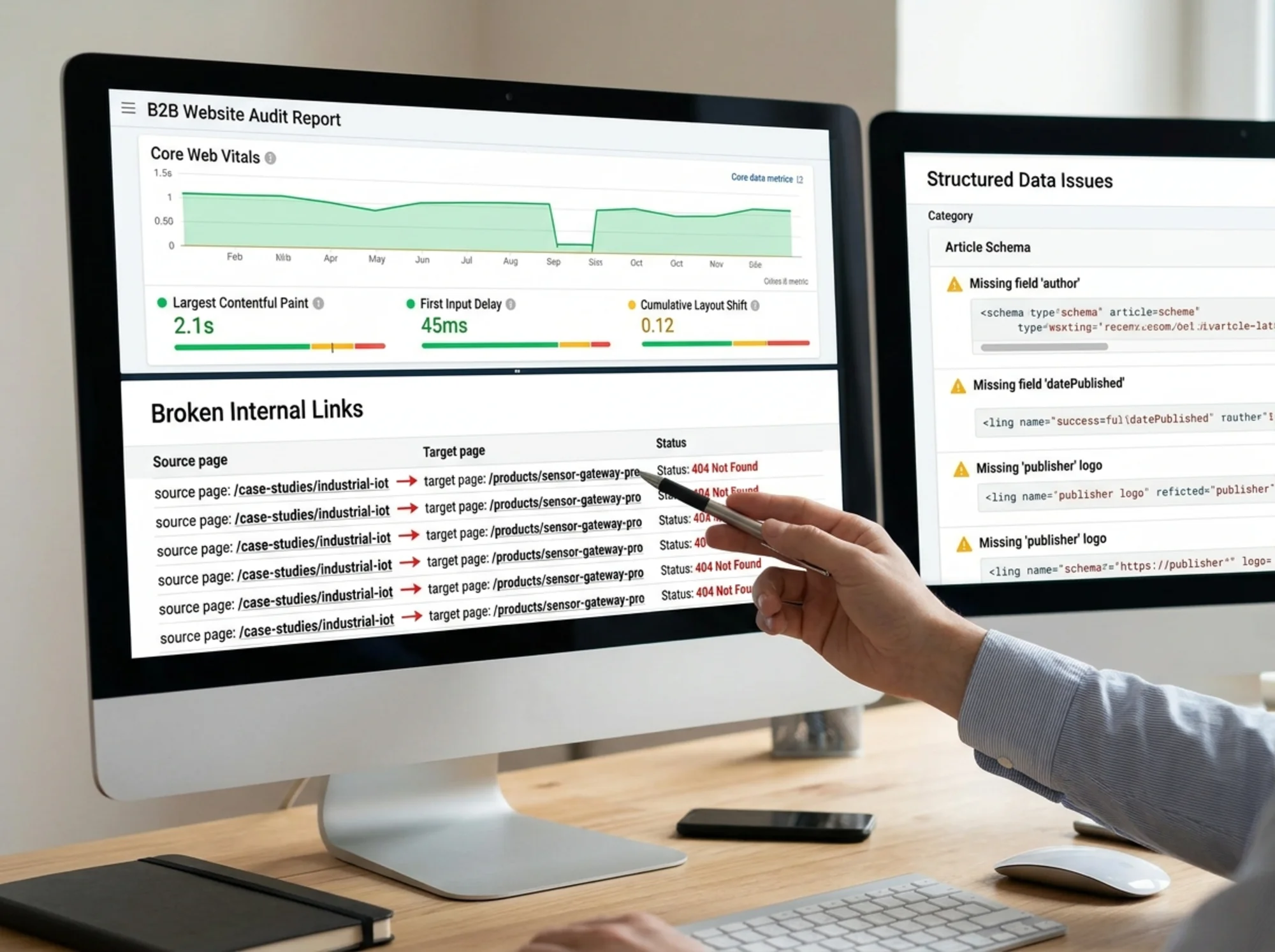
Priority 6: Internal linking — the most overlooked SEO win
Most B2B sites have an internal linking problem: the blog links to itself, the product pages link to themselves, and the two halves of the site barely talk.
The fix is mechanical:
- List your top 10 highest-value pages (usually product, pricing, and key case studies).
- For each one, count how many internal links point to it from your blog content.
- Where the count is low, edit the most relevant blog posts to add a contextual link.
This isn't about stuffing keywords. It's about helping a reader who landed on a blog post discover the actual product. Search engines benefit too — internal links tell them which pages you think matter most.
Priority 7: Trust signals on every conversion page
Look at your demo page. Does it have:
- A customer logo strip?
- A short quote from a recognizable buyer?
- A security or compliance badge (SOC 2, ISO 27001, GDPR) if relevant?
- A human face — your sales engineer, your founder, your CSM — rather than a stock illustration?
B2B buyers are risk-averse. The cost of choosing the wrong vendor is bigger than the cost of doing nothing, so visible trust signals at the moment of conversion matter more than anywhere else.
A 30-minute audit walkthrough
If you have half an hour right now, do this in order:
- (5 min) Open your homepage in a private window on mobile. Read only what's visible without scrolling. Write down what you'd guess the product does.
- (5 min) Submit your own demo form with a personal email. Time everything.
- (5 min) Run your homepage, pricing page, and one case study through a Core Web Vitals check. Note any red scores.
- (5 min) Validate the structured data on the same three pages.
- (5 min) Pick your top product page. Open it, then open three of your most-trafficked blog posts. Count internal links from blog → product.
- (5 min) Make a numbered list of the worst three issues you found.
You now have a real, prioritized fix list — not a 200-row spreadsheet that never gets touched.
What to fix this week vs. this quarter
This week (no engineering required for most of these):
- Rewrite the hero section in plain English
- Remove dormant marketing scripts
- Test and fix the demo form end-to-end
- Add named customer logos above the fold
- Update the pricing page descriptions
This quarter (needs engineering or content effort):
- Improve Core Web Vitals on the top 10 pages
- Roll out structured data templates sitewide
- Build out 2–3 new case studies with real numbers
- Audit and improve internal linking from blog to product
Skip the manual work — run a free audit
If you'd rather not do the 30-minute walkthrough yourself, FreeSiteAudit runs the technical checks for you: Core Web Vitals, structured data, broken links, mobile usability, and the trust-signal gaps that hurt B2B sites specifically. You get a prioritized report you can hand to your team, with the highest-impact fixes at the top.
Run a free audit on your site →
If you operate in a specific B2B niche, our industry-specific audit guidance for B2B sites covers what to watch for in your category, and our deep dives on Core Web Vitals fixes and structured data implementation walk through the technical details.
The best B2B audit isn't the most thorough one — it's the one that gets the top three issues fixed by next Friday. Start there.
Sources
Check your website for free
Get an instant score and your top 3 critical issues in under 60 seconds.
Get Your Free Audit →