Website Audit for Interior Designers and Decorators: A Plain-English Guide
A practical audit checklist for interior design and decorating websites — covering portfolios, local SEO, Core Web Vitals, image weight, and conversion.
# Website Audit for Interior Designers and Decorators: A Plain-English Guide
Interior design is a visual business. Your work has to look beautiful, but your website also has to load quickly, rank locally, and convince a stranger to send you an inquiry. Most design sites nail the first part and struggle with the rest. A site audit closes that gap.
This guide walks you through what to check, in plain language — the things that actually move the needle for a small interior design or decorating studio.

Why design websites underperform
Almost every interior design site I look at has the same handful of issues. The work is gorgeous. The site is heavy. The portfolio images are huge. The contact form is buried. Local information is missing. Google has no idea what services you offer or where you offer them.
The good news: these are all fixable, and most can be addressed in a weekend.
A website audit is a structured way of checking each layer of your site — content, technical health, speed, structure, and conversion — and writing down what needs fixing. You don't need to be technical to do most of it. You need a checklist and an honest look.
The five layers worth auditing
- Content — does each page help a prospective client decide?
- Local signals — does Google know where you work and what you do?
- Speed and Core Web Vitals — does the site load fast on a phone?
- Portfolio and image quality — are your photos discoverable and lightweight?
- Trust and conversion — does the site make it easy to inquire?
1. Content: write for the client, not the awards committee
Google has been explicit that pages should be helpful, original, and written for people first. That guidance applies to a small design studio in exactly the same way it applies to a large publisher.
For interior designers, that means each page should answer the questions a real client is asking before they email you:
- What style do you work in?
- What does a project with you actually look like?
- How much does it cost, roughly?
- How long does it take?
- Do you work in my city or neighborhood?
- What's the first step?
If your "About" page is three paragraphs of poetry about light and form, but your "Services" page doesn't say whether you do full renovations or e-design only, the content is failing. Beautiful copy and concrete answers can coexist — but the answers have to be there.
Mini-checklist: content
- [ ] Each service has its own page (full-service design, e-design, color consulting, staging)
- [ ] Each page explains who it's for, what's included, and what happens next
- [ ] Pricing is at least directional ("projects typically start at...")
- [ ] Locations served appear in plain text on relevant pages
- [ ] Your "About" page shows real photos of you and your team, not stock
- [ ] FAQs answer practical questions about timelines, deliverables, and process
2. Local signals: be findable in your service area
Most decorators serve a specific metro or set of neighborhoods. If your site says "we work nationwide" without naming anywhere specifically, you're invisible to local searches.
A free audit tool will flag missing local schema, inconsistent business name and address, and pages with no geographic signal. You can also do a quick manual review.
Mini-checklist: local signals
- [ ] Your footer shows business name, address (or service area), and phone — matching Google Business Profile exactly
- [ ] Service pages mention specific cities or neighborhoods naturally in the copy
- [ ] A separate page exists for each major service area if you serve more than one
- [ ] Your contact page embeds a map only if you have a physical studio open to the public
- [ ] Project case studies mention the city or area the project was in
A common mistake: stuffing twenty cities into the footer with no real content about any of them. Google sees through that. Better to write one strong page for the two or three areas you actually work in.
3. Speed and Core Web Vitals
Google's Core Web Vitals — Largest Contentful Paint, Interaction to Next Paint, and Cumulative Layout Shift — capture how a page actually feels to a real user. They're a documented ranking signal, and they matter even more on phones.
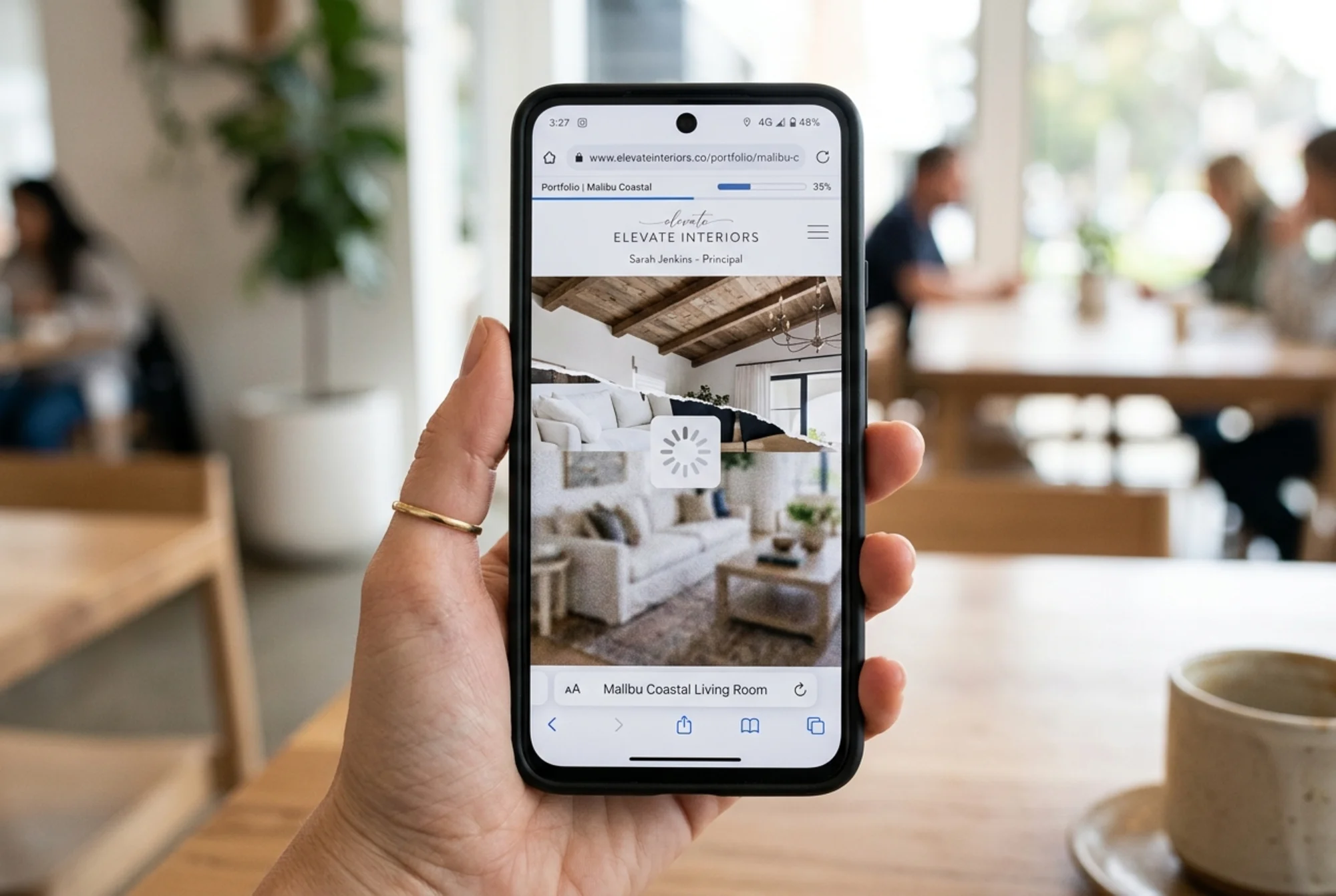
For interior designers, the single biggest speed problem is almost always image weight. A homepage with a 4MB hero shot of a living room is common on design sites. On a phone with average mobile data, that page is dead before it loads.
Mini-checklist: speed
- [ ] Hero image is under 300KB, ideally under 150KB, served in WebP or AVIF
- [ ] Portfolio thumbnails are sized correctly — not 4000px images displayed at 400px
- [ ] Below-the-fold images are lazy-loaded
- [ ] Fonts are limited to two families, and only the weights you actually use
- [ ] Autoplaying video on the homepage is removed or replaced with a poster image
- [ ] Third-party scripts (chat widgets, pop-ups, analytics) are kept to a minimum
If your homepage takes more than three seconds to show its main image on a phone, fix that before anything else.
4. Portfolio and image quality
This is where most interior design sites are simultaneously strong and weak. The photos are beautiful, but the implementation hurts both speed and SEO.
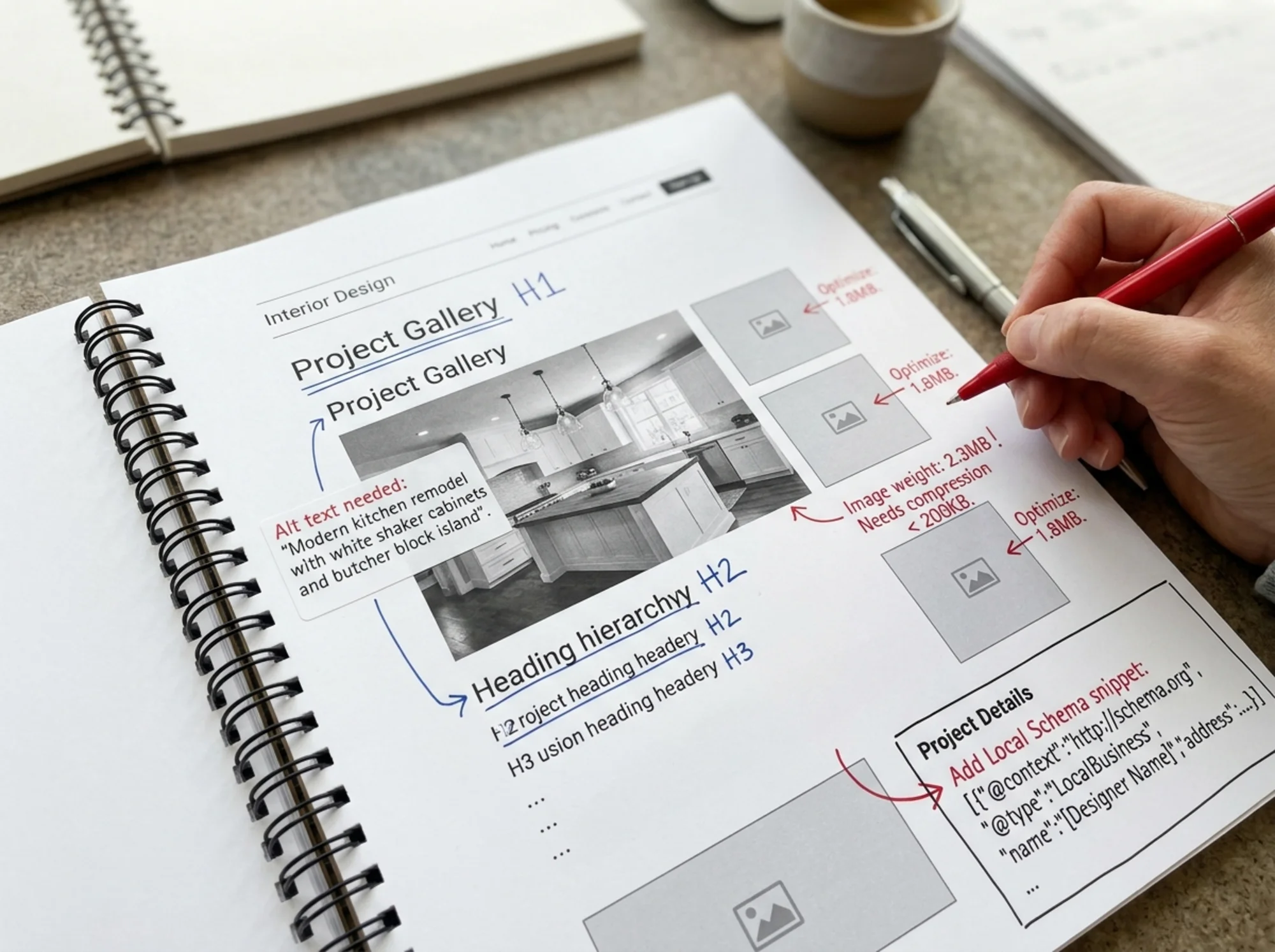
Each project image should serve two audiences: the human looking at it, and the search engine trying to understand it. That means proper alt text, descriptive file names, and reasonable file sizes.
A photo named DSC_4821.jpg with no alt text tells Google nothing. The same photo saved as modern-coastal-living-room-westport.jpg with an alt text of "Modern coastal living room with white oak floors and natural linen sofas" is now discoverable in image search, accessible to screen readers, and useful in context.
Mini-checklist: portfolio
- [ ] Every project has its own page with title, location, scope, and 6–12 photos
- [ ] Each photo has descriptive alt text (not "image1" or the camera filename)
- [ ] File names are human-readable and describe what's in the photo
- [ ] Images are resized to display dimensions before upload
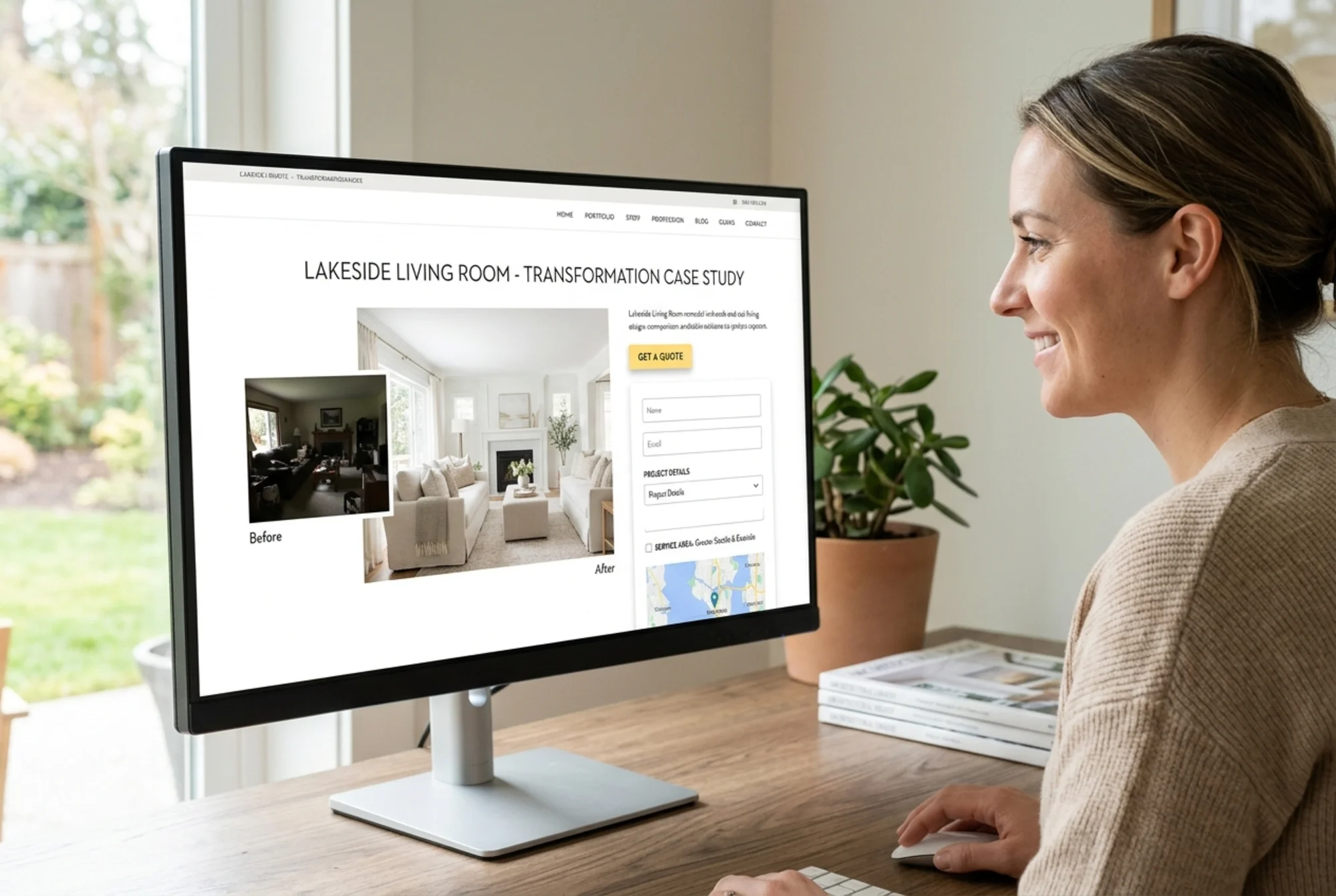
- [ ] Before-and-after shots are paired and labeled clearly
- [ ] Each project page links to related services and to the contact page
A 20-minute walkthrough
Say you're a decorator in Austin, and your audit flags your "Hill Country Kitchen Renovation" project page. Here's what you'd fix in twenty minutes:
- The hero image is 6MB. Resize to 1920px wide and compress — now it's 220KB.
- The page title is "Project 14." Rename it "Hill Country Kitchen Renovation — Austin, TX."
- The body is one paragraph and twelve photos. Add a short brief: client goals, scope, materials, timeline.
- Alt text says "kitchen 1" on every photo. Rewrite each one to describe the actual room.
- The page has no internal links. Add one to your "Full-Service Interior Design" page and one to "Areas We Serve — Austin."
- Add a soft CTA at the bottom: "Working on something similar? Get in touch."
That's one page. Do this for ten projects and your site is meaningfully better — for clients and for Google.
5. Trust and conversion
A beautiful site that doesn't convert is decoration, not a business asset. Audit it like a skeptical first-time visitor.
Mini-checklist: trust and conversion
- [ ] Your phone or contact form is visible on every page, not just /contact
- [ ] Testimonials are real, named, and tied to specific projects when possible
- [ ] Publications, awards, or affiliations are listed honestly
- [ ] Your contact form asks for what you need and nothing more — name, email, project type, timeline, budget range
- [ ] You set expectations ("We respond within two business days")
- [ ] Privacy policy and terms exist — yes, even for a small studio
A specific anti-pattern to avoid: requiring a phone number to even ask a question. Many busy clients won't give one until they've decided you're worth talking to. Make the first step low-friction.
Structured data: small effort, real upside
If you (or your developer) can manage it, add structured data to your project pages and your business page. Google documents how to mark up articles, and the same approach applies to case studies and editorial-style project write-ups.
For your business, LocalBusiness schema is the priority — it tells Google your name, address, phone, hours, service area, and what you do. For project pages, Article schema works if you're writing a real narrative around the project.
Start with the business and your top five projects, then expand.
What an audit tool actually checks
Running your site through a free audit gives you a fast, structured snapshot of all of the above. FreeSiteAudit crawls your pages, checks Core Web Vitals on a real device profile, flags missing alt text and oversized images, looks for schema, and surfaces trust and conversion gaps.
You'll get back a list — sorted by severity — and you can work through it. The free version is enough for most small studios to identify the top issues. A monitored plan is worth it if you're publishing new project pages often and don't want to manually re-check each one.
What "good" looks like after an audit
A well-audited interior design site, six weeks after you started fixing things, looks like this:
- Homepage loads in under two seconds on a phone, with a single sharp hero image and a clear value statement
- Three to six service pages, each explaining process, deliverables, and rough pricing
- A portfolio of 10–25 project pages, each with proper alt text, descriptive filenames, and a short narrative
- Clear local signals on every relevant page — city names appear naturally, not stuffed
- Real testimonials with first names and project context
- A contact form that's short, on every page, and sets a response expectation
- No 4MB images, no autoplay video on the homepage, no broken links
- Structured data for your business and your best projects
SEO impact typically shows up in four to twelve weeks, depending on how often Google recrawls your site. Conversion impact often shows up within days.
A reasonable cadence
You don't need to audit your site every week. A practical rhythm for a small studio:
- Once a quarter: full audit, work through the top issues
- After publishing a new project: quick check on image weight, alt text, and internal links
- After any redesign: full audit again, plus a manual check that old project URLs still work
- Monthly: glance at Core Web Vitals — a single bad change can tank a fast site
Run your audit
If you've recognized your site in any of the problems above, the fastest next step is to run a real audit and see the actual list.
Run a free audit of your interior design site — you'll get a report covering speed, content, local SEO, portfolio health, and conversion in a few minutes.
A beautiful portfolio deserves a website that loads, ranks, and converts. The work to get there is mostly tactical, mostly fast, and absolutely worth doing.
Sources
Check your website for free
Get an instant score and your top 3 critical issues in under 60 seconds.
Get Your Free Audit →