Website Audit for SaaS Products: What Matters Most
SaaS websites have different goals than blogs or stores — here's how to audit yours for Core Web Vitals, crawlability, and the signals that drive trials.
# Website Audit for SaaS Products: What Matters Most
Running a SaaS business means your website is doing two jobs at once: getting found in search and convincing visitors to start a trial. Those are different goals, and most generic website audits only address one of them.
This guide is for SaaS founders, growth marketers, and solo operators who want to know exactly what to check — and why those checks matter more for a SaaS product than for a local business or an online store.
Why SaaS Audits Are Different
A standard website audit checks if your pages load fast, your meta tags are filled in, and nothing is broken. That's a good start, but it misses the specific failure modes that kill SaaS sites:
- App shell indexation problems. If your marketing site is built with Next.js, Nuxt, or a similar JS framework, Google may see a blank shell instead of your actual content — and stop indexing your pages.
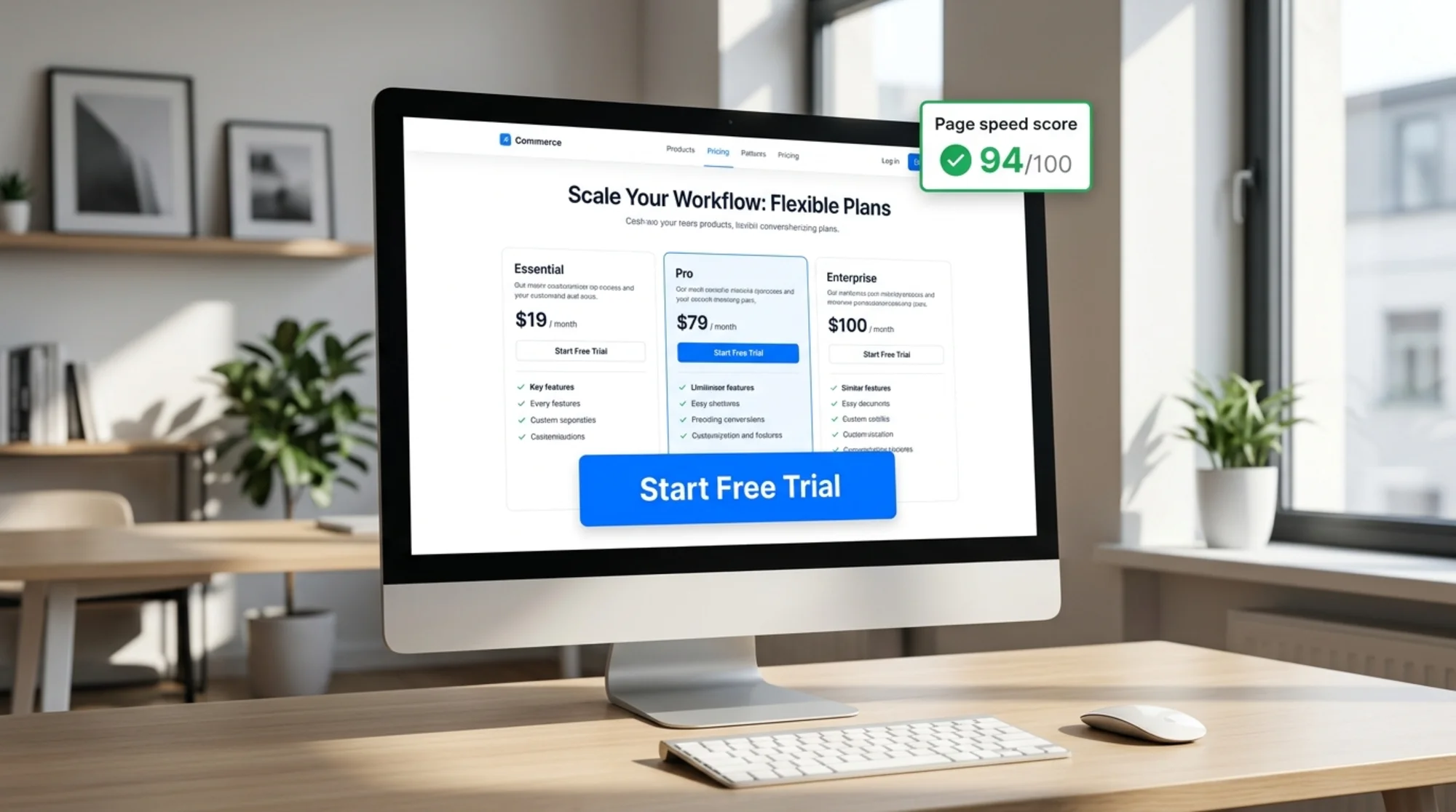
- Trial funnel bottlenecks. A 3-second delay on your pricing page has a direct, measurable effect on trial signups. Most audit tools won't flag this as a conversion issue.
- Content marketing gaps. Many SaaS products rely heavily on blog content to drive organic traffic. If your structured data is missing or your articles aren't crawlable, that investment goes to waste.
- Security signals. B2B buyers specifically check for HTTPS, security headers, and privacy policy pages before entering a credit card. These aren't optional.
The Six Things That Matter Most
1. Core Web Vitals on Your Conversion Pages
Google's Core Web Vitals — Largest Contentful Paint (LCP), Cumulative Layout Shift (CLS), and Interaction to Next Paint (INP) — are ranking signals. More importantly, they're conversion signals. A slow pricing page loses real money.
What to check:
- LCP under 2.5 seconds on your homepage, feature pages, and pricing page
- CLS under 0.1 (layout shifts make users distrust forms and CTAs)
- INP under 200ms on interactive pages like demo requests or signup forms
SaaS landing pages are especially prone to high LCP because they tend to load large hero images, animated feature demos, or embedded videos above the fold. A hero video that loads before text is rendered can push your LCP to 5+ seconds even if the rest of the page is fast.
Quick fix: Convert hero images to WebP, defer non-critical JavaScript, and preload your hero asset using . For videos, use a static poster image that loads instantly while the video loads in the background.
See [/fixes/core-web-vitals] for a deeper walkthrough on fixing each metric.
2. Crawlability and JavaScript Rendering
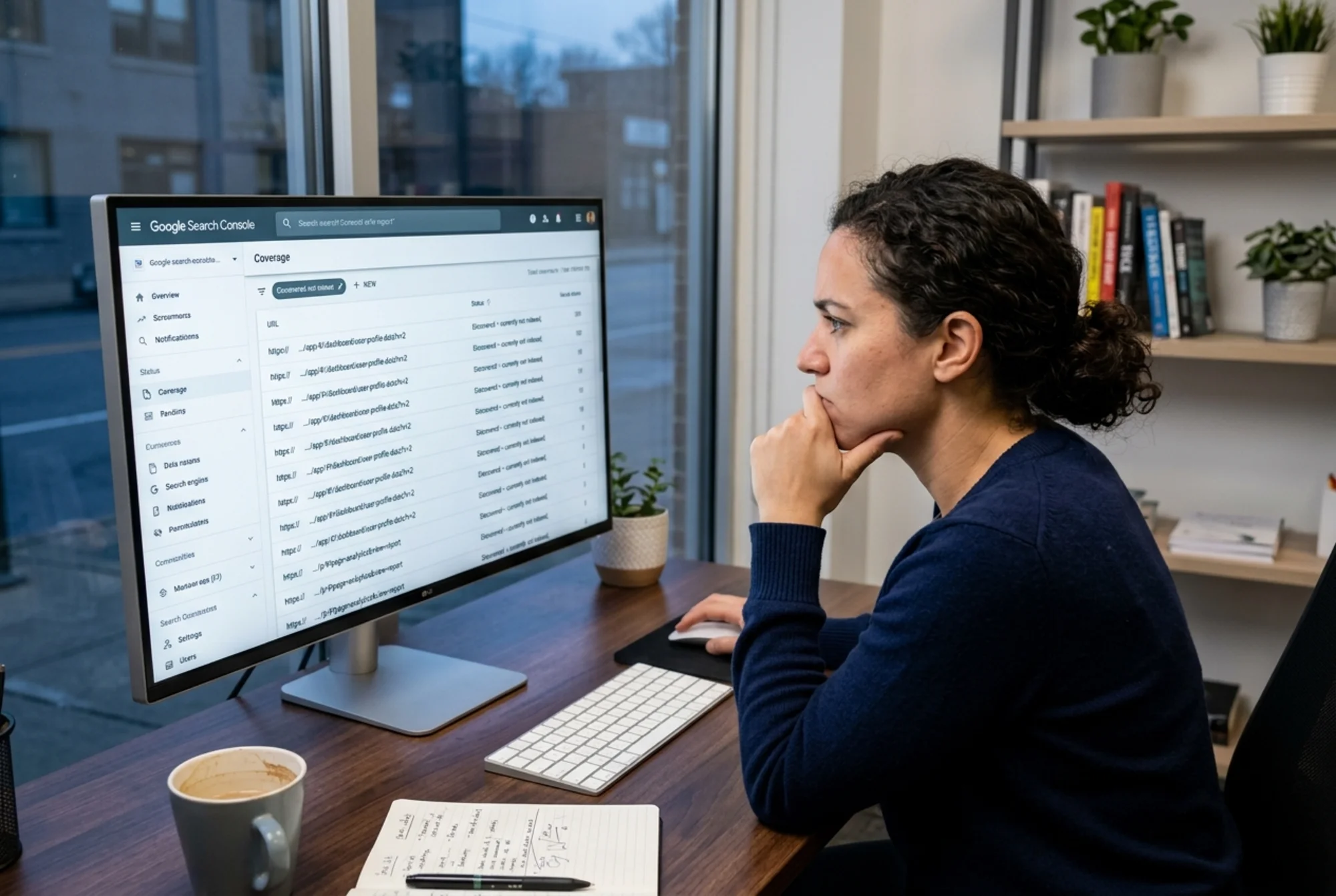
This is the most common and most damaging issue for SaaS marketing sites. If your site is built with a JavaScript framework, there's a real chance Google is discovering your URLs but not rendering them correctly — which means they don't get indexed.
What happens: Google crawls your URL, receives the initial HTML, and if that HTML is mostly with no content, it may defer rendering to a second pass. That second pass can take days or weeks, and sometimes never happens for pages Google deems low-priority.
How to detect it:
- Open Google Search Console → Coverage → "Discovered — currently not indexed"
- Use the URL Inspection tool on a key page and click "Test Live URL" — check what Googlebot sees under "More Info → Screenshot"
- Look at the raw HTML with
curl -A "Googlebot" https://yoursite.com/pricing— if you see almost no text content, you have an app shell problem
The fix: Ensure your marketing pages use server-side rendering (SSR) or static site generation (SSG), not client-side rendering (CSR). Most modern frameworks support this per-route. Your /pricing, /features, and blog pages need to ship real HTML — not a JavaScript shell.
3. Meta Tags and Structured Data for Content Marketing
If your SaaS uses a blog or resource library to drive organic traffic, meta tags and structured data are how you tell search engines what each page is about and get rich results in SERPs.
The basics every page needs:
- A unique
</code> tag (50–60 characters) that includes your primary keyword</li><li>A <code class="bg-surface-panel px-1.5 py-0.5 rounded text-sm text-accent-strong"><meta name="description"></code> tag (120–160 characters) that describes the page benefit</li><li><code class="bg-surface-panel px-1.5 py-0.5 rounded text-sm text-accent-strong"><meta property="og:title"></code> and <code class="bg-surface-panel px-1.5 py-0.5 rounded text-sm text-accent-strong"><meta property="og:image"></code> for social sharing</li></ul><p class="text-text-secondary leading-relaxed my-4"><strong class="text-text-primary">What SaaS blogs often miss:</strong></p><ul class="list-disc pl-5 space-y-1.5 my-4 text-text-secondary"><li>Article structured data (<code class="bg-surface-panel px-1.5 py-0.5 rounded text-sm text-accent-strong">@type: Article</code> or <code class="bg-surface-panel px-1.5 py-0.5 rounded text-sm text-accent-strong">BlogPosting</code>) on blog posts, which helps Google understand your content format per <a href="https://developers.google.com/search/docs/appearance/structured-data/article" class="text-accent hover:text-accent-strong underline">Google's structured data guidance</a></li><li><code class="bg-surface-panel px-1.5 py-0.5 rounded text-sm text-accent-strong">SoftwareApplication</code> structured data on your product pages, which can unlock rich snippets showing your app category and rating</li><li>Canonical tags to prevent duplicate content when the same content appears under multiple URLs</li></ul><p class="text-text-secondary leading-relaxed my-4"><strong class="text-text-primary">Mini-checklist for SaaS blog posts:</strong></p><ul class="list-disc pl-5 space-y-1.5 my-4 text-text-secondary"><li>[ ] Unique title and description on every post</li><li>[ ] Author name and publish date in the HTML (not just visible text — structured data too)</li><li>[ ] Canonical URL set correctly</li><li>[ ] Open Graph image sized at 1200×630 pixels</li><li>[ ] No duplicate content from tag/category pages without noindex or canonical</li></ul><hr class="my-8 border-border"/><h3 class="text-xl font-semibold text-text-primary mt-8 mb-3">4. Page Speed on the Trial Signup Flow</h3><figure class="my-8"><img src="/blog-images/blog-website-audit-for-saas-products-3-a-website-audit-results-panel-showing-core-web-vitals-scores.webp" alt="A website audit results panel showing Core Web Vitals scores for a SaaS landing page — LCP flagged in orange at 4.2s, CLS at 0.18 — with the browser DevTools Network tab open beside it showing large JavaScript bundles" class="w-full rounded-lg border border-border" loading="lazy"/><figcaption class="text-sm text-text-muted italic mt-2 text-center">A website audit results panel showing Core Web Vitals scores for a SaaS landing page — LCP flagged in orange at 4.2s, CLS at 0.18 — with the browser DevTools Network tab open beside it showing large JavaScript bundles</figcaption></figure><p class="text-text-secondary leading-relaxed my-4">Your signup page is where intent converts to revenue. Most SaaS teams spend weeks on copy and design, then load that page with 40 third-party scripts that make it slow.</p><p class="text-text-secondary leading-relaxed my-4">Common culprits on SaaS signup and pricing pages:</p><ul class="list-disc pl-5 space-y-1.5 my-4 text-text-secondary"><li>Chat widget scripts (Intercom, Drift, HubSpot) loaded synchronously</li><li>A/B testing tools that block rendering until they've loaded their variant</li><li>Analytics and attribution scripts (multiple pixel scripts, UTM parameter handlers)</li><li>Customer review widgets that load dozens of external assets</li></ul><p class="text-text-secondary leading-relaxed my-4"><strong class="text-text-primary">What to audit:</strong></p><ol class="list-decimal pl-5 space-y-1.5 my-4 text-text-secondary"><li>Open Chrome DevTools → Network tab → reload the page and sort by size</li><li>Look for any resource over 200KB that isn't your core app code</li><li>Check the Waterfall view for any resource that blocks the main thread for over 50ms</li></ol><p class="text-text-secondary leading-relaxed my-4"><strong class="text-text-primary">The 80/20 fix:</strong> Defer everything that isn't needed for the initial render. Chat widgets, heatmaps, and attribution scripts can all load after the page is interactive. Moving these to <code class="bg-surface-panel px-1.5 py-0.5 rounded text-sm text-accent-strong">defer</code> or <code class="bg-surface-panel px-1.5 py-0.5 rounded text-sm text-accent-strong">async</code> loading typically cuts 1–2 seconds off your signup page load time with minimal engineering effort.</p><hr class="my-8 border-border"/><h3 class="text-xl font-semibold text-text-primary mt-8 mb-3">5. Mobile Experience on Key Pages</h3><p class="text-text-secondary leading-relaxed my-4">More than half of SaaS marketing traffic arrives on mobile, but trials and signups still skew desktop. That doesn't mean you can ignore mobile — it means your mobile site has to be good enough to earn the consideration that leads to a desktop conversion later.</p><p class="text-text-secondary leading-relaxed my-4"><strong class="text-text-primary">Common mobile failures on SaaS sites:</strong></p><ul class="list-disc pl-5 space-y-1.5 my-4 text-text-secondary"><li>Pricing tables with 4+ columns that require horizontal scrolling</li><li>CTAs that appear below the fold on mobile because the hero section is too tall</li><li>Form fields that trigger the wrong keyboard type (use <code class="bg-surface-panel px-1.5 py-0.5 rounded text-sm text-accent-strong">type="email"</code> and <code class="bg-surface-panel px-1.5 py-0.5 rounded text-sm text-accent-strong">type="tel"</code>)</li><li>Tap targets smaller than 44×44 pixels (common in feature comparison tables)</li></ul><p class="text-text-secondary leading-relaxed my-4"><strong class="text-text-primary">Test it properly:</strong> Google's Mobile-Friendly Test will tell you if your page passes the baseline. But also load your pricing page on an actual phone and try to sign up. You'll catch issues automated tests miss — like a sticky header that covers the "Submit" button on iOS Safari.</p><hr class="my-8 border-border"/><h3 class="text-xl font-semibold text-text-primary mt-8 mb-3">6. Security and Trust Signals</h3><p class="text-text-secondary leading-relaxed my-4">B2B buyers evaluating software for their team look for trust signals before they'll enter a work email or credit card number.</p><p class="text-text-secondary leading-relaxed my-4"><strong class="text-text-primary">Non-negotiable:</strong></p><ul class="list-disc pl-5 space-y-1.5 my-4 text-text-secondary"><li>[ ] HTTPS on all pages (including subdomains)</li><li>[ ] No mixed content warnings (HTTP assets loaded on HTTPS pages)</li><li>[ ] Valid SSL certificate (not expired, issued by a recognized authority)</li><li>[ ] Privacy policy page exists and is linked in the footer</li><li>[ ] Terms of service page exists</li></ul><p class="text-text-secondary leading-relaxed my-4"><strong class="text-text-primary">Worth checking:</strong></p><ul class="list-disc pl-5 space-y-1.5 my-4 text-text-secondary"><li>[ ] Security headers (Content-Security-Policy, X-Frame-Options, Strict-Transport-Security) — run your domain through securityheaders.com</li><li>[ ] No sensitive data exposed in page source (API keys, tokens, internal URLs)</li><li>[ ] Contact or support page exists and is reachable</li></ul><p class="text-text-secondary leading-relaxed my-4">Missing any of the non-negotiables will visibly hurt conversion on high-intent pages. A browser showing "Not Secure" on a SaaS pricing page is a hard stop for cautious buyers.</p><hr class="my-8 border-border"/><h2 class="text-2xl font-bold text-text-primary mt-10 mb-4">Scenario: Auditing a Project Management SaaS</h2><figure class="my-8"><img src="/blog-images/blog-website-audit-for-saas-products-4-a-saas-trial-signup-page-side-by-side-before-and-after-optim.webp" alt="A SaaS trial signup page side-by-side before and after optimization: left side shows a slow-loading hero with layout shift, right side shows a fast-loading version with a visible "14-day free trial" form and a green LCP badge" class="w-full rounded-lg border border-border" loading="lazy"/><figcaption class="text-sm text-text-muted italic mt-2 text-center">A SaaS trial signup page side-by-side before and after optimization: left side shows a slow-loading hero with layout shift, right side shows a fast-loading version with a visible "14-day free trial" form and a green LCP badge</figcaption></figure><p class="text-text-secondary leading-relaxed my-4">Let's walk through what a real audit looks like for a fictional SaaS — <strong class="text-text-primary">TaskFlow</strong>, a project management tool for small teams.</p><p class="text-text-secondary leading-relaxed my-4"><strong class="text-text-primary">Starting point:</strong> TaskFlow has a Next.js marketing site, a blog with 40 posts, and a trial signup page. Organic traffic is flat despite regular content publishing.</p><p class="text-text-secondary leading-relaxed my-4"><strong class="text-text-primary">Step 1 — Crawlability check.</strong> Using Google Search Console, we find 28 blog posts marked "Discovered — currently not indexed." The URL Inspection tool shows Googlebot sees a blank page for those posts. The issue: the blog is using client-side rendering, not SSR. The marketing team assumed Next.js automatically handled this. It doesn't by default for dynamic routes.</p><p class="text-text-secondary leading-relaxed my-4"><strong class="text-text-primary">Fix:</strong> Convert the blog to <code class="bg-surface-panel px-1.5 py-0.5 rounded text-sm text-accent-strong">getStaticProps</code> with ISR (Incremental Static Regeneration). Within 3 weeks of Google re-crawling, 22 of the 28 posts appear in the index.</p><p class="text-text-secondary leading-relaxed my-4"><strong class="text-text-primary">Step 2 — Core Web Vitals on pricing page.</strong> PageSpeed Insights shows LCP at 4.8 seconds. The culprit: a full-width product screenshot PNG (1.2MB) in the hero section. It's not compressed, not lazy-loaded, and not preloaded.</p><p class="text-text-secondary leading-relaxed my-4"><strong class="text-text-primary">Fix:</strong> Convert to WebP (saves 60% file size), add <code class="bg-surface-panel px-1.5 py-0.5 rounded text-sm text-accent-strong"><link rel="preload"></code>, serve it from a CDN. LCP drops to 2.1 seconds.</p><p class="text-text-secondary leading-relaxed my-4"><strong class="text-text-primary">Step 3 — Meta tags on blog posts.</strong> 31 of 40 posts have no structured data. Post titles are auto-generated from slugs, not optimized. Open Graph images are missing on 18 posts.</p><p class="text-text-secondary leading-relaxed my-4"><strong class="text-text-primary">Fix:</strong> Add <code class="bg-surface-panel px-1.5 py-0.5 rounded text-sm text-accent-strong">Article</code> schema to the blog post template, add OG image generation (using a serverless function), and manually review titles on the top 10 traffic posts.</p><p class="text-text-secondary leading-relaxed my-4"><strong class="text-text-primary">Step 4 — Mobile pricing table.</strong> The pricing page has a 4-column comparison table. On mobile, it requires horizontal scrolling and the "Start Trial" buttons are partially cut off.</p><p class="text-text-secondary leading-relaxed my-4"><strong class="text-text-primary">Fix:</strong> Collapse to a tabbed single-column layout on screens under 768px.</p><p class="text-text-secondary leading-relaxed my-4"><strong class="text-text-primary">Outcome after 60 days:</strong> Indexed blog posts up from 12 to 34. Organic clicks up 40% (tracked in Search Console). Trial starts from organic up 22% (tracked via UTM + conversion events).</p><hr class="my-8 border-border"/><h2 class="text-2xl font-bold text-text-primary mt-10 mb-4">Quick-Reference Audit Checklist for SaaS Sites</h2><p class="text-text-secondary leading-relaxed my-4"><strong class="text-text-primary">Technical foundation:</strong></p><ul class="list-disc pl-5 space-y-1.5 my-4 text-text-secondary"><li>[ ] All pages load over HTTPS with no mixed content</li><li>[ ] Marketing pages use SSR or SSG, not client-side rendering</li><li>[ ] Core Web Vitals pass on homepage, pricing, and signup pages (LCP <2.5s, CLS <0.1)</li><li>[ ] No crawl errors in Google Search Console</li></ul><p class="text-text-secondary leading-relaxed my-4"><strong class="text-text-primary">On-page SEO:</strong></p><ul class="list-disc pl-5 space-y-1.5 my-4 text-text-secondary"><li>[ ] Unique title and meta description on every page</li><li>[ ] Article structured data on all blog posts</li><li>[ ] Canonical tags set correctly</li><li>[ ] Sitemap submitted to Google Search Console</li></ul><p class="text-text-secondary leading-relaxed my-4"><strong class="text-text-primary">Conversion performance:</strong></p><ul class="list-disc pl-5 space-y-1.5 my-4 text-text-secondary"><li>[ ] Third-party scripts deferred on the signup/pricing page</li><li>[ ] Mobile experience on pricing and signup pages tested on real devices</li><li>[ ] Form fields use correct input types</li></ul><p class="text-text-secondary leading-relaxed my-4"><strong class="text-text-primary">Trust signals:</strong></p><ul class="list-disc pl-5 space-y-1.5 my-4 text-text-secondary"><li>[ ] Privacy policy and terms of service pages exist and are linked</li><li>[ ] Security headers configured</li><li>[ ] No sensitive data visible in page source</li></ul><hr class="my-8 border-border"/><h2 class="text-2xl font-bold text-text-primary mt-10 mb-4">Run Your Audit Now</h2><p class="text-text-secondary leading-relaxed my-4">You can check most of these issues in a few minutes with a free site audit. FreeSiteAudit scans your pages for Core Web Vitals problems, crawlability issues, missing meta tags, and security gaps — and gives you a prioritized list of what to fix first.</p><p class="text-text-secondary leading-relaxed my-4"><strong class="text-text-primary"><a href="/tools/website-audit" class="text-accent hover:text-accent-strong underline">Run a free website audit at FreeSiteAudit →</a></strong></p><p class="text-text-secondary leading-relaxed my-4">No signup required for the free scan. If you're on a SaaS product and want to know exactly where your site is losing organic traffic or trial conversions, start there.</p><hr class="my-8 border-border"/><h2 class="text-2xl font-bold text-text-primary mt-10 mb-4">Sources</h2><ul class="list-disc pl-5 space-y-1.5 my-4 text-text-secondary"><li>Google Search Central — Creating helpful, reliable, people-first content: https://developers.google.com/search/docs/fundamentals/creating-helpful-content</li><li>web.dev — Core Web Vitals: https://web.dev/articles/vitals</li><li>Google Search Central — Article structured data: https://developers.google.com/search/docs/appearance/structured-data/article</li></ul></div><div class="mt-12"></div><div class="mt-6 bg-gradient-to-r from-accent-subtle to-accent-subtle/50 border border-accent-border rounded-xl p-8 text-center"><h2 class="text-2xl font-bold mb-2">Check your website for free</h2><p class="text-text-muted mb-6">Get an instant score and your top 3 critical issues in under 60 seconds.</p><a class="inline-block bg-accent hover:bg-accent-strong text-text-inverse font-semibold px-10 py-3.5 rounded-lg transition-colors" href="/#free-audit">Get Your Free Audit →</a></div></article><footer class="border-t border-border mt-auto"><nav aria-label="Footer navigation" class="max-w-6xl mx-auto px-4 py-8 sm:py-12"><div class="grid grid-cols-2 md:grid-cols-3 gap-8 lg:flex lg:flex-row lg:flex-wrap lg:justify-between lg:gap-x-6"><div class="col-span-2 md:col-span-1 lg:max-w-[14rem]"><a class="text-lg font-bold tracking-tight" href="/"><span class="text-accent">Free</span>SiteAudit</a><p class="text-text-muted text-sm mt-3 leading-relaxed">Website audits for business owners and agencies. Find issues, fix them, grow.</p></div><div><h4 class="text-sm font-semibold text-text-secondary mb-3 lg:whitespace-nowrap">Solutions</h4><ul class="space-y-2"><li><a class="text-sm text-text-muted hover:text-text-secondary transition-colors lg:whitespace-nowrap" href="/#free-audit">Free Website Audit</a></li><li><a class="text-sm text-text-muted hover:text-text-secondary transition-colors lg:whitespace-nowrap" href="/agencies">For Agencies</a></li><li><a class="text-sm text-text-muted hover:text-text-secondary transition-colors lg:whitespace-nowrap" href="/pricing">Pricing</a></li><li><a class="text-sm text-text-muted hover:text-text-secondary transition-colors lg:whitespace-nowrap" href="/demo">Demo Report</a></li><li><a class="text-sm text-text-muted hover:text-text-secondary transition-colors lg:whitespace-nowrap" href="/dashboard">Dashboard</a></li></ul></div><div><h4 class="text-sm font-semibold text-text-secondary mb-3 lg:whitespace-nowrap">Industries</h4><ul class="space-y-2"><li><a class="text-sm text-text-muted hover:text-text-secondary transition-colors lg:whitespace-nowrap" href="/industries/saas">SaaS Apps</a></li><li><a class="text-sm text-text-muted hover:text-text-secondary transition-colors lg:whitespace-nowrap" href="/industries/dev-portfolios">Dev Portfolios</a></li><li><a class="text-sm text-text-muted hover:text-text-secondary transition-colors lg:whitespace-nowrap" href="/industries/blogs">Blogs & Content</a></li><li><a class="text-sm text-text-muted hover:text-text-secondary transition-colors lg:whitespace-nowrap" href="/industries/courses">Course Sites</a></li><li><a class="text-sm text-text-muted hover:text-text-secondary transition-colors lg:whitespace-nowrap" href="/industries/agency-sites">Agency Sites</a></li><li><a class="text-sm text-text-muted hover:text-text-secondary transition-colors lg:whitespace-nowrap" href="/industries">All Industries</a></li></ul></div><div><h4 class="text-sm font-semibold text-text-secondary mb-3 lg:whitespace-nowrap">Compare & Results</h4><ul class="space-y-2"><li><a class="text-sm text-text-muted hover:text-text-secondary transition-colors lg:whitespace-nowrap" href="/blog/freesiteaudit-vs-semrush">vs Semrush</a></li><li><a class="text-sm text-text-muted hover:text-text-secondary transition-colors lg:whitespace-nowrap" href="/blog/freesiteaudit-vs-seoptimer-vs-seo-site-checkup">vs SEOptimer</a></li><li><a class="text-sm text-text-muted hover:text-text-secondary transition-colors lg:whitespace-nowrap" href="/case-studies">Success Stories</a></li><li><a class="text-sm text-text-muted hover:text-text-secondary transition-colors lg:whitespace-nowrap" href="https://findbackflowtesters.com">FindBackflowTesters.com</a></li><li><a class="text-sm text-text-muted hover:text-text-secondary transition-colors lg:whitespace-nowrap" href="https://freesiteaudit.com">FreeSiteAudit.com</a></li></ul></div><div><h4 class="text-sm font-semibold text-text-secondary mb-3 lg:whitespace-nowrap">Resources</h4><ul class="space-y-2"><li><a class="text-sm text-text-muted hover:text-text-secondary transition-colors lg:whitespace-nowrap" href="/blog">Blog</a></li><li><a class="text-sm text-text-muted hover:text-text-secondary transition-colors lg:whitespace-nowrap" href="/tools">Free Tools</a></li><li><a class="text-sm text-text-muted hover:text-text-secondary transition-colors lg:whitespace-nowrap" href="/fixes">Fix Library</a></li><li><a class="text-sm text-text-muted hover:text-text-secondary transition-colors lg:whitespace-nowrap" href="/about">About</a></li><li><a class="text-sm text-text-muted hover:text-text-secondary transition-colors lg:whitespace-nowrap" href="mailto:hello@freesiteaudit.com">Contact</a></li></ul></div><div><h4 class="text-sm font-semibold text-text-secondary mb-3 lg:whitespace-nowrap">Legal</h4><ul class="space-y-2"><li><a class="text-sm text-text-muted hover:text-text-secondary transition-colors lg:whitespace-nowrap" href="/privacy">Privacy Policy</a></li><li><a class="text-sm text-text-muted hover:text-text-secondary transition-colors lg:whitespace-nowrap" href="/terms">Terms of Service</a></li></ul></div><div><h4 class="text-sm font-semibold text-text-secondary mb-3 lg:whitespace-nowrap">Platforms</h4><ul class="space-y-2"><li><a class="text-sm text-text-muted hover:text-text-secondary transition-colors lg:whitespace-nowrap" href="/platforms/wordpress">WordPress</a></li><li><a class="text-sm text-text-muted hover:text-text-secondary transition-colors lg:whitespace-nowrap" href="/platforms/shopify">Shopify</a></li><li><a class="text-sm text-text-muted hover:text-text-secondary transition-colors lg:whitespace-nowrap" href="/platforms/webflow">Webflow</a></li><li><a class="text-sm text-text-muted hover:text-text-secondary transition-colors lg:whitespace-nowrap" href="/platforms/wix">Wix</a></li><li><a class="text-sm text-text-muted hover:text-text-secondary transition-colors lg:whitespace-nowrap" href="/platforms/squarespace">Squarespace</a></li></ul></div></div><div class="border-t border-border-subtle mt-10 pt-6 flex flex-col sm:flex-row items-center justify-between gap-3 text-xs text-text-muted"><span>© <!-- -->2026<!-- --> FreeSiteAudit. All rights reserved.</span><div class="flex items-center gap-4"><a class="hover:text-text-secondary transition-colors" href="/privacy">Privacy</a><a class="hover:text-text-secondary transition-colors" href="/terms">Terms</a></div></div></nav></footer></div><!--$--><!--/$--></main><button aria-label="Contact us" class="fixed right-4 z-40 flex items-center gap-2 rounded-full bg-accent text-accent-foreground font-semibold text-sm h-12 px-5 shadow-accent-glow hover:bg-accent-strong hover:shadow-accent-glow-lg transition-all duration-200 bottom-[calc(1rem+env(safe-area-inset-bottom))] sm:bottom-6"><svg class="w-5 h-5" fill="none" viewBox="0 0 24 24" stroke="currentColor" stroke-width="2"><path stroke-linecap="round" stroke-linejoin="round" d="M8.625 12a.375.375 0 11-.75 0 .375.375 0 01.75 0zm4.125 0a.375.375 0 11-.75 0 .375.375 0 01.75 0zm4.125 0a.375.375 0 11-.75 0 .375.375 0 01.75 0zM2.25 12.76c0 1.6 1.123 2.994 2.707 3.227 1.087.16 2.185.283 3.293.369V21l4.076-4.076a1.526 1.526 0 011.037-.443 48.282 48.282 0 005.68-.494c1.584-.233 2.707-1.626 2.707-3.228V6.741c0-1.602-1.123-2.995-2.707-3.228A48.394 48.394 0 0012 3c-2.392 0-4.744.175-7.043.513C3.373 3.746 2.25 5.14 2.25 6.741v6.018z"></path></svg><span class="hidden sm:inline">Contact Us</span></button></div><button aria-label="Switch to light mode" aria-pressed="false" class="fixed right-4 z-40 flex items-center justify-center rounded-full w-10 h-10 border border-border bg-surface-elevated text-text-secondary hover:text-text-primary hover:bg-surface-panel shadow-panel-sm transition-all duration-200 bottom-[calc(1rem+env(safe-area-inset-bottom)+3.75rem)] sm:bottom-[5.25rem]"><svg class="w-[18px] h-[18px]" fill="none" viewBox="0 0 24 24" stroke="currentColor" stroke-width="2"><path stroke-linecap="round" stroke-linejoin="round" d="M12 3v2.25m6.364.386l-1.591 1.591M21 12h-2.25m-.386 6.364l-1.591-1.591M12 18.75V21m-4.773-4.227l-1.591 1.591M5.25 12H3m4.227-4.773L5.636 5.636M15.75 12a3.75 3.75 0 11-7.5 0 3.75 3.75 0 017.5 0z"></path></svg></button><script src="/_next/static/chunks/webpack-092588108e816234.js" id="_R_" async=""></script><script>(self.__next_f=self.__next_f||[]).push([0])</script><script>self.__next_f.push([1,"1:\"$Sreact.fragment\"\n8:I[57150,[],\"\"]\n:HL[\"/_next/static/media/4473ecc91f70f139-s.p.woff\",\"font\",{\"crossOrigin\":\"\",\"type\":\"font/woff\"}]\n:HL[\"/_next/static/media/463dafcda517f24f-s.p.woff\",\"font\",{\"crossOrigin\":\"\",\"type\":\"font/woff\"}]\n:HL[\"/_next/static/css/ce06d03cd29772c1.css\",\"style\"]\n:HL[\"/_next/static/css/5adad2ac1ae9f57d.css\",\"style\"]\n2:Tbac,"])</script><script>self.__next_f.push([1,"{\"@context\":\"https://schema.org\",\"@type\":\"FAQPage\",\"mainEntity\":[{\"@type\":\"Question\",\"name\":\"Is the free audit really free?\",\"acceptedAnswer\":{\"@type\":\"Answer\",\"text\":\"Yes, completely free. Just enter your URL — no account, no email, no credit card. You get your overall score and top issues instantly. Want more? Create a free account to save your report and get 2 pro scan credits.\"}},{\"@type\":\"Question\",\"name\":\"How long until I get my report?\",\"acceptedAnswer\":{\"@type\":\"Answer\",\"text\":\"The Quick Scan is typically under 60 seconds. Paid reports are generated and emailed within 2–3 minutes of payment.\"}},{\"@type\":\"Question\",\"name\":\"What do you analyze?\",\"acceptedAnswer\":{\"@type\":\"Answer\",\"text\":\"9 categories: SEO \u0026 Search Visibility, Website Performance \u0026 Speed, Mobile Experience, Security \u0026 Privacy, Accessibility, Content \u0026 Messaging, Technical Health, Trust \u0026 Credibility, and Local SEO \u0026 Google Business. Each category is scored independently, and we provide specific evidence and fix instructions for every issue found.\"}},{\"@type\":\"Question\",\"name\":\"Do I need technical knowledge?\",\"acceptedAnswer\":{\"@type\":\"Answer\",\"text\":\"Not at all. Reports are written in plain language with prioritized, step-by-step recommendations. Each issue is labeled with who can fix it, and many are things you can do yourself without touching code.\"}},{\"@type\":\"Question\",\"name\":\"How accurate is the analysis?\",\"acceptedAnswer\":{\"@type\":\"Answer\",\"text\":\"We analyze your actual live website, checking real page speed, real HTML structure, and real content. Every finding comes with specific evidence from your site, so you can verify it yourself.\"}},{\"@type\":\"Question\",\"name\":\"Is my data safe?\",\"acceptedAnswer\":{\"@type\":\"Answer\",\"text\":\"Absolutely. We only use your email to deliver your report. No spam, no sharing with third parties. We analyze publicly accessible pages (the same thing Google sees). We never store passwords, we don't access admin panels, and we never sell your data. All connections are encrypted with 256-bit SSL. See our Privacy Policy for full details.\"}},{\"@type\":\"Question\",\"name\":\"Can I see a sample report before buying?\",\"acceptedAnswer\":{\"@type\":\"Answer\",\"text\":\"Yes! Check out our interactive demo report to see exactly what a full audit looks like, with real findings, evidence, and fix instructions you can explore.\"}},{\"@type\":\"Question\",\"name\":\"How do I cancel my subscription?\",\"acceptedAnswer\":{\"@type\":\"Answer\",\"text\":\"You can cancel anytime from your dashboard. Just click \\\"Manage Subscription\\\" to open the billing portal. Your audit access continues until the end of your current billing period.\"}},{\"@type\":\"Question\",\"name\":\"Who built FreeSiteAudit?\",\"acceptedAnswer\":{\"@type\":\"Answer\",\"text\":\"FreeSiteAudit was built by web professionals who wanted to make professional-grade website audits accessible to every business owner. We combined real-world SEO and web development experience with automation to deliver clear, actionable reports.\"}}]}"])</script><script>self.__next_f.push([1,"0:{\"P\":null,\"b\":\"23djxc4YWdrEwqJ0FoqV6\",\"p\":\"\",\"c\":[\"\",\"blog\",\"website-audit-for-saas-products\"],\"i\":false,\"f\":[[[\"\",{\"children\":[\"blog\",{\"children\":[[\"slug\",\"website-audit-for-saas-products\",\"d\"],{\"children\":[\"__PAGE__\",{}]}]}]},\"$undefined\",\"$undefined\",true],[\"\",[\"$\",\"$1\",\"c\",{\"children\":[[[\"$\",\"link\",\"0\",{\"rel\":\"stylesheet\",\"href\":\"/_next/static/css/ce06d03cd29772c1.css\",\"precedence\":\"next\",\"crossOrigin\":\"$undefined\",\"nonce\":\"$undefined\"}],[\"$\",\"link\",\"1\",{\"rel\":\"stylesheet\",\"href\":\"/_next/static/css/5adad2ac1ae9f57d.css\",\"precedence\":\"next\",\"crossOrigin\":\"$undefined\",\"nonce\":\"$undefined\"}]],[\"$\",\"html\",null,{\"lang\":\"en\",\"suppressHydrationWarning\":true,\"children\":[[\"$\",\"head\",null,{\"children\":[[\"$\",\"script\",null,{\"dangerouslySetInnerHTML\":{\"__html\":\"(function(){try{var t=localStorage.getItem('theme');if(!t)t='dark';document.documentElement.classList.add(t);document.documentElement.style.colorScheme=t;var m=document.querySelector('meta[name=\\\"theme-color\\\"]');if(m)m.content=t==='light'?'#faf9fe':'#09090b'}catch(e){document.documentElement.classList.add('dark');document.documentElement.style.colorScheme='dark'}})()\"}}],[\"$\",\"link\",null,{\"rel\":\"icon\",\"href\":\"/favicon.ico\",\"sizes\":\"any\"}],[\"$\",\"meta\",null,{\"name\":\"theme-color\",\"content\":\"#09090b\"}],[\"$\",\"link\",null,{\"rel\":\"preconnect\",\"href\":\"https://js.stripe.com\"}],[\"$\",\"link\",null,{\"rel\":\"dns-prefetch\",\"href\":\"https://js.stripe.com\"}],[\"$\",\"link\",null,{\"rel\":\"preconnect\",\"href\":\"https://api.stripe.com\"}],[\"$\",\"link\",null,{\"rel\":\"dns-prefetch\",\"href\":\"https://api.stripe.com\"}],[[\"$\",\"script\",\"0\",{\"type\":\"application/ld+json\",\"dangerouslySetInnerHTML\":{\"__html\":\"{\\\"@context\\\":\\\"https://schema.org\\\",\\\"@type\\\":\\\"Organization\\\",\\\"@id\\\":\\\"https://freesiteaudit.com/#organization\\\",\\\"name\\\":\\\"FreeSiteAudit\\\",\\\"url\\\":\\\"https://freesiteaudit.com\\\",\\\"logo\\\":{\\\"@type\\\":\\\"ImageObject\\\",\\\"url\\\":\\\"https://freesiteaudit.com/logo.png\\\",\\\"width\\\":\\\"200\\\",\\\"height\\\":\\\"60\\\"},\\\"description\\\":\\\"Free instant website audit tool for small businesses. Check your SEO, speed, mobile-friendliness \u0026 security in seconds.\\\",\\\"sameAs\\\":[],\\\"contactPoint\\\":{\\\"@type\\\":\\\"ContactPoint\\\",\\\"contactType\\\":\\\"Customer Service\\\",\\\"availableLanguage\\\":[\\\"English\\\"]}}\"}}],[\"$\",\"script\",\"1\",{\"type\":\"application/ld+json\",\"dangerouslySetInnerHTML\":{\"__html\":\"{\\\"@context\\\":\\\"https://schema.org\\\",\\\"@type\\\":\\\"ProfessionalService\\\",\\\"@id\\\":\\\"https://freesiteaudit.com/#business\\\",\\\"name\\\":\\\"FreeSiteAudit\\\",\\\"url\\\":\\\"https://freesiteaudit.com\\\",\\\"logo\\\":\\\"https://freesiteaudit.com/logo.png\\\",\\\"description\\\":\\\"Professional website audit and SEO analysis service for small businesses. Get instant insights and actionable recommendations.\\\",\\\"priceRange\\\":\\\"Free - $$\\\",\\\"areaServed\\\":{\\\"@type\\\":\\\"Place\\\",\\\"name\\\":\\\"Worldwide\\\"},\\\"hasOfferCatalog\\\":{\\\"@type\\\":\\\"OfferCatalog\\\",\\\"name\\\":\\\"Website Audit Services\\\",\\\"itemListElement\\\":[{\\\"@type\\\":\\\"Offer\\\",\\\"itemOffered\\\":{\\\"@type\\\":\\\"Service\\\",\\\"name\\\":\\\"Free Website Audit\\\",\\\"description\\\":\\\"2 free website audits per week with AI-powered analysis\\\"},\\\"price\\\":\\\"0\\\",\\\"priceCurrency\\\":\\\"USD\\\"},{\\\"@type\\\":\\\"Offer\\\",\\\"itemOffered\\\":{\\\"@type\\\":\\\"Service\\\",\\\"name\\\":\\\"Starter Plan\\\",\\\"description\\\":\\\"5 website audits per week with priority support\\\"},\\\"price\\\":\\\"19.00\\\",\\\"priceCurrency\\\":\\\"USD\\\"}]}}\"}}],[\"$\",\"script\",\"2\",{\"type\":\"application/ld+json\",\"dangerouslySetInnerHTML\":{\"__html\":\"{\\\"@context\\\":\\\"https://schema.org\\\",\\\"@type\\\":\\\"WebSite\\\",\\\"@id\\\":\\\"https://freesiteaudit.com/#website\\\",\\\"url\\\":\\\"https://freesiteaudit.com\\\",\\\"name\\\":\\\"FreeSiteAudit\\\",\\\"description\\\":\\\"Free website audit tool for small businesses\\\",\\\"publisher\\\":{\\\"@id\\\":\\\"https://freesiteaudit.com/#organization\\\"}}\"}}],[\"$\",\"script\",\"3\",{\"type\":\"application/ld+json\",\"dangerouslySetInnerHTML\":{\"__html\":\"$2\"}}]]]}],\"$L3\"]}]]}],{\"children\":[\"blog\",\"$L4\",{\"children\":[[\"slug\",\"website-audit-for-saas-products\",\"d\"],\"$L5\",{\"children\":[\"__PAGE__\",\"$L6\",{},null,false]},null,false]},null,false]},null,false],\"$L7\",false]],\"m\":\"$undefined\",\"G\":[\"$8\",[]],\"s\":false,\"S\":true}\n"])</script><script>self.__next_f.push([1,"9:I[7143,[\"7177\",\"static/chunks/app/layout-2ca08483bb34668c.js\"],\"GoogleAnalytics\"]\na:I[43347,[\"7177\",\"static/chunks/app/layout-2ca08483bb34668c.js\"],\"PostHogProvider\"]\nb:I[47212,[\"7177\",\"static/chunks/app/layout-2ca08483bb34668c.js\"],\"WebVitals\"]\nc:I[63479,[\"7177\",\"static/chunks/app/layout-2ca08483bb34668c.js\"],\"ThemeProvider\"]\nd:I[9766,[],\"\"]\ne:I[98924,[],\"\"]\nf:I[65534,[\"7177\",\"static/chunks/app/layout-2ca08483bb34668c.js\"],\"ConditionalFooter\"]\n10:I[28923,[\"7177\",\"static/chunks/app/layout-2ca08483bb34668c.js\"],\"default\"]\n11:I[49196,[\"7177\",\"static/chunks/app/layout-2ca08483bb34668c.js\"],\"ThemeToggle\"]\n13:I[24431,[],\"OutletBoundary\"]\n15:I[15278,[],\"AsyncMetadataOutlet\"]\n17:I[24431,[],\"ViewportBoundary\"]\n19:I[24431,[],\"MetadataBoundary\"]\n1a:\"$Sreact.suspense\"\n"])</script><script>self.__next_f.push([1,"3:[\"$\",\"body\",null,{\"className\":\"__variable_1e4310 __variable_c3aa02 antialiased bg-surface-body text-text-primary\",\"children\":[[\"$\",\"a\",null,{\"href\":\"#main-content\",\"className\":\"sr-only focus:not-sr-only focus:fixed focus:top-4 focus:left-4 focus:z-[100] focus:bg-accent focus:text-accent-foreground focus:px-4 focus:py-2 focus:rounded-lg focus:font-semibold focus:text-sm focus:outline-none focus:shadow-lg\",\"children\":\"Skip to main content\"}],[\"$\",\"$L9\",null,{}],[\"$\",\"$La\",null,{}],[\"$\",\"$Lb\",null,{}],[\"$\",\"$Lc\",null,{\"children\":[[\"$\",\"div\",null,{\"className\":\"flex flex-col min-h-screen\",\"children\":[[\"$\",\"main\",null,{\"id\":\"main-content\",\"children\":[\"$\",\"$Ld\",null,{\"parallelRouterKey\":\"children\",\"error\":\"$undefined\",\"errorStyles\":\"$undefined\",\"errorScripts\":\"$undefined\",\"template\":[\"$\",\"$Le\",null,{}],\"templateStyles\":\"$undefined\",\"templateScripts\":\"$undefined\",\"notFound\":[[[\"$\",\"title\",null,{\"children\":\"404: This page could not be found.\"}],[\"$\",\"div\",null,{\"style\":{\"fontFamily\":\"system-ui,\\\"Segoe UI\\\",Roboto,Helvetica,Arial,sans-serif,\\\"Apple Color Emoji\\\",\\\"Segoe UI Emoji\\\"\",\"height\":\"100vh\",\"textAlign\":\"center\",\"display\":\"flex\",\"flexDirection\":\"column\",\"alignItems\":\"center\",\"justifyContent\":\"center\"},\"children\":[\"$\",\"div\",null,{\"children\":[[\"$\",\"style\",null,{\"dangerouslySetInnerHTML\":{\"__html\":\"body{color:#000;background:#fff;margin:0}.next-error-h1{border-right:1px solid rgba(0,0,0,.3)}@media (prefers-color-scheme:dark){body{color:#fff;background:#000}.next-error-h1{border-right:1px solid rgba(255,255,255,.3)}}\"}}],[\"$\",\"h1\",null,{\"className\":\"next-error-h1\",\"style\":{\"display\":\"inline-block\",\"margin\":\"0 20px 0 0\",\"padding\":\"0 23px 0 0\",\"fontSize\":24,\"fontWeight\":500,\"verticalAlign\":\"top\",\"lineHeight\":\"49px\"},\"children\":404}],[\"$\",\"div\",null,{\"style\":{\"display\":\"inline-block\"},\"children\":[\"$\",\"h2\",null,{\"style\":{\"fontSize\":14,\"fontWeight\":400,\"lineHeight\":\"49px\",\"margin\":0},\"children\":\"This page could not be found.\"}]}]]}]}]],[]],\"forbidden\":\"$undefined\",\"unauthorized\":\"$undefined\"}]}],[\"$\",\"$Lf\",null,{}],[\"$\",\"$L10\",null,{}]]}],[\"$\",\"$L11\",null,{}]]}]]}]\n"])</script><script>self.__next_f.push([1,"4:[\"$\",\"$1\",\"c\",{\"children\":[null,[\"$\",\"$Ld\",null,{\"parallelRouterKey\":\"children\",\"error\":\"$undefined\",\"errorStyles\":\"$undefined\",\"errorScripts\":\"$undefined\",\"template\":[\"$\",\"$Le\",null,{}],\"templateStyles\":\"$undefined\",\"templateScripts\":\"$undefined\",\"notFound\":\"$undefined\",\"forbidden\":\"$undefined\",\"unauthorized\":\"$undefined\"}]]}]\n5:[\"$\",\"$1\",\"c\",{\"children\":[null,[\"$\",\"$Ld\",null,{\"parallelRouterKey\":\"children\",\"error\":\"$undefined\",\"errorStyles\":\"$undefined\",\"errorScripts\":\"$undefined\",\"template\":[\"$\",\"$Le\",null,{}],\"templateStyles\":\"$undefined\",\"templateScripts\":\"$undefined\",\"notFound\":\"$undefined\",\"forbidden\":\"$undefined\",\"unauthorized\":\"$undefined\"}]]}]\n6:[\"$\",\"$1\",\"c\",{\"children\":[\"$L12\",null,[\"$\",\"$L13\",null,{\"children\":[\"$L14\",[\"$\",\"$L15\",null,{\"promise\":\"$@16\"}]]}]]}]\n7:[\"$\",\"$1\",\"h\",{\"children\":[null,[[\"$\",\"$L17\",null,{\"children\":\"$L18\"}],[\"$\",\"meta\",null,{\"name\":\"next-size-adjust\",\"content\":\"\"}]],[\"$\",\"$L19\",null,{\"children\":[\"$\",\"div\",null,{\"hidden\":true,\"children\":[\"$\",\"$1a\",null,{\"fallback\":null,\"children\":\"$L1b\"}]}]}]]}]\n"])</script><script>self.__next_f.push([1,"1c:I[41654,[\"5953\",\"static/chunks/app/blog/%5Bslug%5D/page-594ce9f3ae4ecbe2.js\"],\"MarketingNav\"]\n1d:I[23732,[\"5953\",\"static/chunks/app/blog/%5Bslug%5D/page-594ce9f3ae4ecbe2.js\"],\"default\"]\n"])</script><script>self.__next_f.push([1,"12:[[[\"$\",\"script\",\"0\",{\"type\":\"application/ld+json\",\"dangerouslySetInnerHTML\":{\"__html\":\"{\\\"@context\\\":\\\"https://schema.org\\\",\\\"@type\\\":\\\"Article\\\",\\\"headline\\\":\\\"Website Audit for SaaS Products: What Matters Most\\\",\\\"description\\\":\\\"SaaS websites have different goals than blogs or stores — here's how to audit yours for Core Web Vitals, crawlability, and the signals that drive trials.\\\",\\\"author\\\":{\\\"@type\\\":\\\"Person\\\",\\\"name\\\":\\\"FreeSiteAudit\\\"},\\\"publisher\\\":{\\\"@id\\\":\\\"https://freesiteaudit.com/#organization\\\"},\\\"datePublished\\\":\\\"2026-03-11T00:00:00.000Z\\\",\\\"dateModified\\\":\\\"2026-03-11T00:00:00.000Z\\\",\\\"mainEntityOfPage\\\":{\\\"@type\\\":\\\"WebPage\\\",\\\"@id\\\":\\\"https://freesiteaudit.com/blog/website-audit-for-saas-products\\\"}}\"}}],[\"$\",\"script\",\"1\",{\"type\":\"application/ld+json\",\"dangerouslySetInnerHTML\":{\"__html\":\"{\\\"@context\\\":\\\"https://schema.org\\\",\\\"@type\\\":\\\"BreadcrumbList\\\",\\\"itemListElement\\\":[{\\\"@type\\\":\\\"ListItem\\\",\\\"position\\\":1,\\\"name\\\":\\\"Home\\\",\\\"item\\\":\\\"https://freesiteaudit.com\\\"},{\\\"@type\\\":\\\"ListItem\\\",\\\"position\\\":2,\\\"name\\\":\\\"Blog\\\",\\\"item\\\":\\\"https://freesiteaudit.com/blog\\\"},{\\\"@type\\\":\\\"ListItem\\\",\\\"position\\\":3,\\\"name\\\":\\\"Website Audit for SaaS Products: What Matters Most\\\",\\\"item\\\":\\\"https://freesiteaudit.com/blog/website-audit-for-saas-products\\\"}]}\"}}]],[\"$\",\"div\",null,{\"className\":\"min-h-screen\",\"children\":[[\"$\",\"$L1c\",null,{}],[\"$\",\"article\",null,{\"className\":\"max-w-3xl mx-auto px-4 py-16\",\"children\":[[\"$\",\"$L1d\",null,{\"items\":[{\"label\":\"Blog\",\"href\":\"/blog\"},{\"label\":\"Website Audit for SaaS Products: What Matters Most\"}]}],[\"$\",\"div\",null,{\"className\":\"mb-8\",\"children\":[[\"$\",\"div\",null,{\"className\":\"flex items-center gap-3 text-sm text-text-muted mb-4\",\"children\":[[\"$\",\"time\",null,{\"children\":\"March 11, 2026\"}],[\"$\",\"span\",null,{\"children\":\"·\"}],[\"$\",\"span\",null,{\"children\":\"12 min read\"}],[[\"$\",\"span\",null,{\"children\":\"·\"}],[\"$\",\"span\",null,{\"className\":\"text-accent/70\",\"children\":\"Industries\"}]]]}],[\"$\",\"h1\",null,{\"className\":\"text-3xl sm:text-4xl font-bold tracking-tight mb-4\",\"children\":\"Website Audit for SaaS Products: What Matters Most\"}],[\"$\",\"p\",null,{\"className\":\"text-lg text-text-muted\",\"children\":\"SaaS websites have different goals than blogs or stores — here's how to audit yours for Core Web Vitals, crawlability, and the signals that drive trials.\"}]]}],[\"$\",\"div\",null,{\"className\":\"border-t border-border pt-8\",\"children\":[[\"$\",\"p\",\"0\",{\"className\":\"text-text-secondary leading-relaxed my-4\",\"dangerouslySetInnerHTML\":{\"__html\":\"# Website Audit for SaaS Products: What Matters Most\"}}],[\"$\",\"p\",\"2\",{\"className\":\"text-text-secondary leading-relaxed my-4\",\"dangerouslySetInnerHTML\":{\"__html\":\"Running a SaaS business means your website is doing two jobs at once: getting found in search and convincing visitors to start a trial. Those are different goals, and most generic website audits only address one of them.\"}}],[\"$\",\"p\",\"4\",{\"className\":\"text-text-secondary leading-relaxed my-4\",\"dangerouslySetInnerHTML\":{\"__html\":\"This guide is for SaaS founders, growth marketers, and solo operators who want to know exactly what to check — and why those checks matter more for a SaaS product than for a local business or an online store.\"}}],[\"$\",\"figure\",\"img-7\",{\"className\":\"my-8\",\"children\":[[\"$\",\"img\",null,{\"src\":\"/blog-images/blog-website-audit-for-saas-products-1-a-saas-product-pricing-page-open-in-a-browser-showing-three-.webp\",\"alt\":\"A SaaS product pricing page open in a browser showing three plan tiers, a prominent \\\"Start Free Trial\\\" CTA button, and a page speed score badge in the corner — clean, focused on conversion architecture\",\"className\":\"w-full rounded-lg border border-border\",\"loading\":\"lazy\"}],[\"$\",\"figcaption\",null,{\"className\":\"text-sm text-text-muted italic mt-2 text-center\",\"children\":\"A SaaS product pricing page open in a browser showing three plan tiers, a prominent \\\"Start Free Trial\\\" CTA button, and a page speed score badge in the corner — clean, focused on conversion architecture\"}]]}],\"$L1e\",\"$L1f\",\"$L20\",\"$L21\",\"$L22\",\"$L23\",\"$L24\",\"$L25\",\"$L26\",\"$L27\",\"$L28\",\"$L29\",\"$L2a\",\"$L2b\",\"$L2c\",\"$L2d\",\"$L2e\",\"$L2f\",\"$L30\",\"$L31\",\"$L32\",\"$L33\",\"$L34\",\"$L35\",\"$L36\",\"$L37\",\"$L38\",\"$L39\",\"$L3a\",\"$L3b\",\"$L3c\",\"$L3d\",\"$L3e\",\"$L3f\",\"$L40\",\"$L41\",\"$L42\",\"$L43\",\"$L44\",\"$L45\",\"$L46\",\"$L47\",\"$L48\",\"$L49\",\"$L4a\",\"$L4b\",\"$L4c\",\"$L4d\",\"$L4e\",\"$L4f\",\"$L50\",\"$L51\",\"$L52\",\"$L53\",\"$L54\",\"$L55\",\"$L56\",\"$L57\",\"$L58\",\"$L59\",\"$L5a\",\"$L5b\",\"$L5c\",\"$L5d\",\"$L5e\",\"$L5f\",\"$L60\",\"$L61\",\"$L62\",\"$L63\",\"$L64\",\"$L65\",\"$L66\",\"$L67\",\"$L68\",\"$L69\",\"$L6a\",\"$L6b\",\"$L6c\",\"$L6d\",\"$L6e\",\"$L6f\",\"$L70\",\"$L71\",\"$L72\"]}],\"$L73\",\"$L74\",\"$L75\"]}],\"$L76\"]}]]\n"])</script><script>self.__next_f.push([1,"77:I[25266,[\"5953\",\"static/chunks/app/blog/%5Bslug%5D/page-594ce9f3ae4ecbe2.js\"],\"default\"]\n78:I[52619,[\"5953\",\"static/chunks/app/blog/%5Bslug%5D/page-594ce9f3ae4ecbe2.js\"],\"\"]\n1e:[\"$\",\"hr\",\"9\",{\"className\":\"my-8 border-border\"}]\n1f:[\"$\",\"h2\",\"11\",{\"className\":\"text-2xl font-bold text-text-primary mt-10 mb-4\",\"children\":\"Why SaaS Audits Are Different\"}]\n20:[\"$\",\"p\",\"13\",{\"className\":\"text-text-secondary leading-relaxed my-4\",\"dangerouslySetInnerHTML\":{\"__html\":\"A standard website audit checks if your pages load fast, your meta tags are filled in, and nothing is broken. That's a good start, but it misses the specific failure modes that kill SaaS sites:\"}}]\n"])</script><script>self.__next_f.push([1,"21:[\"$\",\"ul\",\"ul-19\",{\"className\":\"list-disc pl-5 space-y-1.5 my-4 text-text-secondary\",\"children\":[[\"$\",\"li\",\"0\",{\"dangerouslySetInnerHTML\":{\"__html\":\"\u003cstrong class=\\\"text-text-primary\\\"\u003eApp shell indexation problems.\u003c/strong\u003e If your marketing site is built with Next.js, Nuxt, or a similar JS framework, Google may see a blank shell instead of your actual content — and stop indexing your pages.\"}}],[\"$\",\"li\",\"1\",{\"dangerouslySetInnerHTML\":{\"__html\":\"\u003cstrong class=\\\"text-text-primary\\\"\u003eTrial funnel bottlenecks.\u003c/strong\u003e A 3-second delay on your pricing page has a direct, measurable effect on trial signups. Most audit tools won't flag this as a conversion issue.\"}}],[\"$\",\"li\",\"2\",{\"dangerouslySetInnerHTML\":{\"__html\":\"\u003cstrong class=\\\"text-text-primary\\\"\u003eContent marketing gaps.\u003c/strong\u003e Many SaaS products rely heavily on blog content to drive organic traffic. If your structured data is missing or your articles aren't crawlable, that investment goes to waste.\"}}],[\"$\",\"li\",\"3\",{\"dangerouslySetInnerHTML\":{\"__html\":\"\u003cstrong class=\\\"text-text-primary\\\"\u003eSecurity signals.\u003c/strong\u003e B2B buyers specifically check for HTTPS, security headers, and privacy policy pages before entering a credit card. These aren't optional.\"}}]]}]\n"])</script><script>self.__next_f.push([1,"22:[\"$\",\"hr\",\"20\",{\"className\":\"my-8 border-border\"}]\n23:[\"$\",\"h2\",\"22\",{\"className\":\"text-2xl font-bold text-text-primary mt-10 mb-4\",\"children\":\"The Six Things That Matter Most\"}]\n24:[\"$\",\"h3\",\"24\",{\"className\":\"text-xl font-semibold text-text-primary mt-8 mb-3\",\"children\":\"1. Core Web Vitals on Your Conversion Pages\"}]\n25:[\"$\",\"p\",\"26\",{\"className\":\"text-text-secondary leading-relaxed my-4\",\"dangerouslySetInnerHTML\":{\"__html\":\"Google's Core Web Vitals — Largest Contentful Paint (LCP), Cumulative Layout Shift (CLS), and Interaction to Next Paint (INP) — are ranking signals. More importantly, they're conversion signals. A slow pricing page loses real money.\"}}]\n26:[\"$\",\"p\",\"28\",{\"className\":\"text-text-secondary leading-relaxed my-4\",\"dangerouslySetInnerHTML\":{\"__html\":\"\u003cstrong class=\\\"text-text-primary\\\"\u003eWhat to check:\u003c/strong\u003e\"}}]\n27:[\"$\",\"ul\",\"ul-32\",{\"className\":\"list-disc pl-5 space-y-1.5 my-4 text-text-secondary\",\"children\":[[\"$\",\"li\",\"0\",{\"dangerouslySetInnerHTML\":{\"__html\":\"LCP under 2.5 seconds on your homepage, feature pages, and pricing page\"}}],[\"$\",\"li\",\"1\",{\"dangerouslySetInnerHTML\":{\"__html\":\"CLS under 0.1 (layout shifts make users distrust forms and CTAs)\"}}],[\"$\",\"li\",\"2\",{\"dangerouslySetInnerHTML\":{\"__html\":\"INP under 200ms on interactive pages like demo requests or signup forms\"}}]]}]\n28:[\"$\",\"p\",\"33\",{\"className\":\"text-text-secondary leading-relaxed my-4\",\"dangerouslySetInnerHTML\":{\"__html\":\"SaaS landing pages are especially prone to high LCP because they tend to load large hero images, animated feature demos, or embedded videos above the fold. A hero video that loads before text is rendered can push your LCP to 5+ seconds even if the rest of the page is fast.\"}}]\n29:[\"$\",\"p\",\"35\",{\"className\":\"text-text-secondary leading-relaxed my-4\",\"dangerouslySetInnerHTML\":{\"__html\":\"\u003cstrong class=\\\"text-text-primary\\\"\u003eQuick fix:\u003c/strong\u003e Convert hero images to WebP, defer non-critical JavaScript, and preload your hero asset using \u003ccode class=\\\"bg-surface-panel px-1.5 py-0.5 rounded text-sm text-accen"])</script><script>self.__next_f.push([1,"t-strong\\\"\u003e\u003clink rel=\\\"preload\\\"\u003e\u003c/code\u003e. For videos, use a static poster image that loads instantly while the video loads in the background.\"}}]\n2a:[\"$\",\"p\",\"37\",{\"className\":\"text-text-secondary leading-relaxed my-4\",\"dangerouslySetInnerHTML\":{\"__html\":\"See [/fixes/core-web-vitals] for a deeper walkthrough on fixing each metric.\"}}]\n2b:[\"$\",\"hr\",\"39\",{\"className\":\"my-8 border-border\"}]\n2c:[\"$\",\"h3\",\"41\",{\"className\":\"text-xl font-semibold text-text-primary mt-8 mb-3\",\"children\":\"2. Crawlability and JavaScript Rendering\"}]\n"])</script><script>self.__next_f.push([1,"2d:[\"$\",\"figure\",\"img-44\",{\"className\":\"my-8\",\"children\":[[\"$\",\"img\",null,{\"src\":\"/blog-images/blog-website-audit-for-saas-products-2-a-saas-founder-staring-at-a-google-search-console-coverage-r.webp\",\"alt\":\"A SaaS founder staring at a Google Search Console coverage report showing dozens of pages marked \\\"Discovered — currently not indexed,\\\" with a JS-rendered app shell URL pattern visible in the URL column\",\"className\":\"w-full rounded-lg border border-border\",\"loading\":\"lazy\"}],[\"$\",\"figcaption\",null,{\"className\":\"text-sm text-text-muted italic mt-2 text-center\",\"children\":\"A SaaS founder staring at a Google Search Console coverage report showing dozens of pages marked \\\"Discovered — currently not indexed,\\\" with a JS-rendered app shell URL pattern visible in the URL column\"}]]}]\n"])</script><script>self.__next_f.push([1,"2e:[\"$\",\"p\",\"46\",{\"className\":\"text-text-secondary leading-relaxed my-4\",\"dangerouslySetInnerHTML\":{\"__html\":\"This is the most common and most damaging issue for SaaS marketing sites. If your site is built with a JavaScript framework, there's a real chance Google is discovering your URLs but not rendering them correctly — which means they don't get indexed.\"}}]\n2f:[\"$\",\"p\",\"48\",{\"className\":\"text-text-secondary leading-relaxed my-4\",\"dangerouslySetInnerHTML\":{\"__html\":\"\u003cstrong class=\\\"text-text-primary\\\"\u003eWhat happens:\u003c/strong\u003e Google crawls your URL, receives the initial HTML, and if that HTML is mostly \u003ccode class=\\\"bg-surface-panel px-1.5 py-0.5 rounded text-sm text-accent-strong\\\"\u003e\u003cdiv id=\\\"app\\\"\u003e\u003c/div\u003e\u003c/code\u003e with no content, it may defer rendering to a second pass. That second pass can take days or weeks, and sometimes never happens for pages Google deems low-priority.\"}}]\n30:[\"$\",\"p\",\"50\",{\"className\":\"text-text-secondary leading-relaxed my-4\",\"dangerouslySetInnerHTML\":{\"__html\":\"\u003cstrong class=\\\"text-text-primary\\\"\u003eHow to detect it:\u003c/strong\u003e\"}}]\n"])</script><script>self.__next_f.push([1,"31:[\"$\",\"ol\",\"ol-54\",{\"className\":\"list-decimal pl-5 space-y-1.5 my-4 text-text-secondary\",\"children\":[[\"$\",\"li\",\"0\",{\"dangerouslySetInnerHTML\":{\"__html\":\"Open Google Search Console → Coverage → \\\"Discovered — currently not indexed\\\"\"}}],[\"$\",\"li\",\"1\",{\"dangerouslySetInnerHTML\":{\"__html\":\"Use the URL Inspection tool on a key page and click \\\"Test Live URL\\\" — check what Googlebot sees under \\\"More Info → Screenshot\\\"\"}}],[\"$\",\"li\",\"2\",{\"dangerouslySetInnerHTML\":{\"__html\":\"Look at the raw HTML with \u003ccode class=\\\"bg-surface-panel px-1.5 py-0.5 rounded text-sm text-accent-strong\\\"\u003ecurl -A \\\"Googlebot\\\" https://yoursite.com/pricing\u003c/code\u003e — if you see almost no text content, you have an app shell problem\"}}]]}]\n"])</script><script>self.__next_f.push([1,"32:[\"$\",\"p\",\"55\",{\"className\":\"text-text-secondary leading-relaxed my-4\",\"dangerouslySetInnerHTML\":{\"__html\":\"\u003cstrong class=\\\"text-text-primary\\\"\u003eThe fix:\u003c/strong\u003e Ensure your marketing pages use server-side rendering (SSR) or static site generation (SSG), not client-side rendering (CSR). Most modern frameworks support this per-route. Your \u003ccode class=\\\"bg-surface-panel px-1.5 py-0.5 rounded text-sm text-accent-strong\\\"\u003e/pricing\u003c/code\u003e, \u003ccode class=\\\"bg-surface-panel px-1.5 py-0.5 rounded text-sm text-accent-strong\\\"\u003e/features\u003c/code\u003e, and blog pages need to ship real HTML — not a JavaScript shell.\"}}]\n33:[\"$\",\"hr\",\"57\",{\"className\":\"my-8 border-border\"}]\n34:[\"$\",\"h3\",\"59\",{\"className\":\"text-xl font-semibold text-text-primary mt-8 mb-3\",\"children\":\"3. Meta Tags and Structured Data for Content Marketing\"}]\n35:[\"$\",\"p\",\"61\",{\"className\":\"text-text-secondary leading-relaxed my-4\",\"dangerouslySetInnerHTML\":{\"__html\":\"If your SaaS uses a blog or resource library to drive organic traffic, meta tags and structured data are how you tell search engines what each page is about and get rich results in SERPs.\"}}]\n36:[\"$\",\"p\",\"63\",{\"className\":\"text-text-secondary leading-relaxed my-4\",\"dangerouslySetInnerHTML\":{\"__html\":\"\u003cstrong class=\\\"text-text-primary\\\"\u003eThe basics every page needs:\u003c/strong\u003e\"}}]\n"])</script><script>self.__next_f.push([1,"37:[\"$\",\"ul\",\"ul-67\",{\"className\":\"list-disc pl-5 space-y-1.5 my-4 text-text-secondary\",\"children\":[[\"$\",\"li\",\"0\",{\"dangerouslySetInnerHTML\":{\"__html\":\"A unique \u003ccode class=\\\"bg-surface-panel px-1.5 py-0.5 rounded text-sm text-accent-strong\\\"\u003e\u003ctitle\u003e\u003c/code\u003e tag (50–60 characters) that includes your primary keyword\"}}],[\"$\",\"li\",\"1\",{\"dangerouslySetInnerHTML\":{\"__html\":\"A \u003ccode class=\\\"bg-surface-panel px-1.5 py-0.5 rounded text-sm text-accent-strong\\\"\u003e\u003cmeta name=\\\"description\\\"\u003e\u003c/code\u003e tag (120–160 characters) that describes the page benefit\"}}],[\"$\",\"li\",\"2\",{\"dangerouslySetInnerHTML\":{\"__html\":\"\u003ccode class=\\\"bg-surface-panel px-1.5 py-0.5 rounded text-sm text-accent-strong\\\"\u003e\u003cmeta property=\\\"og:title\\\"\u003e\u003c/code\u003e and \u003ccode class=\\\"bg-surface-panel px-1.5 py-0.5 rounded text-sm text-accent-strong\\\"\u003e\u003cmeta property=\\\"og:image\\\"\u003e\u003c/code\u003e for social sharing\"}}]]}]\n"])</script><script>self.__next_f.push([1,"38:[\"$\",\"p\",\"68\",{\"className\":\"text-text-secondary leading-relaxed my-4\",\"dangerouslySetInnerHTML\":{\"__html\":\"\u003cstrong class=\\\"text-text-primary\\\"\u003eWhat SaaS blogs often miss:\u003c/strong\u003e\"}}]\n"])</script><script>self.__next_f.push([1,"39:[\"$\",\"ul\",\"ul-72\",{\"className\":\"list-disc pl-5 space-y-1.5 my-4 text-text-secondary\",\"children\":[[\"$\",\"li\",\"0\",{\"dangerouslySetInnerHTML\":{\"__html\":\"Article structured data (\u003ccode class=\\\"bg-surface-panel px-1.5 py-0.5 rounded text-sm text-accent-strong\\\"\u003e@type: Article\u003c/code\u003e or \u003ccode class=\\\"bg-surface-panel px-1.5 py-0.5 rounded text-sm text-accent-strong\\\"\u003eBlogPosting\u003c/code\u003e) on blog posts, which helps Google understand your content format per \u003ca href=\\\"https://developers.google.com/search/docs/appearance/structured-data/article\\\" class=\\\"text-accent hover:text-accent-strong underline\\\"\u003eGoogle's structured data guidance\u003c/a\u003e\"}}],[\"$\",\"li\",\"1\",{\"dangerouslySetInnerHTML\":{\"__html\":\"\u003ccode class=\\\"bg-surface-panel px-1.5 py-0.5 rounded text-sm text-accent-strong\\\"\u003eSoftwareApplication\u003c/code\u003e structured data on your product pages, which can unlock rich snippets showing your app category and rating\"}}],[\"$\",\"li\",\"2\",{\"dangerouslySetInnerHTML\":{\"__html\":\"Canonical tags to prevent duplicate content when the same content appears under multiple URLs\"}}]]}]\n"])</script><script>self.__next_f.push([1,"3a:[\"$\",\"p\",\"73\",{\"className\":\"text-text-secondary leading-relaxed my-4\",\"dangerouslySetInnerHTML\":{\"__html\":\"\u003cstrong class=\\\"text-text-primary\\\"\u003eMini-checklist for SaaS blog posts:\u003c/strong\u003e\"}}]\n3b:[\"$\",\"ul\",\"ul-79\",{\"className\":\"list-disc pl-5 space-y-1.5 my-4 text-text-secondary\",\"children\":[[\"$\",\"li\",\"0\",{\"dangerouslySetInnerHTML\":{\"__html\":\"[ ] Unique title and description on every post\"}}],[\"$\",\"li\",\"1\",{\"dangerouslySetInnerHTML\":{\"__html\":\"[ ] Author name and publish date in the HTML (not just visible text — structured data too)\"}}],[\"$\",\"li\",\"2\",{\"dangerouslySetInnerHTML\":{\"__html\":\"[ ] Canonical URL set correctly\"}}],[\"$\",\"li\",\"3\",{\"dangerouslySetInnerHTML\":{\"__html\":\"[ ] Open Graph image sized at 1200×630 pixels\"}}],[\"$\",\"li\",\"4\",{\"dangerouslySetInnerHTML\":{\"__html\":\"[ ] No duplicate content from tag/category pages without noindex or canonical\"}}]]}]\n3c:[\"$\",\"hr\",\"80\",{\"className\":\"my-8 border-border\"}]\n3d:[\"$\",\"h3\",\"82\",{\"className\":\"text-xl font-semibold text-text-primary mt-8 mb-3\",\"children\":\"4. Page Speed on the Trial Signup Flow\"}]\n"])</script><script>self.__next_f.push([1,"3e:[\"$\",\"figure\",\"img-85\",{\"className\":\"my-8\",\"children\":[[\"$\",\"img\",null,{\"src\":\"/blog-images/blog-website-audit-for-saas-products-3-a-website-audit-results-panel-showing-core-web-vitals-scores.webp\",\"alt\":\"A website audit results panel showing Core Web Vitals scores for a SaaS landing page — LCP flagged in orange at 4.2s, CLS at 0.18 — with the browser DevTools Network tab open beside it showing large JavaScript bundles\",\"className\":\"w-full rounded-lg border border-border\",\"loading\":\"lazy\"}],[\"$\",\"figcaption\",null,{\"className\":\"text-sm text-text-muted italic mt-2 text-center\",\"children\":\"A website audit results panel showing Core Web Vitals scores for a SaaS landing page — LCP flagged in orange at 4.2s, CLS at 0.18 — with the browser DevTools Network tab open beside it showing large JavaScript bundles\"}]]}]\n"])</script><script>self.__next_f.push([1,"3f:[\"$\",\"p\",\"87\",{\"className\":\"text-text-secondary leading-relaxed my-4\",\"dangerouslySetInnerHTML\":{\"__html\":\"Your signup page is where intent converts to revenue. Most SaaS teams spend weeks on copy and design, then load that page with 40 third-party scripts that make it slow.\"}}]\n40:[\"$\",\"p\",\"89\",{\"className\":\"text-text-secondary leading-relaxed my-4\",\"dangerouslySetInnerHTML\":{\"__html\":\"Common culprits on SaaS signup and pricing pages:\"}}]\n41:[\"$\",\"ul\",\"ul-94\",{\"className\":\"list-disc pl-5 space-y-1.5 my-4 text-text-secondary\",\"children\":[[\"$\",\"li\",\"0\",{\"dangerouslySetInnerHTML\":{\"__html\":\"Chat widget scripts (Intercom, Drift, HubSpot) loaded synchronously\"}}],[\"$\",\"li\",\"1\",{\"dangerouslySetInnerHTML\":{\"__html\":\"A/B testing tools that block rendering until they've loaded their variant\"}}],[\"$\",\"li\",\"2\",{\"dangerouslySetInnerHTML\":{\"__html\":\"Analytics and attribution scripts (multiple pixel scripts, UTM parameter handlers)\"}}],[\"$\",\"li\",\"3\",{\"dangerouslySetInnerHTML\":{\"__html\":\"Customer review widgets that load dozens of external assets\"}}]]}]\n42:[\"$\",\"p\",\"95\",{\"className\":\"text-text-secondary leading-relaxed my-4\",\"dangerouslySetInnerHTML\":{\"__html\":\"\u003cstrong class=\\\"text-text-primary\\\"\u003eWhat to audit:\u003c/strong\u003e\"}}]\n43:[\"$\",\"ol\",\"ol-99\",{\"className\":\"list-decimal pl-5 space-y-1.5 my-4 text-text-secondary\",\"children\":[[\"$\",\"li\",\"0\",{\"dangerouslySetInnerHTML\":{\"__html\":\"Open Chrome DevTools → Network tab → reload the page and sort by size\"}}],[\"$\",\"li\",\"1\",{\"dangerouslySetInnerHTML\":{\"__html\":\"Look for any resource over 200KB that isn't your core app code\"}}],[\"$\",\"li\",\"2\",{\"dangerouslySetInnerHTML\":{\"__html\":\"Check the Waterfall view for any resource that blocks the main thread for over 50ms\"}}]]}]\n44:[\"$\",\"p\",\"100\",{\"className\":\"text-text-secondary leading-relaxed my-4\",\"dangerouslySetInnerHTML\":{\"__html\":\"\u003cstrong class=\\\"text-text-primary\\\"\u003eThe 80/20 fix:\u003c/strong\u003e Defer everything that isn't needed for the initial render. Chat widgets, heatmaps, and attribution scripts can all load after the page is interactive"])</script><script>self.__next_f.push([1,". Moving these to \u003ccode class=\\\"bg-surface-panel px-1.5 py-0.5 rounded text-sm text-accent-strong\\\"\u003edefer\u003c/code\u003e or \u003ccode class=\\\"bg-surface-panel px-1.5 py-0.5 rounded text-sm text-accent-strong\\\"\u003easync\u003c/code\u003e loading typically cuts 1–2 seconds off your signup page load time with minimal engineering effort.\"}}]\n45:[\"$\",\"hr\",\"102\",{\"className\":\"my-8 border-border\"}]\n46:[\"$\",\"h3\",\"104\",{\"className\":\"text-xl font-semibold text-text-primary mt-8 mb-3\",\"children\":\"5. Mobile Experience on Key Pages\"}]\n47:[\"$\",\"p\",\"106\",{\"className\":\"text-text-secondary leading-relaxed my-4\",\"dangerouslySetInnerHTML\":{\"__html\":\"More than half of SaaS marketing traffic arrives on mobile, but trials and signups still skew desktop. That doesn't mean you can ignore mobile — it means your mobile site has to be good enough to earn the consideration that leads to a desktop conversion later.\"}}]\n48:[\"$\",\"p\",\"108\",{\"className\":\"text-text-secondary leading-relaxed my-4\",\"dangerouslySetInnerHTML\":{\"__html\":\"\u003cstrong class=\\\"text-text-primary\\\"\u003eCommon mobile failures on SaaS sites:\u003c/strong\u003e\"}}]\n"])</script><script>self.__next_f.push([1,"49:[\"$\",\"ul\",\"ul-113\",{\"className\":\"list-disc pl-5 space-y-1.5 my-4 text-text-secondary\",\"children\":[[\"$\",\"li\",\"0\",{\"dangerouslySetInnerHTML\":{\"__html\":\"Pricing tables with 4+ columns that require horizontal scrolling\"}}],[\"$\",\"li\",\"1\",{\"dangerouslySetInnerHTML\":{\"__html\":\"CTAs that appear below the fold on mobile because the hero section is too tall\"}}],[\"$\",\"li\",\"2\",{\"dangerouslySetInnerHTML\":{\"__html\":\"Form fields that trigger the wrong keyboard type (use \u003ccode class=\\\"bg-surface-panel px-1.5 py-0.5 rounded text-sm text-accent-strong\\\"\u003etype=\\\"email\\\"\u003c/code\u003e and \u003ccode class=\\\"bg-surface-panel px-1.5 py-0.5 rounded text-sm text-accent-strong\\\"\u003etype=\\\"tel\\\"\u003c/code\u003e)\"}}],[\"$\",\"li\",\"3\",{\"dangerouslySetInnerHTML\":{\"__html\":\"Tap targets smaller than 44×44 pixels (common in feature comparison tables)\"}}]]}]\n"])</script><script>self.__next_f.push([1,"4a:[\"$\",\"p\",\"114\",{\"className\":\"text-text-secondary leading-relaxed my-4\",\"dangerouslySetInnerHTML\":{\"__html\":\"\u003cstrong class=\\\"text-text-primary\\\"\u003eTest it properly:\u003c/strong\u003e Google's Mobile-Friendly Test will tell you if your page passes the baseline. But also load your pricing page on an actual phone and try to sign up. You'll catch issues automated tests miss — like a sticky header that covers the \\\"Submit\\\" button on iOS Safari.\"}}]\n4b:[\"$\",\"hr\",\"116\",{\"className\":\"my-8 border-border\"}]\n4c:[\"$\",\"h3\",\"118\",{\"className\":\"text-xl font-semibold text-text-primary mt-8 mb-3\",\"children\":\"6. Security and Trust Signals\"}]\n4d:[\"$\",\"p\",\"120\",{\"className\":\"text-text-secondary leading-relaxed my-4\",\"dangerouslySetInnerHTML\":{\"__html\":\"B2B buyers evaluating software for their team look for trust signals before they'll enter a work email or credit card number.\"}}]\n4e:[\"$\",\"p\",\"122\",{\"className\":\"text-text-secondary leading-relaxed my-4\",\"dangerouslySetInnerHTML\":{\"__html\":\"\u003cstrong class=\\\"text-text-primary\\\"\u003eNon-negotiable:\u003c/strong\u003e\"}}]\n4f:[\"$\",\"ul\",\"ul-128\",{\"className\":\"list-disc pl-5 space-y-1.5 my-4 text-text-secondary\",\"children\":[[\"$\",\"li\",\"0\",{\"dangerouslySetInnerHTML\":{\"__html\":\"[ ] HTTPS on all pages (including subdomains)\"}}],[\"$\",\"li\",\"1\",{\"dangerouslySetInnerHTML\":{\"__html\":\"[ ] No mixed content warnings (HTTP assets loaded on HTTPS pages)\"}}],[\"$\",\"li\",\"2\",{\"dangerouslySetInnerHTML\":{\"__html\":\"[ ] Valid SSL certificate (not expired, issued by a recognized authority)\"}}],[\"$\",\"li\",\"3\",{\"dangerouslySetInnerHTML\":{\"__html\":\"[ ] Privacy policy page exists and is linked in the footer\"}}],[\"$\",\"li\",\"4\",{\"dangerouslySetInnerHTML\":{\"__html\":\"[ ] Terms of service page exists\"}}]]}]\n50:[\"$\",\"p\",\"129\",{\"className\":\"text-text-secondary leading-relaxed my-4\",\"dangerouslySetInnerHTML\":{\"__html\":\"\u003cstrong class=\\\"text-text-primary\\\"\u003eWorth checking:\u003c/strong\u003e\"}}]\n51:[\"$\",\"ul\",\"ul-133\",{\"className\":\"list-disc pl-5 space-y-1.5 my-4 text-text-secondary\",\"children\":[[\"$\",\"li\",\"0\",{\"dangerouslySetInnerHTML\":{\"__html\":\"[ ] Security h"])</script><script>self.__next_f.push([1,"eaders (Content-Security-Policy, X-Frame-Options, Strict-Transport-Security) — run your domain through securityheaders.com\"}}],[\"$\",\"li\",\"1\",{\"dangerouslySetInnerHTML\":{\"__html\":\"[ ] No sensitive data exposed in page source (API keys, tokens, internal URLs)\"}}],[\"$\",\"li\",\"2\",{\"dangerouslySetInnerHTML\":{\"__html\":\"[ ] Contact or support page exists and is reachable\"}}]]}]\n52:[\"$\",\"p\",\"134\",{\"className\":\"text-text-secondary leading-relaxed my-4\",\"dangerouslySetInnerHTML\":{\"__html\":\"Missing any of the non-negotiables will visibly hurt conversion on high-intent pages. A browser showing \\\"Not Secure\\\" on a SaaS pricing page is a hard stop for cautious buyers.\"}}]\n53:[\"$\",\"hr\",\"136\",{\"className\":\"my-8 border-border\"}]\n54:[\"$\",\"h2\",\"138\",{\"className\":\"text-2xl font-bold text-text-primary mt-10 mb-4\",\"children\":\"Scenario: Auditing a Project Management SaaS\"}]\n"])</script><script>self.__next_f.push([1,"55:[\"$\",\"figure\",\"img-141\",{\"className\":\"my-8\",\"children\":[[\"$\",\"img\",null,{\"src\":\"/blog-images/blog-website-audit-for-saas-products-4-a-saas-trial-signup-page-side-by-side-before-and-after-optim.webp\",\"alt\":\"A SaaS trial signup page side-by-side before and after optimization: left side shows a slow-loading hero with layout shift, right side shows a fast-loading version with a visible \\\"14-day free trial\\\" form and a green LCP badge\",\"className\":\"w-full rounded-lg border border-border\",\"loading\":\"lazy\"}],[\"$\",\"figcaption\",null,{\"className\":\"text-sm text-text-muted italic mt-2 text-center\",\"children\":\"A SaaS trial signup page side-by-side before and after optimization: left side shows a slow-loading hero with layout shift, right side shows a fast-loading version with a visible \\\"14-day free trial\\\" form and a green LCP badge\"}]]}]\n"])</script><script>self.__next_f.push([1,"56:[\"$\",\"p\",\"143\",{\"className\":\"text-text-secondary leading-relaxed my-4\",\"dangerouslySetInnerHTML\":{\"__html\":\"Let's walk through what a real audit looks like for a fictional SaaS — \u003cstrong class=\\\"text-text-primary\\\"\u003eTaskFlow\u003c/strong\u003e, a project management tool for small teams.\"}}]\n57:[\"$\",\"p\",\"145\",{\"className\":\"text-text-secondary leading-relaxed my-4\",\"dangerouslySetInnerHTML\":{\"__html\":\"\u003cstrong class=\\\"text-text-primary\\\"\u003eStarting point:\u003c/strong\u003e TaskFlow has a Next.js marketing site, a blog with 40 posts, and a trial signup page. Organic traffic is flat despite regular content publishing.\"}}]\n58:[\"$\",\"p\",\"147\",{\"className\":\"text-text-secondary leading-relaxed my-4\",\"dangerouslySetInnerHTML\":{\"__html\":\"\u003cstrong class=\\\"text-text-primary\\\"\u003eStep 1 — Crawlability check.\u003c/strong\u003e Using Google Search Console, we find 28 blog posts marked \\\"Discovered — currently not indexed.\\\" The URL Inspection tool shows Googlebot sees a blank page for those posts. The issue: the blog is using client-side rendering, not SSR. The marketing team assumed Next.js automatically handled this. It doesn't by default for dynamic routes.\"}}]\n59:[\"$\",\"p\",\"149\",{\"className\":\"text-text-secondary leading-relaxed my-4\",\"dangerouslySetInnerHTML\":{\"__html\":\"\u003cstrong class=\\\"text-text-primary\\\"\u003eFix:\u003c/strong\u003e Convert the blog to \u003ccode class=\\\"bg-surface-panel px-1.5 py-0.5 rounded text-sm text-accent-strong\\\"\u003egetStaticProps\u003c/code\u003e with ISR (Incremental Static Regeneration). Within 3 weeks of Google re-crawling, 22 of the 28 posts appear in the index.\"}}]\n5a:[\"$\",\"p\",\"151\",{\"className\":\"text-text-secondary leading-relaxed my-4\",\"dangerouslySetInnerHTML\":{\"__html\":\"\u003cstrong class=\\\"text-text-primary\\\"\u003eStep 2 — Core Web Vitals on pricing page.\u003c/strong\u003e PageSpeed Insights shows LCP at 4.8 seconds. The culprit: a full-width product screenshot PNG (1.2MB) in the hero section. It's not compressed, not lazy-loaded, and not preloaded.\"}}]\n5b:[\"$\",\"p\",\"153\",{\"className\":\"text-text-secondary leading-relaxed my-4\",\"dangerouslySetInnerHTML\":{\"__html\":\"\u003cs"])</script><script>self.__next_f.push([1,"trong class=\\\"text-text-primary\\\"\u003eFix:\u003c/strong\u003e Convert to WebP (saves 60% file size), add \u003ccode class=\\\"bg-surface-panel px-1.5 py-0.5 rounded text-sm text-accent-strong\\\"\u003e\u003clink rel=\\\"preload\\\"\u003e\u003c/code\u003e, serve it from a CDN. LCP drops to 2.1 seconds.\"}}]\n5c:[\"$\",\"p\",\"155\",{\"className\":\"text-text-secondary leading-relaxed my-4\",\"dangerouslySetInnerHTML\":{\"__html\":\"\u003cstrong class=\\\"text-text-primary\\\"\u003eStep 3 — Meta tags on blog posts.\u003c/strong\u003e 31 of 40 posts have no structured data. Post titles are auto-generated from slugs, not optimized. Open Graph images are missing on 18 posts.\"}}]\n5d:[\"$\",\"p\",\"157\",{\"className\":\"text-text-secondary leading-relaxed my-4\",\"dangerouslySetInnerHTML\":{\"__html\":\"\u003cstrong class=\\\"text-text-primary\\\"\u003eFix:\u003c/strong\u003e Add \u003ccode class=\\\"bg-surface-panel px-1.5 py-0.5 rounded text-sm text-accent-strong\\\"\u003eArticle\u003c/code\u003e schema to the blog post template, add OG image generation (using a serverless function), and manually review titles on the top 10 traffic posts.\"}}]\n5e:[\"$\",\"p\",\"159\",{\"className\":\"text-text-secondary leading-relaxed my-4\",\"dangerouslySetInnerHTML\":{\"__html\":\"\u003cstrong class=\\\"text-text-primary\\\"\u003eStep 4 — Mobile pricing table.\u003c/strong\u003e The pricing page has a 4-column comparison table. On mobile, it requires horizontal scrolling and the \\\"Start Trial\\\" buttons are partially cut off.\"}}]\n5f:[\"$\",\"p\",\"161\",{\"className\":\"text-text-secondary leading-relaxed my-4\",\"dangerouslySetInnerHTML\":{\"__html\":\"\u003cstrong class=\\\"text-text-primary\\\"\u003eFix:\u003c/strong\u003e Collapse to a tabbed single-column layout on screens under 768px.\"}}]\n60:[\"$\",\"p\",\"163\",{\"className\":\"text-text-secondary leading-relaxed my-4\",\"dangerouslySetInnerHTML\":{\"__html\":\"\u003cstrong class=\\\"text-text-primary\\\"\u003eOutcome after 60 days:\u003c/strong\u003e Indexed blog posts up from 12 to 34. Organic clicks up 40% (tracked in Search Console). Trial starts from organic up 22% (tracked via UTM + conversion events).\"}}]\n61:[\"$\",\"hr\",\"165\",{\"className\":\"my-8 border-border\"}]\n62:[\"$\",\"h2\",\"167\",{\"className\":\"text-2xl font-bold text-text-primary mt-1"])</script><script>self.__next_f.push([1,"0 mb-4\",\"children\":\"Quick-Reference Audit Checklist for SaaS Sites\"}]\n63:[\"$\",\"p\",\"169\",{\"className\":\"text-text-secondary leading-relaxed my-4\",\"dangerouslySetInnerHTML\":{\"__html\":\"\u003cstrong class=\\\"text-text-primary\\\"\u003eTechnical foundation:\u003c/strong\u003e\"}}]\n64:[\"$\",\"ul\",\"ul-174\",{\"className\":\"list-disc pl-5 space-y-1.5 my-4 text-text-secondary\",\"children\":[[\"$\",\"li\",\"0\",{\"dangerouslySetInnerHTML\":{\"__html\":\"[ ] All pages load over HTTPS with no mixed content\"}}],[\"$\",\"li\",\"1\",{\"dangerouslySetInnerHTML\":{\"__html\":\"[ ] Marketing pages use SSR or SSG, not client-side rendering\"}}],[\"$\",\"li\",\"2\",{\"dangerouslySetInnerHTML\":{\"__html\":\"[ ] Core Web Vitals pass on homepage, pricing, and signup pages (LCP \u003c2.5s, CLS \u003c0.1)\"}}],[\"$\",\"li\",\"3\",{\"dangerouslySetInnerHTML\":{\"__html\":\"[ ] No crawl errors in Google Search Console\"}}]]}]\n65:[\"$\",\"p\",\"175\",{\"className\":\"text-text-secondary leading-relaxed my-4\",\"dangerouslySetInnerHTML\":{\"__html\":\"\u003cstrong class=\\\"text-text-primary\\\"\u003eOn-page SEO:\u003c/strong\u003e\"}}]\n66:[\"$\",\"ul\",\"ul-180\",{\"className\":\"list-disc pl-5 space-y-1.5 my-4 text-text-secondary\",\"children\":[[\"$\",\"li\",\"0\",{\"dangerouslySetInnerHTML\":{\"__html\":\"[ ] Unique title and meta description on every page\"}}],[\"$\",\"li\",\"1\",{\"dangerouslySetInnerHTML\":{\"__html\":\"[ ] Article structured data on all blog posts\"}}],[\"$\",\"li\",\"2\",{\"dangerouslySetInnerHTML\":{\"__html\":\"[ ] Canonical tags set correctly\"}}],[\"$\",\"li\",\"3\",{\"dangerouslySetInnerHTML\":{\"__html\":\"[ ] Sitemap submitted to Google Search Console\"}}]]}]\n67:[\"$\",\"p\",\"181\",{\"className\":\"text-text-secondary leading-relaxed my-4\",\"dangerouslySetInnerHTML\":{\"__html\":\"\u003cstrong class=\\\"text-text-primary\\\"\u003eConversion performance:\u003c/strong\u003e\"}}]\n68:[\"$\",\"ul\",\"ul-185\",{\"className\":\"list-disc pl-5 space-y-1.5 my-4 text-text-secondary\",\"children\":[[\"$\",\"li\",\"0\",{\"dangerouslySetInnerHTML\":{\"__html\":\"[ ] Third-party scripts deferred on the signup/pricing page\"}}],[\"$\",\"li\",\"1\",{\"dangerouslySetInnerHTML\":{\"__html\":\"[ ] Mobile experience on pricing and signup pages tested on real devices\"}}],[\"$\",\"li\",\"2\","])</script><script>self.__next_f.push([1,"{\"dangerouslySetInnerHTML\":{\"__html\":\"[ ] Form fields use correct input types\"}}]]}]\n69:[\"$\",\"p\",\"186\",{\"className\":\"text-text-secondary leading-relaxed my-4\",\"dangerouslySetInnerHTML\":{\"__html\":\"\u003cstrong class=\\\"text-text-primary\\\"\u003eTrust signals:\u003c/strong\u003e\"}}]\n6a:[\"$\",\"ul\",\"ul-190\",{\"className\":\"list-disc pl-5 space-y-1.5 my-4 text-text-secondary\",\"children\":[[\"$\",\"li\",\"0\",{\"dangerouslySetInnerHTML\":{\"__html\":\"[ ] Privacy policy and terms of service pages exist and are linked\"}}],[\"$\",\"li\",\"1\",{\"dangerouslySetInnerHTML\":{\"__html\":\"[ ] Security headers configured\"}}],[\"$\",\"li\",\"2\",{\"dangerouslySetInnerHTML\":{\"__html\":\"[ ] No sensitive data visible in page source\"}}]]}]\n6b:[\"$\",\"hr\",\"191\",{\"className\":\"my-8 border-border\"}]\n6c:[\"$\",\"h2\",\"193\",{\"className\":\"text-2xl font-bold text-text-primary mt-10 mb-4\",\"children\":\"Run Your Audit Now\"}]\n6d:[\"$\",\"p\",\"195\",{\"className\":\"text-text-secondary leading-relaxed my-4\",\"dangerouslySetInnerHTML\":{\"__html\":\"You can check most of these issues in a few minutes with a free site audit. FreeSiteAudit scans your pages for Core Web Vitals problems, crawlability issues, missing meta tags, and security gaps — and gives you a prioritized list of what to fix first.\"}}]\n6e:[\"$\",\"p\",\"197\",{\"className\":\"text-text-secondary leading-relaxed my-4\",\"dangerouslySetInnerHTML\":{\"__html\":\"\u003cstrong class=\\\"text-text-primary\\\"\u003e\u003ca href=\\\"/tools/website-audit\\\" class=\\\"text-accent hover:text-accent-strong underline\\\"\u003eRun a free website audit at FreeSiteAudit →\u003c/a\u003e\u003c/strong\u003e\"}}]\n6f:[\"$\",\"p\",\"199\",{\"className\":\"text-text-secondary leading-relaxed my-4\",\"dangerouslySetInnerHTML\":{\"__html\":\"No signup required for the free scan. If you're on a SaaS product and want to know exactly where your site is losing organic traffic or trial conversions, start there.\"}}]\n70:[\"$\",\"hr\",\"201\",{\"className\":\"my-8 border-border\"}]\n71:[\"$\",\"h2\",\"203\",{\"className\":\"text-2xl font-bold text-text-primary mt-10 mb-4\",\"children\":\"Sources\"}]\n72:[\"$\",\"ul\",\"ul-208\",{\"className\":\"list-disc pl-5 space-y-1.5 my-4 text-text-secondary\","])</script><script>self.__next_f.push([1,"\"children\":[[\"$\",\"li\",\"0\",{\"dangerouslySetInnerHTML\":{\"__html\":\"Google Search Central — Creating helpful, reliable, people-first content: https://developers.google.com/search/docs/fundamentals/creating-helpful-content\"}}],[\"$\",\"li\",\"1\",{\"dangerouslySetInnerHTML\":{\"__html\":\"web.dev — Core Web Vitals: https://web.dev/articles/vitals\"}}],[\"$\",\"li\",\"2\",{\"dangerouslySetInnerHTML\":{\"__html\":\"Google Search Central — Article structured data: https://developers.google.com/search/docs/appearance/structured-data/article\"}}]]}]\n73:null\n74:[\"$\",\"div\",null,{\"className\":\"mt-12\",\"children\":[\"$\",\"$L77\",null,{\"sourcePage\":\"/blog\"}]}]\n75:[\"$\",\"div\",null,{\"className\":\"mt-6 bg-gradient-to-r from-accent-subtle to-accent-subtle/50 border border-accent-border rounded-xl p-8 text-center\",\"children\":[[\"$\",\"h2\",null,{\"className\":\"text-2xl font-bold mb-2\",\"children\":\"Check your website for free\"}],[\"$\",\"p\",null,{\"className\":\"text-text-muted mb-6\",\"children\":\"Get an instant score and your top 3 critical issues in under 60 seconds.\"}],[\"$\",\"$L78\",null,{\"href\":\"/#free-audit\",\"className\":\"inline-block bg-accent hover:bg-accent-strong text-text-inverse font-semibold px-10 py-3.5 rounded-lg transition-colors\",\"children\":\"Get Your Free Audit →\"}]]}]\n"])</script><script>self.__next_f.push([1,"76:[\"$\",\"footer\",null,{\"className\":\"border-t border-border mt-auto\",\"children\":[\"$\",\"nav\",null,{\"aria-label\":\"Footer navigation\",\"className\":\"max-w-6xl mx-auto px-4 py-8 sm:py-12\",\"children\":[[\"$\",\"div\",null,{\"className\":\"grid grid-cols-2 md:grid-cols-3 gap-8 lg:flex lg:flex-row lg:flex-wrap lg:justify-between lg:gap-x-6\",\"children\":[[\"$\",\"div\",null,{\"className\":\"col-span-2 md:col-span-1 lg:max-w-[14rem]\",\"children\":[[\"$\",\"$L78\",null,{\"href\":\"/\",\"className\":\"text-lg font-bold tracking-tight\",\"children\":[[\"$\",\"span\",null,{\"className\":\"text-accent\",\"children\":\"Free\"}],\"SiteAudit\"]}],[\"$\",\"p\",null,{\"className\":\"text-text-muted text-sm mt-3 leading-relaxed\",\"children\":\"Website audits for business owners and agencies. Find issues, fix them, grow.\"}]]}],[[\"$\",\"div\",\"Solutions\",{\"children\":[[\"$\",\"h4\",null,{\"className\":\"text-sm font-semibold text-text-secondary mb-3 lg:whitespace-nowrap\",\"children\":\"Solutions\"}],[\"$\",\"ul\",null,{\"className\":\"space-y-2\",\"children\":[[\"$\",\"li\",\"Free Website Audit\",{\"children\":[\"$\",\"$L78\",null,{\"href\":\"/#free-audit\",\"className\":\"text-sm text-text-muted hover:text-text-secondary transition-colors lg:whitespace-nowrap\",\"children\":\"Free Website Audit\"}]}],[\"$\",\"li\",\"For Agencies\",{\"children\":[\"$\",\"$L78\",null,{\"href\":\"/agencies\",\"className\":\"text-sm text-text-muted hover:text-text-secondary transition-colors lg:whitespace-nowrap\",\"children\":\"For Agencies\"}]}],[\"$\",\"li\",\"Pricing\",{\"children\":[\"$\",\"$L78\",null,{\"href\":\"/pricing\",\"className\":\"text-sm text-text-muted hover:text-text-secondary transition-colors lg:whitespace-nowrap\",\"children\":\"Pricing\"}]}],[\"$\",\"li\",\"Demo Report\",{\"children\":[\"$\",\"$L78\",null,{\"href\":\"/demo\",\"className\":\"text-sm text-text-muted hover:text-text-secondary transition-colors lg:whitespace-nowrap\",\"children\":\"Demo Report\"}]}],[\"$\",\"li\",\"Dashboard\",{\"children\":[\"$\",\"$L78\",null,{\"href\":\"/dashboard\",\"className\":\"text-sm text-text-muted hover:text-text-secondary transition-colors lg:whitespace-nowrap\",\"children\":\"Dashboard\"}]}]]}]]}],[\"$\",\"div\",\"Industries\",{\"children\":[[\"$\",\"h4\",null,{\"className\":\"text-sm font-semibold text-text-secondary mb-3 lg:whitespace-nowrap\",\"children\":\"Industries\"}],[\"$\",\"ul\",null,{\"className\":\"space-y-2\",\"children\":[[\"$\",\"li\",\"SaaS Apps\",{\"children\":[\"$\",\"$L78\",null,{\"href\":\"/industries/saas\",\"className\":\"text-sm text-text-muted hover:text-text-secondary transition-colors lg:whitespace-nowrap\",\"children\":\"SaaS Apps\"}]}],[\"$\",\"li\",\"Dev Portfolios\",{\"children\":[\"$\",\"$L78\",null,{\"href\":\"/industries/dev-portfolios\",\"className\":\"text-sm text-text-muted hover:text-text-secondary transition-colors lg:whitespace-nowrap\",\"children\":\"Dev Portfolios\"}]}],[\"$\",\"li\",\"Blogs \u0026 Content\",{\"children\":[\"$\",\"$L78\",null,{\"href\":\"/industries/blogs\",\"className\":\"text-sm text-text-muted hover:text-text-secondary transition-colors lg:whitespace-nowrap\",\"children\":\"Blogs \u0026 Content\"}]}],[\"$\",\"li\",\"Course Sites\",{\"children\":[\"$\",\"$L78\",null,{\"href\":\"/industries/courses\",\"className\":\"text-sm text-text-muted hover:text-text-secondary transition-colors lg:whitespace-nowrap\",\"children\":\"Course Sites\"}]}],[\"$\",\"li\",\"Agency Sites\",{\"children\":[\"$\",\"$L78\",null,{\"href\":\"/industries/agency-sites\",\"className\":\"text-sm text-text-muted hover:text-text-secondary transition-colors lg:whitespace-nowrap\",\"children\":\"Agency Sites\"}]}],[\"$\",\"li\",\"All Industries\",{\"children\":[\"$\",\"$L78\",null,{\"href\":\"/industries\",\"className\":\"text-sm text-text-muted hover:text-text-secondary transition-colors lg:whitespace-nowrap\",\"children\":\"All Industries\"}]}]]}]]}],[\"$\",\"div\",\"Compare \u0026 Results\",{\"children\":[[\"$\",\"h4\",null,{\"className\":\"text-sm font-semibold text-text-secondary mb-3 lg:whitespace-nowrap\",\"children\":\"Compare \u0026 Results\"}],[\"$\",\"ul\",null,{\"className\":\"space-y-2\",\"children\":[[\"$\",\"li\",\"vs Semrush\",{\"children\":[\"$\",\"$L78\",null,{\"href\":\"/blog/freesiteaudit-vs-semrush\",\"className\":\"text-sm text-text-muted hover:text-text-secondary transition-colors lg:whitespace-nowrap\",\"children\":\"vs Semrush\"}]}],[\"$\",\"li\",\"vs SEOptimer\",{\"children\":[\"$\",\"$L78\",null,{\"href\":\"/blog/freesiteaudit-vs-seoptimer-vs-seo-site-checkup\",\"className\":\"text-sm text-text-muted hover:text-text-secondary transition-colors lg:whitespace-nowrap\",\"children\":\"vs SEOptimer\"}]}],\"$L79\",\"$L7a\",\"$L7b\"]}]]}],\"$L7c\",\"$L7d\",\"$L7e\"]]}],\"$L7f\"]}]}]\n"])</script><script>self.__next_f.push([1,"79:[\"$\",\"li\",\"Success Stories\",{\"children\":[\"$\",\"$L78\",null,{\"href\":\"/case-studies\",\"className\":\"text-sm text-text-muted hover:text-text-secondary transition-colors lg:whitespace-nowrap\",\"children\":\"Success Stories\"}]}]\n7a:[\"$\",\"li\",\"FindBackflowTesters.com\",{\"children\":[\"$\",\"$L78\",null,{\"href\":\"https://findbackflowtesters.com\",\"className\":\"text-sm text-text-muted hover:text-text-secondary transition-colors lg:whitespace-nowrap\",\"children\":\"FindBackflowTesters.com\"}]}]\n7b:[\"$\",\"li\",\"FreeSiteAudit.com\",{\"children\":[\"$\",\"$L78\",null,{\"href\":\"https://freesiteaudit.com\",\"className\":\"text-sm text-text-muted hover:text-text-secondary transition-colors lg:whitespace-nowrap\",\"children\":\"FreeSiteAudit.com\"}]}]\n"])</script><script>self.__next_f.push([1,"7c:[\"$\",\"div\",\"Resources\",{\"children\":[[\"$\",\"h4\",null,{\"className\":\"text-sm font-semibold text-text-secondary mb-3 lg:whitespace-nowrap\",\"children\":\"Resources\"}],[\"$\",\"ul\",null,{\"className\":\"space-y-2\",\"children\":[[\"$\",\"li\",\"Blog\",{\"children\":[\"$\",\"$L78\",null,{\"href\":\"/blog\",\"className\":\"text-sm text-text-muted hover:text-text-secondary transition-colors lg:whitespace-nowrap\",\"children\":\"Blog\"}]}],[\"$\",\"li\",\"Free Tools\",{\"children\":[\"$\",\"$L78\",null,{\"href\":\"/tools\",\"className\":\"text-sm text-text-muted hover:text-text-secondary transition-colors lg:whitespace-nowrap\",\"children\":\"Free Tools\"}]}],[\"$\",\"li\",\"Fix Library\",{\"children\":[\"$\",\"$L78\",null,{\"href\":\"/fixes\",\"className\":\"text-sm text-text-muted hover:text-text-secondary transition-colors lg:whitespace-nowrap\",\"children\":\"Fix Library\"}]}],[\"$\",\"li\",\"About\",{\"children\":[\"$\",\"$L78\",null,{\"href\":\"/about\",\"className\":\"text-sm text-text-muted hover:text-text-secondary transition-colors lg:whitespace-nowrap\",\"children\":\"About\"}]}],[\"$\",\"li\",\"Contact\",{\"children\":[\"$\",\"$L78\",null,{\"href\":\"mailto:hello@freesiteaudit.com\",\"className\":\"text-sm text-text-muted hover:text-text-secondary transition-colors lg:whitespace-nowrap\",\"children\":\"Contact\"}]}]]}]]}]\n"])</script><script>self.__next_f.push([1,"7d:[\"$\",\"div\",\"Legal\",{\"children\":[[\"$\",\"h4\",null,{\"className\":\"text-sm font-semibold text-text-secondary mb-3 lg:whitespace-nowrap\",\"children\":\"Legal\"}],[\"$\",\"ul\",null,{\"className\":\"space-y-2\",\"children\":[[\"$\",\"li\",\"Privacy Policy\",{\"children\":[\"$\",\"$L78\",null,{\"href\":\"/privacy\",\"className\":\"text-sm text-text-muted hover:text-text-secondary transition-colors lg:whitespace-nowrap\",\"children\":\"Privacy Policy\"}]}],[\"$\",\"li\",\"Terms of Service\",{\"children\":[\"$\",\"$L78\",null,{\"href\":\"/terms\",\"className\":\"text-sm text-text-muted hover:text-text-secondary transition-colors lg:whitespace-nowrap\",\"children\":\"Terms of Service\"}]}]]}]]}]\n"])</script><script>self.__next_f.push([1,"7e:[\"$\",\"div\",\"Platforms\",{\"children\":[[\"$\",\"h4\",null,{\"className\":\"text-sm font-semibold text-text-secondary mb-3 lg:whitespace-nowrap\",\"children\":\"Platforms\"}],[\"$\",\"ul\",null,{\"className\":\"space-y-2\",\"children\":[[\"$\",\"li\",\"WordPress\",{\"children\":[\"$\",\"$L78\",null,{\"href\":\"/platforms/wordpress\",\"className\":\"text-sm text-text-muted hover:text-text-secondary transition-colors lg:whitespace-nowrap\",\"children\":\"WordPress\"}]}],[\"$\",\"li\",\"Shopify\",{\"children\":[\"$\",\"$L78\",null,{\"href\":\"/platforms/shopify\",\"className\":\"text-sm text-text-muted hover:text-text-secondary transition-colors lg:whitespace-nowrap\",\"children\":\"Shopify\"}]}],[\"$\",\"li\",\"Webflow\",{\"children\":[\"$\",\"$L78\",null,{\"href\":\"/platforms/webflow\",\"className\":\"text-sm text-text-muted hover:text-text-secondary transition-colors lg:whitespace-nowrap\",\"children\":\"Webflow\"}]}],[\"$\",\"li\",\"Wix\",{\"children\":[\"$\",\"$L78\",null,{\"href\":\"/platforms/wix\",\"className\":\"text-sm text-text-muted hover:text-text-secondary transition-colors lg:whitespace-nowrap\",\"children\":\"Wix\"}]}],[\"$\",\"li\",\"Squarespace\",{\"children\":[\"$\",\"$L78\",null,{\"href\":\"/platforms/squarespace\",\"className\":\"text-sm text-text-muted hover:text-text-secondary transition-colors lg:whitespace-nowrap\",\"children\":\"Squarespace\"}]}]]}]]}]\n"])</script><script>self.__next_f.push([1,"7f:[\"$\",\"div\",null,{\"className\":\"border-t border-border-subtle mt-10 pt-6 flex flex-col sm:flex-row items-center justify-between gap-3 text-xs text-text-muted\",\"children\":[[\"$\",\"span\",null,{\"children\":[\"© \",2026,\" FreeSiteAudit. All rights reserved.\"]}],[\"$\",\"div\",null,{\"className\":\"flex items-center gap-4\",\"children\":[[\"$\",\"$L78\",null,{\"href\":\"/privacy\",\"className\":\"hover:text-text-secondary transition-colors\",\"children\":\"Privacy\"}],[\"$\",\"$L78\",null,{\"href\":\"/terms\",\"className\":\"hover:text-text-secondary transition-colors\",\"children\":\"Terms\"}]]}]]}]\n"])</script><script>self.__next_f.push([1,"18:[[\"$\",\"meta\",\"0\",{\"charSet\":\"utf-8\"}],[\"$\",\"meta\",\"1\",{\"name\":\"viewport\",\"content\":\"width=device-width, initial-scale=1\"}]]\n14:null\n"])</script><script>self.__next_f.push([1,"80:I[80622,[],\"IconMark\"]\n"])</script><script>self.__next_f.push([1,"16:{\"metadata\":[[\"$\",\"title\",\"0\",{\"children\":\"Website Audit for SaaS Products: What Matters Most - FreeSiteAudit\"}],[\"$\",\"meta\",\"1\",{\"name\":\"description\",\"content\":\"SaaS websites have different goals than blogs or stores — here's how to audit yours for Core Web Vitals, crawlability, and the signals that drive trials.\"}],[\"$\",\"meta\",\"2\",{\"name\":\"author\",\"content\":\"FreeSiteAudit\"}],[\"$\",\"link\",\"3\",{\"rel\":\"manifest\",\"href\":\"/site.webmanifest\",\"crossOrigin\":\"$undefined\"}],[\"$\",\"meta\",\"4\",{\"name\":\"keywords\",\"content\":\"free website audit,free site audit,website audit tool,SEO audit free,website checker,site audit,small business website audit,check my website SEO,website score,local business SEO,website performance test,free SEO check\"}],[\"$\",\"meta\",\"5\",{\"name\":\"creator\",\"content\":\"FreeSiteAudit\"}],[\"$\",\"meta\",\"6\",{\"name\":\"robots\",\"content\":\"index, follow\"}],[\"$\",\"meta\",\"7\",{\"name\":\"googlebot\",\"content\":\"index, follow, max-video-preview:-1, max-image-preview:large, max-snippet:-1\"}],[\"$\",\"link\",\"8\",{\"rel\":\"canonical\",\"href\":\"https://freesiteaudit.com/blog/website-audit-for-saas-products\"}],[\"$\",\"meta\",\"9\",{\"property\":\"og:title\",\"content\":\"Website Audit for SaaS Products: What Matters Most\"}],[\"$\",\"meta\",\"10\",{\"property\":\"og:description\",\"content\":\"SaaS websites have different goals than blogs or stores — here's how to audit yours for Core Web Vitals, crawlability, and the signals that drive trials.\"}],[\"$\",\"meta\",\"11\",{\"property\":\"og:type\",\"content\":\"article\"}],[\"$\",\"meta\",\"12\",{\"property\":\"article:published_time\",\"content\":\"March 11, 2026\"}],[\"$\",\"meta\",\"13\",{\"name\":\"twitter:card\",\"content\":\"summary_large_image\"}],[\"$\",\"meta\",\"14\",{\"name\":\"twitter:title\",\"content\":\"Free Site Audit | Website SEO Checker\"}],[\"$\",\"meta\",\"15\",{\"name\":\"twitter:description\",\"content\":\"Free website audit for small businesses. Get your score and top issues instantly.\"}],[\"$\",\"meta\",\"16\",{\"name\":\"twitter:image\",\"content\":\"https://freesiteaudit.com/og-image.png\"}],[\"$\",\"link\",\"17\",{\"rel\":\"icon\",\"href\":\"/favicon.ico\",\"sizes\":\"any\"}],[\"$\",\"link\",\"18\",{\"rel\":\"icon\",\"href\":\"/favicon.svg\",\"type\":\"image/svg+xml\"}],[\"$\",\"link\",\"19\",{\"rel\":\"icon\",\"href\":\"/favicon-16x16.png\",\"sizes\":\"16x16\",\"type\":\"image/png\"}],[\"$\",\"link\",\"20\",{\"rel\":\"icon\",\"href\":\"/favicon-32x32.png\",\"sizes\":\"32x32\",\"type\":\"image/png\"}],[\"$\",\"link\",\"21\",{\"rel\":\"apple-touch-icon\",\"href\":\"/apple-touch-icon.png\",\"sizes\":\"180x180\",\"type\":\"image/png\"}],[\"$\",\"$L80\",\"22\",{}]],\"error\":null,\"digest\":\"$undefined\"}\n"])</script><script>self.__next_f.push([1,"1b:\"$16:metadata\"\n"])</script></body></html>