Website Audit Guide for Restaurants: What to Fix First
A practical guide for restaurant owners to audit their website and fix the issues that actually cost them reservations, online orders, and walk-in traffic.
# Website Audit Guide for Restaurants: What to Fix First
Your restaurant website has one job: get people through the door, on the phone, or placing an order. Every broken link, slow page, or missing phone number is a customer who went somewhere else.
This guide walks you through a practical website audit for your restaurant — just the issues that affect whether someone becomes a customer, listed in the order you should fix them.
Why Restaurant Websites Need Special Attention
Restaurant websites are different from most small business sites. Your visitors are doing one of four things:
- Looking at your menu (the single most visited page)
- Trying to call you or make a reservation
- Finding your address or hours
- Placing a takeout or delivery order
They are never browsing casually. They are hungry, in a hurry, and comparing you against other options. If your site makes any of those four tasks difficult, they leave — silently, without telling you — and pick the next Google result.
A restaurant website audit is not about chasing a perfect score. It is about making sure the things that drive revenue actually work, especially on a phone.
The Priority List: What to Fix First
1. Mobile Experience
Roughly 75 to 80 percent of restaurant website visits come from mobile devices. Someone is walking down the street, sitting in a car, or scrolling on the couch deciding where to eat.
Check these right now:
- [ ] Does your menu display without pinching, zooming, or scrolling sideways?
- [ ] Can someone tap your phone number and it starts a call?
- [ ] Is your address tappable and does it open in Maps?
- [ ] Do buttons for reservations or online ordering work with a thumb?
- [ ] Does the site load in under three seconds on a phone?
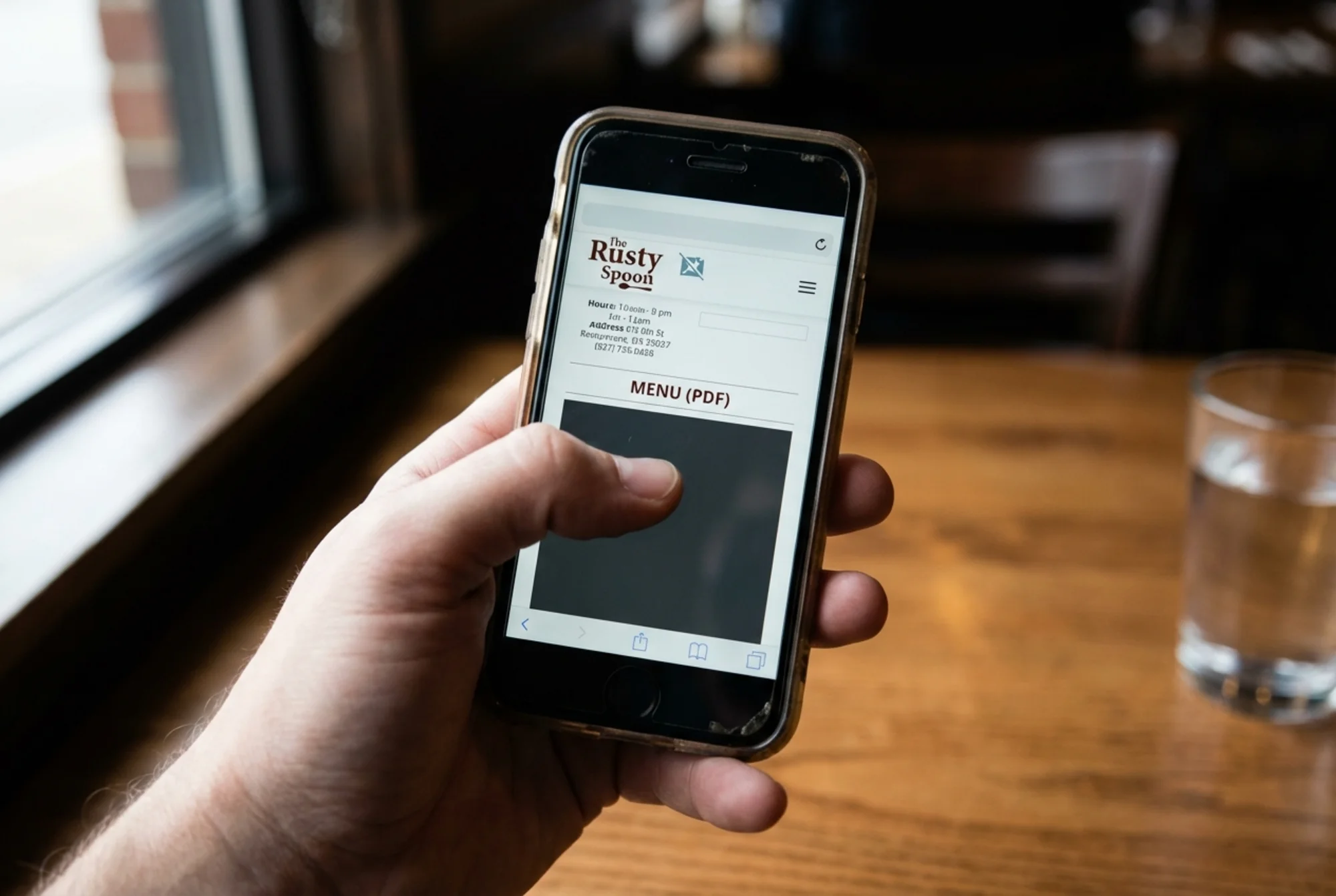
The most common mobile problem on restaurant sites is a menu uploaded as a PDF. PDFs are nearly unusable on phones — tiny text, pinch-and-scroll in every direction, and invisible to screen readers. If your menu is a PDF, converting it to actual HTML text is probably the single highest-impact change you can make.
Quick test: Pull out your phone right now. Open your restaurant's website. Try to find your hours, read the menu, and tap the phone number. If any step takes more than five seconds or requires zooming, that is costing you customers.
2. Your Menu Page
Your menu page is likely your most visited page — in many cases it gets more traffic than the homepage because people land on it directly from search.
Common menu page problems:
- PDF-only menu. Beyond the mobile issues, a PDF also prevents Google from understanding what you serve. An HTML menu means you can appear in searches like "Thai restaurant with vegetarian options near me."
- Outdated information. If prices, dishes, or hours have changed and the website still shows old info, you are creating a bad experience before the customer arrives. Review your menu page monthly at minimum.
- No prices listed. Acceptable for fine dining, but for casual and mid-range restaurants, missing prices make people suspicious. They leave to find somewhere more transparent.
- Missing dietary info. You do not need full nutritional breakdowns, but marking items as vegetarian, vegan, or gluten-free is increasingly expected and helps you appear in filtered searches.
What good looks like: Your menu is actual text on the page, organized by category, includes prices, loads fast, and reads easily on a phone without zooming.
3. Contact Information and Hours
A surprising number of restaurant websites make it hard to find the phone number, address, or hours — buried in a "Contact" page three taps deep, or only in the footer in tiny text.
Fix this:
- [ ] Phone number visible on every page, ideally in the header
- [ ] Phone number is a clickable
tel:link, not plain text - [ ] Address on every page with a link to Google Maps
- [ ] Hours displayed prominently, including holiday or seasonal changes
- [ ] All information is current and accurate
A real scenario: A customer searches "Italian restaurant open now" at 8:45 PM. Your hours page says you close at 9, but you actually changed to 10 PM last month. They assume the kitchen is closing and go elsewhere. You lost a table because of a text update that takes 30 seconds.
4. Page Speed
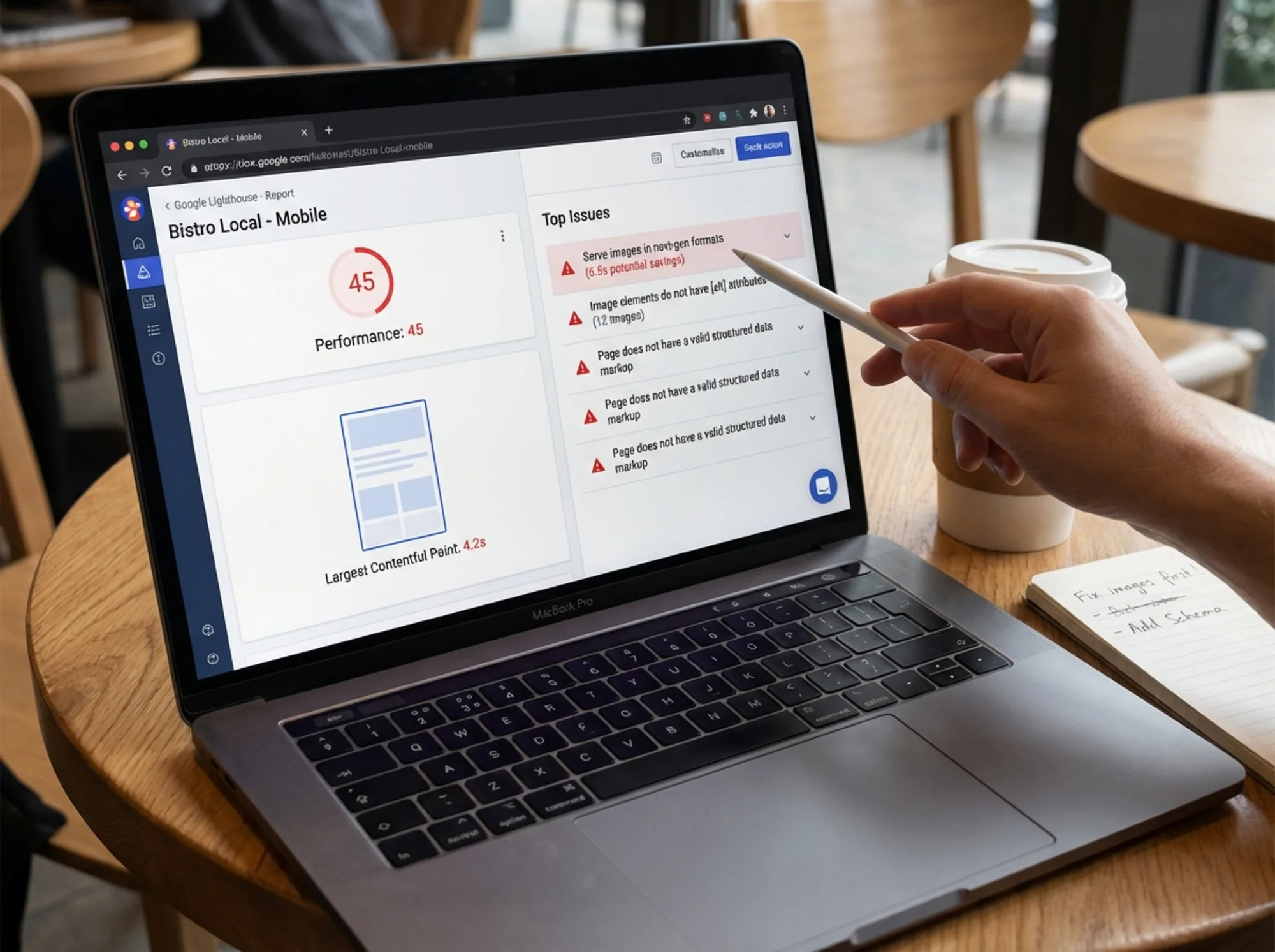
Google's Core Web Vitals measure three things: how fast the largest visible element loads (LCP), how quickly the page responds to interaction (INP), and how much the layout shifts while loading (CLS). These affect both rankings and whether visitors stick around.
Restaurant websites are often slow for predictable reasons:
- Oversized food photos. A 4000x3000 pixel image straight from the camera can be 8 MB. Resize to 1200 pixels wide maximum, compress, and use WebP format. Each image should be under 200 KB.
- Too many photos on one page. A gallery of 40 uncompressed photos will cripple load times. Use lazy loading so images load only as users scroll to them.
- Heavy third-party scripts. Reservation widgets, chat popups, analytics trackers, and social embeds all add weight. Each can add a second or more. Audit which ones you actually need.
- Slow hosting. If your site takes over four seconds to load on mobile, hosting may be the bottleneck.
Target numbers:
- Largest Contentful Paint (LCP): under 2.5 seconds
- Interaction to Next Paint (INP): under 200 milliseconds
- Cumulative Layout Shift (CLS): under 0.1
You can check your scores by running a free audit with FreeSiteAudit — it flags exactly which speed issues are dragging your site down.
5. Google Business Profile and Local SEO
Your website works alongside your Google Business Profile — the listing that appears in Maps and local search. The two need to match.
Check for consistency:
- [ ] Business name is identical on your website and Google Business Profile
- [ ] Address matches exactly (same format, same abbreviations)
- [ ] Phone number matches
- [ ] Hours match
- [ ] Website URL in your Google profile points to your current site
On your website, add these local SEO basics:
- Your city and neighborhood in the page title and headings (e.g., "Bella Roma — Italian Restaurant in Downtown Portland")
- An embedded Google Map on your contact or location page
- Your full address in the footer of every page as crawlable text, not baked into an image
6. Structured Data (Schema Markup)
Structured data is code you add to your site that tells Google what kind of business you are, your hours, address, menu, and more. It enables rich results — enhanced search listings that show your hours, rating, price range, and sometimes menu items directly in results.
For restaurants, the most valuable schema types are:
- Restaurant — business name, address, phone, hours, cuisine type, price range
- Menu — menu sections and items that can surface directly in search
- LocalBusiness — reinforces your location for local search
You do not need to write this code by hand. Most website platforms have plugins or settings for structured data. On WordPress, Yoast SEO or Rank Math can generate it. On a custom site, a developer can add it in an afternoon.
How to check: Google your restaurant name. If you do not see hours, address, and details in a structured format in the search results, you are probably missing schema markup.
7. Online Ordering and Reservation Links
If you offer online ordering or reservations, those links need to be impossible to miss.
Common problems:
- The "Order Online" button is below the fold and requires scrolling
- Reservation links go to a slow third-party site that looks nothing like yours
- The ordering system does not work on mobile
- Links are broken or point to an old system you no longer use
Best practice: Put your primary action — "Order Online," "Make a Reservation," or "Call Now" — in a prominent, high-contrast button in the header of every page. Test it on your phone weekly.
8. HTTPS
Your site must use HTTPS (the padlock in the browser bar). Without it, browsers display a "Not Secure" warning that immediately scares away visitors. Google also uses HTTPS as a ranking signal.
Most hosting providers offer free SSL certificates through Let's Encrypt. If your site still shows "http://" instead of "https://," contact your host — it is usually a one-click fix.
9. Image Alt Text and Accessibility
Every image on your site should have descriptive alt text — the text that displays when an image fails to load and that screen readers use for visually impaired visitors.
For food photos, this matters more than you might think. Instead of alt="IMG_4523", use alt="Wood-fired margherita pizza with fresh basil and mozzarella". This helps Google Image Search understand your photos, which drives additional traffic from people searching for food photos.
Quick checklist:
- [ ] Every image has alt text
- [ ] Alt text is descriptive and specific (not "food" or "dish")
- [ ] Decorative images use empty alt text (
alt="")
10. Reviews and Social Proof
Your website should make it easy for visitors to see that others have eaten at your restaurant and had a good experience.
- Link to your Google reviews, Yelp page, or TripAdvisor listing
- Display a few short testimonials on your homepage (with permission)
- Include press mentions or awards if you have them
Do not fabricate reviews or use generic testimonial text. People can tell, and it damages trust more than having no reviews at all.
A 30-Minute Restaurant Website Audit
Here is how to audit your site in about 30 minutes, even if you are not technical.
Minutes 1–5: Mobile check
Open your site on your phone. Navigate to the menu, find the phone number, check the hours, and try to place an order or make a reservation. Note anything hard to find, slow, or broken.
Minutes 6–10: Speed check
Run your site through FreeSiteAudit to get speed scores and a list of specific issues. Note any oversized images or render-blocking scripts.
Minutes 11–15: Content accuracy
Check your menu, hours, phone number, and address for accuracy. Compare everything to your Google Business Profile.
Minutes 16–20: Technical basics
Verify HTTPS is active. Confirm your phone number is a clickable link. Check that images have alt text (your audit report will flag missing ones).
Minutes 21–25: Search presence
Google your restaurant name. Look at what appears. Do you see structured hours, address, and reviews? Click through to your site from the result and confirm the link works.
Minutes 26–30: Fix the top three
Pick the three most impactful issues and either fix them now or write them down with a deadline. Prioritize: mobile experience first, then menu, then speed.
What Not to Worry About
Some things that audit tools flag are not worth your time as a restaurant owner:
- Perfect performance scores. If your site loads in under three seconds on mobile, that is good enough.
- Minor HTML validation errors. Unless they cause visible problems, these can wait.
- Starting a blog. Fixing your menu page and mobile experience will have 10x more impact than writing blog posts.
- A full redesign. Often you do not need a new website. You need to fix the five things that are broken on your current one.
Start With a Free Audit
The fastest way to find out what is wrong with your restaurant website is to run an automated audit. FreeSiteAudit scans your site in seconds and gives you a plain-English report of what to fix, sorted by impact. It checks mobile-friendliness, page speed, broken links, missing structured data, and more.
No installation, no account required for the free version. Enter your URL, get your report, and start with the top three issues.
Your website is open 24 hours a day, even when your kitchen is closed. Make sure it is working as hard as you are.
Sources
Check your website for free
Get an instant score and your top 3 critical issues in under 60 seconds.
Get Your Free Audit →