Event Schema for Local Businesses and Venues: A Plain-English Guide
Learn how to add Event structured data so concerts, classes, sales, and local meetups appear as rich results in Google Search with dates and venue info.
# Event Schema for Local Businesses and Venues: A Plain-English Guide
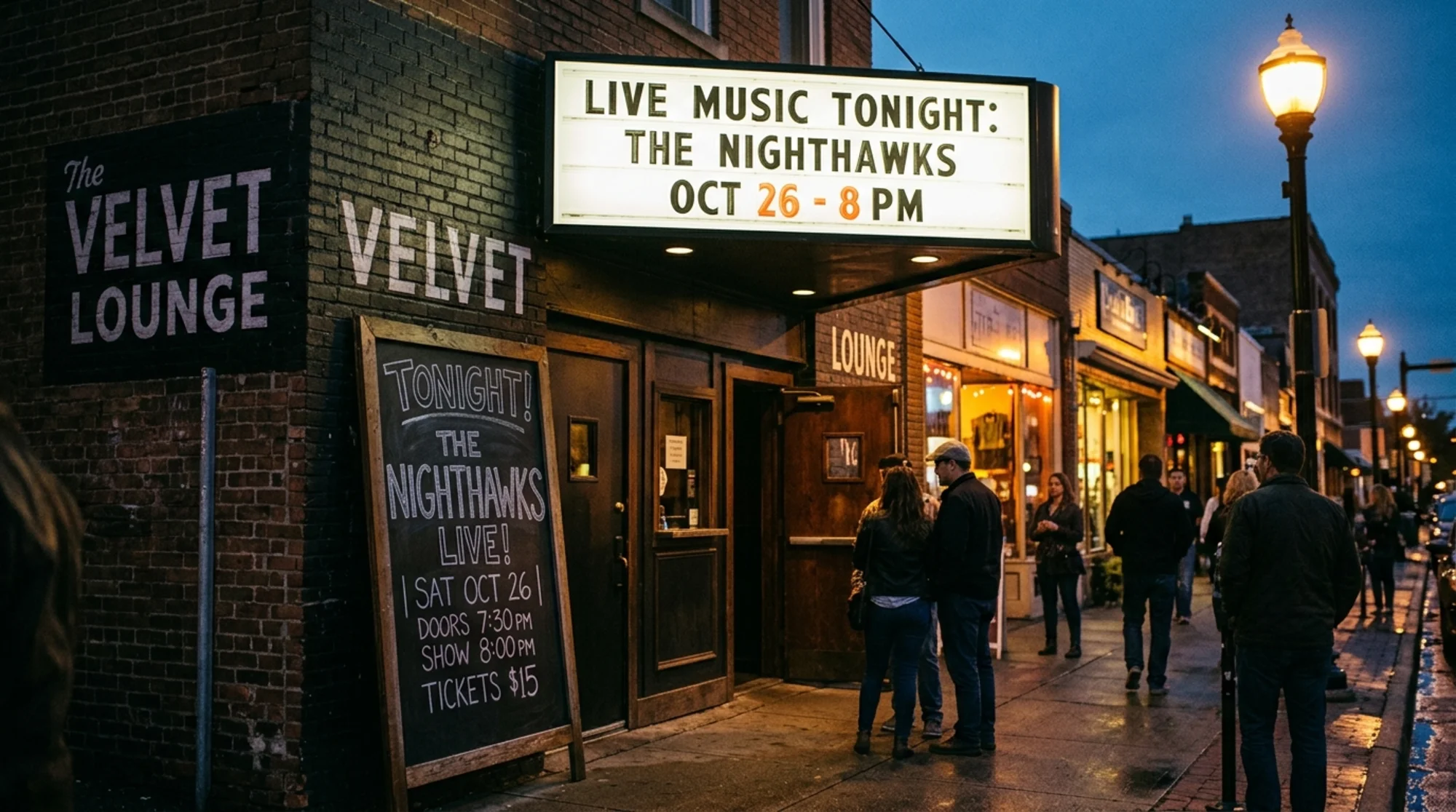
If you run a yoga studio, a wine bar with weekly tastings, a community theater, or a farmers market, you have something most websites do not: real-world events with dates, times, and places. That is gold for Google — but only if you describe it in a language it understands.
That language is structured data. Specifically, Event schema. Done right, your Saturday workshop, Friday night gig, or end-of-season sale can show up directly in Google Search with its date, location, and a link to buy tickets or RSVP. Done wrong, you get nothing, or worse, a warning in Search Console.
This guide walks through what Event schema is, when it actually helps, how to add it without hiring a developer, and the small mistakes that quietly disqualify your listings.
What Event schema actually does
Schema markup is invisible code you add to a page that describes what is on it. Google reads it and decides whether to display a "rich result" — a fancier search listing with extra details like a date, venue, or price.
For events, that can mean:
- Your event appearing in Google's event search filters
- A more detailed listing in regular search results with date and venue
- Eligibility for Google's event experience on mobile, which often pushes plain blue links down the page
There is no guarantee Google will show a rich result. But you cannot get one without the markup. Think of it as a ticket to the lottery — required, but not sufficient.
When Event schema is the right fit
This is the part most guides skip. Schema is only helpful when the page genuinely matches what users search for. Adding Event schema to a generic "Classes" landing page is a waste at best and a manual action at worst.
Use Event schema when the page is about one specific scheduled occurrence with:
- A name (like "Sunset Yoga at Riverside Park")
- A start date and time
- A clear location (physical address or a virtual URL)
- An organizer
- Optionally: ticket info, performer, price, end date
If your page is "Our weekly classes" with a rotating list, that is not one event. You either need a separate page per event, or you need to mark up each event as a separate Event item on the same page.
Examples that fit cleanly:
- A concert at a music venue
- A pop-up dinner on a specific Friday
- A guided wine tasting at 7pm on a known date
- A community 5K race
- A live author reading at a bookstore
- A grand opening or anniversary sale with a defined window
Examples that do not fit:
- "Yoga classes Monday through Friday" with no specific instance page
- A permanent menu launch
- A general "Events" calendar page (the calendar itself is not an Event)
The minimum required fields
Google's documentation is specific about what an Event needs to qualify for rich results. The required fields are short:
name— the event namestartDate— in ISO 8601 format (2026-06-14T19:00:00-04:00)location— either aPlacewith an address, or aVirtualLocationwith a URL
That is the floor. To actually be useful and competitive, you also want:
endDateeventStatus—EventScheduled,EventPostponed,EventCancelled,EventRescheduled, orEventMovedOnlineeventAttendanceMode—OfflineEventAttendanceMode,OnlineEventAttendanceMode, orMixedEventAttendanceModeimage— a high-quality image URLdescription— what the event isoffers— price, currency, availability, ticket URLperformerororganizer— name of the act, speaker, or host
The status and attendance mode fields became important during 2020 and never went away. Skip them and you will see "missing field" warnings in Search Console, even if your listing still shows.

A working example you can copy
Here is a clean JSON-LD block for a real-world local event. Drop it on the event page inside a tag, in the or anywhere in the .
{
"@context": "https://schema.org",
"@type": "Event",
"name": "Saturday Sunrise Yoga at Riverside Park",
"startDate": "2026-06-14T07:00:00-04:00",
"endDate": "2026-06-14T08:15:00-04:00",
"eventStatus": "https://schema.org/EventScheduled",
"eventAttendanceMode": "https://schema.org/OfflineEventAttendanceMode",
"location": {
"@type": "Place",
"name": "Riverside Park Pavilion",
"address": {
"@type": "PostalAddress",
"streetAddress": "120 River Road",
"addressLocality": "Springfield",
"addressRegion": "OH",
"postalCode": "45501",
"addressCountry": "US"
}
},
"image": [
"https://example.com/images/sunrise-yoga.jpg"
],
"description": "An all-levels outdoor yoga class led by certified instructor Maya Lin. Mats provided. Free coffee after class.",
"offers": {
"@type": "Offer",
"url": "https://example.com/events/sunrise-yoga-june-14",
"price": "15.00",
"priceCurrency": "USD",
"availability": "https://schema.org/InStock",
"validFrom": "2026-05-01T09:00:00-04:00"
},
"performer": {
"@type": "Person",
"name": "Maya Lin"
},
"organizer": {
"@type": "Organization",
"name": "Riverside Wellness Studio",
"url": "https://example.com"
}
}
Small things that quietly matter:
- The
startDatehas a timezone offset (-04:00). Leaving this off causes ambiguity and frequent "missing or incorrect" warnings. eventStatusandeventAttendanceModeare full URLs, not bare strings.offers.urlpoints to the ticket or RSVP page, not the homepage.availabilityusesInStock,SoldOut, orPreOrder— only those values are accepted.
How to actually add this to your site
You do not need a developer for this if your site is on WordPress, Squarespace, Wix, Shopify, or any modern site builder. The approach depends on the platform.
WordPress. Use a structured data plugin (Yoast, Rank Math, or Schema Pro all support Event types). For event calendars specifically, plugins like The Events Calendar output schema automatically. Verify what they emit — some output partial or outdated markup.
Squarespace and Wix. Neither natively outputs Event schema for custom events. The easiest route is to add a code injection block (or embed block) on the event page with the JSON-LD script directly. Both platforms allow custom HTML on individual pages on paid plans.
Shopify. If you sell event tickets as products, schema typically generates as Product, not Event. To get Event schema, edit the relevant Liquid template or use an app that supports Event-type structured data.
Custom or static site. Add the script tag to the event page template. If you generate events from a CMS or spreadsheet, build a small template that fills in the fields.
Whatever the platform, the rule is the same: one specific URL per specific event instance. Recurring events should each have their own page with their own date.

A short scenario: the wine bar problem
Consider a wine bar that runs Thursday tastings. The owner has one page titled "Weekly Tastings" with a list of upcoming dates. She adds Event schema to that page, fills in the next date, and submits to Google.
A week later, the date is wrong in search results because the page now lists the next tasting, not the one she marked up.
The fix is structural:
- Create a parent page at
/tastingsthat lists upcoming events with normal links — no schema. - Create a child page per tasting, like
/tastings/2026-06-19-rieslings-of-mosel. - Put the Event schema on each child page, matching only that page's content.
- Update the parent listing as new tastings are scheduled.
This pattern takes more setup, but it is what Google's documentation expects: one event, one URL, one set of markup. It also gives you a real page to share on social, in newsletters, and on reservation platforms — each with its own metadata.
If you cannot create one page per event, the next-best option is an ItemList of Event items on the listing page, each fully marked up. That is more advanced and easier to get wrong, so the per-page model is usually better.
Validating before you ship
Once your JSON-LD is on the page, two free checks take five minutes total:
- Run the page through Google's Rich Results Test. It tells you whether the Event is detected and lists any missing fields.
- After Google has had a few days to recrawl, check the Enhancements section in Search Console for "Events." It will show valid items, items with warnings, and items with errors.
A common pattern: the Rich Results Test passes, but Search Console flags warnings days later. Both can be right. Treat warnings as polish — they will not necessarily disqualify your listing, but they reduce the chance of getting the richest possible result.
You can also run a structured data audit across the whole site with a tool like our schema checker, which catches missing fields, invalid values, and inconsistencies across pages in one pass.
Mini-checklist before publishing
Run through this before pushing an event live:
- [ ] One specific URL for this specific event instance
- [ ]
nameis the actual event title shown on the page - [ ]
startDateandendDateinclude time and timezone offset - [ ]
eventStatusis set (useEventScheduledfor normal events) - [ ]
eventAttendanceModematches reality (offline, online, or mixed) - [ ]
location.addressis fully filled for offline events - [ ]
location.urlis set for virtual events - [ ]
imageis at least 1200px wide and reflects the event, not a generic logo - [ ]
offers.urlpoints to the ticket or RSVP page on the same domain - [ ]
offers.priceandpriceCurrencymatch what is on the page - [ ] Markup matches visible content — no prices in schema that are not on the page
- [ ] Page passes the Rich Results Test with no errors
The last point matters more than the others combined. Google considers schema that contradicts the page to be misleading and can issue a manual action. Markup is a description of the page, not a separate advertisement.
Common mistakes that quietly disqualify listings
- Mass-marking a calendar page as one Event. Calendars are not events. Use individual pages.
- Recycling past event URLs. Once an event happens, leave the schema as-is for the historical record and put new events on new URLs.
- Inflated descriptions. Stuffing keywords into the
descriptionfield reads as spam. Use the same description visitors see. - Generic stock images. The image should be of this event, the venue, or a previous instance — not clip-art for "live music."
- Missing timezone offsets.
2026-06-14T19:00:00is ambiguous. Always include the offset. - Mismatched ticket URLs. Linking to your homepage instead of the actual ticket page is a frequent reason for warnings.
- Marking up events you do not host. If you list other people's events, the rules get stricter. Make sure you have the right to represent them, and reflect the actual organizer in the markup, not your business.

How this fits with the rest of your site
Event schema works best when the rest of your site is also clean. A few things tend to amplify or undermine it:
- Your business should have Organization or LocalBusiness schema on the homepage. The Event's
organizercan then point to that entity. - Your venue should have consistent NAP (name, address, phone) across the site, your Google Business Profile, and directories. Mismatched addresses confuse Google's match between your Event and your business.
- Page speed and Core Web Vitals matter. Slow event pages get fewer impressions and lose the user before they reach the ticket button. Heavy hero videos and unoptimized images are common offenders.
- Mobile rendering. Most event searches happen on a phone. If the page is hard to read or scroll, even a perfect rich result will not convert.
The same habits that help with regular SEO — fast pages, helpful content that matches search intent, no broken links — apply here. Schema is the cherry on top, not a workaround for a broken cake.
What to do next
If you run events, pick the next one on your calendar and treat it as a pilot:
- Give it its own URL.
- Write the page so a stranger could attend based on the page alone — date, time, address, what to bring, how to buy a ticket.
- Add the Event JSON-LD using the template above, swapping in your details.
- Validate with the Rich Results Test.
- Submit the URL to Google through Search Console.
- Two weeks later, check whether you appear in event-style results for searches that name your venue or your event.
Once one event works, copy the pattern. The marginal time per event drops to a few minutes.
If you would rather see a full picture of what is and is not working on your site — including missing schema, broken structured data, slow event pages, and mobile issues — run a free audit at FreeSiteAudit. It checks your event pages along with everything else and tells you what to fix first, in plain English.
You can also browse fixes specific to event schema, or read our other guides for local businesses and venues.
Sources
Related Tools
Related Fixes
Check your website for free
Get an instant score and your top 3 critical issues in under 60 seconds.
Get Your Free Audit →