How to Structure Pages So AI Can Extract Answers Correctly
Learn how to structure web pages so AI systems like ChatGPT and Google AI Overviews can extract and cite your content correctly.
AI systems are answering your customers' questions before they ever visit your website. ChatGPT, Google AI Overviews, Perplexity, and other large language model tools pull information from web pages, synthesize it, and present it as a direct answer. If your pages are not structured in a way these systems can parse, you are invisible to the fastest-growing discovery channel in search.
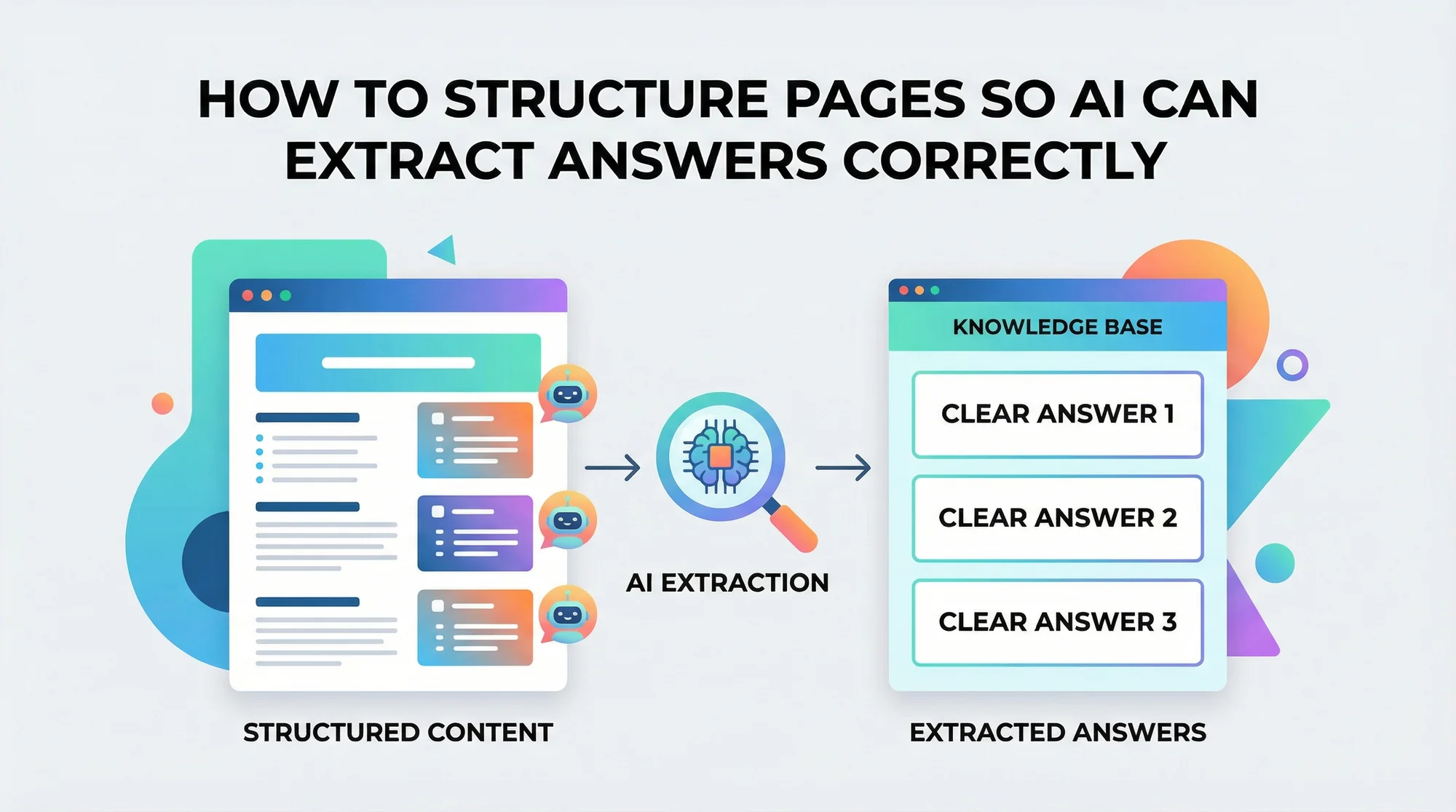
This is not a theoretical problem. Businesses that structure their content for AI extraction are already seeing their answers cited in AI-generated responses, driving qualified traffic and building authority. Businesses that do not are watching their competitors get quoted instead.
Here is exactly how to structure your pages so AI can extract answers correctly, with practical steps you can implement this week.

Why Page Structure Matters for AI Extraction
How AI Systems Read Your Pages
AI systems do not read web pages the way humans do. They do not scan visually, skim headings, or appreciate nice design. Instead, they process the underlying HTML structure, looking for semantic signals that indicate what information is most important and how it relates to a user's question.
When ChatGPT or Google's AI Overview needs to answer "How much does a roof inspection cost?", it scans thousands of pages and prioritizes those where:
- The answer appears in the first 50 to 100 words of a clearly labeled section
- Headings use question-based formats that match the query
- Content is organized in lists, tables, or short paragraphs rather than dense text blocks
- Schema markup provides additional machine-readable context
- The page has clear authority signals like author credentials and sources
Pages that bury answers in the fourth paragraph of a long narrative get passed over. Pages that lead with the answer and support it with structured details get cited.
The Business Impact
According to research from multiple SEO platforms, pages that appear in AI-generated answers see 2 to 3 times more referral traffic than pages that rank in traditional search results alone. For local businesses, this means the difference between getting the phone call and losing it to a competitor whose content was easier for AI to parse.
You can check whether your pages have the basic structural elements AI needs by running a schema check on your site.
The Core Principles of AI-Extractable Content
Principle 1: Answer First, Explain Second
The single most important structural change you can make is moving your answer to the top of each section. This is called the "inverted pyramid" style, borrowed from journalism, and it is exactly what AI systems prefer.
Before (buried answer):
"Our team has been providing plumbing services in the Denver metro area for over 20 years. We pride ourselves on quality workmanship and customer satisfaction. When it comes to drain cleaning, our experienced technicians use state-of-the-art equipment. The typical cost ranges from $150 to $350."
After (answer first):
"Drain cleaning typically costs $150 to $350 for standard residential clogs. Main sewer line blockages run $300 to $600. Our Denver-based technicians complete most jobs in 1 to 2 hours using hydro jetting or mechanical snaking, depending on the severity."
The second version gives AI exactly what it needs in the first sentence. The details follow in a structured, extractable format.

Principle 2: Use Question-Based Headings
AI systems match user queries to page headings. If someone asks "When should I replace my roof?", a page with an H2 heading that reads "When Should You Replace Your Roof?" has a structural advantage over one with a heading like "Our Roofing Services."
Format your H2 and H3 headings as questions or clear topic labels:
- "How Much Does Teeth Whitening Cost?" (not "Pricing")
- "What Is the Drain Cleaning Process?" (not "Our Process")
- "How Long Does a Roof Repair Take?" (not "Timeline")
This does not mean every heading must be a question. Descriptive headings like "Step-by-Step Drain Cleaning Process" also work well because they clearly signal the content that follows.
Principle 3: Structure Data in Lists and Tables
AI systems extract structured data far more reliably than prose. Convert key information into formats that are easy to parse:
Use bulleted lists for:
- Features and benefits
- Requirements and qualifications
- Step-by-step processes
- Common symptoms or signs
Use tables for:
- Pricing comparisons
- Service tiers
- Timeline estimates
- Before-and-after metrics
Use numbered lists for:
- Sequential processes
- Ranked recommendations
- Priority-ordered action items
A meta title checker can help ensure your page titles also follow a clear, descriptive format that AI systems use to understand page intent.
Principle 4: Implement Schema Markup
Schema markup is structured data you add to your HTML that explicitly tells search engines and AI systems what your content means. It is the difference between AI guessing that "$350" is a price and knowing it is the cost of a specific service in a specific location.
The most important schema types for AI extraction include:
- FAQPage for question-and-answer sections
- HowTo for step-by-step guides
- LocalBusiness for business information (NAP, hours, service area)
- Article for blog posts and guides (with author information)
- Product or Service for specific offerings with pricing
Implementing FAQPage schema on your service pages is one of the highest-impact changes you can make. When AI systems see structured FAQ data, they can extract individual Q&A pairs with high confidence.
Principle 5: Provide Clear Attribution and Sources
AI systems evaluate source credibility before deciding what to cite. Pages with clear author information, publication dates, and references to authoritative sources rank higher in AI citation priority.
Include on every content page:
- Author name and credentials
- Publication date and last-updated date
- Links to authoritative sources (government agencies, industry organizations, academic research)
- Your business credentials and certifications
Run a trust signals check to see how your pages score on credibility indicators.
A Practical Page Structure Template
Here is a template you can apply to any service or informational page:
Section 1: Direct Answer (First 100 Words)
Open with the core answer to the primary question your page addresses. Include specific numbers, timeframes, or outcomes. No filler, no company history, no "welcome to our website."
Section 2: Context and Details (200 to 400 Words)
Expand on the answer with supporting details. Break into subsections with descriptive H3 headings. Use lists and tables for key data points.
Section 3: Process or How-To (200 to 400 Words)
Describe your process step by step. Number each step. Include what the customer can expect at each stage. Add approximate timeframes.
Section 4: Proof and Credentials (100 to 200 Words)
Include case studies, certifications, years of experience, and specific results. Mention license numbers, industry affiliations, and any awards.
Section 5: FAQ Section (200 to 400 Words)
Add 5 to 8 frequently asked questions with concise, direct answers. Implement FAQPage schema markup. Pull questions from actual customer interactions.
Section 6: Call to Action
Clear next step for the visitor. One primary CTA, not five competing ones.
Common Structuring Mistakes That Block AI Extraction
Mistake 1: Walls of Text With No Headings
A 1,500-word page with two H2 headings is almost useless for AI extraction. Break content into sections of 100 to 200 words, each with a descriptive heading.
Mistake 2: Using Images for Text Content
AI systems cannot read text embedded in images. Pricing tables, process diagrams, and infographics that exist only as images are invisible. Always include the text version alongside or instead of the image.
Mistake 3: Hiding Information Behind Tabs and Accordions
Content hidden in JavaScript-powered tabs, accordions, or "read more" toggles may not be indexed at all. If the information matters, put it on the page in full.
Mistake 4: Duplicate Content Across Location Pages
If your "Plumbing in Austin" and "Plumbing in Dallas" pages share 90% of the same text, AI systems see duplicate content and may not cite either one. Each page needs unique local details, case studies, and specifics.
Mistake 5: Missing or Generic Meta Descriptions
Your meta description is often the first text snippet AI systems evaluate. A generic "We offer professional services" description tells AI nothing. Write specific, answer-rich meta descriptions for every page.
How to Test Your AI-Readiness
After restructuring your pages, verify they are working:
- Paste your URL into Google's Rich Results Test to confirm schema markup is valid and recognized
- Search for your target question in ChatGPT or Perplexity and see if your content appears in the answer
- Check Google Search Console for changes in impressions and clicks, especially for question-based queries
- Review your pages on mobile to ensure the structure holds on smaller screens
- Ask a friend to find a specific answer on your page in under 10 seconds. If they cannot, neither can AI.
Industry Examples
For [Dentists](/industries/dentists)
A dental practice restructured their teeth whitening page from a generic 200-word description to a 1,200-word guide with pricing ranges, procedure steps, candidate criteria, and an FAQ section with schema markup. Within 6 weeks, their content appeared in Google AI Overviews for "teeth whitening cost" queries in their metro area.
For [Plumbers](/industries/plumbers)
A plumbing company rewrote their emergency services page to lead with "Emergency plumbing calls cost $150 to $400, with most issues resolved in 1 to 3 hours." They added a step-by-step "What happens when you call" section and FAQ schema. Their page began appearing in ChatGPT responses for local plumbing emergency queries.
What to Do Next
Start with your three highest-traffic pages. Restructure them using the template above. Add FAQ schema markup. Test with Google's Rich Results tool. Monitor changes in Search Console over the next 30 to 60 days.
Get your free website audit →. Our automated scan checks your page structure, schema markup, meta elements, and trust signals in under 60 seconds. No account needed, just enter your URL and see exactly which pages need restructuring for AI extraction.
Sources
This article references guidance and standards from authoritative sources including:
- Google Search Central - Structured data guidelines
- Google Search Central - Creating helpful, reliable, people-first content
- Schema.org - FAQPage schema specification
- Schema.org - HowTo schema specification
- W3C - HTML semantic elements
- MDN Web Docs - HTML elements reference
Last updated: April 2, 2026
Related Tools
Related Industries
Check your website for free
Get an instant score and your top 3 critical issues in under 60 seconds.
Get Your Free Audit →