How to Test Your Structured Data with Google's Rich Results Test (Plain English Guide)
A step-by-step, non-technical walkthrough of using Google's Rich Results Test to validate structured data, fix warnings, and earn rich snippets in search.
# How to Test Your Structured Data with Google's Rich Results Test (Plain English Guide)
If you've added schema markup to your website — the bits of code that tell Google your page is a recipe, a product, a local business, or an FAQ — you probably want to know one thing: is it actually working?
That's what Google's Rich Results Test is for. It takes your URL or a chunk of code, runs it through Google's eyes, and tells you whether your structured data is valid, which types it detected, and what's still broken. It's free, it takes about 30 seconds, and it's the single most useful tool small business owners have for checking SEO markup without hiring anyone.
This guide is for site owners who don't write code for a living. We'll cover what the tool does, how to use it, what the warnings really mean, and the small mistakes that quietly kill rich snippets.

What "rich results" actually means
Most Google listings look the same: a blue link, a URL, two lines of grey text. A rich result is anything beyond that — star ratings under a product, a recipe card with calories, an FAQ accordion that expands inside the search result, opening hours next to a local business, an event date.
Those extras don't appear by magic. Google adds them when your page contains structured data — small chunks of code (usually JSON-LD) that label what's on the page. Without that markup, Google has to guess. With it, Google has clean, labelled information it can lift directly into search results.
The Rich Results Test is the official way to check whether Google understands your markup and whether your page is even eligible for those richer appearances. It won't promise the rich result will show — that's still Google's call — but it will tell you if you're disqualified before you start.
When to test (and when not to bother)
Run the Rich Results Test in these situations:
- After adding schema to a page for the first time
- After changing a template (themes, page builders, and SEO plugins all touch markup)
- After a migration or redesign
- Before launching a new product, event, recipe, or article
- When a rich result you used to see has quietly disappeared from search
- When Google Search Console flags a structured data error
You don't need to test every page on your site every week. Test the page templates — your product template, your blog post template, your local landing pages. If the template is right, every page built from it will be too.
A 60-second walkthrough
- Go to
search.google.com/test/rich-results - Paste the full URL of the page you want to test (or click "Code" and paste raw HTML)
- Click Test URL
- Wait 10–30 seconds while Google fetches and renders the page
- Read the results panel on the right
You'll see one of three outcomes:
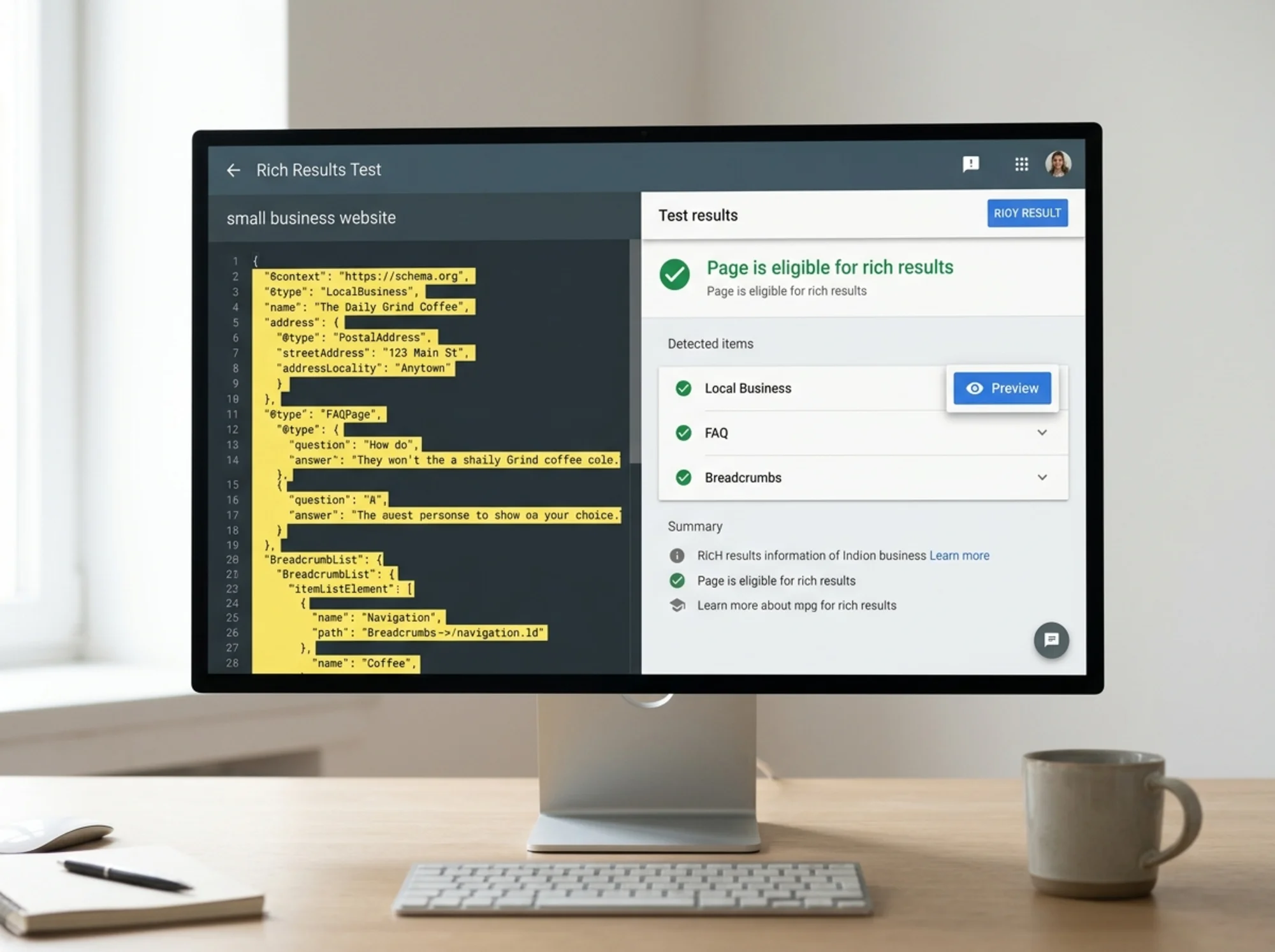
- Page is eligible for rich results — green checkmark, with a list of detected items like "Product," "FAQPage," "LocalBusiness."
- Page is eligible, but has issues — yellow warning. You're still eligible, but Google is flagging optional fields you should consider adding.
- Page is not eligible — red error. Required fields are missing or invalid, and Google won't show a rich result for this item.
Click any detected item to expand it. You'll see every field Google extracted, plus errors and warnings inline.
Reading the results without panicking
Most small business owners look at the result, see a list of warnings, and assume their site is broken. It usually isn't. The tool distinguishes between two kinds of feedback, and the difference matters.
Errors are required fields that are missing or malformed. If you see an error, your page is disqualified for that rich result type. Fix errors first.
Warnings are recommended fields. They aren't required, but adding them improves the quality of the markup and sometimes the chance of a richer-looking result. You can leave warnings unfixed if the field doesn't apply — a local business with no fixed price range, for example.
A page with three warnings and zero errors is fine. A page with one error and zero warnings is not.

A realistic walkthrough: a small bakery
Imagine you run a neighbourhood bakery. You've added LocalBusiness schema to your homepage through an SEO plugin, FAQ schema on a "Custom Orders" page, and Product schema on individual cake pages.
You paste your homepage URL into the Rich Results Test:
- Detected items: LocalBusiness (valid), BreadcrumbList (valid)
- Warnings:
priceRangenot specified,imagearray contains only one item (recommended: at least three)
Action: add $$ to the price range field in your plugin's settings, and add two more storefront images. Re-test. Warnings cleared.
Next, the Custom Orders page:
- Detected items: FAQPage (1 valid item)
- Errors:
acceptedAnswermissing on Question 4
That's the dangerous one. One of your FAQ entries has a question with no labelled answer, so Google won't show the FAQ rich result at all. Open the page editor, find the broken FAQ block (someone deleted the answer text but left the question), republish, re-test. Error gone.
Finally, the cake product page:
- Detected items: Product (valid)
- Warnings:
aggregateRatingmissing,reviewmissing,brandmissing
These are optional, but worth thinking about. If you have customer reviews on the page, your plugin should be wiring those into the Product schema as aggregateRating. If it isn't, you're sitting on free rich result eligibility you're not collecting. Set the brand field to your bakery name, hook reviews into schema, and re-test.
That entire sweep took maybe 15 minutes — the kind of work a non-technical owner can do without a developer.
The mistakes that quietly kill rich snippets
A handful of issues come up over and over. None are exotic. All are fixable in an afternoon.
1. Testing the staging URL instead of live. Your staging site is usually blocked from Google. If the test says "URL is not on Google," you're testing the wrong thing.
2. Markup that doesn't match the visible content. Google's guidelines are explicit: the markup must reflect what users actually see. If your FAQ schema answers a question that isn't on the page, that's a policy violation, and Google can issue manual actions for it.
3. Duplicate or conflicting markup. This happens when an SEO plugin and a theme both inject schema. The test will detect both and may flag conflicts. Pick one source of truth and disable the other.
4. Missing or undersized images. Many schema types require images at minimum sizes. Article schema, for example, typically expects images at least 1200px wide. A 600px image will throw an error.
5. Relative URLs in fields. The image, url, and logo fields must be absolute URLs starting with https://. A relative path like /images/logo.png will fail.
6. Schema on a noindex page. If the page is set to noindex, Google won't show a rich result for it anyway. Check this if your markup is valid but nothing ever appears.
7. JavaScript-rendered schema. If your schema is injected client-side after page load, the test may or may not pick it up depending on rendering. Server-rendered JSON-LD is the most reliable.
A mini-checklist before you publish
Use this short list whenever you add structured data to a new page or template.
- The page is live and indexable (not noindex, not blocked in robots.txt)
- The markup reflects content visible on the page
- All required fields for the chosen schema type are filled
- All image URLs are absolute and meet the minimum size for that schema type
- Only one source is generating schema (not theme and plugin both)
- You've tested the URL with the Rich Results Test and seen zero errors
- You've decided which warnings to fix and which to ignore
- You've added a re-test reminder in 30 days
That last one matters more than it sounds. Plugins update, themes change, schema drifts. Re-testing once a month per template catches regressions before they show up in Search Console.
What the test doesn't tell you
The Rich Results Test has limits. It will not tell you:
- Whether your rich result will actually appear in search (that's up to ranking signals and Google's judgement)
- Whether you've picked the best schema type for the content (it validates what you give it)
- Whether your content is high quality, accurate, or useful
For that last point, Google's helpful content guidance is more relevant than any technical tool. The Rich Results Test confirms your wiring is correct, but the content on the page still has to be worth showing.
There's also a separate tool — the Schema Markup Validator at validator.schema.org — that checks against the full Schema.org vocabulary rather than just Google's supported rich result types. Use that for general schema validation; use Google's tool when you specifically care about rich results in Google Search.
Tying it back to performance and crawlability
Schema is one piece of a larger picture. Structured data won't compensate for a slow site, broken links, or thin content. Google's Article structured data documentation is clear that markup helps Google understand a page faster — but the page still needs to be reachable, fast, and useful.
If your site has Core Web Vitals issues — slow loading, layout shift, sluggish interactions — schema alone won't move you up. A page that takes seven seconds to render gives Google less time to crawl and process anything on it, including your markup.
The best result is the boring one: clean markup, fast pages, real content. The Rich Results Test handles the first; an audit handles the rest.

When something looks right but still doesn't appear
Sometimes you'll see the green checkmark, your markup is perfect, and weeks pass without the rich result showing up. A few possibilities:
- Google hasn't re-crawled the page yet. Request indexing via Search Console.
- The query you're testing doesn't trigger that rich result type. Some types only show for specific intents.
- Eligibility doesn't equal display. Google chooses which results get the rich treatment per query.
- There's a manual action against your site or that page (check Search Console).
- The page has quality issues unrelated to schema.
Patience helps. So does Search Console's "Enhancements" report, which gives you a sitewide view of which schema types are passing, which are failing, and which pages are affected.
Run a free audit
The Rich Results Test answers one specific question: is my structured data valid? A full site audit answers the bigger one: is this page actually set up to win in search? That covers markup, speed, meta tags, broken links, mobile usability, content quality, and the dozens of small issues that quietly drag down rankings.
Run a free website audit with FreeSiteAudit and get a plain-English report on your structured data, Core Web Vitals, on-page SEO, and accessibility — in about 60 seconds, no signup needed. For a deeper look at schema specifically, the structured data checker walks you through every detected item on the page with explanations a non-developer can act on. If the test flagged something specific, our guide to schema markup errors covers the common ones, and our local business resources go deeper on LocalBusiness markup in particular.
Most small business sites have structured data that's 80% right and 20% quietly broken. Closing that last 20% is usually the difference between a plain blue link and a result that takes up three times the screen real estate of every competitor.
Sources
Related Tools
Check your website for free
Get an instant score and your top 3 critical issues in under 60 seconds.
Get Your Free Audit →