How to Turn Thin Service Pages into Citation-Worthy Pages
Learn how to transform thin service pages into content that ranks in Google and gets cited by AI systems like ChatGPT and Perplexity. Practical framework for small business owners.
Your service pages might look fine to you — a headline, a paragraph or two about what you offer, maybe a stock photo and a phone number. But to Google, and increasingly to AI systems like ChatGPT, Perplexity, and Google's own AI Overviews, those pages are invisible. Thin service pages don't just fail to rank — they fail to get cited. And in a world where AI is answering more and more of your potential customers' questions, being citation-worthy is the new table stakes.
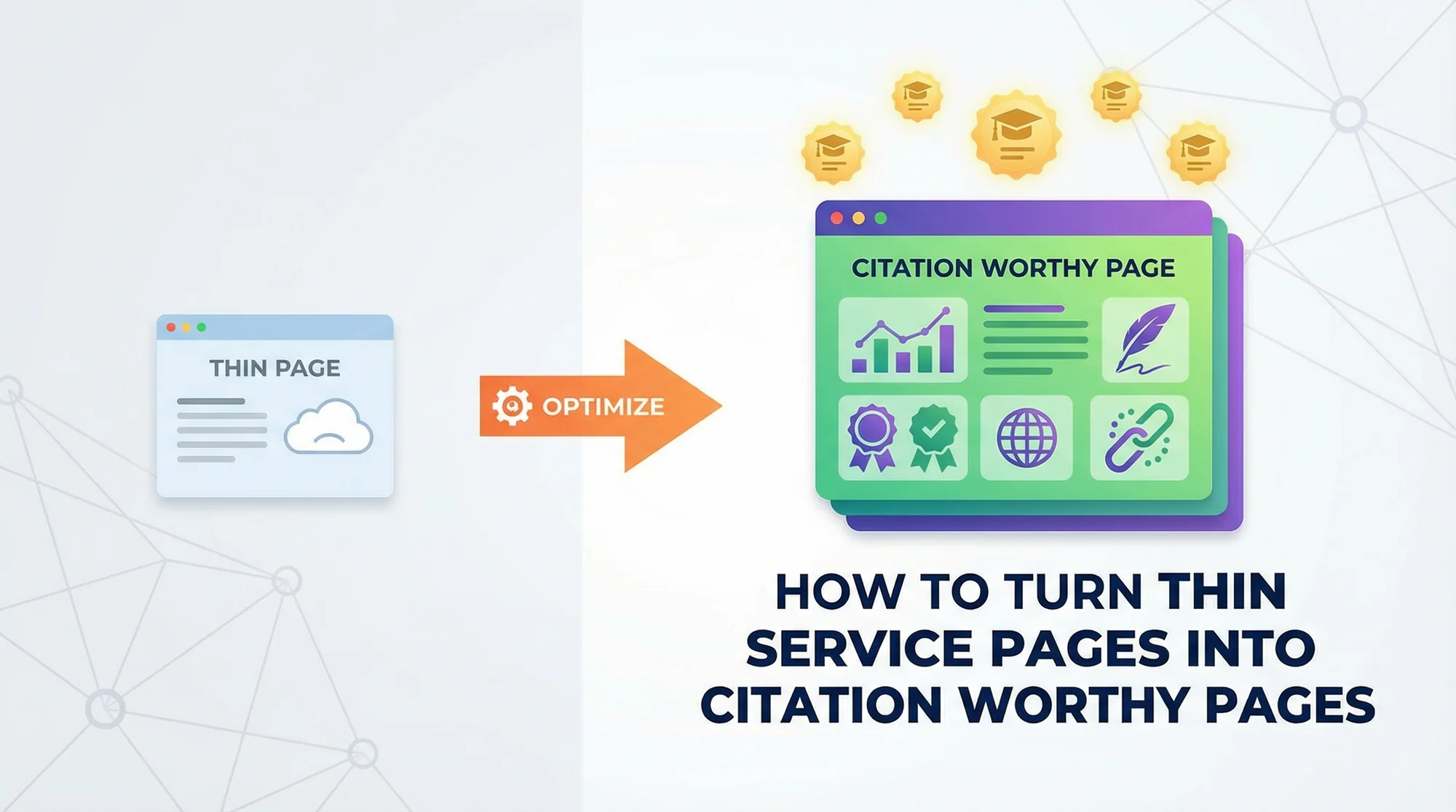
The good news? You don't need to become a content marketing expert. You need to take what you already know — your real experience, your process, your results — and put it on the page in a way that both search engines and AI systems can use. Here's exactly how to do it.

What Makes a Service Page "Thin"
A thin service page isn't necessarily short — though most are. It's a page that fails to deliver enough useful, specific information for a visitor (or an algorithm) to trust it as a real resource. Here are the telltale signs:
- Under 300 words of actual content. Strip out the header, footer, sidebar, and boilerplate. What's left? If it's two paragraphs of vague copy, that's thin.
- Generic descriptions that could apply to anyone. "We provide top-quality service with years of experience" says nothing. Every competitor's page says the same thing.
- No specifics about your process, pricing, or timeline. If a potential customer can't learn how you do the work, what it costs roughly, or how long it takes, the page isn't helping them.
- No proof or credentials. No case studies, no certifications listed, no reviews, no before-and-after photos. Nothing that proves you've actually done this work.
- Copy-pasted across location pages. If your "Plumbing Services in Austin" page is identical to your "Plumbing Services in Dallas" page except for the city name, both pages are thin.
- No FAQ section. Real customers have real questions. If you're not answering them, someone else is.
You can use a meta title checker to quickly see if your on-page SEO elements are even set up properly — many thin pages don't even have unique title tags.
Why Thin Pages Get Ignored by Google AND AI
Google's Helpful Content System
Google's Helpful Content system, rolled out and refined over the past few years, exists specifically to demote content that was "created primarily for search engines rather than people." Thin service pages are the textbook example. They exist to rank, not to help — and Google can tell the difference.
The system evaluates content site-wide, meaning a handful of thin pages can drag down your entire domain's performance. If half your service pages are 150-word placeholders, that signals to Google that your site isn't a helpful resource overall.
E-E-A-T: Experience, Expertise, Authoritativeness, Trustworthiness
Google's quality raters evaluate pages using the E-E-A-T framework. Thin pages fail on almost every dimension:
- Experience — No evidence you've actually performed the service
- Expertise — No details that demonstrate knowledge
- Authoritativeness — No credentials, certifications, or industry proof
- Trustworthiness — No reviews, no real business details, no transparency
Run your pages through a trust signals checker to see where you stand on these factors.
How AI Systems Choose Citation Sources
This is where it gets critical for the future. When ChatGPT, Perplexity, or Google AI Overviews answer a user's question, they pull from pages that are structured, specific, and authoritative. AI systems need:
- Clear headings that signal what each section covers
- Specific answers in the first few sentences (not buried under filler)
- Data, numbers, and concrete details they can extract and reference
- Signals of authority (author names, credentials, sources)
A thin page with two vague paragraphs gives AI nothing to cite. A well-structured page with specific answers, real data, and clear expertise? That becomes a source.

The Citation-Worthy Page Framework
Here's the actionable framework. Work through each step for every service page on your site.
Start With an Answer-First Format
The first 40-60 words on your page should directly answer the core question a visitor has. If your page is about drain cleaning, don't open with your company history. Open with: "Drain cleaning typically costs $150-$350 for standard clogs and takes 1-2 hours. For main sewer line blockages, expect $300-$600 and a half-day appointment."
That's what both humans and AI systems want — the answer, immediately, followed by the details.
Add Real Experience Markers
This is what separates a citation-worthy page from a generic one. Include:
- Case studies or job stories. "Last month, we cleared a 40-foot root intrusion in a clay sewer line in Oak Park. The homeowner had been told they needed a full replacement — we saved them $8,000 with hydro jetting."
- Before-and-after details. Specific numbers, specific outcomes.
- Volume indicators. "We complete 200+ drain cleaning jobs per year across the metro area."
- Years and credentials. Not just "experienced" — state your license number, years in business, specific certifications.
Structure Content With Clear Headings
Use H2 and H3 headings that match the questions people actually ask. Not "Our Services" — instead, "How Much Does Drain Cleaning Cost?" and "What's the Drain Cleaning Process?" and "When Should You Call a Professional?"
This heading structure helps Google understand your content and helps AI systems extract specific answers to specific questions.
Include an FAQ Section With Schema Markup
Add 5-8 frequently asked questions at the bottom of each service page, and implement FAQPage schema markup so they're eligible for rich results in Google. Use your schema check tool to verify the markup is valid.
Pull questions from real customer interactions — what do people actually ask when they call? Those questions, answered clearly, become AI citation gold.
Add Author and Expert Attribution
Every service page should credit a real person. "Written by [Name], licensed [credential] with [X] years of experience in [specialty]." This isn't vanity — it's an E-E-A-T signal that both Google and AI systems use to evaluate trustworthiness.
Use Specific Local Details
Generic pages get generic results. Add:
- Service area specifics. Name the neighborhoods, cities, and zip codes you serve.
- Pricing ranges. Even rough ranges ("$200-$500 for most residential jobs") build trust.
- Process timelines. "Most appointments take 1-3 hours. We offer same-day service for emergencies."
- Local regulations or requirements. If your area has specific codes or permit requirements, mention them.
Include Original Photos, Diagrams, or Data
Stock photos of smiling people in hard hats don't help anyone. Photos of your actual work, your team, your equipment — that's proof. Diagrams explaining your process, charts showing pricing breakdowns, or data from your own jobs all signal originality and expertise.
Also make sure your pages load fast — original images should be optimized. Run a speed snapshot to check your page performance.
Common Mistakes to Avoid
Even when you're improving your pages, these pitfalls can undermine your work:
- Copying content across location pages. If you serve 10 cities, each city page needs unique content — unique case studies, unique local details, unique FAQs. Swapping city names isn't enough and can trigger duplicate content issues.
- Keyword stuffing. Writing "drain cleaning in Chicago" fifteen times doesn't help. Use natural language and variations. Google's been past keyword density for years.
- Using AI-generated filler. Ironically, using AI to generate your service page content often produces exactly the kind of generic, thin content that fails to rank. AI tools are great for outlines and editing — but the substance needs to come from your real experience.
- Ignoring mobile formatting. Over 60% of local service searches happen on mobile. If your page is a wall of text with no headings, no bullet points, and tiny fonts on a phone screen, visitors bounce — and Google notices.
How to Verify Your Fixes
After upgrading a service page, run through this checklist:
- Check word count. Aim for 800-1,500 words of substantive content (not filler). Strip out boilerplate and count what's left.
- Test with Google's Rich Results tool. Paste your URL into Google's Rich Results Test to verify your FAQ schema and any other structured data is valid.
- Review on mobile. Actually pull up the page on your phone. Is it scannable? Do the headings make sense? Can you find the key information in under 10 seconds?
- Run the trust test. Look at your page and honestly ask: "If I were a homeowner who'd never heard of this company, would I trust them based on this page alone?" If the answer isn't a clear yes, keep improving.
- Check your meta elements. Use a meta title checker to ensure your title tag and meta description are unique and compelling.
Industry-Specific Examples
Let's make this concrete with before-and-after examples across three common service businesses.
Plumber: Drain Cleaning Page
Before (thin): "We offer professional drain cleaning services. Our experienced plumbers can handle any clog. Call us today for a free estimate!" (28 words, zero useful information)
After (citation-worthy): Opens with pricing ranges ($150-$350 residential, $300-$600 main line). Describes the three-step process (camera inspection, hydro jetting or snaking, post-clearing verification). Includes a case study about clearing a restaurant grease trap that was backing up every week. Lists specific equipment used. FAQ section covers "How often should drains be cleaned?" and "What causes recurring clogs?" Author attributed to the lead plumber with license number and 15 years' experience. (800+ words of specific, useful content)
See how other plumbing businesses are structuring their pages for maximum visibility.
Dentist: Teeth Whitening Page
Before (thin): "We offer professional teeth whitening to brighten your smile. Our office uses the latest technology. Schedule your appointment today!" (23 words of nothing)
After (citation-worthy): Leads with "In-office teeth whitening typically costs $300-$600 and takes about 90 minutes. Most patients see 4-8 shades of improvement in a single visit." Compares in-office vs. take-home tray options with a clear table. Explains the process step by step (consultation, shade matching, application, curing). Includes before-and-after shade measurements from actual patients (anonymized). FAQ covers "Does whitening damage enamel?" and "How long do results last?" Attributed to the dentist with credentials and specialization. (1,000+ words)
Check out what top dental practices include on their service pages.
Roofing Contractor: Roof Repair Page
Before (thin): "Need a roof repair? Our expert roofers can fix any problem. Contact us for quality work." (18 words that say nothing)
After (citation-worthy): Opens with "Most roof repairs cost $300-$1,500 depending on the damage type and roofing material. Emergency tarping is available 24/7 for $200-$400." Breaks down repair types (shingle replacement, flashing repair, valley repair, leak diagnosis) with specific costs and timelines. Includes a case study of a wind-damaged roof repair completed in one day. FAQ addresses "How do I know if I need repair or replacement?" and "Will insurance cover this?" Lists certifications and manufacturer partnerships. Author attributed to the owner with contractor license and 20 years in business. (900+ words)
Learn how successful roofing contractors differentiate their service pages.
Make Your Service Pages Worth Citing
Thin service pages are a liability. They hurt your rankings, they lose you customers, and they make you invisible to the AI systems that are increasingly answering your customers' questions before they even visit your site.
The fix isn't complicated, but it does require real work. Take what you know — your process, your pricing, your results — and put it on the page in a structured, specific, authoritative way. Add the proof that you've done this work hundreds of times. Answer the questions people actually ask. Give both Google and AI something they can trust and cite.
Start with your three most important service pages this week. Run them through the framework above. Check the results in 30 days.
Ready to see exactly which pages are holding you back? Get a free audit from FreeSiteAudit. We'll scan your entire site and show you which pages are too thin, which ones are missing trust signals, and which fixes will have the biggest impact on your visibility. No signup required — just instant, actionable feedback you can use today.
Sources
This article references guidance and regulations from authoritative sources including:
- Google Search Central - Creating helpful, reliable, people-first content
- Google Search Quality Evaluator Guidelines - E-E-A-T framework
- Schema.org - FAQPage structured data
- Google Search Central - Structured data guidelines
- W3C - Web Content Accessibility Guidelines
Last updated: April 2, 2026
Related Industries
Check your website for free
Get an instant score and your top 3 critical issues in under 60 seconds.
Get Your Free Audit →