How to Optimize a Website Built with Cursor AI
Optimize your Cursor AI website for SEO, page speed, and conversions. Practical fixes for metadata, images, and mobile UX you can finish in 60 minutes.
# How to Optimize a Website Built with Cursor AI
Cursor is one of the best tools available for turning an idea into a working website quickly. You describe what you want, it writes the code, and within a few hours you have something real. For founders, small business owners, and solo marketers, that speed is genuinely valuable.
But shipping is not the same as optimizing. Cursor builds functional pages. It does not write meta descriptions that drive clicks. It does not compress your hero image to 80KB. It does not structure your internal links so Google understands which pages matter most. And it definitely does not write a clear call to action that matches what your visitors actually need.
This guide walks through practical optimization steps for sites already built with Cursor, starting with the pages that matter most and ending with a monitoring plan so your work sticks.
Auditing vs. Optimizing: They're Not the Same Step
An audit tells you what's broken or missing. Optimization is the work you do after: fixing those issues, improving what's already functional, and making deliberate choices about how each page performs for both search engines and real visitors.
An audit might tell you that your homepage has no meta description. Optimization means writing one that accurately describes your business, includes a relevant keyword, and is compelling enough to earn a click in search results. The first step is diagnostic. The second is strategic.
Most people skip straight from building to promoting. They share their site on social media, maybe run some ads, and then wonder why traffic stays flat. The optimization step in between is what separates a site that just exists from one that actually works.
Start with the Pages That Matter Most
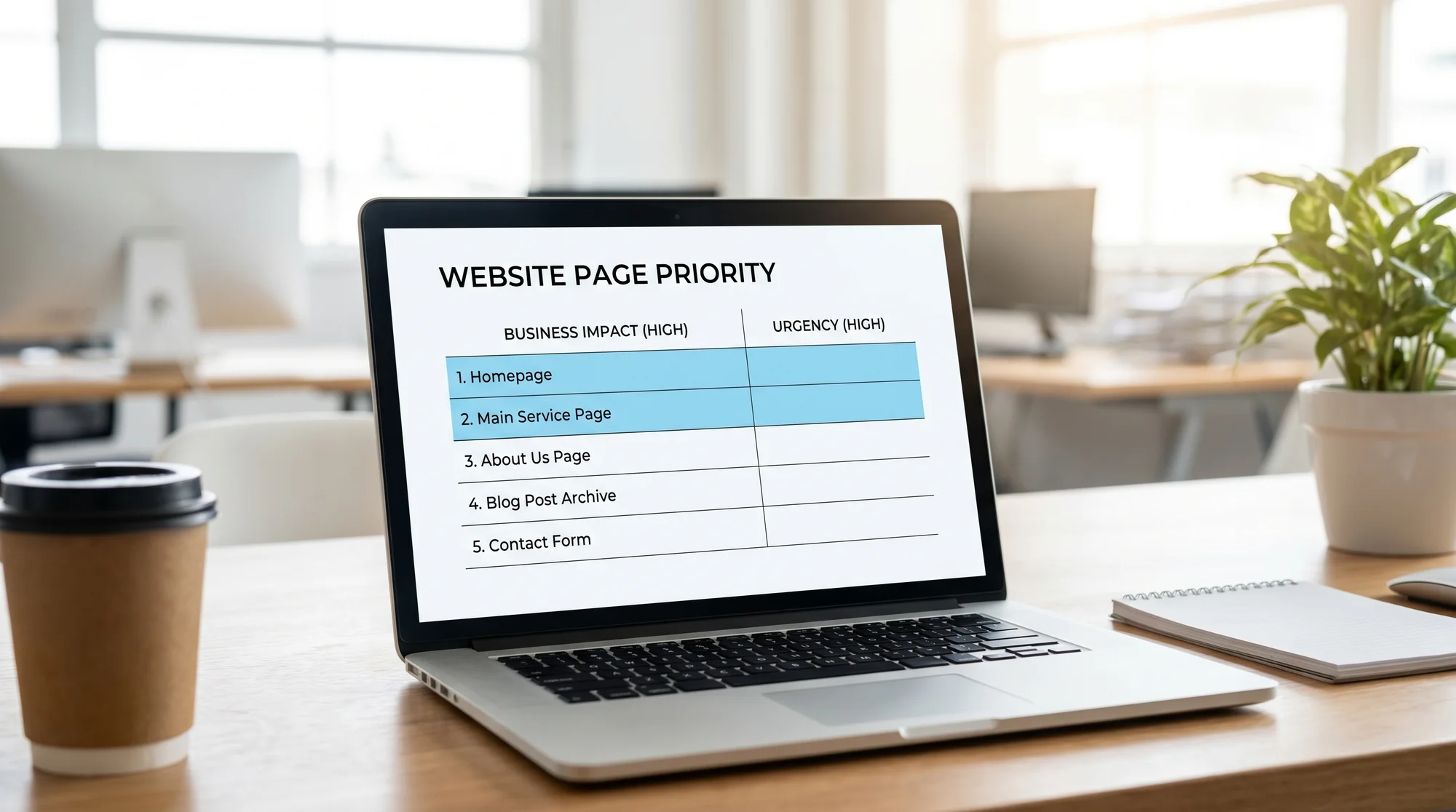
You don't need to optimize every page at once. Start with the five or six pages that carry the most weight:
Homepage. Usually the page with the most authority. Make sure it clearly communicates what you do, who you serve, and what someone should do next.
Main service or product page. If you're a local plumber, this is your "Plumbing Services in Denver" page. If you're a SaaS company, this is the page that explains your product.
Pricing page. People who visit pricing pages are already interested. This page needs to load fast, be easy to scan, and answer objections clearly.
Contact page. A surprising number of Cursor-built sites have contact pages that are hard to find or have forms that don't work on mobile.
Any landing page you're driving paid traffic to. If you're spending money to send people somewhere, that page needs to convert.
Run each of these through FreeSiteAudit's speed snapshot and mobile-friendly test to see where you stand before making changes.
The Biggest Optimization Areas for Cursor-Built Sites
Server-Rendered Content and Crawlability
This is the single most impactful fix. Cursor typically generates React or Next.js projects, and it often wraps components in "use client" directives that push rendering to the browser. That means Google's crawler might see a mostly empty HTML shell instead of your actual content.
The fix: move your key pages to server-rendered components. In Next.js App Router, components are server-rendered by default, so the main task is removing unnecessary "use client" directives from pages that don't need interactivity. Keep client components limited to things that genuinely require browser APIs, like form inputs, modals, or animations.
After making changes, check your pages using "View Page Source" in Chrome. If you can see your headings, paragraphs, and business information in the raw HTML, you're in good shape. Google's JavaScript SEO guide explains exactly what their crawler processes.
Titles, Meta Descriptions, and OG Tags
Cursor almost never generates good metadata. You'll find pages with titles like "Create Next App," missing descriptions, and no Open Graph tags at all. Fixing this is one of the highest-return tasks you can do.
For each priority page, write a unique title under 60 characters that includes your primary keyword and business name. Write a meta description between 120 and 155 characters that tells searchers exactly what they'll find. Add canonical URLs to prevent duplicate content issues. And set up OG tags so your links look professional when shared on LinkedIn, Slack, or in text messages.
Use our meta title checker and meta description checker to verify your tags, and the Open Graph checker to preview how your links will appear when shared. In Next.js, the metadata export is the proper way to handle all of this.
Internal Links and Heading Structure
Cursor builds pages, but it rarely connects them well. A homepage with no links to your service pages means Google has to discover those pages some other way. And if every page uses multiple H1 tags or skips heading levels entirely, search engines struggle to understand the hierarchy of your content.
Go through each priority page and make sure it links to the other important pages on your site. Your homepage should link to your main services, pricing, and any key content. Use descriptive anchor text instead of "click here" or "learn more." Make sure each page has exactly one H1 that clearly describes what the page is about.
Image Compression and Core Web Vitals
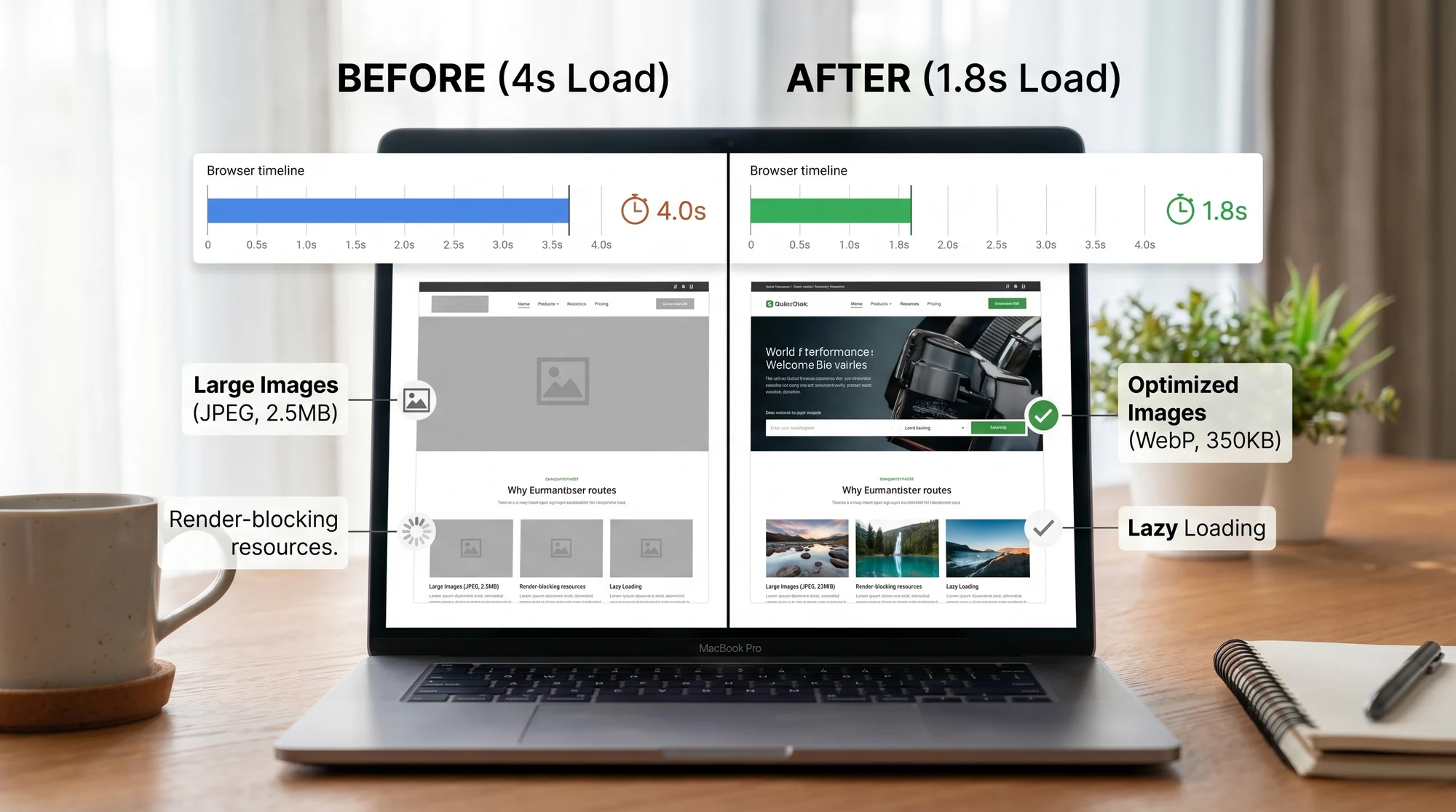
Cursor-generated sites frequently serve oversized images. A 3MB hero image on your homepage will tank your Largest Contentful Paint score and frustrate visitors on mobile connections.
For each image on your priority pages, compress it to WebP format and serve responsive sizes using the Next.js Image component, which handles lazy loading and format conversion automatically. Set explicit width and height attributes to prevent layout shifts.
Beyond images, check your Core Web Vitals across all priority pages. If your LCP is above 2.5 seconds, dig into what's causing the delay. Often it's a combination of large images, render-blocking scripts, and too much client-side JavaScript.
Mobile UX and Calls to Action
Most of your visitors are on phones. Cursor generates responsive layouts, but "responsive" and "optimized for mobile" are not the same thing. Check that your text is readable without zooming, buttons are large enough to tap, and forms are easy to fill out on a small screen.
Pay special attention to your calls to action. A button that says "Get Started" is vague. A button that says "Get Your Free Quote" tells visitors exactly what happens next. Make sure every priority page has one clear primary action, and that the action is visible without scrolling on mobile.
Test your mobile experience with our mobile-friendly test and check forms on an actual phone, not just in a resized browser window.
Trust Signals and Business Credibility
Cursor builds clean-looking pages, but it won't add the trust signals that make visitors feel confident enough to take action. For local businesses, this means your address, phone number, service area, and any licenses or certifications should be visible. For SaaS products, show customer logos, testimonials, and security badges.
Use our trust signals tool to check what's present and what's missing.

Search Console and Ongoing Monitoring
Optimization is not a one-time task. After you've made your fixes, set up Google Search Console if you haven't already. Submit your sitemap, verify your pages are being indexed, and watch for crawl errors.
Check Search Console weekly for the first month. Look at which queries bring people to your site, which pages get impressions but few clicks (these need better titles and descriptions), and whether any pages have dropped out of the index. Google's Search Console guide covers setup and the basics.
The 60-Minute Optimization Sprint
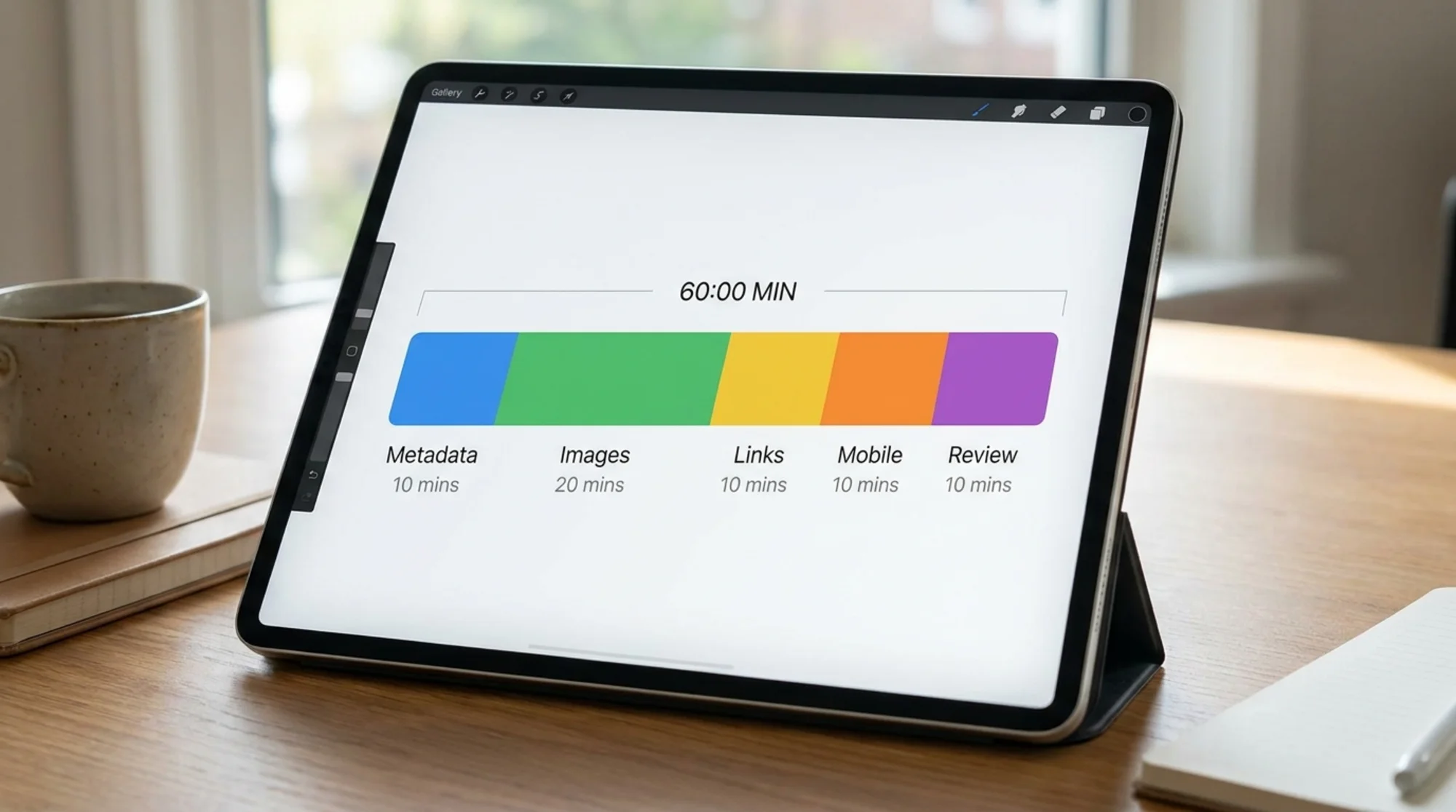
You don't need a full day to make meaningful improvements. Here's what you can accomplish in one focused hour:
Minutes 1 to 10: Prioritize. Run your homepage and top service page through FreeSiteAudit. Write down the three biggest issues for each page.
Minutes 10 to 25: Fix metadata. Write unique title tags and meta descriptions for your five priority pages. Add canonical URLs. This alone can change how your site appears in search results.
Minutes 25 to 40: Fix images. Compress your three largest images to WebP. Add width and height attributes. Replace any raw img tags with the Next.js Image component if applicable.
Minutes 40 to 50: Fix internal links. Make sure your homepage links to all key pages. Add contextual links between related pages.
Minutes 50 to 60: Mobile check. Open each priority page on your phone. Test every form. Tap every button. Fix anything that feels awkward or broken.
This sprint handles the highest-impact issues first. Tackle the next layer next week.
Stop Reprompting Cursor and Start Making a Fix List
This is the most common mistake we see. Someone runs an audit, sees a list of issues, and goes back to Cursor to fix each one with a new prompt. "Add a meta description to the homepage." "Make the images smaller." "Add internal links to the footer."
The problem is that each prompt gives Cursor limited context. It doesn't remember what you fixed before. It might undo a previous change. It might add a meta description that's technically present but says nothing useful. And you end up in a cycle of reprompting, checking, finding new issues, and reprompting again.
A better approach: make a fix list ranked by impact. Then work through the list yourself for the things that require judgment, like writing a good meta description, choosing the right call to action, or deciding which pages to link together. Use Cursor for the mechanical tasks, like converting img tags to the Image component or restructuring a component to be server-rendered. But keep the strategic decisions in your own hands.
The last 20 percent of website optimization is about judgment, not code generation. Cursor handles the first 80 percent beautifully. The rest is yours.
Making It Stick
Cursor gives you a real advantage in getting a site built and launched. But a live site is just the starting point. The work that makes it rank, load fast, and convert visitors into customers happens after the build.
You don't need to be a developer to do this work. Most of the optimizations covered here are about writing better descriptions, compressing images, and making clear decisions about what each page should accomplish. If you can describe what your business does to a stranger in a sentence, you can write a good meta description. If you can look at your homepage on your phone and spot what feels off, you can improve your mobile experience.
Start with your most important pages. Spend one focused hour. Check the results in a week. Then do it again.
Sources
- JavaScript SEO Basics - Google Search Central
- Title Links in Search Results - Google Search Central
- Meta Description Snippets - Google Search Central
- Metadata and OG Images in Next.js - Next.js Documentation
- Next.js Image Component - Next.js Documentation
- Web Vitals - web.dev
- Search Console Help - Google Support
Check your website for free
Get an instant score and your top 3 critical issues in under 60 seconds.
Get Your Free Audit →