Structured Data Audit: Is Your Schema Markup Working?
A plain-English guide to auditing schema markup on your small business website so rich results actually show up in Google search and bring in more clicks.
# Structured Data Audit: Is Your Schema Markup Working?
You added schema markup to your site months ago. Maybe your developer did it. Maybe a plugin did it. Maybe you pasted some JSON-LD from a blog post into your homepage. Now you want to know one thing: is it actually doing anything?
Most small business sites have structured data that's quietly broken. The script sits in the HTML, but Google ignores it because a required field is missing, a date is malformed, or the markup describes something that doesn't match what's on the page. The owner has no idea, because nothing visibly breaks. The rich results just never show up.
This guide walks through a real structured data audit you can do this afternoon. No developer required for most of it.
What schema markup actually does
Schema markup is a snippet of code (usually JSON-LD) that labels the content on your page so search engines know what it is. Without it, Google sees "5.0" on your page and has to guess whether that's a price, a rating, a phone extension, or a typo. With proper schema, you're telling Google: this is a customer rating, on a 5-point scale, with 47 reviews.
When schema is valid and matches the page, Google can render rich results: star ratings under your link, FAQ dropdowns, recipe cards, event dates, business hours, product prices. These take up more space in search results and pull more clicks than a plain blue link.
When schema is broken or doesn't match the page, Google ignores it. You get no warning. You just don't get the rich result.
Worth saying clearly: valid schema doesn't guarantee rich results. Google decides whether to display them based on page quality, query intent, and trust signals. But if your schema is invalid, you're not even in the running.
Signs your schema might not be working
Before opening any tools, run through this gut-check:
- You added review schema but no stars appear next to your search listing
- Your "FAQ" page doesn't show expandable questions in search results
- Your local business doesn't show hours, phone, or address in the knowledge panel
- You added Article schema to blog posts but they never appear in Top Stories
- Your product pages don't show prices or availability in search
Any of these suggests your markup exists but isn't earning the rich result it could.
The five-step audit
Each step takes a few minutes.
Step 1: Find out what schema you currently have
Open your homepage in Chrome. Right-click, select "View Page Source." Use Ctrl+F (or Cmd+F) and search for application/ld+json.
You'll find one of three things:
- Nothing. No JSON-LD on the page. Your site has no schema, or it's using older microdata or RDFa formats (still valid, but harder to audit).
- One or two blocks. Probably basic Organization or WebSite schema added by your CMS.
- Many blocks, possibly duplicated. Common with WordPress sites running multiple SEO plugins. This is its own problem.
Repeat for a product page, a blog post, and your contact page. Different page types should carry different schema. A blog post should carry Article. A product page should carry Product. A contact page should carry LocalBusiness. If every page has the exact same schema, that's a red flag.

Step 2: Run pages through Google's Rich Results Test
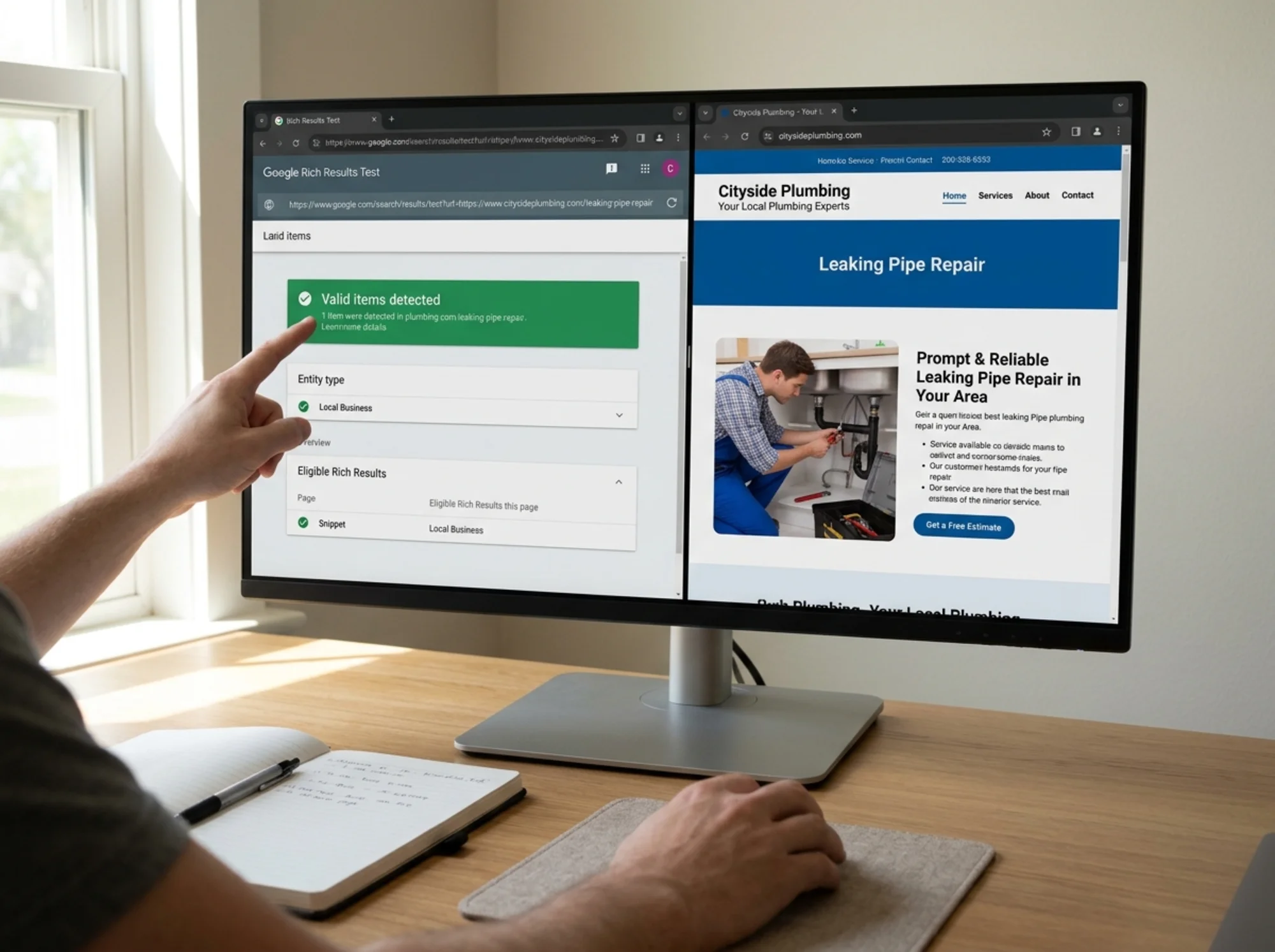
Go to search.google.com/test/rich-results. Paste your URL. Wait for it to crawl.
You'll see one of these outcomes:
- Page is eligible for rich results. Green check. You're good on validity, though "eligible" doesn't mean "will display."
- Valid items detected, but with warnings. Yellow. Usually means optional fields are missing. Not blocking, but worth fixing.
- Page is not eligible for rich results. Red. Either no detectable structured data, or errors that make Google reject it.
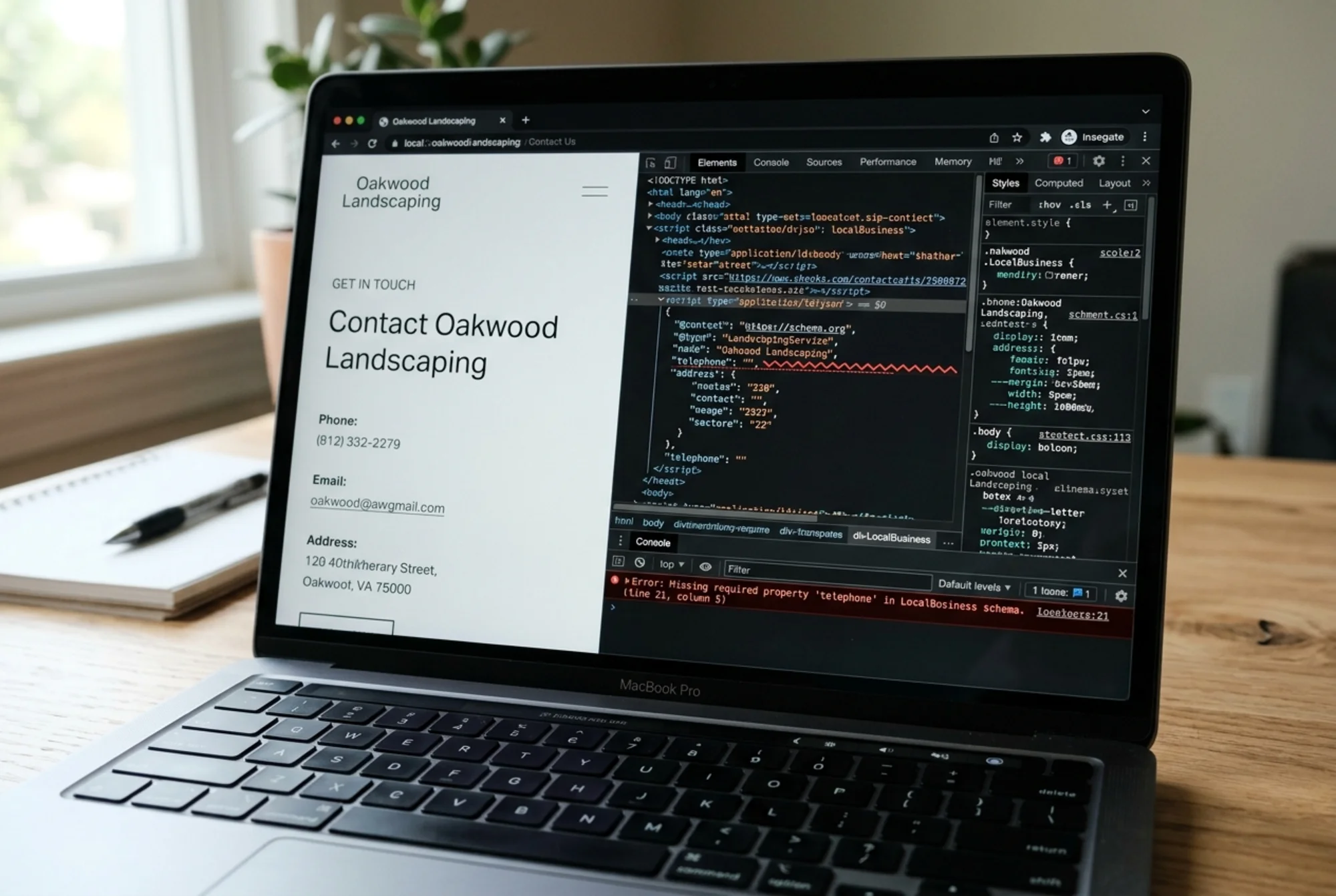
Click into each detected item. Google will tell you exactly which field is missing or malformed: "missing field 'aggregateRating.reviewCount'" or "invalid value for 'priceCurrency'." These are usually one-line fixes.
Step 3: Cross-check with Schema.org's validator
Google's Rich Results Test only checks schema types Google supports for rich results. Schema.org's validator (validator.schema.org) checks everything. Run your page through both.
Why both? Google's tool will silently ignore schema types it doesn't care about. The Schema.org validator will catch broken markup that Google's tool skips. If you have a Service schema block with a typo, Google's tool may say your page is fine while the broken Service markup sits there doing nothing.
Step 4: Check Search Console's Enhancements report
Inside Google Search Console, look under the "Enhancements" section in the left sidebar. You'll see categories like Products, Breadcrumbs, FAQ, Sitelinks searchbox, and Logos, depending on what Google has detected across your site.
Each one shows three counts: valid, valid with warnings, error. Click in and you'll get a list of affected URLs.
This is the most important step for sites with many pages, because it tells you which pages are broken at scale. If you have 200 product pages and 47 are throwing "missing field 'image'" errors, this is where you'll find them.
Step 5: Check that the schema matches the page
This is the step most audits skip, and the one that catches the sneakiest problems.
Schema markup must describe content that's actually visible on the page. If your Product schema says the price is $49 but the visible price is $79, Google may treat that as spam and stop showing rich results for your whole domain. If your Review schema lists 247 reviews but only 12 appear on the page, same problem.
Open your page side-by-side with the parsed schema (the Rich Results Test shows you the parsed values). Spot-check:
- Does the product name in schema match the visible product name?
- Does the price match?
- Do the review counts and ratings match what's visible?
- Are the FAQs in your FAQ schema actually present on the page?
- Does your business address match what's in the footer?
If anything is off, fix the schema or fix the page so they agree.
A real walkthrough: a local plumber's site
Let's run through this on an example that mirrors real audits.
A plumber in Austin runs a site with five service pages, a contact page, a blog, and a homepage. They added an SEO plugin two years ago and never thought about schema again. They're frustrated that competitors show up with star ratings and they don't.
Step 1 finds: LocalBusiness schema on every page, including blog posts. Article schema is missing from blog posts entirely. Service schema exists on service pages but is duplicated three times due to plugin conflicts.
Step 2 finds: The Rich Results Test on the homepage shows "valid with warnings." The telephone field is present but written as "Call us anytime!" instead of an actual number. The openingHours field is missing entirely.
Step 3 finds: The duplicated Service schema is technically valid but inconsistent. One copy lists the service area as "Austin." Another lists "Austin, TX." A third lists "Travis County."
Step 4 finds: Search Console shows 18 "Review snippets" errors across blog posts, where review schema was incorrectly applied to articles that don't contain reviews.
Step 5 finds: The aggregate rating in schema says 4.9 stars from 156 reviews. The visible page shows a testimonials widget with 8 written testimonials, no ratings visible.
The fixes: remove duplicate Service blocks, replace the friendly phone string with a real number, add real opening hours, remove invalid review schema from blog posts, and either add a real reviews section to the page or remove the aggregate rating claim from schema. Total time, maybe two hours of dev work. Over the following weeks, rich snippets begin appearing for the homepage and three of five service pages.
A mini-checklist for ongoing health
Once you've done a baseline audit, you don't need to repeat the whole thing every month. Here's a shorter recurring check:
- Once a month, glance at Search Console's Enhancements report for new errors
- After any template change, re-run the affected page type through the Rich Results Test
- After adding new products or services, spot-check the new pages
- After installing or updating any SEO plugin, re-check at least one page of each type
- If you change pricing, hours, contact info, or address anywhere, verify the schema updated too
Five minutes a month, plus a recheck after any meaningful site change.
Common mistakes worth avoiding
A few patterns that trip up small business sites repeatedly:
Marking up things that aren't on the page. Don't add Review schema to a page with no reviews. Don't add FAQ schema to a page with no questions. Google's guidelines are explicit and they enforce it.
Stuffing aggregate ratings. Putting a "4.9 stars" aggregate rating in schema based on reviews from Google Business or Yelp when those reviews don't appear on the page itself is treated as spam.
Using multiple plugins that all add schema. WordPress sites often run Yoast plus Rank Math plus a third schema plugin, and they all inject overlapping markup. Pick one and disable schema output in the others.
Forgetting the @context. Every JSON-LD block needs "@context": "https://schema.org" at the top. Without it, the whole block is invalid.
Wrong schema type for the content. Using LocalBusiness on a SaaS company's site, or Article on a product listing. Match the type to what the page actually is.
What to do after you fix things
Schema fixes don't show up instantly. Google needs to recrawl the affected pages, which can take days to weeks depending on your crawl rate. You can speed this up by requesting indexing for individual URLs in Search Console.
After about two weeks, recheck the same URLs in the Rich Results Test. Watch the Enhancements report for the error counts to drop. Then watch your search appearance over the following month. Rich results usually start appearing within a few weeks of valid markup being detected, though Google never guarantees timing. Page quality matters too: Google's helpful content guidance and Core Web Vitals both feed into whether a page earns enhanced search treatment.
When to get help
If your audit turns up dozens of errors across hundreds of pages, or if your CMS makes editing schema templates difficult, this is a job for a developer. Hand them the Search Console error list and the Rich Results Test output. Those two artifacts give a competent developer everything they need to fix the markup at the template level rather than page by page.
If you have under twenty pages and a modern CMS, you can usually fix everything yourself with the steps above and a few hours.
Run a free audit on your site
If you want a faster start, run your site through a free check that flags structured data issues alongside other on-page SEO problems. Run a free website audit and you'll get a report covering schema validity, missing tags, indexability, and the other things Google looks at, in plain English. It's a useful baseline before you dig into the manual steps above.
For deeper guidance on the markup itself, see our schema markup fix guide, and if you run a brick-and-mortar business, the local business audit notes cover the LocalBusiness-specific fields most likely to win you a knowledge panel.
Structured data isn't magic. It's labeling. Done well, it gets your business more visible real estate in search results without you spending a cent on ads. Done badly, it sits invisible in your HTML doing nothing. The difference is usually a half-day audit and a few small fixes.
Sources
Related Tools
Related Fixes
Check your website for free
Get an instant score and your top 3 critical issues in under 60 seconds.
Get Your Free Audit →