Local Business Website Audit: Complete Guide to Google Rankings
A plain English guide to auditing your local business website so you rank higher on Google, win more phone calls, and turn site visitors into paying customers.
# Local Business Website Audit: Complete Guide to Google Rankings
Meta description: A plain English guide to auditing your local business website so you rank higher on Google, win more phone calls, and turn site visitors into paying customers.
If you run a plumbing company, a dental office, or a roofing crew, your website has one job: turn searchers into phone calls and booked jobs. When that stops happening, or never started, an audit tells you why.
This guide shows how to audit a local business website without a developer. You'll know what to check, what order to fix, and what moves rankings versus what just looks busy.
What a local business website audit is
An audit is a structured review of your site against the things Google and customers care about. It's not a redesign. It's a checkup.
A good audit answers three questions:
- Can Google find, read, and trust this site?
- Can a customer on a phone use it without giving up?
- Does it give people a reason to call, book, or visit?
Most local sites fail one or two of these. A med spa with beautiful photos can still be invisible on Google. A lawyer with strong rankings can still lose calls because the contact page is buried two menus deep.

Three types of issues you'll find
Sort problems into three buckets before you start clicking around. Each one needs a different fix.
Ranking issues
These stop you from showing up on Google at all. Missing title tags, thin pages, no schema, slow load times, no Google Business Profile, broken internal links. Fix these and you become visible.
Usability issues
These show up after someone lands on your site. Tiny mobile text, popups that cover the phone number, forms that don't work on iPhones, menus that hide your services. Fix these and visitors stop bouncing.
Trust issues
These stop people from picking you over the competitor next door. No reviews on the page, no real photos, no service area, vague hours, a contact form that asks for ten fields. Fix these and your call volume goes up even without rank changes.
A roofer with great rankings but a homepage that looks like it was built in 2003 has a trust problem, not a ranking problem. Knowing the difference tells you where to spend money.
What to look at, page by page
Homepage
Within five seconds, a visitor should know what you do, where you do it, and how to contact you. A plumber in Austin should say "Plumbing in Austin" near the top. Not "Welcome to our family of services."
Check that you have:
- A clear headline naming the service and city
- A phone number that's clickable on mobile
- A short list of main services
- Real photos of your team or work, not stock images
- Reviews or a star rating visible without scrolling forever
Service pages
Each service should have its own page. A dentist needs separate pages for cleanings, implants, Invisalign, and emergency care. One "Services" page that lists everything in bullet points won't rank for any of them.
Each service page should answer: what is it, who is it for, what does it cost roughly, what happens during the appointment, and how do I book.
Location or service area pages
If you serve multiple towns, you need a page per town. An electrician covering Plano, Frisco, and McKinney needs three pages, each with local landmarks, neighborhoods served, and content that isn't copy-pasted between them.
Don't fake this. Google can tell when you've swapped the city name and changed nothing else. Write something specific about each area, even two short paragraphs.
For multi-location chains, the local SEO audit checklist for multi-location businesses goes deeper.
Contact page
The contact page should have your phone number, email, address, hours, a map, and a short form. Nothing else. No essay about your company history.
Click the phone number on a phone. Does it dial? If not, that's broken. Use the click-to-call check tool to confirm it works on mobile browsers.
Mobile experience
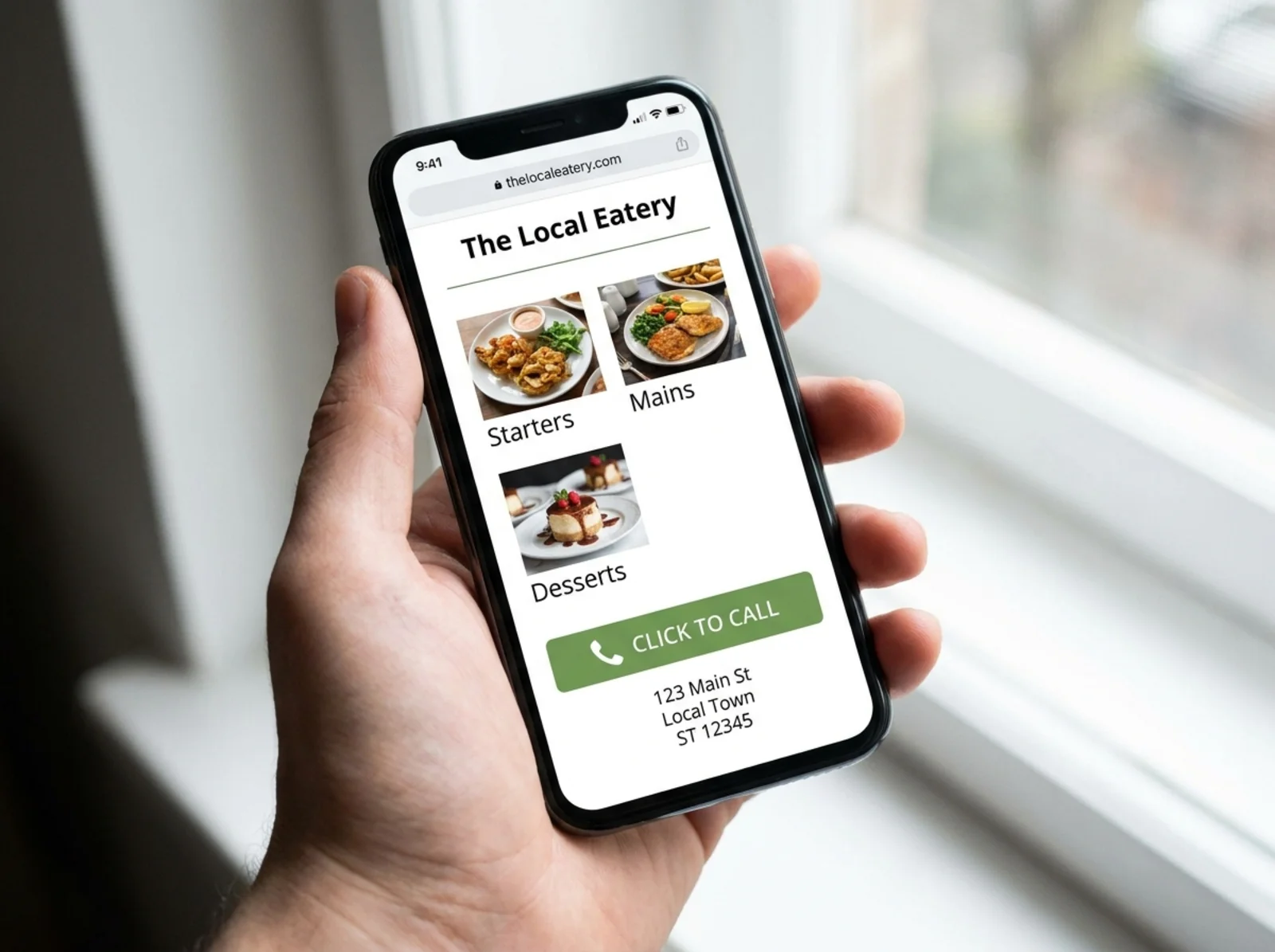
More than half of local searches happen on a phone. Pull up your site on your own phone right now. Try to find your services and call you. If it takes more than a few taps, customers are giving up.
Google uses mobile-first indexing, which means it looks at your mobile site first when deciding rankings. So if your mobile site is missing content or broken, that's what Google sees as your real site.
The mobile website SEO audit covers this in more detail.
The technical SEO basics
You don't need to be a developer to check these. Most take about a minute each.
Title tags
Every page needs a unique title tag. This is the blue link in Google results. Include the service and city.
Bad: "Home - ABC Plumbing"
Good: "Emergency Plumber in Phoenix, AZ | ABC Plumbing"
Scan all your pages with the meta title checker to spot duplicates and missing titles.
Meta descriptions
The two-line snippet under the title in search results. Google sometimes rewrites them, but a good one still helps click-through. Write 150 to 160 characters per page. Mention the service, the area, and a reason to click.
Internal links
Your homepage should link to your top services. Your service pages should link to related services. Your blog posts should link back to service pages.
Most local sites have a strong homepage and orphan service pages that nothing connects to. Google has trouble finding pages that aren't linked from anywhere. Fix this with a proper menu and links inside body content.
Local schema
Schema is code in the background of your site that tells Google what kind of business you are, where you're located, your hours, and your service areas. Without it, Google has to guess.
LocalBusiness schema is the main one for service businesses. Validate yours with the schema check tool or read the deeper schema markup audit guide.
NAP consistency
NAP stands for Name, Address, Phone number. The exact same NAP should appear on your website, your Google Business Profile, your Yelp page, your Facebook, and any directory you're listed on.
If your phone number is "(555) 123-4567" on your site, "555.123.4567" on Yelp, and "5551234567" on your Google Business Profile, that's three different numbers as far as a search engine is concerned. Pick one format and use it everywhere.
Speed
A slow site loses customers and rankings. Anything slower than three seconds to load on mobile is hurting you.
Run your homepage through the speed snapshot tool to get a real number. To understand what the score means, read how to check your website speed.
Common speed killers: huge unoptimized images, too many tracking scripts, cheap shared hosting, page builders that load megabytes of unused code.
Google Business Profile alignment
Your website and your Google Business Profile should match. Same name, same address, same phone, same hours, same service categories.
Make sure your website links to your Google Business Profile and that your profile links back to your website. Add the same photos to both. List the same services on both.
When these two agree, Google trusts you more. When they disagree, you slip in the map pack.
Conversion elements
Ranking is half the battle. The other half is what people do once they land on the page.
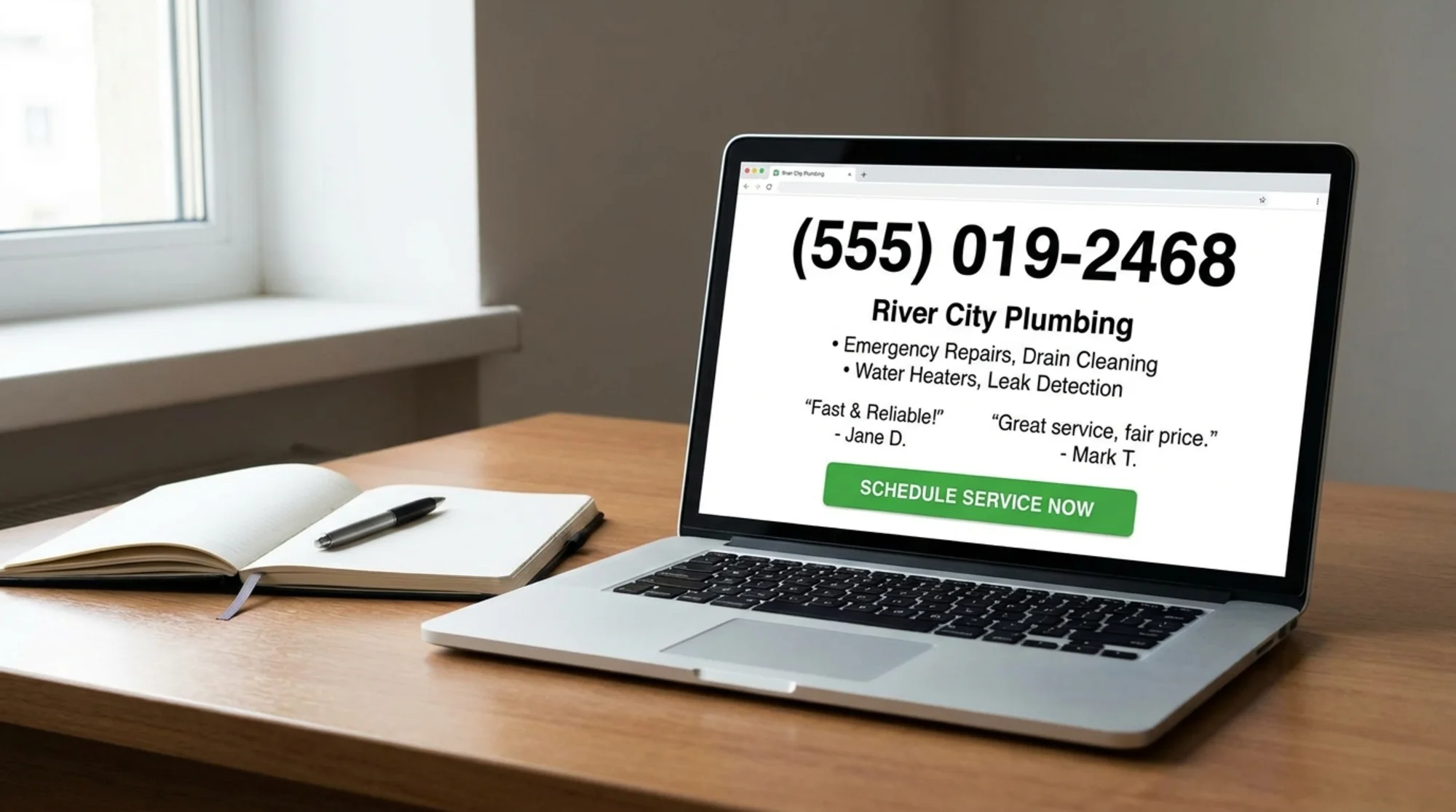
Check that every page has:
- A phone number in the header, sticky on mobile
- A clear call-to-action button: "Book Now," "Get a Free Quote," "Call Us"
- Real reviews, not just "5 stars" badges
- Trust signals: licenses, BBB, years in business stated concretely (such as "Serving Tucson since 2008")
- A short form, not a 12-field interrogation
A med spa I looked at recently had top-three rankings for "Botox near me" and almost no calls. The fix was moving the phone number into the header and adding a "Book a free consultation" button to every page. Calls doubled in two weeks. No new content, no new links.
A simple 7-step audit order
Follow this order so you don't go in circles.
- Open the site on your phone. Time how long it takes to load. Try to call. Try to find your services. Note every friction point.
- Check your title tags and meta descriptions across the homepage and main service pages. Fix duplicates and anything generic.
- Look at each service page. Is there one per service? Are they unique? Do they answer customer questions?
- Check NAP consistency on the website, Google Business Profile, and the top three directories you're listed on.
- Validate your local schema. Make sure LocalBusiness schema exists and matches your real info.
- Test speed and mobile usability with a real tool, not by feel.
- Walk the conversion path. From any page, can a stranger figure out how to call or book in under ten seconds?
Each step should take 15 to 30 minutes. The whole audit fits in an afternoon.
What to fix this week versus later
Don't try to fix everything at once. Sort what you find into three piles.
Fix this week:
- Broken phone numbers
- Missing or duplicate title tags on top pages
- Missing LocalBusiness schema
- NAP mismatches between your site and Google Business Profile
- Hidden phone number on mobile
Fix this month:
- Thin or missing service pages
- Missing location pages for areas you serve
- Slow homepage (compress images, drop unused scripts)
- Reviews not visible on the homepage
Fix later:
- Full design refresh
- Blog content strategy
- Backlink outreach
- Video content
The first list changes phone volume in days. The third list is real work, but none of it matters if the phone number doesn't dial.
Quick checklist
- Phone number clickable on mobile in the header
- Unique title tag and meta description on every important page
- One page per service
- One page per service area or city
- LocalBusiness schema with matching NAP
- Same NAP on website and Google Business Profile
- Mobile load time under three seconds
- Real photos and real reviews on the homepage
- Internal links from homepage to all main services
- A clear "Call" or "Book" button visible on every page
If you can check all ten, you're ahead of most local competitors.
Wrapping up
A local website audit isn't about chasing every SEO trend. It's about making sure Google can read your site, customers can use it, and people have a reason to pick you. Most local businesses are losing calls to a competitor with worse service but a clearer website.
Start with your phone, walk through the seven steps, and fix the easy stuff first. You'll see results before you finish the harder ones.
If you want a head start, run a free scan with FreeSiteAudit and get a report covering most of what's in this guide. It takes about a minute and flags the issues that matter most for local rankings.
Sources
Check your website for free
Get an instant score and your top 3 critical issues in under 60 seconds.
Get Your Free Audit →