10 Things Every Local Business Website Needs in 2026
The complete checklist of 10 essential elements every local business website must have in 2026 to rank on Google, convert visitors into customers, and beat your competitors.
If you run a local business, whether you're a dentist, plumber, lawyer, restaurant owner, or contractor, your website has one job: turn visitors into customers.
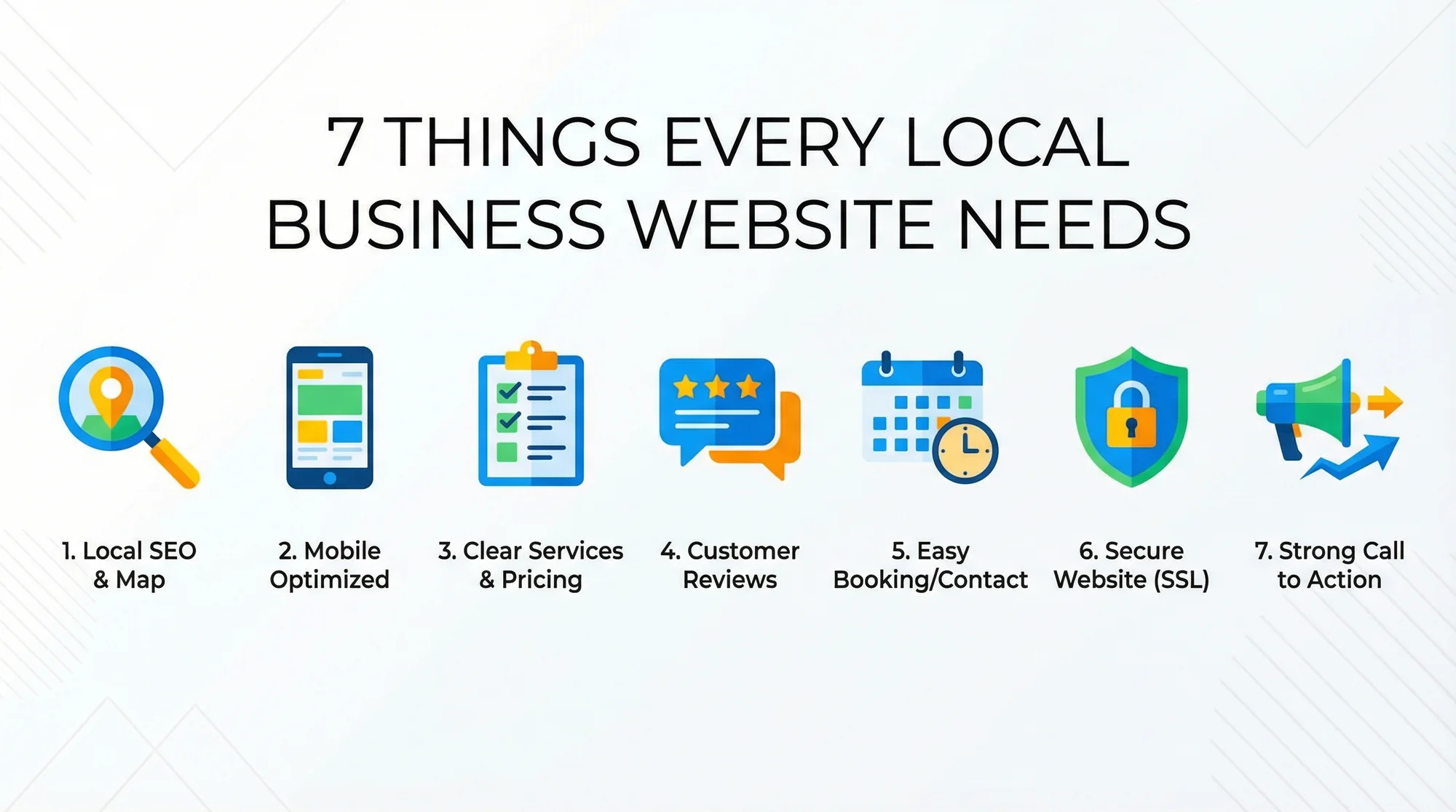
Not impress designers. Not win awards. Turn visitors into customers.
Here's a stat that should wake you up: websites with great user experience convert at 4.5% compared to 2.6% for sites with poor UX. That difference can mean tens of thousands of dollars in lost revenue per year for a local business.
After analyzing thousands of local business websites, we've identified the 10 essential elements that separate sites that generate leads from sites that collect dust. Here's what you need, and more importantly, what's probably missing from yours.
1. A Clear Value Proposition Above the Fold
"Above the fold" means the part of your website that's visible without scrolling. This is prime real estate. You have about 3 seconds to convince a visitor to stay.
Most small business websites waste this space with a generic stock photo and a vague tagline like "Quality Service You Can Trust." That tells the visitor nothing.
What to do instead: In the top section of your homepage, answer three questions:
- What do you do?
- Where do you do it?
- Why should someone choose you?
For example: "Emergency Plumbing in Austin, TX. Available 24/7, No Call-Out Fee, 5-Star Rated." That's specific, local, and gives a reason to choose you. All in one line.
2. Click-to-Call Phone Number
Over 60% of your visitors are on mobile devices. They don't want to memorize your phone number, switch to their dialer, and type it in. They want to tap and call.
Make your phone number:
- Visible on every page (header is ideal)
- Clickable (use
tel:links in your HTML) - Large enough to tap easily on mobile
Bonus points if you add a sticky "Call Now" button that stays visible as users scroll. This one change alone can increase call volume by 20-30%. Check if your site passes the test with our free click-to-call checker.
3. Google Business Profile Integration
Your Google Business Profile (formerly Google My Business) is arguably more important than your website for local search visibility. But your website and GBP should work together.
Essential steps:
- Claim and verify your Google Business Profile
- Make sure your business name, address, and phone number (NAP) are identical on your website and GBP
- Add your business hours, photos, and services to GBP
- Embed a Google Map on your contact page
- Actively collect and respond to Google reviews
Businesses with complete GBP profiles are 70% more likely to attract location visits and 50% more likely to lead to a purchase.
4. Social Proof and Trust Signals

People trust other people more than they trust businesses. Your website needs to prove that real humans have used your service and were happy about it.
Must-have trust signals:
- Customer testimonials. Real names, specific results. "Dr. Smith fixed my crown in one visit" beats "Great service!" every time.
- Star ratings. If you have a 4.8 on Google, display it prominently.
- Credentials. Licenses, certifications, insurance, years in business.
- Association logos. BBB, industry associations, "As Seen In" mentions.
- Before/after photos. Especially powerful for contractors, landscapers, and cosmetic services.
Place testimonials throughout your site, not just on a dedicated "Reviews" page that nobody visits.
5. Service Pages (Not Just a Services List)
One of the biggest SEO mistakes local businesses make is putting all their services on a single page. This kills your search visibility.
Instead, create a dedicated page for each major service you offer. A plumber should have separate pages for:
- Emergency plumbing
- Drain cleaning
- Water heater installation
- Pipe repair
- Bathroom remodeling
Each page should include:
- A unique title tag with the service + location
- A description of what the service involves
- Benefits of choosing you for that service
- Pricing information (even if just a range)
- A call-to-action
Use our meta title checker to see how your current title tags look in search results, and our meta description checker to make sure each page has a unique, compelling description.
This gives Google more pages to index and more opportunities to rank for specific searches like "drain cleaning Austin TX."
6. Fast Loading Speed
We've said it before, but it bears repeating: speed is not optional. It's the foundation everything else is built on. A beautiful website that takes 6 seconds to load is worse than an ugly website that loads in 1.5 seconds.
Quick wins for speed:
- Compress images. Most small business sites have 2-5MB of unoptimized images. Use WebP format when possible.
- Enable caching. Browser caching means returning visitors load your site faster.
- Minimize code. Remove unused CSS and JavaScript.
- Use fast hosting. Cheap shared hosting is often the bottleneck. Consider upgrading to a VPS or managed hosting.
Test your speed at Google PageSpeed Insights. Aim for a score above 80 on mobile. Or try our speed snapshot tool for a quick overview of your Core Web Vitals.
7. Mobile-First Design

This isn't just about your site "working" on mobile. It needs to be designed for mobile first. That means:
- Large, tappable buttons. At least 44x44 pixels
- Readable text. 16px minimum font size, no pinch-to-zoom needed
- Simplified navigation. Hamburger menu is fine, but keep it to 5-7 items
- No horizontal scrolling. Ever
- Forms that work. Short forms with large input fields
- Vertical layout. Content stacked, not side-by-side
Test your site on multiple devices. Ask your family or friends to find your phone number on your website using their phones. If they struggle, you have work to do.
8. Accessibility (Don't Lock Out 25% of Your Customers)

Accessibility isn't just a nice-to-have — it's a legal and business necessity. Over 4,000 ADA website accessibility lawsuits were filed in 2024 alone, and local businesses are increasingly targeted. More importantly, 26% of US adults have some form of disability. If your website isn't accessible, you're turning away a quarter of potential customers.
Quick accessibility wins:
- Color contrast. Text should have at least a 4.5:1 contrast ratio against its background. Gray text on a white background? Hard to read for everyone, impossible for some.
- Alt text on images. Every image should describe what it shows. Screen readers rely on this.
- Keyboard navigation. Can someone navigate your entire site without a mouse? Tab through your pages and find out.
- Form labels. Every input field needs a proper label, not just placeholder text that disappears when you start typing.
- Font size. Base font of 16px minimum. Let users zoom to 200% without breaking the layout.
- Video captions. If you have videos, add captions. It helps hearing-impaired users and anyone watching without sound.
The Web Content Accessibility Guidelines (WCAG) 2.2 Level AA is the standard to aim for. You don't need to be perfect — just start with the basics above and you'll be ahead of 90% of local business websites.
9. Schema Markup (Structured Data)
Schema markup is invisible code that tells Google exactly what your business is, what you offer, and where you're located. Without it, Google has to guess — and it often guesses wrong.
Essential schema types for local businesses:
- LocalBusiness (or a specific type like
Dentist,Plumber,LegalService,Restaurant) — your name, address, phone, hours - Service — each service you offer, with descriptions and pricing
- AggregateRating — your star rating and review count
- FAQPage — if you have an FAQ section, mark it up so Google can show expandable answers directly in search results
Adding schema doesn't require coding knowledge. Plugins like Rank Math (WordPress) or Yoast can generate it automatically. For everyone else, Google's Structured Data Markup Helper walks you through the process.
Check if your site has proper schema with our free schema checker. Many local businesses are missing this entirely — which means it's an easy win over your competitors.
10. Security and HTTPS

If your website URL starts with "http://" instead of "https://", you have a problem. Google has flagged non-HTTPS sites as "Not Secure" since 2018, and it's a confirmed ranking signal.
Why it matters:
- Chrome displays a warning for non-HTTPS sites, scaring away visitors
- HTTPS is required for features like geolocation and service workers
- It protects customer data (especially on contact forms)
- Google gives a ranking boost to secure sites
How to fix it:
- Most hosting providers offer free SSL certificates through Let's Encrypt
- After installing SSL, set up 301 redirects from HTTP to HTTPS
- Update all internal links and image references
- Submit your HTTPS sitemap to Google Search Console
Check your site's security status with our trust signals checker. A valid SSL certificate is the minimum — look for mixed content warnings too.
The Checklist
Here's your quick reference:
- ✅ Clear value proposition above the fold
- ✅ Click-to-call phone number on every page
- ✅ Google Business Profile claimed and optimized
- ✅ Customer testimonials and trust signals
- ✅ Dedicated service pages (not a single list)
- ✅ Page load time under 3 seconds
- ✅ Mobile-first responsive design
- ✅ Accessible to users with disabilities (WCAG 2.2 basics)
- ✅ Schema markup for your business type
- ✅ HTTPS with valid SSL certificate
Missing even two or three of these? You're likely leaving money on the table. The average local service business website converts at 2-5% — but businesses that nail all 10 elements consistently see conversion rates above 7%.
Looking for industry-specific guidance? Check out our tailored audit guides for plumbers, dentists, lawyers, contractors, and restaurants.
Find Out Where You Stand
Want to know exactly which of these 10 elements your website is missing? Our free audit checks all of them (and more) in under 60 seconds.
Run your free website audit → . Get an instant score and your top 3 critical issues. Just enter your URL — no account needed.
Your competitors who nail these 7 things are getting the customers that should be yours. Don't let them.
Sources
This article references best practices and data from authoritative sources including:
- Google Search Central - SEO starter guide for business websites
- Google Business Profile Help - Setting up and optimizing your GBP listing
- Web.dev - Core Web Vitals and page experience best practices
- Schema.org - LocalBusiness structured data specification
- Chrome Developers - Lighthouse performance auditing documentation
- BrightLocal - Local consumer review survey data
- W3C WCAG 2.2 - Web Content Accessibility Guidelines specification
- CDC Disability & Health - Disability prevalence statistics in the United States
Last updated: March 18, 2026
Related Tools
Related Industries
Check your website for free
Get an instant score and your top 3 critical issues in under 60 seconds.
Get Your Free Audit →