Core Web Vitals 2026: What Changed and How to Fix It
Learn what changed in Core Web Vitals for 2026, how to diagnose LCP, INP, and CLS, and which practical fixes improve real customer experiences on your site.
# Core Web Vitals 2026: What Changed and How to Fix It
Core Web Vitals measure three parts of a visitor’s experience: how quickly the main content appears, how promptly the page responds, and whether the layout remains stable.
For a small business, those measurements translate into practical questions:
- Can a potential customer see the main offer quickly?
- Does the menu, form, or booking button respond when tapped?
- Does content move just as someone tries to click or submit something?
Google recommends achieving good Core Web Vitals for search success and user experience. However, a perfect performance score does not guarantee higher rankings. Relevant, trustworthy content and a useful overall page experience still matter.

What changed for Core Web Vitals in 2026?
The most important update is that there is no new set of 2026 metrics or thresholds. Google’s current documentation still lists these three stable Core Web Vitals:
- Largest Contentful Paint (LCP)
- Interaction to Next Paint (INP)
- Cumulative Layout Shift (CLS)
Their published good thresholds also remain unchanged.
The change that still catches site owners is the replacement of First Input Delay (FID) with INP in 2024. Older plugins, reports, and audit templates may continue to emphasize FID, but it is no longer a Core Web Vital.
FID measured the delay before the browser began processing the first interaction. INP evaluates interactions throughout a visit and measures the time from an input until the browser presents the next visual frame. That makes it more capable of exposing slow menus, filters, forms, and booking widgets.
The current Web Vitals documentation classifies LCP, INP, and CLS as stable. Stable does not mean permanent: Google can revise or replace metrics, but material changes are communicated through official documentation. In 2026, use current reports rather than a checklist written for FID.
The three metrics and their thresholds
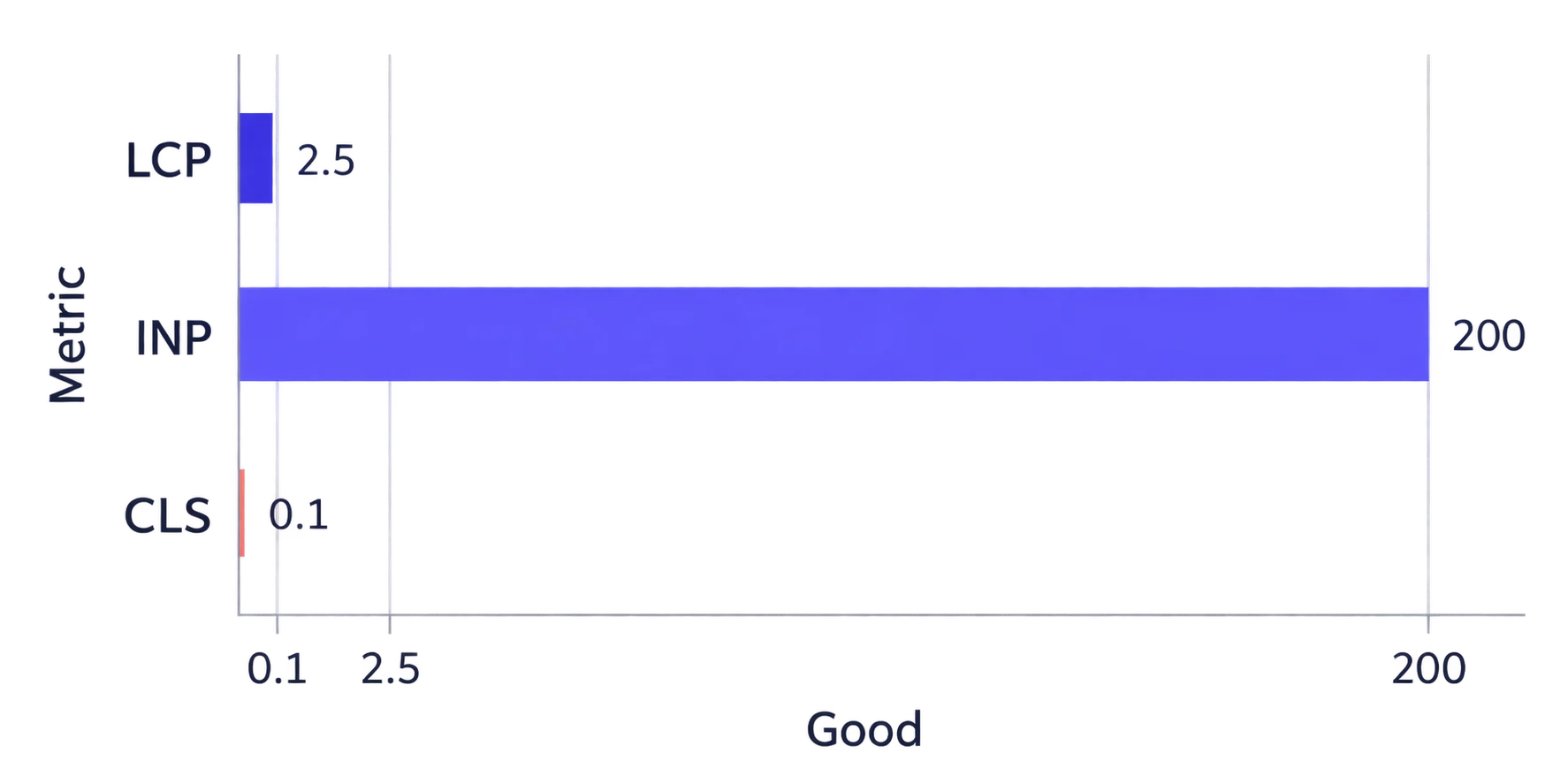
Google recommends evaluating Core Web Vitals at the 75th percentile, separately for mobile and desktop. In practical terms, at least 75% of measured visits should meet the good threshold.
| Metric | What it measures | Good | Needs improvement | Poor |
|---|---|---:|---:|---:|
| LCP | Rendering of the main visible content | 2.5 seconds or less | Over 2.5 through 4.0 seconds | Over 4.0 seconds |
| INP | Response to clicks, taps, and keyboard input | 200 ms or less | Over 200 through 500 ms | Over 500 ms |
| CLS | Unexpected movement of page content | 0.10 or less | Over 0.10 through 0.25 | Over 0.25 |
A page passes the Core Web Vitals assessment when all three metrics meet their good thresholds at the 75th percentile. CLS is a unitless score, not a duration.
LCP: When does the main content appear?
Largest Contentful Paint measures when the largest eligible element in the viewport finishes rendering. On a small-business page, that element is often:
- A hero photograph
- A promotional banner
- A large heading
- A product image
- A video poster image
A poor LCP can leave visitors looking at a blank area or incomplete header before they understand what the business offers.
INP: How quickly does the page react?
Interaction to Next Paint measures the latency of clicks, taps, and keyboard interactions. It includes the input delay, event-processing time, and presentation delay before the next frame appears.
Common trouble spots include:
- Mobile navigation
- Appointment and reservation widgets
- Product filters
- Address autocomplete
- Pop-ups and chat tools
- Add-to-cart controls
- Forms with complex live validation
A page can load quickly and still have poor INP. You must interact with it to investigate responsiveness.
CLS: Does the layout remain stable?
Cumulative Layout Shift measures unexpected visual movement. A shift becomes a business problem when a visitor reaches for “Book now,” only for a banner or widget to move the button.
Frequent causes include:
- Images without reserved dimensions
- Cookie notices inserted above visible content
- Late-loading fonts
- Embeds without reserved space
- Promotional bars added after load
- Form messages that move surrounding fields
Field data and lab data serve different purposes
PageSpeed Insights can display two types of evidence.
Field data comes from the Chrome User Experience Report, or CrUX. It represents eligible visits from real Chrome users over a rolling 28-day period. The results are reported at the 75th percentile and may be available for the tested URL, the entire origin, or neither if there is insufficient data.
Lab data comes from a controlled Lighthouse test. It helps reproduce loading and layout problems, but it represents one simulated page load under specific conditions. A standard Lighthouse run cannot measure INP because no real person is interacting with the page. It reports Total Blocking Time as a useful responsiveness diagnostic instead, but TBT is not a replacement for field INP.
This explains several common results:
- Lab data passes while field data fails because customers use slower devices or networks.
- Lab data fails while field data passes because the simulation is tougher than most real visits.
- PageSpeed Insights shows origin data because the exact URL lacks sufficient eligible traffic.
- A new or low-traffic page has lab results but no field assessment.
Use field data to judge the real outcome. Use lab testing and diagnostics to find causes and verify changes before enough new field data accumulates.
A step-by-step Core Web Vitals repair process
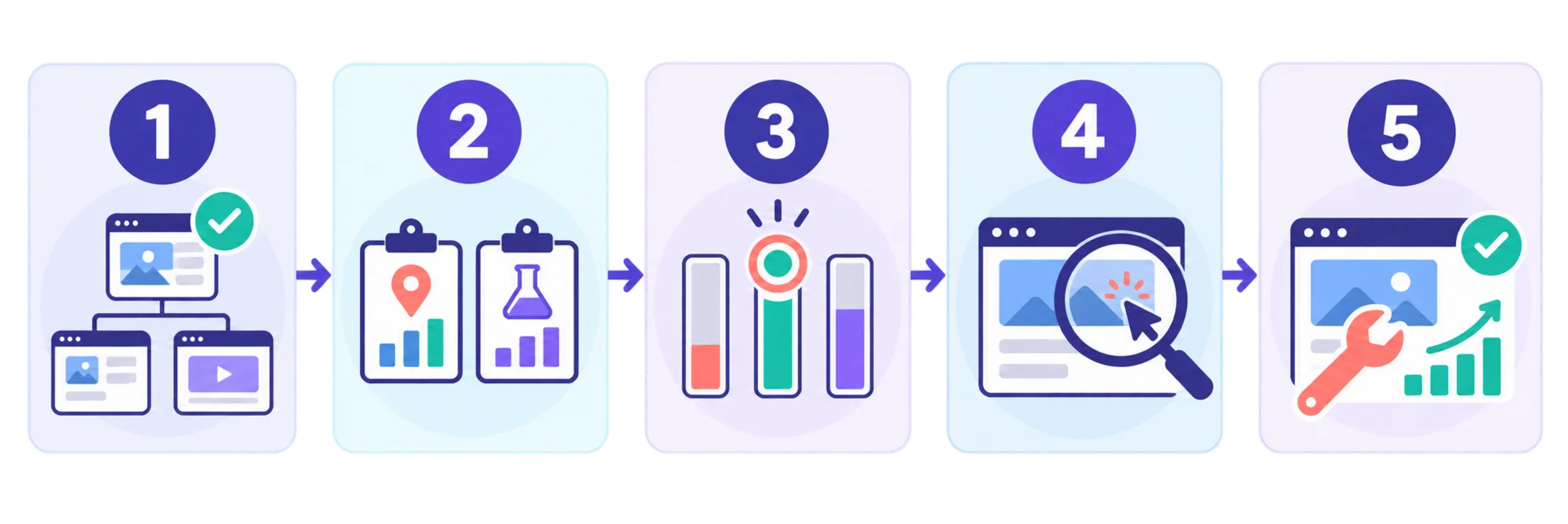
- Test important customer journeys. Audit the home page, a major service or category page, a product or menu page, the contact page, and the entry point for booking or checkout. Test mobile and desktop separately.
- Record field and lab evidence separately. Note whether field data applies to the exact URL or the entire origin. Record LCP, INP, and CLS rather than copying only Lighthouse’s overall performance score.
- Choose the metric to address. If several metrics fail, begin with the most serious customer-facing problem. A five-second LCP on a landing page may be more urgent than a small shift in its footer.
- Identify the responsible element or interaction. Find the LCP element, reproduce the slow control, or observe which element shifts. PageSpeed Insights and Chrome DevTools can help, while a screen recording from a real phone may expose obvious problems.
- Apply one focused group of changes. For example, optimize the hero image and correct its loading behavior. Changing the host, theme, plugins, fonts, and analytics setup simultaneously makes the result difficult to diagnose.
- Retest immediately. Confirm that the targeted problem improved and that the fix did not damage another metric. Removing image dimensions might reduce markup but introduce layout shifts.
- Monitor real-user results. CrUX’s rolling 28-day window will not turn green immediately after deployment. Track the trend while newer visits gradually replace older data.
How to fix a poor LCP

Start by identifying the actual LCP element. It is not necessarily the largest file on the server; it is the largest eligible element rendered in the initial viewport.
If the LCP element is a hero image:
- Resize it for its displayed dimensions.
- Compress it without creating visible artifacts.
- Use an efficient format supported by your platform and visitors.
- Provide responsive image variants with
srcsetandsizes. - Do not lazy-load an above-the-fold LCP image.
- Make the image discoverable in the initial HTML where possible.
- Consider
fetchpriority="high"for the confirmed LCP image. - Replace unnecessary sliders that fetch several large images.
If server response is slow:
- Enable suitable full-page and application caching.
- Review hosting performance and backend work.
- Remove avoidable redirects.
- Cache static images, fonts, CSS, and JavaScript.
- Consider a content delivery network when visitors are geographically dispersed.
If rendering is delayed:
- Remove unused theme and plugin assets.
- Load critical styles early.
- Defer non-critical JavaScript.
- Reduce font families, weights, and render-blocking requests.
The official LCP optimization guide breaks LCP into time to first byte, resource load delay, resource load duration, and element render delay. That distinction matters: compressing an image will not fix a long delay before the browser discovers it.
How to fix a poor INP
Use the page like a customer. Open its mobile menu, change a product option, type in the main form, use search, and launch its booking tool.
Then reduce the work associated with slow interactions:
- Remove scripts and plugins that no longer provide business value.
- Delay nonessential chat, advertising, heatmap, and social scripts.
- Break long JavaScript tasks into smaller tasks.
- Avoid rebuilding a large page section after a minor input.
- Reduce an unnecessarily large or complex document structure.
- Provide immediate visual feedback when processing must continue.
- Check whether a third-party booking, payment, or map widget is responsible.
Do not keep compressing images when INP is the failing metric. Images primarily affect loading; poor INP is usually linked to main-thread work, event handling, rendering, or third-party code.
Use the INP optimization guide with the specific interaction that is slow. A site-wide field value tells you that a problem exists, but reproducing the affected interaction is what makes it actionable.
How to fix a poor CLS
Most layout shifts can be prevented by reserving space before an element loads.
- Give images and video embeds width and height attributes or a stable aspect ratio.
- Reserve space for reviews, maps, ads, and booking widgets.
- Avoid inserting banners above content that is already visible.
- Place form errors beside or below the relevant field when practical.
- Configure font fallbacks to reduce movement when web fonts load.
- Animate with
transforminstead of properties that rearrange the layout. - Recheck narrow mobile layouts, where shifts are more disruptive.
Cookie notices illustrate the tradeoff. A notice inserted at the top after load can push the entire page downward. A properly implemented overlay avoids rearranging existing content, although it must not obscure essential controls.
The CLS optimization guide recommends investigating both load-time shifts and shifts that happen after a visitor begins interacting. A clean initial load does not rule out problems caused by menus, forms, or injected widgets.
Walkthrough: A slow local service page
Consider a hypothetical plumbing company whose mobile service page reports:
- LCP: 4.8 seconds
- INP: 620 milliseconds
- CLS: 0.19
LCP and INP are poor, while CLS needs improvement.
The LCP element is a full-width van photograph uploaded directly from a camera. The page builder also lazy-loads it even though it is the first major image. The repair is to resize and compress the photograph, provide responsive variants, expose it in the initial HTML, and stop lazy-loading it.
The slow interaction is the mobile menu. Opening it triggers theme code, a pop-up plugin, a chat service, and an animation library. The operator removes the unused pop-up plugin, delays chat, and replaces the elaborate animation with a simpler transition.
The layout shift comes from a review widget inserted beneath the heading without reserved space. Adding a correctly sized placeholder prevents the phone number and call button from jumping downward.
After deployment, the operator repeats the lab tests and manually checks the menu, form, and call button on a real phone. CrUX data is then monitored as the 28-day window advances. The objective is not a ceremonial score of 100. It is to bring real-user metrics into the good range without breaking leads or bookings.
What to send your developer or agency
“Make the website faster” is difficult to estimate or verify. A useful brief includes:
- The affected URL and device category
- Whether the field data is URL-level or origin-level
- The failing metric and current value
- The responsible element, script, widget, or interaction
- The good threshold
- The customer journey that must keep working
- The deployment and retest dates
For example: “On mobile, the service page has an LCP of 4.8 seconds in URL-level field data. The LCP element is the hero image. Optimize its dimensions, format, and loading priority without changing the visible crop, then provide before-and-after lab results.”
That request has a defined problem, scope, and success measure.
Do Core Web Vitals guarantee higher rankings?
No. Google says good Core Web Vitals align with what its core ranking systems seek to reward, but they are only part of the overall page experience. They do not override relevance, intent, trust, or content quality.
A fast page with copied or misleading information is not automatically useful. A relevant page also underperforms for the business when its booking button freezes or content jumps during checkout.
Treat content and performance as complementary:
- Answer the customer’s question directly.
- Make important information easy to use on a phone.
- Keep calls to action visible and stable.
- Limit intrusive pop-ups and distractions.
- Make forms, purchases, and bookings responsive.
This approach is consistent with Google’s guidance on helpful, reliable, people-first content.
Your 15-minute triage checklist
If you only have a few minutes:
- Test one high-traffic page on mobile.
- Check whether field data covers the URL or origin.
- Record LCP, INP, and CLS.
- Identify the LCP element.
- Use every important menu, form, filter, and booking control.
- Watch for movement during loading and interaction.
- Confirm the purpose of a script or plugin before removing it.
- Choose one measurable repair.
You can also run a free website audit with FreeSiteAudit to identify performance problems and turn technical findings into a practical action list.
Core Web Vitals become easier to manage when you stop treating them as one mysterious score. Find the failing metric, connect it to a visible customer problem, fix its cause, and validate the result with controlled tests and real-user data.
Sources
- https://web.dev/articles/vitals
- https://developers.google.com/search/docs/appearance/core-web-vitals
- https://developer.chrome.com/docs/crux/guides/pagespeed-insights
- https://web.dev/articles/optimize-lcp
- https://web.dev/articles/optimize-inp
- https://web.dev/articles/optimize-cls
- https://developers.google.com/search/docs/fundamentals/creating-helpful-content
Related Tools
Check your website for free
Get an instant score and your top 3 critical issues in under 60 seconds.
Get Your Free Audit →