FreeSiteAudit vs Sitebulb: Audit Depth vs Simplicity
Comparing FreeSiteAudit and Sitebulb for small business websites. One gives you quick fixes, the other gives deep technical crawls. Here's how to choose.
# FreeSiteAudit vs Sitebulb: Audit Depth vs Simplicity
You know your website has problems. Maybe traffic is flat, pages load slowly, or Google seems to be ignoring you. So you search for a website audit tool and now you're staring at two very different options.
FreeSiteAudit gives you a plain-English report with prioritized fixes in minutes. Sitebulb crawls every corner of your site and hands you a technical SEO encyclopedia. Both are legitimate tools, but they are built for different people with different goals.
Let's break down what each one actually does so you can pick the right fit.
What Sitebulb Does Well
Sitebulb is a desktop crawler built for SEO professionals. It installs on your computer (Windows or Mac), connects to your site, and crawls every URL it can find. That means hundreds or thousands of pages depending on your site size.
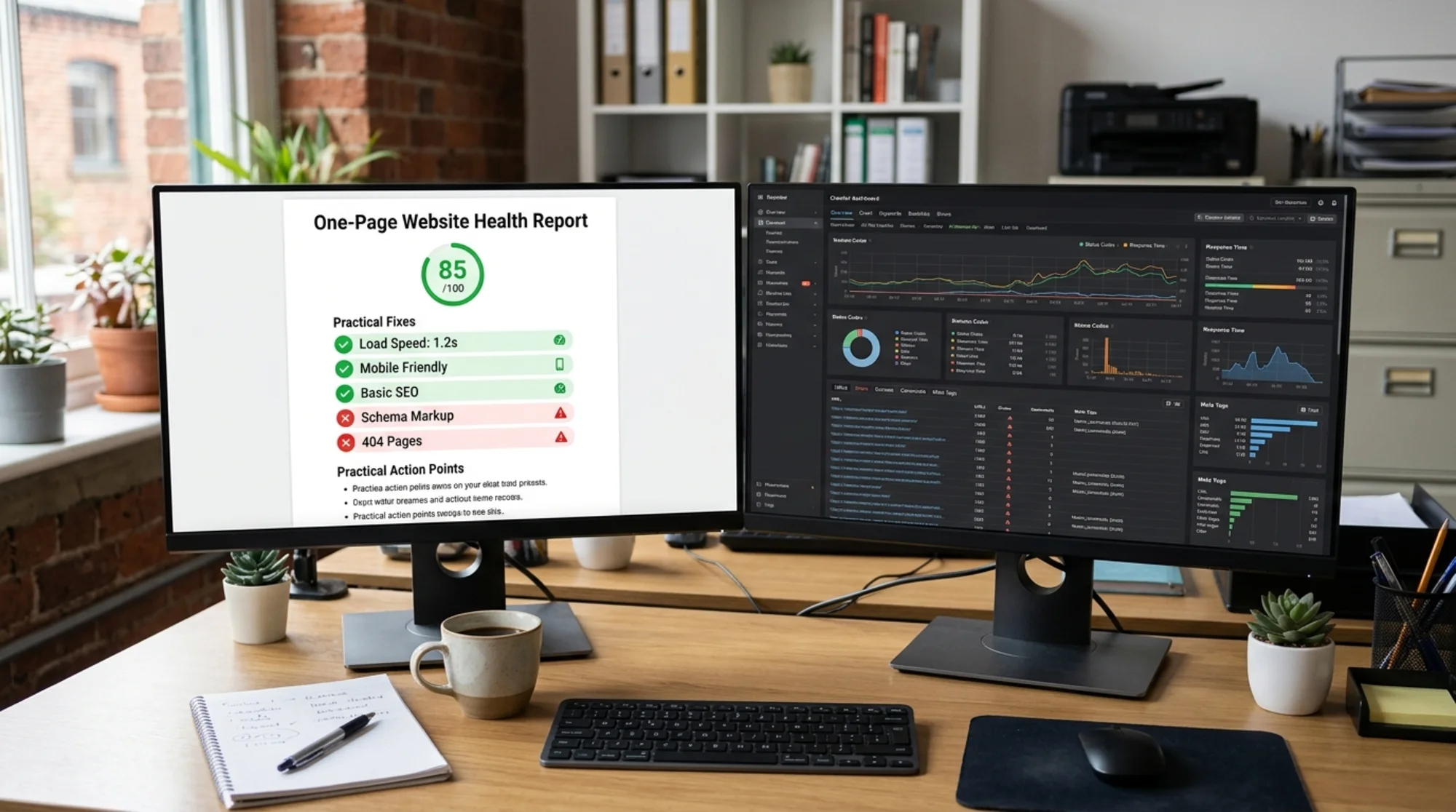
Here's what Sitebulb excels at:
- Deep crawling: It follows every internal link, checks every redirect chain, and maps your entire site architecture
- Technical diagnostics: Canonicalization issues, hreflang problems, JavaScript rendering, structured data validation
- Custom crawl configurations: You can set crawl depth, exclude URL patterns, simulate different user agents, and configure how the crawler handles JavaScript
- Detailed visualizations: Site architecture diagrams, internal link flow charts, crawl maps
If you are an SEO consultant auditing a 10,000-page e-commerce site, Sitebulb is genuinely impressive. It surfaces problems that simpler tools miss because it does a complete crawl rather than checking a single page.
Where Sitebulb Gets Complicated
Here's the thing: most small business websites have 5 to 50 pages. Maybe 200 if you have been blogging for a while. You don't need a tool that can crawl 100,000 URLs when your bakery website has 12 pages.

The common pain points small business owners hit with Sitebulb:
You need to install software. Sitebulb runs on your desktop. That means downloading, installing, updating, and making sure your machine has enough resources to run crawls.
The reports assume technical knowledge. When Sitebulb tells you about "orphaned pages with no internal links pointing to them" or "non-indexable URLs in your XML sitemap," you need to already understand what those things mean and why they matter.
Configuration decisions before you start. Before your first crawl, you are making choices about crawl scope, JavaScript rendering, robots.txt handling, and URL parameters. If you don't know what those mean, you are guessing.
Pricing is aimed at professionals. Sitebulb offers different license tiers for individuals and agencies. Check their pricing page for current specifics, but it is positioned as a professional tool, not a casual small business expense.
None of this makes Sitebulb bad. It makes it a professional-grade tool that is built for professional-grade users.
What FreeSiteAudit Does Differently
FreeSiteAudit takes the opposite approach. You paste in your URL, and within minutes you get a report that tells you what's wrong and what to fix first.
No software to install. No crawl configuration. No technical jargon without explanation.
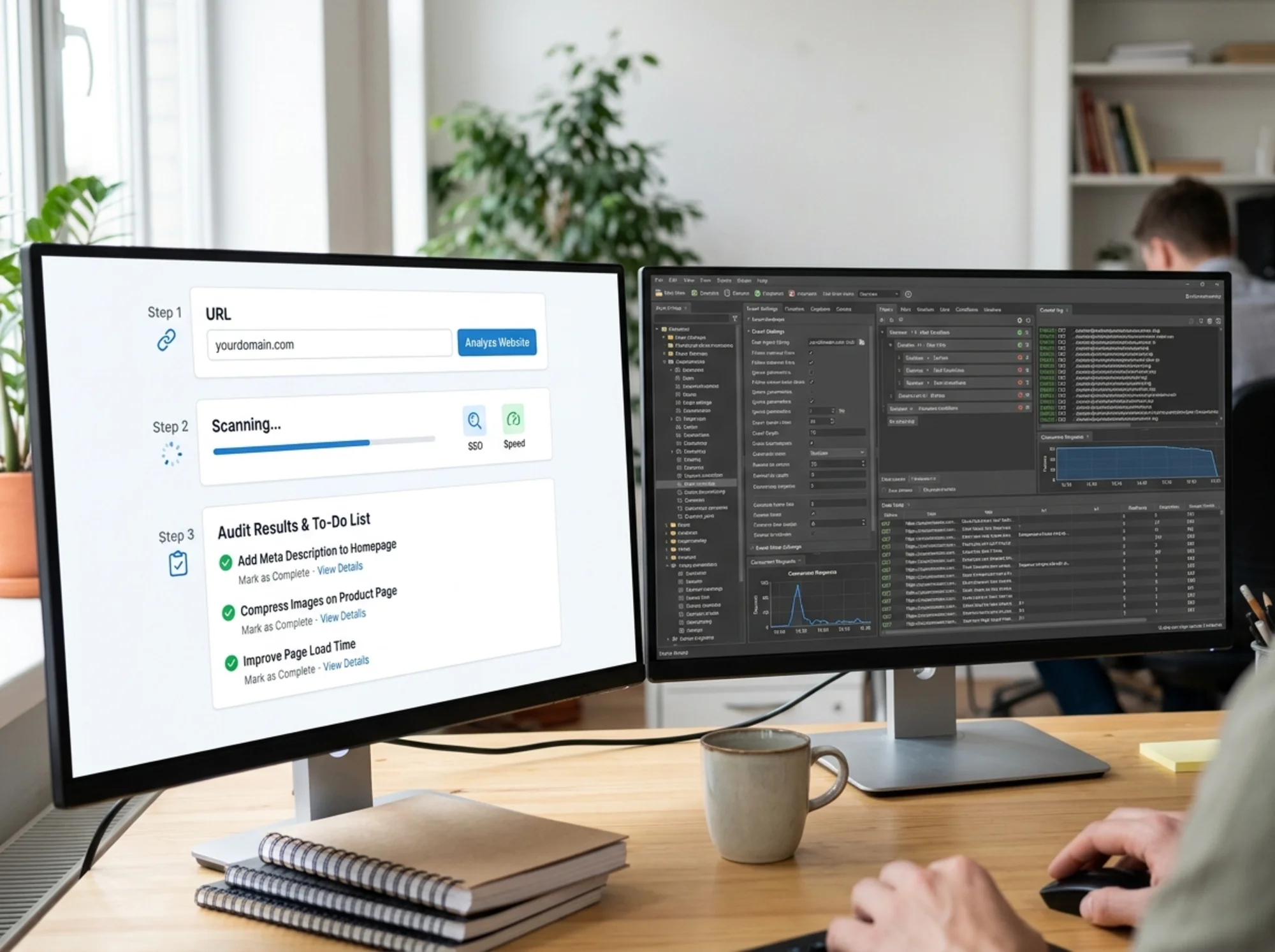
Here's what the experience looks like:
- Enter your URL on FreeSiteAudit
- Get a health score based on real performance data, SEO fundamentals, and accessibility checks
- Read prioritized recommendations in plain English with clear next steps
The report covers the things that actually matter for small business websites:
- Page speed: How fast your site loads, measured against Core Web Vitals thresholds that Google uses for ranking
- SEO basics: Title tags, meta descriptions, heading structure, image alt text, mobile friendliness
- Security: HTTPS status, mixed content warnings
- Accessibility: Color contrast, form labels, keyboard navigation basics
Each issue comes with a severity rating and a concrete fix. Not "optimize your canonical URL strategy" but "your homepage title tag is 12 characters, which is too short to be useful in search results. Aim for 50 to 60 characters that describe what your business does."
Walkthrough: Auditing a Local Plumber's Website
To make this concrete, imagine you run a plumbing company in Denver. Your site has a homepage, five service pages, an about page, a contact page, and a blog with 15 posts. About 23 pages total.
With Sitebulb, you would download and install the desktop app. You'd create a new project, enter your URL, then face a configuration screen asking about crawl scope, JavaScript rendering mode, and whether to respect robots.txt directives. After choosing defaults (because you are not sure what else to pick), you would start the crawl and wait several minutes while it processes all 23 URLs plus any external links.
The report comes back with 147 "hints" across categories like indexability, internal linking, URL structure, page content, and security. You'd see items like "3 URLs have a redirect chain of 2 or more hops" and "5 pages have duplicate H1 tags." Useful data, but you'd need to know which of those 147 hints actually matter for a 23-page plumbing site and which are noise.
With FreeSiteAudit, you would go to the site, paste your URL, and wait about two minutes. You'd get back a health score (say, 62 out of 100) and a prioritized list. The top items might look like:
- Critical: Your homepage images total 4.2 MB. Compress them to improve load speed. This alone could cut your load time in half.
- High: Six pages are missing meta descriptions. Search engines show these in results, and without them your click-through rate suffers. Here's how to write ones that get clicks.
- Medium: Your site isn't fully mobile-optimized. The tap targets on your contact page are too small on phone screens.
- Low: Two images are missing alt text, which hurts accessibility and image search visibility.
You could hand that list to whoever manages your website (or tackle it yourself) and work through it over a weekend. No translation needed. Most of these are fixes you can do without a developer.
That is the practical difference. Same website, same problems, but one report has you fixing things by Saturday and the other has you hiring someone to interpret the results first.
The Real Difference: What Happens After the Audit
This is where the choice gets practical. An audit tool is only useful if you actually fix things afterward.
With Sitebulb, you get a comprehensive technical report. If you are an SEO professional, you know exactly what to do with it. If you are a small business owner, you are probably forwarding that report to a developer or agency and hoping they can translate it into action items.
With FreeSiteAudit, you get a checklist. The items are ordered by impact, explained without jargon, and most of them are things you can fix yourself or hand directly to whoever manages your website.
Think of it this way: Sitebulb is like getting a full vehicle diagnostic printout from the mechanic's computer. FreeSiteAudit is like your mechanic saying "your brake pads are worn, your oil is overdue, and your left headlight is out. Here's what to do about each one."
Both contain useful information. One requires expertise to act on. The other is ready to use immediately.
When You Actually Need Deep Crawling
Let's be honest about when Sitebulb or a similar technical crawler is the right choice:
- Your site has more than 500 pages and you are worried about crawl budget or indexation issues
- You have complex URL parameters, faceted navigation, or multiple language versions
- You are migrating to a new domain or restructuring your site architecture
- You are an SEO professional billing clients for technical audits
- You need to audit JavaScript-rendered content that requires headless browser crawling
If any of those describe your situation, a deep crawler makes sense. But notice how none of those are "I run a local business and want more customers from Google."
When a Simple Audit Gets You Further
For most small business websites, the problems are straightforward:
- Slow page load times because images aren't compressed
- Missing or duplicate title tags
- No meta descriptions on key pages
- Broken links to pages that no longer exist
- Missing alt text on images
- Pages that don't work well on mobile
You don't need a 100-page technical crawl to find these issues. You need someone (or something) to check the basics and tell you what to fix first.

Google's own guidance on creating helpful content emphasizes that good websites serve users first. For small business sites, that means fast load times, clear information, and a site that works on phones. Those are exactly the things a focused audit catches.
A Practical Way to Decide
Ask yourself these questions:
How many pages does your site have?
Under 100 pages? A simple audit covers everything that matters. Over 500? You might benefit from a full crawl at some point.
Who's going to fix the problems?
If it's you or a non-technical team member, you need plain-English recommendations. If you are paying an SEO agency, they probably have their own crawler already.
What's your budget for tools?
FreeSiteAudit offers a free tier that covers the fundamentals. Sitebulb is a paid professional tool priced accordingly. For a small business testing the waters, starting free makes sense.
How often will you audit?
If this is a one-time checkup, a quick scan tells you what you need. If you are running monthly audits across hundreds of client sites, professional tools pay for themselves.
You Can Always Level Up Later
Here's the thing people forget: these are not mutually exclusive choices. You can start with a free website audit to catch the obvious problems, fix those, and then decide if you need deeper technical analysis later.
Most small business websites have enough low-hanging fruit that a simple, prioritized audit keeps you busy for weeks. Why pay for a professional crawler when you haven't fixed your image compression or written proper title tags and meta descriptions yet?
Fix the basics first. Check your page speed. Make sure your pages have proper meta descriptions. Then, if you are still not ranking and you have handled everything a basic audit surfaced, that's when a deep crawl might reveal something you missed.
Start With What You'll Actually Use
The best audit tool is the one that leads to fixes on your website. A 200-page technical report gathering dust in your downloads folder isn't helping anyone.
If you want a clear picture of what's wrong with your site right now and what to fix first, run a free audit on FreeSiteAudit. You'll get your health score, a prioritized list of issues, and specific guidance on how to fix each one.
No installation. No configuration. No jargon. Just a straight answer about what your website needs.
Sources
- Sitebulb features and crawl capabilities: https://sitebulb.com/features/
- Google Core Web Vitals documentation: https://web.dev/articles/vitals
- Google's guidance on creating helpful content: https://developers.google.com/search/docs/fundamentals/creating-helpful-content
Check your website for free
Get an instant score and your top 3 critical issues in under 60 seconds.
Get Your Free Audit →