FreeSiteAudit vs GTmetrix: Speed Tool or Full-Site Audit?
GTmetrix excels at page speed debugging. FreeSiteAudit covers speed plus SEO, mobile, and conversion issues. See how to pick the right tool for your site.
# FreeSiteAudit vs GTmetrix: Speed Tool or Full-Site Audit?
You've probably seen someone recommend GTmetrix when your site feels slow. It's a solid tool. But speed is only one part of whether your website is actually working for your business.
If your site loads fast but nobody calls you, speed wasn't the problem.
This article breaks down what GTmetrix does well, where it stops, and when a broader audit tool like FreeSiteAudit gives you a more complete picture. No hype. Just a practical look at which tool fits which situation.
What GTmetrix Does Well
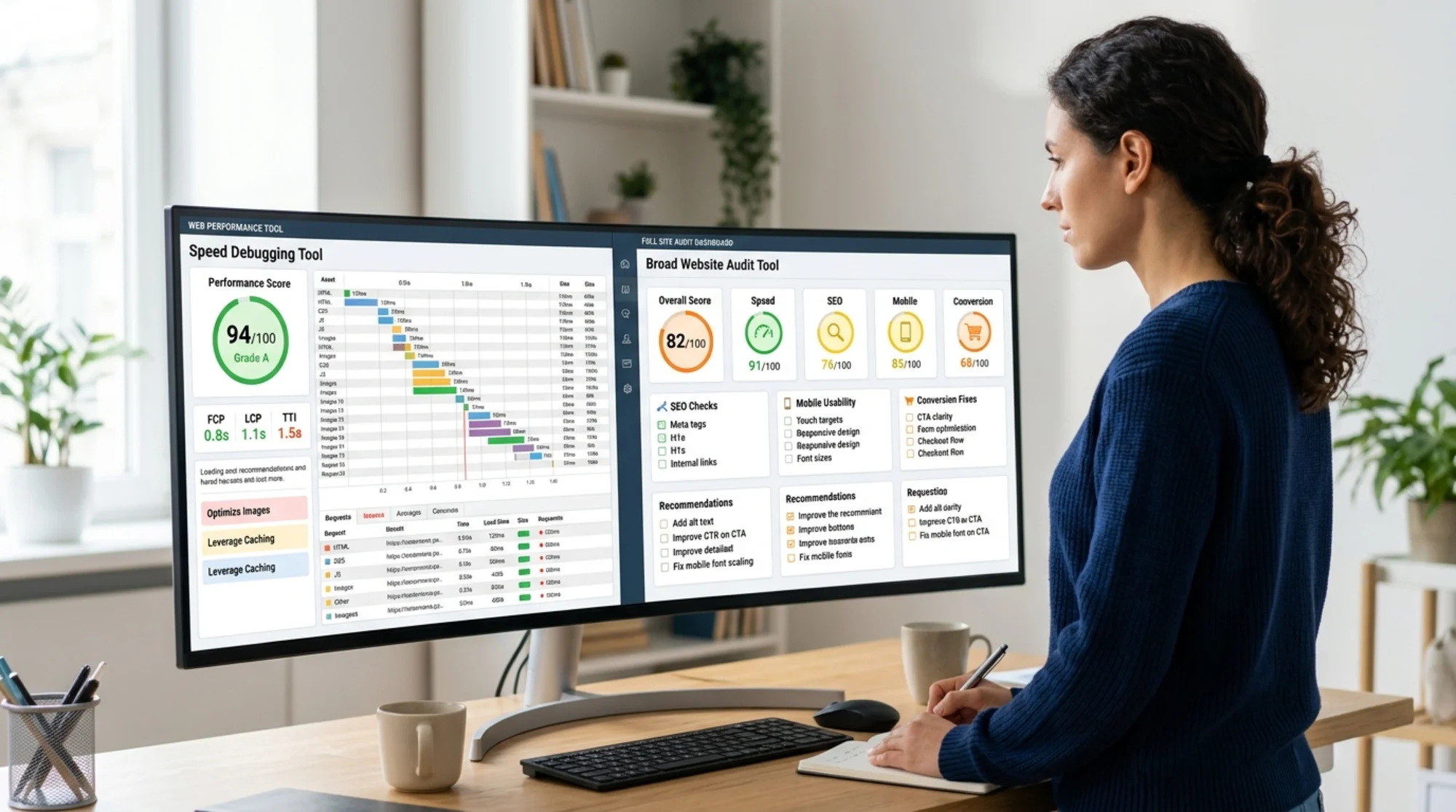
GTmetrix is a performance testing tool. It loads your page in a real browser, measures how long things take, and shows you exactly what slowed them down.
Here's where it shines:
- Waterfall charts. You can see every file your page loads, in order, with exact timing. If a single JavaScript file is blocking your page for 3 seconds, the waterfall chart shows it clearly.
- Core Web Vitals scores. GTmetrix reports your Largest Contentful Paint (LCP), Cumulative Layout Shift (CLS), and Interaction to Next Paint (INP). These are the three metrics Google uses to judge page experience. Google's recommended thresholds: LCP under 2.5 seconds, CLS under 0.1, and INP under 200 milliseconds (source).
- Heavy asset identification. It flags oversized images, uncompressed files, and render-blocking resources. If your hero image is 4MB, GTmetrix will call it out.
- Test from different locations. You can run tests from servers in different cities to see how geography affects load time.
- Historical tracking. Paid plans let you monitor speed over time so you can spot regressions after a site update.
For developers and performance specialists, GTmetrix is genuinely useful. If you already know your site has a speed problem and need to find the exact cause, it's a strong debugging tool.
What GTmetrix Doesn't Cover
GTmetrix answers one question: how fast does this page load?
It doesn't answer these:
- Are your title tags helping you rank in search?
- Is your site actually usable on phones?
- Can Google crawl and index your pages?
- Does your contact page work?
- Are you missing basic trust signals that visitors look for?
- Is your meta description convincing people to click?
These aren't speed issues. But for a small business owner, they matter just as much. Sometimes more.
A Real Scenario: The Fast Site Nobody Finds
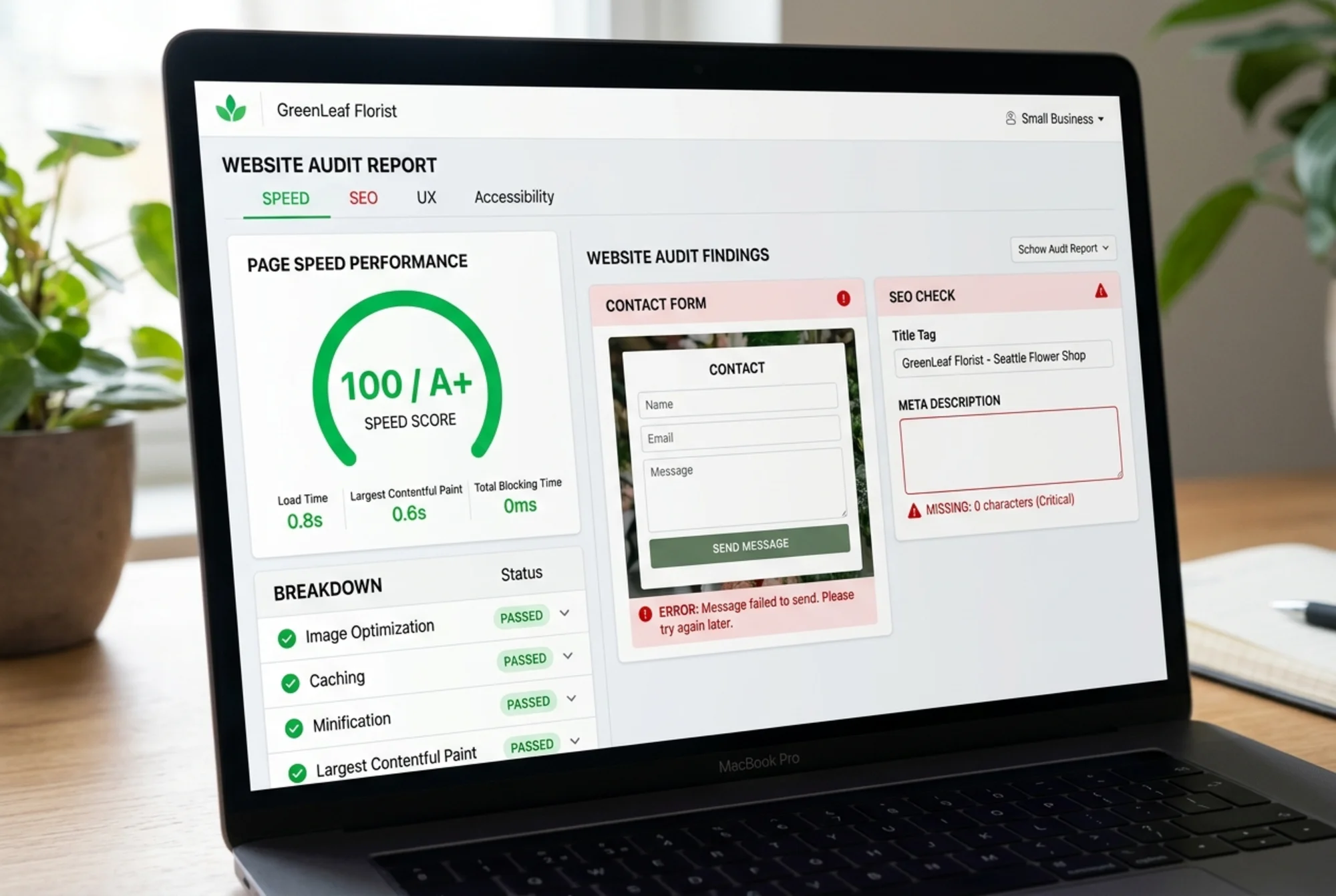
Sarah runs a local landscaping company. A friend told her to test her site on GTmetrix. She got an A grade and a 1.8-second LCP. Great numbers.
But her business wasn't getting leads from the website. Here's what GTmetrix couldn't tell her:
- Her homepage title tag said "Home | Welcome" instead of "Landscaping Services in Portland, OR." Google had no clear signal about what her business did (why title tags matter).
- Her meta description was blank, so Google auto-generated a snippet from random page text.
- Her contact form had a broken submit button on mobile. Mobile visitors couldn't reach her.
- She had no Google Business Profile link, no reviews, and no phone number visible above the fold.
Her site was fast. It just wasn't doing its job.
A broader audit would have caught all four issues. GTmetrix caught none of them, because they aren't speed problems.
What a Full-Site Audit Covers
FreeSiteAudit checks speed, but it also checks the things that drive leads and search visibility for small businesses.
Speed and Performance
FreeSiteAudit reports Core Web Vitals scores, render-blocking resource warnings, and image optimization flags. You can also run a quick check with the speed snapshot tool.
It's not as deep as GTmetrix's waterfall view. That's by design. Most small business owners don't need to know which specific CSS file loaded at the 1.2-second mark. They need to know: is my site fast enough, and if not, what's the simplest fix?
SEO Basics
The audit checks your title tags, meta descriptions, heading structure, image alt text, and internal linking. These are the fundamentals that help Google understand what your pages are about.
You can also spot-check individual pages with the meta title checker.
Mobile Usability
Google uses mobile-first indexing, meaning it primarily evaluates the mobile version of your site for ranking (source). A full audit checks whether your site works properly on phones: tap targets, text size, viewport settings, and layout issues that only appear on smaller screens.
Conversion and Trust Signals
This is where speed-only tools leave you blind. A full audit looks at whether your site has:
- A working contact form or clear call-to-action
- Visible phone number and address (for local businesses)
- Trust indicators like reviews, certifications, or client logos
- A contact page that actually converts
Plain-English Recommendations
GTmetrix tells you to "eliminate render-blocking resources" or "reduce unused JavaScript." Useful if you're a developer. Less so if you're a business owner.
FreeSiteAudit explains issues in plain English and tells you what to fix first based on impact. No jargon needed. No developer needed for many of the fixes (see examples).
When to Use Which Tool
This isn't an either-or decision. These tools solve different problems.
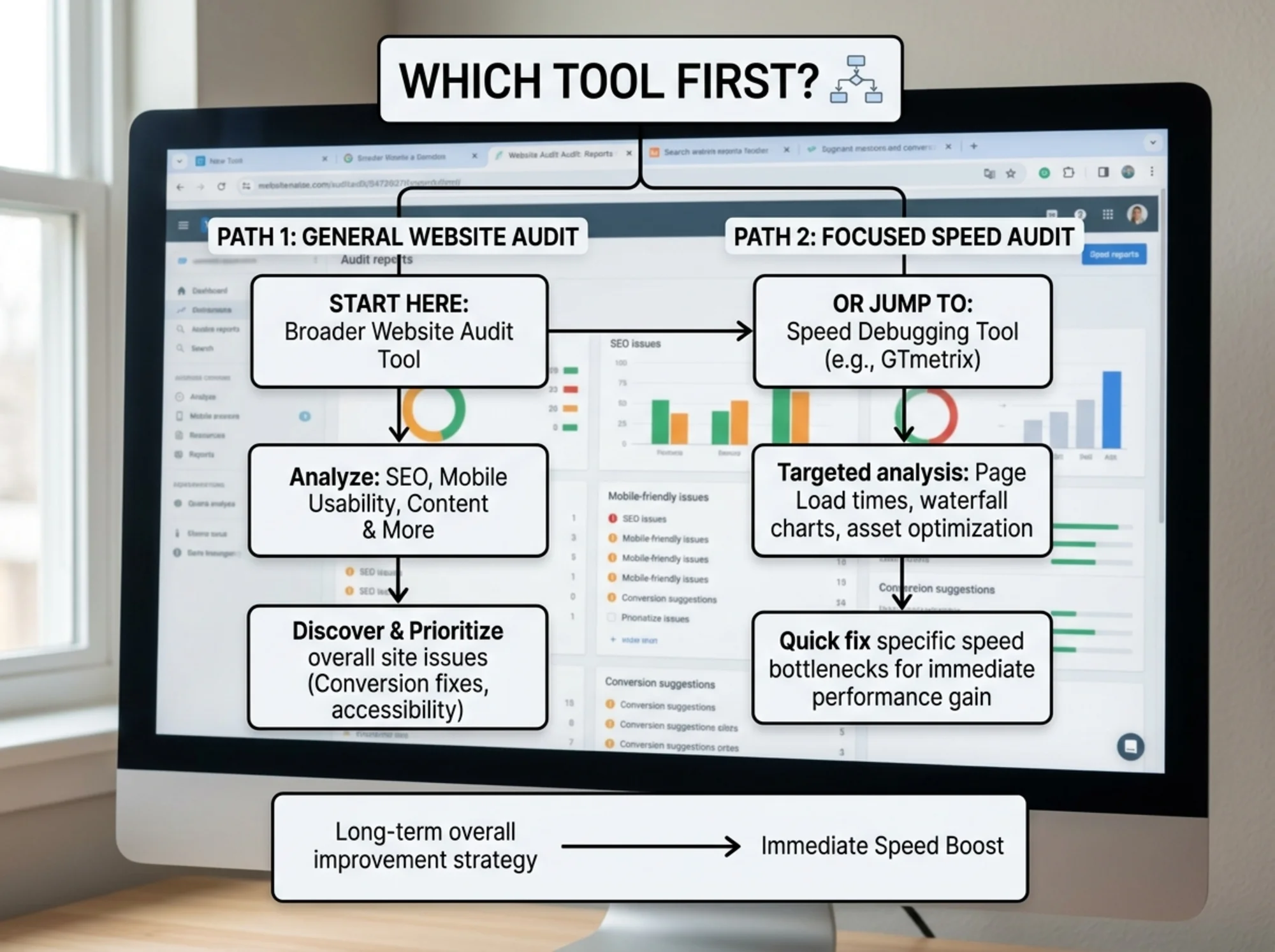
Start with FreeSiteAudit when:
- You want a general health check of your website
- You're not sure what's wrong, just that the site isn't bringing in leads
- You want to know what to fix first across speed, SEO, mobile, and conversions
- You don't have a developer on staff and need actionable recommendations
- You're launching a new site and want to catch obvious issues before going live
Use GTmetrix when:
- You already know you have a speed problem and need to find the exact cause
- A broad audit flagged a speed issue and you need the waterfall chart to debug it
- You're a developer optimizing load times for a specific page
- You want to compare performance before and after a code change
- You need to test page speed from a specific geographic location
Use both when:
- FreeSiteAudit flags a speed issue, then you open GTmetrix to dig into the waterfall and find the specific bottleneck
- You want the big picture from a full audit and the technical detail from a speed tool
Think of it this way: FreeSiteAudit is the general checkup. GTmetrix is the specialist you visit when the checkup finds something that needs a closer look.
Side-by-Side Comparison
| Feature | FreeSiteAudit | GTmetrix |
|---|---|---|
| Page speed scores | Yes | Yes |
| Core Web Vitals | Yes | Yes |
| Waterfall chart | No | Yes (detailed) |
| SEO checks | Yes | No |
| Mobile usability | Yes | Limited |
| Title/meta analysis | Yes | No |
| Conversion review | Yes | No |
| Trust signal checks | Yes | No |
| Plain-English results | Yes | Technical |
| Geographic testing | No | Yes |
| Free tier | Yes | Yes (limited) |
What to Do After Your Audit
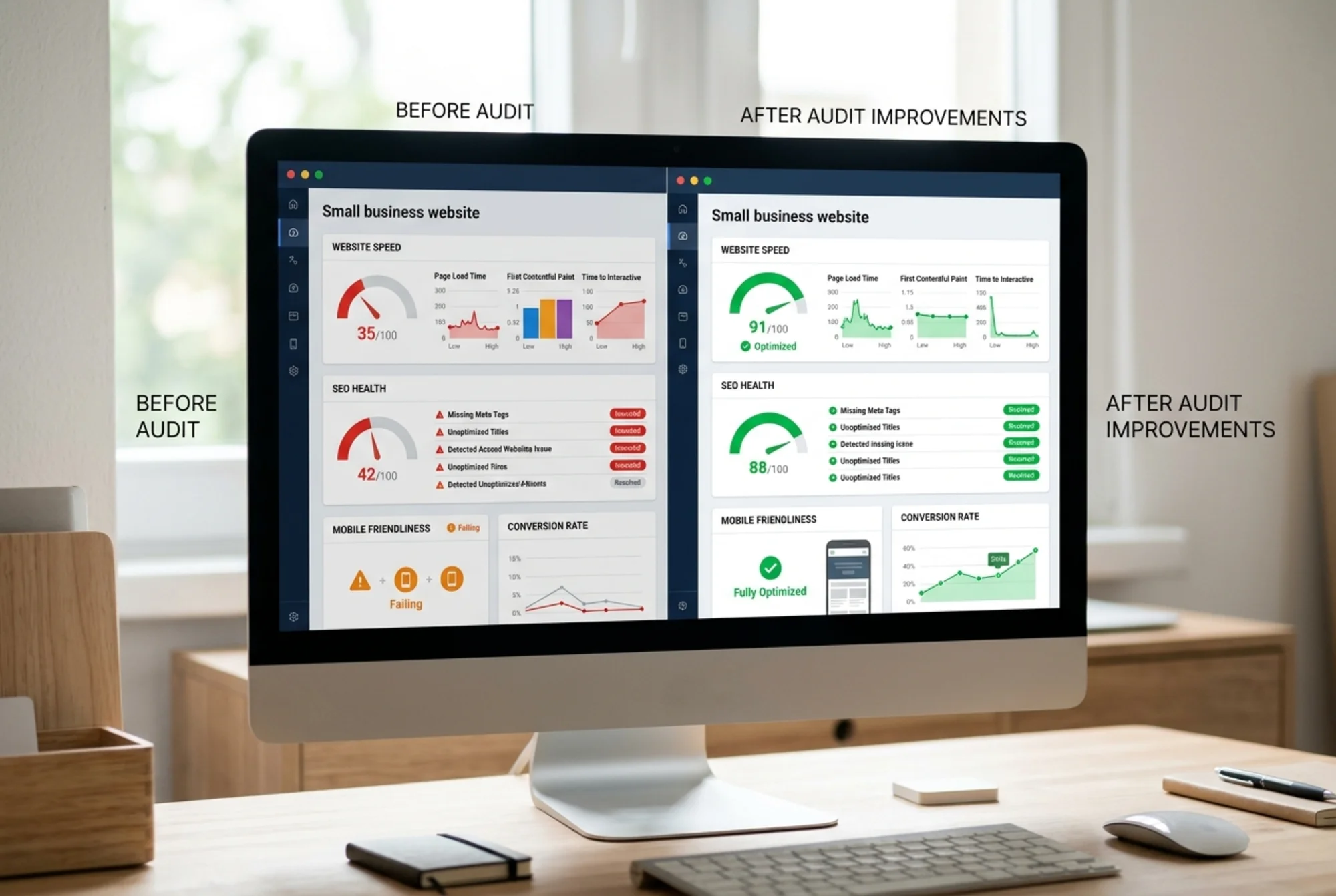
The goal isn't to collect scores. It's to fix what matters.
Here's a practical order for acting on results from a full-site audit:
- Fix anything broken. Broken forms, dead links, missing pages. These cost you leads right now.
- Fix title tags and meta descriptions. These affect whether people click on you in search results. Small change, measurable impact.
- Address mobile issues. If your site doesn't work on phones, you're losing a large share of potential visitors.
- Improve speed if flagged. If your LCP is over 2.5 seconds, that's worth fixing. Use GTmetrix to pinpoint the specific bottleneck.
- Add missing trust signals. Reviews, testimonials, certifications. These help visitors decide to contact you.
The Bottom Line
GTmetrix is a good tool. It does one thing and does it well. If you need detailed speed debugging, use it.
But most small business owners don't need a speed debugger first. They need to know what's actually wrong with their site across all the areas that affect leads, search rankings, and visitor trust.
Start with the broad view. Drill into speed when you need to.
Run a free website audit with FreeSiteAudit and see what your site looks like beyond just speed. You'll get a clear list of what to fix first.
Sources
Related Tools
Check your website for free
Get an instant score and your top 3 critical issues in under 60 seconds.
Get Your Free Audit →