Website Audit Guide for Real Estate Agents
Learn how to audit your real estate website to generate more leads. Covers homepage clarity, IDX search, mobile usability, local SEO, and trust signals.
# Website Audit Guide for Real Estate Agents
Most real estate agents spend money driving traffic to Zillow, Realtor.com, and other portals while their own website does very little. Maybe it loads slowly on a phone. Maybe the contact form is buried. Maybe buyers never make it past the first listing page.
A website audit shows what is broken, what is missing, and what to fix first so your site starts generating leads.
A generic audit is not enough for real estate. Your site has unique needs: IDX property search, neighborhood pages, click-to-call for mobile buyers, local SEO for specific service areas, and trust signals that convince sellers to list with you.
This guide walks through a real estate-specific audit step by step.

Why a Generic Audit Falls Short
A standard website audit checks the basics: page speed, broken links, meta tags, mobile responsiveness. Those matter. But they do not tell you whether your IDX search actually works on a phone, whether Google understands which neighborhoods you serve, or whether your homepage makes it clear what you do and where you do it.
Real estate websites have specific problems that generic tools miss:
- IDX and property search widgets often load inside iframes, which can make it harder for search engines to discover listings and may slow down your page.
- Neighborhood and service-area pages need local content, not just a list of ZIP codes.
- Lead capture has to work differently when someone is browsing listings at 10 PM on a Saturday versus filling out a B2B form during work hours.
- Trust signals for real estate are specific: license numbers, brokerage affiliation, recent sales, client testimonials with photos.
A proper audit looks at all of this.
Start With Your Homepage
Your homepage has about five seconds to answer three questions for every visitor:
- What do you do? (Buy/sell real estate)
- Where do you do it? (Specific cities, neighborhoods, or counties)
- What should I do next? (Search listings, get a home valuation, call you)
Open your homepage on your phone right now. If you cannot answer all three questions without scrolling, you have a problem.
Scenario: An agent in Austin has a homepage with a giant photo slideshow, a vague tagline ("Your Dream Home Awaits"), and no mention of Austin, Round Rock, or Cedar Park until the footer. Google does not know where this agent works. Visitors do not know either. A quick fix: replace the tagline with "Helping buyers and sellers in Austin, Round Rock, and Cedar Park" and add a visible search bar or CTA above the fold.
Check your meta title and meta description while you are at it. Your title tag should include your name, what you do, and where. Something like "Jane Smith | Austin Real Estate Agent | Homes for Sale in Cedar Park & Round Rock" is far more useful than "Welcome to My Website."
Neighborhood and Service-Area Pages
If you serve multiple neighborhoods or cities, each one deserves its own page. Not a thin page with just a map and three sentences, but a genuinely useful page with local information: school districts, average home prices, what the neighborhood is known for, and nearby amenities.
A page about Westlake Hills should read like it was written by someone who actually knows Westlake Hills, not like it came from a template.
For guidance on structuring these pages so both users and search engines understand your coverage, read our guide on how to show service areas clearly.
If you serve multiple locations, our local SEO audit checklist for multi-location businesses covers the technical side in detail.

Mobile Property Browsing
According to the National Association of Realtors, the majority of home buyers use mobile devices during their home search. Google also uses mobile-first indexing, meaning it evaluates the mobile version of your site first when deciding how to rank it.
So pull out your phone and try to use your own website. Specifically:
- Can you search for properties and filter by price, beds, and location without the filters overlapping or breaking?
- Can you swipe through listing photos easily?
- Is there a click-to-call button visible on every page?
- Do property details load quickly, or do you stare at a spinner for several seconds?
IDX widgets are a common pain point here. Many load inside iframes that are not optimized for mobile screens. The search filters may be too small to tap. The results may not scroll properly. If your IDX provider's mobile experience is poor, that is worth raising with them directly.
Check your mobile experience with a speed snapshot and verify your click-to-call setup. For a deeper dive, see our mobile website SEO audit guide.
Lead Capture That Actually Works
Real estate leads come in at all hours, so your contact path needs to be simple and visible. Here is what to check:
- Is there a CTA on every page? Every listing page, neighborhood page, and blog post should have a way to reach you.
- Is the form short? Name, email, phone, and a message field are enough.
- Do you respond quickly? If your form sends you an email that you check once a day, you are losing leads.
- Is your phone number clickable on mobile? Many real estate sites still display their phone number as plain text that cannot be tapped to call.
Our guide on contact pages that turn visitors into leads goes deeper on form optimization and placement.
Trust Signals for Real Estate
Buyers and sellers want proof that you are legitimate and good at what you do. A generic "About Us" page is not enough. Here is what builds trust on a real estate website:
- Real client testimonials with full names and photos (with permission). Video testimonials are even better.
- Recent sales data. "Sold 23 homes in 2025" is more convincing than a vague claim about how long you have been in the business.
- License and brokerage information displayed clearly, not hidden in the footer fine print.
- Professional headshot and bio that sounds human, not like a press release.
- Awards or certifications if you have them (e.g., CRS, ABR, GRI designations).
Run a quick trust signals check to see what your site is communicating to visitors and search engines.
Local SEO Essentials
When someone searches "real estate agent near me" or "homes for sale in [neighborhood]," you want to show up.
Here is a quick checklist:
- [ ] Your Google Business Profile is claimed, complete, and has your correct website URL
- [ ] Your name, address, and phone number (NAP) are identical across your website, Google Business Profile, and every directory listing
- [ ] Each service area has its own page with unique, useful content
- [ ] Your site has LocalBusiness or RealEstateAgent schema markup
- [ ] You have at least 10 Google reviews with responses from you
- [ ] Your meta titles and descriptions include your target locations
If you are unsure whether to prioritize your Google Business Profile or your website, our comparison of Google Business Profile vs. website SEO will help you decide.
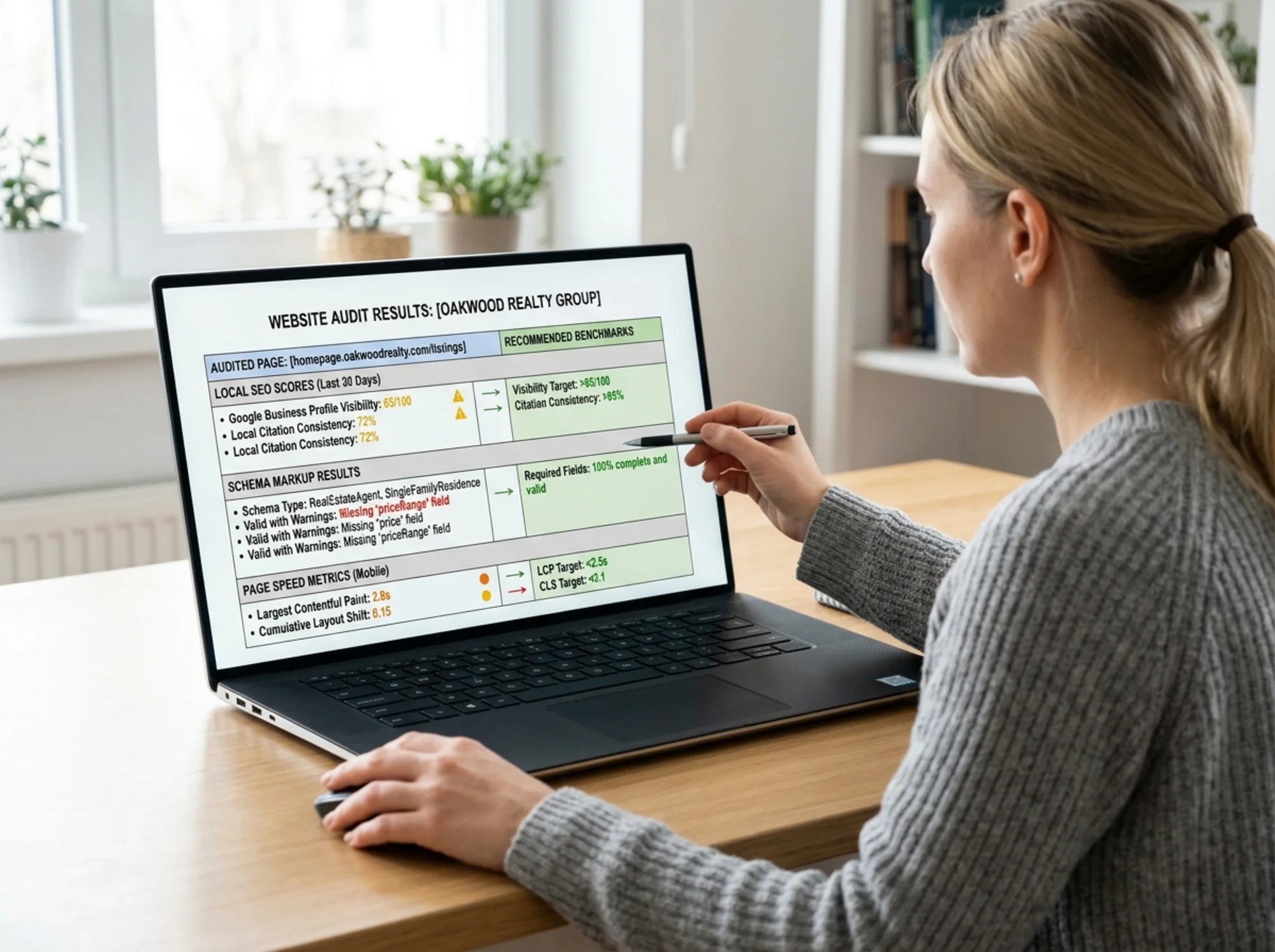
Use the NAP consistency checker to spot mismatches across directories, and the schema check tool to verify your structured data is correct.
Page Speed
Real estate websites tend to be heavy. Large listing photos, IDX widgets, embedded maps, and chat widgets all add up. Google's Core Web Vitals measure three things that directly affect rankings and user experience:
- Largest Contentful Paint (LCP): How quickly the main content loads. Aim for under 2.5 seconds.
- Interaction to Next Paint (INP): How quickly the page responds when someone taps or clicks. Aim for under 200 milliseconds.
- Cumulative Layout Shift (CLS): Whether elements jump around while the page loads. Aim for under 0.1.
Common fixes for real estate sites: compress listing photos before uploading, lazy-load images below the fold, and ask your IDX provider about async loading options so the search widget does not block the rest of the page.
Get a baseline with the speed snapshot tool.
Schema Markup
Schema markup helps search engines understand your content. For real estate, the most useful types are:
- RealEstateAgent schema on your homepage and about page
- LocalBusiness schema with your address, phone, and hours
- FAQPage schema on any page with an FAQ section
- BreadcrumbList schema for site navigation
When done correctly, schema can help you earn rich results in Google, such as star ratings, FAQ dropdowns, and enhanced business listings. Use the schema check tool to see what markup your site currently has and what is missing.
Make sure your sitemap is also in order so Google can discover all your pages, including those neighborhood pages you just built.

Your Real Estate Website Audit Checklist
Use this as a starting point for your own audit:
- [ ] Homepage clearly states who you are, where you work, and what to do next
- [ ] Meta titles and descriptions include your name and locations
- [ ] Each neighborhood or city you serve has its own content page
- [ ] Property search works smoothly on mobile
- [ ] Click-to-call button is visible on every page
- [ ] Contact form is short and on multiple pages
- [ ] Trust signals are visible: testimonials, sales data, license info
- [ ] NAP is consistent across all directories
- [ ] Schema markup is in place (RealEstateAgent, LocalBusiness)
- [ ] Page loads in under 3 seconds on mobile
- [ ] Sitemap is submitted and up to date
- [ ] Google Business Profile links to your website
Run Your Free Audit Now
You do not need to be a web developer to start fixing your website. The first step is knowing what needs attention.
Run a free website audit with FreeSiteAudit and get a clear report showing what your real estate website gets right and where it is falling short. It takes less than a minute, and the results are specific enough to hand to your web developer or tackle yourself.
Your website should be working as hard as you do.
Sources
Related Tools
Related Industries
Check your website for free
Get an instant score and your top 3 critical issues in under 60 seconds.
Get Your Free Audit →